
Razer Reclusa X Mini 65%
4.8Editor score
Hot-swappable 65% design
Tactile Orange switches
Advanced competitive features
Our Razer Gaming Keyboard guide compares 10 models for switch feel, responsiveness, connectivity, build quality, comfort, customization, and gaming value.
A Razer gaming keyboard should react quickly, feel comfortable through long sessions, and suit the way you play. The right model may prioritize fast analog or magnetic inputs, a compact footprint, wireless freedom, familiar mechanical feedback, or the polished convenience of a full-size design.
We compared all 10 products by examining their stated switches, layouts, connectivity, controls, lighting, wrist-rest support, programmability, and durability features. The list covers wired and wireless models, full-size, tenkeyless, 65%, and 60% designs, with options for competitive shooters and everyday productivity.
Each review identifies the strongest reasons to consider a particular model and any meaningful trade-offs. The featured products are not ranked by price, since prices and promotions can change, so compare the specifications, layout, and features that matter most to your setup.
4.8Editor score

4.6Editor score

4.3Editor score
The comparison below shows how the 10 Razer gaming keyboards differ across layout, switch technology, connectivity, and standout control features, making it easier to narrow the field before reading the individual reviews.

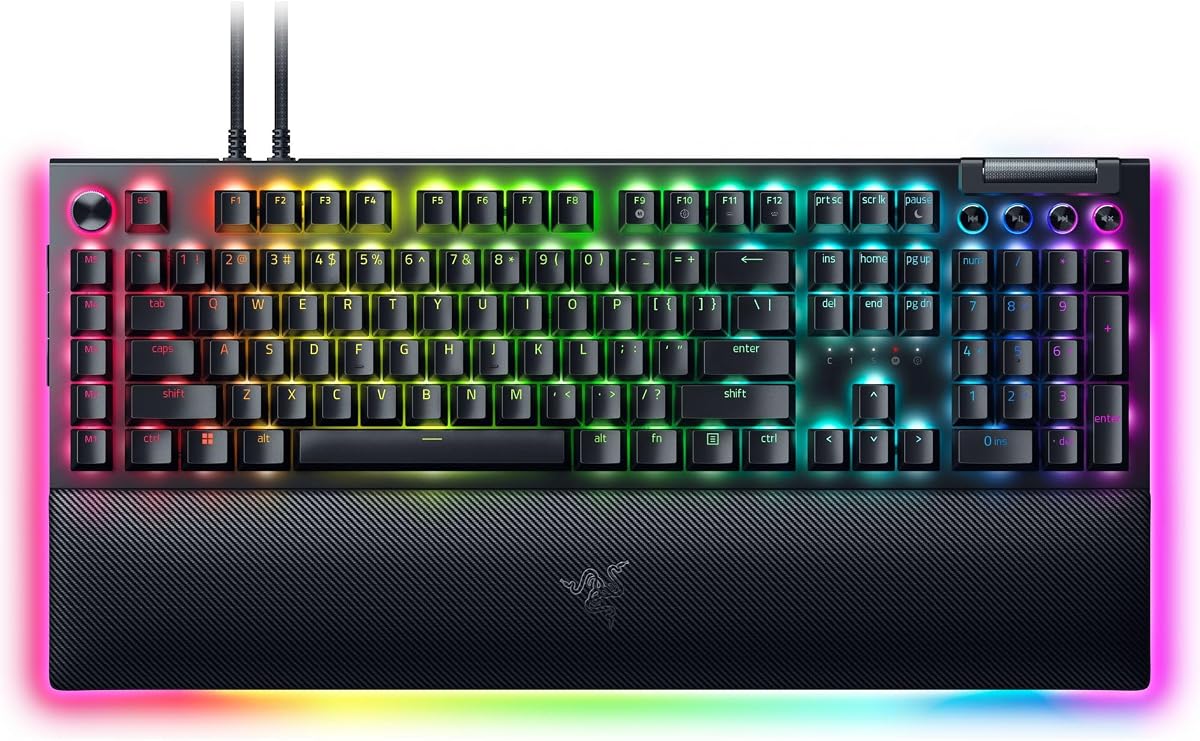



The Razer BlackWidow V4 X combines fast linear mechanical switches with a conventional full-size layout, giving it broad appeal for both games and daily work. Its 4.6 rating reflects a balanced feature set, while the Yellow switches emphasize smooth, rapid inputs without the pronounced click of a tactile or clicky switch.
We may earn a commission when you buy through this link, at no additional cost to you.
Its defining features include six dedicated macro keys, a multifunction roller, secondary media controls, and individually illuminated keys. The switch construction is designed to produce even lighting across the 16.8-million-color Chroma RGB ecosystem, and the doubleshot ABS keycaps resist worn legends while using thicker walls for repeated gaming use.
Sound and feel receive unusual attention for a full-size board. A foam layer beneath the circuit board and lubricated stabilizers help minimize unwanted noise, making the keyboard more appealing for shared rooms or late-night sessions. The trade-off is its wired connection and conventional footprint, neither of which suits a buyer prioritizing a wireless link or maximum desk space.
Choose this model if you want a dependable Razer gaming keyboard with rapid mechanical feedback, plenty of dedicated controls, strong lighting, and a mature full-size design. It is especially well suited to players who use macros but do not need analog actuation, magnetic switches, or a tenkeyless format.
The Yellow switches use a 1.2 mm actuation point and require 45 g of force, creating a quick, linear action. Built-in dampeners help control the sound that might otherwise accompany rapid-fire play.
Six macro keys, a multifunction roller, and secondary media controls place frequently used commands within easy reach. These dedicated controls can reduce reliance on software shortcuts without turning the main key area into a complicated control surface.
We may earn a commission when you buy through this link, at no additional cost to you.
The Razer Ornata V3 is built for players who want a low-profile keyboard without giving up the full-size layout. It carries a 4.5 rating and uses Razer Mecha-Membrane switches to blend the response of a mechanical keyboard with the familiar feel of a conventional membrane model.
We may earn a commission when you buy through this link, at no additional cost to you.
Slimmer keycaps and shorter switches encourage more natural hand positioning, which is the main reason to consider this model over a taller mechanical board. The UV-coated keycaps are designed to resist fading and everyday wear, while dedicated backlit media keys provide straightforward playback and volume control.
A magnetic soft-touch wrist rest attaches to the keyboard and supports the wrists during long sessions. The compromises are important: it does not offer the adjustable actuation range, Rapid Trigger, or Snap Tap found on Razer’s analog and magnetic models, and its mecha-membrane construction is less suitable for enthusiasts who want to change switches.
This is a compelling choice for office use, mixed gaming and productivity, or anyone who prefers a shallower keyboard and wrist support. Competitive players seeking fine control over each keypress should instead examine the Huntsman V3 Pro 8KHz or the magnetic tenkeyless model.
The low-profile construction keeps the keyboard visually and physically slimmer than a traditional full-size mechanical model. That reduced height can make it easier to position the wrists comfortably, especially during extended typing or gaming sessions.
UV-coated keycaps target long-term legend durability, and the dedicated media row keeps common controls accessible. The included magnetic wrist rest adds comfort without requiring a separate accessory purchase.
We may earn a commission when you buy through this link, at no additional cost to you.
The Razer BlackWidow V4 Pro is a feature-heavy full-size option built around Green tactile mechanical switches. Its 4.3 rating reflects a strong mix of feedback, dedicated controls, lighting, and wrist support, making it most attractive to gamers who like a noticeable bump when a key actuates.
We may earn a commission when you buy through this link, at no additional cost to you.
Eight dedicated macro keys provide substantial room for custom commands, while the programmable command dial adds another layer of control. Per-key lighting and three-side underglow create a more dimensional appearance, particularly when the included magnetic plush leatherette wrist rest is attached and illuminated with Razer Chroma RGB.
Doubleshot ABS keycaps are molded to keep their labels from wearing away and are built with extra-thick walls for heavy use. The main drawback is physical size: a full-size frame, macro row, and wrist rest occupy a substantial portion of a desk. The tactile switches may also be less appealing to players who prefer completely smooth linear presses.
Buy this keyboard if you want many accessible macros, a command dial, rich lighting, and a cushioned wrist rest in a conventional package. It is a stronger fit for customization-focused desktop gamers than for players who need a compact board or the fastest possible competitive actuation.
The Green switches are intended to pair pressure with a satisfying tactile event. That feedback can help players confirm commands without relying entirely on visual or audio cues, although it is a matter of personal preference.
Eight macro keys and a programmable dial make this model particularly practical for players with complex command routines. Chroma lighting extends beneath the keyboard and through the wrist rest, creating a unified battlestation look.
We may earn a commission when you buy through this link, at no additional cost to you.
The Razer Huntsman V3 Pro 8KHz targets competitive players who want granular control over key activation and a very high polling rate. Its Gen-2 analog optical switches support Rapid Trigger and an adjustable 0.1–4.0 mm actuation range, while the keyboard communicates with a computer at a stated 8000 Hz.
We may earn a commission when you buy through this link, at no additional cost to you.
Razer Snap Tap can prioritize the latest of two selected inputs without requiring the earlier key to be released. This is useful for quick directional changes, and the onboard LED array makes it possible to adjust actuation height and Rapid Trigger sensitivity, then save those settings directly to the keyboard.
A multifunction digital dial handles volume and analog settings, while three dedicated buttons cover media and custom macros. Textured doubleshot PBT keycaps, individually lubricated switches, dense switch foam, and a magnetic leatherette wrist rest cover durability, acoustics, and comfort. The trade-off is complexity: advanced features can take time to configure, and some game integrations may require updated firmware.
Choose this model for competitive shooters, esports, or advanced keyboard customization where fast repeated inputs and precise release behavior matter. It is less essential for casual play, and buyers who do not need analog controls may find more value in a simpler mechanical or tactile board.
Actuation can be tuned across a broad 0.1–4.0 mm range, allowing a shallower, more sensitive setup or a deeper one for controlled movement. Rapid Trigger resets a key as soon as it is lifted, helping repeated inputs register cleanly.
The LED array and onboard adjustment process reduce the need to open software for routine changes. Settings can be saved to the keyboard, while the digital dial provides quick access to volume and analog configuration.
We may earn a commission when you buy through this link, at no additional cost to you.
The Razer Reclusa X Mini 65% stands out with a 4.8 rating, a compact 65% layout, and a hot-swappable PCB. It balances everyday usability with enthusiast customization by accepting both 3-pin and 5-pin mechanical switches while including Orange Tactile Gen-3 switches as the starting configuration.
We may earn a commission when you buy through this link, at no additional cost to you.
The tactile switches are described as quieter and precise, which makes them suitable for shooters, MOBAs, RPGs, and productivity. A PPS plate, custom stabilizers, and dual-layer silicone dampening work together to reduce resonance and improve the bottom-out feel, while doubleshot ABS keycaps use a distinctive three-tone design.
Razer Snap Tap, Snap Flex, and Dual-Keypress Priority add competitive tools despite the more conventional 1000 Hz polling rate. The detachable USB-C connection, N-key rollover, anti-ghosting support, and south-facing LEDs broaden its appeal. Its main limitation is the 65% format, which removes a dedicated function row and may require an on-screen or layered approach to some keys.
This is an excellent choice for gamers who want a small footprint, durable construction, and the freedom to modify switches without desoldering. It may not be the first option for someone requiring a physical function row, maximum polling speed, or a wireless connection.
The socketed PCB supports common three-pin and five-pin mechanical switches, making upgrades straightforward. This gives the keyboard enthusiast appeal without requiring advanced soldering equipment or abandoning a familiar compact layout.
The 65% design keeps essential keys close while freeing desk space for mouse movement. Despite its size, it retains a 1000 Hz polling rate, N-key rollover, anti-ghosting, detachable USB-C, and several competitive input features.
We may earn a commission when you buy through this link, at no additional cost to you.
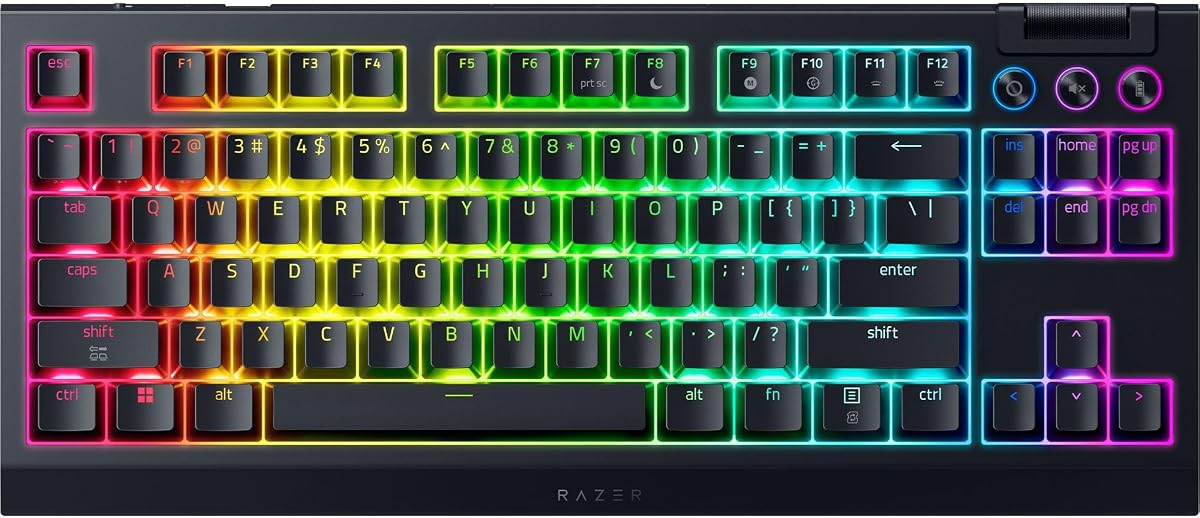
The Razer BlackWidow V4 TKL Wireless combines a tenkeyless layout with 2.4 GHz wireless, Bluetooth, and hot-swappable mechanical switches. Its Orange switches provide a middle-ground tactile experience, and the socketed PCB accepts both three-pin and five-pin alternatives for players who want to change the feel.
We may earn a commission when you buy through this link, at no additional cost to you.
Razer HyperSpeed Wireless supports a low-latency connection, while a compatible Razer mouse can share the same dongle through multi-device support. The keyboard can also toggle among three Bluetooth devices, making it convenient for a desktop computer, laptop, and other compatible device.
A top-mounted stainless-steel plate, tape-enhanced PCB, lubricated stabilizers, and two layers of sound dampening are intended to improve the typing experience. The multifunction roller and three buttons handle audio, media, and battery functions, and the stated battery life reaches up to 980 hours. The 4.1 rating is lower than several alternatives, so buyers should pay particular attention to the wireless features and conventional switch design they value.
Choose this keyboard for a clean, flexible setup that needs wireless connectivity, a TKL footprint, and future switch customization. It is less compelling for players seeking adjustable actuation, Rapid Trigger, or the very high polling rates available in Razer’s premium competitive models.
The 2.4 GHz connection is intended for low-latency gaming, while Bluetooth supports three stored devices. A shared dongle with a compatible Razer mouse can also simplify a wireless desktop setup.
Hot-swappable sockets make the Orange switches replaceable, and the control roller plus three dedicated buttons cover common tasks. Up to 980 hours of stated battery life reduces the likelihood of frequent charging.
We may earn a commission when you buy through this link, at no additional cost to you.
The Razer Huntsman Mini 60% is built for players who want the keyboard to occupy as little desk space as possible. Its 4.6 rating reflects a well-regarded combination of fast linear optical switches, a durable aluminum frame, extensive lighting compatibility, and programmable controls.
We may earn a commission when you buy through this link, at no additional cost to you.
The optical switches actuate at 1.0 mm, which the listed specifications describe as 15–30% shorter than other linear switches. Razer Hypershift allows keys and combinations to be remapped for complex commands, while Snap Tap can prioritize the latest of two assigned inputs when enabled through Razer Synapse 4.
The textured doubleshot PBT keycaps are designed to resist grime, while the matte aluminum top frame adds structural integrity. Chroma RGB supports popular games, Razer hardware, Philips Hue, and integrations with more than 30 partners. The main trade-off is the 60% format, which removes more dedicated keys than the Reclusa X Mini and offers no included wrist rest.
Buy this keyboard if desk space, rapid linear input, and a minimal visual footprint matter more than a number pad or dedicated function row. It is well suited to compact competitive setups, though productivity users may find the limited layout more disruptive.
The 60% layout removes the number pad, function row, and other less frequently used keys. That creates a clean gaming surface and leaves more room for precise mouse positioning.
A stated 1.0 mm actuation point supports quick, linear input. Snap Tap adds responsive directional prioritization, although it is turned off by default and must be toggled in the relevant Razer software.
We may earn a commission when you buy through this link, at no additional cost to you.
The Razer Huntsman V3 Pro is a full-size analog optical gaming keyboard built for advanced FPS movement. It has a 4.3 rating and combines Rapid Trigger, adjustable actuation, and Razer Snap Tap to give players several ways to shape the response of their movement keys.
We may earn a commission when you buy through this link, at no additional cost to you.
The Gen-2 analog optical switches offer a 0.1–4.0 mm adjustable actuation range and a stated lifespan of 100 million keystrokes. Snap Tap prioritizes the newest input between two selected keys, while Rapid Trigger resets a key at the slightest lift, supporting rapid repeated actions. A firmware update may be needed to access the latest Snap Tap behavior.
An onboard LED array helps with actuation and Rapid Trigger adjustments, and settings can be stored directly on the keyboard. The digital dial controls volume and analog settings, while three buttons handle media and custom macros. Textured doubleshot PBT keycaps and a magnetic firm leatherette wrist rest cover durability and comfort.
Choose it if you want premium competitive controls but do not need the extreme 8000 Hz polling offered by the Huntsman V3 Pro 8KHz. Its full-size design is useful for a complete desk, although the footprint may be excessive in a compact competitive setup.
Rapid Trigger and Snap Tap address different parts of directional input. One helps repeated key actions reset quickly, while the other allows a newer direction to take priority without fully releasing the previous key.
Doubleshot PBT keycaps provide a textured, durable surface, while the magnetic wrist rest offers firm support. The onboard controls make it easier to refine the keyboard without repeatedly visiting settings in software.
We may earn a commission when you buy through this link, at no additional cost to you.
The Razer BlackWidow V4 is a full-size mechanical keyboard whose Green switches provide a pronounced clicky experience. Its 4.0 rating makes it a straightforward option for players who value familiar mechanical feedback, dedicated macros, and a wrist rest more than advanced competitive actuation features.
We may earn a commission when you buy through this link, at no additional cost to you.
The Green switches have a stated actuation point of 1.9 mm and require 50 g of force. Their click gives clear feedback that many users find satisfying and easy to confirm, though it can also create more noise than linear or tactile alternatives in shared environments.
Six dedicated macro keys can be programmed for the player’s preferred style, while Chroma RGB per-key lighting and two-side underglow create a layered appearance. The magnetic plush leatherette wrist rest supports long sessions, and doubleshot ABS keycaps use extra-thick walls to handle frequent use.
This model makes the most sense for gamers who explicitly enjoy clicky mechanical switches and want a full-size board with dedicated controls. It is a less natural fit for shared offices, competitive players who require Rapid Trigger, and enthusiasts who want to replace switches without soldering.
The Green switch design centers on a tactile event and audible click at actuation. This makes commands easy to register, although users who prefer quieter typing should consider the BlackWidow V4 X and its linear Yellow switches.
The cushioned magnetic wrist rest adds support for longer sessions, while six macro keys handle frequently used commands. Two-side underglow gives the full-size chassis more visual depth than a standard backlit keyboard.
We may earn a commission when you buy through this link, at no additional cost to you.
The Razer Huntsman V3 HE is a magnetic tenkeyless keyboard for competitive players who want extensive control over input behavior. Its 3.7 rating is the lowest among the featured models, but the underlying feature set is aimed at a specific need: Hall Effect switches with Rapid Trigger, adjustable actuation, and 8000 Hz polling.
We may earn a commission when you buy through this link, at no additional cost to you.
Actuation can be tuned from 0.1 to 4.0 mm, and Razer Snap Tap prioritizes the latest directional input for faster counter-strafes and cleaner direction changes. Dynamic Keystroke can trigger up to four actions from one key, while Snap Flex offers additional key-release control for demanding competitive setups.
The TKL layout leaves more desk space for low-sensitivity mouse movement than a full-size board. A 5052 aluminum alloy case, detachable USB-C connection, anti-ghosting, Chroma RGB, and storage for up to six onboard profiles support a tournament-oriented setup. Textured doubleshot PBT keycaps are designed to resist shine, fading, and wear.
Synapse Web provides browser-based adjustment of magnetic switch settings, actuation, and Rapid Trigger without requiring a software download. This model is best for competitive shooters and players who value magnetic control over a compact wired design, but the lower rating suggests checking current owner feedback carefully.
Dynamic Keystroke and Snap Flex extend beyond simple key remapping. These tools can alter when a key registers and how release behavior influences movement, making the board suitable for advanced keybind routines.
Removing the number pad creates more room for precise mouse movement, while the aluminum case and detachable cable support a durable competitive setup. Up to six onboard profiles allow users to carry different configurations between events.
We may earn a commission when you buy through this link, at no additional cost to you.
The right Razer gaming keyboard depends less on a single specification than on the balance among layout, switch behavior, connectivity, competitive controls, acoustics, and comfort. Use the following factors to identify the model that best fits your games, desk, and working habits.
Keyboard layouts determine which controls are always available and how much room remains for the mouse. A full-size model includes a number pad and offers the most physical keys, making it convenient for productivity, navigation shortcuts, and macros. A tenkeyless board preserves the function row and navigation cluster while removing the number pad, which frees useful desk space for lower-sensitivity aiming. A 65% design is more compact but still retains arrow keys, whereas a 60% board omits the function row and may require secondary key combinations for many commands.
Razer offers several distinct switch approaches, and the difference affects both performance and feel. Mechanical models use physical switch mechanisms, with linear Green and Yellow options emphasizing smooth travel, tactile Green versions adding a noticeable bump, and Orange switches providing a middle ground. Mecha-Membrane switches combine a conventional membrane structure with mechanical-style feedback. Analog optical switches measure light-based actuation and support adjustable trigger points. Hall Effect magnetic switches use magnetic principles and offer similarly granular control, including Rapid Trigger, Dynamic Keystroke, and release-based features.
Actuation is the point at which a keypress is registered, so a shallower setting generally responds sooner. Analog and magnetic models allow adjustments within specific ranges, helping players balance immediate input with accidental activation. Rapid Trigger is especially relevant in competitive shooters because it lets a key reset when slightly lifted, improving repeated movement inputs. Polling rate describes how often the keyboard reports to the computer. A 1000 Hz keyboard is suitable for most gaming, while the featured 8000 Hz models target players seeking extremely low-latency input.
Wired keyboards provide a straightforward connection, consistent operation, and no concern about battery life. They are often preferred in fixed tournament setups, and some of Razer’s most advanced competitive designs are wired. The BlackWidow V4 TKL Wireless supports 2.4 GHz HyperSpeed for low-latency gaming and Bluetooth for several devices, offering placement flexibility. The Reclusa X Mini and Huntsman Mini use detachable USB-C wired connections, which can make transport and cable management easier but do not provide wireless operation.
A keyboard that feels excellent in a short match may become uncomfortable during a full workday. Low-profile switches reduce the height of the typing surface, while magnetic wrist rests provide support without requiring a separate accessory. Several BlackWidow and Huntsman models include wrist rests designed to attach securely. Sound also affects the experience: clicky Green switches emphasize each keystroke, while dampening foams, lubricated stabilizers, and switch layers are used to reduce resonance and produce a cleaner sound.
Razer’s ecosystem offers extensive customization through dedicated controls, onboard profiles, and Chroma RGB lighting. Macro keys can hold game commands, while rollers and dials manage volume or analog settings. Hot-swappable sockets are valuable if you want to change switch feel later, and they save the expense and effort of replacing an entire keyboard. Keycap material also matters: doubleshot ABS is durable and uses molded legends, while doubleshot PBT is noted for a textured finish and resistance to shine and grime. Aluminum frames add structural integrity to several compact models.
Razer Snap Tap, Snap Flex, and Dual-Keypress Priority can improve rapid movement or repeated command execution, but they are not equally useful in every game. Consider whether you play competitive shooters where tiny changes in counter-strafing matter or primarily play games where macros and media controls are more relevant. Chroma RGB also supports dynamic effects in many integrated games, while compatibility with other hardware and services creates a coordinated desk setup. Features should support your routine rather than simply increase the number of options.
Begin by installing the keyboard in a position that keeps your wrists neutral and your mouse within easy reach. Connect a wired model with its included or detachable USB-C cable, or pair a wireless model through its intended 2.4 GHz or Bluetooth mode. Update the relevant Razer software and firmware, then choose a switch, actuation, lighting, and macro profile that matches the game and your normal desk setup.
Use the dedicated controls and onboard settings to make frequent adjustments without repeatedly opening software. Configure macros conservatively, review each binding, and test essential movement commands in a practice environment. If a game or application depends on F-key behavior, note that compact layouts may require alternate combinations, and update software when Razer adds game-specific integrations or changes advanced input behavior.
Keep the keyboard free of dust and spilled liquids, and clean keycaps and the wrist rest according to the manufacturer’s care instructions. For hot-swappable models, power down the keyboard before changing switches, and avoid forcing unfamiliar components into the sockets. Periodically check the cable, connections, and battery behavior, and remove long-term wireless use from consideration if you notice inconsistent connections rather than ignoring a possible hardware or configuration issue.
The Razer Huntsman V3 Pro 8KHz and Razer Huntsman V3 HE are the strongest choices for competitive shooters because they combine adjustable actuation with Rapid Trigger and 8000 Hz polling. The Huntsman V3 Pro is a full-size board, while the V3 HE uses a tenkeyless layout for more mouse space. Both also support Razer Snap Tap for responsive directional changes. Your choice ultimately depends on whether you prefer a complete key set or a more compact tournament-style footprint.
Both technologies provide more control than a conventional fixed mechanical switch, so the better choice depends on preferences and software support. Razer’s analog optical models use adjustable actuation, Rapid Trigger, and Snap Tap, while the Hall Effect model adds Dynamic Keystroke and Snap Flex. Competitive players should also consider layout, familiarity, and the controls their preferred games support. Neither type is automatically better for casual gaming, so ordinary mechanical options can remain the more practical choice.
Choose a full-size model if you use a number pad regularly or want every key physically present. A tenkeyless layout offers the best middle ground for most gaming desks because it preserves the function row while freeing mouse space. A 65% keyboard is more compact and useful for productivity, while a 60% model maximizes desk space but removes more dedicated controls. Consider how often you use function keys, navigation shortcuts, and arrow keys before choosing.
A hot-swappable keyboard uses sockets that let you remove and replace compatible mechanical switches without soldering. A fixed mechanical keyboard requires switch replacement to involve soldering or replacing the entire board. The Razer Reclusa X Mini and BlackWidow V4 TKL Wireless support both three-pin and five-pin switches, making them more flexible for enthusiasts. Confirm the supported switch type and perform the swap only while the keyboard is disconnected.
Snap Tap is most useful in games where rapid directional changes, counter-strafing, or repeated movement inputs affect performance. It prioritizes the latest of two selected keys without requiring the earlier key to be fully released, which can make movement feel more responsive. In casual games, the benefit may be difficult to notice, and incorrect pairings can change intended actions. Try the function in a practice environment and assign it only to movements you understand well.
No, because many players will notice little or no practical difference in ordinary gaming. A 8000 Hz polling rate is primarily aimed at competitive users who value extremely low-latency input and pair it with analog or magnetic switches. For general gaming, productivity, and most setups, a 1000 Hz board with a comfortable layout and suitable switches may be entirely sufficient. Consider 8000 Hz as one feature within a broader comparison rather than the only measure of quality.
The Reclusa X Mini 65% is the clearest choice for physical switch customization because its socketed PCB accepts three-pin and five-pin mechanical switches. The BlackWidow V4 TKL Wireless offers similar hot-swappable flexibility alongside wireless connectivity. If customization means software features rather than switch replacement, the Huntsman V3 Pro 8KHz and Huntsman V3 HE provide deeper control through adjustable actuation, Rapid Trigger, and advanced input functions.
Start by avoiding clicky switches if noise is the priority, since the BlackWidow V4’s Green mechanical switches provide a pronounced click. The BlackWidow V4 X uses linear Yellow switches with built-in sound dampeners, while several models add foam, lubricated stabilizers, or silicone layers to reduce resonance. The Ornata V3’s shorter mecha-membrane design may also suit users who prefer a lower-profile and less traditional mechanical feel. Keyboard cases and surrounding desk surfaces can affect perceived noise as well.
The Razer BlackWidow V4 X is the most balanced recommendation for a player who wants quick linear mechanical switches, dedicated macros, excellent Chroma lighting, and a full-size layout. The Reclusa X Mini 65% stands out for compact dimensions, hot-swappable construction, and strong competitive features, while the Huntsman V3 Pro 8KHz is the leading premium option for fine actuation control and extremely high polling.
Prioritize the features that affect your actual routine. Competitive shooters justify closer attention to Rapid Trigger, adjustable actuation, Snap Tap, and polling, while everyday users may prioritize a comfortable wrist rest, quieter operation, a complete layout, or wireless connectivity. Compact boards are particularly useful for mouse-heavy setups, but they require more adaptation when using function and navigation keys.
Before purchasing, confirm the current product details, software requirements, dimensions, and included accessories, and compare the latest customer feedback. Prices and promotions can change, so use them as one consideration rather than the only reason to choose. The right Razer gaming keyboard is the one whose layout, feel, controls, and connectivity align with how you play and work.