
Universal Remote for ONN Roku TV Remote
4.4Editor score
No programming required
Compatible with Onn Roku TVs
Thirty-foot infrared range
Replacement Onn Roku TV Remote guide comparing ten options for compatibility, pack size, setup, shortcuts, range, response, and durability.
Losing the original remote can make an otherwise capable Onn Roku TV frustrating to operate. A replacement should restore familiar navigation, power and volume control, streaming shortcuts, and dependable infrared performance without requiring complicated setup. The right choice depends on confirming that your television runs Roku TV rather than using a separate streaming device.
This guide compares ten replacement Onn Roku TV Remote options using the information supplied for each listing, including supported device types, pack quantity, programming requirements, shortcut buttons, operating distance, response claims, and stated support coverage. It also distinguishes Roku televisions from streaming sticks, boxes, players, and non-Roku versions of otherwise similar television brands.
Each review identifies the most useful feature of its product and explains the trade-offs, helping shoppers compare a dedicated Onn replacement with broader Roku TV universal remotes. Ratings and availability can change over time, and current prices vary, so shoppers should verify the television model, included accessories, and listing details before purchasing.
4.4Editor score

4.6Editor score

4.6Editor score
The table below compares all ten remotes by device compatibility, quantity, setup requirements, and major convenience features, making it easier to identify the option that best fits an Onn Roku TV household.


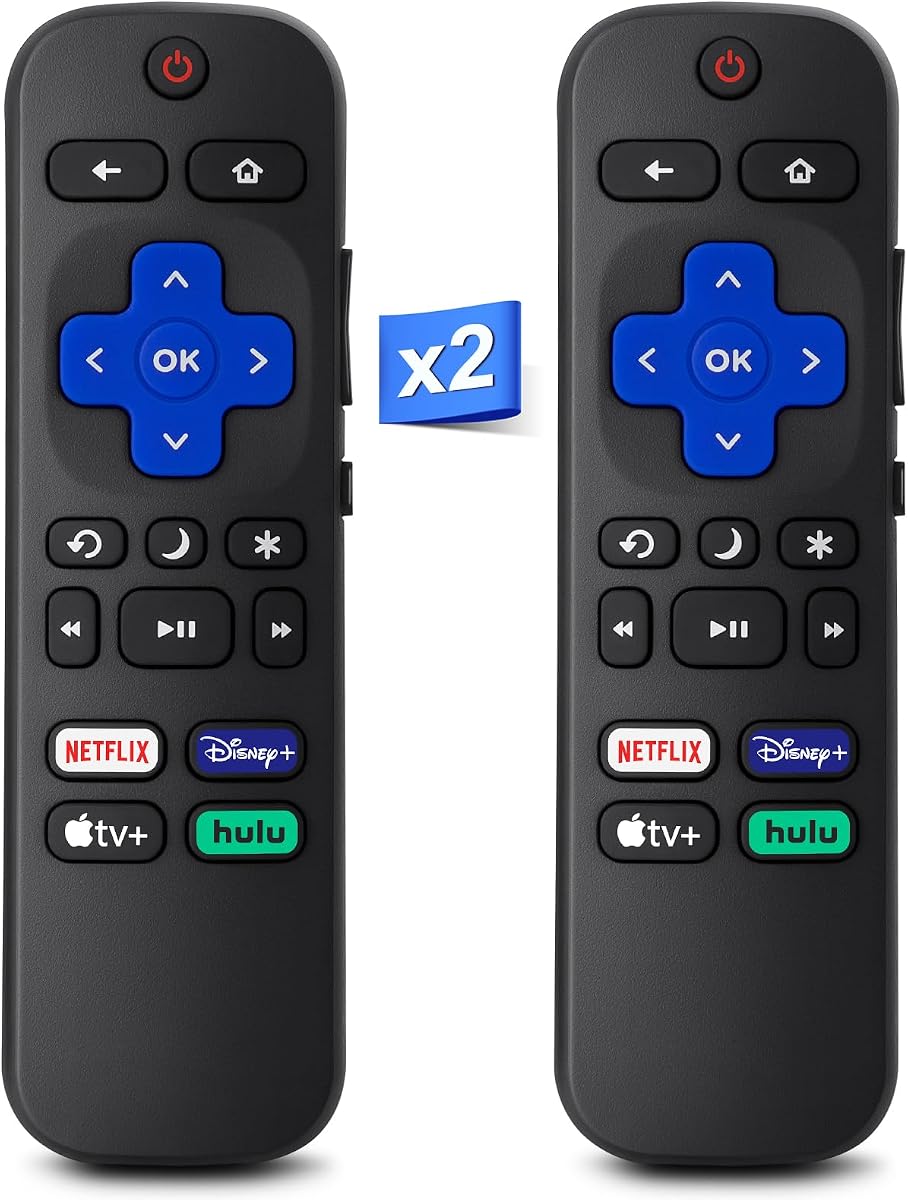

The Universal Remote for ONN Roku TV is a straightforward single-remote option for shoppers whose priority is replacing a lost or damaged Onn Roku TV controller. It carries a 4.4 rating and is presented as compatible with a broad list of Onn Roku television model numbers, including 100007147, 3226000858, 100012584 through 100012590, 100018971, and 100005395 through 100005397.
We may earn a commission when you buy through this link, at no additional cost to you.
Its most important advantage is the absence of setup. The remote is preprogrammed, so the user only needs to install batteries to begin controlling the television. The listing states a control distance of up to 30 feet and says approved tests found support for more than 160,000 clicks. These are meaningful assurances for a device that is expected to handle frequent navigation, volume changes, and power commands.
The main limitation is that this is a single remote rather than a multi-pack. Buyers who want a backup for another room will need to purchase separately. Batteries and the user manual are also not included, and the product information focuses on Onn compatibility rather than a wider collection of Roku television brands.
This is an appealing choice for an owner who knows the exact Onn television model and wants a focused replacement without paying for capabilities unrelated to that television. Before ordering, compare the listed model numbers with the information on the television or its original remote. It is also a sensible choice for buyers who value immediate use and direct Onn support over having several remotes in the box.
The product is specifically framed around Onn Roku televisions and provides an extensive list of compatible model numbers. That specificity can make model verification more straightforward for someone who already knows which Onn television they own.
Because the remote is preprogrammed, users do not need to enter a code, pair it with the television, or navigate a setup menu. Installing compatible batteries is the only preparation described in the supplied information.
We may earn a commission when you buy through this link, at no additional cost to you.
The Acoyer two-pack combines a 4.5 rating with broad support for Roku televisions from Onn and numerous other brands. It is intended for people who want one working remote and a ready backup, whether the original controller has been misplaced, damaged, or worn out after regular use.
We may earn a commission when you buy through this link, at no additional cost to you.
The compatibility information is notably extensive, covering TCL, Hisense, Onn, Sharp, Element, Westinghouse, Philips, Insignia, JVC, RCA, Hitachi, and Sanyo Roku TV series. The remotes use infrared and require no pairing or programming. Four shortcut buttons provide direct access to popular streaming services, while the listing states a control distance of up to 30 feet and more than 160,000 supported clicks.
Buyers need to notice the important limitation: these are television remotes, not controllers for Roku Stick, streaming sticks, boxes, players, or other standalone streaming devices. The listing also emphasizes that they do not work with non-Roku versions of the named television brands. Batteries and a manual are not included.
The two-pack is a practical fit for households with more than one Roku television, families that frequently lose small remotes, or anyone who wants a spare close at hand. It is less appropriate for someone who owns a Roku streaming stick without a Roku-powered television. Checking the television platform before buying prevents the most common compatibility mistake.
Two remotes can be placed in separate rooms, shared by family members, or stored as a replacement when one is damaged. This makes the pack more versatile than a single remote without expanding the feature set unnecessarily.
Four dedicated shortcuts can reduce the number of steps needed to open common streaming applications. They are especially useful on a Roku interface where searching through menus may otherwise add friction.
We may earn a commission when you buy through this link, at no additional cost to you.
This two-pack replacement remote earns a 4.6 rating, matching the highest rating among the listed products. It supports Roku televisions from Onn, TCL, Hisense, Insignia, Element, Westinghouse, Hitachi, Philips, Sharp, JVC, RCA, and Sanyo, making it a versatile choice for mixed-brand households.
We may earn a commission when you buy through this link, at no additional cost to you.
The remotes operate by infrared and begin working after two AAA batteries are installed, with no pairing or programming required. Four shortcut buttons open Netflix, Disney+, Hulu, and a video service identified in the listing as P-Video. The stated transmission distance is approximately five meters under typical conditions and up to ten meters at maximum, equivalent to about 33 feet.
Its main caveat is that it is not intended for Roku Stick, box, or player devices. Users who rely on a separate streaming stick need a different remote. Batteries and the manual are also excluded, and real-world maximum range can be affected by obstacles, room layout, and infrared interference.
This is a strong all-around recommendation because it balances broad television compatibility, a two-remote backup, one-step streaming shortcuts, and no-code setup. It suits households with one or more Roku televisions and an interest in keeping spare controllers around. Confirm that the television itself has Roku TV before buying.
A single remote that supports many Roku television brands reduces the need to identify a separate controller for each set. This is valuable for households that own more than one compatible television or frequently change rooms.
The product is designed for direct use after battery installation. That removes code searching and pairing steps, making it easier to recover access when an original remote is no longer available.
We may earn a commission when you buy through this link, at no additional cost to you.
The EWO'S two-pack is a broad Roku TV replacement with a 4.3 rating. It is compatible with Onn Roku televisions and all listed models from Hisense, TCL, Sharp, Philips, Westinghouse, Element, Insignia, JVC, RCA, and Sanyo, provided the device is a television running the Roku platform.
We may earn a commission when you buy through this link, at no additional cost to you.
Its distinguishing specifications are a stated response time of 0.3 seconds, a transmitting distance of more than 35 feet, and buttons tested to support over 120,000 clicks. Four shortcut keys for Netflix, Disney, Hulu, and VUDU improve access to frequently used services. Setup is uncomplicated: install two AAA batteries, and the remote works without programming.
The product does not support standalone Roku streaming media players, Express or Express+ models, streaming sticks, Premiere devices, Ultra, or Roku boxes. Batteries and the instruction manual are not included, so buyers should keep those routine requirements in mind when comparing the package.
This remote is well suited to a household that wants a spare and appreciates quick response claims. It is particularly relevant for Onn users who also own other Roku televisions, since one product can cover a broader collection of sets. As always, the television must run Roku TV; a non-Roku Onn television or separate streaming device is outside its stated scope.
The stated 0.3-second response is designed to make menu movement and selection feel immediate. Actual performance can vary, but the specification is reassuring for a controller used throughout the day.
Netflix, Disney, Hulu, and VUDU buttons provide familiar one-touch entry points. This is helpful for viewers who regularly return to the same services rather than browsing the full channel list each time.
We may earn a commission when you buy through this link, at no additional cost to you.
The IDGPUW three-pack is designed for households that want more backup options than a conventional single replacement. It has a 4.5 rating and supports Roku televisions from Onn, TCL, Hisense, Westinghouse, Sharp, Philips, JVC, RCA, Insignia, Element, and Sanyo.
We may earn a commission when you buy through this link, at no additional cost to you.
Each remote is ready to use after two AAA batteries are installed, with no programming or setup process. Preset channel shortcuts are included for direct access to favorite streaming apps. The package contains three remotes, three user manuals, and what the listing describes as a one-year IDGPUW Care plan along with lifetime technical support.
Compatibility is limited to televisions with the Roku platform. It is expressly not compatible with Roku players or audio devices, nor with non-Roku versions of the listed television brands. Batteries are not included, although the number of remotes in the pack means that three separate pairs will eventually be needed for simultaneous use.
The three-pack makes sense for a family with several Roku televisions, separate viewers in different rooms, or a preference for keeping a spare in multiple locations. It also provides a clear support pathway through the stated technical support offering. Buyers who only need one occasional replacement may find that a smaller pack is sufficient.
Three remotes can serve separate rooms, different family members, or storage locations. That makes the pack particularly useful for homes that have already experienced repeated remote loss.
The package includes user manuals and lists lifetime technical support. These resources can be useful when a buyer needs clarification about compatibility or basic operation.
We may earn a commission when you buy through this link, at no additional cost to you.
The three-pack replacement remote earns a 4.6 rating, placing it among the strongest-rated options in the guide. It is built for Roku televisions from Onn, Hisense, TCL, Westinghouse, Sharp, Philips, and Element, giving it a useful combination of targeted and broader television support.
We may earn a commission when you buy through this link, at no additional cost to you.
The product emphasizes convenience and physical construction. It is ready to use after batteries are installed, includes four streaming shortcut keys, and is described as made from premium ABS plastic for a comfortable grip and durable daily handling. The listing also states an energy-efficient design that doubles battery lifespan compared with standard remotes.
The battery-life statement is a product claim and should be considered in that context rather than as an independently verified result. The remotes require standard AAA batteries, which are not included. The compatibility statement is also specific to Roku televisions, so they should not be assumed to work with separate streaming players or audio devices.
This is a strong premium choice for households wanting three remotes, a comfortable body, convenient shortcuts, and no-code operation. The multi-room value is considerable because every television covered by the listing can have a dedicated controller. It is especially attractive to Onn owners who also use Hisense, TCL, or other supported Roku televisions.
The ABS construction is intended to provide a secure, comfortable grip. While appearance and feel cannot be judged from a specification list, the product data positions durability and handling as central benefits.
Three controllers allow viewers to keep a remote near each television. This is a simpler approach than repeatedly locating a single controller or passing it between household members.
We may earn a commission when you buy through this link, at no additional cost to you.
This two-pack is a clearly framed replacement for televisions that have Roku built in. It has a 4.3 rating and supports selected TCL, Onn, Hisense, Sharp, Philips, RCA, Insignia, Element, JVC, and Sanyo models, provided the television runs the Roku platform.
We may earn a commission when you buy through this link, at no additional cost to you.
The primary convenience is immediate operation. Each remote needs two AAA batteries and no programming or complicated setup. Dedicated shortcut buttons, clearly arranged navigation controls, and playback controls are designed to make daily viewing and application access more direct.
The listing is admirably clear about exclusions. The remotes do not work with streaming sticks, players, boxes, audio devices, or non-Roku versions of the listed brands. Batteries are not included. The phrase selected models is important because compatibility is tied to the Roku TV platform rather than every television sold under a particular brand name.
This option is a good fit for buyers who value straightforward language and an uncomplicated installation process. Two remotes provide useful redundancy without creating as many devices to store as a three-pack. Confirm that the television has Roku TV, purchase suitable batteries, and keep one controller accessible as the primary and the other as a backup.
The listing explicitly separates Roku televisions from streaming hardware and non-Roku brand models. Buyers can make a more informed decision by identifying the operating platform before ordering.
A clearly arranged set of navigation and playback controls supports routine television operation. Dedicated shortcut keys add another layer of convenience for commonly used streaming services.
We may earn a commission when you buy through this link, at no additional cost to you.
The Luyeper replacement is a single-remote choice for Onn Roku TV owners who want simple setup and a longer stated operating distance. It has a 4.4 rating and supports Roku televisions from Onn, TCL, Hisense, Sharp, Philips, Westinghouse, Element, and other listed brands.
We may earn a commission when you buy through this link, at no additional cost to you.
Its infrared technology is stated to provide a response time of 0.1 seconds and a reliable range of up to 40 feet. Four dedicated preset buttons are intended to match the shortcut experience of an original remote. Installation requires two AAA batteries, after which no programming or setup is needed.
It is expressly not compatible with Roku streaming devices such as Express, Stick, Premiere, Ultra, and Box models, or with non-Roku OS smart televisions. Only one remote is included, and batteries must be purchased separately. As with any infrared controller, obstructions and room layout may affect the practical distance.
This remote is a compelling option for someone with a large viewing area or a seating position far from the television. It also offers the same immediate-use experience as other preprogrammed replacements. A buyer who wants one controller and prioritizes range and fast response will find the feature set more focused than a multi-pack.
The stated 40-foot range is longer than the distances listed for several other options. It may be particularly useful for large rooms where the television is viewed from a distance.
Four dedicated preset buttons allow common applications to be opened directly. The supplied information specifically says the buttons are designed to match the original remote's performance.
We may earn a commission when you buy through this link, at no additional cost to you.
The two-pack Roku-only remote is a focused backup option with a 4.4 rating. It supports Roku televisions such as Hisense, Onn, Philips, and Magnavox, while clearly excluding standalone boxes, players, Ultra, Express, and Premiere devices.
We may earn a commission when you buy through this link, at no additional cost to you.
The remotes require two AAA batteries each and need no additional programming or pairing. Four shortcut buttons open popular streaming channels, and the listing confirms support for both volume control and a power button. The controllers use infrared rather than radio frequency, with a stated response time of 0.5 seconds.
One important functional limitation is that the remotes do not have a voice-search feature or headphone jack. They are aimed at replacing basic television navigation rather than duplicating every possible function found on more advanced original controllers. The listing also states a transmission range of approximately 8 to 10 meters, or 32 feet, and notes testing for 5,000 to 8,000 clicks per button.
This product is best for users who primarily navigate, change volume, use the power button, and open streaming services from preset keys. Two remotes make it practical to keep a backup, while the lack of advanced extras may be acceptable for users seeking a straightforward replacement. Verify these feature requirements before ordering.
Power, volume, navigation, playback, and four shortcut buttons cover the routine functions described in the product data. This makes the remote aimed at viewers who prioritize uncomplicated operation.
No voice search or headphone jack means the remote does not provide every feature a buyer might expect from an advanced original controller. Checking those omissions prevents disappointment.
We may earn a commission when you buy through this link, at no additional cost to you.
This two-pack is built around long-range control and broad television compatibility. It has a 4.4 rating and is described as a replacement for Roku televisions from Onn, TCL, Hisense, Insignia, Sharp, Hitachi, Philips, Sanyo, Westinghouse, Element, JVC, LG, RCA, and Magnavox.
We may earn a commission when you buy through this link, at no additional cost to you.
The listing claims a response time of 0.1 second, a range of 49 feet, and more than 200,000 tested button clicks. It also describes high-definition printing intended to keep labels from rubbing off and a durable design that withstands drops and spills. Two remotes are included, and the product comes with a stated one-year warranty.
Because the brand list is extensive, buyers should focus on the more important requirement: the television must run Roku TV. The listing also references Ruko, Ruku, and Roko naming variations, which are included in the stated compatibility description. Batteries are not mentioned as included.
This is a compelling choice for a large room, a household with several compatible televisions, or a buyer who wants one-year warranty coverage. Its long-range claim and durable label design distinguish it from more generic alternatives. Still, model and platform verification remains essential because brand similarity alone does not establish compatibility.
A stated 49-foot range offers considerable flexibility for large living areas, open-plan homes, and distant seating positions. Infrared performance will still depend on clear line of sight and the television's surroundings.
The high-definition printing is intended to keep button labels readable as the remote is used repeatedly. This focus on legibility makes the controller more practical for long-term everyday use.
We may earn a commission when you buy through this link, at no additional cost to you.
The decisive consideration is not merely whether a remote resembles an Onn controller, but whether it controls the exact type of device you own. Compatibility, setup, intended features, range, and support should be evaluated together before making a selection.
A Roku television has the Roku platform built into the set, while a Roku streaming stick, box, or player is a separate device. Most remotes in this guide are made specifically for Roku televisions and explicitly do not control standalone streaming hardware. The brand printed on the television is also not enough on its own, because non-Roku versions of Onn, TCL, Hisense, Sharp, and other listed brands may use different remote systems. Check the television's operating system and look for the Roku interface before ordering.
In short, choose a remote for a Roku television, not merely any device that streams through a Roku accessory.
The dedicated Onn option includes a list of compatible model numbers, which can be especially helpful when several Onn televisions have different-looking controllers. Broader replacement remotes use the common Roku television language and cover many supported brands, but their listings still direct buyers to confirm the platform. If the original remote is available, note its button layout and infrared type. If it is missing, check the model information in the television's settings or information screen before selecting a product.
Use exact model verification when possible, especially for a remote that claims support for all models or many brands.
A single remote is sufficient when the original has simply been lost or damaged and there is only one television in the home. A two-pack provides one active controller and one backup, making it useful for families, multiple rooms, or frequent remote loss. A three-pack reduces the chance that no working remote is available and can assign one controller to each compatible television. More remotes are not automatically better, so consider how many Roku televisions are actually in the household.
Choose a single remote for simplicity, a two-pack for a spare, and a three-pack for several rooms.
Every product in this list is described as requiring no programming, no code entry, or no pairing. That is a major convenience when the original remote is unavailable because there is no device to copy or learn from. The standard requirement is two AAA batteries, which are not included with most of the listed products. While setup is otherwise straightforward, a remote will not operate without compatible batteries, so add those to the purchase if none are available.
Expect no-code operation, but plan to supply two AAA batteries for each remote.
Most options include four shortcut buttons for popular streaming services, but the specific applications can differ. That difference matters to viewers who use those services frequently. The Roku-only remote lacks voice search and a headphone jack, which could be important if those features were central to the original controller. Users who do not need advanced extras may still prefer a simpler replacement, while others should confirm the available functions before purchasing.
Prioritize shortcut apps, voice search, and headphone access according to how you actually watch television.
Stated operating distances range from about 30 feet to 49 feet across the products, with several listings mentioning response times between 0.1 and 0.5 seconds. These figures can help distinguish models intended for large rooms or quick navigation. Infrared remotes generally work best when the television is in view, since walls, furniture, and other obstructions can reduce reliability. A longer claimed range does not guarantee flawless performance in every room, but it can be a meaningful advantage in an open or unusually large space.
For a large room, favor a longer stated range; for normal viewing distances, the simpler options remain adequate.
Several listings mention after-sale service, replacement periods, a one-year warranty, or technical support. These provisions can provide useful reassurance if the replacement does not fit the television or develops a problem. The precise terms differ, and a warranty does not guarantee compatibility with every model, so read the current listing carefully. A clear support policy is especially helpful when purchasing a multi-pack intended for several rooms or televisions.
Check the current support terms, but treat them as reassurance rather than a substitute for compatibility verification.
Some products emphasize tested click counts, scratch-resistant printing, a comfortable ABS body, or resistance to drops and spills. These details can influence long-term usability, particularly in a busy family home where a remote is handled frequently. More important than a dramatic durability claim is choosing a device that feels appropriate for the user's handling habits and storing it where it is less likely to be crushed or lost.
For frequent use, consider button durability, labeling, grip, and a safe storage place.
Begin by confirming that the television runs Roku TV, then install two fresh AAA batteries in the compartment with the correct polarity. Turn on the television manually if necessary, point the remote toward it, and press a navigation or power button. Because these remotes are described as preprogrammed, there should be no need to enter a code, complete pairing, or use an automatic search function.
Test the essential functions after installation, including power, directional navigation, select, back, home, volume, and mute. Then try each streaming shortcut that matters to you. If a button appears unresponsive, move closer to the television, remove any object blocking the infrared path, and replace the batteries. For a multipack, label each controller and assign it to a particular room or television to reduce confusion.
For care, remove the batteries when a remote will sit unused for a long period, and clean the surface with a soft, dry cloth. Avoid moisture around the battery compartment, and do not place the remote where it can be crushed under cushions or dropped near food or drinks. Replacing the batteries periodically and keeping a spare controller accessible can prevent interruption when a weak battery is the only cause of a problem.
Every remote reviewed here is described as working without programming, code entry, or pairing. The user generally only needs to install two AAA batteries and point the remote toward a compatible television. As with any remote, fresh batteries and a clear line of sight are important. If it does not respond, confirm that the television runs Roku TV rather than relying on a separate streaming player.
No. The products in this guide are designed primarily for televisions with Roku TV built in, and their listings explicitly exclude most streaming sticks, boxes, players, and standalone streaming devices. A Roku streaming accessory uses its own included remote. Check the physical device before buying so a television controller is not mistaken for a streaming-device controller.
Look for the Roku home interface, which includes familiar streaming and channel applications, or inspect the television's model and system information. A non-Roku Onn television may use a different infrared protocol even if it has a similar-looking remote. When in doubt, compare the television model with the compatibility details in the product listing and ask the seller for confirmation before ordering.
Batteries are not included with most of the listed remotes, and several listings specifically state that batteries and manuals are not included. The IDGPUW three-pack is the notable exception listed with three user manuals, although batteries are still not included. Each remote generally requires two AAA batteries, so buyers should plan to purchase enough batteries for the complete pack.
A two-pack is convenient if you want one working remote and one backup, especially if remotes are easily misplaced. A three-pack is more useful for several rooms, multiple televisions, or families that want one controller per user. If only one television is in the home and a single replacement is sufficient, there is no need to buy more units than you will actually use.
The remotes include preset shortcut buttons for commonly used streaming services, but the specific apps vary by listing. Some mention Netflix, Disney+, Hulu, VUDU, or a video service, while others simply describe preset streaming-app shortcuts. The core Roku navigation should still allow access to other installed applications even if they do not have a dedicated physical button.
Generally, no. Even when a listing names the same television brands, compatibility refers to models that run the Roku platform. A regular non-Roku version of an Onn, TCL, Hisense, Sharp, Philips, Insignia, or another listed television may require its original remote. Always check both the brand and operating system before purchasing.
The most common causes are weak or incorrectly installed batteries, an obstruction between the remote and television, or the device being a streaming player rather than a Roku television. Confirm that the remote is aimed at the television's infrared sensor and try fresh batteries. If it still fails, recheck the exact television model against the seller's compatibility information.
The best budget-oriented choice is the dedicated Universal Remote for ONN Roku TV because it focuses on listed Onn model numbers and provides a no-programming experience in a single pack. The two-pack Roku Replacement stands out as the editor's choice for its 4.6 rating, broad television-brand support, four streaming shortcuts, and useful second controller, while the three-pack Roku Remote is the premium selection for households seeking three units, comfortable ABS construction, and immediate operation.
Compatibility should always come before range, shortcuts, or pack size. Confirm that the device is a Roku television, review the exact model information, and note any essential features such as voice search or a headphone jack. From there, choose one remote for a simple replacement, two for a practical backup, or three for multiple rooms and televisions.
Ratings, product details, and prices can change, so review the current listing before purchasing. Confirm the package contents, battery requirements, support terms, and compatibility language on the seller’s page. Taking those final checks helps ensure that the selected replacement restores convenient control without creating another mismatch or inconvenience.