
Kaico N64 to HDMI Adapter
4.2Editor score
Support for S-Video and composite
No external power required
Twelve-month warranty coverage
Our N64 GameCube HDMI Converter guide compares ten adapters for signal quality, aspect ratio, setup, power, compatibility, and dependable retro gaming use.
An N64 GameCube HDMI Converter gives classic Nintendo consoles a convenient way to connect to modern televisions, monitors, and projectors. The right adapter should preserve the source signal, provide a stable connection, support your preferred aspect ratio, and avoid unnecessary setup complications. A good converter can also make older games feel more inviting on a larger display.
This guide compares ten converters using the specifications and feature descriptions provided for each product. The evaluation considers console compatibility, video signal paths, aspect-ratio controls, included accessories, power requirements, output resolution claims, and installation ease. It also separates direct plug-and-play designs from converter kits that require separate AV cables and USB power.
Each review explains the product's strongest benefits, practical limitations, and ideal buyer. The first three entries receive the guide's Editor's Choice, Best Premium, and Best Budget distinctions, while the remaining products are assessed on their own merits. Product details and availability can change, so confirm the current listing and connector requirements before purchasing.
4.2Editor score

4.4Editor score

5.0Editor score
The comparison below highlights each converter's connection style, signal source, aspect-ratio features, power arrangement, and supported classic Nintendo systems. These distinctions help show which products prioritize a direct connection, which include a full accessory kit, and which offer more control over display formatting.




The 3-in-1 HD LINK Cable is the strongest all-around choice in this guide because it combines broad classic Nintendo compatibility with practical display controls. It is designed to convert analog S-Video from the N64, GameCube, and SNES into digital HDMI for contemporary televisions, monitors, and projectors. Its 4.4 rating reflects a favorable balance of features, convenience, and perceived performance.
We may earn a commission when you buy through this link, at no additional cost to you.
Its most useful feature is the physical 4:3 and 16:9 switch. Classic Nintendo games were generally created around a 4:3 presentation, while many modern screens are widescreen. Giving the user a direct toggle makes it easier to choose between the game's original proportions and a wider display format without relying only on television menus. The product also advertises low latency, upscaled signal processing, and improved precision, color, resolution, and detail.
The detachable design adds flexibility. Users can connect the console-side cable and use a suitable HDMI cable between the adapter and display, including an extended or higher-end cable if needed. That makes the product less constrained by fixed cable length. The trade-off is that it does not provide a completely cable-free experience, and the stated feature set does not include a clear promise of audio output, so users should verify their audio needs before buying.
This is the best recommendation for a gamer who wants one converter approach for the N64, GameCube, and SNES, especially when aspect-ratio switching matters. It suits modern HDTVs, monitors, and projectors and avoids the complexity of a full RCA converter kit. For those who prioritize clean S-Video conversion and straightforward widescreen control, it offers a particularly compelling feature set.
The 4:3 and 16:9 toggle gives players immediate control over how classic games fill a modern display. This is particularly useful when a game looks stretched in one mode or leaves excess space in another.
The detachable construction gives users freedom over the HDMI cable used between the converter and television or monitor. It can simplify placement when a longer cable is needed for a larger entertainment cabinet.
We may earn a commission when you buy through this link, at no additional cost to you.
The N64 GameCube SNES HDMI Adapter is a practical choice for owners of several classic Nintendo consoles who want one adapter solution with a conventional HDMI output. Its stated compatibility covers the Nintendo 64, GameCube, and SNES, while the supplied information says it supports 720p and 1080p conversion for HD televisions. The product carries a 4.2 rating.
We may earn a commission when you buy through this link, at no additional cost to you.
One clear convenience is the included HDMI cable. Buyers do not need to locate a separate cable for the display connection, although the product does require an external power supply. That requirement is a meaningful distinction from several competitors that operate directly from console power. Users should account for the extra cable and power connection when arranging the system.
The listing emphasizes a clear, smooth picture and a plug-and-play process with no claimed screen lag. It also states that no sound or a blue screen can appear if the connection is not successful, indicating that troubleshooting may involve checking the source and display connections. Because the feature description does not clearly promise audio support, buyers seeking integrated sound should confirm the current product details.
This adapter is best for a multi-console setup that includes the N64, GameCube, and SNES and for users who prioritize modern HDMI output. The included cable reduces setup friction, while external power makes the operation more straightforward. It is less compelling for someone wanting a single compact cable or avoiding a separate power lead, but it remains a sensible general-purpose converter.
Compatibility with the N64, GameCube, and SNES reduces the need to keep separate display adapters for each machine. This makes the product convenient for a retro gaming shelf with several classic systems.
External power is necessary for operation according to the product information. Users should verify that a suitable power source is nearby and that the cable routing will not make the installation look cluttered.
We may earn a commission when you buy through this link, at no additional cost to you.
The N64 HDMI Link Cable is a balanced option for players who want broad console support, aspect-ratio conversion, and a power-free setup. It is designed to transform analog RGB signals from the N64, GameCube, SNES, and SFC into digital HDMI for modern smart televisions, monitors, and projectors. Its 4.2 rating indicates generally positive reception.
We may earn a commission when you buy through this link, at no additional cost to you.
The product's standout benefit is its combination of signal capability and convenient operation. Support for both 4:3 and 16:9 lets the user adapt the game to different screen geometries, while the upgraded design reportedly operates without an additional power supply. Plug-and-play installation further reduces the number of separate components required for basic use.
The stated limitations are worth noting. No sound is included in the feature description, so a user who expects HDMI to carry game audio should not assume that it will. The listing also explains that a blue screen indicates no video input and advises checking the connection method, while a lack of sound requires reconnection. These are potential setup issues rather than evidence of poor image performance, but they merit attention during installation.
This converter is well suited to a classic Nintendo collection that includes more than one supported system. It is particularly attractive for a clean setup because it needs no extra power adapter and offers straightforward aspect-ratio selection. Choose it when direct console control and broad platform compatibility matter more than a bundled accessory ecosystem.
The adapter accepts analog RGB signals and outputs digital HDMI, providing a modern connection path for consoles that originally relied on legacy video standards. This makes it useful with newer display equipment.
The upgraded design is described as working without additional power. That removes one common source of setup friction and can make the adapter convenient to move between displays.
We may earn a commission when you buy through this link, at no additional cost to you.
The S-Video to HDMI Converter distinguishes itself with a clearly explained signal path and a more technical approach to video quality. It connects to the AV Multi-Out port of the N64, SNES, SFC, and GameCube, extracts the available S-Video signal, and sends it through HDMI. Its 3.8 rating is the lowest among the listed converters, but the specification detail makes it a credible choice for informed buyers.
We may earn a commission when you buy through this link, at no additional cost to you.
Its main advantage is the deliberate selection of S-Video over RCA composite. The product information explains that the Multi-Out port carries both signal types and that this converter uses the cleaner S-Video path. The result is described as more defined than standard RCA composite video. It also includes a 1.5-meter HDMI cable with nickel-plated connectors, offering enough length for a typical setup without requiring a separate purchase.
The converter normally receives sufficient power through the console's AV Multi-Out port, so an external power adapter is unnecessary in standard use. A Micro-USB port is included only as optional backup power for rare cases such as unstable output or no signal, although a Micro-USB cable is not supplied. Another important limitation is that it outputs the original console resolution instead of upscaling to a higher HD resolution.
This product suits a buyer who prioritizes the quality of the source signal over a high-resolution claim. It is also a good match for owners of several supported Nintendo consoles and for users who want a clear S-Video path without a full RCA converter kit. The lower rating should be considered alongside the unusually transparent description of what the device does and does not do.
The converter isolates S-Video from the console's Multi-Out connection instead of using the less-defined RCA composite path. That distinction is central to the product's design and should appeal to viewers sensitive to image clarity.
The console normally powers the adapter through the Multi-Out port. Optional Micro-USB backup power is available for uncommon signal problems, but most installations do not need a separate power lead.
We may earn a commission when you buy through this link, at no additional cost to you.
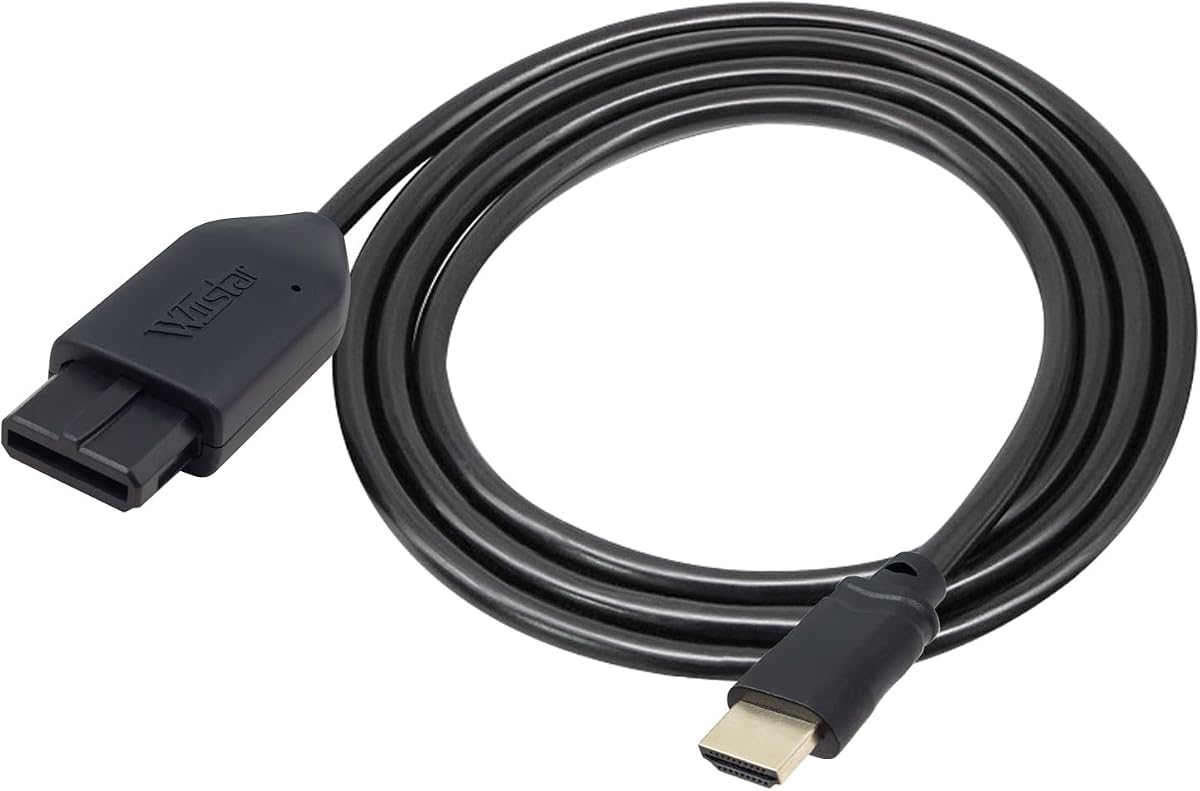
The All-in-One N64 HDMI Link is built for the simplest possible connection from an N64 to an HDMI display. Its built-in console-specific N64 port and integrated HDMI male plug mean the user does not need to assemble separate adapter and display cables. The 4.0 rating reflects a middle-tier but still practical option for classic Nintendo gaming.
We may earn a commission when you buy through this link, at no additional cost to you.
The product is described as an analog RGB-to-HDMI converter for the N64, GameCube, SNES, and SFC. It advertises sharper signal processing, brighter presentation, and improved detail compared with ordinary analog video output. It also states that no extra power is needed, preserving the simple direct-plug concept. The included 1.5-meter length provides a reasonably compact setup.
There are two important constraints in the feature description. First, the HDMI output is specified as 1080p60, while 720p60 is not supported. Users whose television or monitor has unusual refresh-rate requirements should check compatibility carefully. Second, the product does not clearly include audio, and the troubleshooting text says there is no sound until the connection is reconnected. The direct design is convenient, but it may be less adaptable than a detachable multi-system cable.
This adapter is a good choice for an N64 player who values minimal setup and wants a single connected cable. It is also suitable for GameCube, SNES, and SFC owners within the stated compatibility range, provided their display and audio arrangements are compatible. Choose it when simplicity matters more than adjustable cable placement or broad power fallback options.
The built-in N64 plug and HDMI connector remove the need for a separate console adapter and display lead. This makes the product especially convenient for a first retro-gaming setup.
The listed output is 1080p60, and 720p60 is expressly unsupported. Buyers should ensure that their television or monitor accepts the stated signal and can be configured to use it.
We may earn a commission when you buy through this link, at no additional cost to you.
The N64 GameCube HDMI Adapter offers a straightforward route from three classic Nintendo systems to an HDMI television. The N64, GameCube, and SNES are supported, and the product includes an HDMI cable. With a 4.2 rating and no requirement for an additional power supply, it aligns well with buyers who want a manageable installation.
We may earn a commission when you buy through this link, at no additional cost to you.
Its key features are plug-and-play operation, 16:9 conversion support, and a clear and smooth image presentation. The listing states that no screen lag is present, which is relevant for action-oriented retro games. Unlike some complete converter kits, this product avoids requiring a USB power lead during normal use, helping keep the setup visually cleaner.
The same caution applies to many low-profile retro adapters: audio is not clearly included in the stated feature set. The product information says that no sound or a blue screen can appear when the connection has not succeeded, so correct source selection and cable seating are important. Buyers who require audio through the same adapter should verify the current listing rather than relying on the product title alone.
This adapter is best for a display setup that will be shared by an N64, GameCube, or SNES. The included cable and lack of external power make it a convenient middle ground between a bare adapter and a full RCA kit. It is a particularly reasonable choice for users who specifically value 16:9 output and uncomplicated operation.
The console adapter and included HDMI cable are enough for a basic display connection, and no extra power supply is required. That helps reduce cable clutter around the console.
Support for 16:9 conversion is useful for owners of modern widescreen televisions who want classic games to fill more of the available display area.
We may earn a commission when you buy through this link, at no additional cost to you.
The N64 RCA HDMI Adapter Kit is the most complete starter bundle in the comparison. It includes a 6-foot N64 AV cable, a 4.9-foot HDMI cable, an AV-to-HDMI converter, a 5V 1A adapter, and a longer USB cable. Its 5.0 rating is the highest listed, making it an appealing option for buyers who want every required component in one package.
We may earn a commission when you buy through this link, at no additional cost to you.
Unlike direct Multi-Out adapters, this product uses yellow, white, and red RCA composite input. The converter sends that signal to HDMI at up to 720p or 1080p at 60Hz, although the product information also says it outputs the console's native resolution. It supports PAL and NTSC input formats and can connect to televisions with either RCA or HDMI input, making it versatile for different display arrangements.
The primary trade-off is signal quality. RCA composite is the least detailed of the legacy video paths discussed in this guide. It can still provide a convenient modern connection, but users seeking the cleanest possible image should consider an S-Video or RGB-based adapter instead. The complete wiring also creates more cable management than a direct console-plug design, and USB power is needed for the converter.
This kit is best for a first-time retro gamer, a family using more than one classic Nintendo console, or a buyer who wants a full installation without sourcing separate accessories. The included AV cable, HDMI lead, and power components make setup direct, while support for both old and new displays adds flexibility. It is the strongest budget choice for completeness rather than maximum signal purity.
The package contains the console AV cable, HDMI cable, converter, power adapter, and extended USB lead. This removes the need to determine separately which additional parts the installation will require.
Because the kit supports both RCA and HDMI connections, it can be useful in homes where one television still accepts analog video or where a second console setup uses older equipment.
We may earn a commission when you buy through this link, at no additional cost to you.
The ZUZONG N64 HDMI Adapter is a concise solution for connecting the N64, GameCube, SNES, and SFC to an HDMI television. Its 4.4 rating places it among the stronger entries, and the product is designed around simple plug-and-play use without software or driver installation. A physical 4:3 and 16:9 switch provides the most noticeable control.
We may earn a commission when you buy through this link, at no additional cost to you.
The broad platform support is valuable for retro gaming collections. Rather than maintaining a separate converter for each supported Nintendo generation, the buyer can use one HDMI solution across the listed systems. The aspect-ratio switch is also a meaningful feature because it allows the user to experiment with original proportions versus a widescreen presentation depending on the game and television.
The product explicitly states that it supports the Nintendo N64, GameCube, SNES, and SFC, but not other game consoles. It also does not clearly advertise audio output. Those details matter for buyers expecting a universal converter or integrated game sound. The product description says the unit is rigorously tested before leaving the factory and invites contact if it arrives damaged or unusable.
This adapter is a strong choice for a Nintendo-only collection where simple setup and aspect-ratio selection are the priorities. It is less suitable for a household that also owns non-Nintendo retro consoles and needs one product to handle every system. Within its stated range, however, it provides a focused and easy-to-understand HDMI solution.
The adapter is specifically designed for the N64, GameCube, SNES, and SFC. This focused support makes it straightforward for Nintendo collections but unsuitable as a universal retro-console converter.
A dedicated 4:3 and 16:9 switch allows the user to change display formatting without navigating complex software. It is a convenient feature for testing different games on the same screen.
We may earn a commission when you buy through this link, at no additional cost to you.
The Kaico N64 HDMI Adapter combines compatibility with proprietary Nintendo analog ports, support for S-Video and composite outputs, and a twelve-month support, repair, and replacement warranty. It is designed for the N64, Super Nintendo, Super Famicom, and GameCube, making it a polished option for a Nintendo-focused retro system.
We may earn a commission when you buy through this link, at no additional cost to you.
The stated support for both S-Video and composite output gives the adapter more flexibility than a converter tied to only one legacy signal type. It also needs no additional power and operates through a plug-and-play approach without software or extra hardware. These characteristics are particularly convenient for users who want to connect a console quickly and keep the arrangement uncomplicated.
The product information does not mention an aspect-ratio switch, so users who want physical 4:3 and 16:9 control may need to adjust formatting in the television menu. Audio output is also not clearly included in the feature set. Warranty coverage provides added reassurance, but buyers should still understand the supported signal and audio requirements before ordering.
This is a strong recommendation for someone who wants direct compatibility with several classic Nintendo consoles, no external power, and manufacturer support. It is particularly appropriate for users who already own an appropriate proprietary AV cable and want a clean HDMI conversion. The warranty and broad platform support help it stand apart from minimal adapters without additional connection claims.
Support for S-Video and composite gives users more choice in how the console's analog video is sourced. This is useful when determining which existing cables and ports are best suited to the setup.
The stated twelve-month support, repair, and replacement warranty provides a service commitment beyond the basic plug-and-play connection. Buyers should retain the product details and purchase record for any assistance.
We may earn a commission when you buy through this link, at no additional cost to you.
The Portable 3-in-1 HD Link offers a compact-looking, detachable solution for the N64, GameCube, and SNES. It converts and upscales analog S-Video signals for modern HD televisions, monitors, and projectors. With a 4.4 rating and a one-year warranty, it provides a competitive feature set for a three-system adapter.
We may earn a commission when you buy through this link, at no additional cost to you.
Its central benefits are the 4:3 and 16:9 toggle, low-lag operation, and flexible cable arrangement. The physical switch helps users manage the difference between classic 4:3 compositions and modern widescreen screens. The detachable design means a suitable or extended HDMI cable can be used, and the product also states that it produces no radio-frequency emission.
As with several competing direct adapters, audio is not clearly included in the listed features. Buyers should verify whether their setup expects analog sound through a separate connection. The product supports fewer console families than some four-system alternatives in the guide, but its three listed systems cover the principal members of the classic Nintendo line highlighted by the keyword.
This adapter is best for an N64 and GameCube player who also owns an SNES and wants a portable, flexible connection with direct aspect-ratio control. It is a strong alternative to the first-ranked HD LINK design, particularly for buyers who value a one-year warranty and compact detachable arrangement. Verify the current physical connector details before finalizing the purchase.
The separated cable construction can make the adapter easier to organize or carry than a permanently integrated lead. It also gives the user flexibility in choosing the length of the display-side HDMI cable.
The adapter covers the N64, GameCube, and SNES through their analog S-Video output. This keeps the product centered on the classic Nintendo platforms most likely to interest this guide's readers.
We may earn a commission when you buy through this link, at no additional cost to you.
The right converter depends on console ownership, display type, signal path, power arrangement, and audio expectations. Comparing these factors before buying helps avoid a setup that is difficult to connect or unsuitable for a particular television or monitor.
Buy only after matching the adapter to the consoles you own and the ports available on each unit.
Prioritize S-Video or RGB support when image clarity is the main concern, and treat composite as the more basic option.
Choose a physical aspect-ratio switch when display formatting is important or when you regularly test both 4:3 and 16:9 views.
Favor fewer power components for a clean installation, but confirm that the adapter is stable with the power method it requires.
Verify the audio path separately because an HDMI video connection does not necessarily mean the converter carries game sound.
Inventory your existing cables before buying, then select the package that fills only the missing pieces.
Match the converter's stated resolution and refresh rate to the display, rather than assuming every HDMI display will behave identically.
Review current support terms before ordering, especially if the adapter will remain permanently connected to a valuable collection.
Begin by identifying the correct source connection. Direct Multi-Out adapters plug into the proprietary port on the N64, GameCube, SNES, or SFC, while RCA-based systems use the yellow video plug and corresponding red and white audio connections. Turn the console and display off before changing connections, seat the plug securely, and avoid forcing a connector that does not match the console port.
Connect the converter to the television or monitor with the specified HDMI cable, then supply power in the manner required by the product. Some adapters receive power from the console, others need a USB power lead, and the complete kit includes a dedicated power adapter. Select the correct HDMI input on the display and use its aspect-ratio, overscan, or image-size menu if the converter does not provide a physical format switch.
For the best result, test the connection with a familiar game and adjust the display settings before playing for long periods. Allow time for the console and television to synchronize, and reseat the plugs if a blue screen or unstable picture appears. Keep the adapter away from moisture, excessive heat, and tension on the cables. Route cords so they are not sharply bent or pulled when the console is moved, and retain the original packaging and instructions for future setup changes.
The supplied product descriptions do not clearly guarantee integrated audio for these adapters, and some specifically warn that sound may be absent. You may need an additional analog audio connection and a separate way to play the sound through your television or speakers. Check the current listing and manual before assuming the HDMI cable will carry both picture and sound.
An adapter that uses S-Video or RGB generally has an advantage over one using RCA composite. The S-Video to HDMI Converter explicitly extracts S-Video from the console's Multi-Out port, while other entries mention RGB conversion. The best choice still depends on whether your console exposes the required port and which adapter you own.
It depends on the model. Several products claim that they operate without extra power using the console connection, while the N64 GameCube SNES HDMI Adapter states that external power is required. The complete RCA-to-HDMI kit includes a USB power adapter and USB cable. Always follow the instructions supplied with the specific product rather than borrowing a power connection from another converter.
Yes. The first-ranked 3-in-1 HD LINK, the N64 GameCube SNES HDMI Adapter, the N64 GameCube HDMI Adapter, and the Portable 3-in-1 HD Link all list the N64, GameCube, and SNES. Several other products also support SFC. Compatibility still depends on having the appropriate console-side connector or an included AV cable.
A blue screen commonly means that the television or monitor is not receiving a valid video input. Check that the console is powered on, the correct HDMI input is selected, and every cable is firmly connected. Multiple product descriptions advise checking the connection method and reconnecting when there is no image or sound.
Use 4:3 when you want the presentation closest to the classic game's original composition. Choose 16:9 when you want the game to occupy more of a modern widescreen display, although scaling can alter the intended shape. An adapter with a physical switch makes it easy to compare both modes before deciding.
Most products are described for modern HD televisions, monitors, and projectors with HDMI inputs. Their stated resolutions and refresh rates should still be checked against the specific display. A projector that supports the converter's output mode may provide a large, authentic classic-gaming image, while a computer monitor may require manual aspect-ratio and refresh-rate configuration.
It depends on the adapter. Direct Multi-Out products include a console-specific connection, while RCA-based converters need a yellow composite video plug and, where relevant, red and white audio plugs. The complete RCA kit includes an AV cable. If you already own a compatible proprietary or RCA cable, check the listing to avoid buying an unnecessary duplicate.
The 3-in-1 HD LINK stands out as the most complete choice for gamers who want S-Video conversion, physical 4:3 and 16:9 control, low-lag operation, and flexible detachable wiring across the N64, GameCube, and SNES. The Kaico adapter is a polished premium alternative for users who prioritize multiple signal paths, power-free operation, and twelve-month warranty coverage. The N64 RCA HDMI Adapter Kit is the best budget starting bundle because it includes the AV cable, HDMI cable, converter, and power components together.
The remaining converters each serve a more specific setup. Direct plug-and-one-cable models suit players who want minimal furniture around the console, while detachable designs provide more freedom in cable length. S-Video and RGB-oriented options should be favored for image clarity, and a complete RCA kit is more convenient for a new installation than a minimal adapter with added accessories to find. Audio routing should be confirmed before any purchase.
Once the console compatibility, signal path, display requirements, and power arrangement are clear, the decision becomes much simpler. Review the current listing for included cables, resolution claims, audio details, and warranty terms, since specifications and bundle contents can change. Checking current availability and price before ordering will also help ensure that the selected converter still matches the setup you intend to build.