
Home Assistant Green
4.4Editor score
Local home data storage
Advanced automation platform
Wi-Fi and Ethernet setup
Expandable through USB adapters
Our Smart Home Lighting Hub guide compares 10 hubs, controllers, and lights for compatibility, automation, reliability, ease of use, and expansion options.
A smart home lighting hub is the central coordinator for connected lights, switches, sensors, and routines. A good one should make everyday control simple while supporting the protocols and voice platforms already in your home. The right choice depends heavily on whether you want a dedicated lighting system, a broader automation platform, or bulbs that work independently.
We compared all ten products using the supplied specifications, focusing on compatibility, control methods, automation capabilities, connection requirements, and likely ease of setup. The list includes dedicated lighting bridges, universal smart home hubs, a lighting starter kit, an outdoor-light controller, and several hub-free smart bulbs for simpler installations.
Each review explains what the product is best suited to, along with the practical advantages and limitations suggested by its specifications. The top picks highlight strong options for dedicated Hue control, flexible local automation, and expanded bridge capacity. Prices and product configurations can change, so confirm current details before purchasing.
4.4Editor score

4.5Editor score

4.5Editor score
This side-by-side overview compares the protocol support, control methods, device capacity, and standout functions of all ten lighting hubs and connected-lighting options.



The Philips Hue Bridge is a dedicated lighting hub with a 4.5 rating and a clear focus on dependable control of Hue bulbs, switches, and accessories. It stands out for its stable Zigbee connection, broad support for Amazon Alexa, Apple HomeKit, and Google Assistant, and ability to keep supported Hue lights working when the home Wi-Fi is unavailable.
We may earn a commission when you buy through this link, at no additional cost to you.
Its core strength is a focused smart-lighting experience. The bridge can add up to 50 lights and accessories to a Hue system, while the Hue app provides control and automation from anywhere with an internet connection. Matter support broadens its usefulness by allowing the bridge to connect lights and accessories with other compatible smart home devices. Automatic updates also help keep the platform current without requiring a manual replacement cycle.
The trade-off is specialization. This is a Hue bridge rather than a general-purpose hub for every conceivable device category, so users with mixed ecosystems should verify compatibility before buying. It also does not provide movie, television, or music synchronization by itself; the stated specification says HDMI Sync Box compatibility is required for that feature. Those limitations do not diminish its value for people committed to building a Hue lighting system.
This is the strongest general recommendation for most dedicated Hue users because it combines a proven rating, local lighting reliability, remote control, automation, and major ecosystem support. Choose it when you want a straightforward center for Hue lights and accessories rather than an elaborate open automation platform.
The bridge communicates with Hue devices over Zigbee, reducing its dependence on the home network for everyday commands. Supported Hue lights can continue operating when Wi-Fi is down, which is valuable for entry lights, nighttime pathways, and other routines that should not fail because an internet service is unavailable.
With a maximum of 50 supported lights and accessories, the bridge offers enough capacity for a substantial room-by-room setup. The Hue app handles out-of-home control, while the bridge remains the central coordinator for connected lighting accessories and compatible Matter devices.
We may earn a commission when you buy through this link, at no additional cost to you.
The Aeotec Smart Home Hub carries a 4.2 rating and is built for people who want a lighting controller to be part of a wider smart home. It operates as a SmartThings hub and supports Z-Wave Plus, Zigbee, Matter, Wi-Fi, Amazon Alexa, and Google Home, making it the broadest protocol offering in this guide.
We may earn a commission when you buy through this link, at no additional cost to you.
The practical advantage is unified control. Through the SmartThings app on Android, iOS, or iPadOS, users can combine compatible lights, sensors, switches, and other accessories into custom routines. Many automations can run locally for faster response and improved reliability, while a choice of Wi-Fi or Ethernet gives installers flexibility in where the hub is placed.
Its most important caveat concerns Z-Wave compatibility, which is limited to the V3 model. The product is also described as designed for North America, so buyers elsewhere should check regional radio requirements and device support. Furthermore, the breadth of compatibility means setup can be more involved than a dedicated bulb or single-brand bridge, particularly for a first-time smart home owner.
Choose the original Aeotec Smart Home Hub when you need one central controller for multiple communication standards and want SmartThings as the management layer. It is less natural for someone whose lighting needs are limited to a few Wi-Fi bulbs, but more capable for mixed-device households.
Z-Wave Plus, Zigbee, Matter, and Wi-Fi support make this hub useful for combining lighting with sensors, switches, plugs, and climate equipment. Buyers should still confirm that each individual product is certified for the relevant platform and radio.
The SmartThings app makes it possible to build routines around occupancy, schedules, device state, or other compatible triggers. Local execution of many routines helps reduce latency and preserves selected automations when the internet connection is interrupted.
We may earn a commission when you buy through this link, at no additional cost to you.
The Aeotec Smart Home Hub2 is a 4.0-rated SmartThings hub designed around Matter, Zigbee, and local processing. It can connect compatible lights, sensors, plugs, switches, and thermostats, offering a sensible route into a unified smart home without the Z-Wave radio found in the original Aeotec model.
We may earn a commission when you buy through this link, at no additional cost to you.
Its standout feature is local automation. Custom security, lighting, comfort, and energy routines can continue working during temporary internet outages, while enhanced local execution is intended to improve speed and reliability. The hub supports both Wi-Fi and wired Ethernet, and setup is completed through the SmartThings app, making it approachable for users already invested in Samsung's ecosystem.
The explicit lack of Z-Wave is the main limitation. Anyone with an existing collection of Z-Wave accessories, or someone who anticipates needing that protocol, should select a different controller. Its 4.0 rating is also lower than those of several competing products in the list, so buyers should consider how important ongoing local performance and SmartThings integration are to their particular system.
The Hub2 is a good match for a new mixed ecosystem built around Matter and Zigbee, especially when local execution matters more than legacy radio support. It is less suitable as a one-device home or as an upgrade for a Z-Wave-centered installation.
By executing many routines on the hub itself, the Hub2 reduces its dependence on cloud round trips. This makes lighting and security automations more responsive and allows selected functions to remain available during an internet outage.
Matter and Zigbee create a foundation for compatible lighting, sensing, switching, and climate products. The SmartThings app provides a common management layer, while Ethernet offers a stable alternative to Wi-Fi in locations with difficult wireless coverage.
We may earn a commission when you buy through this link, at no additional cost to you.
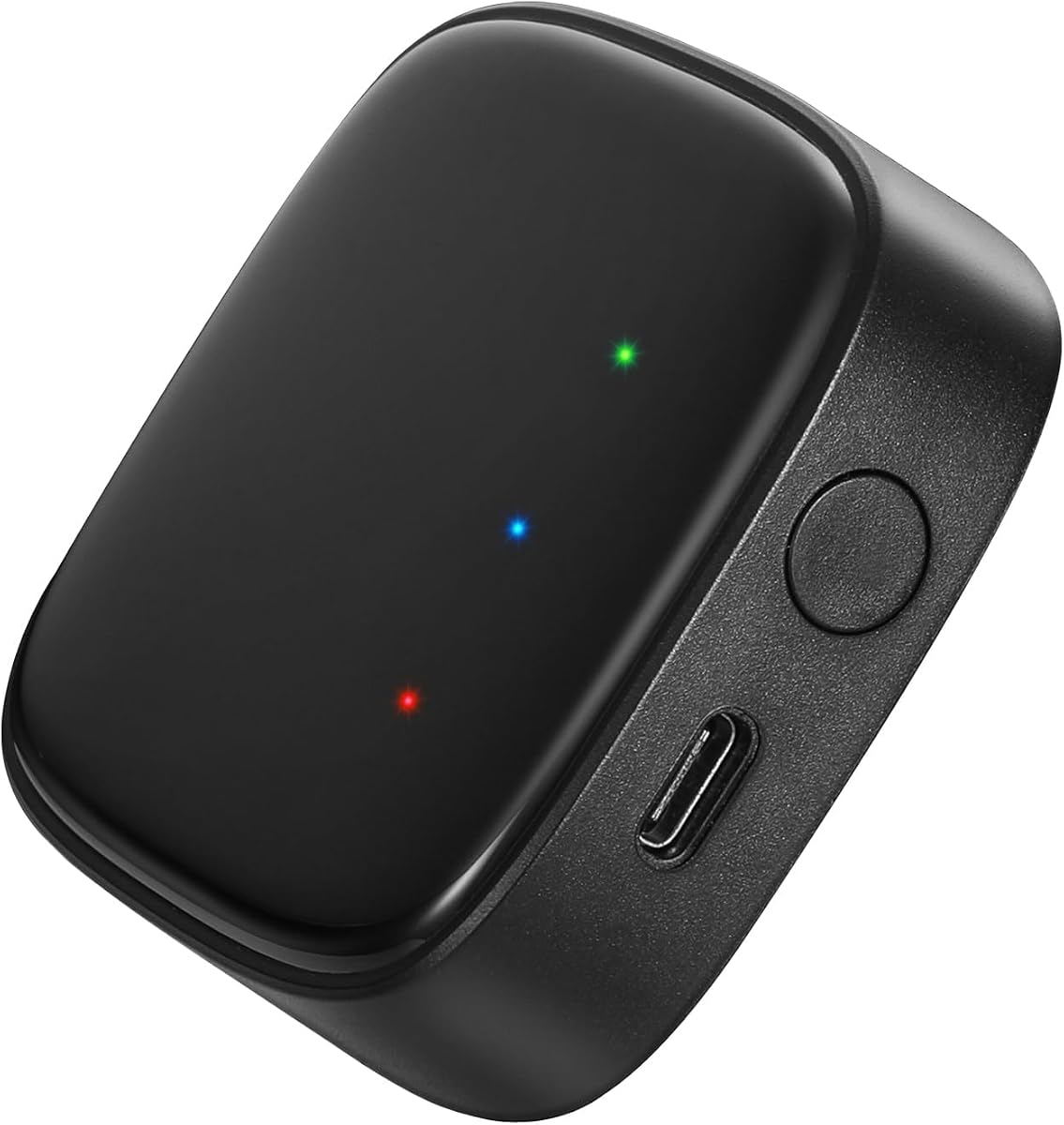
Home Assistant Green is an official, 4.4-rated smart home hub from Nabu Casa, the team behind Home Assistant. Unlike a simple lighting bridge, it is a full automation platform with Home Assistant already installed, allowing compatible lights, switches, sensors, thermostats, and other equipment to work together through powerful user-created automations.
We may earn a commission when you buy through this link, at no additional cost to you.
The hardware is thoughtfully designed for continuous household use. Its fanless, silent enclosure contains a quad-core processor, 32GB of storage, and 4GB of RAM, while the system consumes only a few watts. Starting setup is straightforward because the included power supply and Ethernet cable are all that is required, and data can remain stored in the home.
The trade-off is complexity compared with a single-brand bridge or direct-to-cloud bulb. Users must be comfortable configuring integrations, automations, and potentially adding USB radios for Z-Wave, Zigbee, or Thread. That effort is not necessary for a simple household, but it is a major advantage for people who want granular control and do not want their home data tied to a single cloud service.
This is the premium recommendation for an enthusiast or privacy-minded household ready to build a comprehensive smart home. It is especially compelling for lighting because dimming, occupancy, media, and energy routines can become deeply customized, provided the selected lights and radios are supported.
Home Assistant Green keeps the home's data in the home, and the data can be viewed, shared, or exported as needed. This makes the hub attractive for households seeking granular control over lighting schedules, conditional triggers, and locally retained device information.
The small fanless enclosure operates silently, and its low power consumption suits a device expected to remain available throughout the day. USB expansion provides a clear path for adding the radio standard required by compatible accessories.
We may earn a commission when you buy through this link, at no additional cost to you.
The Kasa KL125P2 is not a conventional hub but an excellent alternative for households seeking simpler connected lighting. It includes two multicolor, dimmable A19 bulbs, each rated at 800 lumens and a 60-watt equivalent, with a 4.5 rating and no separate hub requirement.
We may earn a commission when you buy through this link, at no additional cost to you.
The bulbs communicate directly over a 2.4GHz Wi-Fi network. The Kasa app provides remote control, timers, schedules, and energy monitoring, while Amazon Alexa and Google Assistant add hands-free operation. Lighting options include 16 million colors and adjustable white tones from warm 2500K to cool 6500K, with automatic color-temperature changes available for daily routines.
The main limitation is infrastructure. A 2.4GHz network is required, so some modern routers need their wireless bands configured correctly. Direct bulb operation also provides less opportunity for deep cross-protocol automation than a bridge or local automation hub, and each bulb must remain within a suitable Wi-Fi signal. This is a trade-off worth making when simplicity matters more than extensive device coordination.
Choose these bulbs for a bedroom, rental, starter setup, or any room where replacing bulbs is easier than installing a dedicated controller. They deliver useful scheduling, color control, voice support, and energy visibility without requiring another box on the network.
For smaller installations, direct-to-Wi-Fi bulbs can eliminate the cost and setup complexity of a hub. The included Kasa app remains the central point for remote control, scheduling, dimming, and color changes.
The range from 2500K to 6500K supports warm evening illumination and brighter daytime settings. Sunrise-style offsets and timers can automate gradual changes rather than switching every bulb abruptly between fixed states.
We may earn a commission when you buy through this link, at no additional cost to you.
The Kasa KL125P4 is a 4.4-rated A19 smart bulb designed for flexible, hub-free control. It combines multicolor lighting, adjustable white tones, dimming, remote app management, voice control, energy monitoring, and scheduling in a single direct-to-Wi-Fi device.
We may earn a commission when you buy through this link, at no additional cost to you.
Its useful specification details make it particularly appropriate for standard household fixtures. The bulb supports 16 million colors and a 2500K-to-6500K white range, operates on the IEEE 802.11b/g/n Wi-Fi protocol, and has a stated operating range of minus 15 to 40 degrees Celsius. The Kasa app allows users to control the bulb from Android or iOS devices, while Amazon Alexa and Google Assistant support hands-free operation.
The trade-offs are the same ones inherent to a hub-free product. A stable 2.4GHz connection is required, direct wireless dependence can make large installations less consistent than a dedicated Zigbee mesh, and a single-bulb package may not be the most convenient choice for a complete room. Its two-year warranty also provides a defined support period, though buyers should retain proof of purchase.
This bulb is a good option for testing smart lighting, refreshing a single fixture, or adding a colorful task light without installing a controller. It is less appealing as the foundation of a large cross-device system that depends on local processing and advanced conditional routines.
The combination of dimming, 16 million colors, and broad adjustable-white options makes the bulb useful for relaxation, task lighting, entertaining, and everyday illumination. Automatic temperature patterns can support a more natural daily progression.
Timers and schedules can switch lighting on or off automatically, while real-time energy monitoring adds visibility into consumption. These functions make the bulb practical for recurring routines even without a separate smart home hub.
We may earn a commission when you buy through this link, at no additional cost to you.
The Philips Hue Bridge Pro is a 4.5-rated upgrade for large Hue installations. Its most impressive specifications concern capacity and processing: it supports more than 150 lights and 50 accessories, includes 4GB of DDR4 memory, and uses a 1.7GHz quad-core Cortex-A35 processor to support faster responses and advanced algorithms.
We may earn a commission when you buy through this link, at no additional cost to you.
Compared with the standard Hue Bridge, it is built for users with extensive room-by-room lighting systems. It can store as many as 500 personalized scenes, offers additional automation capacity, and can migrate existing Hue devices while accommodating new ones. The Hue Chip Pro should also improve the responsiveness of complex setups involving many connected lights and accessories.
Its Hue-specific focus remains the main consideration. It is not intended to serve every smart home standard, so buyers with mixed ecosystems should assess the broader SmartThings and Home Assistant options instead. The MotionAware function is also not an independent substitute for a motion sensor: the supplied information states that it requires three Hue devices. Security is stronger through the Zigbee Trust Center and enhanced controls, though users must still configure access appropriately.
Choose the Bridge Pro when you already use Hue, expect to exceed the standard bridge's capacity, or want faster performance and more stored scenes. For a modest setup, the original bridge may be sufficient, but for a large connected lighting project, the Pro is the more future-oriented option.
Supporting 150-plus lights and 50-plus accessories is the defining advantage for large homes, rental properties, or extensive Hue outdoor systems. The stated migration support also makes it more relevant to existing users expanding an established installation.
The 1.7GHz quad-core processor and 4GB of DDR4 memory are designed to handle growing device counts, algorithms, and AI features. Storage for as many as 500 personalized scenes provides room for room-specific and time-specific lighting presets.
We may earn a commission when you buy through this link, at no additional cost to you.
The Govee A19 smart bulb has a 4.6 rating, the highest among the products supplied, and focuses on expressive lighting rather than hub management. It provides 800 lumens, 16 million DIY colors, and 54 preset scene modes in a standard A19 format with an E26 base.
We may earn a commission when you buy through this link, at no additional cost to you.
Its entertainment-oriented feature is music synchronization. When sound is detected through the phone's microphone, the bulbs can change color and brightness in response. The Govee Home app also supports groups, schedules, timers, voice commands, and Sunrise and Sunset modes, allowing a user to brighten gradually at wake-up time and dim down toward bedtime. A stable 2.4GHz Wi-Fi connection is necessary for optimal operation.
There are two specific cautions. Music sync depends on the phone's microphone, so it will not work when that microphone is occupied, and the A19 bulb cannot be used with smart switches. These restrictions make the product less appropriate for a user who expects whole-room music synchronization or wants a bulb that also acts as a dimmer-controlled lighting endpoint.
Choose the Govee bulb for parties, game rooms, accent lighting, and colorful everyday scenes. It is a compelling hub-free option for visual effects, though it is not a substitute for a multi-protocol hub when coordinated sensors, switches, and local automations are the priority.
Music synchronization, scene presets, and 16 million available colors make the bulb especially engaging for social gatherings and gaming spaces. Effects react to detected sound through the phone, adding movement to music, films, or other audio.
The Govee Home app can group bulbs with other Govee devices for simultaneous control. Timers, schedules, and sunrise and sunset modes help make the lighting more useful throughout the day without requiring a separate bridge.
We may earn a commission when you buy through this link, at no additional cost to you.
The Linkind Outdoor Lights Smart Hub is a 4.2-rated controller focused on compatible outdoor solar spotlights and pathway lights. Through Bluetooth Mesh, it expands the listed control distance from 98 feet to 40 meters and can connect as many as 32 Linkind smart lights for coordinated group control.
We may earn a commission when you buy through this link, at no additional cost to you.
It supports 43 dynamic preset scenes, multiple music modes, and color, brightness, and lighting-mode adjustments. The Aidot app is used to add or remove devices, create groups, and remotely manage the collection. Amazon Alexa and Google Assistant support adds hands-free control, while the hub's scheduled on and off functions can support coordinated outdoor displays for parties or other occasions.
The limitations are ecosystem and placement. The product is designed to coordinate Linkind smart lights rather than a broad collection of mixed manufacturers, and the app-based setup requires Bluetooth to be enabled on the phone. The hub should be positioned 2–6 meters from the router, with a 2.4GHz network and the specified 5V power adapter. Android 6.0 or iOS 12.0 or later is needed for compatible phone control.
This hub is a specialized recommendation for homes that already use or plan to buy compatible Linkind outdoor lights. It can provide stronger range and synchronized effects than controlling each Wi-Fi light separately, but indoor, whole-home automation would call for a broader platform.
The stated increase in control range to 40 meters is particularly relevant for gardens, paths, and other outdoor areas where a single router or phone may have weak coverage. The hub acts as a more convenient local control point for the supported Bluetooth Mesh lights.
Forty-three preset scenes and multiple music modes give compatible outdoor lights more character than basic on-and-off control. Group settings can be changed together, making seasonal displays and entertaining outdoor lighting less cumbersome to manage.
We may earn a commission when you buy through this link, at no additional cost to you.
The Lutron Caseta Deluxe Smart Dimmer Starter Kit has a 4.7 rating, the highest among the listed products, and combines a dedicated smart lighting hub with two Caseta dimmer switches, two Pico remotes, and two wall plates. It is designed for homeowners who want dependable, professionally familiar dimming rather than a purely bulb-based approach.
We may earn a commission when you buy through this link, at no additional cost to you.
A major advantage is that the Lutron Smart Hub works without Wi-Fi, providing fast, stable control for connected lights. The kit supports up to 150 watts of dimmable LEDs with flicker-free low-level dimming, and installation does not require a neutral wire. Users can add a new switch location by replacing an existing switch and mounting a Pico remote in a standard wall plate.
The trade-off is installation complexity. Unlike a bulb that can be screwed into an existing socket, each dimmer requires work at the wall, and a person who is not comfortable with basic switch wiring should seek qualified assistance. The kit also includes only two dimmers, so additional rooms may require more hardware. Wireless reliability depends on the local Lutron system rather than internet availability, while voice and app integrations add convenience.
Choose the Caseta kit for a new wired lighting project, especially where low-end dimming, wall-mounted controls, or operation during internet outages matter. It is the most specialized home-lighting kit here, but also one of the strongest choices for users who want switches rather than standalone smart bulbs.
Because the hub works without Wi-Fi, core smart switch functions can remain dependable even when the internet is unavailable. This is particularly useful for households that consider lighting to be part of the home's essential infrastructure.
Pico remotes can be mounted in a standard wall plate to create a new control point without extending a traditional cable run. Their stated 10-year battery life reduces routine maintenance, while the two included three-button remotes support common dimming functions.
We may earn a commission when you buy through this link, at no additional cost to you.
The best smart home lighting hub depends on your existing bulbs, the breadth of your automation ambitions, and how much setup effort you are willing to manage.
Begin with the lights and switches you already own. A Philips Hue bridge is designed around Hue devices, the Linkind hub coordinates compatible Linkind outdoor products, and the Lutron Caseta kit is built around Caseta switches. Direct-to-Wi-Fi bulbs such as Kasa and Govee can be attractive for new or small installations, but they do not create the same unified bridge environment for unrelated devices. Reviewing the protocol, app, and brand requirements before buying prevents a costly mismatch.
Zigbee, Z-Wave, Matter, Wi-Fi, Bluetooth Mesh, and Thread serve different roles. Zigbee is central to the Hue bridges and many smart bulbs, while Matter provides a newer common standard across device types. Z-Wave remains valuable for certain sensors and locks, although the Aeotec Hub2 explicitly does not support it. Home Assistant Green can accept USB Z-Wave, Zigbee, and Thread radios, allowing the hardware to be tailored to the desired ecosystem. Check the protocol of every planned device rather than assuming every hub speaks the same languages.
Local control can improve response time and preserve essential routines during an internet outage. The Hue Bridge uses Zigbee, the Aeotec hubs can execute many routines locally, and the Lutron Smart Hub operates without Wi-Fi. Home Assistant Green also keeps its data at home and offers a highly configurable platform. Hub-free bulbs are convenient, but they generally depend more heavily on the home network and their associated service. If lighting must remain dependable during internet or cloud interruptions, favor a system with explicit local operation.
A compact apartment may be well served by two direct Wi-Fi bulbs, while a large home can quickly exceed a bridge's device limit. The standard Hue Bridge supports up to 50 lights and accessories; the Hue Bridge Pro supports 150-plus lights and 50-plus accessories; the Linkind hub controls up to 32 compatible outdoor lights. Home Assistant Green and SmartThings hubs are more flexible across device categories, but their practical capacity still depends on the selected radios and integrations. Count current devices and leave room for future additions.
Basic timers, schedules, and app control are easy to configure, but advanced automations can make a system more useful. Home Assistant Green supports deeply customized, conditional routines; SmartThings offers a more structured app-based approach; Hue provides approachable lighting scenes and schedules. Kasa and Govee products include useful routines without a separate controller. Consider how much configuration you want to manage, because greater flexibility often means more setup, compatibility checking, and troubleshooting.
The Philips Hue Bridge, Aeotec hubs, Kasa bulbs, Govee bulb, Linkind hub, and Lutron kit all mention Amazon Alexa, while most also support Google Assistant. Apple HomeKit appears explicitly for the Hue Bridge and Lutron Caseta system. Voice availability can depend on the light model and configuration, so verify both the hub and the individual device. Also check support for Ring, Matter, or other platforms if you already use them, because compatibility is not limited to voice assistants.
Some options are as simple as replacing a bulb, while others require pairing, hub placement, or in-wall switch installation. Kasa and Govee products require a 2.4GHz Wi-Fi network. The Linkind hub has specific router-distance and phone requirements. Lutron dimmers can be installed without a neutral wire, but they still require switch work and should be installed by someone confident in the process. Select the level of physical and network setup that matches your home and willingness to troubleshoot.
A lighting hub can reveal patterns about when a home is occupied, so privacy should be part of the decision. Home Assistant Green is designed to keep data in the home, while the Hue Bridge Pro includes enhanced security controls and a Zigbee Trust Center. The standard Hue Bridge receives automatic updates, and platform-based hubs generally depend on software maintenance for new features and security improvements. Choose a system with reputable support, understandable account settings, and a clear update process.
Begin by reading the hub's setup instructions and confirming that the required app, account, network, and voice service are compatible with your devices. Position a bridge or hub near the center of the affected wireless area, connect its power and network cable, and complete the manufacturer's pairing process before adding many accessories. For direct Wi-Fi bulbs, connect each one to the specified 2.4GHz network and give it an identifiable name.
Add lights gradually, test basic on, off, dim, and color commands, and only then build schedules or automations. For a bridge-based system, follow the manufacturer's migration or pairing process. For Home Assistant, install the appropriate integrations and radio hardware before attempting a large automation. Create scenes for common situations, such as evening relaxation or bright task lighting, and test them both manually and through each voice platform you use.
Maintain the system by installing software updates, checking that the hub remains securely connected, and reviewing paired-device lists periodically. Keep bulbs within their specified temperature and humidity limits, and do not use a smart switch with a Govee A19 bulb because the product specification explicitly says it cannot be used that way. Outdoor controllers should also be protected from unsuitable weather conditions and placed in accordance with the manufacturer's instructions.
No. The Kasa and Govee products in this guide connect directly to a 2.4GHz Wi-Fi network and do not require a separate hub. Hue, SmartThings, Home Assistant, Linkind, and Lutron systems use central controllers to coordinate devices, provide broader automation, or support specific accessory ecosystems.
A lighting bridge is optimized for lights and related accessories, often within one brand. A general smart home hub supports more device categories and multiple protocols, allowing sensors, switches, locks, thermostats, and lighting to participate in shared automations. Home Assistant Green and the Aeotec hubs are the broader options in this guide.
The Philips Hue Bridge Pro is explicitly designed for high capacity, supporting 150-plus lights and 50-plus accessories. General-purpose hubs can also coordinate many devices, but their limits depend on the selected integrations and radios. Count both current and planned devices before making a final choice.
That depends on the product. The Philips Hue Bridge uses Zigbee and its lights can work when Wi-Fi is down, while the Lutron Smart Hub operates without Wi-Fi. The Aeotec hubs and Home Assistant Green can run many automations locally. Direct Wi-Fi bulbs have fewer offline options because their connection depends on the network and service.
You do not need a voice platform to operate a hub, but it can make everyday lighting control easier. The listed products offer combinations of Amazon Alexa, Google Assistant, and Apple HomeKit support. Verify the exact platform compatibility of both the controller and the particular bulb or switch before installation.
No. Matter is an application-layer standard designed to work across device ecosystems, while Zigbee and Wi-Fi are underlying connectivity technologies. A Matter-compatible hub can coordinate compatible products, but individual devices must also support the required standards and be properly commissioned.
A Kasa or Govee smart bulb is usually the simplest starting point because it connects directly to Wi-Fi and uses a phone app. The standard Philips Hue Bridge is also approachable if you want a dedicated Hue system. Advanced users may prefer Home Assistant Green, but its broader configuration offers more opportunities for troubleshooting.
General-purpose options such as the Aeotec hubs and Home Assistant Green are intended to coordinate compatible products from multiple brands. Dedicated controllers are narrower: the Hue bridges focus on Hue devices, the Linkind hub focuses on compatible Linkind outdoor lights, and the Lutron kit is designed around Caseta controls. Always confirm the complete device list before purchasing.
The Philips Hue Bridge is the most balanced overall recommendation for a dedicated Hue lighting system, combining a 4.5 rating, reliable Zigbee operation, broad voice-platform support, Matter connectivity, and room for 50 lights and accessories. Home Assistant Green stands out as the premium choice for advanced automation, local data, and flexible radio expansion, while the Philips Hue Bridge Pro offers the strongest capacity for large Hue installations.
Your priorities should ultimately determine the selection. Choose a direct Wi-Fi bulb when simplicity is paramount, a bridge when dependable coordinated lighting is the goal, and a general-purpose hub when lighting must interact with sensors, switches, climate equipment, and other smart home categories. Compatibility with existing devices matters more than any single headline feature, so build a complete equipment list before purchasing.
Finally, check current product details, availability, and prices at the time of purchase, since configurations and commercial terms can change. The products in this guide provide a clear range of options, from simple and economical connected bulbs to specialized outdoor control, premium wired dimming, and sophisticated local automation platforms.