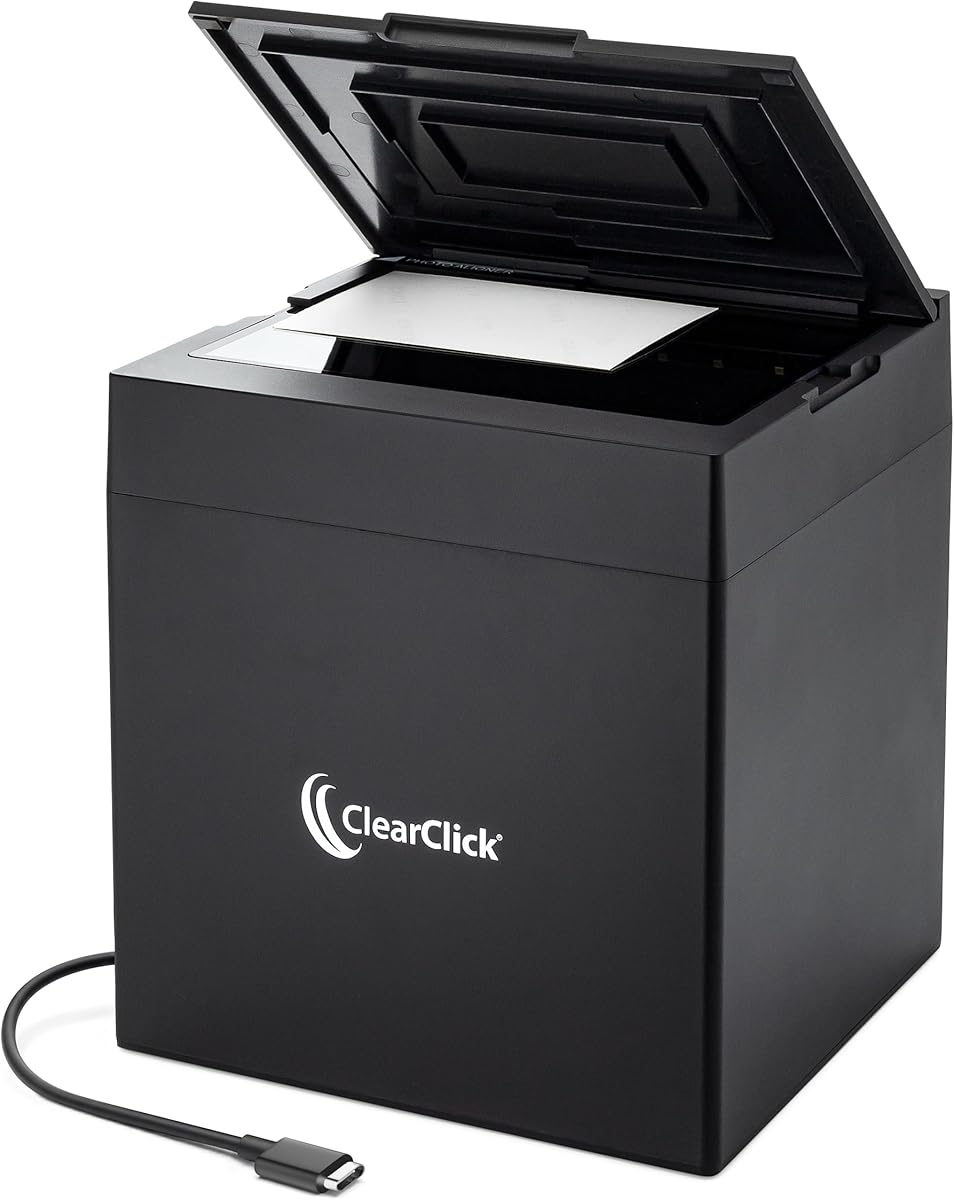
ClearClick InstaScan Photo Scanner
3.6Editor score
300 DPI photo scanning
4×6 and 5×7 support
No drivers required
A scanner designed for 4×6 photos should do more than capture an image quickly. It should place each print correctly, preserve visible detail, handle delicate surfaces safely, and produce files that are easy to organize, edit, back up, and share across modern devices.
We compared the ten scanners in this guide using their stated specifications, supported formats, photo-handling features, software, connectivity, and intended use. The list covers dedicated photo scanners, flatbed models, portable devices, and sheetfed scanners that can also handle printed photographs.
Each pick highlights a different balance of speed, convenience, image quality, and preservation features. Ratings reflect the supplied customer feedback, while operational details come from the manufacturer information and may vary by file format, computer, and scanning settings.
3.6Editor score

4.5Editor score

4.5Editor score
As an Amazon Associate we earn from qualifying purchases.
This side-by-side comparison organizes every scanner by its most relevant photo-scanning attributes, including supported sizes, maximum stated resolution, throughput, and connection method.





The Epson FastFoto FF-680W is the most complete choice in this guide for households that want to digitize albums quickly without sacrificing useful photo corrections. Its 4.5 rating reflects a strong balance of speed, versatility, and automation. The scanner is particularly well suited to stacks of 4×6 prints, mixed photographs, and documents that need to enter the same digital workflow.
We may earn a commission when you buy through this link, at no additional cost to you.
Its standout advantage is speed. Epson states that the FF-680W can scan as quickly as one photo per second at 300 dpi and can batch up to 36 photographs in the feeder. That makes it useful for projects involving dozens or hundreds of prints. The duplex mechanism can also capture an image and handwritten notes on the reverse during a single operation, reducing the need to rescan personal keepsakes.
Automatic enhancement features add practical value for faded, dusty, crooked, or red-eyed prints. The stated resolution choices include 300 dpi for everyday sharing, 600 dpi TIFF for archiving, and 1200 dpi for enlargement work. Photos up to 8×10 inches, Polaroids, postcards, panoramas, and handwritten notes can all be processed through the supplied carrier sheet.
The main trade-off is its position as a dedicated photo and document appliance rather than a lightweight flatbed. It also needs Epson FastFoto and ScanSmart software for the richest workflow, and mobile scans are limited to JPEG at up to 600 dpi. Even so, it is the most attractive all-around option for large albums because it combines feeder capacity, wireless flexibility, automatic corrections, and direct sharing. Buyers who regularly scan more than a few prints at a time will likely appreciate it most.
A 36-photo feeder and a stated one-photo-per-second rate substantially reduce repetitive handling. For large albums, this allows prints to remain in protective sleeves until they reach the scanner.
Automatic color restoration, red-eye reduction, cropping, rotation, and deskewing help older prints look prepared for sharing as soon as they are scanned.
We may earn a commission when you buy through this link, at no additional cost to you.
The AMBIR Photo Scanner with Photo Cleaning Kit Bundle is a value-oriented option that goes beyond basic document capture. Its 4.3 rating and broad list of supported photo sizes make it a credible choice for 4×6 prints, smaller snapshots, panoramas, and photographs as large as 8×10 inches. The included cleaning tools are particularly thoughtful for owners of older or fragile albums.
We may earn a commission when you buy through this link, at no additional cost to you.
At 300 or 600 dpi, the scanner offers practical choices for everyday sharing and higher-resolution archival work. Automatic crop and deskew simplify the first stage of image preparation, while Picture Studio by AMBIR adds auto-enhancement, faded-photo restoration, filters, borders, and more detailed controls for brightness, contrast, exposure, sharpness, and gamma.
The supplied bellows blower, microfiber cloth, anti-static brush, and protective carrier sheet help users prepare and handle prints without relying on a separate cleaning kit. Organization is another strength because users can create albums, assign tags and notes, mark favorites, and import existing images from services and devices such as Apple Photos, Google Photos, cameras, and memory drives.
Its single-cable USB connection is less flexible than wireless or battery-powered alternatives, and people with extensive existing digital libraries may need time to organize imported files. Nevertheless, this model balances dedicated photo handling, useful editing tools, and protective accessories at a practical entry point. It is especially appealing to first-time archivists who want more than a generic flatbed.
The blower, cloth, brush, and carrier sheet support a careful workflow: remove loose dust, clean the surface, position the print, and scan it with less direct contact.
Albums, tags, notes, and favorites make it easier to build a searchable library rather than a folder filled with unnamed image files.
We may earn a commission when you buy through this link, at no additional cost to you.
The Flip-Pal Mobile Scanner is a distinctive option for collectors and families who need to digitize fragile photos without routing every print through a computer. It earns a 4.3 rating and works as a standalone, battery-powered device that saves scans to an SD card. That makes it useful for sorting memories wherever the albums are stored.
We may earn a commission when you buy through this link, at no additional cost to you.
Its flip-and-scan design is central to the experience. Removing the lid and turning the scanner over creates a flat surface with a viewing window, allowing large, delicate, or unusually shaped originals to be scanned without a sheet feeder's mechanical pulling action. The stated scanning time for a 4×6 photograph at 300 dpi is approximately seven seconds.
EasyStitch automatically assembles multiple captures into a larger image for portraits, artwork, quilts, and other oversized material. StoryScans can combine a scan with the recorded voice of the person sharing a memory, creating a smaller high-definition talking-image file. The included 4GB SD card and USB adapter make the basic file workflow direct, although the relevant software may need to be downloaded and activated.
The trade-offs are speed and convenience compared with automated feeders. One scan at a time takes longer than a batch workflow, and stitching larger originals requires capturing overlapping sections. Even so, the Flip-Pal stands out for portability, delicate-item safety, and computer-free capture. It is best suited to someone who values control over each print more than high-volume processing.
Its flatbed-style flip-and-scan approach avoids pulling photographs through a narrow feeder, reducing stress on brittle surfaces and unusual shapes.
StoryScans can pair a digital image with a recorded voice, adding context that a conventional scan cannot capture on its own.
We may earn a commission when you buy through this link, at no additional cost to you.
The Canon CanoScan LiDE 400 is a compact flatbed scanner for users who want high stated resolution without the footprint or complexity of a dedicated automatic document feeder. Its 4.1 rating reflects a practical combination of photo quality, simple controls, and document functions. A 4×6 photograph fits comfortably on the scanning bed for straightforward one-at-a-time capture.
We may earn a commission when you buy through this link, at no additional cost to you.
Its headline specification is 4800 by 4800 dpi, which offers considerable detail for photos, illustrations, and documents. Canon also includes image enhancements such as color restoration and dust removal. These features are particularly relevant when scanning faded prints or images with visible specks that should not become permanent in the digital copy.
The scanner's EZ Buttons and automatic scan mode reduce setup effort. Built-in PDF controls can produce editable, searchable PDF files, while the included USB Type-C cable handles both data and power. The stated scan speed can be as fast as eight seconds, making it responsive for envelopes, receipts, illustrations, and individual photographs.
There is no automatic feeder, so every print must be placed and captured manually. This is a meaningful disadvantage for album projects but not for someone digitizing selected photographs or handling mixed paper records. Overall, the LiDE 400 is a straightforward high-resolution flatbed whose slim design and automatic detection suit a home office or smaller workspace.
The 4800 by 4800 dpi specification provides ample resolution for detailed photos and also gives users a capable scanner for artwork and paper records.
Automatic detection and one-cable USB Type-C connectivity reduce the number of steps required for routine scanning.
We may earn a commission when you buy through this link, at no additional cost to you.
The ClearClick InstaScan Photo Scanner is designed around a straightforward promise: capture common 4×6 and 5×7 prints quickly on a PC or Mac. Its 3.6 rating places it below the higher-rated models, but the core feature set directly addresses the needs of a first scanner or a limited photo project. The stated 300 DPI quality is suitable for ordinary screen viewing and sharing.
We may earn a commission when you buy through this link, at no additional cost to you.
An internal 4K camera and dedicated internal lighting provide the imaging hardware, while the supplied software handles photo cropping, image adjustment, and scanning. The cropped result for a photograph is stated at approximately 2500 by 1800 pixels. Setup does not require separate drivers, and the included USB-A adapter helps users connect a USB-C-oriented system.
Compatibility is clearly specified for Windows 10, 11, and 12 or Mac OS X 11.0 and later. The scanner does not work with smartphones, tablets, or Chromebooks, so buyers should confirm that they have a compatible computer before purchasing. A two-year warranty and USA-based technical support add reassurance for a relatively simple device.
Its limitations are just as important as its features. It has no automatic feeder, does not scan 8×10 photographs or 8.5×11 documents, and outputs are limited to 300 DPI. It is therefore not the right choice for a large archive or maximum-resolution enlargements. For someone beginning with dozens of standard prints, however, it provides a fast and approachable way to start digitizing.
Direct support for 4×6 and 5×7 photographs keeps setup focused, while automatic installation reduces technical barriers for first-time users.
Internal illumination provides a more controlled capture environment than relying entirely on room lighting, helping produce consistent results.
We may earn a commission when you buy through this link, at no additional cost to you.
The AMBIR Photo Scanner with PICTURESTUDIO is built for fast, dedicated photo capture and an extensive editing workflow. Its 3.4 rating is the lowest among the products reviewed, so buyers should weigh that customer feedback against the generous stated feature set. The scanner promises a 4×6 color-photo capture in three seconds at 300 dpi.
We may earn a commission when you buy through this link, at no additional cost to you.
It supports sizes from 1×1 inches through 8×10 and panoramas up to 12 inches. Users can select 300 dpi or 600 dpi output, making it suitable for both routine sharing and more detailed preservation. The protective carrier sheet and microfiber cloth support careful handling of prints that may be fragile or dusty.
PICTURESTUDIO provides auto-enhancement, color restoration for faded photographs, filters, borders, and manual adjustments for brightness, contrast, exposure, sharpness, and gamma. Its AI-assisted colorization feature can add color to grayscale images. Organization tools use tags and notes to make a digitized collection searchable, and users can import images from computers, Apple Photos, Google Photos, digital cameras, and memory drives.
The single USB cable makes setup uncomplicated, but the lack of wireless connectivity may frustrate users who want direct mobile or cloud workflows. The lower rating could reflect installation, software, or reliability experiences that are not detailed in the supplied specifications. Even so, this AMBIR model offers a compelling combination of speed, photo-specific controls, and powerful restoration features for a focused preservation setup.
The stated three-second scan for a 4×6 print supports productive digitizing sessions, especially when processing many standard snapshots.
Colorization, restoration, fine adjustments, and searchable notes give users more control over both the appearance and retrieval of scanned memories.
We may earn a commission when you buy through this link, at no additional cost to you.
The Epson Perfection V19 II is a capable flatbed scanner that brings high-resolution photo capture to a relatively compact format. Its 3.9 rating places it in the middle of the group, but its 4800 dpi optical resolution and photo-restoration tools make it useful for both photographs and household documents. A standard 4×6 print fits easily on the bed.
We may earn a commission when you buy through this link, at no additional cost to you.
Epson ScanSmart supports photo, artwork, illustration, book, and document scanning. One-touch buttons reduce the number of steps, while Easy Photo Fix restores color to faded photographs with one click. The removable high-rise lid allows the scanner to capture thicker materials such as books and open photo albums without removing the entire top section.
For document work, the included software can create searchable PDFs and editable Microsoft Office files through optical character recognition. A letter-sized document can be scanned in approximately ten seconds. The scanner weighs 3.1 pounds, uses USB power, and includes a built-in kickstand for vertical storage when it is not being used.
As with other flatbeds, there is no automatic feeder, so large albums require manual placement. Its 3.9 rating also suggests that some buyers may have found aspects of the software or workflow less compelling than those of the higher-rated dedicated models. Even so, the V19 II is a versatile option for someone who wants fine resolution, photo enhancement, and OCR functions without committing to a photo-specific machine.
The 4800 dpi sensor serves photographs, artwork, books, and documents, making the V19 II useful beyond a single archival task.
Easy Photo Fix offers a convenient starting point for faded prints, although advanced users may still prefer broader manual controls.
We may earn a commission when you buy through this link, at no additional cost to you.
The HP Small USB Document & Photo Scanner HPPS100 is a portable sheetfed model that can handle 4×6 photographs alongside receipts, business cards, bills, and office records. Its 4.2 rating is solid, and the combination of compact construction, 1200 dpi resolution, and automatic workflows makes it a practical option for mobile or small-office use.
We may earn a commission when you buy through this link, at no additional cost to you.
Unlike a flatbed, the scanner pulls one-sided sheets through a sheetfed path. Its stated operating speed is 15 pages per minute, or approximately four seconds per page, which is well suited to small and medium batches. Supported paper sizes range from 2×2.9 inches to 8.5×14 inches, covering common prints and a broad range of paperwork.
HP WorkScan adds auto-scan, size detection, previewing, zooming, cropping, editing, background cleanup, edge and hole cleanup, and destination controls. Files can be saved as PDF, JPG, and other formats, giving users flexibility for documents, digital photos, and cloud-oriented workflows. USB 2.0 power and connection support simplify travel between home and office.
The one-sided design means a photograph with meaningful writing on the reverse needs two separate passes. Sheetfeeding can also be less gentle than flatbed or flip-and-scan methods for brittle prints, so delicate photographs should be inspected before loading. For ordinary prints and a mixed workload, however, this HP model offers strong portability and useful software at a relatively accessible level.
The compact sheetfed design suits receipts, business cards, forms, and photographs without taking up the space of a full-size flatbed.
HP WorkScan can clean backgrounds, edges, and punch holes while previewing, cropping, and adjusting each result before export.
We may earn a commission when you buy through this link, at no additional cost to you.
The ScanSnap iX2500 Photo Edition is the premium option in this guide, combining professional-level throughput, a large touchscreen, wireless connectivity, and photo-specific organization. Its 4.5 rating joins the top of the list. It is built for users with substantial collections or established digital workflows who want to minimize hands-on intervention.
We may earn a commission when you buy through this link, at no additional cost to you.
ScanSnap states a maximum of 100 photos per minute, and the automatic document feeder holds up to 100 documents or 36 photographs. Three photo carrier sheets are included for delicate prints, while quick-start instructions help users create appropriate photo-scanning profiles. The touchscreen lets users select, customize, and save those profiles rather than repeating the same setup for every batch.
Automatic optimization, naming, and sorting reduce the administrative work that follows a large scan. Results can be sent to a PC, Mac, mobile device, or cloud service, and the Quick Menu supports scan-and-drag workflows to preferred computer applications. Built-in Wi-Fi 6 offers a modern alternative to a wired connection, while USB-C remains available for stable local transfers.
The obvious trade-off is the greater commitment associated with a premium dedicated machine. A user with only a handful of prints may not need its feeder capacity, touchscreen, or network features. For large albums, however, the combination of speed, custom profiles, photo carriers, and automated organization is exceptionally compelling. It is the most advanced high-volume choice for preserving 4×6 photographs.
A stated capacity of 100 photos per minute and a 36-photo feeder make this scanner well suited to converting large collections quickly.
Reusable photo profiles reduce repeated decisions, while automatic optimization, naming, and sorting help maintain a consistent digital library.
We may earn a commission when you buy through this link, at no additional cost to you.
The Epson Perfection V39 II is a versatile flatbed for photographs and documents, combining 4800 dpi optical resolution with photo-restoration features. Its 3.7 rating is below several dedicated scanners, but the model remains a strong option for users who want a single device for prints, artwork, illustrations, books, and paperwork.
We may earn a commission when you buy through this link, at no additional cost to you.
Easy Photo Fix restores color to faded photographs with one click, offering a convenient way to improve older images without extensive editing. Epson ScanSmart also supports stitching oversized images and sending scans to cloud storage services. One-touch controls simplify common tasks, while the stated ten-second letter-document scan time suits routine office use.
Its high-rise removable lid helps users scan books and open photo albums without taking off the entire cover. USB power makes the unit suitable for a home office or temporary workspace. The flatbed approach also permits careful positioning of individual prints and unusual media.
There is no automatic feeder, making the V39 II less efficient than the FF-680W or ScanSnap iX2500 for albums containing many prints. Its lower rating may reflect user experience with software or performance that is not fully reflected in the specifications. Nevertheless, the combination of fine resolution, restoration, OCR-friendly document support, and a removable lid makes this a dependable general-purpose flatbed.
Flatbed scanning accommodates standard photographs, artwork, illustrations, books, and documents without changing devices.
One-click color restoration provides a simple starting point for faded prints, while ScanSmart adds cloud and stitching options.
We may earn a commission when you buy through this link, at no additional cost to you.
The right photo scanner depends on the size of the collection, the condition of the prints, the resolution you need, and how you want to organize and share the finished files. These factors narrow the field faster than brand or marketing language.
A 4×6-inch print should fit comfortably within the scanner's active area, but the surrounding format still matters. Flatbeds provide an open bed and precise placement, dedicated photo feeders can automate repeated captures, and portable sheetfed models offer a narrow path through the machine. Verify the maximum width and length, especially if the collection includes 5×7 prints, panoramic images, or oversized memorabilia.
Choose a scanner that explicitly supports 4×6 photographs and consider whether you need larger formats later. For 4×6 prints only, a compact flatbed or dedicated small-photo scanner may be sufficient.
Resolution determines how much detail the scanner can capture, but more pixels do not automatically create a better photograph. A 300 dpi setting produces roughly 1,800 pixels across a 4×6 print and is generally suitable for ordinary sharing and viewing. A 600 dpi setting captures about 3,600 pixels across the same width, providing more detail for close viewing, restoration, and larger reproductions.
Match resolution to the final use. High-resolution archival work benefits from 600 dpi or more, while routine digital copies may not justify additional file sizes. Always view and edit a test scan before processing an entire album.
Speed matters most when scanning dozens or hundreds of prints. Automatic feeders reduce repetitive placement, while batch capacity determines how often you must stop to refill. The Epson FF-680W and ScanSnap iX2500 are designed for larger volumes, whereas flatbed and single-photo devices provide more control but demand more attention.
For a small box of prints, capacity is unlikely to matter. For an album or family archive, favor a model with automatic feeding and a workflow that can sustain repeated captures without frequent corrections.
Older photographs may be brittle, curled, dusty, or fragile around the edges. Flatbed and flip-and-scan designs generally allow the user to control contact and orientation more carefully. Sheetfed scanners should only be used with prints that can tolerate a controlled pull through the rollers. Carrier sheets, microfiber cloths, soft brushes, and anti-static tools can reduce the risk of scratches and trapped debris.
Inspect every print before scanning and avoid forcing curled corners into a feeder. For highly delicate material, prioritize gentle handling and manual placement over maximum throughput.
Useful photo software should handle cropping, deskewing, dust reduction, color restoration, and red-eye correction. Automatic tools can give faded prints an immediate visual improvement, though they sometimes alter original colors too aggressively. The AMBIR models and Epson scanners offer varying levels of manual control for brightness, contrast, exposure, sharpness, gamma, filters, and borders.
Look for both automatic and manual correction options. Automatic enhancement is convenient for large batches; detailed controls are valuable when a historical color cast or unusual print requires careful treatment.
Check the operating-system requirements before buying. The ClearClick InstaScan supports Windows and Mac but not smartphones, tablets, or Chromebooks, while other models offer wireless transmission to mobile devices. Some workflows require downloaded software, activation, or a compatible account. A USB-only scanner is dependable for local use, but it may be less convenient for direct cloud and phone transfers.
Confirm cable type, operating-system versions, software availability, and cloud destinations. The best scanner is one that fits the devices and transfer habits you already use rather than forcing a new workflow.
Scanning creates files, but organization determines whether those files will remain easy to find. Albums, tags, notes, favorites, automatic naming, and cloud destinations can create a more useful library than a folder of generic image names. Some models can also import existing images from phone galleries, cameras, and memory drives so that physical and digital memories can be viewed together.
Choose software that supports your preferred organization method. Then plan a backup routine that keeps at least one additional copy outside the scanner's destination computer or connected storage.
Evaluate the complete package rather than the scanner in isolation. Included carrier sheets, cleaning tools, editing software, OCR, wireless connectivity, and multi-year warranties can make one model more economical than another. At the same time, a premium model with advanced automation may offer little benefit if the collection is small and the buyer prefers manual control.
Prioritize the features you will actually use, including the supplies and software needed for safe, organized results. Long-term value depends on a smooth workflow and usable output, not merely the broadest specification sheet.
Prepare the scanning area before opening the first album. Use a clean, level surface with enough room for the scanner, its cables, and the prints being processed. Connect the device as directed, install the required software, and test a recent photograph before beginning with older or fragile material.
For each print, remove loose dust gently and inspect the surface for scratches, curls, fading, and writing on the reverse. Place the image in the scanner's active area or feed it through the carrier as instructed. Choose a resolution based on the final use, review the crop and orientation, and then confirm that colors, edges, and fine details look natural before saving.
After scanning, verify that the image opens correctly and that the file has a recognizable name. Organize it into the appropriate album or folder, add useful tags or notes, and create a backup in a separate location. Store physical photographs in archival sleeves, away from prolonged sunlight, humidity, and dust, while keeping scanners and carrier surfaces clean according to their manuals.
For email, social sharing, and ordinary screen viewing, 300 dpi is generally sufficient. Choose 600 dpi when you want finer detail, plan to enlarge the image, or are preserving prints for long-term use. The higher setting creates larger files, so storage and workflow speed should be considered as well.
A dedicated model with an automatic feeder is usually the most efficient choice. The Epson FastFoto FF-680W holds up to 36 photos, while the ScanSnap iX2500 offers higher stated throughput and touchscreen profiles. Both also include photo-specific software and automatic correction features that reduce manual work.
Yes, a flatbed is often preferable for fragile prints because it avoids pulling them through rollers. Place the photograph carefully, keep fingers away from fragile edges, and use a clean carrier if the manufacturer recommends one. Very brittle, warped, or flaking prints should be handled by a specialist.
A sheetfed scanner can handle ordinary photographs when they are flat and not excessively fragile. Models such as the HP HPPS100 support 1200 dpi and photo-oriented output options. It is less suitable for curled prints, valuable originals, or any image that might crease or catch in the feed path.
Many include automatic restoration, color restoration, dust removal, deskewing, cropping, or red-eye correction. These features are convenient, but results can vary with severely faded or unusual prints. Reviewing and, when available, manually adjusting the scan is the safest way to preserve a natural appearance.
Some devices offer computer-free capture. The Flip-Pal Mobile Scanner is battery powered and stores images on an SD card, while the ScanSnap iX2500 can send scans to mobile devices or cloud services without a computer. Other models may offer wireless file transfer but still require initial software setup or an account.
TIFF is commonly used for archival masters because it preserves detailed image data without lossy compression. JPEG is more convenient for everyday sharing and occupies less space. A practical approach is to save a high-quality master and create smaller JPEG copies for ordinary use, while maintaining backups of both.
Name files or folders according to a consistent system, such as event, year, or family member, and add notes for people, dates, and locations. Software that supports albums, tags, and favorites is particularly useful. Keep a separate backup from the main computer so that a hardware failure does not erase the digital copy.
The Epson FastFoto FF-680W is the strongest all-around recommendation for most album projects because it combines rapid batch scanning, automatic photo enhancement, wireless options, and reverse-side capture. The AMBIR cleaning kit bundle offers a practical budget-oriented package for common prints, while the ScanSnap iX2500 is the premium choice for large, automated workflows.
For a small collection, a high-resolution flatbed such as the Canon LiDE 400 or Epson Perfection V39 II may provide enough capability without a complex setup. For fragile originals, prioritize flatbed or flip-and-scan handling. For mixed paper projects, consider a sheetfed model, but use gentle handling for photographs and review crops closely.
Current prices and availability can change, so compare the complete package, warranty, software, and included accessories at the time of purchase. Most importantly, test a representative photograph and confirm that the resulting file is sharp, correctly cropped, color-accurate, and easy to organize before committing to an entire archive.