
Brother MFC-L8930CDW
4.4Editor score
Color print, scan, and copy
33 ppm print and copy
80-page automatic document feeder
Laser Printer for Large Workgroups guide comparing speed, capacity, security, connectivity, and features to help you choose the right model.
A laser printer for large workgroups must handle continuous document flow without sacrificing output quality, security, or administrative control. The right model combines fast monochrome or color printing, expandable paper handling, durable toner options, and network features that support busy teams operating across departments.
We compared the 10 featured models using their stated specifications, including print speed, paper capacity, duplex printing, wireless and wired connectivity, scanning capability, toner yield, and enterprise security. The guide covers color all-in-ones, monochrome printers, and high-capacity multifunction models for different workgroup needs.
Each entry highlights the most useful strengths, limitations, and ideal users so you can match equipment to actual workloads. Product specifications and availability may change, and current prices can vary, so confirm the latest configuration and supplies before making a purchase.
4.4Editor score

4.6Editor score

The comparison below shows the core differences in output speed, media handling, connectivity, and multifunction capability. It is designed to make the shortlist easier to assess before considering toner, security, and workflow requirements.


The Brother MFC-L8930CDW combines professional color output, scanning, copying, and duplex printing in a workgroup-oriented design. Its 4.4 rating reflects a favorable balance of speed, usability, and enterprise features, with print and copy speeds reaching 33 pages per minute and a seven-inch color touchscreen for daily operation.
We may earn a commission when you buy through this link, at no additional cost to you.
Its standout strength is workflow flexibility. The 80-page automatic document feeder supports two-sided scanning at speeds up to 104 images per minute, while scan destinations include cloud services, email, SharePoint, and editable Microsoft Office documents. Dual-band Wi-Fi, Gigabit Ethernet, 64 customizable shortcuts, and a multipurpose tray support both shared and specialized print jobs.
The trade-off is the inherent cost and complexity of a color laser all-in-one. Color-heavy offices will use more toner than monochrome-focused teams, and the feature-rich design takes more space than a basic printer. Even so, the included 3,000-page black and 1,800-page color cartridges, plus high-yield replacements, help provide predictable ownership.
This is the most balanced recommendation for a large workgroup that needs color, scanning, and copying without moving to an enterprise finishing system. It suits teams producing presentations, forms, invoices, reports, and mixed internal documents while requiring secure network access and consistent throughput.
The 33-page-per-minute print and copy speed supports routine office demand, while the 80-page feeder reduces manual intervention during multi-page jobs. Two-sided scanning further improves throughput for records-heavy departments.
Triple Layer Security, an integrated NFC card reader, and encrypted network connectivity make the printer more suitable for shared environments. Customized touchscreen shortcuts can also streamline recurring tasks for authorized users.
We may earn a commission when you buy through this link, at no additional cost to you.
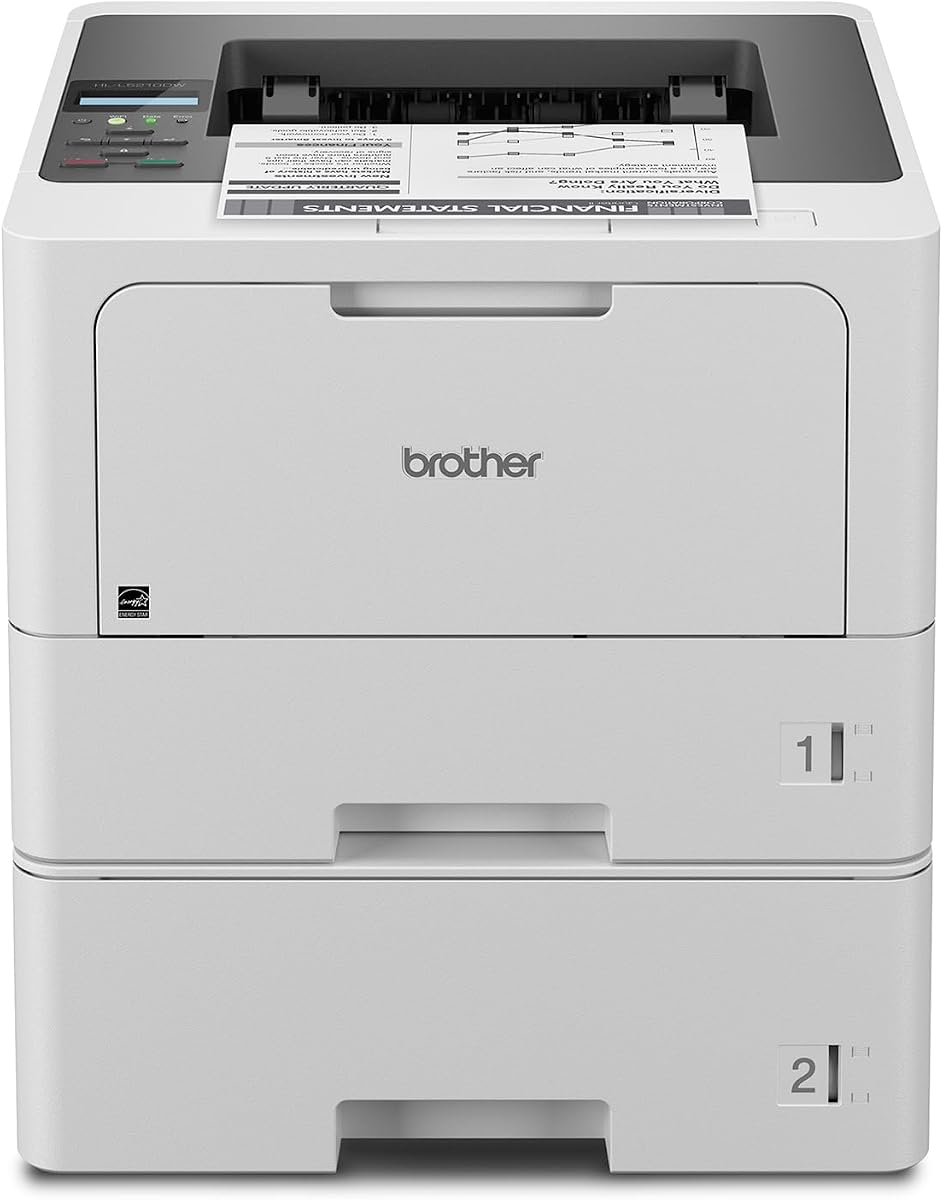
The Brother HL-L5210DWT is built for teams that need fast, consistent monochrome documents without a scanner or copier. It earns a 4.3 rating and stands out with 48-page-per-minute output, automatic duplex printing, and a 770-sheet standard paper configuration across two main trays.
We may earn a commission when you buy through this link, at no additional cost to you.
The two trays hold 250 and 520 sheets, and the 100-sheet multipurpose tray handles envelopes or custom media. Optional expansion raises total capacity to 1,390 sheets. That flexibility reduces interruptions for offices printing lengthy reports, forms, proposals, and routine business records.
Its main limitation is functional simplicity. There is no integrated scanner, copier, or fax, and it produces no color output. However, for a dedicated print-only department, these omissions avoid unnecessary hardware and keep the focus on dependable paper handling and fast monochrome production.
Choose this model for a workgroup that values speed, high paper capacity, and straightforward shared printing. It is especially well suited to administrative, legal, finance, and operations teams that primarily produce text-heavy documents and can benefit from optional 11,000-page toner cartridges.
Two high-capacity paper trays and an optional expansion tray support long print runs. The dedicated multipurpose tray adds flexibility for envelopes and specialty media without reducing normal paper storage.
Built-in Gigabit Ethernet and dual-band wireless networking allow flexible placement. Automatic duplex printing saves paper and is valuable for organizations handling lengthy two-sided internal documents.
We may earn a commission when you buy through this link, at no additional cost to you.
The HP LaserJet Enterprise M406dn is a straightforward enterprise monochrome printer aimed at organized teams that value managed deployment and security. Its 4.4 rating, 42-page-per-minute speed, and automatic two-sided printing make it a credible option for steady office document demand.
We may earn a commission when you buy through this link, at no additional cost to you.
HP FutureSmart firmware supports later feature updates, while HP Wolf Enterprise Security adds defensive layers intended to detect and self-heal from malware. Card reader support and compatibility with HP and third-party solutions can help administrators integrate the device into established IT environments.
Unlike many competitors in this roundup, it lists built-in Ethernet without built-in wireless. That is not a problem when the printer has a stable network connection, but it may restrict placement in shared offices that expect Wi-Fi. Its print-only design also means separate devices are needed for scanning and copying.
This model is well suited to a managed business environment with a dedicated IT team, reliable wired networking, and high volumes of monochrome work. Its strength lies less in consumer convenience and more in centralized control, enterprise security, and straightforward duplex output.
FutureSmart firmware and support for corporate solutions create a foundation for centralized administration. This is particularly useful for organizations that already manage printers, security policies, and third-party applications.
A 42-page-per-minute speed and automatic duplex printing cover routine workgroup tasks efficiently. The absence of a scanner keeps the device dedicated, while its 2.7-inch display supports direct job control.
We may earn a commission when you buy through this link, at no additional cost to you.
The Brother MFC-L6810DW combines 52-page-per-minute monochrome printing and copying with high-volume scanning in a single enterprise device. Its 4.1 rating reflects capable performance for mid-sized and large workgroups, particularly those that process many multi-page documents.
We may earn a commission when you buy through this link, at no additional cost to you.
The 80-page automatic document feeder performs single-pass, two-sided scanning at up to 200 images per minute. A large document glass supports legal-size originals, while the seven-inch touchscreen gives direct access to cloud scan destinations and other common workflows.
The included 8,000-page cartridge and compatibility with an 18,000-page ultra high-yield cartridge support efficient operation. Its potential drawback is physical scale, because the display, feeder, multiple trays, and all-in-one design require more room than a basic printer.
Choose it when a workgroup needs speed across printing, copying, and scanning but does not require color. It is a strong fit for legal, accounting, insurance, manufacturing, and administrative offices that value the 1,660-sheet expandable capacity and rapid duplex document processing.
A 520-sheet main tray, 100-sheet multipurpose tray, 250-sheet output capacity, and optional expansion reduce the need for frequent refilling. The configuration is suited to sustained, centralized office workloads.
Single-pass, two-sided scanning at 200 images per minute helps teams digitize records quickly. Direct cloud scanning from the touchscreen shortens the path from paper document to shared digital destination.
We may earn a commission when you buy through this link, at no additional cost to you.
The Brother HL-6210DW is a print-focused monochrome model offering 50 pages per minute and substantial paper capacity. Its 4.1 rating makes it a practical consideration for busy offices that need a fast shared printer and do not require integrated scanning or copying.
We may earn a commission when you buy through this link, at no additional cost to you.
A 520-sheet main tray and 100-sheet multipurpose tray provide a strong starting configuration, while optional trays can expand total capacity to 1,660 sheets. Dual-band wireless and Gigabit Ethernet make the printer adaptable to different network layouts and allow convenient mobile device printing.
It lacks a display, scanner, and copier, which may frustrate users who want one device for every document task. However, that specialization can make it easier to deploy and maintain. Compatible high-yield cartridges rated for up to 18,000 pages also help reduce supply interruptions.
This printer is ideal for a document-heavy workgroup that values speed, paper capacity, and network flexibility over multifunction convenience. It works particularly well for centralized print stations, warehouses, administrative departments, and organizations standardizing on Brother monochrome equipment.
The main tray, multipurpose tray, and optional expansion provide ample room for different media. This is useful for offices that print long reports continuously and cannot tolerate regular paper-loading interruptions.
Users can connect through Gigabit Ethernet or dual-band wireless networking. Built-in mobile printing support also helps employees send common documents from compatible phones and tablets.
We may earn a commission when you buy through this link, at no additional cost to you.
The Brother MFC-L5915DW delivers a balanced monochrome all-in-one package with printing, scanning, copying, and duplex output. Its 4.3 rating reflects solid performance, particularly for offices seeking 50-page-per-minute production without a separate scanner and copier.
We may earn a commission when you buy through this link, at no additional cost to you.
The 70-page automatic document feeder supports single-pass, two-sided scanning at up to 56 images per minute, and a large document glass accommodates legal-size originals. Gigabit Ethernet and dual-band wireless networking provide flexible installation for shared workgroup use.
Its main limitation is that it cannot produce color, making it less versatile for marketing materials, visual reports, or mixed-color projects. An 18,000-page compatible toner cartridge is available for cost-conscious operations, while a 3,000-page cartridge is included.
This model is a practical choice for a high-volume monochrome department that regularly scans and copies in addition to printing. It is particularly attractive for administrative, accounting, legal, and facilities teams seeking a single device with flexible network access.
Combining print, scan, and copy functions reduces the need for separate desktop devices. The automatic document feeder is especially useful for recurring multi-page office workflows.
Automatic two-sided printing and single-pass, two-sided scanning help control paper use while accelerating document processing. These features are valuable where printing and digitization occur together.
We may earn a commission when you buy through this link, at no additional cost to you.
The HP LaserJet Enterprise M507n is a security-focused monochrome printer designed for growing businesses and centrally managed fleets. Its 4.0 rating may be modest, but the specification sheet emphasizes the administration and protection features that matter in enterprise environments.
We may earn a commission when you buy through this link, at no additional cost to you.
More than 200 embedded security features are intended to protect printer information, thwart malware, and detect attacks. HP Web JetAdmin supports device additions, solution deployment, feature updates, and corporate policies, while HP JetAdvantage Security Manager helps configure security controls.
Its limitations are the lack of a stated built-in wireless connection and the absence of scanning or copying. Optional mobile printing is available, but the core experience centers on wired network deployment and administrative control rather than flexible consumer-style placement.
This printer fits organizations that already use centralized print management and prioritize layered device security. It is most appropriate for a business seeking a dedicated monochrome endpoint under IT oversight rather than a general-purpose all-in-one.
The large set of embedded security features is designed to protect the device and information passing through it. This makes the printer a stronger consideration for networks with formal security requirements.
Web JetAdmin and JetAdvantage Security Manager support centralized configuration and policy management. These tools are especially useful for organizations adding, updating, and supervising many networked printers.
We may earn a commission when you buy through this link, at no additional cost to you.
The HP LaserJet Enterprise MFP M634z is the premium document-production model in this guide, offering 55-page-per-minute monochrome output, extensive paper handling, scanning, copying, faxing, and professional finishing. No customer rating is provided, so its value should be evaluated primarily from its documented workflow capabilities.
We may earn a commission when you buy through this link, at no additional cost to you.
Its 2,300-sheet total input capacity includes three additional 550-sheet trays mounted with a wheeled stand. The 1,000-sheet three-bin stapler and stacker supports job offset, a practical advantage for high-volume offices that need sorted, finished documents without sending every job to a separate finishing system.
A 150-page automatic document feeder performs single-pass, two-sided scanning, while a nine-inch color touchscreen and missed-page detection features support complex administrative workflows. The 5.2-second stated first-page output and automatic duplex printing reinforce its productivity focus.
The trade-offs are considerable: it is a large enterprise system with no listed rating, and it remains monochrome. It is most appropriate for centralized print operations handling thousands of pages, complicated document sets, and professionally finished output across multiple departments.
The integrated three-bin stapler and stacker with job offset organizes lengthy print runs for immediate distribution. This is a major workflow advantage over printers that can print quickly but require every job to be handled elsewhere.
A 2,300-sheet input capacity and 150-page feeder reduce interruptions during extended document runs. The wheeled configuration also keeps the substantial paper supply organized and accessible.
We may earn a commission when you buy through this link, at no additional cost to you.
The Brother HL-L8430CDWT is a focused business color printer that combines a 4.6 rating, the highest listed score in the group, with 33-page-per-minute output and dependable paper handling. It is a strong choice for a workgroup that needs color but can use separate equipment for scanning and copying.
We may earn a commission when you buy through this link, at no additional cost to you.
The 250-sheet and 520-sheet paper trays support mixed media and fewer refills, and optional expansion raises capacity to 1,340 sheets. A 50-sheet multipurpose tray handles envelopes and custom media, while default two-sided printing helps conserve paper.
Its 2.7-inch color touchscreen provides direct access to popular cloud services and mobile printing. Triple Layer Security and the integrated NFC card reader improve its suitability for managed shared environments. The main limitations are the lack of scanning and the greater toner consumption associated with color documents.
This model best suits teams that produce polished color reports, proposals, charts, and internal communication while prioritizing fast output and paper capacity. Its combination of security, high-yield toner options, and flexible connectivity makes it particularly compelling for a growing business.
Print speeds up to 33 pages per minute and sharp color and black output support routine business production. High-yield toner options provide a practical way to manage supply consumption for frequently used models.
Two main trays, a multipurpose tray, and optional expansion accommodate letter-size, legal-size, envelopes, and custom media. Default duplex output also helps teams control paper use.
We may earn a commission when you buy through this link, at no additional cost to you.
The Brother HL-L6310DW is an enterprise monochrome printer built for teams that want speed, high paper capacity, and centralized management. Its 4.2 rating reflects a solid overall proposition, while 52-page-per-minute output positions it among the faster models in the guide.
We may earn a commission when you buy through this link, at no additional cost to you.
A 520-sheet main tray, 100-sheet multipurpose tray, and 250-sheet output capacity can be expanded to 1,660 sheets. An optional cabinet provides supply storage and can create a floor-standing configuration, which is useful when supporting a dedicated, high-volume print station.
Triple Layer Security and an integrated NFC card reader help protect the device and documents in transit. Management tools support mass deployment of configurations, security settings, firmware updates, and task automation, although there is no scanner or copier and output is monochrome.
This printer is best for a large administrative workgroup handling long monochrome runs and wanting a printer that can be managed across multiple users or locations. It combines useful enterprise controls with efficient toner options and the flexibility of a large paper system.
Mass configuration distribution, security management, firmware updates, and task automation help administrators deploy and maintain the printer consistently. These controls are valuable for larger organizations with standardized processes.
The large paper system and 18,000-page compatible toner cartridge support extended printing runs. A 52-page-per-minute speed helps keep users productive when queues regularly contain lengthy documents.
We may earn a commission when you buy through this link, at no additional cost to you.
The best laser printer for a large workgroup is the one that balances output speed, paper handling, supply efficiency, security, and the specific document functions your team needs. Consider workload patterns and network requirements before comparing individual models.
Print speed is a useful indicator of how quickly a device can handle recurring office demand. Models in this guide range from 33 pages per minute for color-focused Brother models to 55 pages per minute for the HP LaserJet Enterprise MFP M634z. Faster output can prevent queues from becoming disruptive, particularly when many employees share one device or routinely print lengthy reports.
Choose a speed that comfortably exceeds your normal demand rather than relying only on the maximum rating. Peak performance can be affected by document complexity, duplexing, and simultaneous scanning or copying, so real-world consistency matters as much as the headline figure.
Monochrome printers are usually the simpler choice for contracts, invoices, shipping documents, and other text-heavy work. Color laser models make more sense when your team regularly produces charts, proposals, presentations, marketing collateral, or mixed-color forms. Color output adds capability but can increase toner consumption and operating demands.
Think about the proportion of pages requiring color. A mostly monochrome office may gain more from a fast monochrome machine and separate scanning devices, while a design, sales, or finance team that prints color daily may find a dedicated color model more efficient overall.
Large workgroups benefit from multiple paper trays because frequent refilling interrupts users and increases administrative work. Configurations range from a single 520-sheet main tray on some Brother models to the HP M634z's 2,300-sheet total input capacity. A multipurpose tray adds support for envelopes, labels, and custom media.
Estimate how many pages your group prints between service visits, then choose standard capacity with some room for increased demand. Optional trays are worth considering when long runs are routine, but a larger paper system also requires floor space, planning, and regular supply maintenance.
Toner yield and cartridge options can materially affect the cost and convenience of a high-volume printer. Several Brother models support cartridges rated for 11,000, 18,000, or even 8,000 pages in specific configurations, while the color HL-L8430CDWT and MFC-L8930CDW offer separate high-yield black and color options.
Do not rely on cartridge page ratings alone. Review the mix and complexity of documents, because coverage can vary. Availability, genuine cartridge support, and the number of color components should also be considered before settling on a model.
An all-in-one combines printing with scanning and copying, sometimes with faxing, and can reduce the number of devices an office supports. The Brother MFC-L8930CDW adds color, an 80-page feeder, and advanced scanning, while the monochrome MFC-L6810DW and MFC-L5915DW support fast document processing. The HP M634z adds a large feeder and professional finishing.
Choose an all-in-one when employees regularly digitize, copy, or send documents. A dedicated printer is usually simpler and may be more efficient when scanning and copying are occasional tasks, especially in departments with clearly separated workflows.
Most large workgroups need reliable shared access, and the models here offer some combination of Gigabit Ethernet, dual-band Wi-Fi, USB connectivity, and mobile printing. Wireless placement can be convenient, but a wired connection may be preferable in a locked-down office or busy radio environment. Dual-band support can improve flexibility where 2.4GHz and 5GHz networks are both available.
Check how the printer will join the network and whether centralized deployment tools are required. For larger fleets, compatibility with existing management, security, and print workflow solutions can be as important as basic wireless availability.
Shared printers sit on the corporate network and may handle sensitive contracts, personnel information, financial records, or confidential reports. Brother's Triple Layer Security and NFC card reader on selected models, alongside HP Wolf Enterprise Security and JetAdvantage tools, address different aspects of device, network, and document protection.
Consider your organization's authentication and policy requirements. Badge readers, permission controls, secure printing, firmware management, malware defenses, and centralized configuration can influence the decision even when the device is intended only for printing.
A large workgroup that produces reports for clients, board packets, legal sets, or batched administrative documents may need more than standard output trays. The HP LaserJet Enterprise MFP M634z includes a 1,000-sheet three-bin stapler and stacker with job offset, making it distinctive among the featured choices.
If your team primarily sends jobs to a separate finishing system, this capability may be unnecessary. If finishing is part of the daily workflow and consolidation saves labor, however, an integrated stacker can make a major operational difference.
Before installing the printer, confirm that the selected trays, toner, optional paper feeders, and finishing accessories match the intended setup. Load clean, dry paper appropriate for the device, and use the multipurpose tray only when the supported media type requires it. A stable network location, proper ventilation, and accessible power can help support reliable operation in a shared office.
After connecting the printer, install the appropriate driver and management software, update the firmware, and configure security settings before allowing broad access. Set default preferences for duplex printing, paper type, and toner save mode where appropriate. Use the control panel or touchscreen to create shortcuts for common scan destinations and verify that all users can retrieve the expected output.
Routine care should include keeping the exterior and document glass clean, checking the multipurpose tray for obstructions, and replacing toner before quality declines. Schedule periodic review of printed pages for streaks, alignment problems, skipped pages, or abnormal darkness. Updating firmware and security configurations on a regular schedule also helps keep a networked workgroup printer aligned with organizational policies.
For routine shared-office documents, a speed around 40 pages per minute is generally practical, while teams with long continuous runs may prefer 50 pages per minute or more. The appropriate figure depends on document complexity, duplexing, and how often printing occurs. A slightly faster model can prevent queues when output demand is high or deadlines are firm.
Choose color when proposals, charts, marketing materials, or presentation documents are part of the regular workload. Choose monochrome for contracts, invoices, records, and other mostly text-based printing because it generally offers simpler operation and more predictable supply use. The best choice is the format your team prints most often, not simply the most advanced model available.
An all-in-one is convenient when employees regularly scan, copy, or fax in addition to printing. It can reduce equipment and workflow fragmentation, but it may cost more and require more maintenance than a dedicated printer. A dedicated model is often better when printing and digitization happen in separate departments or at sharply different times.
At least two paper trays can reduce interruptions in a shared environment, particularly when different users print letter-size and legal-size documents. The featured models offer expandable capacities ranging from 1,340 to 2,300 sheets. Choose enough capacity for a normal replenishment interval, allowing extra room for busy periods and specialty media.
Networked printers can represent access points for documents, credentials, and administrative settings. Features such as NFC badge readers, layered security, firmware updates, malware defenses, and centralized policy controls help restrict unauthorized use and protect information. The appropriate controls depend on the sensitivity of the documents and the organization's network policies.
High-yield cartridges can reduce the frequency of supply changes when the printer runs compatible toner and the workload is consistently high. Savings depend on page yield, document coverage, color use, and cartridge availability. Organizations should also factor in storage needs, genuine supply reliability, and the risk of running out mid-project.
Dual-band Wi-Fi offers flexibility because the printer can use either 2.4GHz or 5GHz networks depending on coverage and congestion. It is helpful when placement options are limited or users print from mobile devices. Wired Ethernet remains a dependable alternative for controlled networks, especially where administrators prioritize centralized configuration.
Confirm that the configured model includes the required duplex printing, paper trays, wireless support, scanner, and security features. Also verify current toner compatibility, optional accessory support, driver availability, and physical dimensions. Because configurations and availability can change, reviewing the current listing and manufacturer documentation is important before ordering.
The Brother HL-L8430CDWT stands out for efficient business color printing, strong paper handling, advanced security, and the highest listed rating in the group. The Brother MFC-L8930CDW is the most balanced all-in-one for teams that need color, scanning, copying, and fast duplex workflows, while the HP MFP M634z is the premium choice for very high-volume document finishing.
Prioritize the capabilities that affect daily work rather than selecting solely by maximum print speed. Monochrome offices should focus on speed, high-yield toner, paper capacity, and managed security, while color and multifunction users should examine scanning speed, feeder capacity, and touchscreen workflow. Physical space, optional accessories, and administration requirements deserve equal attention.
Specifications, bundle contents, supplies, and current prices may change, so verify the latest product page and manufacturer information before purchasing. Comparing the final configuration against your workgroup's monthly volume, document types, network layout, and security policy will lead to the most practical long-term choice.