
NIMO Ryzen 5 6600H
5.0Editor score
Ryzen 5 6600H processor
Radeon 660M integrated graphics
15.6-inch FHD display
A light gaming laptop for Minecraft should make block building, survival exploration, and multiplayer sessions comfortable without becoming an immovable desktop replacement. The right balance of processor performance, integrated graphics, memory, display quality, battery capacity, and portability matters more than chasing specifications that the game does not require.
We compared ten laptops using their confirmed specifications, customer ratings, displays, processors, memory, storage, connectivity, and practical features. The list covers 15.6-inch and 16-inch systems, a larger 18.5-inch option, DDR4 and DDR5 configurations, and several laptops that balance Minecraft with schoolwork, content creation, and everyday productivity.
Each review identifies the product that best serves a particular kind of buyer, from a value-focused option to stronger all-round performance and a large-screen premium choice. Product details and availability can change, and prices fluctuate, so readers should confirm the current specifications, configuration, and listing before purchasing.
5.0Editor score

4.4Editor score

4.8Editor score
As an Amazon Associate we earn from qualifying purchases.
The comparison below places all ten candidates side by side, with special attention to the processor, graphics, memory, display, storage, portability, and support features that shape the Minecraft experience.


The KAIGERR Light Gaming Laptop with AMD Ryzen R2544 is a large-screen option for Minecraft players who want more visible world space without moving to a conventional gaming desktop. It carries a 4.5-star customer rating, and its confirmed configuration pairs a 16-inch Full HD display with 16GB of DDR4 memory and a 512GB M.2 SSD. The broad screen makes inventory management, building plans, map viewing, and split-screen work more comfortable.
We may earn a commission when you buy through this link, at no additional cost to you.
Its Ryzen R2544 processor operates at a stated high frequency of 3.7GHz, while integrated UHD graphics run at up to 1200MHz. Although these specifications should be considered alongside the lack of a published gaming benchmark, they provide a sensible platform for Minecraft's lightweight rendering demands. The 16GB of memory is particularly useful when the game, a browser, Discord, and a recording or chat application remain open simultaneously.
Storage flexibility adds useful longevity. The included 512GB SSD can be replaced with a larger SSD up to the stated maximum of 2TB, while the system also supports a 128GB TF card. A 54.72Wh battery, thin-bezel display, WiFi, USB 3.2 ports, and a Type-C connection round out a practical portable package. One honest limitation is that the product data does not include a current customer rating, so buyers have less review-based evidence than with the rated alternatives.
This KAIGERR is best for a Minecraft player who values screen size, useful expansion, and a long-battery-oriented configuration. It may not suit someone who wants the strongest possible integrated graphics in a particularly compact chassis, but for building, exploring, and managing multiplayer sessions, the large display and expandable memory make it a credible all-purpose choice.
The 16-inch Full HD panel gives builders a broader view of structures, maps, inventories, and the horizon. That extra screen area can reduce the need to repeatedly close menus or zoom out simply to see what is happening around the character.
A replaceable M.2 SSD gives the system room to grow as worlds, texture packs, shader collections, and other files accumulate. The additional TF-card support creates a convenient way to move suitable media without replacing the primary drive.
We may earn a commission when you buy through this link, at no additional cost to you.
The KAIGERR 16-inch Ryzen 5 7430U laptop is a well-balanced option for Minecraft and regular productivity, holding a 4.6-star customer rating. Its confirmed specifications include six CPU cores, 12 threads, 16MB of L3 cache, turbo speeds up to 4.3GHz, 16GB of DDR4 memory, and a 512GB M.2 NVMe SSD. That combination favors responsive system navigation and smooth switching between the game, browser, and communication tools.
We may earn a commission when you buy through this link, at no additional cost to you.
The integrated AMD Radeon graphics are suitable for Minecraft's comparatively accessible visual demands, and the thin-bezel Full HD display provides an enjoyable balance of detail and viewing area. A front-facing webcam supports classes and calls, while HDMI, Type-C, a 3.5mm TRRS jack, a memory-card slot, and USB 3.2 ports cover most peripheral needs. WiFi 6 and Bluetooth 5.2 are also useful for online multiplayer and accessories.
The principal trade-off is that this is a light gaming laptop rather than a dedicated high-frame-rate gaming machine. Integrated graphics leave less headroom for demanding mods, high-resolution texture packs, or advanced shader combinations, and the listing does not promise specific Minecraft frame rates. A 16-inch display is also less pocketable than a smaller panel, although the described compact design aims to reduce bulk.
It is a strong recommendation for students and casual players who need one laptop for Minecraft, school assignments, streaming, and communication. The 4.6-star rating adds confidence, while 16GB of RAM and NVMe storage support the multitasking that makes a laptop more useful after the game is closed.
Six cores, 12 threads, and 16GB of RAM provide a useful foundation for keeping Minecraft, Discord, a browser, and coursework open at the same time. NVMe storage also helps keep loading times and application switching responsive.
HDMI and Type-C simplify display connections, while USB 3.2, audio, and memory-card options reduce reliance on adapters. WiFi 6 and Bluetooth 5.2 support a modern wireless setup for multiplayer and accessories.
We may earn a commission when you buy through this link, at no additional cost to you.
The NIMO 15.6-inch Ryzen 7 7735HS is the strongest all-round recommendation in this guide, supported by a 4.6-star customer rating. It combines an eight-core Ryzen 7 processor, Radeon 680M integrated graphics, 16GB of DDR5 5600MHz memory, and a 512GB PCIe 4.0 SSD. Those components leave more performance headroom for Minecraft than many basic configurations while preserving a portable form.
We may earn a commission when you buy through this link, at no additional cost to you.
The Ryzen 7 7735HS is designed for heavier multitasking, and the Radeon 680M adds stronger visual performance than many entry-level integrated solutions. Those attributes are useful when Minecraft is running alongside browser tabs, creative applications, video calls, or editing tools. The 180-degree hinge also makes the 15.6-inch Full HD display convenient for sharing, while the backlit keyboard supports late-night work.
Portability and charging are notable strengths. The laptop is listed at under 1.7kg, uses a 53.58Wh battery, and includes a 100W PD charger. Two full-function USB-C ports, HDMI 2.0, three USB-A ports, a microSD reader, and a 3.5mm audio jack create a useful desk setup without requiring a large collection of adapters. A touchpad fingerprint reader adds convenient everyday security.
The trade-off is that no confirmed frame-rate figures are provided, so buyers should not expect a specific performance level for every shader, render distance, or texture pack. Even so, the combination of processor capacity, stronger integrated graphics, fast memory, expandable storage, portability, and a two-year warranty makes this the most complete option for Minecraft players who also need a capable daily-use machine.
The eight-core processor and Radeon 680M offer more graphical and processing headroom than basic laptops. This makes the configuration better suited to heavier worlds, resource packs, and the multitasking involved in creating or managing Minecraft content.
A 53.58Wh battery and claimed sub-1.7kg weight support travel between classes, offices, and shared spaces. The included 100W PD charger and dual USB-C ports make recharging and external-display connections more convenient.
We may earn a commission when you buy through this link, at no additional cost to you.
The KAIGERR 18.5-inch Ryzen 5 7430U stands out for its very large display and earned the highest customer rating in this selection at 4.8 stars. It is aimed at Minecraft players who prefer seeing more of their world, interface, and creative projects at once. A centered webcam, thin-bezel design, and Full HD resolution make it appealing for both play and normal communication tasks.
We may earn a commission when you buy through this link, at no additional cost to you.
Inside, the Ryzen 5 7430U provides six cores, 12 threads, 16MB of L3 cache, and speeds up to 4.3GHz. Paired with 16GB of DDR4 memory and a 512GB M.2 NVMe SSD, it offers a responsive platform for Minecraft and common productivity applications. Integrated AMD Radeon graphics handle Minecraft's standard visual requirements, while the extra screen space can reveal distant terrain, large builds, and detailed map layouts more clearly.
The obvious compromise is portability. An 18.5-inch screen is the largest in this guide, so the laptop is better suited to a home desk, dorm room, or stationary gaming setup than to frequent travel. Integrated graphics also mean it is not a solution for demanding modern games at high settings. However, Minecraft does not require a large discrete GPU to deliver an enjoyable experience when paired with this processor and memory configuration.
Choose this KAIGERR if screen real estate and a strong customer rating matter more than minimal size. It is especially appealing for builders, map makers, students comparing notes with documents, and anyone who wants Minecraft to feel roomier on a laptop display.
The 18.5-inch panel is useful for large builds, block placement, resource management, and split-screen multitasking. It gives creative players more visual feedback without requiring a separate monitor.
The Ryzen 5 7430U and 16GB of memory provide enough headroom for Minecraft and typical applications. The combination is particularly sensible for a laptop whose main advantage is a large, immersive display.
We may earn a commission when you buy through this link, at no additional cost to you.
The KAIGERR Ryzen 7 5700U combines an eight-core, 16-thread processor with 16GB of DDR4 memory and a 512GB M.2 2280 NVMe SSD, giving it a 4.6-star customer rating. Those processor resources are more than Minecraft alone requires, making the laptop attractive to players who keep a browser, Discord, recording software, and other applications open during a session.
We may earn a commission when you buy through this link, at no additional cost to you.
The Ryzen 7 5700U uses Zen 3 architecture, operates at up to 4.3GHz, and includes 16MB of L3 cache. Integrated Radeon graphics support the game and general media tasks, while the thin-bezel Full HD display provides a conventional 15.6-inch balance of visual detail and portability. The described compact design also makes the laptop easier to carry than the larger 18.5-inch option in this roundup.
Its limitations are predictable. The Ryzen 7 5700U belongs to an older processor generation, and the product data gives no measured Minecraft frame rates or detailed thermal information. The laptop also relies on integrated graphics, so heavily customized shader packs and large texture collections may require conservative settings. A buyer focused only on Minecraft can still find ample performance here, especially at typical settings.
This is a sensible choice for a gamer who wants more CPU headroom than an entry-level model without moving into a large chassis. It balances a capable 15.6-inch screen, fast storage, and a high core count with portability, making it useful for gaming, school, and ordinary work.
Eight cores and 16 threads help the system handle Minecraft alongside communication, browsing, and background tasks. That headroom reduces the chance that multitasking becomes the main source of slowdown.
The 15.6-inch Full HD display is large enough for comfortable play without approaching the footprint of an 18.5-inch laptop. Its thinner, more conventional format suits students and commuters.
We may earn a commission when you buy through this link, at no additional cost to you.
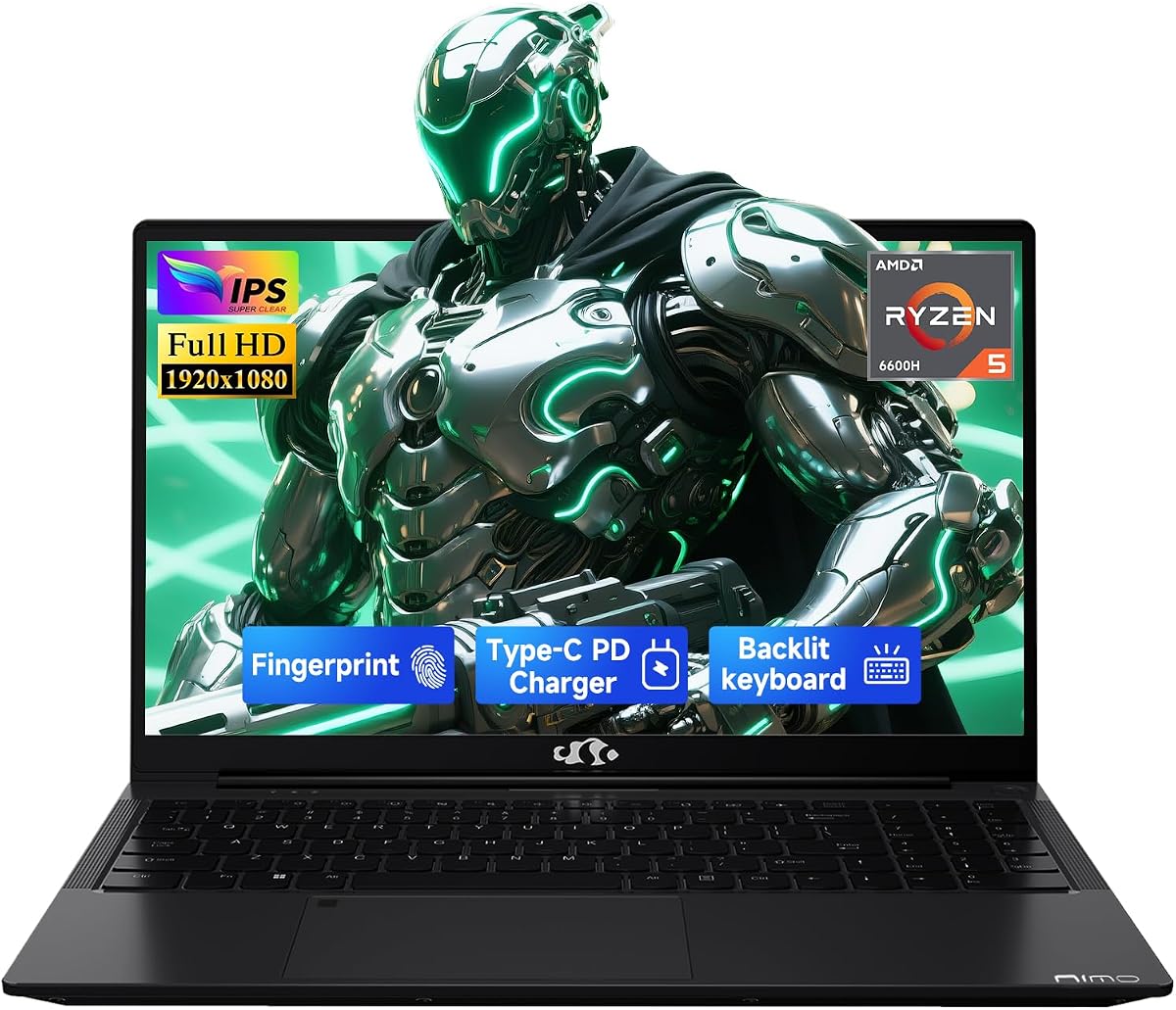
The NIMO 15.6-inch Ryzen 5 6600H is the strongest value-oriented choice in this guide and carries a 5.0-star customer rating. Its Ryzen 5 6600H processor has six cores with speeds up to 4.5GHz, while Radeon 660M integrated graphics provide a capable platform for Minecraft. The 16GB of DDR5 memory is generous for the game and supports several simultaneous applications.
We may earn a commission when you buy through this link, at no additional cost to you.
Its 15.6-inch Full HD IPS display offers a practical balance for building, exploring, and working. A backlit keyboard, fingerprint reader, dual speakers, HDMI 2.0, and multiple USB 3.2 ports cover common entertainment and productivity needs. The 100W Type-C adapter simplifies charging, and the 3.75-pound stated weight is still more substantial than the lightest models in this roundup.
The main limitation is storage: the confirmed configuration includes 256GB of SSD capacity, which can fill quickly if large Minecraft worlds, texture packs, video files, and other media are stored locally. Fortunately, the listing states that both RAM and SSD can be upgraded, so this is an inconvenience rather than a permanent limitation. No confirmed Minecraft frame-rate measurements are supplied, so settings should be adjusted according to real-world performance.
For a first dedicated gaming laptop or a value-focused daily driver, this NIMO makes a persuasive case. It offers modern memory, capable integrated graphics, a comfortable display, and a top customer rating without relying on a discrete GPU. It is best suited to standard Minecraft play with sensible settings and expandable storage.
DDR5 memory, a six-core Ryzen 5 processor, and Radeon 660M graphics create a modern foundation for Minecraft. The specification mix is more relevant to actual play than a longer list of secondary features.
Replaceable RAM and SSD components make the initial 256GB storage easier to accommodate. A buyer can start with a smaller drive and expand later if the saved worlds and media libraries grow.
We may earn a commission when you buy through this link, at no additional cost to you.
The NIMO 15.6-inch Radeon 680M laptop is a strong choice for Minecraft players who also edit media, stream, program, or study. It has a 4.5-star customer rating and pairs an eight-core, 16-thread Ryzen 7 processor with Radeon 680M graphics based on RDNA 2. The 180-degree hinge and Full HD display make it particularly flexible for presentations, collaboration, and content work.
We may earn a commission when you buy through this link, at no additional cost to you.
The 16GB of DDR5 memory and 512GB PCIe NVMe SSD support quick application loading and heavier workflows. Dual expandable SO-DIMM slots add a valuable degree of future-proofing, while a 53.58Wh battery and included 100W Type-C PD charger suit mobile schedules. Full-featured USB-C ports, standard USB connections, a microSD reader, and an audio jack create a versatile interface.
The laptop's backlit keyboard, fingerprint reader, and Kensington lock slot improve daily usability and security. Its Radeon 680M graphics should provide more headroom for visually enhanced Minecraft than entry-level integrated graphics, although buyers should still moderate demanding shader and texture combinations. The product description does not provide measured frame rates, making verified user feedback especially important before adding heavy modifications.
It is best for a creative student or content creator who wants one portable device to play Minecraft, handle coursework, and perform light media tasks. The processor, memory, storage, charging system, and warranty make it a more versatile choice than a basic Minecraft laptop.
The combination of Radeon 680M graphics and an eight-core processor gives the system enough headroom for light photo editing, streaming preparation, and Minecraft with additional visual resources. It remains primarily an integrated-graphics machine, but it is a capable one.
A thin portable profile, long-hinge display, fast charging, and dual memory slots make the laptop adaptable to changing needs. The additional storage and memory paths can extend its useful life as school and creative workloads grow.
We may earn a commission when you buy through this link, at no additional cost to you.
The NIMO 15.6-inch Ryzen 5 6600H with 512GB storage is built around a combination that Minecraft players understand well: a six-core processor, Radeon 660M graphics, 16GB of DDR5 memory, and twice the storage found in the smaller-drive version of the same core platform. Its customer rating is 4.3 stars, placing it behind several alternatives in overall feedback but still solidly within the group.
We may earn a commission when you buy through this link, at no additional cost to you.
The Ryzen 5 6600H can boost to 4.5GHz, giving the laptop sufficient processing power for Minecraft and multitasking. A 512GB SSD leaves more room for multiple saves, modded profiles, texture collections, and media without an immediate storage upgrade. The 15.6-inch Full HD IPS display offers enough space for play and split-screen productivity.
This configuration includes a backlit keyboard, fingerprint reader, physical privacy control for the webcam, HDMI 2.0, USB 3.2 connections, and dual full-function Type-C ports. A 53.58Wh battery and 100W Type-C adapter support mobile use, although the stated 3.75-pound weight is less convenient than the sub-1.7kg laptops elsewhere in the list.
The best reason to choose this model is simple: buyers who expect their local storage to fill up get 512GB immediately and retain the option to expand both memory and storage later. It suits college students and casual players who want a capable everyday laptop with a more generous drive.
A 512GB SSD provides meaningful headroom for Minecraft saves, mod profiles, custom resources, and school or work files. It removes the immediate pressure that many smaller configurations create soon after installation.
The 100W Type-C charging setup, fingerprint reader, backlit keyboard, and physical webcam privacy control make the laptop convenient for classes, offices, and shared environments. Its weight remains the main portability consideration.
We may earn a commission when you buy through this link, at no additional cost to you.
The NIMO 15.6-inch Ryzen 5 6600H and 512GB SSD is a capable standard configuration for Minecraft, although its 3.5-star customer rating is the lowest among the listed alternatives. On paper, the core combination remains strong: six processor cores, speeds up to 4.5GHz, Radeon 660M graphics, 16GB of DDR5 memory, and a roomy 512GB drive.
We may earn a commission when you buy through this link, at no additional cost to you.
For Minecraft, the processor and memory are more than sufficient for standard play, and Radeon 660M is a capable integrated option for a modest setup. The Full HD IPS display provides a clear 15.6-inch canvas, while the backlit keyboard, fingerprint reader, dual full-function Type-C ports, HDMI 2.0, and multiple USB 3.2 ports make it useful beyond gaming.
Its lower rating warrants attention. The supplied information does not identify the reason, so buyers should review recent customer feedback for details about quality, thermals, shipping, or software concerns. The 3.75-pound weight is also relatively heavy for a laptop marketed around portability, and no frame-rate measurements are provided.
It is worth considering when the confirmed specifications matter most and the product is available with a clear warranty and return path. The hardware should handle Minecraft and daily tasks well, but the lower rating means it trails the similarly configured competitors in customer feedback, making careful review of the current listing essential.
The six-core Ryzen 5 processor and Radeon 660M graphics provide a capable foundation for Minecraft. They also leave room for browser, voice-chat, and productivity applications without a high-end gaming GPU.
Because the listed customer rating is lower than those of the other NIMO configurations, prospective buyers should examine recent reviews and confirm the warranty terms. Specification strength alone cannot answer every question about long-term ownership.
We may earn a commission when you buy through this link, at no additional cost to you.
The NIMO 15.6-inch Ryzen 7 7735HS combines a high-performance eight-core processor, Radeon 680M graphics, and a modern expansion and charging platform. Its 4.4-star customer rating supports its place as a capable light gaming laptop, and the confirmed specifications give it enough potential for Minecraft, schoolwork, content creation, and multitasking.
We may earn a commission when you buy through this link, at no additional cost to you.
The processor uses the Rembrandt architecture with a stated 28W TDP and can boost to 4.75GHz, while Radeon 680M graphics provide a useful improvement over basic integrated solutions. A PCIe 4.0 M.2 solid-state drive supports fast startup and file access. Dual DDR5 SO-DIMM slots also make it easier to increase memory as a user's workload expands.
The laptop is unusually focused on flexible connectivity. Two full-featured USB-C ports support charging, display output, and data, while HDMI 2.0, three USB-A ports, and a microSD reader cover common accessories. The included 100W PD charger and two-meter cable support fast charging. Its 53.58Wh battery, fingerprint reader, Windows 11 Home, backlit keyboard, and claimed sub-1.7kg weight complete a strong portable package.
The product data does not state the exact SSD capacity, and no Minecraft benchmarks are provided, so buyers should verify the installed configuration. Even so, the processor, Radeon 680M graphics, modern memory options, fast storage, and under-1.7kg claimed weight make this an attractive recommendation for gamers and creators who refuse to give up portability.
Eight Zen-based cores and Radeon 680M graphics offer enough processing and visual headroom for Minecraft with room for multitasking. They also position the laptop well for light editing, development, and general creative tasks.
Dual full-featured USB-C ports, HDMI 2.0, USB-A connections, and a card reader cover most setups without a dedicated dock. The 100W PD charger and claimed low weight reinforce the laptop's portable focus.
We may earn a commission when you buy through this link, at no additional cost to you.
Minecraft is playable on many modern laptops, but the most satisfying portable experience comes from a system that balances graphics, memory, storage, display quality, battery life, and the ability to handle everything else you do with the device.
For most players, prioritize a modern six-core processor or better and avoid interpreting a high clock figure as a guarantee of smooth performance.
Choose Radeon 680M for more graphical headroom; Radeon 660M is sufficient for typical Minecraft settings and everyday use.
Target 16GB of RAM, with DDR5 and expandable slots offering extra flexibility for longer-term owners.
Choose at least 512GB when possible, or confirm that the included SSD is easily upgraded and uses the M.2 form factor.
A 15.6-inch Full HD display is the mobility sweet spot; choose 16 or 18.5 inches when screen space outweighs portability.
Prioritize a 50Wh-class or larger battery and convenient USB-C charging, while treating runtime claims as workload-dependent.
Prioritize USB-A, full-featured USB-C, HDMI, an audio jack, and modern WiFi to reduce adapter clutter.
Check recent customer feedback and current warranty terms before choosing a lesser-known configuration.
Start with sensible graphics settings and increase them gradually. Open the game at a resolution that keeps the interface readable, use a moderate render distance, and avoid enabling every visual enhancement at once. If frame pacing becomes inconsistent, lower the render distance or the resolution first. Mods and shader packs should be introduced one at a time, especially on integrated graphics, so it is clear which change affects performance.
Keep the system ventilated and avoid placing the laptop on thick bedding or other surfaces that block airflow. Closing unnecessary background applications frees memory and can improve consistency during multiplayer sessions. Use the included or approved charger when playing for long periods, and leave the case open with space around it so heat can dissipate. Periodic cleaning of vents and careful use of update tools help maintain consistent performance.
Back up important Minecraft worlds regularly and keep them in more than one location when practical. A 512GB drive offers room for saves and media, but a 256GB model benefits from a planned storage upgrade. Use the supported M.2 format, follow the manufacturer's installation guidance, and protect the system with a reputable security suite. A fingerprint reader can simplify login, but a strong password and operating-system updates remain essential for everyday privacy and security.
No. Minecraft is one of the games that can run acceptably on capable integrated graphics, especially with standard settings and a modest render distance. A Radeon 680M or Radeon 660M provides a useful level of performance. If you plan to use demanding shaders, very high-resolution texture packs, and extensive mods, a stronger GPU would offer more headroom.
Sixteen gigabytes is the most comfortable target for a laptop that will also handle browsing, Discord, schoolwork, and other applications. Eight gigabytes may be enough for uncomplicated sessions, but it leaves less room for multitasking. A laptop with 16GB of DDR5 and expandable memory slots offers the most flexibility.
A 15.6-inch laptop is easier to carry and is the more balanced choice for travel, classes, and commuting. An 18.5-inch screen provides more visible world space and is useful for building, map viewing, and stationary play, but it is heavier and less convenient to move. The ideal size depends on whether portability or screen visibility matters more.
These laptops can handle modded Minecraft, but the experience depends on the specific processor, integrated graphics, memory, cooling, and mod pack. A Ryzen 7 system with Radeon 680M generally offers more headroom than a basic configuration. Begin with lighter mods, monitor performance, and avoid assuming that a high processor clock alone guarantees smooth results.
It can be enough for the game and a modest number of worlds, but rapidly filled by large modpacks, texture packs, video clips, and other applications. Because Minecraft saves can become difficult to replace after losing the drive, important worlds should be backed up. A 512GB configuration provides more breathing room, while an upgradeable M.2 drive adds flexibility.
DDR5 is generally the more modern and efficient option, with greater bandwidth and a stronger foundation for future workloads. DDR4 remains adequate for Minecraft and can lower the cost of a laptop. When specifications are otherwise similar, consider processor graphics, storage capacity, display, portability, warranty, and customer feedback alongside the memory generation.
Minecraft Bedrock Edition requires a supported operating system and an appropriate application or platform installation. The confirmed product information discusses Windows 11 for several models, which is compatible with the standard Windows version of Bedrock Edition. Availability, device requirements, and regional restrictions should be checked before purchase, particularly for a school-managed or highly customized device.
Lower render distance, reduce unnecessary visual effects, close background applications, and keep the system's graphics and input drivers current. Keeping the laptop ventilated and using a suitable power mode can also help it sustain performance. A fresh SSD with more free space may reduce loading delays, though it will not replace stronger graphics for demanding visual packs.
The NIMO Ryzen 7 7735HS stands out as the best overall choice because it combines an eight-core Ryzen 7 processor, Radeon 680M graphics, DDR5 memory, strong charging, extensive ports, and a portable claimed weight. The NIMO Ryzen 5 6600H with 256GB is the best budget-oriented option, while the KAIGERR 18.5-inch Ryzen 5 7430U is the preferred large-screen and premium pick.
For most Minecraft players, prioritize 16GB of memory, a modern Ryzen 5 or Ryzen 7 processor, capable integrated graphics, and a Full HD display. Add storage and connectivity according to the way you use the machine, but do not let secondary features outweigh heat management, weight, warranty, and the quality of recent customer feedback. Integrated graphics are entirely reasonable for Minecraft when the settings are matched to the hardware.
Before buying, verify the exact processor, memory, storage, display, warranty, and current listing details, since configurations can change. Prices and promotions also fluctuate, so compare the current offer with the value of expansion, support, and the features you will actually use rather than relying on an old listing or launch information.