Magnasonic FS71
4.3Editor score
24MP film digitization
Five-inch preview display
Standalone SD card workflow
Broad mixed-format support
Digitizing a family film archive requires a scanner that can handle the formats, framing, and resolution your negatives require without making the process unnecessarily difficult. A useful medium format film scanner should combine broad compatibility, accurate color, dependable exposure, convenient editing, and a workflow that suits both beginners and experienced archivists.
We compared the ten products in this guide by examining their stated film formats, sensors, resolutions, displays, storage methods, editing controls, computer requirements, and intended workflows. The list includes dedicated film scanners, flatbed models with transparency units, a large-format document scanner, and a smartphone-based digitizer for 120 film.
Each numbered review identifies the product's strongest benefits, practical limitations, and best audience, while the comparison table provides a faster way to narrow the field. Ratings and availability can change over time, so readers should confirm current specifications, accessory requirements, and retailer details before purchasing.
4.3Editor score

4.3Editor score

4.4Editor score
As an Amazon Associate we earn from qualifying purchases.
The table below compares all ten scanners across their most important characteristics, including supported media, imaging specifications, display size, and whether they can work without a computer.




The KODAK Slide N Scan is a compact dedicated scanner aimed at families and hobbyists who want to turn common 135, 110, and 126 negatives and slides into digital files without navigating a complicated professional workflow. Its stated 22-megapixel output, five-inch LCD, quick-feed tray system, and 4.3 rating make it one of the most approachable options in this guide. The emphasis is on a repeatable process rather than every feature found in a high-end laboratory scanner.
We may earn a commission when you buy through this link, at no additional cost to you.
Its greatest strength is the combination of independent operation and direct editing. Users can choose a film type, adjust color and brightness, assign date information, resize images, and convert them through the on-device capture software. The LCD makes framing visible before saving, while direct SD or SDHC storage lets the scanner function without a computer. Compatibility with USB-enabled Type-C computers and HDMI connectivity adds flexibility when you want to move files or show images on a larger screen.
There is an important scope limitation. Despite its placement in a medium format scanner roundup, its listed formats are 135, 110, 126, and 50mm slides; 120 roll film is not identified as supported. An SD card is also required but not included, and the five-inch screen is smaller than the seven-inch displays offered by several alternatives. Users with larger negatives should verify the exact film dimensions before committing, while those working with common consumer film will find the supported range unusually useful.
This is a strong general recommendation for home archivists, families, and beginners who value straightforward controls and computer-free operation over professional-level scanning flexibility. It is particularly suitable for a mixed collection of 135, 110, and 126 material. If your archive contains true 120 roll film, the JJC Mobile Film Scanner or Epson Perfection V600 deserves closer attention; otherwise, the KODAK provides a balanced and approachable path to preserving memories.
The scanner's on-device controls and direct memory-card saving reduce the number of technical barriers. You can preview, make basic adjustments, and save an image without installing editing software or connecting a computer.
Support for 135, 110, 126, and 50mm slides covers many family albums, but the absence of 120 film means it should be viewed as a consumer-format scanner rather than a comprehensive medium-format solution.
We may earn a commission when you buy through this link, at no additional cost to you.
The Magnasonic FS71 is a budget-oriented all-in-one film scanner with a stated 24-megapixel output, a five-inch LCD, and compatibility with 35mm, 126, 110, and Super 8 material as well as common slides. Its 4.3 rating reflects a broadly useful feature set for home users who want a self-contained conversion process. The ability to view images on the scanner or an external display makes it useful for both preservation and immediate review.
We may earn a commission when you buy through this link, at no additional cost to you.
The most compelling feature is independence from a computer. Brightness, RGB color correction, flipping, and mirroring can be handled directly on the unit, and files save to an SD card supporting up to 128GB. That higher stated card limit is useful for long scanning sessions, while the included fast-loading trays are designed to reduce the time spent between frames. The product description states that scans can be completed in less than five seconds each, although real workflow time will vary with handling and settings.
Its limitations are straightforward but important for anyone searching specifically for medium format capability. The stated supported formats do not include 120 roll film, so buyers with large negatives should not assume compatibility. The scanner also requires an SD card, which is not included, and an HDMI cable is needed for television or monitor viewing. Its output resolution is a stated digital figure rather than a substitute for the tonal latitude and optical resolution found in professional flatbed systems.
The FS71 is a convincing value-focused choice for families converting common negatives, 110 cartridges, 126 film, slides, and Super 8 reels. It is less suitable as a dedicated medium format scanner because 120 film is outside its listed range. For a beginner with mainstream home movies and still pictures, however, the large display, fast workflow, generous storage support, and no-computer operation form a compelling package.
Super 8 compatibility extends the scanner beyond conventional still photography. That makes it particularly relevant to households with family movies, home movies, or mixed reels that need a direct digital viewing workflow.
Support for SD cards up to 128GB means a serious archive can remain on removable storage, reducing the need to transfer every image immediately to a computer.
We may earn a commission when you buy through this link, at no additional cost to you.
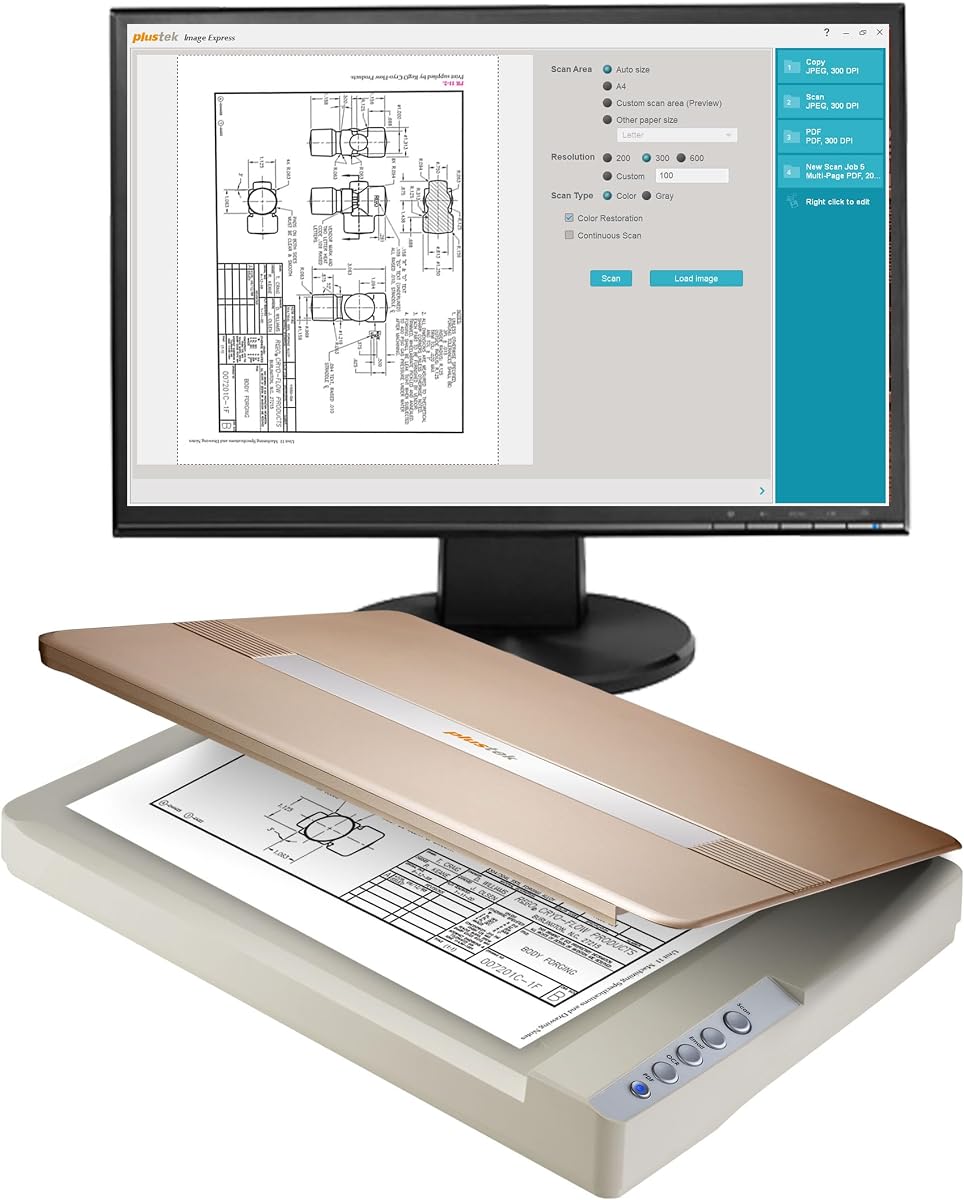
The Plustek OpticSlim 1680 is a large-format flatbed document scanner rather than a dedicated film scanner. Its 11.7-by-17-inch bed, 300 dpi grayscale performance, four programmable buttons, and 3.8 rating position it as a high-speed tool for oversized records, artwork, and archival documents. It appears in this guide because users occasionally apply the term medium format broadly, but it should not be mistaken for a scanner with dedicated 120-film support.
We may earn a commission when you buy through this link, at no additional cost to you.
Its major benefit is the combination of speed and size. The product description states that a tabloid-size document can be scanned in three seconds in grayscale or five seconds in color. Four configurable buttons can store destinations, file types, filenames, and other choices, making repeated jobs efficient. The dual-view interface helps users check adjustment results, while included TWAIN and ICA drivers provide access to a wide range of software on Windows and Mac systems.
Film digitization is the clear trade-off. No specialized negative holder, light source, or 120 film tray is mentioned, and a 300 dpi flatbed is not engineered for the resolution and tonal demands associated with negatives. A photographed transparency might be captured in certain conditions, but that is different from the dedicated film optics of the Epson models, the purpose-built sensors of the HP and KODAK units, or the 120 holder supplied with the JJC system.
Choose the OpticSlim 1680 for large documents, physical photographs, oversized prints, or mixed office digitization. Skip it if your priority is precisely preserving exposed negative film. Its size and speed make it an efficient general-purpose scanner, while its 3.8 rating reflects a less specialized proposition than the dedicated devices surrounding it in this comparison.
The large platen can accommodate documents and prints that exceed ordinary letter-size flatbeds. It is a practical addition to an office or archive handling maps, artwork, scrapbook pages, and large photographic prints.
Reusable presets can assign common destinations and output settings, shortening repetitive tasks when many similar items need to be processed.
We may earn a commission when you buy through this link, at no additional cost to you.
The HP FilmScan HPFS500 is a standalone negative and slide scanner built around an interactive five-inch touchscreen. Its stated 13MP CMOS sensor, 22MP interpolated output, quick-load tray, and 4.3 rating make it a good fit for users who want direct control without navigating a computer. The ability to preview and edit on the all-angle display simplifies the process of checking framing and making adjustments.
We may earn a commission when you buy through this link, at no additional cost to you.
The scanner supports 135, 126, and 110 negatives along with positive slides. A quick-load tray is intended to minimize downtime while working through a mixed archive, and the all-angle screen makes the device practical for a tabletop where the user may want to sit at a different height or angle. Standalone digitization means the core preservation process does not depend on software installation or a connected computer.
The resolution specification deserves careful interpretation. A 13MP CMOS sensor provides the native capture information, while the stated 22MP figure is achieved through interpolation. Interpolation can make a file appear larger, but it cannot manufacture photographic detail that the sensor did not record. This distinction matters more for serious archive work than the headline number suggests, especially when comparing it with flatbed scanners that quote true optical resolution.
The HPFS500 is a good recommendation for beginners, family archivists, and users who value touch operation and computer-free scanning. It is less appropriate for a collection containing 120 roll film, because that format is not included in the listed support. Buyers seeking native high-resolution capture, professional tonal performance, or genuine medium format coverage should examine the Epson flatbeds or the JJC smartphone holder instead.
The touchscreen places preview and adjustment controls in one accessible interface. This reduces the learning curve for users who do not want to rely on desktop photo applications for every adjustment.
The quick-load tray supports a more continuous workflow, which is valuable when processing collections that include several slide and negative formats.
We may earn a commission when you buy through this link, at no additional cost to you.
The Epson Perfection V850 Pro is the premium conventional-scanner choice in this guide. Its 6400 dpi resolution, 4.0 Dmax density, dual-lens system, and Digital ICE technology are aimed at photographers and archivists who want substantially more control than a consumer film converter provides. The 4.4 rating is the highest among the ten products, and the feature set explains why it occupies a different tier from the compact film-only devices.
We may earn a commission when you buy through this link, at no additional cost to you.
The dual-lens system automatically selects between two lenses to optimize results, while the stated 4.0 Dmax provides a strong tonal range for smooth gradations and shadow detail. Digital ICE addresses dust and scratch artifacts with software-assisted correction. As a flatbed scanner, the V850 Pro can also digitize conventional prints and documents, making it more versatile than a unit built exclusively around narrow film holders.
This is not a one-button consumer appliance. It relies on a computer-based workflow and professional software, which provides power and precision but introduces a steeper learning curve. The listed operating systems are older Windows and Mac OS versions, so current compatibility should be confirmed before purchase. It also does not directly state 120-film dimensions in the supplied data, meaning buyers should verify its medium-format holder configuration and the physical requirements of their negatives.
For experienced users, professional photographers, institutions, and serious home archivists, the V850 Pro offers the strongest image-oriented specifications in the roundup. It is a better fit when final file quality, tonal range, dust handling, and print-scanning versatility outweigh the convenience of a standalone LCD. For a casual family collection, its complexity may be unnecessary, but for demanding work it is the most convincing premium option here.
The 6400 dpi optical specification and 4.0 Dmax density are meaningful advantages when enlarging, restoring, or carefully preserving negatives with subtle tonal transitions.
Digital ICE provides a dedicated approach to identifying and reducing dust and scratch artifacts, a major concern when scanning fragile film that cannot be cleaned or repaired easily.
We may earn a commission when you buy through this link, at no additional cost to you.
The JJC Mobile Film Scanner is one of the few products here with explicit support for 120 medium format film. Rather than using its own sensor, it works with a smartphone camera, a magnetic LED backlight, an adjustable clamp, and holders that keep 35mm or 120 negatives flat. Its 4.2 rating and broad adjustment system make it a practical option for photographers who already own a capable phone and want flexible medium format digitization.
We may earn a commission when you buy through this link, at no additional cost to you.
The backlight offers eleven brightness levels and can move along the rail as well as across the X and Y axes. This flexibility helps align the illuminated area with the phone lens and is especially valuable when different phones have different camera positions. The phone clamp accepts devices from 2.2 to 3.5 inches, includes rubber pads, and can move vertically to reach an appropriate macro focal distance. A detachable wireless remote reduces camera shake by triggering the shutter without touching the phone.
The important trade-off is that this is a capture-and-convert system rather than a dedicated scanner. The supplied data states that no software is provided and that a free app such as Snapspeed must be downloaded to convert the captured film images. Results also depend on the phone's camera, lens placement, app workflow, and the user's ability to align each negative. Therefore, its 4.2 rating should not be interpreted as the sensor resolution of a purpose-built unit.
This is the most relevant recommendation in the roundup for someone whose archive actually contains 120 film and who wants a portable, smartphone-based solution. The included holders also work with a standard flatbed scanner equipped with a suitable backlight or transparency unit. Choose it for accessibility, flexibility, and genuine 120 support; choose a dedicated scanner instead when repeatable framing, fixed optics, and an integrated button-driven process are more important.
The supplied holders keep both 35mm and 120 negatives flat and in place, making this one of the few options in the guide explicitly designed for large 120 film frames.
Independent movement of the backlight and clamp allows the illuminated area and camera to be aligned even when the camera position differs between smartphone models.
We may earn a commission when you buy through this link, at no additional cost to you.
The HP FilmScan with a seven-inch color touchscreen is designed for users who want a generous display for reviewing, editing, and presenting digitized slides and negatives. It has a 13MP CMOS sensor, a quick-feed tray, a 50mm adapter, and built-in editing tools. The 4.0 rating suggests a practical home archive device, while the large screen makes it easier to inspect framing and image quality before saving.
We may earn a commission when you buy through this link, at no additional cost to you.
On-device crop and adjustment controls reduce dependence on external software. The gallery mode can display digitized images, and USB or HDMI connections provide options for transferring files or showing slideshows on a television. Support for 135, 126, and 110 formats makes the scanner relevant to many family collections, while the quick-feed tray and included adapter are intended to streamline mixed-format sessions.
Its 13MP native sensor output is the principal limitation when comparing it with 22MP and 24MP devices. Higher-resolution alternatives may create larger files, but resolution alone does not decide every comparison; file size, workflow convenience, and display quality also matter. More importantly, the seven-inch touchscreen does not make the scanner compatible with 120 roll film. It is designed for the smaller formats explicitly listed in the product information.
The HP FilmScan Seven-Inch is best for families who want a large, approachable display and a complete standalone workflow. It is particularly attractive for users who will show scans to relatives or keep the device in gallery mode. For professional archival output, choose the Epson V850 Pro; for explicit 120-film support, consider the JJC. As an easy general-purpose slide and negative converter with a large interface, this HP model fills a useful middle ground.
The seven-inch display gives users more room to inspect slides, check edges, crop images, and navigate galleries than the five-inch screens found on several competitors.
USB transfer, HDMI display, and gallery mode let the scanner function as both a digitization tool and a simple way to present completed images.
We may earn a commission when you buy through this link, at no additional cost to you.
The KODAK Slide N Scan Max is a standalone scanner distinguished by its seven-inch tiltable LCD. It supports 135, 110, and 126 film, provides a quick-feeding tray intended to keep scanning moving, and stores files on SD or SDHC cards up to 32GB. The 4.1 rating and one-touch editing approach make it a convenient option for families who want to preview, adjust, and save images without navigating computer software.
We may earn a commission when you buy through this link, at no additional cost to you.
The larger screen is more useful for reviewing the edges of a slide, checking whether framing is centered, and sharing the process with other people. It can also double as a digital picture frame after conversion. One-touch controls for resizing, converting, and adjusting images are intended to keep the workflow approachable, while direct card storage removes the need for a computer during the basic capture process.
As with other dedicated consumer film scanners in the guide, 120 roll film is outside the stated format list. That makes the product better suited to common family negatives than to a collection of large-format frames. The 32GB SDHC limit also offers less room than the 128GB support listed for the Magnasonic FS71, and no memory card is included. Users creating a very large archive may need to transfer or replace cards more frequently.
Choose the Slide N Scan Max when a large tiltable display and uncomplicated standalone operation matter most. It is a good fit for grandparents, beginners, and households that want a shared device for turning albums into digital files. The EPSON models are stronger for demanding tonal accuracy, and the JJC is more appropriate for 120 film. Within conventional 135, 110, and 126 archiving, however, this KODAK model provides a polished and approachable experience.
The tiltable seven-inch screen can be positioned more easily than a fixed display, improving visibility for users of different heights and allowing the scanner to sit more naturally on a table.
The quick-feeding tray reduces the need to reposition each frame, which is useful when converting a large collection one negative at a time.
We may earn a commission when you buy through this link, at no additional cost to you.
The Epson Perfection V600 is one of the strongest conventional options for genuine medium format film. Its supplied data explicitly states support for medium format film up to 6 by 22cm, along with 35mm slides and negatives. The built-in transparency unit, 6400-by-9600 dpi maximum resolution, and 4.0 rating make it a credible choice for users who want more than a quick consumer conversion device.
We may earn a commission when you buy through this link, at no additional cost to you.
The scanner's professional feature set includes Digital ICE for dust and scratch removal, ArcSoft PhotoStudio for image enhancement, and Easy Photo Fix for restoring faded images. Four customizable buttons support scanning, copying, email attachments, and PDF creation, while ReadyScan LED technology allows operation without a conventional warm-up period. The transparency unit can hold four 35mm mounted slides or 12 negatives, and dedicated 6-by-22cm holders are included.
The tradeoff is dependence on a wired computer workflow. A USB 2.0 connection, installation media, and desktop software are required, and the listed operating system support may not include current versions. Unlike the standalone units, the V600 does not offer a built-in preview screen or direct card workflow. It is also more complex to set up, although that complexity provides access to deeper restoration and output controls.
The V600 is ideal for photographers, advanced hobbyists, and archivists who specifically need 120 film support alongside a flatbed and professional image-restoration tools. It offers an alternative to the JJC system by using dedicated optics and software rather than a smartphone camera. Choose the more current V850 Pro if maximum professional performance is the priority; choose the V600 when its specified transparency unit, medium format capacity, and overall versatility meet your needs at a more accessible level.
The built-in transparency unit illuminates film directly, providing a more controlled and repeatable approach than photographing negatives with a separate screen.
Digital ICE, ArcSoft PhotoStudio, and Easy Photo Fix address dust, scratches, image enhancement, and fading, reducing the need to build a separate restoration workflow from the start.
We may earn a commission when you buy through this link, at no additional cost to you.
The BEONEGLOBAL ClearScan P7 combines a seven-inch LCD, stated 24MP output, and support for still photography, slides, Super 8, and 8mm motion film. It also includes an SD card, eliminating one of the most common setup obstacles for new scanners. Its 4.1 rating reflects a capable all-in-one device aimed at families preserving a variety of analog formats without requiring a computer.
We may earn a commission when you buy through this link, at no additional cost to you.
The 1/2.3-inch CMOS sensor is specified for up to 24MP captures, while a seven-inch screen provides room for immediate preview and adjustment. Image-size adjustment lets users customize the scanned frame, and one-touch operation is available for scanning, editing, and enhancing colors. The supported range includes 35mm and 135 film, 110, 126, Super 8, and 8mm, making the scanner especially relevant to archives that include home movies alongside slides and negatives.
The key medium format limitation is again 120 roll film. The stated formats include 110 and 126, but not 120, so users should not treat 126 support as evidence that large negatives will fit. The supplied information also does not explicitly list the dimensions of individual 126 slides, so compatibility should be confirmed against the actual physical media. The included card is convenient, although card capacity and replacement options may influence long-term archive planning.
The ClearScan P7 is a strong fit for home users who want 24MP-class files, a large display, and broad support for motion film in a single standalone unit. It is less suitable for photographers with a collection of 120 negatives, where the JJC holder or Epson transparency unit is the better match. For a broad family archive containing common still formats and home movies, the included storage and straightforward interface make this a convenient final recommendation.
Because an SD card is included, users can begin saving scans without first sourcing a compatible card. That removes a small but common source of friction for first-time owners.
Support for Super 8 and 8mm film is a notable advantage over scanners limited to still negatives, allowing mixed family archives to be handled with one device.
We may earn a commission when you buy through this link, at no additional cost to you.
The right film scanner depends on the physical formats in your collection, the quality you need, and how much computer involvement you prefer. Compatibility should be checked before every other feature.
Short summary: verify the exact film dimensions, not just the product category.
Short summary: prioritize native sensor or optical detail over interpolated headline figures.
Short summary: computer-free models are simpler; computer-based systems offer deeper control.
Short summary: choose a screen large enough to inspect framing and use controls you understand.
Short summary: prioritize tonal range and dust handling for fragile or valuable negatives.
Short summary: verify card limits, included storage, and the connection method you prefer.
Short summary: prioritize repeatable framing and continuous loading for large collections.
Short summary: match the scanner to the media you own, not an attractive feature list.
Begin by working in a clean, dry space with good light and a stable surface. Wash and dry your hands, handle negatives by the edges, and inspect each frame for dust, scratches, tears, or sticky emulsion. Before scanning, identify the film type and confirm that its physical format fits the relevant holder or tray. For smartphone-based capture, align the negative flat against the illuminated panel and use the included remote to avoid touching the phone during exposure.
Make a few test scans before processing the entire archive. Review the image for orientation, cropping, exposure, color balance, sharpness, and unwanted borders. Compare the on-device result with the original frame and adjust brightness, color correction, or image size as needed. For flatbed systems, use the appropriate transparency unit and film holder, and take advantage of dust and scratch correction features without assuming that software can restore severe physical damage.
After each session, save files to a card or computer, verify that the images open correctly, and create a second backup before formatting storage. Keep film negatives in archival sleeves, away from heat, humidity, and direct sunlight. Clean scanner glass and film holders with a dry, soft method recommended by the manufacturer, and never touch sensors, lenses, or the illuminated scanning surface with damp or abrasive materials.
The JJC Mobile Film Scanner explicitly supports 120 format and includes a holder designed to keep 120 negatives flat. The Epson Perfection V600 also states that it handles medium format film up to 6 by 22cm. Most of the dedicated consumer scanners listed support 135, 110, and 126 formats instead, so their presence in a medium format roundup does not mean they accept 120 roll film.
It depends on the goal. A dedicated film scanner usually offers a simpler workflow with an integrated display, tray, and direct card saving. A flatbed can provide higher optical specifications, professional restoration features, and the ability to scan prints and documents. The Epson V600 and V850 Pro are most relevant when you need the transparency unit, computer-based editing, or maximum image control.
No, not for many of the dedicated models. The KODAK, Magnasonic, HP FilmScan, and BEONEGLOBAL products can perform core capture, preview, editing, and saving without a computer. The Epson flatbeds use desktop software, while the JJC system needs a smartphone and a separate app to convert captured negatives.
Those figures describe the digital output size of the scanner, not necessarily the amount of original detail in a negative. The HP FS500 uses a 13MP sensor with 22MP interpolation, while some dedicated scanners list 22MP or 24MP output. A larger file can be convenient for editing, but native sensor and optical resolution are better indicators of captured detail.
The Magnasonic FS71 is a practical budget-oriented choice because it offers a standalone workflow, broad common-format support, Super 8 compatibility, and SD card storage. The KODAK Slide N Scan is also approachable with one-touch editing, while the BEONEGLOBAL ClearScan P7 includes storage and supports motion film. The most convenient choice still depends on the exact formats in the collection.
The JJC Mobile Film Scanner shows that a phone can be used effectively when paired with a stable clamp, an LED backlight, a flat film holder, and a remote shutter. The result depends on the phone camera, alignment, and conversion app, and it requires more manual handling. A dedicated scanner is generally more consistent and repeatable for large archives.
Handle negatives by the edges, inspect them for dust and damage, and keep them clean and dry until they are placed in the correct holder. Avoid bending 120 film or forcing it into a tray designed for another format. For especially fragile material, take extra care during loading and do not use chemical cleaners unless their compatibility has been established by a film-preservation professional.
Direct card saving is convenient for standalone scanning and makes it possible to work without a computer. Computer-based workflows are preferable for professional editing, extensive file organization, and immediate backup. Whichever route you choose, verify that the files open correctly and maintain at least one additional copy in a separate location.
The KODAK Slide N Scan stands out as the most balanced general-purpose choice for 135, 110, 126, and 50mm slide collections, offering 22MP output, a five-inch display, and straightforward standalone operation. The Magnasonic FS71 is the budget-friendly alternative with 24MP output and broader Super 8 support, while the Epson Perfection V850 Pro is the premium choice for professional optical resolution, tonal range, and restoration control.
Actual medium format support should take priority over headline resolution. If your negatives are 120 frames, begin with the JJC Mobile Film Scanner or the Epson Perfection V600, because most compact film scanners in this guide do not list 120 compatibility. For large physical prints, documents, or artwork, the Plustek OpticSlim 1680 may be more relevant than any dedicated negative scanner. For everyone else, display size, card capacity, editing style, and batch-loading convenience should guide the final decision.
Before purchasing, verify the exact dimensions of your film, check the required accessories, and confirm that the listed operating systems or apps are compatible with your current equipment. Ratings, software support, bundle contents, and retailer availability can change, so readers should review the latest product listing and current offers before making a final choice.