Maoershan Mini PC Travel Case
4.7Editor score
Protective EVA travel shell
Apple and KAMRUI compatibility
Compact fitted interior design
Our Storage Case for Mini PC guide compares protective carrying cases, organized travel organizers, and compact PC enclosures by fit, protection, storage, and
A mini PC may be compact, but it still needs dependable protection when moved between rooms, offices, classrooms, or travel destinations. A useful storage case should fit the intended computer precisely, cushion vulnerable surfaces, and keep cables and adapters organized without adding unnecessary bulk.
This guide compares ten options spanning dedicated mini PC carrying cases, Mac mini organizers, and compact computer enclosures. The review considers stated device compatibility, internal dimensions, shell construction, compartment layout, handling features, cooling support, and the distinction between portable storage and an in-system PC chassis.
The top selections demonstrate that the best choice depends on the job: broad multi-brand compatibility, extensive accessory organization, or a protective hard-shell travel format. Ratings and availability can change over time, so readers should confirm the current listing details and exact computer dimensions before ordering.
4.7Editor score

4.7Editor score

4.8Editor score
The comparison below separates true carrying and storage cases from compact computer enclosures. It highlights fit, protective materials, organization, portability, cooling, and hardware support so shoppers can identify the option that matches their mini PC and intended use.



The RLSOCO Multi-Brand Mini PC Case is a carrying and storage solution for GMKtec, Beelink, and GEEKOM systems, with a 4.7 rating reflecting generally favorable customer feedback. Its defining advantage is the breadth of named compatibility, which spans several popular mini PC families including GMKtec M7, G3 Plus, M5 Plus, K8 Plus, and M2 Pro, as well as multiple Beelink and GEEKOM models. This makes it a practical choice for buyers who want one protective format rather than a model-specific sleeve.
We may earn a commission when you buy through this link, at no additional cost to you.
Storage is handled through two molded areas: a bottom tray for the mini PC and an open mesh pocket for accessories such as the power adapter and HDMI cables. The case description specifically notes separate compartments for the computer, adapter, and cables, reducing the chance that hard accessories will rest directly against the device. High-density EVA and 1680D materials form the protective structure, while a soft pad and adhesive strap help keep the mini PC from shifting inside the fitted tray.
The product is a case only, so the mini PC and accessories are not included. Its fit also depends on the compatibility list rather than a universal standard, meaning buyers should compare the exact model designation before purchasing. The two-year assurance and use of a YKK zipper add confidence, but the broad model coverage still requires care: different generations may have similar marketing names while using different dimensions or port arrangements.
This is the strongest all-around choice in the guide for shoppers with a specifically listed GMKtec, Beelink, or GEEKOM computer and a need to organize more than the device alone. It combines a protective shell, fitted storage, accessory placement, and a straightforward closure in one package. Verify the model number, measure the unit if necessary, and confirm that the included mesh pocket will accommodate the adapter and cables before ordering.
Rather than limiting the case to one model, the listing identifies compatible systems across three major mini PC brands. That breadth can simplify storage for households, offices, or shared workspaces that contain different supported computers.
A molded bottom tray and half-open mesh pocket separate the computer from its power adapter and HDMI cables. This arrangement keeps a complete desktop setup together while reducing loose items inside the main compartment.
We may earn a commission when you buy through this link, at no additional cost to you.
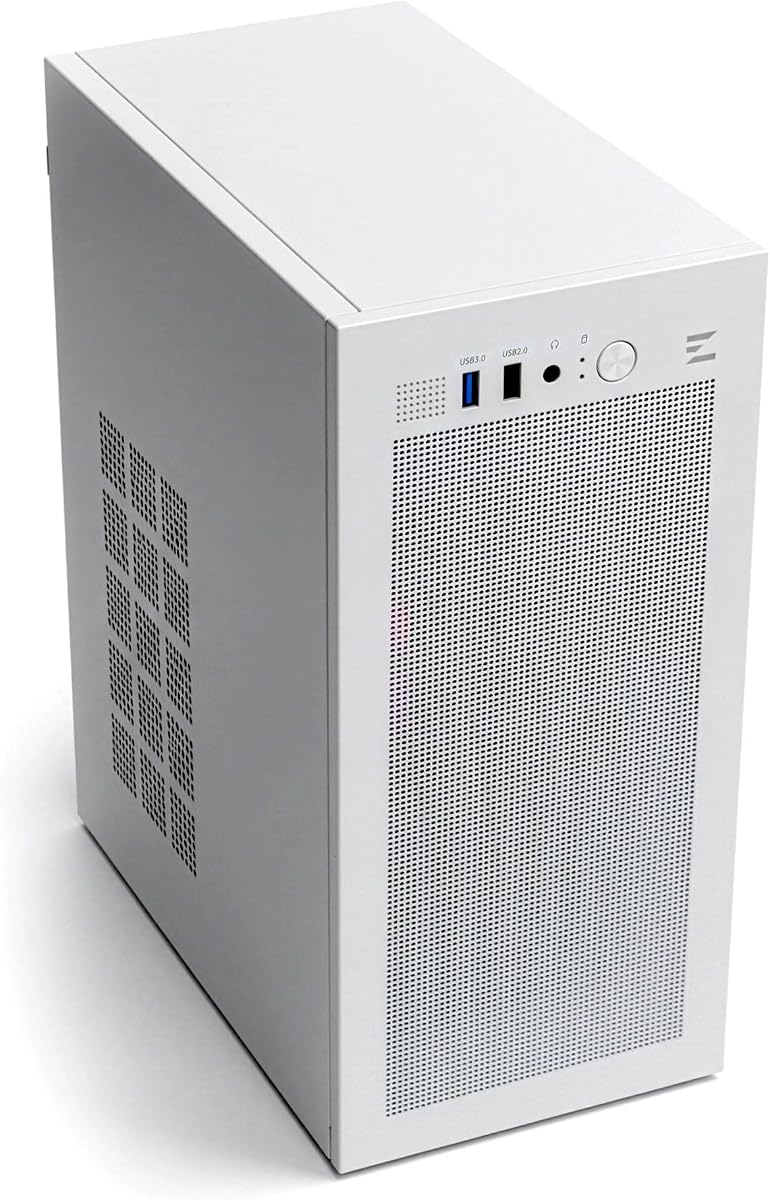
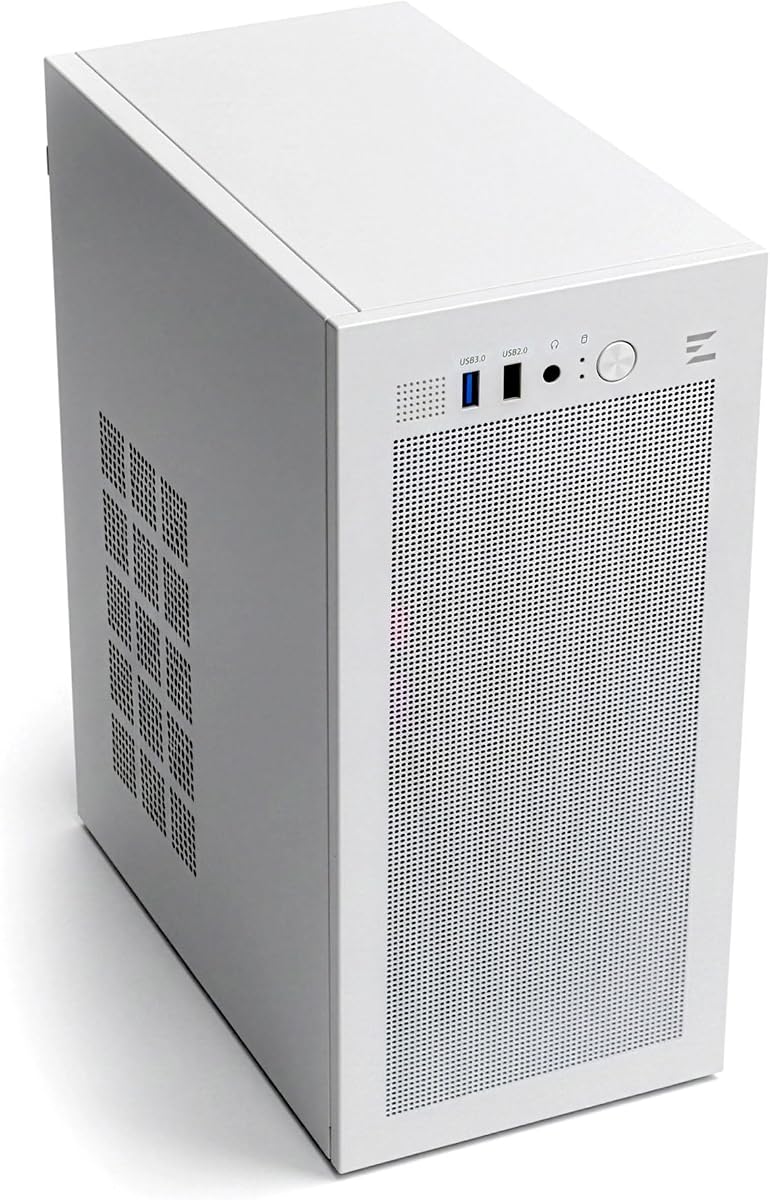
The Zalman CUBIX-G Micro-ATX Case is a compact computer enclosure rather than a padded carrying case for a finished mini PC. With a 4.4 rating, it offers an interesting option for builders creating a small gaming or desktop system. Its defining features include three preinstalled fixed-RGB fans, a space-saving Micro-ATX and MATX layout, and front connectivity that includes USB Type-C and USB 3.0.
We may earn a commission when you buy through this link, at no additional cost to you.
Hardware compatibility is the central consideration. The enclosure supports graphics cards up to 280mm, ATX power supplies up to 140mm, and CPU air coolers up to 155mm. It also accommodates storage configurations involving up to three 2.5-inch hard drives and one 3.5-inch hard drive, with a listed arrangement of two 2.5-inch drives and one combination drive position. These details make it more relevant to a custom compact build than to someone simply protecting an existing mini PC.
The three included fans provide an immediate starting point for airflow and lighting, but the fixed RGB implementation is not the same as a customizable lighting system. As with any compact enclosure, the 155mm CPU cooler limit could rule out taller tower coolers, and the 280mm graphics card ceiling is narrower than that of some competing chassis. Buyers should also verify all component measurements before committing to a build.
Choose the CUBIX-G when the goal is a compact, illuminated PC enclosure for a new Micro-ATX or MATX system, not when the objective is to carry a completed mini PC. It is especially attractive for builders who want installed fans and modern front I/O included. For portable storage, choose one of the dedicated hard-shell cases instead.
Three preinstalled fans remove the need to source an initial cooling set separately. Their fixed RGB lighting also gives a new build a finished appearance immediately after installation.
The 280mm graphics card, 140mm power supply, and 155mm CPU cooler limits should be checked before parts are purchased. A compact exterior is only useful when the installed hardware fits comfortably inside it.
We may earn a commission when you buy through this link, at no additional cost to you.
The Maoershan Mini PC Travel Case is a compact hard case designed for the Apple 2024 Mac mini M4 and a listed KAMRUI Windows mini PC configuration. It carries a 4.7 rating and focuses on a straightforward protective shell rather than extensive accessory management. The black EVA construction is intended to protect a favorite computer from bumps, dents, and scratches during storage or travel.
We may earn a commission when you buy through this link, at no additional cost to you.
The listed internal size is 5.23 by 2.36 by 5.23 inches, giving the case a compact profile for compatible systems. Its protective value comes primarily from the rigid EVA shell and close-fitting format. Because the description does not emphasize a multi-compartment organizer for a keyboard, mouse, or charger, it is best viewed as a computer-focused travel case rather than a complete desktop kit bag.
Compatibility is narrower than the leading RLSOCO option. A buyer with another mini PC brand or an earlier Mac mini generation should not assume the case will fit merely because the computers appear similar in size. The product is also sold as a case only, with the computer and accessories sold separately. That keeps the contents of the package clear but means the buyer must already own the mini PC and any required accessories.
For a compatible Apple or KAMRUI owner who wants effective everyday protection at a straightforward entry point, this is a sensible selection. Its 4.7 rating also makes it one of the strongest-rated dedicated storage cases in the roundup. Confirm the device dimensions and model first, and look elsewhere if organizing a complete set of peripherals is the priority.
The EVA shell is built to shield the computer from bumps, dents, and scratches. Its relatively small internal dimensions also avoid the bulk associated with carrying an oversized general-purpose case.
The case explicitly supports the Apple 2024 Mac mini M4 and a named KAMRUI Windows configuration. Checking the exact model and dimensions avoids relying on visual similarity between mini PC designs.
We may earn a commission when you buy through this link, at no additional cost to you.
The Multi-Brand Mini PC Carrying Case has a 4.3 rating and an unusually extensive compatibility list covering Apple, KAMRUI, GMKtec, ACEMAGIC, Beelink, AWOW, Bmax, and several other named systems. This makes it attractive for users who own or plan to own more than one mini PC and want a common storage format. It is a portable carrying case, not a computer enclosure for building a new system.
We may earn a commission when you buy through this link, at no additional cost to you.
Protection comes from a nylon exterior and sturdy hard EVA construction. The listing describes resistance to shock, scratches, drops, bumps, splashes, and dust. Inside, a specially shaped mesh pocket stores cables and cords, while an expanded side area can hold a Magic Mouse, charger, and other small accessories. A handle makes the case easier to carry to offices, meetings, or other locations.
The internal dimensions are stated as 8.85 by 5.11 by 1.96 inches, with a listed host size of 5.5 by 5.1 inches. These figures provide useful confirmation points, but the long list of supported models still needs careful reading. A model family appearing in the title does not necessarily guarantee that every configuration has an identical footprint. The item is also case only, despite a note that appears to use the phrase keyboard case.
This is a good choice for buyers prioritizing flexible accessory storage and a long compatibility list in one portable package. Its lower 4.3 rating does not diminish the stated feature set, but it does make independent fit confirmation especially important. Compare the host dimensions with the computer, power supply, and accessories before purchase.
The expanded side area accommodates items such as a mouse and charger, while the mesh pocket keeps cords together. That makes the case more useful than a simple fitted sleeve when a portable setup is the goal.
Hard EVA provides the main protective structure, while the nylon exterior adds an additional barrier. The listed resistance to dust, splashes, and physical impacts is useful for frequent transport.
We may earn a commission when you buy through this link, at no additional cost to you.
The Mac Mini Multi-Layer Organizer is the most feature-complete portable storage option in this roundup and holds the highest listed rating at 4.8. It is designed for Apple 2026 and 2024 Mac mini desktop computers, with a dedicated computer compartment and space for selected accessories such as a Magic Keyboard, mouse, power adapter, cable, and small electronic items.
We may earn a commission when you buy through this link, at no additional cost to you.
Its organization system consists of three layers. The first has a zippered mesh pocket for a power cord or selected keyboard, the second provides three small pockets for a hard drive, memory card, or earphones, and the third uses a mesh pocket for a mouse or power adapter. The case is therefore much more than a fitted shell; it can keep a substantial portion of a Mac mini setup together without turning every cable into a loose item.
The exterior uses hard EVA to protect the contents during storage and transport, while the soft inner lining helps reduce scratches. Its external dimensions are 12.2 by 6.3 by 3.54 inches, and the dedicated Mac mini compartment measures 5.12 by 5.12 by 2.36 inches. A top handle supports quick carrying, and an adjustable shoulder strap offers a hands-free option. These features make it suited to home, office, and business travel.
This is the top choice for a Mac mini owner who wants more than device protection and values a polished, organized setup. The main limitation is platform specificity: it is not presented as a universal mini PC case, and the computer and accessories are not included. Confirm the relevant Mac mini generation and measure any large accessory before placing it in the organizer.
Separate mesh pockets and small divided sections give cables, input devices, drives, and adapters defined places. This arrangement reduces visual clutter and makes a complete setup easier to pack and unpack.
The top handle suits quick movement between nearby locations, while the adjustable shoulder strap is more convenient when the hands need to remain free. The double-zipper opening provides access from more than one direction.
We may earn a commission when you buy through this link, at no additional cost to you.
The M4 EVA Travel Case is a purpose-built hard case for the Apple 2024 Mac mini M4 and carries a 5.0 rating. Its selling points are a fitted design, straightforward portability, and a protective material combination intended for regular travel. The case uses high-density EVA with 1680D material and is described as semi-waterproof, anti-static, and shockproof.
We may earn a commission when you buy through this link, at no additional cost to you.
A comfortable hand grip makes the case easier to lift, and smooth, strong double zippers allow convenient opening. A mesh pocket provides space for small accessories, although the product is primarily designed around the computer rather than a large collection of desktop peripherals. The semi-waterproof designation adds useful confidence for commutes and business trips without implying that the case is designed for complete submersion.
This is a model-specific option, and the listing clearly states that it is specially designed for the Apple 2024 Mac mini with the M4 chip. It should not be assumed to fit other Mac mini generations or similarly sized Windows systems. The computer and accessories are also sold separately, so the buyer will need to supply any charger, mouse, keyboard, or cabling required for the setup.
For an M4 Mac mini owner seeking a straightforward protective travel shell, the case's 5.0 rating and targeted construction make it a strong contender. It is less suitable for buyers who need to organize a full desktop kit or support several mini PC brands. Confirm the device generation and consider the limited accessory capacity before buying.
Because the shell is specially designed for the 2024 M4 Mac mini, it avoids the uncertainty associated with a generic universal sleeve. A dedicated shape can also make inserting and removing the computer more predictable.
The semi-waterproof, anti-static, and shockproof properties add protection beyond simple scratch prevention. These qualities are particularly relevant when the computer travels between home, office, and other destinations.
We may earn a commission when you buy through this link, at no additional cost to you.
The Mac Mini M4 Protective Case is a hard travel case designed for the Apple 2024 Mac mini desktop with either M4 or M4 Pro chip. Its 4.6 rating places it among the stronger dedicated cases in the guide. The product focuses on durable construction and protection from bumps, dents, and scratches rather than organizing a large collection of peripherals.
We may earn a commission when you buy through this link, at no additional cost to you.
The case is made from a tough, durable synthetic material with an EVA interior and has an internal size of 9 by 5.7 by 2.36 inches. That relatively broad interior provides a useful dimensional reference when comparing the case with the target computer. As the product title indicates, both M4 and M4 Pro chip configurations are within the intended compatibility range.
The design is straightforward, which is both a strength and a limitation. It offers fewer visible organizational features than the Mac Mini Multi-Layer Organizer, and the listing does not describe a developed compartment system for peripherals. The case and all devices are sold separately, so the contents shown in product imagery should not be interpreted as included accessories.
Buy this case if the primary requirement is a durable fitted shell for an M4-series Mac mini and portability is more important than full desktop-kit organization. It is less suitable for users who need to carry a keyboard, mouse, multiple adapters, and several cables in structured compartments. Checking the computer and accessory dimensions before purchase will help ensure a close fit.
A tough synthetic exterior combines with EVA material to form a rigid protective shell. The case is intended to reduce damage from ordinary handling, including bumps, dents, and scratches.
Support for both M4 and M4 Pro configurations makes the case relevant to more than one version of the listed Mac mini. The stated internal measurements give buyers a basis for checking fit.
We may earn a commission when you buy through this link, at no additional cost to you.
The Micro-ATX Handle PC Case is a compact build enclosure with a reinforced carrying handle and a 3.7 rating. Unlike the dedicated travel cases, it is intended to hold standard PC components during operation. Its 380 by 188 by 308mm chassis supports Micro-ATX and Mini-ITX motherboards, standard ATX power supplies, and high-performance components including graphics cards up to 350mm.
We may earn a commission when you buy through this link, at no additional cost to you.
Cooling is highly flexible. The case provides positions for up to five 120mm fans, with two at the top, two at the bottom, and one at the rear. A 240mm radiator can also be installed at the top, allowing builders to use either air or liquid cooling. Fans and the radiator are not included, so the enclosure offers mounting flexibility without supplying the full cooling solution.
The internal layout can be adjusted according to the drive combination. GPU clearance ranges from 270mm to 350mm depending on the installed hard drives and solid-state drives, with support for up to two 3.5-inch HDDs and one 2.5-inch SSD. Dust filtration appears at the top, front, and bottom, while the front panel includes USB-C at 5Gbps, USB 3.0, and audio connections.
The handle makes the enclosure easier to move between setups, but this is not the same as protected storage for a completed mini PC. Component weight, heat, and exposed hardware require appropriate planning. It is best suited to builders who want a compact, movable desktop system and who can supply cooling hardware. The lower rating should be considered alongside those needs.
Five 120mm fan positions and top-mounted 240mm radiator support allow the enclosure to adapt to air-cooled or liquid-cooled configurations. Builders still need to source fans or a radiator separately.
Metal reinforcement and a rubber grip improve handling when the completed system must be moved. This makes the case more practical for temporary setups than a standard enclosure without a carry feature.
We may earn a commission when you buy through this link, at no additional cost to you.
The Zalman CUBIX Compact Case is a 17.1-liter steel enclosure for Micro-ATX, MATX, and Mini-ITX systems. Its 4.5 rating and restrained design make it a practical alternative to the larger gaming-oriented cases in the roundup. It is intended as a permanent desktop enclosure rather than a padded bag for transporting a finished mini PC.
We may earn a commission when you buy through this link, at no additional cost to you.
The structure uses 0.8mm steel, providing a rigid foundation in a small footprint. A perforated front panel and included 80mm fan support airflow from the start. The enclosure accepts standard ATX power supplies, graphics cards up to 260mm, and CPU air coolers up to 137mm. Its front panel includes one USB 3.0 port, one USB 2.0 port, and a 3.5mm stereo auxiliary connection.
The compact dimensions create meaningful hardware restrictions. A 260mm graphics card limit is shorter than many modern cards, and the 137mm CPU cooler allowance rules out many taller tower designs. While the included fan handles a basic cooling role, builders may need to consider additional or alternative airflow depending on their components and workload.
This case is most appropriate for a small, carefully planned desktop system where the user values a small steel enclosure and does not need extended graphics card clearance. It is less appropriate for a portable setup or for a builder planning to upgrade into larger components later. Measure the hardware before purchasing and compare the stated clearances with the proposed build.
The 0.8mm steel shell gives the enclosure a durable foundation without requiring the volume of a full-size tower. Its 17.1-liter capacity is focused on essential Micro-ATX and Mini-ITX components.
A perforated front panel and preinstalled 80mm fan create an initial airflow path. The layout supports standard ATX power supplies while remaining compact enough for smaller desktop environments.
We may earn a commission when you buy through this link, at no additional cost to you.
The RUIX OV502 Pro is a compact Micro-ATX gaming enclosure with a 4.9 rating, making it one of the highest-rated products in the guide. It is not a carrying case for a mini PC, but its inclusion provides a useful distinction between protective storage and a computer chassis. The OV502 Pro uses an expanded interior compared with the original OV502 while preserving a space-saving form.
We may earn a commission when you buy through this link, at no additional cost to you.
Modern cooling is a major strength. The enclosure supports a 240mm liquid cooler, while the product information describes optimized airflow for the compact layout. It also accommodates graphics cards up to 340mm, giving builders more flexibility than several smaller cases. That clearance is useful for modern gaming hardware, although it should still be checked against the exact card and the rest of the planned configuration.
Dual panoramic tempered-glass panels give the enclosure a clean, modern appearance and allow internal components to remain visible. A standard USB 3.0 connection is listed on the front. As with every dedicated PC chassis, the case is sold without a computer and without the cooling hardware implied by its AIO support, so it serves a different need from the padded storage products in the guide.
Choose the OV502 Pro for a compact creator or gaming build that prioritizes appearance, modern cooling capability, and flexible GPU fit. It is not appropriate for someone seeking to protect and transport an already assembled mini PC. For that purpose, choose a dedicated hard-shell travel case with compatible dimensions and useful accessory storage.
Support for a 240mm AIO gives builders access to a larger liquid-cooling option. The compact enclosure is designed to preserve useful airflow while making room for current desktop components.
Dual panoramic tempered-glass panels turn the enclosure into part of the desk setup's visual design. The clear panels allow internal components to be viewed while the compact structure limits overall footprint.
We may earn a commission when you buy through this link, at no additional cost to you.
The right choice depends on whether the product must store a finished mini PC, organize a portable desktop setup, or serve as a chassis for a new build. Compatibility, dimensions, protection, and intended use should be considered before appearance or extra features.
Mini PC manufacturers reuse family names across generations, and a case that fits one system may be too tight for another. Start with the complete model number, then compare the listing's compatibility names with that identifier. The RLSOCO option supports named GMKtec, Beelink, and GEEKOM models, while several Mac mini cases specify the 2024 generation and chip version. Do not treat a brand name alone as proof of fit.
Buy only when the exact computer or clearly stated model appears in the compatibility information. If compatibility is unclear, measure the device and compare its length, width, and height with the case's listed internal dimensions.
A fitted case protects better than a loose sleeve, but only when the device can enter and leave the compartment without forcing. Compare the case's internal dimensions with the computer's physical measurements and leave enough room for cables at the connection points. For a complete desktop kit, also measure the mouse, charger, keyboard, and any adapters that must travel with the system.
Use the smallest stated dimension as the primary fit check. A case may accommodate the computer in one orientation but fail when a protruding connector or accessory is added.
A hard EVA shell is appropriate for portable storage because it helps resist bumps and keeps the computer from shifting. Soft lining adds protection against scratches, while mesh or fabric pockets organize lighter accessories. A nylon exterior can improve handling and resistance to everyday wear. Products described as hard cases should not be treated as waterproof unless the listing explicitly provides that level of protection.
Prioritize a rigid exterior, internal padding, and a secure closure for frequent travel. Choose a softer organizer when the main goal is orderly home or office storage.
A mini PC-only case is sufficient when power supplies and cables can be stored elsewhere. A multi-layer organizer is more useful when the goal is to keep an entire desktop setup together. Look for separate zones for the computer, adapter, mouse, keyboard, cords, and small items such as memory cards or earphones. Dedicated mesh pockets are particularly helpful for preventing cables from tangling.
Choose fewer compartments for simple transport and more compartments for regular travel or shared workspaces. Check whether the advertised accessory space is practical for the specific mouse and adapter owned.
A handle makes a case easier to lift from a shelf or carry across a room, while an adjustable shoulder strap is useful for travel or longer walks. Double-zipper openings can provide convenient access and may allow the case to open in more than one orientation. These features matter more when the case contains a full accessory kit than when it holds only a small computer.
Select a carry method that matches the route the setup will take. Confirm that a shoulder strap is actually included rather than assuming one comes with a generic hard case.
A storage case is meant to hold a completed computer without power, fans, or other internal hardware. A PC enclosure is installed inside a larger computer system and may include fans, motherboard support, drive bays, cooling options, and front I/O. The Zalman, RUIX, and handled Micro-ATX products belong to the second category. Buying one when a padded travel case is needed would produce the wrong form factor and protection.
Read the product category and package contents before ordering. Terms such as chassis, motherboard support, GPU clearance, and radiator mounting identify an enclosure, while EVA, fitted compartment, and carrying handle indicate portable storage.
For occasional travel, a compact fitted shell may be the easiest option to manage. For a stationary desk setup, a multi-layer organizer can reduce clutter by keeping the computer and accessories together. For frequent commuting, prioritize a grip, durable zipper, and protective shell. If the case will live beside the computer, the added bulk of a shoulder strap and multiple accessory layers may be unnecessary.
Match the format to the actual routine rather than purchasing the most elaborate option. Frequent relocation and occasional storage have different practical requirements.
Ratings can provide a useful broad signal, but they should complement rather than replace fit verification. Review customer feedback for recurring comments about sizing, closure quality, padding, or accessory capacity. In every dedicated storage case listed here, the computer and accessories are sold separately. Some product descriptions contain wording inconsistencies, so the package contents and images deserve careful attention.
Use the rating as a general confidence signal and the specifications as the deciding evidence. Confirm exactly what will be included before checkout.
Before using a new case, verify the fit with the computer fully powered off. Connect any required cables inside the main compartment, route them around the device, and place accessories in their designated pockets. Do not force a connector into the case; if the cable or power adapter prevents the lid from closing naturally, use a smaller compatible accessory or a different storage arrangement.
For travel, close the zipper completely and inspect the case for loose objects. Keep the computer dry, allow any surface moisture to evaporate before closing the case, and avoid placing the case in direct heat or against a hot surface. When moving a full kit, lift it by the handle or supported base rather than pulling it by a cable, mesh pocket, or strap attachment.
Maintain the case by wiping the exterior with a lightly damp cloth and allowing it to dry fully. Keep the lining free of dust and debris, and do not machine-wash structured EVA shells. Allow the computer and accessories to remain dry before storage, and periodically confirm that the zipper, seams, handle, and compartments remain secure.
No. Mini PCs vary considerably in dimensions and port placement even when they belong to the same broad category. Check the exact model name and the manufacturer's fit information, then compare the device's measurements with the case's internal dimensions. A snug fitted case is generally safer than a loose universal sleeve because it limits movement during transport.
A hard EVA case is well suited to protecting a mini PC from ordinary bumps and handling during travel. Some listed products are also described as semi-waterproof, but that should not be interpreted as permission to submerge the case or expose it to severe weather. Keep the device dry, close the zipper fully, and place the case within permitted carry-on or checked-baggage rules.
No. Every dedicated carrying case in this guide is sold as a case only, and the computer and accessories are sold separately. Some cases have room for a mouse, keyboard, charger, and cables, while others are designed mainly for the computer. Check the dimensions and compartment description to confirm which accessories will fit.
A mini PC case stores an already assembled computer for protection, organization, and transport. A Micro-ATX PC case is an enclosure into which a motherboard, processor, memory, storage, graphics card, and power supply are installed. The latter supports cooling and internal PC hardware; it does not replace a padded carrying case for a finished mini PC.
Arrange cables so they do not press directly against ports or protrude past the fitted compartment. Some connections may need to remain attached, which means the case should have sufficient internal depth or an appropriate cable channel. If closure requires excessive force, remove an accessory or reposition the cable rather than compressing the case against the device.
Mesh pockets are useful for holding cables, cords, and smaller accessories while allowing them to be seen quickly. A larger power adapter may fit only in an expanded side area. Because adapter dimensions vary, compare them with the stated compartment space rather than assuming a mouse-sized accessory will also accommodate a charger.
Only if the manufacturer explicitly lists that model or the physical dimensions and connector layout are confirmed to match. Several cases in this guide are specifically designed for Apple Mac mini systems, while others name multiple Windows mini PC brands. Appearance and overall size are not enough because small differences in feet, buttons, and ports can affect closure and fit.
Use a soft, lightly damp cloth to wipe the exterior and lining, then allow every part to dry before closing the case. Avoid soaking the EVA structure, machine washing, harsh cleaners, and abrasive brushes. Remove loose dust from mesh pockets so it does not press against the computer or get carried into ports during use.
The RLSOCO Multi-Brand Mini PC Case stands out for broad compatibility across named GMKtec, Beelink, and GEEKOM models, while also separating the computer from its adapter and cables. The Maoershan Mini PC Travel Case provides a more compact option for the listed Apple 2024 Mac mini M4 and KAMRUI system, and the Mac Mini Multi-Layer Organizer is the strongest choice for organizing a complete Mac mini setup across three dedicated layers.
The most important buying priority is fit, followed by the protection required for the intended environment. Buyers with one of the listed multi-brand systems should choose based on accessory needs, Mac mini owners should match the correct generation, and travelers should look for a secure zipper, protective shell, and comfortable handle. Those seeking a chassis for a custom computer should instead use one of the Micro-ATX enclosures reviewed here.
Ratings, product availability, and compatible model selections can change, so shoppers should review the current listing before purchasing. Confirm the exact device model, compare physical dimensions, and confirm what accessories are included in the package. With those checks completed, the right case can keep a valuable mini PC protected and make a portable desktop setup much easier to manage.