
ASUS Phoenix RTX 3060 V2
4.6Editor score
12GB GDDR6 graphics memory
PCIe 4.0 graphics interface
Dual ball fan bearings
The 10 best GPU for ASUS Prime A320M K are compared for compatibility, memory, cooling, display outputs, gaming performance, and value in this practical guide.
Finding a suitable GPU for an ASUS Prime A320M K requires more than comparing graphics chip names. Card length, slot thickness, power requirements, cooling clearance, display connectors, and processor support can all determine whether a seemingly capable card works comfortably in a particular case.
This guide compares ten ASUS graphics cards using the supplied specifications, including memory capacity, processor generation, fan design, output support, dimensions where stated, and recommended power supplies. It covers modern gaming options, compact cards, media-focused models, renewed models, and older hardware.
Each review explains the strongest reason to consider the card and its most important limitations. The selections show how performance needs, available space, display requirements, and willingness to accept refurbished hardware affect the right answer. Prices and availability change, so confirm current listings before buying.
4.6Editor score

4.7Editor score

4.6Editor score
The following table compares all ten cards by graphics generation, memory, physical design, and display capabilities, making it easier to identify the option that matches your case, power supply, monitor, and gaming requirements.


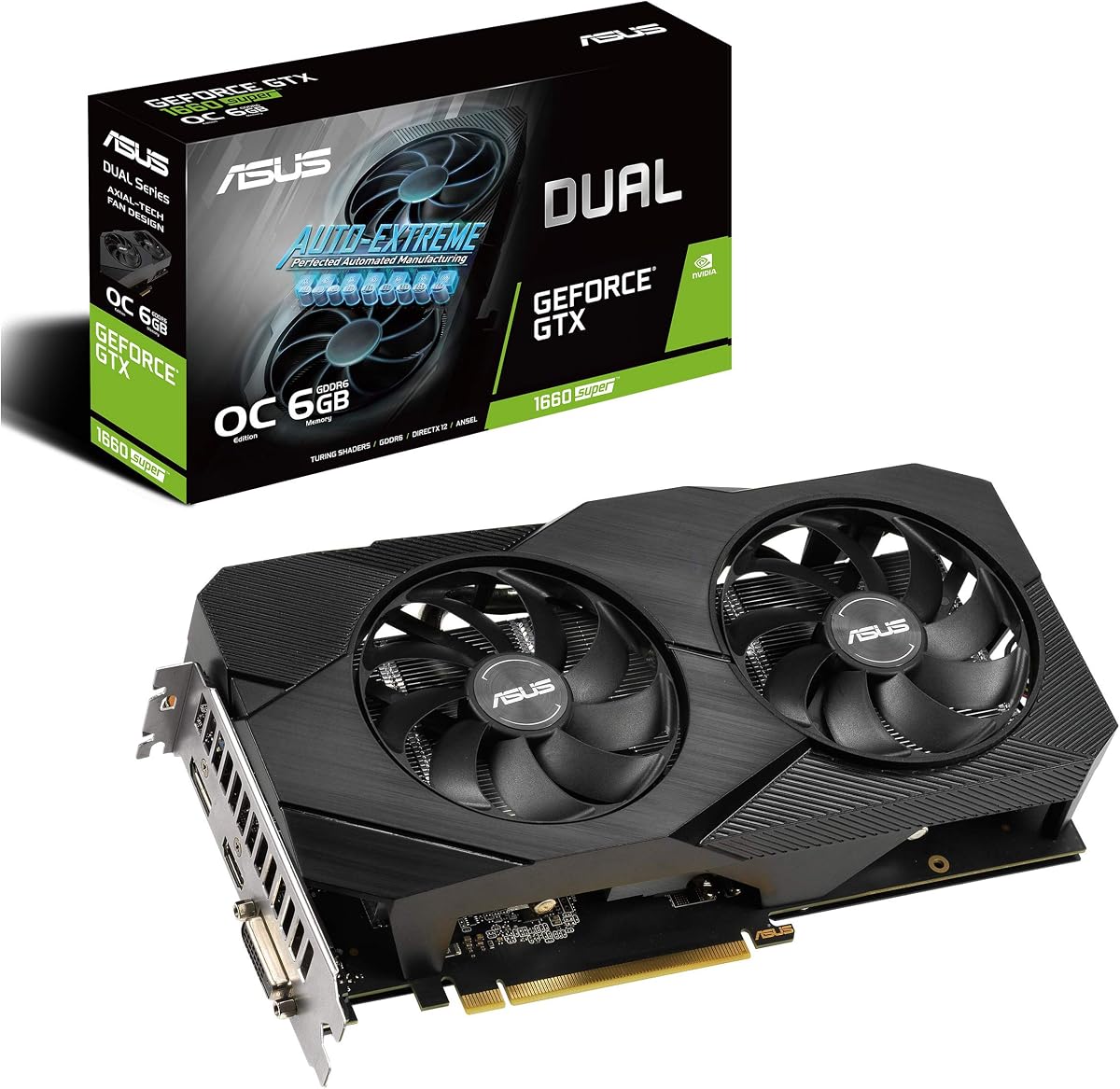


The ASUS Dual GeForce RTX 3050 6GB GDDR6 OC Edition combines an Ampere graphics processor with 6GB of GDDR6 memory and a deliberately compact two-slot design. Its 4.7 rating reflects a favorable balance of gaming capability, physical practicality, and modern feature support, making it the most versatile choice in this guide for an ASUS Prime A320M K system.
We may earn a commission when you buy through this link, at no additional cost to you.
Its second-generation RT Cores and third-generation Tensor Cores give it useful capabilities beyond conventional rasterized gaming. The listed specifications mention concurrent ray tracing and shading, while Tensor Cores support advanced AI algorithms such as DLSS. Axial-tech fan construction, a stainless steel bracket, and IP5X dust resistance also make the card look thoughtfully engineered for sustained use.
The most important practical advantage is its two-slot layout. That is easier to accommodate than a 2.7-slot TUF card, making it a sensible consideration for compact builds where three-slot clearance may be limited. The trade-off is that 6GB of VRAM is no longer generous for heavily modded games, high-resolution textures, content creation, or demanding future workloads.
This is the strongest all-around recommendation for gamers who want more capability than an entry-level card without moving to a much larger RTX 3060 V2. Check the card length against the chassis, confirm adequate power-supply capacity, and update the motherboard BIOS and graphics drivers before installation. Subject to those checks, it is the most balanced GPU for the Prime A320M K.
The RTX 3050's Ampere architecture includes dedicated RT and Tensor Cores, allowing supported games to use hardware-accelerated ray tracing and AI-assisted upscaling. Those features make the card better suited to modern gaming demands than older designs while retaining a relatively restrained two-slot profile.
The two-slot design gives builders more freedom when planning airflow and expansion-slot clearance. It is a meaningful advantage over thicker TUF and Dual GTX 1660 Super models, particularly when the power supply or case is already tightly arranged.
We may earn a commission when you buy through this link, at no additional cost to you.
The ASUS TUF Gaming GeForce GTX 1660 Super Overclocked 6GB Edition is built around NVIDIA Turing with 1,408 CUDA cores, a 1,845MHz boost clock, and overclocked 6GB GDDR6 memory. Its 4.6 rating and three-year warranty make it a dependable-looking traditional gaming option, although its 2.7-slot body demands careful case planning.
We may earn a commission when you buy through this link, at no additional cost to you.
TUF compatibility testing is one of the card's more useful distinctions. The supplied information says the card is tested with TUF Gaming motherboards, chassis, and other TUF Gaming Alliance components, while Auto-Extreme manufacturing is intended to promote consistent quality and reliability. Space-grade lubricant also supports quieter operation by improving the durability of the sleeve-bearing fan design.
GPU Tweak II provides real-time performance monitoring and streaming-related features, with Game Booster, XSplit Gamecaster, WTFast, and quantumcloud listed as included software options. The main disadvantages are physical: at 2.7 slots, it may obstruct neighboring expansion slots and require a case with more depth and airflow than a compact card needs.
Choose this TUF card for a gaming build that values a substantial cooler, 6GB of memory, a listed three-year warranty, and traditional NVIDIA gaming performance without requiring the newest RT and Tensor hardware. It is less suitable for a tiny case, a system with minimal expansion clearance, or a buyer whose priority is maximum performance per physical size.
TUF compatibility testing goes beyond simply checking that a card powers on. The stated testing program focuses on compatibility with other TUF ecosystem components, which is useful when selecting a coordinated gaming system.
GPU Tweak II gives users access to performance monitoring and clock adjustments, while the listed companion utilities support gaming, streaming, and optimization workflows. These features make the card appealing to buyers who enjoy tuning their hardware.
We may earn a commission when you buy through this link, at no additional cost to you.
The renewed ASUS GeForce RTX 2060 6GB Phoenix Fan Edition combines 1,920 CUDA cores, a 1,710MHz boost clock, and 6GB of GDDR6 memory in a short-form-factor design. Its headline capability is support for up to four monitors through DisplayPort 1.4, HDMI 2.0, and DVI-D, making it unusual among the selections here.
We may earn a commission when you buy through this link, at no additional cost to you.
RTX features give it a theoretical and practical advantage over the GTX 1660 Super options for supported ray-traced games. The Phoenix cooling design uses a double ball bearing fan intended to improve airflow and bearing longevity. Auto-Extreme manufacturing and Super Alloy Power II components are also listed, along with GPU Tweak II and streaming utilities.
The renewed condition is the most important caveat. A 4.2 rating is the lowest among the ten products in the guide, and potential buyers may encounter a card that has been returned, traded in, inspected, and tested by an Amazon-qualified supplier rather than purchased as a new retail unit. Its shorter form factor also helps case compatibility.
This card makes the most sense for a builder who specifically wants an RTX card in a short chassis and needs several display outputs. The supplied specifications recommend a 500W PSU, so the power supply must be checked carefully. For buyers who prefer a new product with a longer warranty history, one of the standard GTX 1660 Super models may be a safer choice.
Support for up to four monitors is the standout practical feature of this renewed Phoenix card. Its DisplayPort 1.4, HDMI 2.0, and DVI-D connections provide enough flexibility for a multi-screen desk, digital signage, or a gaming setup with auxiliary displays.
The short-form-factor design can make the RTX 2060 easier to install than a large modern card. Its RTX architecture also supports hardware-accelerated ray tracing, giving it a feature advantage over the GTX 1660 Super models in supported applications.
We may earn a commission when you buy through this link, at no additional cost to you.
This renewed ASUS TUF Gaming GeForce GTX 1660 Super Overclocked 6GB Edition has a 4.8 rating, tied for the highest among the products listed. It uses NVIDIA Turing, 1,408 CUDA cores, a 1,845MHz boost clock, and overclocked 6GB GDDR6 memory to deliver a familiar gaming-oriented configuration.
We may earn a commission when you buy through this link, at no additional cost to you.
Its principal strengths match those of the new TUF model: a 2.7-slot design, space-grade lubricant, GPU Tweak II, compatibility testing, and Auto-Extreme manufacturing. Because both products share closely related specifications, the renewed status becomes the major point of difference, along with customer rating and listing availability.
A renewed card can be a practical way to obtain an established model with 6GB of memory, but it is not equivalent to a new retail purchase in every respect. The card is described as a pre-owned or refurbished product that has been professionally inspected and tested, and Amazon Renewed products are eligible for replacement or refund under the stated guarantee.
This option is most attractive to a buyer who values the TUF design and the listed 4.8 rating but can accept renewed condition. Confirm the card's physical dimensions, especially its 2.7-slot thickness, and inspect the listing's condition details and guarantee terms. It is a strong traditional gaming choice, but not the most compact or advanced feature set in the roundup.
The RTX 1660 Super platform remains recognizable for its balance of 1,408 CUDA cores and 6GB of GDDR6 memory. For conventional games, it offers a straightforward upgrade path without the physical bulk of a high-end modern card.
The renewed designation is the decisive distinction from the new TUF version in this list. It can provide access to a mature card after inspection and testing, but buyers should review the condition description and protection terms closely.
We may earn a commission when you buy through this link, at no additional cost to you.
The ASUS GeForce GTX 1660 Super Overclocked 6GB Dual-Fan Evo Edition is one of the highest-rated products in the guide at 4.8. Its combination of 6GB GDDR6 memory, an overclocked configuration, and dual-fan cooling offers a balanced option for conventional gaming and general graphics work.
We may earn a commission when you buy through this link, at no additional cost to you.
The dual-fan arrangement is the defining physical feature. It can move more air across the card than a single-fan design, which is useful in a gaming case that has reasonable airflow. The product is also labeled VR Ready, indicating support for virtual-reality workloads, although no detailed headset compatibility or performance requirements are supplied.
Unlike several entries with extensive bullet-point specifications, this renewed listing's supplied information focuses on the inspection process. It explains that customer returns or trades are inspected and tested by Amazon-qualified suppliers before being offered through Amazon Renewed, with replacement or refund eligibility under the Amazon Renewed Guarantee.
Buyers who want a 6GB gaming card, value the card's 4.8 rating, and are comfortable with renewed condition should give this model serious consideration. The age of the design remains a limitation because it lacks the newest RT and Tensor hardware, while buyers who prioritize warranty certainty may prefer a new-card listing. Physical clearance and power requirements still need verification.
Two fans give the Dual GTX 1660 Super Evo Edition a useful thermal advantage over single-fan alternatives. In a properly ventilated case, that design can help maintain stable performance during extended gaming or graphics workloads.
The listing states that renewed products are inspected and tested to work and look like new by Amazon-qualified suppliers. The associated guarantee provides replacement or refund eligibility, offering a defined path when the card does not meet expectations.
We may earn a commission when you buy through this link, at no additional cost to you.
The ASUS GeForce GTX 1660 Super Overclocked 6GB Phoenix Fan Edition delivers 1,408 CUDA cores and 6GB of overclocked GDDR6 memory in a short-form-factor design. Its 4.5 rating, three-year warranty, and support for up to three monitors make it a straightforward option for a compact ASUS Prime A320M K gaming build.
We may earn a commission when you buy through this link, at no additional cost to you.
Display connectivity includes HDMI 2.0B, DisplayPort 1.4, and DVI-D, giving users a useful selection for modern and legacy displays. The Phoenix fan uses a double ball bearing design that the manufacturer says supports superior airflow and a lifespan twice that of sleeve-bearing alternatives. GPU Tweak II adds monitoring and streaming-oriented software.
Auto-Extreme manufacturing and Super Alloy Power II components are listed as durability features. The card does not include dedicated RT or Tensor cores, so its appeal rests on conventional gaming performance, 6GB of memory, a compact profile, and the stated warranty rather than the newest hardware features.
This Phoenix card is a sensible choice when the case is too shallow for a full-size TUF or Dual model and the buyer wants more memory than an entry-level card provides. It also works well for a three-monitor productivity setup. Confirm available power and the intended monitor connections, and compare the dimensions carefully before ordering because short-form-factor labels can still vary between manufacturers.
The Phoenix design seeks to balance physical size and cooling by using a double ball bearing fan. That makes it a useful bridge between a basic entry-level card and a substantially larger dual-fan gaming model.
HDMI 2.0B, DisplayPort 1.4, and DVI-D provide flexibility for a three-monitor arrangement. The mixture of modern and legacy connectors also makes the card practical when a system includes an older display.
We may earn a commission when you buy through this link, at no additional cost to you.
The ASUS GeForce GTX 1660 Super Overclocked 6GB Dual-Fan Evo Edition pairs 1,408 CUDA cores with 6GB of GDDR6 memory and earns a 4.8 rating. It is a substantial conventional gaming card with a 2.7-slot body, dual-fan cooling, and a three-year warranty.
We may earn a commission when you buy through this link, at no additional cost to you.
Dual-fan cooling is the main appeal for buyers who want more thermal capacity than the Phoenix design provides. The listed feature states doubled airflow and 3x quieter gameplay, while the broader 2.7-slot construction gives the cooler more room. HDMI 2.0B, DisplayPort 1.4, and DVI-D support up to three monitors.
The Auto-Extreme process and aerospace-grade Super Alloy Power II components are intended to support reliability, and GPU Tweak II provides monitoring, streaming, and tuning utilities. However, the card occupies more case space than compact alternatives and does not have the newer ray-tracing and Tensor hardware found in the RTX selections.
This model is best for a roomy case where cooling capacity and a stated three-year warranty matter more than compactness or the newest GPU architecture. Its 4.8 rating provides a positive customer-feedback signal, but it should not be treated as a substitute for independent testing. Confirm power, connector, and physical clearance requirements before purchase.
The dual-fan design is well suited to buyers who play or render for extended periods and want a larger thermal solution. The 2.7-slot body is the trade-off, requiring a chassis that can accommodate a thick card without compromising neighboring slots.
The included three-year warranty adds confidence for a long-term installation. Combined with 6GB of memory and a 4.8 rating, it is a compelling choice for a conventional gaming upgrade when space is not a concern.
We may earn a commission when you buy through this link, at no additional cost to you.
The ASUS Phoenix NVIDIA GeForce RTX 3060 V2 is the premium selection here, offering 12GB of GDDR6 memory, a 15Gbps memory speed, and a PCIe 4.0 interface. Its 4.6 rating reflects a strong overall proposition, while 12GB of VRAM gives it more headroom for demanding games, high-resolution textures, and graphics workloads than the 6GB alternatives.
We may earn a commission when you buy through this link, at no additional cost to you.
The card uses NVIDIA's Ampere architecture with second-generation RT Cores and third-generation Tensor Cores. The listed features describe improved FP32 throughput, concurrent ray tracing and shading, and AI capabilities such as DLSS. A protective backplate, Axial-tech fan design, and dual ball bearing fans round out its premium construction features.
The main practical concern is power. The manufacturer recommends a 650W PSU, which is the highest recommendation in the roundup. An older system built around the ASUS Prime A320M K may have a modest power supply, so capacity and connector availability need to be checked before choosing this card. The system itself must also have sufficient physical room and a compatible slot arrangement.
This is the best option for a buyer who wants the strongest memory capacity and newest architecture in the guide. It is best suited to gaming at demanding settings, content creation, or preserving VRAM headroom for future titles. It also makes more sense with a modern power supply than the smaller alternatives, and the benefit of 12GB memory should be weighed against those system requirements.
The RTX 3060 V2's 12GB pool is twice the memory found on most competing cards in this guide. That additional capacity is especially relevant for texture-heavy games, high-resolution assets, video timelines, and other workloads that place pressure on graphics memory.
Second-generation RT Cores and third-generation Tensor Cores support modern ray tracing and AI-assisted features such as DLSS. This architecture gives the card a more modern feature set than the Turing-based GTX 1660 Super options.
We may earn a commission when you buy through this link, at no additional cost to you.
The ASUS GeForce GT 1030 2GB GDDR5 is the budget and multimedia-focused selection. It uses Pascal architecture, a 1,506MHz boost clock in OC Mode, and 2GB of GDDR5 memory. Its 4.6 rating shows that it remains a well-regarded option for the tasks its hardware is designed to handle.
We may earn a commission when you buy through this link, at no additional cost to you.
The exclusive ASUS heatsink uses passive cooling, allowing the card to operate without a fan for quiet HTPC and multimedia use. Auto-Extreme manufacturing and Super Alloy Power II components are also listed, while GPU Tweak II supports monitoring, streaming, and a free one-year premium license of XSplit Gamecaster.
Its limitations are substantial for modern games. Two gigabytes of memory and an entry-level Pascal GPU are not appropriate for demanding modern titles, high settings, or content creation. Its value lies instead in adding a dedicated display output, supporting DX12 on Windows 10, and providing a simple way to bypass integrated graphics limitations.
Choose the GT 1030 when the computer is used for office work, video playback, displays, or lightweight applications and the system lacks a suitable dedicated graphics output. It is a sensible compact, quiet option for a modest ASUS Prime A320M K build. It should not be chosen for a gaming upgrade when a GTX 1660 Super or RTX model fits the budget and case.
Passive cooling means the card can remain silent during ordinary multimedia use. This makes it especially attractive in a living-room computer, office, or quiet workstation where fan noise would be distracting.
The GT 1030 is better viewed as a display and multimedia upgrade than a gaming solution. Its low-impact design adds a dedicated graphics path and modern DX12 support without aspiring to the performance of the higher-end selections.
We may earn a commission when you buy through this link, at no additional cost to you.
The renewed ASUS STRIX GeForce GTX 970 Overclocked 4GB is a legacy-oriented option with a 5.0 customer rating. It uses 4GB of 7010MHz GDDR5 memory across a 256-bit interface, with a listed GPU boost clock of 1,253MHz and base clock of 1,114MHz.
We may earn a commission when you buy through this link, at no additional cost to you.
DirectCU II cooling and 0dB fan technology are the main practical features. The supplied information describes silent gaming at 30% cooler, while the 6-phase DIGI+ VRM and Super Alloy Power components support the overclocked design. ASUS GPU Tweak Utility provides an interface for real-time tweaking and intuitive monitoring.
Connectivity includes one DVI-I output, one DVI-D output, HDMI 2.0, and DisplayPort, along with HDCP support. This broad selection is useful for older or mixed-monitor systems. However, the card is built around a much older generation, has only 4GB of memory, and is offered as a renewed product.
This card makes sense for an older game library, legacy application, or system where a previous-generation upgrade is sufficient. It should not be chosen for demanding new games, modern ray tracing, or high-resolution creative work. Before installation, verify card dimensions, power requirements, and connector compatibility, then update the graphics drivers to a version that supports the operating system.
The 256-bit memory interface and 4GB of GDDR5 memory help explain why this card can remain useful for older games. Its memory-oriented design is considerably more substantial than the GT 1030, even though the GPU generation is much older.
The 0dB fan approach can keep the card silent during suitable workloads, while DVI-I, DVI-D, HDMI 2.0, and DisplayPort provide broad compatibility with a range of existing displays.
We may earn a commission when you buy through this link, at no additional cost to you.
The right graphics card depends on your case, power supply, processor, monitor, and preferred games. Use the following factors to narrow the field before comparing memory, cooling, dimensions, and display support.
Graphics-card length is often more important than the model name when fitting an older or compact desktop. The ASUS Prime A320M K is commonly used in small builds, so measure from the rear slot bracket to the front drive cage, power supply shroud, or intake fan. Leave enough room for the power cable to bend without pressing against the card. Also account for the thickness shown in the specifications: the Dual RTX 3050 is described as a two-slot design, while several GTX 1660 Super cards are 2.7 slots and can block nearby expansion slots.
Measure the case and then compare the card's listed dimensions before ordering. A card that fits the bare minimum may make installation or airflow difficult.
The cards in this guide range from 2GB to 12GB of graphics memory. The GT 1030's 2GB is adequate for office tasks, video playback, and light applications but offers little headroom for modern games. Several GTX 1660 Super and RTX 2060 models provide 6GB, a more practical amount for conventional gaming. The RTX 3060 V2's 12GB is the strongest choice for texture-heavy games, high-resolution work, and future headroom. Memory alone does not determine performance, but running out can reduce texture quality or prevent a game from launching at intended settings.
Choose 6GB for mainstream gaming and 12GB for demanding titles or creative work. Treat 2GB and 4GB as legacy or specialist choices.
The RTX 3050, RTX 2060, and RTX 3060 V2 use NVIDIA's Ampere generation and include dedicated ray-tracing and Tensor Cores. The GTX 1660 Super models use the older Turing architecture without those dedicated hardware features, while the GT 1030 and GTX 970 belong to still earlier generations. Newer architecture is valuable when games support ray tracing or DLSS, and it generally provides a more modern foundation for future software.
Ampere options are the stronger choice for modern gaming. GTX 1660 Super cards remain useful for conventional games, while the GT 1030 and GTX 970 are best reserved for basic or legacy workloads.
Single-fan cards such as the Phoenix GTX 1660 Super and GT 1030 are easier to cool in a tight case, although the GT 1030's supplied specification identifies its cooling as passive. Dual-fan designs, including the ASUS Dual RTX 3050, Dual GTX 1660 Super Evo, and TUF cards, can offer more cooling capacity but may be physically larger. A large card in a poorly ventilated case can still run warm, so case airflow matters as much as the number of fans attached to the GPU.
Match the cooler to the available space. Do not assume a dual-fan card will remain quiet in a cramped enclosure with restricted intake airflow.
The supplied power recommendations vary considerably. The renewed Phoenix RTX 2060 lists a recommended 500W PSU, while the RTX 3060 V2 lists 650W. Other listings do not provide a recommended wattage, so their exact requirements should be confirmed from the manufacturer's documentation or current product materials. Check the rating printed on the existing power supply, its age, and the connectors it includes rather than estimating from the motherboard model.
Use a reliable power supply with suitable capacity and connectors. Do not assume every older power supply can safely power a larger upgrade.
The ASUS Prime A320M K's integrated graphics and many dedicated cards provide different display options, so your monitor cable matters. The renewed Phoenix RTX 2060 supports up to four monitors through DisplayPort 1.4, HDMI 2.0, and DVI-D. The Phoenix and Dual GTX 1660 Super cards support up to three displays, while the legacy STRIX GTX 970 includes DVI-I, DVI-D, HDMI 2.0, and DisplayPort. Check whether your existing monitor uses HDMI, DisplayPort, DVI, or a combination before selecting a card.
Match the card's outputs to the displays you already own. Avoid buying a faster GPU and then discovering that you also need new cables or adapters.
A more powerful graphics card cannot eliminate every bottleneck created by the processor. Older CPU options may limit performance in games that rely heavily on processor speed, even when the GPU has ample capability. Because processor specifications vary by exact A320M K configuration, compare the processor in your system with the game's recommended hardware. The GT 1030 is suitable for display and multimedia tasks, the GTX 1660 Super targets conventional gaming, and the RTX cards are more appropriate for newer titles and higher settings.
Treat the graphics card and processor as a combined gaming platform. Avoid paying for GPU capability that the rest of the system cannot use effectively.
Four entries are explicitly marked as renewed, and their supplied descriptions refer to inspection and testing by Amazon-qualified suppliers, with replacement or refund eligibility under the Amazon Renewed Guarantee. Renewed hardware can provide access to a mature product at a lower entry point, but it should not be evaluated as though it were new. Review the listing's condition language, included accessories, warranty statement, and return protection. New-card listings with explicit multi-year warranties are the more conventional choice when reliability assurance is the priority.
Renewed products can make sense for value-conscious buyers, but compare the condition and guarantee with the slightly higher commitment associated with a new card.
Before installing the card, shut down the computer, switch off the power supply, unplug the mains cable, and let internal components cool. Confirm that the selected graphics card fits the case and that the PSU has the required capacity and connectors. Install the card into the motherboard's graphics slot, secure the bracket, connect the relevant display cable, and attach any required auxiliary power connector before turning the system back on.
After the first boot, install current graphics drivers and the motherboard chipset and BIOS updates appropriate for the system. Connect the monitor to the graphics card rather than the motherboard when using a dedicated GPU, select the correct display output, and use the card's monitoring software to confirm that the GPU, temperature readings, memory, and activity are detected normally. Change one setting at a time before overclocking, and avoid aggressive adjustments until stability and temperatures are known.
Maintain airflow by keeping the card's intake area clear of dust, allowing the case to discharge warm air, and avoiding tightly packed cable configurations that restrict connectors. Clean the case and cooler filters periodically using safe, manufacturer-approved methods. For renewed cards, retain the original packaging and purchase records, inspect the listing's guarantee terms, and document any visible damage or connector issues immediately after delivery.
The cards in this guide use the PCIe x16 graphics interface expected by the Prime A320M K's graphics slot, but physical fit also depends on case depth, slot clearance, and power connector access. The Dual RTX 3050 is listed as a two-slot design, while several GTX 1660 Super cards are 2.7 slots. Measure the chassis and confirm PSU capacity before ordering, and update the motherboard BIOS if it is old.
An older BIOS may not initialize newer graphics cards reliably, particularly when the card uses a more recent GPU generation. Updating the motherboard BIOS and installing current chipset and graphics drivers is a sensible precaution. Use the correct BIOS update method for the exact board, maintain power throughout the process, and consult the motherboard documentation before changing any settings.
The RTX 3050 has a more modern architecture, 6GB of GDDR6 memory, and dedicated ray-tracing and Tensor Cores, while its two-slot design may be easier to fit. The GTX 1660 Super models are also strong conventional gaming choices and offer more listed TUF or dual-fan configurations. The right decision depends on case size, desired features, warranty preference, and current availability rather than motherboard compatibility alone.
The GT 1030 is best suited to office work, media playback, light applications, and adding a dedicated display output. Its 2GB of GDDR5 memory and older Pascal architecture make it a poor choice for demanding modern games. It is most attractive in a small or quiet build where low power use and passive cooling matter more than gaming performance.
A renewed card can be reasonable for a budget-conscious buyer who accepts that it was returned or traded in, then inspected and tested. The supplied listings describe Amazon-qualified inspection and a guarantee that permits replacement or refund for qualifying problems. Compare that protection with the warranty on a new listing, review the condition description carefully, and keep all purchase documentation.
The listed RTX 2060 recommends a 500W PSU, and the RTX 3060 V2 recommends a 650W PSU. Other cards do not include a wattage recommendation in the supplied data, so their requirements should be confirmed from the manufacturer's current documentation. Check the power supply label, connector type, age, and overall system load rather than relying on the graphics card alone.
Several options support multiple displays, but their limits differ. The renewed Phoenix RTX 2060 supports up to four monitors, the Phoenix and Dual GTX 1660 Super cards support up to three, and the legacy STRIX GTX 970 provides DVI-I, DVI-D, HDMI 2.0, and DisplayPort. Confirm that the card's physical outputs match your monitor configuration and that the required cables are included or already owned.
No. A modern card can work well with an A320M K, but the installed processor may limit how much gaming performance it can use. A 6GB GTX 1660 Super may be sufficient for conventional games, while an RTX model offers newer features. The GT 1030 and GTX 970 make more sense for basic tasks and older games. Choose the card based on your games, processor, case, power supply, and budget rather than motherboard branding alone.
The ASUS Dual GeForce RTX 3050 6GB GDDR6 OC Edition is the most balanced overall recommendation because it combines modern Ampere features, 6GB of memory, and a compact two-slot design. The Phoenix RTX 3060 V2 is the premium choice for buyers who can meet its 650W PSU recommendation and want 12GB of graphics memory, while the GT 1030 is the budget-friendly answer for displays and multimedia rather than gaming.
For conventional gaming with 6GB of memory, the TUF and Dual GTX 1660 Super cards provide several cooling, warranty, and condition options. The renewed Phoenix RTX 2060 stands out for short-form-factor construction and support for up to four monitors, while the renewed STRIX GTX 970 is a niche solution for older games and legacy display arrangements. Prioritize the GPU generation and memory that match your games, then verify dimensions, slot thickness, and power requirements.
Current prices and availability can change, and the same model may appear with different condition, accessories, or seller support. Before purchasing, confirm the exact card dimensions, recommended power supply, display connectors, warranty or renewed guarantee, and operating-system driver support. Those checks are just as important as the model name when building around an ASUS Prime A320M K.