
Acer USB 3.0 HDMI Capture Card
4.4Editor score
YUY2 1080p60 output
4K HDMI loop-out
3.5mm mic input
This Nintendo Switch streaming setup guide compares ten capture cards and docks for resolution, latency, audio, portability, and ease of use.
A Nintendo Switch streaming setup needs to do two jobs well: preserve a smooth console experience while delivering a reliable video feed to a computer. The right capture hardware should balance low latency, clean 1080p output, useful audio connections, simple software recognition, and a cable layout that suits your play space.
We compared ten capture cards and hybrid docking options based on their stated input formats, recording resolutions, passthrough behavior, USB connectivity, compatibility with streaming software, and support for Nintendo Switch, Switch 2, and other USB-C devices. The list covers dedicated HDMI adapters, portable docks, and two-in-one devices.
Each recommendation reveals which setup deserves attention for a different need, including basic recording, polished commentary, high-refresh displays, or a compact travel station. Product ratings and feature details reflect the supplied information, while availability and pricing can change, so compare current listings before purchasing.
4.4Editor score

4.4Editor score

4.2Editor score
The table below compares all ten options by capture format, passthrough capabilities, audio features, and the Nintendo Switch ecosystems each device is designed to support.





The JSAUX Video Capture Card offers the broadest mix of functions in this guide, earning a 4.4 rating and an Editor's Choice designation. It captures at up to 1080p60 over USB while supporting 4K60Hz HDMI passthrough, and it doubles as a portable dock for compatible USB-C handhelds. That combination makes it especially interesting for a streamlined Nintendo Switch streaming setup.
We may earn a commission when you buy through this link, at no additional cost to you.
Its strongest feature is the way the device handles several parts of a mobile creator station at once. A USB-C source can feed the capture path, an HDMI display can receive passthrough, and the separate USB-A connection can send video to a computer. The independent USB-C power-delivery port supports up to 100W, helping a handheld remain charged during extended play, while USB 3.1 data transfer reaches 5Gbps.
The stated compatibility is broad: OBS Studio, Streamlabs, XSplit, vMix, and Twitch Studio are among the listed broadcasting applications, with Windows, macOS, and Linux support. Nintendo Switch 2 users are instructed to use the console's bottom USB-C port for video output and capture. Although the product is versatile, those port and source requirements mean buyers should confirm that their preferred device and computer satisfy the specifications before ordering.
This is a strong recommendation for someone who wants a compact capture path without separating the dock and capture functions into two boxes. It particularly suits owners of Switch 2, Steam Deck, or ROG Ally systems who value charging, high-refresh passthrough, and portability. Those wanting a simple traditional HDMI-only arrangement may prefer a dedicated HDMI capture card, but for an integrated handheld station, this model offers the most complete feature set.
Combining a capture card with a portable dock reduces the number of separate boxes around a handheld. The result is especially useful in dorm rooms, hotel rooms, and compact desks where cable management matters.
The independent 100W USB-C charging connection supports longer sessions while the console remains connected to the capture system. This separates charging from the data and display connections.
We may earn a commission when you buy through this link, at no additional cost to you.
The Acer USB 3.0 HDMI Capture Card combines useful everyday features with a 4.4 rating, making it our Best Budget selection. It provides 4K HDMI input and loop-out, 1080p60 output, and a direct 3.5mm microphone connection. For streamers who want clear commentary and straightforward operation without a larger docking package, it covers the essentials well.
We may earn a commission when you buy through this link, at no additional cost to you.
One of the most attractive specifications is the use of YUY2 rather than MJPEG. The stated benefit is richer color reproduction and reduced reliance on lossy compression, which can help the captured image retain detail. Its low-latency operation, direct headset or microphone input, and automatic operation without extra drivers or external power make it approachable for first-time streamers.
Compatibility is another strength. The product description specifically names Nintendo Switch and Switch 2, along with PS5, PS4, Xbox, DSLR cameras, PCs, macOS, and Android. It also works with OBS, XSplit, VLC, and major social video applications. The 4K loop-out allows the console image to remain visible on a television or monitor while the computer receives the capture feed.
This capture card makes the most sense for a focused desktop setup that already has a way to charge the Switch and connect it to a display. It is not a dock, so a separate charging and video-output solution may still be needed. Even so, it delivers a balanced package for creators who prioritize YUY2 quality, direct microphone access, and uncomplicated setup over bundled docking features.
YUY2 output provides a useful foundation for creators who want detailed color and luminance information. Its 1080p60 ceiling is well matched to the resolution supported by the Switch capture path.
The integrated 3.5mm input accepts a compatible headset or microphone directly. That simplifies voice capture and keeps commentary close to the video workflow.
We may earn a commission when you buy through this link, at no additional cost to you.
The C8 2-in-1 Dock & Capture Card is the clearest all-in-one option in the guide, with a 4.2 rating and a feature set centered on portability. It combines a USB-C Switch 2 dock with a 1080p60 capture function, allowing a compatible handheld to connect to a display, computer, controller, and charger through one compact hub.
We may earn a commission when you buy through this link, at no additional cost to you.
Its three modes cover the most common needs. Dock Mode sends the display output to a television or monitor, Capture Mode routes video toward a computer, and Dock + Capture Mode handles both at once. The HDMI output supports 4K30Hz, the USB capture path supports 1080p60, and a dedicated USB 3.0 hub can accommodate controllers, keyboards, mice, microphones, or storage.
The major limitation is equally important: this is not a general-purpose HDMI capture card. It captures video from USB-C output devices such as Switch 2, Switch OLED, the original Switch, Steam Deck, iPad Pro, and compatible phones or tablets. It cannot capture from an arbitrary HDMI source, and the supplied information says PC-to-PC capture is not supported. The HDMI cable and power adapter are also not included.
For a traveler, student, or owner of a small secondary gaming station, that focused design can be a major advantage. One aluminum device replaces a separate dock and capture card, while 100W power delivery supports extended sessions. The recommendation is strongest when the source is a supported USB-C handheld and the goal is a tidy, travel-friendly setup.
Dock, capture, and combined modes let the same device support television play, computer-only capture, or simultaneous display and recording. That flexibility reduces the need to repeatedly reconnect cables.
The C8 is built around full-featured USB-C video output rather than a universal HDMI source. Its key benefit is integration, while its key limitation is that narrower input focus.
We may earn a commission when you buy through this link, at no additional cost to you.
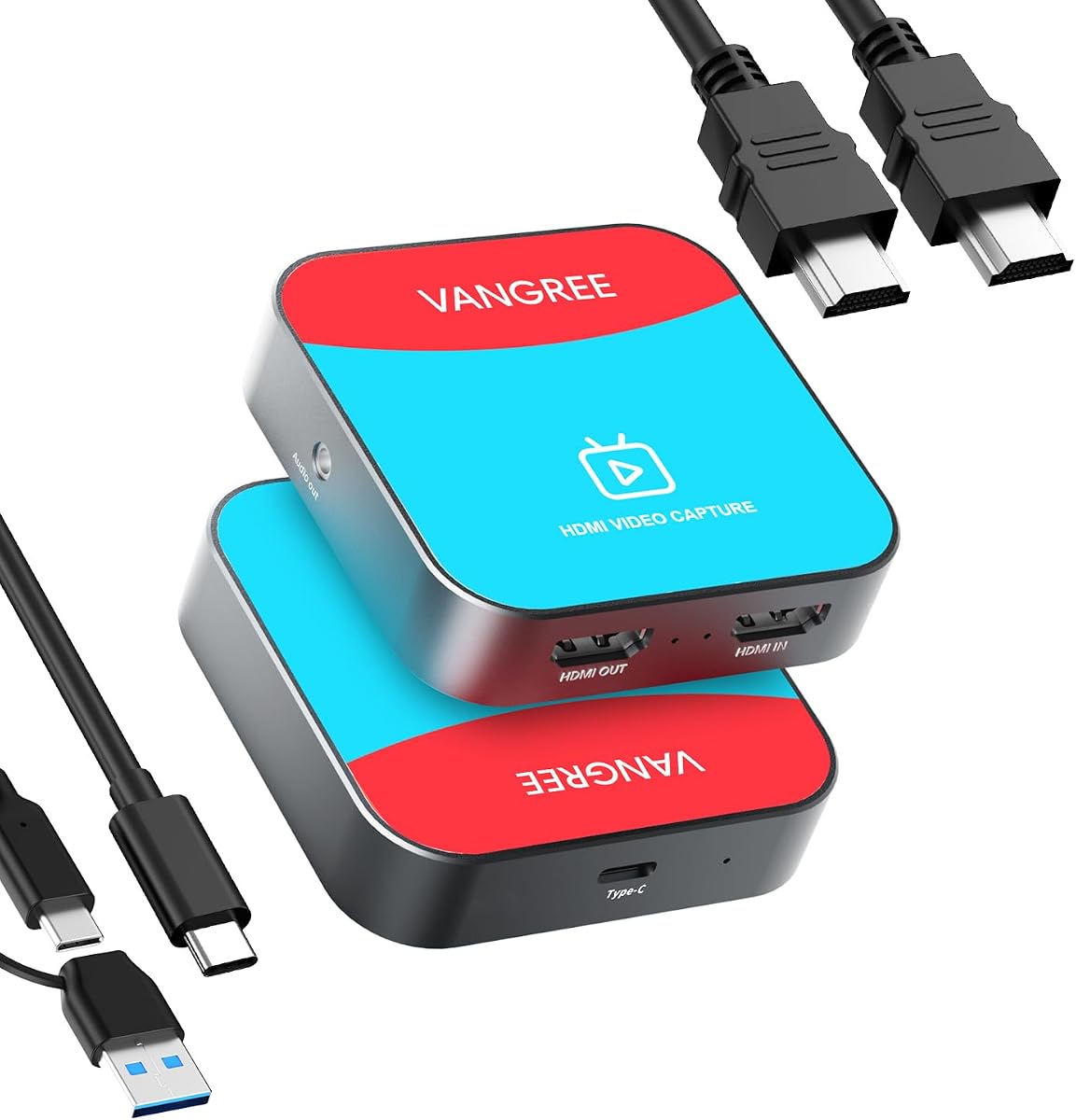
This USB 3.0 HDMI Video Capture Card is a direct traditional capture solution for a Nintendo Switch streaming setup. It has a 4.2 rating, supports 1080p60 recording, and passes through 4K30Hz HDMI video so the player can use a separate display. Its plug-and-play design works with Mac, Windows, and Linux computers.
We may earn a commission when you buy through this link, at no additional cost to you.
The accessory bundle helps simplify the core connection path. A USB 3.0 cable and USB 3.0 Type-A to USB-C adapter are included, along with the capture card and guide. A 3.5mm microphone input and headphone monitoring support commentary and real-time audio checks, while OBS and other compatible capture applications are explicitly supported.
The trade-off is that this is only a capture device, not a complete dock. It does not provide a high-wattage charging path or consolidate peripheral connections. An HDMI cable is not included, and users will need their own suitable display connection and any required charging arrangement. Those omissions make it less attractive for travel, but reasonable for a permanent desk.
This model is a sensible pick for a creator who wants a recognizable HDMI-to-USB workflow and plans to use the Switch with an existing dock or display arrangement. Its broad console, camera, and computer compatibility also makes it useful for a multi-device workspace. Choose it when straightforward capture, monitoring, and cross-platform operation matter more than compact all-in-one docking.
Headphone monitoring helps creators hear game audio and commentary during a session. The separate microphone input also makes it possible to add a voice track through the capture station.
Windows, macOS, and Linux support makes the device less dependent on one operating system. OBS is named directly, while the card is also described as working with other compatible capture software.
We may earn a commission when you buy through this link, at no additional cost to you.
The 4K HDMI USB 3.0 Capture Device offers a simple introduction to console streaming and holds a 4.4 rating. Its core specification is familiar and effective: 1080p60 capture over USB 3.0 with HDMI passthrough. It is designed for plug-and-play use without driver installation, making it approachable for creators building a first capture station.
We may earn a commission when you buy through this link, at no additional cost to you.
The product description emphasizes broad compatibility with Nintendo Switch, PS5, Xbox Series X, cameras, and PCs. OBS Studio, Streamlabs, and XSplit are listed as compatible platforms, so the usual creator tools should have a familiar path for recognizing the USB source. The compact enclosure is also useful for creators who move between home, events, and LAN parties.
Compared with more specialized models in the list, the feature description says less about integrated audio, display scaling, and high-refresh passthrough. That does not make it unsuitable, but it is important to recognize that the headline focus is a clean 1080p60 capture path rather than a comprehensive docked console ecosystem. A separate HDMI cable and suitable source arrangement may also be needed.
This card works well for users who want the familiar path of plugging an HDMI source into a capture card and selecting it in streaming software. It is a good fit for simple recording, classroom demonstrations, or a first Nintendo Switch broadcast. Creators wanting a polished all-in-one station with charging, multiple modes, and direct commentary connections should look to one of the more integrated options.
The device is described as working with OBS Studio, Streamlabs, and XSplit without requiring drivers. That keeps the first setup centered on familiar streaming tools.
A lightweight USB 3.0 capture unit is easy to carry between a home station and an event. Its compatibility with several HDMI sources also makes it useful beyond one console.
We may earn a commission when you buy through this link, at no additional cost to you.
The Monster Video Capture Card is built for streamers who want game video and commentary routed through one compact unit. Its 4.2 rating is supported by 4K30Hz passthrough, 1080p60 recording, and separate 3.5mm microphone and headphone connections. Those audio ports are especially useful for a Nintendo Switch streaming setup where live commentary is part of the presentation.
We may earn a commission when you buy through this link, at no additional cost to you.
The basic connection path is easy to understand: the console connects through HDMI input, and the card sends the capture signal over USB 3.0 to the computer. The product is explicitly listed as compatible with Nintendo Switch, Switch 2, PS5, Xbox, and PC, making it a useful choice for a creator who rotates between platforms rather than building a console-exclusive station.
Its limitations are mostly about integration. There is no charging function, display-output hub, or collection of USB peripheral ports, so the surrounding setup will need more separate equipment. The stated design also does not describe the same level of color-format detail as the Acer and other YUY2-focused models. That makes it a more straightforward capture choice rather than a complete workstation.
The Monster card is a strong recommendation for a creator who values real-time game audio monitoring and direct microphone access. It is especially suitable for commentary-led channels and live broadcasts where hearing the mix is important. For a compact travel rig that must also charge a handheld and connect controllers, the C8 hybrid dock may be a more complete answer.
Separate microphone and headphone sockets make it easier to add a voice track and check the resulting mix. This reduces the need for additional desktop audio hardware.
Switch, Switch 2, PS5, Xbox, and PC support gives the card flexibility across a mixed gaming library. The conventional HDMI input keeps console connections intuitive.
We may earn a commission when you buy through this link, at no additional cost to you.
The Rybozen HDMI Capture Card has a 4.3 rating and focuses on making source detection as automatic as possible. It identifies itself as a webcam after connection, detects input, and adjusts output according to the source and settings. That behavior can reduce the initial configuration work involved in establishing a Nintendo Switch streaming setup.
We may earn a commission when you buy through this link, at no additional cost to you.
Input support extends to 4K30/60Hz and 1080p120/144Hz, with output reaching up to 2K30Hz. The distinction matters for buyers: this is not a device whose USB capture path is specified at 1080p60. The HDMI loop-out still allows a console image to remain visible without the stated playback delay, while USB 3.0 provides the link to a Windows or Mac computer.
Platform support includes OBS, PotPlayer, VLC, and major social streaming services, and the source list spans current and older consoles, cameras, security cameras, and set-top boxes. A 3.5mm TRS microphone headset input supports commentary. The device requires no driver or external power supply, which simplifies placement near the console.
This model is most compelling for a creator who values automatic recognition and broad legacy-device support over the very highest USB capture rate. It can handle current Switch, Switch 2, PS5, and Xbox hardware, but creators prioritizing high-frame-rate 1080p capture should examine the output details carefully. It is a flexible, mature-style capture option for mixed source libraries.
Automatic input detection and output adjustment can make the device easier to introduce to users unfamiliar with capture hardware. It behaves like a webcam within compatible software.
The source compatibility includes current consoles as well as older systems, cameras, and set-top boxes. That breadth suits workshops, events, and mixed equipment collections.
We may earn a commission when you buy through this link, at no additional cost to you.
The YUY2 HDMI Capture Card is a strong choice for image-conscious creators, combining a 4.3 rating with 1080p60 YUY2 capture. Its stated 4K30Hz passthrough and zero-latency HDMI output are designed to keep the local viewing experience responsive while the computer receives a high-quality capture feed.
We may earn a commission when you buy through this link, at no additional cost to you.
The real USB 3.0 protocol chipset and YUY2 format distinguish it from devices that rely on compressed output. YUY2 captures full color detail without the same compression artifacts associated with formats such as MJPEG. A 3.5mm headset or microphone input allows commentary to be added directly, and automatic input detection removes much of the manual setup after connection.
The listed device coverage is extensive: Wii U, PS3, PS4, PS5, Xbox One, Xbox 360, Wii, Switch, DVDs, DSLR cameras, security cameras, and set-top boxes. The software list includes OBS, Twitch, YouTube, Facebook Live, Skype, XSplit, TikTok, PotPlayer, and VLC. It also names Windows, Unix, macOS, Windows versions, and Android, giving the card broad appeal for different production environments.
This capture card is well suited to a creator who wants full-color 1080p60 recording and a responsive display loop. It does not solve charging or peripheral management, so it fits best in a station that already has those elements. For traditional Nintendo Switch streaming with a fixed dock, this model delivers a focused and technically capable capture link.
YUY2 output preserves chroma and luminance information without MJPEG-style compression. That can provide cleaner edges, gradients, and color transitions in recorded footage.
The stated 4K30Hz zero-latency passthrough lets the player view the console feed on a local display while recording continues on the computer.
We may earn a commission when you buy through this link, at no additional cost to you.
The USB-C 3.0 Capture Card emphasizes high-fidelity, low-latency capture and carries a 4.2 rating. It supports 4K30Hz HDMI input and passthrough while streaming through its USB-C 3.0 connection at up to 1080p60. Hardware-accelerated scaling helps it present a practical capture format even when the incoming display signal is higher resolution.
We may earn a commission when you buy through this link, at no additional cost to you.
Its YUY2 4:4:4 output is uncompressed and preserves full color detail, luma, and chroma separation. The product description emphasizes the absence of compression artifacts, making this an attractive option for a creator who wants clean source files. Near-zero passthrough latency also helps maintain synchronization between the local display and the captured game.
The device is described as driver-free and compatible with Windows, macOS, Linux, and Android. OBS Studio, XSplit, and PotPlayer are listed, along with Nintendo Switch, Switch 2, PS5, Xbox Series X/S, and PC. Phone and tablet users are directed toward compatible camera applications such as CamX or MoniCon rather than assuming standard mobile operating-system support.
The main limitation is that it is a capture card rather than a dock, and the 3.5mm audio-port detail is not emphasized in the supplied description. It is best for creators who already have a charging and display arrangement and want a portable, high-quality capture link. Under those conditions, its uncompressed 1080p60 output and low-latency passthrough provide compelling technical value.
YUY2 4:4:4 video retains full color information rather than reducing chroma resolution. It is a useful distinction for titles with bright effects, detailed scenery, or sharp interface elements.
The passthrough path is engineered for very low delay, which helps local play remain responsive. This is particularly relevant when capture and display are handled on separate devices.
We may earn a commission when you buy through this link, at no additional cost to you.
This C8 2-in-1 Dock & Capture Card shares the same broad design as the other C8 listing and offers a 4.2 rating. It merges a portable USB-C dock with 1080p60 capture, a 4K30Hz HDMI output, a 100W power-delivery input, and a USB 3.0 hub. Its biggest appeal is creating a complete portable station for supported handhelds.
We may earn a commission when you buy through this link, at no additional cost to you.
Compatibility extends to Switch 2, Switch OLED, the original Switch, Steam Deck, iPad Pro, and other compatible USB-C devices. The labeled ports support a quick connection sequence involving USB-C video output, an HDMI display, USB 3.0 capture, and power. OBS, Streamlabs, YouTube, TikTok, Twitch, and other recording tools are listed among compatible software.
The product's protections against overcharging, overheating, overcurrent, and short circuits add reassurance for repeated use. Its aluminum shell is also designed to dissipate heat, while three modes make it possible to alternate among display, capture, and simultaneous operation. A full-featured USB-C cable, USB 3.0 cable, and USB-to-C adapter are included.
It remains constrained to USB-C video sources and cannot serve as a general HDMI capture card. An HDMI cable and power adapter are not included, and the full-featured USB-C cable requirement is worth noting. This is a good option for a portable Switch, Steam Deck, or tablet setup, but a dedicated HDMI capture card is the safer choice for a mixed source list.
Display output, capture, charging, and peripheral connections are consolidated around a compact unit. This can simplify a small desk, dorm room, or travel bag.
The package includes the principal data cables and an adapter. Built-in charging safeguards also support longer sessions, although a power adapter remains a separate purchase.
We may earn a commission when you buy through this link, at no additional cost to you.
The right setup depends on your console generation, display arrangement, recording software, and need for portability. Resolution, passthrough, audio, charging, and source compatibility should be considered together rather than separately.
Choose a console-specific solution only after verifying the physical port and signal path. The right match gives you a dependable source without adapters or unsupported assumptions.
Prioritize 1080p60 for a smooth modern game stream unless your workflow specifically requires another format. Do not confuse display passthrough with the recording resolution.
Give priority to a responsive local display, especially in competitive or fast-paced games. Verify that the device provides passthrough rather than replacing it with a mirrored computer display.
Choose a direct microphone connection for straightforward commentary. Add separate monitoring hardware when your preferred headset or mixer does not use a compatible 3.5mm jack.
Choose a hybrid device when portability and fewer boxes matter. Choose a dedicated HDMI card when source flexibility and a permanent workstation are the priority.
Use a USB 3.0 connection rather than an unverified slower port. Check both the computer interface and streaming application before recording an important session.
Add a dedicated charging path unless the capture device provides one. Keeping power separate from video data can reduce strain on the console connection.
List the cables and accessories already on hand before choosing a model. A portable package can still be inconvenient if it leaves essential connections at home.
Begin by identifying the correct video source. For an HDMI capture card, connect the Switch's dock output to the card's HDMI input, connect the card to the computer with the specified USB 3.0 cable, and route the card's HDMI output to the game display. For a USB-C capture or hybrid device, use the console port explicitly recommended by the manufacturer and ensure the cable supports video data. A full-featured cable matters because a charging-only USB-C cable cannot carry the image.
Power the console through its normal dock or supported USB-C power-delivery arrangement, then open OBS Studio, Streamlabs, XSplit, vMix, PotPlayer, VLC, or another compatible application. Select the capture card as the video source, confirm that the image appears, and set the software to the desired 1080p60 format when the device supports it. Connect a compatible 3.5mm headset or microphone if direct commentary is required, and adjust the system's separate audio input so the creator can hear the final mix without accidentally creating a feedback loop.
Test the entire path before going live. Run a short recording, check for delayed or dropped frames, confirm that game audio and commentary are synchronized, and make sure the local display remains responsive. After the session, disconnect the console before removing cables, keep the capture unit away from dust and liquids, and avoid sharply bending connector cables. Periodically inspect the connections and update the streaming software when a stable release is available.
It depends on how you want to stream. A capture card sends a clean video source from the Switch dock to a computer running your streaming software, and it can also provide a local passthrough display. Nintendo's built-in broadcasting features may suit occasional or simple broadcasts, while a capture card offers more control over recording, commentary, and production software.
Whichever route you choose, confirm the required hardware and account features before your first broadcast.
Yes, when the console's dock provides a compatible HDMI output and the capture card supports the resulting signal. Several products in this guide explicitly list Switch 2 compatibility. Some hybrid USB-C models also support direct console capture, but their instructions may require a particular port.
For USB-C capture, use a full-featured data cable rather than a charge-only cable. Check both the console port and the device's compatibility notes.
Most capture cards in this guide send 1080p60 to the computer, which is a practical target for smooth game capture. Some accept 4K30Hz or higher input, but that describes the signal the device can receive rather than the resolution it records.
Set your streaming application to match the card's actual USB output. Also check the game's native resolution and the frame rate your upload connection can sustain.
No. Passthrough carries the console image to your local television or monitor, while capture is the separate feed sent to the computer for recording or broadcasting. Many cards support 4K30Hz passthrough while capturing at 1080p60 over USB.
This separation is useful because it lets you view a high-resolution console image locally without requiring the streaming computer to process a 4K source.
Not necessarily. The JSAUX and C8 products combine docking or charging features with capture, reducing the number of boxes and cables. A dedicated HDMI capture card may be more flexible if you already own a suitable dock or use several different HDMI sources.
Integrated devices are particularly useful for travel and compact desks, but their source compatibility is usually narrower. Read the port and device requirements before treating them as universal replacements.
Begin with the physical connection, then check the software source. The console must be sending video through the dock or the specific USB-C port named in the product instructions, and the computer should be connected to the capture card with a working USB 3.0 cable or included adapter.
Confirm that the correct video device is selected in OBS, the input format matches the device output, and no other application has exclusive use of the capture source. Trying the latest compatible OBS release may also help, although drivers are not required for most of the cards listed.
If the capture card has a 3.5mm microphone input, connect a compatible headset or microphone there, then select the appropriate audio source in your streaming software. Several options in this guide include such a port, including the Acer, Monster, YUY2 HDMI, and Rybozen cards.
If you use a USB microphone, connect it directly to the computer and configure it separately. Monitor the mix with headphones to avoid echo and ensure that game audio and voice remain balanced.
Some models in this guide are designed to support Steam Deck, ROG Ally, tablets, and other USB-C devices in addition to Nintendo systems. The JSAUX product supports compatible USB-C sources, while the C8 options list several handhelds and tablets.
Compatibility depends on the device's video-output capability, the selected port, and the requirement for a full-featured USB-C cable. Traditional HDMI capture cards can also work when a handheld sends its display through HDMI.
The JSAUX Video Capture Card is the strongest all-rounder because it combines 1080p60 capture, 4K60Hz passthrough, portable docking, and 100W charging. The Acer USB 3.0 HDMI Capture Card is the practical value choice for direct HDMI capture, YUY2 color, and integrated microphone input, while the C8 2-in-1 Dock Capture Card is the most complete portable station for supported USB-C handhelds.
Prioritize the source connection first, then choose based on whether your setup needs a separate dock. Creators with an existing station may prefer a dedicated HDMI card, while travelers and small-desk users benefit from a hybrid dock with charging and multiple operating modes. Confirm output resolution, software compatibility, included cables, and local display latency before making a final selection.
Ratings, product features, and compatibility can evolve as hardware and software are updated, and prices and availability change over time. Check the current product listing and manufacturer instructions before purchasing, then verify the complete connection path with a short test recording before beginning a full stream.