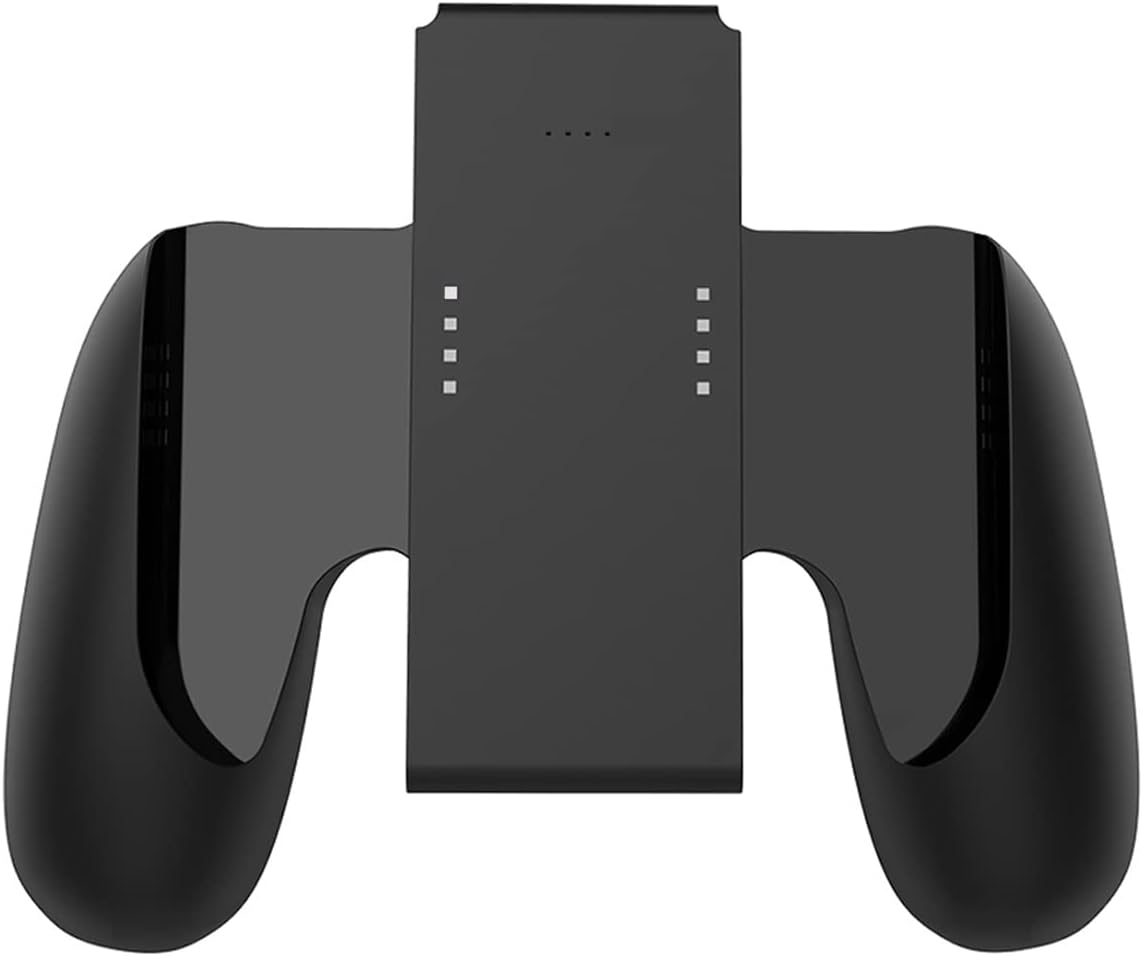
KINVOCA Charging Grip
4.7Editor score
Built-in 2000mAh battery
Charges grip and controllers
Overcharge protection
Compare the 10 best Joycon Charging Grip options for Nintendo Switch and OLED, including comfort, charging speed, portability, safety, and included accessories.
A Joycon Charging Grip combines the familiar split-controller layout of Nintendo Switch with a more substantial handheld feel and, in many models, the ability to recharge both Joy-Con controllers while you keep playing. The best model should fit your Switch or OLED system securely, charge reliably, feel comfortable, and include the cables and safeguards needed for regular use.
We compared all ten products by examining their stated compatibility, charging behavior, comfort features, portability, construction, power options, indicator systems, and package contents. The list includes basic wired grips, grips with charging stations, dual-controller bundles, and a battery-powered model designed for longer play away from an outlet.
Each review identifies the grip's strongest qualities and its practical limitations, helping you match the design to your gaming habits. Ratings and specifications reflect the supplied product information, while availability and pricing can change, so check the current listing and included accessories before ordering.
4.7Editor score

4.5Editor score

4.7Editor score
This side-by-side comparison highlights each grip's compatibility, power source, charging features, comfort design, portability, and package contents so you can quickly identify the model that best fits your Nintendo Switch routine.


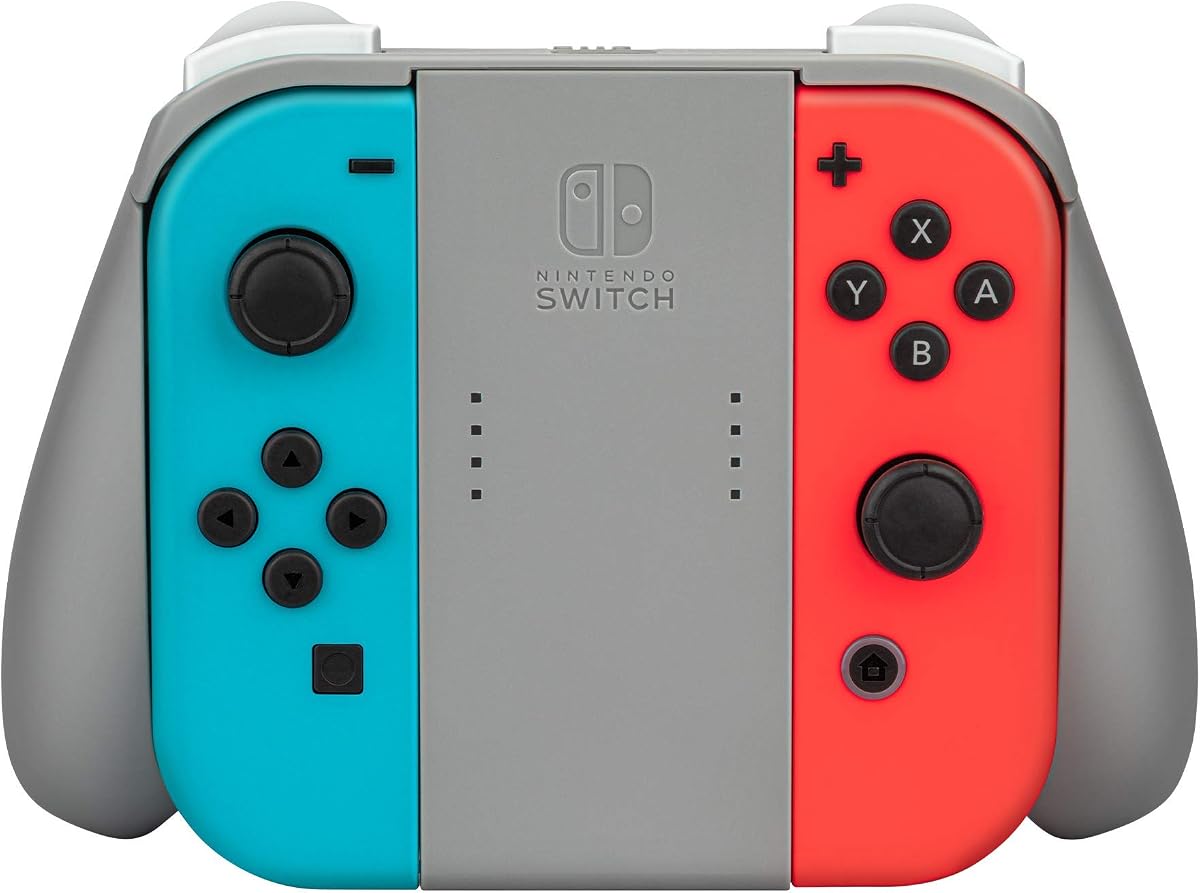
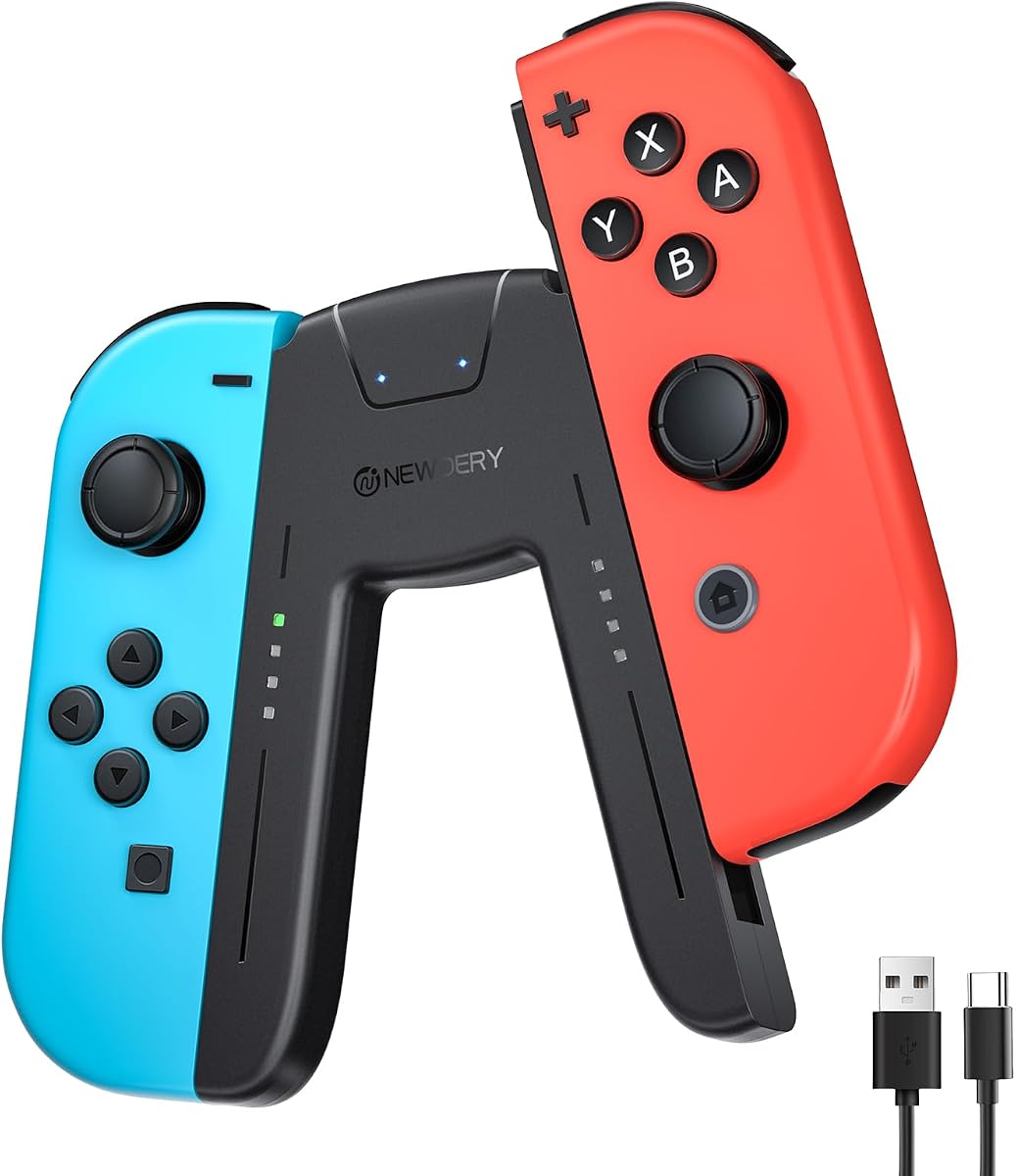
The JINGDU Switch JoyCon Charging Grip earns a 4.5 rating and stands out as a balanced, straightforward solution for Nintendo Switch and OLED owners. It combines a portable V-shaped controller arrangement with charging that can continue while a game is running. The design appears particularly well suited to players who want a fuller grip without giving up the split-controller experience.
We may earn a commission when you buy through this link, at no additional cost to you.
Its principal strengths are simple installation and dependable charging logic. Each Joy-Con slides onto a rail, after which a Type-C cable connects the grip to a power source. Red illumination indicates charging and green indicates a completed charge, giving users immediate visual feedback without navigating system menus. The intelligent control circuit, resettable fuse, and flame-retardant shell add a reassuring layer of electrical and material protection.
The grip is not entirely self-contained, and that is the main trade-off. Joy-Con controllers, protective cases, and a charging cable are not included, so buyers who need a complete first-time setup must account for those items separately. It also depends on a reachable outlet or power bank, making it less adaptable for gaming away from power than a grip with an internal battery.
Despite those limitations, this is an excellent general recommendation for Switch and OLED players. Its charging indicators, safety features, compact construction, and ability to play while charging cover the essentials without an elaborate design. Choose it when reliable wired charging and a comfortable, familiar layout are your main priorities.
The key advantage is the ability to keep playing while the Joy-Con controllers charge. That makes the grip useful during long sessions, provided you maintain the cable connection. The red-to-green indicator system also makes the charge state easy to recognize at a glance.
An intelligent control circuit, resettable fuse, and flame-retardant shell distinguish this model from a purely decorative grip. These features support consistent charging, although buyers should still use a suitable power source and follow the included guidance.
We may earn a commission when you buy through this link, at no additional cost to you.
This Joy-Con Charging Grip 1PCS has a 4.3 rating and focuses on the essentials: an ergonomic handle, dual-controller charging, and the ability to continue playing while connected to power. It is designed for both standard Switch and OLED systems, making it a practical option for gamers who want a more substantial grip than the stock controller arrangement.
We may earn a commission when you buy through this link, at no additional cost to you.
The included 6.6-foot USB-C cable gives the setup more reach than a very short lead, which can be helpful on a desk or table. LED indicators communicate charging status, while the shaped handle is intended to improve security and comfort. The package description also identifies the unit as a dual charger, allowing both Joy-Con controllers to charge together through the grip.
The product title is a little awkward and includes an unusual trailing pipe before the color, which makes it worth reading the listing carefully. It also offers fewer explicit electrical-protection details than the JINGDU model. Nevertheless, the core combination of a supplied cable, dual charging, and play-while-charging operation is appealing for buyers who want a simple setup.
This is a sensible pick for desktop and docked gaming, especially when having a long cable already included is a priority. It is less compelling for travel than a compact internal-battery design, but it provides a straightforward and portable way to turn two Joy-Cons into a fuller controller.
The included 6.6-foot cable offers more placement flexibility than a short attached lead. It can reach across a play area while the console is docked, reducing the need to remain close to the charging point.
Dual charging and clear LED status lights cover the basic needs of a charging grip. Players can check controller status without interrupting play, although more advanced battery or power diagnostics are not specified.
We may earn a commission when you buy through this link, at no additional cost to you.
The JINGDU Switch JoyCon Charging Grip 2PCS has a 4.5 rating and is built for players who want more than one portable charging setup. It includes two V-shaped grip units, each compatible with Nintendo Switch and OLED Joy-Con controllers. The package also provides a charging cable, making it a useful option for households, shared systems, or keeping a spare grip at another location.
We may earn a commission when you buy through this link, at no additional cost to you.
Each unit supports charging during gameplay and uses the same straightforward rail-based installation. Red and green lights show charging and completion. At only 30 grams, the grips are exceptionally light, yet the listed intelligent control circuit, resettable fuse, and flame-retardant shell give the design a reassuring safety focus despite its minimal weight.
The obvious question is whether two units justify the larger package. A single-player who regularly uses one docked setup may find one grip sufficient. On the other hand, two controllers may be used with separate systems or by different players, and having a spare can prevent charging from becoming a reason to stop playing.
For buyers who value portability, safety features, and the flexibility of two complete grips, this package stands out. It is especially convincing for shared Nintendo Switch setups or owners who alternate between the console and a traveling setup. A one-grip household can instead consider the closely related single JINGDU model.
The two-pack is the defining feature. It lets you keep a grip at a TV setup and another in a travel bag, or place one wherever each player usually uses the system.
At 30 grams per grip, the design minimizes the burden of carrying an extra accessory. The stated safety circuitry is particularly notable because a very light product can still be engineered with appropriate charging controls.
We may earn a commission when you buy through this link, at no additional cost to you.
The Joy Con Grip with Charging Station receives a 4.4 rating and distinguishes itself through a combination of charging, ergonomic handling, and an upright stand. It is compatible with Joy-Con controllers for both the standard Nintendo Switch and Switch OLED, giving the accessory broader relevance than a model limited to one console generation.
We may earn a commission when you buy through this link, at no additional cost to you.
Comfort is a major focus. A special abrasive material and anti-slip grooves are designed to improve grip security and reduce hand fatigue during extended play. Reflective player indicator lights make each controller's status easier to see. When gameplay ends, the grip can stand upright, providing a convenient way to display or store the Joy-Cons near the console.
Charging takes place through a Type-C port, but the package description does not clearly list a cable. The listed contents also contain a typographical error in the charging-station wording, so buyers should verify the actual box contents. Those ambiguities are worth considering before purchase, especially if you do not already own a suitable Type-C cable.
This model is a good fit for players who want a grip that can remain on a desk between sessions. The stand function adds practical value beyond charging, and the anti-slip design may be especially attractive for action games. It is not the strongest choice for cable-free travel, but it is a versatile option for a stationary setup.
The ability to stand upright is the feature that sets this product apart. Instead of leaving loose Joy-Cons on a surface, players can keep them docked in the grip and ready for the next session.
The abrasive, anti-slip surface prioritizes a secure hold during active play. Reflective player indicators add a practical visual cue, making the grip more useful than a plain plastic controller holder.
We may earn a commission when you buy through this link, at no additional cost to you.
The DLseego Joycon Speed Charging Grip has a 4.7 rating and offers a lively alternative to the many all-black accessories on the market. Designed for Nintendo Switch 2017 and OLED Joy-Con controllers, it joins a V-shaped handle, controller charging, and an assertive black, gold, and kingdom-themed appearance.
We may earn a commission when you buy through this link, at no additional cost to you.
The package includes a 1.5-meter charging cable, which is a meaningful convenience for a value-oriented purchase. Installation is direct: the Joy-Con controllers slide into the grip without complicated setup. Red illumination means charging and blue indicates that charging is complete. These distinct color signals make the status easy to identify while the controllers remain docked.
ABS construction is specified for durability, but the product information provides less detail about sophisticated overcharge or short-circuit protection than some competing grips. The theme may also be polarizing. While the gold border and symbol decoration gives the accessory a distinctive identity, buyers who prefer understated black hardware may prefer a simpler design.
For Switch players seeking a capable, portable, and well-rated charging grip with a cable included, this is an excellent budget-oriented recommendation. It covers the important functions, offers a high rating, and adds personality. The primary reason to choose it over a plainer model is its eye-catching kingdom motif and clearly differentiated indicator colors.
The gold trim and symbolic graphics make this grip look more like a personal gaming accessory than a generic charging case. It suits players who enjoy themed hardware and want the Switch setup to look less uniform.
Red and blue indicators provide an easy-to-read change in status. The included cable also means the primary charging connection is ready to use without sourcing a separate lead.
We may earn a commission when you buy through this link, at no additional cost to you.
The PowerA Joy Con Comfort Grips carry a 4.7 rating and are an important alternative within this list: they improve handling but do not include charging. If your priority is a more comfortable, secure way to hold Nintendo Switch Joy-Con controllers, the grip design may be enough. If you need the controllers to recharge while playing, choose a charging model instead.
We may earn a commission when you buy through this link, at no additional cost to you.
Double-injected rubber provides a softer contact surface and added grip. The easy slide-in design secures each Joy-Con without complex installation, while visible player indicators keep the standard status lights in view. Lightweight, ergonomic construction makes the accessory easy to carry and suitable for play anywhere.
The central limitation is functional rather than a flaw in build quality. Without a battery, charging circuit, or power connection, it cannot extend controller life or replace the charging dock. Players who regularly finish a long session with depleted Joy-Cons may need a separate charging solution regardless of how comfortable this grip feels.
This is the right recommendation for someone who already has a satisfactory charging arrangement and simply wants improved hand feel. The 4.7 rating supports its reputation as a well-regarded comfort accessory. It is also a useful reminder that a good Joycon Charging Grip should be selected according to whether charging is essential, not just appearance.
The double-injected rubber and ergonomic shape are the main selling points. With no battery or charging electronics, the grip remains focused on a stable, comfortable hold and straightforward portability.
If you already own a Joy-Con charging dock or regularly recharge through the console, this accessory can improve comfort without adding another powered product. It is best treated as a comfort upgrade rather than an all-in-one charging solution.
We may earn a commission when you buy through this link, at no additional cost to you.
The KINVOCA Charging Grip has a 4.7 rating and is the most feature-rich premium option in the guide. Its 2000mAh internal battery allows the Joy-Con controllers to charge without a cable attached, extending controller life by up to 40 hours according to the product information. That makes it particularly useful for travel, long television sessions, and locations where an outlet is inconvenient.
We may earn a commission when you buy through this link, at no additional cost to you.
The grip combines the separated Joy-Con layout with larger palm handles, creating a shape that feels closer to a traditional full-size controller. Plastic rails allow the controllers to slide in and out while holding them securely without the protruding screws found in the stock arrangement. A 32-inch USB-C cable connects to the front when both the controllers and the grip need to recharge, and power and controller charge indicators show their status.
Safety is comprehensive for this category. Listed protections cover overcharging, voltage, overload, short circuits, and temperature, while charging reportedly stops after roughly 30 seconds once the controllers are full. These safeguards help support unattended charging, although the grip itself takes approximately four hours to recharge fully.
This is the best choice for a player who wants freedom from a wall outlet and values a conventional controller shape. It is larger and more complex than a simple wired grip, but the integrated battery, extensive protection, secure rails, and comfortable proportions justify that added bulk for many users.
The 2000mAh internal battery is the defining advantage. Once charged, the grip can replenish the Joy-Cons while they are away from a cable, which is particularly helpful during travel or extended play away from the console dock.
Connecting the included USB-C cable allows the grip and both controllers to charge at the same time. This removes the awkward situation in which the controller batteries are low and the grip's own reserve is also depleted.
Overcharge, overvoltage, overload, short-circuit, and temperature protections make the internal battery design more reassuring. The stated automatic cutoff also allows controllers to remain in the grip after they finish charging.
We may earn a commission when you buy through this link, at no additional cost to you.
The PDP Full Size Plus Grip has a 4.4 rating and stands out as the officially licensed choice in the lineup. It transforms the two Joy-Con controllers into a full-size ergonomic gamepad while adding a charger, making it especially attractive for players who prefer the proportions and hand feel of a conventional controller.
We may earn a commission when you buy through this link, at no additional cost to you.
Enhanced trigger extensions are designed to provide quicker access and reaction during play. Individual charging indicators show the battery status of each Joy-Con, so players can identify which side needs attention. The included five-foot Type-C cable supports continued gaming while the controllers charge, adding enough length for many tabletop arrangements.
Compared with the KINVOCA model, this grip does not advertise an internal battery or a specific capacity. It therefore needs a power connection and is less flexible for gaming far from an outlet. However, its official Nintendo licensing and recognizable full-size design may carry more appeal for purists than an unbranded or highly decorative alternative.
The PDP grip is a strong all-around recommendation for players who value licensed accessories, full-size ergonomics, and trigger extensions. It combines the core charging functions with a polished, familiar controller format, making it easier to move away from the small stock Joy-Con arrangement without leaving the system's ecosystem.
The larger body and full-size arrangement can feel more natural to players accustomed to conventional gamepads. It preserves the separate left and right Joy-Con inputs while offering a more substantial palm grip.
Extended triggers add useful reach for action-oriented games, while separate controller indicators clarify charging status. These details make the grip more than a basic shell.
We may earn a commission when you buy through this link, at no additional cost to you.
The Overcharge Protection Charging Grip receives a 4.1 rating and offers a compact, straightforward approach to Joy-Con charging. Its defining features are charging while playing, an LED status display, overcharge protection, and a stand-style format. It is designed specifically for Switch Joy-Con controllers and provides a more structured home than leaving the controllers unattached.
We may earn a commission when you buy through this link, at no additional cost to you.
Size is a clear strength. The grip measures 5.6 by 2.9 inches and weighs only 2.3 ounces with packaging, making it easy to include in a small travel bag. The package includes a USB-to-Type-C charging cable and an instruction manual, covering the basic setup items. Black and white versions are available, providing simpler styling than heavily themed grips.
Its 4.1 rating is the lowest in this comparison, so it is not the strongest choice based on customer feedback alone. Detailed information about battery capacity, charging speed, and protection beyond overcharging is also limited. Those gaps make it harder to compare with the more comprehensively specified premium model.
Even so, this is a functional recommendation for a player who wants a compact wired charger, visible status lights, and basic overcharge protection. The included cable improves convenience, and the ability to play during charging addresses a common Joy-Con frustration. It is best considered a compact, no-frills option rather than a feature-heavy premium purchase.
The small dimensions and low listed weight help the grip fit into a travel setup. Its stand-style construction also gives the controllers a defined place when they are not being used.
Overcharge protection addresses one of the main electrical concerns associated with charging accessories. Including the cable and manual also reduces the number of separate items required for initial setup.
We may earn a commission when you buy through this link, at no additional cost to you.
The NEWDERY LIFE Charging Grip has a 4.5 rating and emphasizes ergonomic handling, portability, and case-friendly installation. It is compatible with Joy-Con controllers for both Nintendo Switch and Switch OLED systems, and its angled handle is designed to keep the wrist in a more natural position during longer sessions.
We may earn a commission when you buy through this link, at no additional cost to you.
Slide-in precision rails provide a smooth installation process and hold the controllers securely during active play. A notable feature is compatibility with Joy-Con protective cases, allowing users to retain their cases rather than repeatedly removing them. The grip is lightweight and pocket-sized, making it well suited to travel and easy to pair with a portable power bank.
Charging can continue during gameplay, and the built-in intelligent protection system is described as guarding against over-current, over-voltage, and overcharging. A 4.9-foot, or 1.5-meter, cable and user manual are included. As with most compact wired grips, it cannot supply power independently and therefore needs access to a cable, adapter, or compatible power bank.
This is a particularly good recommendation for players who regularly carry their Switch away from home or use protective cases. Its angled geometry and case-friendly design address two issues that generic V-shaped grips may not. It is less feature-heavy than the internal-battery KINVOCA model, but it remains a focused and portable wired solution.
The angled handle is intended to reduce wrist strain by avoiding a flat, extended hand position. That focus makes it attractive for long sessions and for players who find smaller Joy-Cons tiring to use individually.
The pocket-sized body makes the grip easy to carry, while compatibility with protective cases avoids one of the most common inconveniences of swapping between accessories. The included cable supports a straightforward wired setup.
We may earn a commission when you buy through this link, at no additional cost to you.
Choosing a Joycon Charging Grip requires balancing charging capability, controller fit, comfort, portability, and power requirements. The most useful accessory is the one that complements how and where you play rather than simply adding the most features.
Start by checking whether the grip supports the Nintendo Switch, Switch OLED, or both. Joy-Con dimensions and rail behavior are broadly similar across these systems, but the manufacturer should explicitly state compatibility rather than leaving you to assume it. Most entries in this guide specify support for both standard Switch and OLED Joy-Con controllers. Some product descriptions focus only on the controllers themselves, so confirm that the grip accepts the exact pair you own.
In short, choose a model that clearly names your console generation and includes the expected slide-in rails.
Most Joycon Charging Grip models require a USB-C connection to a wall adapter, console, or power bank. That arrangement is simple and dependable, but it keeps you tethered to a power source. If you often play on a television, sit near an outlet, or already carry a power bank, a wired model may be entirely sufficient and easier to manage.
In short, choose a wired grip for simplicity, or a battery-powered grip when outlet-free gaming is a priority.
An internal battery creates the most freedom because the Joy-Con controllers can charge without a cable attached. The KINVOCA option includes a 2000mAh battery and states that it can extend controller life by up to 40 hours after a four-hour recharge. It can also recharge the controllers and its own battery simultaneously when connected. These features are useful for travel but add size, charging time, and another component that eventually may degrade.
In short, an internal battery is ideal for portable sessions, while a basic wired grip is simpler for stationary gaming.
A charging grip should hold both Joy-Cons firmly without creating a loose or wobbling fit. Look for secure slide-in rails, anti-slip textures, and handles that support the palms. The angle matters as well: an angled design may reduce wrist strain, while a full-size shape can feel more familiar to players accustomed to traditional gamepads. Avoid choosing solely on appearance, because an uncomfortable grip can make long sessions less enjoyable.
In short, prioritize secure rails, a comfortable palm position, and a shape that suits your grip preferences.
LED indicators make it easier to tell whether a controller is actively charging or has reached full capacity. Some models use red and green, others red and blue, while the KINVOCA includes separate power and charge indicators. A clear visual system is helpful when the grip is used as a stand because you can confirm status without removing the controllers. A more advanced system is not essential, but some indication of charging state is worth having.
In short, look for distinct charging and completion lights that you can interpret at a glance.
Charging electronics should include protection against common electrical risks. The strongest specifications in this guide mention intelligent control circuits, resettable fuses, overcharge protection, overvoltage protection, overload protection, short-circuit protection, and temperature monitoring. A product with fewer published details is not necessarily unsafe, but you should research its protections and use a suitable power source. Flame-retardant shell materials and automatic cutoff are additional points to consider for unattended charging.
In short, favor grips with clearly stated overcharge and circuit protections, especially if you charge overnight.
Package contents can materially affect convenience. A grip with a Type-C cable is ready to connect, while models without one may require an additional purchase. The Joy-Con controllers themselves are almost never included, and protective cases may also be excluded. Some bundles include two grip units, which is valuable for shared systems or multiple locations. The best product for you is the one whose included components match your existing setup without creating unnecessary extras.
In short, verify whether a cable is included, how many grips you receive, and whether you must supply controllers or cases.
Portable grips should be easy to fit into a console case or travel bag. Lightweight construction, a compact footprint, and an included cable make transport more convenient. If you prefer a docked television setup, an upright stand can keep the controllers organized and ready for use. Some products combine both goals, with a small stand that remains stable between sessions. Consider where you play most often and choose the design that is most convenient in that environment.
In short, favor a lightweight shape for travel or a stable upright design for a permanent gaming station.
Before installation, confirm that the grip is compatible with your Joy-Con controllers and inspect the rails for debris. Place the grip on a stable, dry surface, then slide each controller into its designated position until it seats securely. Avoid forcing a controller that does not move easily, and check that its rail sits flush within the grip.
For a wired model, connect the supplied or appropriate Type-C cable to a compatible power source, then switch on the grip if it has a power control. For the KINVOCA model, charge its internal battery before use and press the battery switch when you want controller charging without a cable. Use the stated indicator colors or lights to confirm charging and completion, and remove the controllers when they are fully charged unless overnight charging is appropriate for that model.
To care for the grip, unplug it before cleaning and use a soft, dry or slightly damp cloth on the exterior. Do not immerse the accessory, pour liquid into the openings, or use harsh cleaners on the shell and indicator lights. Keep the charging contacts and rails free of dust, store the grip in a dry place, and periodically check the cable and connectors for damage.
Most charging grips in this guide support play while charging, including the JINGDU, DLseego, KINVOCA, PDP, Overcharge Protection, and NEWDERY LIFE models. A cable must remain connected unless you choose the KINVOCA grip with its built-in battery. Charging performance and indicator behavior vary, so follow the instructions supplied with your selected model.
Most of the listed products explicitly support both the standard Nintendo Switch and Switch OLED Joy-Con controllers. The PowerA comfort grip is a non-charging accessory but also accepts the relevant controllers. Always confirm compatibility in the current listing because product packages and manufacturer details can change over time.
No. The products in this guide are accessories rather than console bundles, and the supplied descriptions specifically note that controllers and protective cases are not included in the JINGDU packages. Check each listing's package contents to determine whether a cable, manual, or multiple grip units are included.
A wired grip draws power continuously from a connected adapter, console, or power bank, making it simple and suitable for a stationary setup. A battery-powered grip can charge the controllers away from an outlet but needs its own battery recharged in advance. The KINVOCA model is the battery-powered exception in this comparison and also includes a 32-inch USB-C cable.
Safety depends on the product and its protections. The KINVOCA grip specifically states that charging stops after about 30 seconds when the controllers are full and lists overcharge, voltage, overload, short-circuit, and temperature protection. It also notes that you can leave controllers in the grip overnight. For any model, use a suitable power source and follow the manufacturer's instructions.
A properly designed grip should not damage the controller rails during normal use. The JINGDU, KINVOCA, and NEWDERY LIFE products use slide-in rails, while the KINVOCA description specifically notes that it avoids protruding screws that could scratch a controller. Keep the rails clean, do not force controllers, and remove them rather than dragging them sideways if resistance is felt.
It depends on the grip. The NEWDERY LIFE model is explicitly designed to work with Joy-Con protective cases, allowing the controllers to remain covered. Other grips may fit standard controllers but not accommodate thicker cases. Check the model's dimensions and compatibility statement before sliding in controllers that already have cases installed.
The KINVOCA grip offers the greatest untethered flexibility because its 2000mAh internal battery can charge both controllers without a connected cable. The JINGDU, DLseego, and NEWDERY LIFE options are also compact and portable, but they need a power bank or outlet for charging. Your travel duration and access to power will determine which approach is most convenient.
The JINGDU Switch JoyCon Charging Grip is the best overall choice for its clear balance of compatibility, play-while-charging operation, status lights, safety features, and portability. The DLseego model is a strong budget pick with a 4.7 rating, included cable, and distinctive design, while the KINVOCA 2000mAh model is the premium option for players who want to charge away from an outlet.
Prioritize the features that affect your actual routine. Choose a wired grip for a straightforward desk setup, select the battery-powered KINVOCA for travel, and look for compact or case-compatible construction if portability matters. Comfort, secure rails, meaningful safety protections, and clear charging indicators are more valuable than decorative details or functions you will rarely use.
Before buying, verify the latest listing for current package contents, compatibility details, and availability because product configurations can change. Also check the current price and any active promotions at the time of purchase, and compare those details with the features that matter most to your Nintendo Switch or OLED gaming setup.