
Lexar 256GB JumpDrive D400 Dual Flash Drive
4.6Editor score
USB-C and USB-A connectors
USB 3.2 Gen 1 performance
Swivel metal housing design
Our Lexar USB Flash Drive guide compares ten models for speed, capacity, connector design, security, portability, compatibility, and transfer needs.
Lexar USB flash drives remain useful for moving documents, photos, videos, and other files without relying on cloud storage or a network connection. A good drive should balance usable capacity, transfer speed, connector compatibility, portability, and protection for the data you carry.
This guide compares ten Lexar models using the supplied specifications, customer ratings, connector layouts, security features, warranty coverage, and intended uses. It covers traditional Type-A drives, USB-C and dual-interface designs, compact multipacks, and models with dedicated photo-backup functionality.
Each review explains the strongest reasons to choose a particular model, along with its limitations. The selections show how capacity, speed, physical design, and device support can change depending on how you transfer files. Availability and prices change, so check current listings before buying.
4.6Editor score

4.6Editor score

4.6Editor score
The table below compares the ten Lexar flash drives by capacity, interface, portability, security, and primary use, making it easier to identify the model that matches your devices and transfer habits.


The Lexar D50E is the strongest all-around model in this guide, combining a 256GB capacity, a cable-free dual-interface design, and headline transfer rates of up to 400MB/s read and 360MB/s write. Its 4.6 rating reflects a favorable balance of speed, versatility, portability, and useful extras, although real-world results depend on the host device and interface.
We may earn a commission when you buy through this link, at no additional cost to you.
Both USB-A and USB-C connectors are built into the housing, allowing the drive to move between traditional computers, modern laptops, and compatible mobile devices without a separate adapter. The metal enclosure helps protect both connectors, while the lack of a cable eliminates one of the easiest accessories to leave behind. The free Lexar app also adds a photo-backup function for iOS and Android users, making the drive more useful for transferring images from a phone.
The stated speeds are the main attraction, but they are not guaranteed in every environment. A USB 2.0 port, slower host controller, large collection of small files, or ongoing background activity can reduce real-world throughput. The comparison with USB 3.0 performance comes from internal testing, and actual results will vary. The app's photo backup is also not a complete iCloud backup replacement.
This is the model to choose when you want one drive for school, work, travel, and mixed-device use. The D50E makes fewer compromises than a standard Type-A model, while its 256GB capacity is ample for many document, photo, and video collections. For buyers who prioritize both connector convenience and strong stated performance, it is the most versatile recommendation here.
The fixed USB-A and USB-C ends make the D50E especially convenient for offices, classrooms, and travel kits. You can switch between connector types simply by turning the drive, without carrying an adapter or discovering that a cable was left at home.
With stated read and write speeds of up to 400MB/s and 360MB/s, the D50E is well suited to moving large videos, photo collections, and project folders. A modern USB 3.2 Gen 1 or newer host provides the best chance of achieving speeds near the listed figures.
We may earn a commission when you buy through this link, at no additional cost to you.
The Lexar JumpDrive D400 pairs a roomy 256GB capacity with both USB-C and USB-A connectors, making it an attractive premium option for users who regularly move between contemporary and traditional devices. It holds a 4.6 rating and offers USB 3.2 Gen 1 performance, Lexar DataShield security, and a metal swivel design.
We may earn a commission when you buy through this link, at no additional cost to you.
Its main advantage is a practical combination of storage and connector flexibility. You can use the Type-C end with compatible laptops, tablets, and Android devices, while the Type-A end serves traditional computers without an adapter. The swivel design protects the ends when the drive is carried and reduces the chance of losing separate caps, a common problem with conventional flash drives.
The D400 is not the fastest choice in this roundup. Its stated read speed reaches 130MB/s, which is more than enough for routine documents and photo transfers but trails the D50E's much higher performance figures. DataShield adds useful password-protected storage, yet it should be treated as an additional layer rather than a substitute for careful handling and backups.
Choose the D400 if your priorities are 256GB of storage, flexible connectors, durable construction, and polished everyday portability. It is particularly well suited to students, office workers, and anyone carrying a drive between USB-C and USB-A systems. Although it trails the D50E in maximum speed, its feature set is balanced and broadly useful.
The D400's two built-in connectors let it adapt quickly to different systems. That convenience is particularly valuable for shared computers, hybrid workspaces, and phones or tablets that rely on USB-C.
Lexar DataShield can create a password-protected safe with automatic encryption, giving private documents a layer of protection. Keeping a separate backup of important files remains necessary because encryption does not prevent physical loss.
We may earn a commission when you buy through this link, at no additional cost to you.
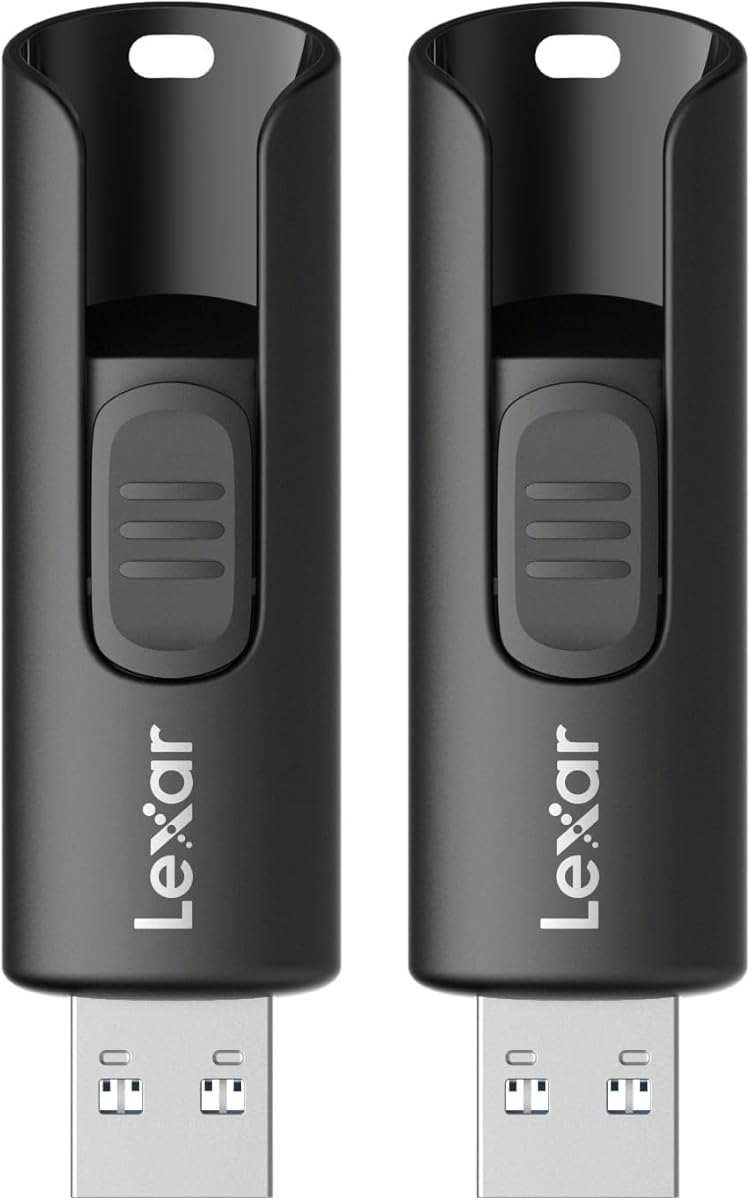
The Lexar A30E 2-Pack is a practical way to carry or distribute storage because it includes two 128GB Type-A drives. Both offer transfer speeds up to 100MB/s and Lexar DataShield, and the 4.6 rating indicates generally positive user reception for their portability, ease of use, and everyday performance.
We may earn a commission when you buy through this link, at no additional cost to you.
The push-button retractor keeps the USB-A connector covered while the drive is carried, eliminating loose caps. At just 7.41 grams, each drive is easy to place in a pocket, laptop sleeve, or small travel pouch. A lanyard loop adds another carrying option, while broad compatibility with laptops, Macs, tablets, and other Type-A devices makes the drives broadly useful.
The limitation is the single Type-A interface. Newer USB-C-only systems may require an adapter, so this pack is less convenient than the D50E or D400 for mixed-device users. The 100MB/s figure is also modest by current standards. This matters most when transferring large video files, though standard documents and photo collections remain practical workloads.
Buy the A30E when you want two independent 128GB drives, a low-profile Type-A design, and built-in protection for private files. It is a good choice for keeping one drive at home and another at work, sharing a drive with another person, or maintaining simple offline copies without relying on cloud storage.
Having two separate drives offers flexibility that a single high-capacity unit cannot match. You can divide work and personal files, rotate a drive between locations, or give one drive to a colleague or family member.
The retractable mechanism keeps the connector covered until you press the button to expose it. This makes the A30E a good fit for bags and pockets where a loose cap could easily be misplaced.
We may earn a commission when you buy through this link, at no additional cost to you.
The Lexar JumpDrive S80 combines 128GB of capacity with USB 3.2 Gen 1 performance and a stated read speed of up to 150MB/s. Its 4.5 rating supports its reputation as a capable general-purpose drive, while the three-year limited warranty is among the longer coverage periods in this selection.
We may earn a commission when you buy through this link, at no additional cost to you.
Its retractable design protects the connector without requiring a removable cap. The drive can transfer content considerably faster than a USB 2.0 model, and it remains backward compatible with USB 3.1, USB 3.0, and USB 2.0 devices. Advanced security software uses 256-bit AES encryption to help protect files on the drive.
The S80 lacks a native USB-C connector, so users with newer devices may need an adapter. Its maximum read speed of 150MB/s is helpful for photos and moderate collections of video but does not match the D50E's stated performance. It also offers no dedicated mobile photo-backup function, making it more conventional and less app-oriented.
This is a good choice for a PC or Mac user who wants more speed and security than a basic USB 2.0 stick without moving to a dual-interface design. The combination of capacity, 150MB/s performance, backward compatibility, and a three-year warranty makes it especially suitable for school, office, and general personal storage.
Backward compatibility means the S80 can still be used on USB 2.0 systems even though it offers much higher potential performance. Connecting it to a compatible USB 3.2 Gen 1 port unlocks its faster transfer capability.
The built-in 256-bit AES security option is useful for tax records, contracts, private photographs, and other sensitive information. Users should still retain a separate backup in case the drive is lost or physically damaged.
We may earn a commission when you buy through this link, at no additional cost to you.
The Lexar D40E two-pack includes two 128GB drives with USB-A and USB-C connectors, a retractable-free swivel design, and speeds up to 100MB/s. Its 4.3 rating is the lowest among the ten products here, but the pack still offers an appealing mix of connector compatibility, portability, and file security.
We may earn a commission when you buy through this link, at no additional cost to you.
The 360-degree swivel design exposes either connector as needed and protects both when the drive is closed. It works with USB-C smartphones, tablets, laptops, Macs, and traditional Type-A devices without software installation. The metal enclosure adds durability, while the specified 26g weight and compact dimensions keep each drive easy to carry.
The stated 100MB/s transfer rate is suitable for everyday files but not ideal for very large media collections. The product information also notes that actual performance varies with the host device, interface, and usage conditions. Its lower rating may reflect expectations around speed, though the core design remains straightforward and convenient.
Choose the D40E when you need two portable drives that can connect to both modern and legacy ports. The twin-pack format is helpful for sharing files, giving a drive to a student or colleague, or keeping separate copies. It is less compelling than single higher-capacity models when your priority is storing extensive media on one device.
Rotating the housing exposes the selected connector and rotates it back to cover both ends. This design is especially helpful in shared bags or busy work environments where small removable caps tend to disappear.
The enclosure is specified for operation from 0° to 50°C, or 32°F to 122°F. Its dimensions of 70.4 by 16.9 by 11.7mm offer a compact alternative to carrying a cable and separate Type-C adapter.
We may earn a commission when you buy through this link, at no additional cost to you.
The Lexar TwistTurn2 three-pack is designed for straightforward file distribution across multiple recipients. Each 32GB drive has a USB 2.0 interface, a twisting protective jacket, and plug-and-play operation. Its 4.6 rating indicates that users value the simple mechanism, clear organization, and dependable basic performance.
We may earn a commission when you buy through this link, at no additional cost to you.
Twisting the housing reveals the USB interface, while the hinged jacket rotates to help protect it during storage and transport. Because the cover is attached, there is no loose cap to lose. The drives work with most PC and Mac computers, and USB 2.0 remains backward compatible with USB 1.1 systems, giving them broad usefulness in older environments.
The main drawback is speed. USB 2.0 is substantially slower than the USB 3.2 Gen 1 models in this guide, particularly for large files. Each drive also offers only 32GB, so the three-drive total does not provide the same per-drive capacity as a single 128GB or 256GB option.
This pack is best for teachers, event organizers, supervisors, and families who need several inexpensive drives for forms, documents, presentations, or shared media. It is also a practical choice for older computers where speed is not important. For everyday transfers on newer equipment, choose a USB 3.2 Gen 1 model instead.
Three matching drives make it easy to prepare identical file sets for several people. Each recipient can keep one drive instead of transferring files over a network or carrying everything on a phone.
USB 2.0 and USB 1.1 backward compatibility makes the TwistTurn2 useful with older and mixed-device setups. The trade-off is lower throughput, so modest file sizes are the most practical workload.
We may earn a commission when you buy through this link, at no additional cost to you.
The Lexar JumpDrive S60 five-pack is built for distributing files to several people, with five 32GB USB 2.0 drives in an assorted set. Its 4.7 rating is the second-highest in this guide, reflecting strong user reception for the convenient sliding cover, simple operation, and useful quantity.
We may earn a commission when you buy through this link, at no additional cost to you.
Each drive's sliding cover protects the connector while eliminating the need for a separate cap. The design is straightforward, portable, and immediately usable with most PC and Mac systems. Five matching-purpose drives are especially useful for classrooms, workshops, meetings, volunteer groups, and other situations where each participant needs a dedicated copy.
USB 2.0 limits transfer speed, making the S60 less suitable for high-resolution video or very large project archives. Each drive's 32GB capacity also requires careful selection of files, although that can be useful when a consistent, limited file set is the goal. The two-year warranty provides reasonable coverage.
The S60 is an excellent bulk-distribution option when your priority is giving multiple people a simple drive rather than maximizing speed or capacity. It works best for documents, presentations, forms, playlists, and moderately sized photo sets. For a single user carrying a large media library, a faster higher-capacity model would be more effective.
The five-drive set reduces the need to buy and prepare individual sticks separately. It is a convenient choice for events and educational sessions where participants need equal, portable storage.
The integrated sliding cover is easy to operate and keeps the USB connector covered during transport. It offers a practical middle ground between a completely open drive and a model with a removable cap.
We may earn a commission when you buy through this link, at no additional cost to you.
The Lexar JumpDrive M400 combines a 128GB capacity with USB 3.2 Gen 1 performance and a stated read speed of up to 150MB/s. Its 4.4 rating places it toward the middle of the group, but the model offers a balanced set of features for users who want a fast, durable, secure Type-A drive.
We may earn a commission when you buy through this link, at no additional cost to you.
Backward compatibility allows the M400 to work with USB 3.1, USB 3.0, and USB 2.0 devices. Lexar DataShield provides password-protected storage for sensitive content. Its construction is described as stylish and durable, making it appropriate for daily carry, shared workstations, and routine transfers of documents, photographs, and presentations.
Unlike the D50E and D400, it does not provide a built-in USB-C connector. That means a USB-C-only computer may require an adapter, reducing convenience compared with the dual-interface alternatives. Its 150MB/s read rate is also lower than the D50E's stated 400MB/s, although it remains competitive within the broader list.
Buy the M400 if you want a conventional USB-A flash drive with more than basic speed and added file security. It is a sensible everyday choice for PC and Mac users who do not need phone connectivity or a multi-drive pack. Its 128GB capacity is sufficient for many active working collections without making the device cumbersome.
A read speed of up to 150MB/s is useful for moving sizable photo albums, presentation folders, and video clips between computers. Connecting the drive to a matching high-speed port helps users get the most from its USB 3.2 Gen 1 interface.
DataShield lets users keep sensitive material inside a protected, password-protected safe. The familiar Type-A form factor makes the drive easy to deploy across shared office and school computers.
We may earn a commission when you buy through this link, at no additional cost to you.
The Lexar E31 is the best budget-oriented single drive in this guide, combining 64GB of storage, USB 3.2 Gen 1, and transfer speeds up to 100MB/s. Its 4.6 rating shows that buyers generally appreciate the straightforward metal construction, plug-and-play behavior, and broad compatibility.
We may earn a commission when you buy through this link, at no additional cost to you.
The all-metal housing gives the E31 a durable feel without making it unnecessarily bulky. An integrated keyring loop helps prevent the drive from being left behind, while its Type-A connector works with numerous PCs, laptops, televisions, car audio systems, and other USB-enabled devices. No software installation is needed for ordinary file transfers.
The 64GB capacity is the clearest compromise. It is enough for documents and a focused selection of photos, but it can fill quickly with high-resolution video or extensive media archives. The Type-A interface also requires an adapter on USB-C-only systems. The stated 100MB/s speed is useful for routine transfers but modest for large media.
Choose the E31 when you need an inexpensive, dependable drive for everyday files and want a durable body with a keyring loop. It is particularly suitable for carrying presentations, school documents, travel files, or a small photo collection. Users who regularly move large media should consider a higher-capacity USB 3.2 model instead.
The metal body is designed for routine use and travel, while the integrated loop allows attachment to a keychain or lanyard. Attaching the drive to another item can make it easier to remember when leaving a computer or meeting.
The E31 can be used with any compatible USB-enabled device, including televisions and car audio systems. It is a more flexible choice than a specialized storage product limited to certain phones or computers.
We may earn a commission when you buy through this link, at no additional cost to you.
The black Lexar JumpDrive S60 three-pack records the highest customer rating in this roundup at 4.8. It combines three matching 32GB USB 2.0 drives with integrated sliding covers, plug-and-play operation, and broad PC and Mac compatibility, making it a compact storage solution for small groups.
We may earn a commission when you buy through this link, at no additional cost to you.
The sliding cover protects each connector without requiring a separate cap, reducing the chance of losing small parts. Users can save, transfer, and share photos, music, video, and documents with compatible systems. The package includes three drives, which is enough for a small class, meeting, family, or team without requiring a large distribution kit.
The USB 2.0 interface is the principal drawback. It remains backward compatible with USB 1.1 and useful on older devices, but it is much slower when moving large video files or extensive photo collections. Each drive is limited to 32GB, so buyers should select content carefully when preparing copies.
This S60 pack is best for modest, organized file sets and users who value simplicity, a high rating, and multiple matching drives over maximum speed. It is a sensible choice for event handouts, small teams, and older computers. For large archives, the S80, M400, A30E, or dual-interface models provide more useful headroom.
Three identical black drives create a simple, consistent way to hand out copies of the same material. The approach reduces confusion and can be useful for workshops, training sessions, and collaborative projects.
The drive is designed around straightforward plug-and-play use, so users can move files without installing software. Its performance is best suited to documents, presentations, playlists, and moderate photo collections.
We may earn a commission when you buy through this link, at no additional cost to you.
The right Lexar flash drive depends on the files you move, the ports available on your devices, the amount of storage you need, and how much protection or portability matters to you.
Capacity is often the first practical consideration. A 32GB drive is appropriate for documents, presentations, forms, and a moderate selection of media. A 64GB drive offers more breathing room for photographs and compressed video, while 128GB and 256GB models suit larger media collections and users who want to avoid frequently moving files between locations. Multipacks increase the total number of drives but do not necessarily increase the capacity available on each one.
Choose a capacity that leaves unused room for future files and remember that the usable space displayed by a computer may be lower than the marketed capacity. For short-term sharing, smaller drives are easier to distribute; for travel or offline media, 128GB or 256GB is generally more useful.
USB-A remains common on desktop computers and many laptops, while USB-C appears on modern laptops, tablets, and phones. Traditional Type-A Lexar drives are simple and compact, but USB-C-only equipment may require an adapter. Dual-interface models such as the D50E, D400, and D40E eliminate that extra accessory and make switching between old and new devices easier.
Check the port on every device you expect to use before buying. If you move between USB-A and USB-C systems regularly, a dual-connector model offers the smoothest experience. If all your devices use Type-A, the S80, M400, A30E, or E31 can provide a simpler design without a rotating or dual-ended housing.
USB 2.0 drives are suitable for smaller files and older systems but feel slow when handling large videos or extensive photo libraries. USB 3.2 Gen 1 models offer a substantial performance improvement, with the S80 and M400 listed at up to 150MB/s read and the D50E reaching up to 400MB/s read and 360MB/s write. Actual throughput depends on the host, port, file sizes, and activity on the computer.
Prioritize a faster interface when you routinely transfer large media. For simple document sharing, the difference may not justify added bulk or cost. The most reliable approach is to use a modern port, avoid moving files during intensive system activity, and compare the drive's stated speed with your typical file size.
A flash drive can be lost easily, particularly when it is small or carried on a keychain. Lexar DataShield, available on selected models, creates a password-protected safe and encrypts its contents. The S80 and D40E also list 256-bit AES encryption. These tools help protect sensitive documents, but encryption does not replace regular backups or careful physical handling.
Prioritize security when a drive will contain contracts, identification records, medical information, or business materials. Use a strong, memorable password, keep a separate recovery method where appropriate, and avoid storing the only copy of important files on the device. Standard file transfer does not require additional software on most supported systems.
Compactness matters when a flash drive lives on a keychain, travels in a pocket, or moves between meetings. Retractable, sliding, twisting, and swiveling designs protect the connector without separate caps. The A30E is exceptionally lightweight, while the D40E uses a metal swivel housing. Keyring loops on the E31 also make it easier to keep track of the drive.
Look for a shape that matches your habits rather than assuming a more elaborate mechanism is always better. A simple Type-A design is easy to use, while a dual-interface housing may be slightly bulkier. Whichever design you select, keep the drive in a visible or attached location so it does not remain plugged into a shared computer.
Most Lexar drives work with PCs and Macs, but phone support varies. The D50E adds a free Lexar app with photo-backup functionality for iOS and Android, though iCloud content backup is not supported. The D400 is also listed as compatible with Android, PC, and Mac systems. Other products are primarily designed for traditional USB hosts, and some also mention televisions or car audio systems.
Confirm that your intended device supports the drive's connector and operating requirements before relying on it for media or backups. A compatible port is not enough if a specific mobile workflow is required. For broad use, choose a standard Type-A or dual-interface drive; for phone photo transfers, prioritize the model with explicit app support.
Multipacks are useful when each participant, department, or family member needs a separate drive. The TwistTurn2 includes three 32GB units, the S60 options include three or five 32GB drives, the A30E includes two 128GB drives, and the D40E includes two 128GB dual-interface drives. Multipacks can simplify distribution while providing individual storage for each recipient.
The per-drive capacity and interface matter more than the number of units. A larger pack with small drives may be ideal for forms and presentations, while two higher-capacity dual-interface drives are better for mixed personal and professional use. Label drives and prepare a duplicate file set before distribution to avoid confusion.
Warranty length and housing materials can help indicate the manufacturer's support and intended durability. The S80 and D40E carry three-year limited warranties, while the E31 and S60 products have two-year coverage. Metal housings appear on the D50E, D40E, D400, and E31. Other models use covered or retractable designs to protect their connectors.
A warranty does not make a drive immune to loss or damage, so maintain backups and use reasonable storage practices. Look for solid construction, an attached cover, and a form that suits your environment. Avoid leaving a drive in extreme heat, moisture, or an unsecured vehicle dashboard, particularly when it contains irreplaceable files.
Before inserting the drive, identify the correct USB-A or USB-C port and confirm that your device supports the connection. Windows and macOS systems generally recognize plug-and-play Lexar drives without installation, while the D50E's mobile photo-backup function requires the free Lexar app. Copy rather than move important files if you want to keep an original on the source device until the transfer is verified.
Use the computer's normal eject or safely-remove procedure before unplugging the drive. Wait for every transfer and security operation to finish, especially when using DataShield or encryption. After ejection, return the cover to its closed position, store the drive away from moisture and direct heat, and use the lanyard or keyring loop where available so it is easier to locate.
Maintain important documents and media in at least one additional location, whether on a computer, an external drive, or a separate flash drive. Do not treat a single flash drive as the only copy of irreplaceable files. Periodically open important folders to confirm that they remain readable, and replace the drive if it is frequently full, physically damaged, or no longer recognized reliably.
The Lexar D50E has the highest stated performance in this group, with up to 400MB/s read and 360MB/s write speeds. Its 256GB capacity also provides more room than most alternatives. Actual performance will be lower on USB 2.0 ports and may vary with the host device, interface, file sizes, and usage conditions.
A USB-C drive is the most direct option for a laptop with USB-C ports, while a dual-interface model can serve both USB-C and USB-A devices. A Type-A-only drive can still work through a compatible adapter or hub. Check the shape and supported standards of the ports on your computer before choosing.
USB 3.2 Gen 1 generally transfers files much faster than USB 2.0, especially for large videos and photo collections. The faster models remain backward compatible with USB 2.0 ports, but they will operate at the slower connection's capabilities. For small documents, either interface may be sufficient.
Multipacks are useful beyond organizations. Individuals can keep one drive at home and one at work, share one with a family member, or maintain separate copies of important files. They are also convenient for teachers, event hosts, and project teams that need each participant to have a personal drive.
Most of the listed models are specified for use with PC and Mac systems, and the standard Type-A drives generally work without additional installation. File systems and permissions can still cause compatibility issues on unusual or older configurations, so format the drive in a format supported by every computer you plan to use.
No. Lexar DataShield and 256-bit AES encryption can make stored files inaccessible without the correct password, but a drive can still be lost, physically damaged, or attacked. Keep important data backed up elsewhere and use strong passwords rather than relying on encryption as the only protection.
The D50E is the clearest choice because it has USB-C and USB-A connectors and offers a free Lexar app with photo-backup functionality for iOS and Android. The app does not support iCloud content backup. Users should verify that their specific phone supports USB storage and the required OTG behavior before transferring files.
A 32GB drive is generally sufficient for documents, presentations, and a moderate selection of photos. A 64GB drive provides more room for compressed video and larger photo collections, while 128GB or 256GB is preferable for extensive media. Leave free space available and consider file-system overhead when estimating usable storage.
The Lexar D50E 256GB Dual Drive is the strongest all-around pick because it combines USB-A and USB-C connectors, strong stated read and write speeds, a metal housing, and mobile photo-backup support. The D400 is a premium alternative with 256GB of storage and a polished dual-interface swivel design, while the E31 serves as a focused, budget-friendly choice for essential storage.
Prioritize the factors that match your actual workflow. Choose a high-capacity model for media, a dual-interface drive for mixed devices, a multipack for distribution, and encryption for sensitive information. Conventional Type-A models remain dependable for compatible computers, while faster USB 3.2 Gen 1 drives are better when large transfers are routine.
Before making a final purchase, confirm the connector, capacity, host-device support, security features, and warranty for the exact model. Product availability and prices can change over time, so check the current listing and current reviews at the time of purchase to make sure the configuration still meets your needs.