
CRUA 34 Inch 165Hz UWQHD IPS Ultrawide Gaming Monitor
4.2Editor score
34-inch UWQHD display
165Hz refresh rate
AMD FreeSync support
A cheap ultrawide monitor can transform a desk by combining the width of a productivity display with the motion performance needed for gaming. The right model should provide useful screen space, smooth graphics, accurate color, dependable connectivity, and comfortable ergonomics without asking buyers to compromise on the features that matter most.
We compared ten ultrawide monitors using their stated specifications, panel features, refresh rates, resolution, connectivity, multitasking functions, stands, and customer ratings. The list covers 29.5-inch and 34-inch models in 21:9 format, including curved gaming displays, IPS productivity monitors, USB-C workstations, and models designed for straightforward everyday use.
Each review explains the strongest reasons to consider a particular screen, along with its limitations and ideal buyer. We also cover resolution, refresh rate, adaptive synchronization, color, ports, desk fit, and eye-care features. Product pricing and availability can change, so compare the current listing details before making a final purchase.
4.2Editor score

4.4Editor score

4.6Editor score
As an Amazon Associate we earn from qualifying purchases.
This side-by-side comparison highlights each monitor's resolution, refresh rate, panel format, and standout functions, making it easier to identify the model that best matches your desk, workloads, and gaming habits.


The SANSUI 34-Inch Curved Gaming Monitor combines a 3440 x 1440 ultrawide panel with a 200Hz refresh rate, making it one of the most performance-focused options in this guide. Its 4.4 rating reflects a generally favorable customer response, while the stated Fast VA panel and 1ms response time position it as a strong choice for fast-moving games, simulation titles, and fluid desktop navigation.
We may earn a commission when you buy through this link, at no additional cost to you.
Its most compelling advantage is the combination of high resolution and high refresh rate. A 200Hz refresh rate can produce noticeably smoother motion than conventional 60Hz or 75Hz screens, while the UWQHD canvas provides more room for games, timelines, spreadsheets, and side-by-side applications. Support for VRR through HDMI 2.1 is particularly relevant for compatible graphics hardware, helping the display synchronize more effectively with changing frame output.
The monitor also includes practical gaming tools such as a crosshair, sniper scope, picture-in-picture, and picture-by-picture functions. Connectivity is strong for a gaming model: DisplayPort 1.4 and two HDMI 2.1 inputs are listed as supporting refresh rates up to 200Hz. An earphone output is included, although the absence of built-in speakers means headphones or external speakers are necessary for audio.
Ergonomics are less comprehensive than on some productivity-focused alternatives. The listed stand offers tilt adjustment and a Kensington lock, with VESA compatibility for a more flexible arm or wall mounting. It does not offer the same broad swivel, pivot, and height movement found on the KTC. Overall, this is our top general recommendation for a buyer who prioritizes motion performance and gaming features over maximum desk adjustment.
The 200Hz refresh rate is the standout feature for fast-paced games, where smoother frame presentation can make movement and aiming feel more controlled. It also benefits high-frame-rate content and everyday scrolling, although the full benefit depends on the computer, graphics card, game, and selected output configuration.
The 1500R curve and 21:9 format work together to create a wide, immersive field of view. The 3440 x 1440 resolution also provides enough detail for games and productivity applications, making this more versatile than an ultrawide display designed exclusively for fast competitive gaming.
We may earn a commission when you buy through this link, at no additional cost to you.
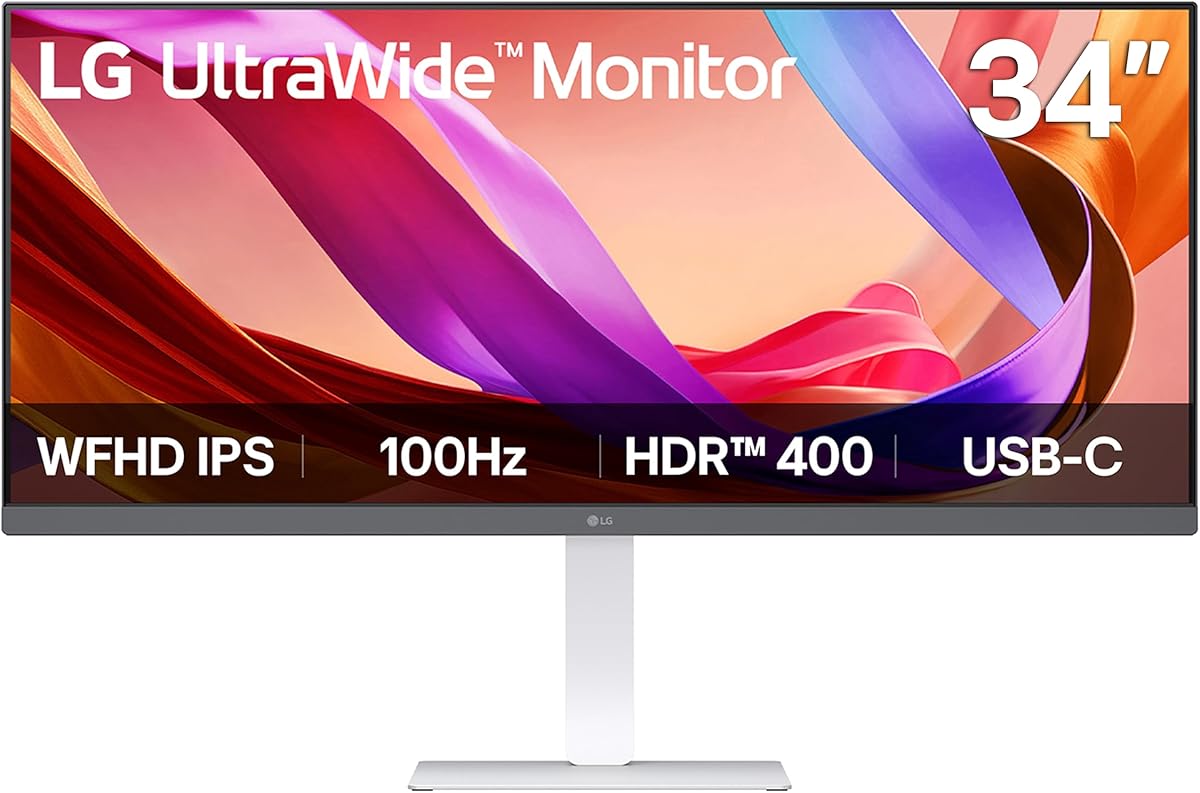
The LG 34U530A-W is a 34-inch, 21:9 IPS monitor built around smooth everyday productivity, flexible laptop connectivity, and a clean white design. Its 4.3 rating indicates positive customer feedback, and the 2560 x 1080 resolution provides a meaningful increase in horizontal workspace without requiring a high-end graphics card to drive a denser 3440 x 1440 canvas.
We may earn a commission when you buy through this link, at no additional cost to you.
USB Type-C is the standout feature for laptop users because it supports both display output and data transfer through one connection. DisplayPort and HDMI are also available, while built-in stereo speakers with Waves MaxxAudio offer a convenient alternative to desk speakers for calls, media, and presentations. The slim bezel and white finish give the monitor a less utilitarian appearance than many black gaming models.
The Switch app is especially useful for people who regularly divide their workspace. It can split the display into up to six sections, simplify window placement, and support common video-call workflows. DisplayHDR 400 and up to 99% sRGB coverage make the screen suitable for everyday HDR content and color-sensitive office work, although professional color grading would require more specialized equipment.
The main limitation is resolution. At 2560 x 1080, there is less vertical and horizontal detail than on the UWQHD alternatives in this guide, and 100Hz is modest for competitive gaming. Even so, the ergonomic height, tilt, and swivel adjustments make this a strong recommendation for office users, remote workers, students, and anyone who values connectivity, speakers, and a tidy appearance.
A single USB-C connection can carry display output and data, reducing the number of cables required for a compatible laptop. The result is a cleaner desk and a quicker transition between work and media use, especially when the system supports the monitor's listed USB Type-C capabilities.
The Switch app turns the 21:9 canvas into a configurable productivity workspace. Its multi-section layouts are useful for separating documents, communications, browser windows, and media without manually dragging every window into position each time you begin work.
We may earn a commission when you buy through this link, at no additional cost to you.
The MSI PRO MP341CQ E12 sits between a productivity monitor and a dedicated gaming display. Its 3440 x 1440 resolution supplies a detailed 21:9 workspace, while a 120Hz refresh rate and 1ms response time provide a more competitive foundation for games. The 4.2 rating suggests that buyers generally find the monitor capable, though perhaps less exceptional than the leading models in every category.
We may earn a commission when you buy through this link, at no additional cost to you.
Adaptive Sync is a major benefit for compatible AMD graphics hardware, synchronizing the display's refresh behavior with the graphics card to reduce tearing and stuttering. The supplied information also cites a 1500:1 contrast ratio, broad viewing angles, a TÜV Rheinland-certified Flicker Free mode, and a low-blue-light feature intended to improve comfort during long sessions.
Connectivity is handled through HDMI 2.0b with HDMI-CEC and DisplayPort 1.4a. The latter is specified to support the full 3440 x 1440 resolution at 120Hz, making DisplayPort the most natural choice when working with a modern graphics system. HDMI-CEC can allow compatible source devices to be controlled with a single remote, while the built-in speaker reduces the need for another device for casual audio.
Its stand provides tilt adjustment, and the 100 x 100mm VESA pattern opens the door to an arm or wall mount. Height, swivel, and pivot are not listed, so buyers seeking extensive physical adjustment may prefer another option. This is nevertheless a well-balanced recommendation for hybrid users who want UWQHD detail, 120Hz gaming, eye-care features, and flexible mounting without moving beyond the essential features.
The UWQHD resolution supports detailed documents and editing timelines, while 120Hz motion handling suits a wide range of games. That balance makes the MSI more versatile than a high-refresh model with basic connectivity or a productivity display that underperforms in animated content.
Flicker-free certification, low-blue-light functionality, and the built-in Eye-Q Check provide several ways to tune the display for extended use. These features cannot eliminate every source of fatigue, but they can make prolonged work and gaming more comfortable when brightness and ambient lighting are also managed properly.
We may earn a commission when you buy through this link, at no additional cost to you.
The LG 34WR55QK-B is a curved 3440 x 1440 monitor designed primarily for productive desk setups, and its 4.6 rating is the highest among the ten products featured. It offers a refined feature set with USB-C laptop charging, multiple video inputs, picture-in-picture and picture-by-picture, OnScreen Control, HDR10, Reader Mode, and a three-sided virtually borderless design.
We may earn a commission when you buy through this link, at no additional cost to you.
The 21:9 format is particularly useful for users who want to keep several applications visible at once. LG's OnScreen Control can divide the workspace and adjust basic options with relatively little interaction, while Picture-by-Picture can display two separate input sources simultaneously. Two HDMI ports, two USB ports, DisplayPort, a headphone jack, and USB Type-C create a well-rounded connection selection.
USB Type-C delivers up to 65W of power delivery, which can charge a compatible laptop while carrying video and data. The 5ms response time and 100Hz refresh rate are sufficient for casual and mainstream gaming, although they will not satisfy a buyer whose priority is the very fastest competitive motion available in this roundup. HDR10 and up to 99% sRGB coverage improve media viewing and everyday color performance.
Ergonomic height and tilt adjustment make the display easy to position, and Reader Mode reduces blue light for document-heavy work. The absence of listed built-in speakers is a minor inconvenience, though the included headphone output is useful with external audio or a headset. This is our premium productivity pick for buyers who value fine resolution, polished connectivity, and refined multitasking over extreme refresh rates.
USB-C display output, data transfer, and up to 65W of charging create a convenient single-cable arrangement for compatible laptops. The additional HDMI and DisplayPort connections ensure the monitor remains useful with desktop systems and other sources.
The combination of a virtually borderless enclosure, adjustable stand, OnScreen Control, and Picture-by-Picture makes this screen particularly convincing for offices and studios. Two sources can be visible at once, reducing the need to alternate between full-screen applications.
We may earn a commission when you buy through this link, at no additional cost to you.
The LG 34U650A-B combines a curved 3440 x 1440 IPS panel with 100Hz motion, HDR10, built-in speakers, and up to 96W of USB-C laptop charging. Its 4.4 rating places it among the better-reviewed options in the guide, while the extensive connectivity and ergonomic controls make it particularly suitable for creators, professionals, and hybrid workers.
We may earn a commission when you buy through this link, at no additional cost to you.
The subtle 3800R curvature follows a more natural line of sight than a deeply curved gaming panel. Up to 99% sRGB coverage provides balanced color for documents, design work, and media, while the IPS panel is designed to maintain consistent images from wide viewing angles. Its 5ms response time and 100Hz refresh rate provide fluid motion for common games, video calls, and scrolling.
USB-C is the defining feature because it handles display, data, and up to 96W laptop power through one cable. DisplayPort and HDMI add flexibility, and the built-in DepthSound speakers can cover calls, presentations, and everyday media without immediately requiring a separate speaker system. The Switch app can divide the screen into up to six sections, making window organization easier.
The stand supports tilt, swivel, height adjustment, and one-click mounting, giving it better physical flexibility than many alternatives. The trade-off is a 100Hz ceiling, which is modest beside 165Hz, 180Hz, and 200Hz gaming models. It is also worth noting that the 3800R curve is intentionally gentler. This is a strong recommendation for a desk-first setup where charging, organization, color, and comfort matter more than esports-level motion.
The USB-C connection can handle display and data while also charging compatible laptops, reducing desk clutter. The 96W figure may not support every demanding workstation at maximum performance, so buyers should verify their computer's power requirements before relying on it.
DepthSound speakers give the monitor useful everyday audio without immediately adding external equipment. Meanwhile, height, swivel, and tilt adjustments make the large panel easier to position, which is especially helpful in compact or frequently rearranged workspaces.
We may earn a commission when you buy through this link, at no additional cost to you.
The Samsung ViewFinity S50GC focuses on a detailed 3440 x 1440 canvas, 3000:1 static contrast, and built-in tools for managing eye comfort. Its 4.4 rating indicates a well-received feature set, while HDR10, AMD FreeSync, a 100Hz refresh rate, and a 5ms response time provide a capable foundation for mixed work and gaming.
We may earn a commission when you buy through this link, at no additional cost to you.
Its standout element is the ambient light sensor, which detects workstation lighting and adjusts brightness automatically. Eye Saver Mode is designed to minimize excessive blue light, while Flicker Free helps reduce eye strain during extended sessions. These features make the monitor a logical choice for long document work, study, and general office use where display comfort is a priority.
Picture-in-picture and Picture-by-Picture allow two sources to be handled at once. The listed connections include two HDMI 2.2 inputs and one DisplayPort 1.2 input, which is enough for a desktop, laptop, and other source device. AMD FreeSync can also help reduce tearing when paired with a compatible graphics card, although the 100Hz maximum limits its appeal for highly competitive gaming.
The minimal, virtually borderless design helps the display look clean and can also support a near-gapless two-monitor arrangement. No USB-C charging is listed, so laptop users who want one-cable power delivery will need to look elsewhere. Overall, this is a strong choice for office-centric buyers who value automatic brightness, eye-care functions, high contrast, and generous screen space over extreme refresh rates.
The ambient light sensor can adjust brightness as room lighting changes, reducing the need for constant manual changes. Eye Saver Mode and Flicker Free add further comfort-oriented controls for reading, studying, and long periods of screen use.
A listed 3000:1 static contrast ratio and typical brightness of 300 cd/m2 support deeper-looking dark areas and more dimensional media. HDR10 adds useful emphasis for compatible content, though the 100Hz refresh rate positions this model primarily as a productivity-first screen.
We may earn a commission when you buy through this link, at no additional cost to you.
This Samsung ViewFinity S50GC QHD model is another 3440 x 1440, 21:9 display built for broad workspaces, with a 4.4 customer rating. It combines 100Hz motion, a 5ms response time, HDR10, AMD FreeSync, and a 3000:1 static contrast ratio, while placing particular emphasis on eye care, thin bezels, and simultaneous viewing of two sources.
We may earn a commission when you buy through this link, at no additional cost to you.
Picture-by-Picture is the most useful feature for professional workflows, allowing two inputs to appear at native resolution. Picture-in-Picture provides a smaller secondary feed for monitoring information while a primary task occupies most of the display. This is useful for reviewing two projects, pairing a workstation with a communications feed, or keeping reference content visible without changing applications.
The eye-care package includes an ambient light sensor, automatic brightness adjustment, Eye Saver Mode, and Flicker Free. Together, these controls adapt the display to different lighting conditions and reduce common sources of visual fatigue. The 100Hz refresh rate and AMD FreeSync also give games and animated content smoother presentation than a standard 60Hz display.
Like the related S50GC, this model does not list USB-C power delivery, so a laptop user cannot rely on a single cable for charging and display output. The 100Hz refresh rate also places it below the higher-speed gaming choices. Even so, the strong rating, detailed UWQHD canvas, dual-source features, and clean border design make it a particularly sensible recommendation for offices, studios, and study environments.
Picture-by-Picture is especially valuable when two tasks need equal attention, while Picture-in-Picture supports monitoring. These functions can reduce context switching and eliminate the need for a second physical display in many workflows.
The virtually bezel-free screen and narrow outer frame keep the large workspace visually open. That makes the monitor easier to pair with another display and helps it fit a professional desk where visual clutter is undesirable.
We may earn a commission when you buy through this link, at no additional cost to you.
The CRUA 34 Inch 165Hz UWQHD IPS is our best budget gaming pick because it balances a detailed 3440 x 1440 resolution with a 165Hz refresh rate. Its 4.2 rating is solid rather than exceptional, but the specification sheet is unusually attractive for a value-focused ultrawide, particularly for buyers who want more than a basic 60Hz screen.
We may earn a commission when you buy through this link, at no additional cost to you.
AMD FreeSync works with the 165Hz refresh rate to reduce tearing and micro-stutter when paired with compatible hardware. An IPS panel, 120% sRGB color coverage, 8-bit color depth, 380 cd/m2 peak brightness, and a stated 1000:1 contrast ratio also support colorful gaming and general content consumption. The 178-degree viewing angle helps maintain consistency when seated away from the exact center.
Connectivity is well thought out for a gaming display. Two HDMI 2.0 ports and two DisplayPort 1.4 inputs allow a gaming computer and laptop to remain connected at the same time. PIP and PBP support two sources on one screen, dual built-in speakers cover basic audio, and a 3.5mm audio jack accommodates a headset or external speakers.
The main compromise is physical adjustment. The stand tilts from five degrees forward to 15 degrees backward, and the panel uses 75 x 75mm wall-mount compatibility rather than the more common 100 x 100mm pattern. Buyers using a monitor arm should verify the correct adapter. Otherwise, this is a highly practical recommendation for a mixed gaming, media, and productivity setup that wants UWQHD detail and high refresh without moving into the top tier.
Many value-focused ultrawide displays force a choice between higher resolution and higher refresh rate. This model combines 3440 x 1440 with 165Hz, giving games more detail while retaining smooth motion for fast movement and everyday desktop use.
The listed 120% sRGB coverage, 8-bit color, and 380 cd/m2 peak brightness make the display more engaging for games and videos. It is not positioned as a color-reference monitor, but it offers a stronger specification foundation than many budget alternatives.
We may earn a commission when you buy through this link, at no additional cost to you.
The Acer Nitro ED300C X1 is a 29.5-inch curved gaming monitor with a 2560 x 1080 resolution, 200Hz refresh rate, and 1ms response time. Its 4.3 rating makes it one of the better-rated products in the guide, and the smaller ultrawide format may appeal to gamers who want a wide screen without moving to a full 34-inch model.
We may earn a commission when you buy through this link, at no additional cost to you.
The 200Hz refresh rate is the defining feature, providing very fluid motion and reducing input lag in fast 2D scenes. AMD FreeSync Premium synchronizes the monitor with compatible graphics-card output to reduce tearing and stuttering. The curved 1800R panel wraps around the viewer to create a more immersive view in racing games, strategy titles, and other wide-format experiences.
At 2560 x 1080, the screen offers less detail than the 3440 x 1440 models included here. That can be beneficial for systems that need a higher refresh rate without as much GPU demand, though the exact performance also depends on the game and hardware. Text and small interface elements remain suitable for general use, although this is not the finest canvas for detailed professional editing.
Tilt adjustment from minus five to 15 degrees is the only ergonomic control listed, and the product description does not highlight USB-C connectivity, built-in speakers, or extensive multitasking software. Even with those limitations, the combination of 200Hz motion, FreeSync Premium, and a 1ms response time makes this a compelling recommendation for budget-conscious gamers who prioritize speed over maximum resolution.
A 200Hz refresh rate and 1ms response time provide a strong foundation for competitive games and high-speed motion. The lower resolution can help keep frame output consistent when system or graphics-card capability is more limited than with a denser UWQHD panel.
The 1800R curve places the edges of the screen more directly in the user's field of vision. This can improve immersion in racing and strategy games, although desk depth and sitting distance should be considered before choosing a deeply curved display.
We may earn a commission when you buy through this link, at no additional cost to you.
The KTC H34S5 combines a 3440 x 1440 resolution with a 180Hz refresh rate, giving it one of the strongest gaming specifications in this guide. Its 4.5 rating is the second highest among the listed products, and the monitor also stands out for extensive stand adjustment, 125% sRGB coverage, a 4000:1 contrast ratio, and a three-year warranty.
We may earn a commission when you buy through this link, at no additional cost to you.
Adaptive synchronization is intended to produce a smoother, tear-free experience by synchronizing the panel with the graphics card. The stated 1ms MPRT is useful for reducing visible motion artifacts, while the HVA panel, HDR support, 300 cd/m2 brightness, and 1.07 billion colors make the screen appealing for vivid games and media. The 1500R curve provides a noticeable wraparound without being as extreme as some larger-radius designs.
The stand is unusually flexible for a gaming monitor. It supports minus five to 20 degrees of tilt, plus or minus 45 degrees of swivel, plus or minus 5 degrees of pivot, and height adjustment up to 110mm. VESA compatibility at 100 x 100mm also makes it suitable for a conventional monitor arm. These options help position the large screen comfortably and can make better use of limited desk space.
There is an important connection detail: the two HDMI 2.0 inputs are listed at 3440 x 1440 and 100Hz, while the two DisplayPort 1.4 inputs support the same resolution at 180Hz. Gamers seeking the maximum refresh rate should use DisplayPort. PIP and PBP are included, and the three-year service coverage adds reassurance. This is a strong final recommendation for a buyer who wants high refresh, detailed resolution, rich color, and excellent physical adjustability in one gaming monitor.
The full 180Hz refresh rate is available through DisplayPort 1.4, while the listed HDMI inputs run the native resolution at 100Hz. Buyers with laptops or consoles should verify the output capabilities of the source device and use the connection that supports their intended refresh target.
Height, swivel, pivot, and tilt adjustments give the H34S5 more freedom than many curved gaming monitors. The 110mm height range is particularly useful when aligning a 34-inch display with a smaller companion screen or raising the panel to a comfortable eye level.
We may earn a commission when you buy through this link, at no additional cost to you.
The best cheap ultrawide monitor balances resolution, refresh rate, panel behavior, connectivity, ergonomics, and desk compatibility. Comparing those factors prevents a buyer from focusing on one headline specification while overlooking a more important limitation.
A 34-inch 21:9 display offers substantially more horizontal workspace than a standard 16:9 monitor, but resolution determines how much detail can fit on that canvas. The 3440 x 1440 models in this guide provide a strong balance for productivity, media, and games, while 2560 x 1080 models place less emphasis on fine detail. A 29.5-inch screen may also be easier to fit on a smaller desk. Consider both the physical dimensions and the resolution rather than treating screen size as a complete measure of quality.
Refresh rate determines how many times the display updates each second, which is especially noticeable in fast games and smooth scrolling. Models here range from 100Hz to 200Hz. A higher figure can make motion appear more fluid, but graphics hardware, game performance, and connection bandwidth still determine what is achieved in practice. Response-time claims should be treated as comparative specifications because different manufacturers define and measure them differently.
Adaptive synchronization coordinates the display refresh with the graphics card's frame output, helping reduce tearing and stuttering. Support ranges from AMD FreeSync and FreeSync Premium to broader VRR support listed for the SANSUI. Compatibility depends on the graphics card, driver, game, and selected input. If variable refresh is important, verify that the entire computer-to-monitor chain supports the intended feature.
IPS panels are commonly chosen for consistent viewing angles and productivity, while Fast VA and HVA panels in curved gaming models can offer strong contrast and immersive imagery. Color-gamut figures such as 99% sRGB, 120% sRGB, and 125% sRGB indicate different levels of color capability. HDR10 support can improve compatible content, but it does not guarantee professional color accuracy or exceptional peak brightness.
DisplayPort and HDMI are the essential connections for most PC and laptop setups. USB-C is particularly convenient when it supports display output, data transfer, and laptop charging in one cable, as seen on several LG models. Check the maximum resolution and refresh rate supported by each port, because the KTC's HDMI inputs and DisplayPort inputs have different maximum refresh targets. Buyers should also consider a headphone output and whether built-in speakers meet their needs.
Picture-in-picture and Picture-by-picture allow two input sources to appear on one ultrawide screen. They are useful for combining a computer and laptop, monitoring a communication feed, or keeping reference material visible. Software such as LG's Switch app provides more elaborate window layouts, while OnScreen Control can simplify division of the workspace. Confirm which software and operating systems are supported before relying on these features.
A large curved monitor can be uncomfortable if it cannot be positioned correctly. Height, tilt, swivel, and pivot controls allow the screen to align with the user's eye level and reduce neck strain. Wall mounting and VESA compatibility can also free desk space, but buyers should verify the exact hole pattern and adapter requirements. Desk depth matters for curved models because the edges extend farther forward than those of a flat screen.
Long workdays benefit from flicker-free operation, low-blue-light modes, reader settings, and automatic brightness adjustment. The Samsung ViewFinity models include an ambient light sensor, while LG models provide Reader Mode, and the MSI includes Eye-Q Check. These features should complement sensible room lighting and regular breaks rather than be treated as substitutes for them. Comfort also depends on correct brightness, scaling, and seating height.
Begin by choosing the correct display mode for your graphics card and connected device. Use the highest resolution the monitor supports, select a refresh rate the hardware and game can sustain, and avoid forcing an unsupported mode through an adapter or converter. After installation, update the graphics driver, adjust the operating system's scaling, and confirm that text and menus appear at a comfortable size.
Optimize the viewing position next. Center the screen, keep the upper edge near eye level, and position it at a distance that allows you to view the full panel without repeatedly turning your head. Use the available tilt, height, swivel, or pivot controls to reduce reflections, and make sure the desk is deep enough for a curved screen. If glare remains, adjust room lighting rather than leaving brightness at an uncomfortable level.
For gaming, enable the appropriate adaptive synchronization mode in both the graphics utility and monitor settings, then confirm that the desired resolution and refresh rate are active. Use PIP or PBP when two sources are needed, but close unused windows and applications to keep the display responsive. Clean the panel with a soft microfiber cloth, avoid abrasive or liquid cleaners, and route cables away from sharp edges and moving parts of the stand.
Yes, especially for fast competitive titles where a high refresh rate is more important than maximum resolution. A 2560 x 1080 screen also places less demand on a graphics card than a 3440 x 1440 model. For detailed strategy games, professional editing, or lots of small text, the added resolution of UWQHD can be worthwhile.
A 34-inch monitor can fit on a modest desk, but its width and curved edges require adequate viewing distance. Measure the desk, consider the stand footprint, and leave enough space to move the mouse comfortably. If the desk is shallow, a 29.5-inch model or a flat 34-inch display may be easier to manage.
The principal benefit is extra horizontal screen space compared with a 16:9 display. That additional width can show more applications, documents, timelines, or game environments at once. It can also reduce the need to switch between virtual desktops, although some games and productivity software may still use a conventional 16:9 aspect ratio.
No. A higher refresh rate mainly benefits fast motion, competitive gaming, and smooth scrolling. Resolution, color, contrast, connectivity, ergonomics, and reliability also matter. A 100Hz model with a 3440 x 1440 resolution may serve productivity better than a lower-resolution screen whose maximum refresh rate the user's computer rarely reaches.
Yes, a curved ultrawide can be excellent for office work because it provides broad horizontal space and places the edges closer to peripheral vision. Comfort depends on desk depth, viewing distance, and adjustment quality. Flat IPS models may be preferable for users who value precise image geometry or need maximum desk clearance.
The requirements depend on resolution, refresh rate, and application. A 2560 x 1080 display is generally easier to drive than 3440 x 1440, while a 165Hz or 200Hz model benefits from capable graphics hardware. Office use may not require a high-end card, but demanding games at the native resolution and maximum refresh rate usually do.
Confirm that the USB-C port supports video output, data transfer, and the amount of charging power required by your laptop. Also verify whether video is delivered through DisplayPort Alt Mode or another supported standard. Some monitors include USB-C for data and charging but require a separate video cable for a particular computer.
Built-in speakers are usually adequate for system alerts, video calls, and casual media. Gaming audio benefits from directional sound, stronger bass, and clearer dynamics, so many players still prefer headphones or external speakers. Models with a 3.5mm audio output are more flexible for private listening.
The SANSUI 34-Inch Curved Gaming Monitor is the strongest all-around recommendation because its 3440 x 1440 resolution, 200Hz refresh rate, VRR support, and gaming tools cover both serious play and demanding desk workflows. The CRUA 34 Inch 165Hz UWQHD IPS stands out as the best budget gaming option, while the LG 34WR55QK-B earns the premium pick for its polished productivity design, 65W USB-C charging, and Picture-by-Picture functionality.
Prioritize the specifications you will actually notice. Competitive gamers should focus on refresh rate, response behavior, adaptive synchronization, and the connection that supports the desired mode. Productivity users should examine resolution, USB-C power delivery, multitasking software, color, and ergonomic adjustment. Screen size alone is less important than whether the display comfortably fits the desk and supports the applications used every day.
Finally, check the current product listing, firmware or software requirements, supported connection modes, and warranty details before ordering. Monitor pricing and availability can change over time, and a configuration's final capabilities may depend on the connected computer and graphics settings. Comparing the live listing with the priorities in this guide is the safest way to choose the right cheap ultrawide monitor.