
ASUS Vivobook S16
5.0Editor score
3K-class OLED clarity
50 NPU TOPS
32GB unified memory
AI laptops combine dedicated neural processing hardware with capable processors, efficient memory, and modern displays to accelerate everyday tasks. A strong model should handle productivity applications, video calls, creative workflows, and local AI features while remaining portable, dependable, and comfortable for extended use.
We compared ten Copilot+ and AI-capable laptops by examining processor architecture, neural processing unit performance, memory, storage, display quality, connectivity, battery claims, security, and practical portability. The list covers Windows 11 Home and Professional models for students, professionals, creators, and mobile users.
Each recommendation highlights the configuration that best suits a particular type of buyer, from a battery-focused ultraportable to a large-screen creative machine. Product availability and pricing can change, so verify the current listing, exact configuration, included software, and feature support before purchasing.
5.0Editor score
4.8Editor score

4.4Editor score
As an Amazon Associate we earn from qualifying purchases.
The table below compares all ten laptops across their core hardware, AI platform, display, memory, and connectivity, making it easier to identify the model that best matches your preferred form factor and workload.


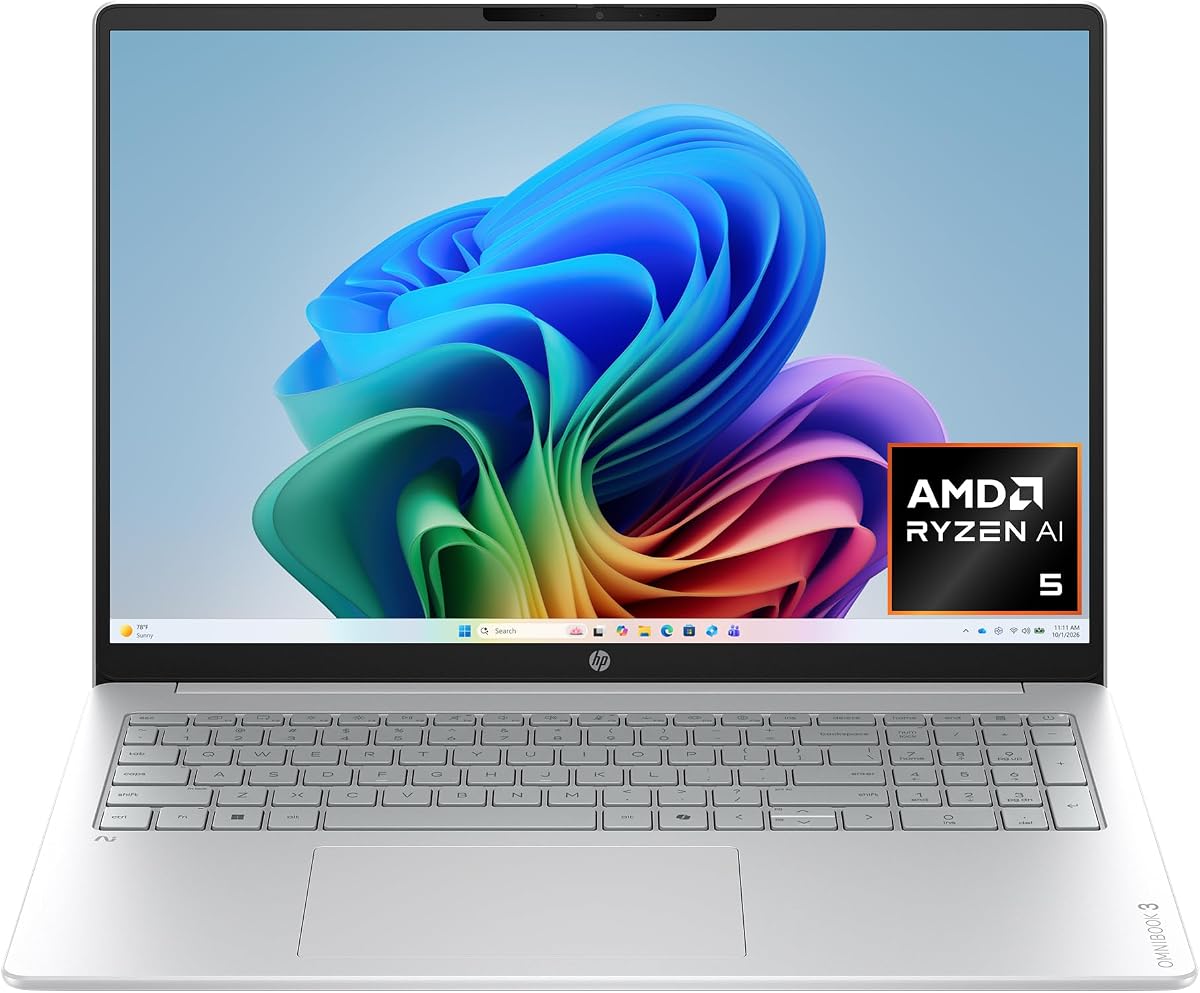
The HP OmniBook 3 16 stands out as the most balanced recommendation in this guide, earning a 4.8 customer rating. Its combination of a 2K IPS touchscreen, Ryzen AI 5 430 processor, Radeon 840M graphics, 16GB of DDR5 memory, and a 512GB PCIe SSD gives it enough capability for daily productivity, schoolwork, communication, and entertainment without becoming a specialist machine.
We may earn a commission when you buy through this link, at no additional cost to you.
The display offers 1920 x 1200 resolution, wide viewing angles, and touch input, making it useful for scrolling, sketching, presentations, and navigating Windows without a mouse. The Ryzen AI processor supports Copilot+ PC experiences, while the Radeon 840M GPU is positioned for more demanding everyday graphics, high-resolution output, and hardware-accelerated encoding. Windows 11 Home and a dedicated Copilot key provide direct access to AI-assisted workflows.
Battery life is listed at up to 19 hours and 30 minutes, and HP Fast Charge can restore the battery from zero to 50 percent in approximately 45 minutes. Advanced Personal Mode is especially relevant for people who regularly make calls from noisy or shared spaces because it tracks the user's voice and filters other sounds. The FHD camera with HDR auto-switch also improves image quality under difficult lighting.
The main limitation is storage: 512GB can fill quickly with large media libraries, project files, or a long history of installed applications. Windows 11 Home may also be limiting for organizations that require specific management and enterprise features. Even so, the screen, processor, graphics, memory, connectivity, and practical collaboration features make this an easy recommendation for a broad range of users who want AI features without an oversized specialist system.
The 2K IPS panel offers a useful balance of detail, color reproduction, and viewing angles. Its native 1920 x 1200 resolution also provides more room for side-by-side documents and detailed web pages than a conventional 1080p display.
Rather than treating AI as a separate category, the Ryzen AI platform integrates Copilot+ features, camera processing, and voice-focused noise reduction into normal productivity and communication. These features are most valuable during calls, meetings, and document-heavy work.
We may earn a commission when you buy through this link, at no additional cost to you.
The Lenovo ThinkBook 16 Gen 8 is the strongest conventional business choice, carrying a 4.6 rating among customers. Its Intel Core Ultra 7 255H processor includes AI acceleration, while 32GB of DDR5 memory and a 1TB PCIe SSD provide a generous foundation for business applications, browser-heavy research, virtual meetings, and multitasking.
We may earn a commission when you buy through this link, at no additional cost to you.
Its large FHD+ display gives business users enough room for spreadsheets, presentations, data analysis, and multiple open windows. The included fingerprint reader adds a convenient hardware security layer, and Windows 11 Professional provides a more suitable environment for organizations that use business-oriented management, security, or compatibility features.
WiFi 6E and Bluetooth 5.3 support stable connections in offices, homes, and shared workspaces. Although the supplied information does not identify a touchscreen, the large panel and business-focused specification make this more suitable for desk-based and hybrid work than for users who need a highly interactive portable display.
The model is best for professionals who value memory, storage, and operating-system capability over premium display resolution. Buyers who need deeper manual control over ports, keyboards, serviceability, or warranty options should confirm those details on the current listing, since the provided specifications emphasize performance and enterprise basics.
With 32GB of DDR5 memory, the ThinkBook can comfortably support heavier productivity loads than a typical 16GB configuration. The additional headroom is useful for large spreadsheets, many open applications, data analysis, and virtual collaboration tools.
Windows 11 Professional and the built-in fingerprint reader make this model more appropriate for managed business environments. Those features add practical value for administrators as well as employees who regularly protect sensitive documents.
We may earn a commission when you buy through this link, at no additional cost to you.
The HP OmniBook X 14 earns a 4.3 rating and stands out for its combination of a 3K OLED touchscreen, 24GB of LPDDR5x memory, and a 1TB PCIe Gen4 SSD. Its 14-inch form factor makes it a natural choice for mobile professionals and students who want a polished display without carrying a large workstation.
We may earn a commission when you buy through this link, at no additional cost to you.
The OLED display lights each pixel separately, producing deeper blacks, richer contrast, and enhanced color depth. Touch support adds flexibility for browsing, creative navigation, and presentations. The Intel Core Ultra 7 356H processor integrates performance, graphics, and AI acceleration, while 1TB of storage leaves room for substantial application and media libraries.
HP advertises up to 27 hours and 30 minutes of battery life, with fast charging to 50 percent in approximately 30 minutes. Smart Sense adjusts performance, temperature, and fan noise based on the user's activity, which can improve comfort during long sessions. The 5MP IR camera with HDR auto-switch, Poly Studio audio, and dual speakers strengthen its collaboration credentials.
The trade-offs are the use of integrated Intel graphics and Windows 11 Home. This laptop is not presented as a dedicated gaming machine, and business buyers needing advanced management may prefer the ThinkBook. For users who prioritize visual quality, mobility, and intelligent power management, however, the OmniBook X 14 is an attractive and well-balanced choice.
The 3K OLED touchscreen gives documents, photos, videos, and creative applications greater apparent detail. Its 16:10 format also creates more vertical workspace than a conventional 16:10 or 16:9 panel, which is helpful for reading and editing.
Smart Sense adapts power, warmth, and fan behavior to the active workload. Combined with the stated battery figure and rapid charging, this system is well suited to users who alternate between travel, focused work, and video meetings.
We may earn a commission when you buy through this link, at no additional cost to you.
The HP OmniBook 5 16 is a versatile large-screen AI laptop with a 4.5 customer rating. It pairs an Intel Core Ultra 7 processor with 16GB of high-speed memory, a 1TB SSD, and a 16-inch touchscreen, creating a practical platform for work, presentations, streaming, and creative tasks.
We may earn a commission when you buy through this link, at no additional cost to you.
Its built-in AI acceleration supports Copilot-assisted writing, organization, and everyday workflows, while Windows 11 provides the familiar productivity environment. The touchscreen adds direct interaction that can be helpful during demonstrations, media viewing, and casual creative work. A backlit keyboard improves usability in dim rooms, and Wi-Fi 6E supports modern high-capacity wireless networks.
The included 1TB drive is a meaningful advantage over smaller configurations, reducing the need to store documents and media externally. The silver aluminum design gives the laptop a restrained professional appearance suitable for offices, classrooms, and everyday home use.
The supplied specifications do not state the exact touchscreen resolution, so buyers who care about pixel density should verify that detail. Its 16GB of memory should suit common productivity tasks, but heavier editing, engineering, or development workflows may benefit from more capacity. Overall, it is an approachable general-purpose recommendation with generous storage.
A 16-inch touchscreen provides enough space for side-by-side documents, browser windows, and presentation tools. It is particularly useful for users who regularly work with visual content or prefer a larger canvas for everyday navigation.
The combination of an AI-accelerated Core Ultra 7 processor and Windows 11 Copilot support makes assistance available without requiring a separate device. The backlit keyboard and modern wireless connectivity complete the package for daily work.
We may earn a commission when you buy through this link, at no additional cost to you.
The Qualcomm-equipped HP OmniBook 5 16 earns a 4.2 rating and is built around efficient mobile productivity. Its Snapdragon X X1-26-100 processor, Adreno GPU, and 16GB of LPDDR5x memory emphasize long battery life and responsive everyday operation in a familiar Windows 11 design.
We may earn a commission when you buy through this link, at no additional cost to you.
The 2K OLED display provides 1920 x 1200 resolution and up to 300 nits, delivering crisp visuals for documents, media, and general creative use. HP lists up to 34 hours and 45 minutes of battery life, with fast charging from zero to 50 percent in approximately 30 minutes. That makes it especially compelling for students, travelers, and mobile workers.
The platform also supports AI-oriented software. Otter.ai can record audio, create notes, capture slides, transcribe meetings, and generate summaries. A True Vision FHD IR camera offers Windows Hello and a physical privacy shutter, while Qualcomm Wi-Fi 6E and Bluetooth 5.3 provide modern wireless connectivity. A dedicated Copilot key opens AI assistance directly.
Its main limitation is storage, with only 512GB available. As with any Windows on Arm system, buyers should also confirm that their required applications and peripherals are compatible. The listed battery life will vary with workload and settings. For users who prioritize mobility and efficiency, however, this configuration makes a strong case.
The Snapdragon X platform is designed to deliver capable computing with strong power efficiency. Its quoted battery figure and rapid charging make the OmniBook well suited to days built around meetings, browsing, writing, and travel rather than continuous heavy workloads.
Otter.ai can help organize recorded discussions, while the IR camera and physical shutter improve privacy and sign-in convenience. These details are particularly useful for students and professionals who regularly communicate online.
We may earn a commission when you buy through this link, at no additional cost to you.
The HP OmniBook 3 14 is the value-oriented choice in this roundup, offering a 4.4 customer rating. Its 14-inch body, 2K OLED panel, Snapdragon X processor, 16GB of LPDDR5x memory, and 256GB SSD deliver a modern AI-focused configuration for students and mobile users.
We may earn a commission when you buy through this link, at no additional cost to you.
Its most impressive advertised specification is battery life of up to 41 hours and 45 minutes. HP Fast Charge can restore 50 percent in approximately 45 minutes. The 1920 x 1200 OLED screen adds strong contrast and color, while the Qualcomm Adreno GPU supports responsive everyday graphics and mobile-oriented applications.
AI features extend beyond Copilot+ access. Otter.ai can record, transcribe, summarize, and organize meeting content. The FHD IR camera with HDR auto-switch supports secure sign-in and better-looking calls, while Qualcomm Wi-Fi 6E promotes fast wireless connectivity. These are meaningful features for students, commuters, and hybrid workers.
The 256GB drive is the most obvious compromise, and users should confirm compatibility with required Windows on Arm software before buying. Storage can be expanded with external media or a separate drive, but the internal capacity may be restrictive for large media collections. Even so, the exceptional battery claim and capable screen make this the most travel-friendly selection here.
The compact 14-inch format reduces bulk without sacrificing a high-resolution display. Combined with the stated battery life, it is a practical choice for students, commuters, and anyone who prefers a smaller laptop with fewer charging interruptions.
Despite its more modest storage, this model includes a dedicated Copilot key, Snapdragon-based AI features, and meeting transcription tools. It provides a practical entry point for users interested in local AI assistance without moving to a larger workstation.
We may earn a commission when you buy through this link, at no additional cost to you.
The Dell 16 Plus is a feature-rich business laptop with a 4.5 rating, driven by an Intel Core Ultra 9 288V vPro processor, 32GB of LPDDR5x memory, and a 1TB PCIe NVMe SSD. The processor includes a 12 TOPS NPU, while Dell states that the overall platform supports up to 48 TOPS for eligible AI workloads.
We may earn a commission when you buy through this link, at no additional cost to you.
Its 16:10 FHD+ touchscreen provides a roomy 1920 x 1200 workspace with ComfortView display technology. Intel Arc 140V graphics target AI-accelerated creation and video editing, including Adobe applications. AI noise cancellation, an FHD+ webcam, and a backlit keyboard reinforce the system's professional communication focus.
Connectivity is a major strength. It includes Wi-Fi 7, Bluetooth 5.3, USB Type-A and Type-C connections, Thunderbolt 4 with DisplayPort 2.1 and power delivery, HDMI 2.1, and an audio jack. The fingerprint reader, numeric keypad, and Intel vPro support make it particularly relevant for organizations managing fleet hardware.
It ships with Windows 11 Home according to the supplied information, which may not satisfy every business deployment. The rounded, modular design also prioritizes durability and practicality over a highly dramatic visual style. For buyers who need strong local AI performance, extensive connectivity, and business-oriented manageability, this Dell is an excellent fit.
The Core Ultra 9 288V vPro combines a 12-core processor, AI acceleration, and enterprise-oriented platform capabilities. Dell also highlights remote manageability and layered security, making the system relevant to IT teams as well as individual professionals.
Thunderbolt 4, DisplayPort-capable USB Type-C, HDMI 2.1, USB-A, and an audio jack cover most accessory needs. Wi-Fi 7 and Bluetooth 5.3 add a modern wireless foundation for high-speed networks and peripherals.
We may earn a commission when you buy through this link, at no additional cost to you.
The ASUS Vivobook S16 holds the highest customer rating in the list at 5.0 and is the most premium-focused recommendation. Its Ryzen AI 9 465 processor, up to 50 NPU TOPS, 32GB of memory, and 1TB SSD create a strong foundation for demanding productivity and local AI applications.
We may earn a commission when you buy through this link, at no additional cost to you.
The 16-inch 16:10 WUXGA OLED display has a 1920 x 1200 resolution, narrow borders, deep contrast, and vivid detail. It is well suited to photo review, video, design, entertainment, and general productivity. Dolby Atmos and ASUS Audio Booster add spatial sound and clarity, while the microphone array is designed to capture speech naturally.
Portability is another major strength. The chassis is listed at 3.75 pounds and 0.7 inches thick. It includes two USB 3.2 Gen 1 Type-C ports, two USB 3.2 Gen 1 Type-A ports, HDMI 2.1, and a 3.5 mm audio jack, reducing the need to carry a hub for common accessories.
The stated battery life of up to 23 hours and fast charging to 60 percent in 49 minutes are respectable, though less exceptional than the Snapdragon-based models. Windows 11 Home is another consideration for business users. Overall, the combination of OLED quality, memory, NPU capability, thin construction, and thoughtful connectivity justifies premium consideration.
The OLED panel delivers rich contrast and vivid color in a roomy 16:10 format. Narrow bezels preserve the sleek appearance without sacrificing usable workspace, making this a strong option for media consumption and visually oriented productivity.
The Ryzen AI 9 465 and up to 50 NPU TOPS target fast local AI workflows such as writing, searching, organization, and creative assistance. Packaging that capability in a 0.7-inch-thick chassis distinguishes the Vivobook from bulkier productivity machines.
We may earn a commission when you buy through this link, at no additional cost to you.
The acer Aspire 16 AI earns a 4.2 rating and offers a distinctive combination of a 16-inch 120Hz multitouch display, 45 TOPS NPU, and Wi-Fi 7. Its WUXGA screen and integrated Snapdragon X platform make it particularly engaging for interactive and AI-focused work.
We may earn a commission when you buy through this link, at no additional cost to you.
The display supports 100% sRGB color, sharp detail, and a 120Hz refresh rate. Those characteristics can make navigation, scrolling, media playback, and touch interactions feel more fluid than on a conventional 60Hz laptop panel. The integrated GPU is rated at up to 1.7 TFLOPs, adding graphics capability for the stated creative and entertainment experiences.
Its Qualcomm Hexagon NPU provides 45 TOPS for supported local AI applications, including Windows Studio Effects. AcerSense gives users an accessible way to manage settings, optimize video presence, and adjust communication-related features. The Qualcomm AI Engine supports productivity assistants, security tools, conferencing effects, and creative functions.
The 16GB of LPDDR5x memory and 512GB SSD are less generous than the premium Intel and AMD alternatives. Compatibility should also be confirmed for specialized applications and accessories on this Windows on Arm platform. Nevertheless, the high-refresh touchscreen, strong NPU figure, and Wi-Fi 7 support make the Aspire appealing for interactive everyday use.
The combination of multitouch and a 120Hz refresh rate creates a fluid, direct interface for browsing, casual work, and creative tasks. Full sRGB color coverage also makes the screen more suitable for viewing and selecting visual content.
AcerSense puts AI-related settings and video optimization in one place, while the 45 TOPS NPU supports eligible Copilot+ and Windows Studio features. Wi-Fi 7 provides a forward-looking option for compatible networks and busy wireless environments.
We may earn a commission when you buy through this link, at no additional cost to you.
The HP Omnibook 16 combines a 4.6 rating with a particularly strong AMD specification. Its Ryzen AI 7 350 processor is described as an eight-core, 16-thread chip with a 50 TOPS NPU, supported by 32GB of LPDDR5x-7500 memory and a 1TB PCIe Gen4 SSD.
We may earn a commission when you buy through this link, at no additional cost to you.
The 16-inch 2K IPS touchscreen operates at 1920 x 1200 with 300 nits, an anti-glare finish, narrow micro-edges, and AMD FreeSync. That combination is useful in bright rooms and for users who prefer a conventional LCD panel instead of the deeper contrast of OLED. Integrated graphics keep the design focused on productivity and content creation.
Windows 11 Pro, an HP True Vision 1080p FHD IR camera, DTS:X Ultra audio, and AI-powered Windows Studio Effects make this suitable for business and collaboration. The full-size backlit keyboard includes a numeric keypad, which is useful for data entry. Two USB Type-C ports, HDMI 2.1, and two USB Type-A ports provide a practical selection of connections.
The main trade-off is portability because this is a large 16-inch system. The supplied information also does not quote a specific battery-life maximum, so buyers should check current independent and manufacturer information. Even so, the 50 TOPS NPU, 32GB memory, 1TB storage, and professional operating system make it one of the strongest all-round AMD options.
The Ryzen AI 7 350 pairs eight CPU cores with a dedicated 50 TOPS NPU. Together with 32GB of fast memory, this gives the system a strong foundation for AI-assisted productivity, content workflows, and multitasking.
Windows 11 Pro, an IR camera, and a full-size backlit keyboard with numeric keypad support professional use. HDMI 2.1 and the mix of USB-A and USB Type-C connections simplify connection to displays, storage, and accessories.
We may earn a commission when you buy through this link, at no additional cost to you.
Selecting an AI laptop requires balancing neural processing capability with the processor, memory, storage, display, battery, and connectivity needed for your actual work. The most important choice depends on whether you prioritize mobile efficiency, large-screen productivity, creative quality, or enterprise management.
A neural processing unit, or NPU, is the component specifically designed to accelerate AI inference. Models in this guide advertise NPU performance ranging from 45 TOPS to 50 TOPS, while some Intel and AMD systems describe combined or platform-level TOPS figures. Buyers should distinguish the processor's NPU capacity from broader platform claims and check whether the desired application is optimized to use it.
In short, look for the AI performance your software actually requires, rather than treating the largest TOPS number as the only measure of quality.
This roundup includes AMD Ryzen AI, Intel Core Ultra, and Snapdragon X systems. AMD and Intel platforms offer familiar x86-compatible behavior, while Snapdragon laptops can deliver exceptional efficiency and strong battery life. Nevertheless, Windows on Arm compatibility should be checked for specialized applications, device drivers, plug-ins, games, and enterprise software before making a purchase.
Choose the processor architecture that supports all of your essential programs and peripherals, then evaluate sustained performance within that ecosystem.
Memory determines how comfortably a laptop handles many open applications, large spreadsheets, browser sessions, virtual meetings, and creative projects. The models here range from 16GB to 32GB of RAM. For general use, 16GB is adequate for many workflows, while 32GB provides better headroom for heavy multitasking and professional applications. Storage ranges from 256GB to 1TB, and users with large media libraries should prioritize the larger options.
Aim for 32GB when running demanding applications or keeping extensive work files open, and choose storage capacity based on the size of your active project files.
The comparison includes 2K IPS panels, 2K OLED screens, and a 3K OLED touchscreen. IPS panels often offer a practical matte or anti-glare experience, while OLED screens deliver deeper blacks, stronger contrast, and more vivid color. A 16:10 aspect ratio provides useful vertical space, and touch input can improve direct navigation, drawing, presentations, and casual creative work.
Choose OLED for visual richness and IPS for a more conventional viewing surface, then decide whether the extra functionality of a touchscreen improves your regular workflow.
Battery claims are useful for comparison but should never be treated as guaranteed runtime. The Snapdragon X models receive the strongest stated figures, reaching up to 34 hours and 45 minutes or 41 hours and 45 minutes, while the Intel and AMD systems advertise different levels of endurance. Actual performance depends on screen brightness, workload, wireless activity, power settings, and battery condition. Fast charging can be particularly valuable during travel.
Prioritize the longest claimed runtime if you work away from outlets, but also consider charging speed, charger portability, and whether your typical workload matches the manufacturer's testing conditions.
Fingerprint readers, IR cameras, Windows Hello, physical privacy shutters, and Windows 11 Pro appear across this list. Individual users benefit from faster secure sign-in and camera privacy, while organizations may require device management, compatibility, and administrative features. The Lenovo ThinkBook and HP Omnibook include Windows 11 Pro, and the Dell 16 Plus highlights Intel vPro platform capabilities for managed deployments.
For personal use, basic biometric sign-in may be enough, while business buyers should verify licensing, management support, and the organization's exact security requirements.
A 14-inch laptop is easier to carry than a 16-inch model, but screen size, weight, thickness, and keyboard comfort should be considered together. The ASUS Vivobook S16 is listed at 3.75 pounds and 0.7 inches thick, while the other products are primarily positioned as 16-inch machines. Larger screens benefit documents and media but usually require more space in a bag. Port selection can also determine whether a dongle is necessary.
If you travel frequently, favor compact dimensions and long battery life, while desk-based users can gain more from a roomy 16-inch display and full keyboard.
Integrated AMD Radeon, Qualcomm Adreno, and Intel graphics cover general office work, streaming, photo viewing, and lighter creative tasks, but this guide does not identify any model as a dedicated gaming laptop. Audio and camera features can materially improve meetings: highlighted options include Poly Studio audio, Dolby Atmos, AI noise cancellation, HDR camera switching, and dual microphones or speakers. These details deserve more attention than a generic audio claim when remote work is frequent.
For communication-heavy work, prioritize tested camera behavior, microphone quality, noise reduction, and a comfortable screen rather than expecting the AI label alone to improve every meeting.
After setting up your AI laptop, take time to update Windows, the chipset and graphics drivers, the BIOS, and the manufacturer's utility software. Copilot+ features, Windows Studio Effects, meeting transcription, and device-specific tools may require particular drivers or software versions. Confirm that the NPU is being used by important applications when their documentation says hardware acceleration is available.
To obtain the best advertised battery life, use the recommended balanced or power-saving profile, keep brightness at a reasonable level, and disable unnecessary background applications. Fast charging is most useful before a commute or meeting, but maintaining a consistent partial charge can be convenient for frequent travelers. Periodic full cycles and original or certified chargers are generally easier to manage than allowing the battery to remain at very low charge for extended periods.
For AI-assisted work, treat generated writing, summaries, search results, and recommendations as drafts that require review rather than unquestionable answers. Protect sensitive information, check the privacy terms of installed assistants, and avoid uploading confidential material unless the service and your organization's policy permit it. Periodic system updates, responsible charging, careful storage, and a clean, dry operating environment will help preserve performance over time.
An AI laptop generally includes a processor or neural processing unit designed to accelerate AI workloads. Useful capabilities can include on-device assistants, camera effects, noise reduction, meeting transcription, image tools, and search features. Having an AI label does not guarantee that every application will use the NPU, so compatibility matters.
For browsing, office applications, online classes, video calls, and light creative work, 16GB can be sufficient. Heavy multitasking, large media projects, development environments, and professional applications benefit from the 32GB configurations in this guide. Memory cannot usually be upgraded on many thin laptops, so choosing conservatively is sensible.
Windows on Arm supports a growing collection of native and emulated applications, but specialized software, drivers, plug-ins, and peripherals may still have limitations. Check the developer's current platform requirements and the laptop vendor's compatibility list. This is particularly important for professional applications, academic software, and gaming.
No. TOPS is useful for comparing a particular accelerator's theoretical throughput, but actual application performance also depends on software support, memory, data transfer, thermals, and the task itself. A model with 45 TOPS may be more than sufficient for supported features, while an application optimized for a different architecture may not benefit at all.
OLED screens generally provide deeper blacks, stronger contrast, and richer color, making them attractive for media and creative work. IPS panels often offer a more traditional or matte viewing experience and can be preferable for office use in bright environments. Touch support and resolution are separate decisions, so compare each specification independently.
The basic operating system and core applications require less space than large creative libraries or local AI models, which can consume substantial storage. A 512GB drive is workable for many users, while 1TB offers more room for projects, media, and applications. External storage can help, but it should not substitute for adequate internal capacity if you routinely work with large local files.
Some models use capable integrated graphics for casual games and lighter titles, but the supplied information does not describe them as dedicated gaming laptops. High-refresh screens, effective cooling, and graphics performance can improve the experience, but demanding games may still require lower settings or a separate gaming system.
Keep Windows, the NPU and graphics drivers, and application software current, since AI features often depend on platform-specific support. Close unused applications to preserve memory and reduce background processing, and check power settings before long workloads. If a feature does not activate, verify that the application supports your processor architecture and the required hardware.
The HP OmniBook 3 16 is the strongest all-around recommendation, combining an excellent 2K touchscreen, capable Ryzen AI hardware, strong integrated graphics, and practical collaboration features. The ASUS Vivobook S16 is the premium choice for buyers who prioritize OLED visual quality, 32GB of memory, a high-TOP NPU, and slim construction, while the HP OmniBook 3 14 delivers the best mobile value and longest stated battery life.
Your priorities should guide the final decision. Choose the ThinkBook 16 for professional software and ample business memory, the Dell 16 Plus for extensive ports and vPro-oriented management, the OmniBook X 14 for a compact OLED panel, or the Aspire 16 AI for a high-refresh touchscreen. AMD and Intel models are worth considering when broad application compatibility is especially important.
Before buying, verify the current configuration, display details, application compatibility, included accessories, and current market price on the linked listing. AI hardware is developing quickly, so buying the right processor, memory, and screen today remains more important than chasing features that your preferred applications may not yet use.