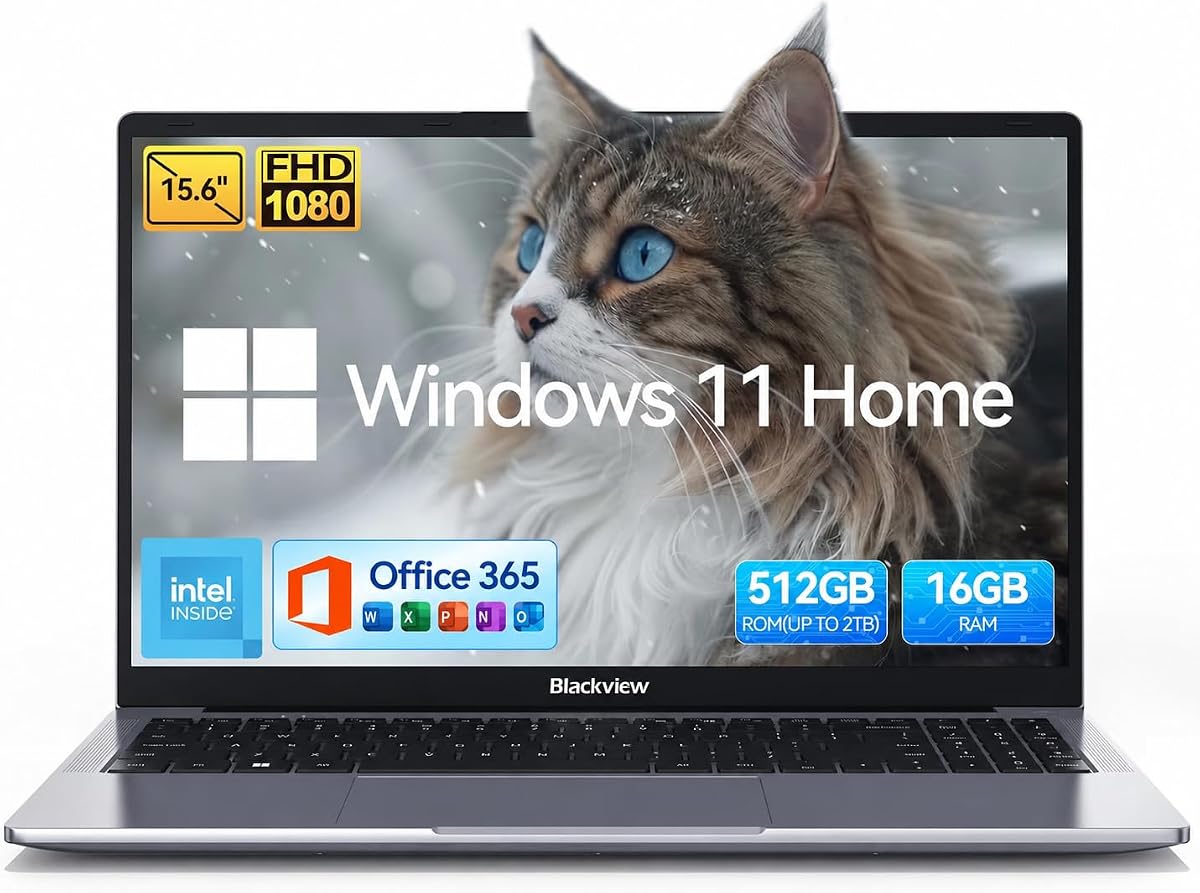
BlackView Acebook 6
4.6Editor score
Supports two external monitors
Full-function USB-C video output
HDMI 2.0 connection
16GB DDR4 memory
15.6-inch FHD display
A laptop with 2 HDMI ports can simplify a dual-monitor workstation by reducing dongles, adapters, and cable clutter. The most useful configuration also considers display resolution, USB-C video support, processing power, memory, and portability, because having two connectors does not guarantee a seamless extended-display experience.
This guide compares ten laptops based on the supplied specifications, including video outputs, processors, memory, storage, displays, wireless connectivity, and practical business or study features. It also distinguishes between laptops with multiple physical HDMI sockets and systems that can drive two external monitors through a combination of HDMI and USB-C.
Each review explains who the laptop suits, what stands out, and where compromises remain. The BlackView Acebook 6 offers the clearest documented multi-monitor path, while the Dell, HP, and Lenovo alternatives offer different combinations of performance, storage, screen quality, and productivity features; current prices and availability can change.
4.6Editor score

4.4Editor score

4.4Editor score
As an Amazon Associate we earn from qualifying purchases.
The comparison below highlights each laptop's documented video connectivity, core hardware, display, and primary use case. One important caveat is that a laptop with one HDMI socket can still support two external monitors when a video-capable USB-C port is also available, while two separate HDMI sockets remain uncommon in the current market.


The Dell Inspiron 16 Plus 7640 is an excellent general-purpose choice for buyers who want a high-quality laptop display alongside capable everyday performance. Its supplied specification highlights a 16-inch 16:10 2.5K panel with an optional 120Hz refresh rate, an Intel Core i7-13620H processor, 16GB of LPDDR5 memory, and a 1TB SSD. The laptop holds a 4.4 rating, making it a strong overall selection for productivity and mixed media work.
We may earn a commission when you buy through this link, at no additional cost to you.
Its greatest strength is visual quality. The taller 16:10 format provides more usable vertical space for documents, web pages, and split-screen applications, while the 2.5K resolution adds detail when the laptop is paired with high-resolution external displays. Dell ComfortView Plus is designed to reduce harmful blue-light emissions during extended sessions, and the 120Hz option makes ordinary scrolling and cursor movement feel more fluid. Internally, the Core i7 provides a sensible foundation for office work, browsing, communication, and light creative tasks.
The main limitation is that the supplied information does not explicitly confirm the number or type of external video outputs. It also pairs a capable processor with 16GB of memory, which may be less ideal for very heavy multitasking, extensive virtual machines, or demanding content workflows. Integrated graphics and a large chassis may also mean it is not the first choice for buyers who need a highly portable workstation or specialized GPU performance.
This Dell is best for professionals and students who want a visually refined, roomy laptop and expect to connect one or more external displays. It is our overall recommendation because its processor, storage, display refinement, and support features form a particularly balanced package. Confirm the current port configuration before purchasing if two dedicated HDMI sockets are essential rather than a multi-monitor arrangement using USB-C and HDMI.
The 2.5K, 16:10 panel gives the Inspiron 16 Plus a meaningful advantage for document-heavy work and multitasking. Its higher refresh-rate option also makes routine navigation smoother, especially when the laptop screen is used alongside external monitors.
The Core i7 processor and 1TB SSD cover mainstream professional demands, while 16GB of LPDDR5 memory suits frequent browser and application use. Onsite service can add convenience for eligible warranty issues that cannot be resolved remotely.
We may earn a commission when you buy through this link, at no additional cost to you.
The HP 17 Touchscreen Laptop stands out for its unusually generous memory and storage configuration. The supplied title identifies a 17.3-inch HD+ touchscreen, 64GB of RAM, a 2TB SSD, and an Intel Core i7 processor. Its 4.2 rating reflects a broadly capable machine, although the display resolution and limited documented video connectivity are important considerations for a monitor-focused buyer.
We may earn a commission when you buy through this link, at no additional cost to you.
For heavy multitasking, 64GB of RAM is the headline feature. It leaves ample room for many browser tabs, office applications, messaging tools, and background services without stressing the memory system as quickly as a typical configuration. The 2TB PCIe NVMe drive also provides considerable room for project files, media libraries, software, and local backups. Backlighting, a webcam, Wi-Fi 6, and a set of SuperSpeed USB ports reinforce its suitability for long work sessions.
The listed tech specs include one USB-C port, two SuperSpeed USB-A ports, one HDMI 1.4b connection, and a headphone and microphone combination jack. That means this is not a laptop with two physical HDMI ports. It may still support an additional external display through compatible USB-C video output, but that capability is not explicitly confirmed in the supplied information. The HD+ 1600-by-900 panel is also less detailed than the 1080p and 2.5K alternatives in this guide.
This HP is best for users whose priority is abundant memory and storage rather than two dedicated HDMI sockets. It could suit software testers, office power users, students with large course libraries, and anyone who wants a large touchscreen. Buyers should verify USB-C display support and their chosen monitor resolutions before committing to a two-monitor arrangement.
The 64GB configuration gives this laptop an unusual amount of headroom for intensive browsing, office multitasking, and applications that benefit from abundant memory. It is particularly compelling for users who would otherwise need to close programs to preserve performance.
The 17.3-inch touchscreen provides ample physical workspace and useful direct interaction for presentations or annotation. However, its HD+ resolution is less sharp than the FHD and 2.5K screens offered by several competing picks.
We may earn a commission when you buy through this link, at no additional cost to you.
The HP 15.6-inch Touch Laptop combines a high 4.6 rating with the specifications most often sought by students and office professionals. It offers a 15.6-inch FHD IPS touchscreen, 32GB of DDR4 memory, a 1TB PCIe NVMe SSD, and an AMD Ryzen 5 7530U processor. Windows 11 Pro and a dedicated numeric keypad further improve its appeal for everyday business and study.
We may earn a commission when you buy through this link, at no additional cost to you.
Its touchscreen supports tapping, swiping, and dragging on a 1920-by-1080 IPS panel with wide viewing angles. That makes it useful for interactive demonstrations, coursework, and casual creative work. The Ryzen 5 7530U is a six-core, 12-thread processor capable of handling office documents, complex spreadsheets, many browser tabs, and lighter creative tasks. The 32GB memory configuration gives the system plenty of breathing room for simultaneous applications.
The supplied description does not enumerate video ports, so neither a dedicated HDMI count nor a USB-C multi-monitor arrangement can be confirmed. This uncertainty matters because a laptop can support two monitors without having two HDMI sockets, but only if the correct video-output functions and adapters are present. Buyers should request the full port diagram and check display support for the USB-C interface before ordering.
This HP is a strong recommendation for students, office workers, and small-business users who prefer a full-size keyboard, numeric keypad, and touchscreen in a familiar 15.6-inch format. It is not the clearest option for this particular keyword because multi-monitor details are missing, but its memory, display, and overall rating make it a capable general-purpose laptop.
The full-size backlit keyboard and independent numeric keypad improve long typing sessions and data entry. Windows 11 Pro adds management and business features, while the Copilot assistant is intended to simplify common office tasks.
The FHD IPS panel combines sharp 1920-by-1080 resolution with touch input and wide viewing angles. That makes the laptop more flexible for presentations, annotation, browsing, and entertainment.
We may earn a commission when you buy through this link, at no additional cost to you.
The BlackView Acebook 6 is the clearest answer in this guide for buyers who specifically want two external monitors. Its supplied specifications state that the laptop can connect up to two external displays through a full-function USB-C port and HDMI 2.0, allowing the internal 15.6-inch FHD screen to join them in a three-screen arrangement. It carries a 4.6 rating and combines this useful capability with 16GB of DDR4 memory.
We may earn a commission when you buy through this link, at no additional cost to you.
Its Intel N150 processor is designed for everyday workloads rather than demanding professional software. Nevertheless, 16GB of memory gives the system enough capacity for many browser tabs, documents, spreadsheets, online classes, streaming, and routine file management. Storage options include 256GB or 512GB SSDs, while the DDR4 platform is described as offering upgrade flexibility. That combination makes the Acebook 6 sensible for students and budget-conscious home offices.
There is one important operating restriction: the three-display simultaneous or extended mode is not supported while charging through USB-C. Users who need continuous charging and three screens simultaneously may therefore need a different power strategy, such as charging through another compatible method if the available configuration permits it. The laptop also uses Wi-Fi 5 and Bluetooth 5.0, which are older standards than Wi-Fi 6 offered by many alternatives.
This is the best budget pick for dual-monitor users because the multi-monitor behavior is explicitly documented. It is best suited to browsing, coursework, office tasks, and general productivity rather than intensive computation. Users should confirm which accessories and adapters are included and test the desired monitor combination before committing.
The internal FHD panel can remain active while HDMI 2.0 and the full-function USB-C port drive two external displays. This is more useful than buying two separate physical HDMI sockets when your monitors support USB-C input.
At a listed weight of 1.7 kilograms, the Acebook 6 is easy to carry between classes or workspaces. The 16GB memory configuration and optional 512GB SSD deliver practical capacity for ordinary student and office use.
We may earn a commission when you buy through this link, at no additional cost to you.
The Dell Inspiron 15 3530 is a well-equipped business laptop with 32GB of RAM, a 2TB PCIe NVMe SSD, and an Intel Core i7-1355U processor. Its 4.1 rating is the lowest among this group, but the specification sheet reveals a capable configuration for office work, professional study, and storage-heavy users. A 15.6-inch FHD anti-glare touchscreen adds flexibility to an otherwise conventional business design.
We may earn a commission when you buy through this link, at no additional cost to you.
The Core i7-1355U has ten cores and 12 threads, with a listed maximum turbo frequency of 5.0GHz. Paired with 32GB of memory, it should handle numerous applications and browser tabs without the tight memory constraints of a compact laptop. The 2TB NVMe drive provides quick boot and transfer performance, along with substantial room for documents, media, and active project folders. Windows 11 Pro includes organization, management, and collaboration features for work environments.
Its documented tech specs include one HDMI 1.4 port, two USB-A ports, one USB 3.2 Gen 1 Type-C port, Wi-Fi 6, Bluetooth, an SD card reader, and an audio jack. Only one physical HDMI connection is confirmed. The USB-C port may offer display functionality, but the supplied information does not say so, so users needing two external monitors should not assume that capability.
This Dell suits office professionals, accountants, and students who need a numeric-oriented business tool with generous memory and storage. It may also appeal to buyers who want Windows 11 Pro and a touch display. Its recommendation is strongest for storage and multitasking rather than guaranteed multi-monitor connectivity.
Thirty-two gigabytes of RAM provides comfortable headroom for office applications, browser-heavy research, and communication tools. The Core i7 processor adds enough performance for demanding productivity tasks without moving into a dedicated workstation category.
A 2TB NVMe SSD supports large project libraries and quick file operations. The included SD card reader also makes it easier to transfer media from cameras and compatible devices.
We may earn a commission when you buy through this link, at no additional cost to you.
The HP Core i7 15.6-inch Laptop has a perfect 5.0 rating and a balanced set of business and academic features. Its title identifies a 2026 edition with an Intel Core i7-1255U processor, 16GB of RAM, a 1TB PCIe SSD, an FHD display, and Windows 11. The supplied description also lists a soft-grey chassis, Wi-Fi 6, Bluetooth 5.3, USB-C, HDMI, a camera shutter, and a microphone mute key.
We may earn a commission when you buy through this link, at no additional cost to you.
Its Core i7 processor has ten cores, a 12MB cache, and listed turbo performance up to 4.7GHz. That is appropriate for productivity, multitasking, communication, and content creation, while 16GB of memory offers a reasonable balance for everyday office use. The anti-glare 1920-by-1080 panel is practical for shared spaces, and the 250-nit brightness is a useful baseline for routine indoor viewing.
Port details are less definitive than the rest of the description. One HDMI connection is explicitly listed, and a USB-C port is present, but the supplied data does not confirm that the USB-C port supports video or that two external monitors can be driven simultaneously. Storage wording is also inconsistent: the product title names a 1TB PCIe SSD while the description refers to up to 2TB, so buyers should check the exact configuration received.
Despite that uncertainty, the laptop's rating, light weight, Core i7 processor, privacy controls, and practical screen make it an attractive option for mobile professionals and students. It is a good choice for users who want strong general-purpose performance and one straightforward display connection, but it should not be selected as a confirmed two-HDMI solution without reviewing the final port specification.
The listed 3.52-pound weight makes the laptop easier to carry between offices, classrooms, and meeting spaces. Its processor and 16GB memory configuration remain suitable for typical productivity workflows despite the portable design.
A physical camera shutter and dedicated microphone mute key make it straightforward to protect your privacy during calls. The anti-glare display also helps when working under varied indoor lighting.
We may earn a commission when you buy through this link, at no additional cost to you.
The Dell Pro 15.6-inch Laptop 2026 is built around smooth everyday productivity, with an Intel Core 3 100U processor, 16GB of DDR5 memory, and a 256GB PCIe NVMe SSD. It has a 4.5 rating, and its 15.6-inch FHD IPS display combines a 120Hz refresh rate, WVA viewing angles, anti-glare treatment, and 250-nit brightness for comfortable daily use.
We may earn a commission when you buy through this link, at no additional cost to you.
The six-core processor can reach a listed 4.7GHz, making it well suited to browsing, office applications, video calls, and routine multitasking. DDR5 memory and NVMe storage contribute to responsive operation, while the SD card slot offers convenient transfer of photos and files from compatible cameras. Wi-Fi 6 with 2×2 MU-MIMO support helps maintain reliable wireless performance in busy environments.
Its documented ports include one HDMI 1.4 connection, USB-A and USB-C ports, a universal audio jack, and an SD card slot. Again, there is only one explicit HDMI output, and the USB-C port is not confirmed as a video output in the supplied information. The 256GB SSD may also become restrictive for large creative files, extensive application libraries, or local media collections.
This Dell Pro is a good everyday choice for students, home users, and office professionals who value a smooth 120Hz screen and current platform features. It also works well as a second-display laptop because its smaller storage and moderate weight are easier to manage. Verify the exact monitor-support matrix if a two-screen setup is a non-negotiable requirement.
The 120Hz refresh rate makes navigation and on-screen motion noticeably fluid for a conventional office laptop. FHD resolution, IPS color and viewing angles, and anti-glare treatment improve everyday comfort.
The Core 3 100U and DDR5 memory provide a capable foundation for routine work and study. Wi-Fi 6, Bluetooth, an SD card reader, and a mix of USB ports cover common accessory needs.
We may earn a commission when you buy through this link, at no additional cost to you.
The Lenovo V15 Gen 4 is a practical business laptop with an emphasis on connectivity, security, and affordability. Its listed features include a 15.6-inch FHD anti-glare display, an AMD Ryzen 3 7320U processor, 16GB of LPDDR5 memory, 512GB of storage, Windows 11 Pro, and a 4.4 rating. It is particularly interesting for offices that still rely on wired Ethernet.
We may earn a commission when you buy through this link, at no additional cost to you.
The port selection includes USB-C, two USB-A ports, a Gigabit RJ-45 connection, an HDMI 1.4b port, and a headphone and microphone combination jack. Wi-Fi 6 and Bluetooth 5.3 provide modern wireless alternatives. A full numeric keypad is useful for accounting and data entry, while the Service Hot Key gives convenient access to device details, warranty information, and self-service options.
Security is another differentiator. The laptop includes a firmware TPM 2.0, Windows 11 Pro security enhancements, malware detection, and a physical webcam shutter. It is also described as MIL-SPEC tested to 810H requirements. These attributes do not change its multi-monitor capabilities, but they make it more attractive for managed business environments.
The Ryzen 3 7320U is a four-core, eight-thread processor designed for browsing, office applications, and routine multitasking. Only one HDMI output is documented, and the USB-C video capability is not confirmed. The Lenovo is therefore best for users who value Ethernet, security, and business manageability more than guaranteed dual-monitor support.
The Gigabit Ethernet port can provide a stable, low-latency connection in offices and conference rooms. USB-A, USB-C, HDMI, and wireless options provide the peripheral mix expected from a modern business notebook.
Windows 11 Pro, firmware TPM 2.0, and the physical webcam shutter support both organizational and personal security needs. The numeric keypad also makes the laptop useful for spreadsheet-heavy roles.
We may earn a commission when you buy through this link, at no additional cost to you.
The Lenovo V-Series V15 is our premium pick because it pairs a Ryzen 7 5825U processor with an exceptional 40GB of RAM and a 2TB PCIe NVMe SSD. Its 4.4 rating and business-oriented feature set make it an attractive high-capacity machine for demanding office workflows. The 15.6-inch FHD display is conventional, but the internal hardware leaves considerable room for multitasking.
We may earn a commission when you buy through this link, at no additional cost to you.
The Ryzen 7 processor has eight cores, 16 threads, a 16MB cache, and a listed maximum turbo frequency of 4.5GHz. That provides ample capability for office applications, research, communication, and heavier multitasking. The 40GB memory configuration is especially valuable when many applications remain open, while the 2TB NVMe drive provides fast storage and abundant room for project assets and media.
The listed connectivity includes one USB-C port, one USB 3.2 Type-A port, one USB 2.0 Type-A port, HDMI, RJ45 Ethernet, a headphone and microphone combination jack, and a webcam. A numeric keypad improves productivity for finance and data entry. There is no documentation of two physical HDMI ports, and it would be unsafe to assume the USB-C port provides display output without checking the manual or manufacturer specifications.
This Lenovo is best for business professionals, analysts, developers, and students who want abundant memory and storage without moving to a much larger workstation. Its premium status reflects the powerful internal configuration rather than dedicated dual-HDMI connectivity. For a confirmed two-monitor setup, the BlackView Acebook 6 has clearer multi-display documentation.
Forty gigabytes of RAM gives users room to run many applications, browser tabs, and background processes concurrently. The large NVMe drive complements that memory and supports fast access to substantial working collections.
The Ryzen 7 processor supplies enough performance for sustained productivity and multitasking while retaining a familiar 15.6-inch form. Windows 11 Pro, Ethernet, and the numeric keypad serve office-based workflows well.
We may earn a commission when you buy through this link, at no additional cost to you.
The Lenovo Essential 15.6-inch is the most lightweight option in the guide, weighing 3.42 pounds and measuring 0.70 inches thick. It is designed for straightforward browsing, document editing, streaming, video calls, and online learning. Its 4.1 rating reflects a practical budget device rather than a high-performance workstation, and its exact port count should be checked if two dedicated HDMI connections are essential.
We may earn a commission when you buy through this link, at no additional cost to you.
The Intel N150 is a quad-core processor with a listed maximum frequency of 3.6GHz and 6MB of cache. It is paired with 8GB of LPDDR5-4800 memory, which should handle standard productivity applications but offers little headroom for intensive multitasking. Storage is 128GB UFS 3.1, providing quick file access but limited room for large application libraries, downloaded media, or extensive local project files.
The port list includes two USB-A ports, one USB-C port with power delivery and DisplayPort, HDMI 1.4, a headphone jack, and an SD card reader. The DisplayPoint-capable USB-C connection could provide a route to a second external display if the laptop's documented graphics configuration supports it, although the supplied information does not explicitly confirm simultaneous multi-monitor operation. The physical HDMI port remains useful for direct connections.
This Lenovo is best for light users who value portability, a sharp FHD panel, and a broad selection of ports more than processing power or storage. It may serve well as a travel companion or secondary computer. Those seeking a smoother dual-monitor experience should confirm graphics support, choose adequate storage, and consider the more clearly documented BlackView multi-screen alternative.
The low 3.42-pound weight and 0.70-inch profile make the Essential straightforward to carry. Its FHD anti-glare display also remains practical for reading and writing in varied indoor lighting.
HDMI 1.4, DisplayPort over USB-C, USB-A, and an SD card reader provide a flexible baseline. The USB-C video output may extend the display arrangement, but simultaneous operation should be verified for the exact configuration.
We may earn a commission when you buy through this link, at no additional cost to you.
The most important consideration is not simply the presence of two HDMI sockets, but whether the laptop can support your exact combination of internal and external displays at the desired resolutions and refresh rates. Performance, memory, portability, and wired connectivity should then be matched to the way you work.
A physical HDMI port is the most direct way to connect a display, projector, or television without relying on a video adapter. Because the supplied data does not explicitly identify two HDMI sockets on any model, buyers should review the current product diagram, manual, and specification list. A title that mentions HDMI alone confirms only one connection, not two, and USB-C ports should not be mistaken for HDMI sockets.
A full-function USB-C port with DisplayPort Alt Mode can often drive an external monitor while HDMI drives another. The BlackView Acebook 6 explicitly supports this arrangement and describes a three-screen setup with its internal display. Other laptops list USB-C, DisplayPort, or HDMI but do not explicitly confirm simultaneous external-monitor support, so the operating system and graphics hardware configuration should be checked before buying.
A laptop can support more monitors physically without driving each one at its maximum resolution or refresh rate. The Intel UHD and Radeon graphics options described here may impose limits depending on the processor, operating system, cable, monitor, and display arrangement. For office work, 1080p is usually straightforward, while high-resolution panels, gaming, and creative applications place greater demands on graphics bandwidth and processing power.
The guide includes entry-level Intel N150 and Ryzen 3 processors for routine tasks, midrange Core i7 and Ryzen 7 chips for heavier productivity, and a Ryzen 5 option for a capable middle ground. Processors also affect display support, battery behavior, and the ability to keep multiple productivity applications responsive. Choose according to your workload rather than assuming a newer label guarantees every advanced feature.
Memory determines how comfortably the system handles browser tabs, office applications, virtual meetings, and background services. The 8GB Lenovo Essential is suitable for light work, while 16GB models cover mainstream use and 32GB to 64GB configurations benefit intensive multitasking. The 40GB Lenovo V-Series offers an unusual amount of headroom and may age better as browser workloads and applications expand.
Storage capacity should match the files you keep locally. A 128GB drive is compact and inexpensive but can become restrictive quickly, while 512GB provides a more comfortable balance and 1TB or 2TB suits larger project libraries. Pay attention to the drive type as well: NVMe and UFS models generally offer faster operation than conventional SATA storage, while memory upgradeability can add longevity on selected designs.
A complete desk setup benefits from more than video outputs. USB-A devices, USB-C peripherals, an SD card reader, an audio jack, Wi-Fi 6, and Gigabit Ethernet can all improve daily convenience. The Lenovo V15 Gen 4 is notable for its RJ-45 connection, while the Dell Pro and Lenovo Essential include card readers. Consider the accessories you already own to determine which adapters would be required.
Screen quality affects the laptop itself, while weight and thickness determine how easily it can accompany you. The 17.3-inch HP offers a large touchscreen, the Dell Inspiron 16 Plus provides a spacious 2.5K panel, and the Lenovo Essential is designed for easy carrying. A larger internal display can also make a single-laptop workflow more comfortable when external monitors are not in use.
Before connecting external monitors, update the operating system and graphics drivers, then check the manufacturer's support page for the maximum number of displays, supported resolutions, and refresh rates. Connect the monitors one at a time, allow the desktop to refresh after each connection, and use the system's display settings to choose whether the laptop screen should mirror the external display or extend the desktop.
Use cables and adapters appropriate for the ports and display standards involved. HDMI cables should support the target resolution and refresh rate, while a USB-C-to-HDMI adapter or cable should use DisplayPort Alt Mode if that is how the second display is connected. Avoid leaving a multi-monitor arrangement active while charging through the same USB-C port if the laptop's documentation says that mode is unsupported.
For long-term care, keep vents clear, clean the screen with a soft microfiber cloth, and avoid compressed air that could force dust into the laptop. Route display and power cables to reduce strain on connected ports, and use a docking station or cable organizer when the setup is permanent. Periodically back up important files and verify that the chosen power, video, and sleep settings meet your workflow.
The BlackView Acebook 6 is the clearest match because its supplied specifications state that it can connect up to two external monitors through a full-function USB-C port and HDMI 2.0. Its internal screen can remain active for a three-display arrangement. Other products list USB-C and HDMI, but their supplied information does not explicitly confirm simultaneous multi-monitor support.
No. One HDMI port and one USB-C port with DisplayPort Alt Mode can often drive two separate external displays. The BlackView Acebook 6 uses this approach. You may still need the correct cable or adapter, and you should verify that the operating system, graphics hardware, and selected adapter support the desired resolution and refresh rate.
On supported systems, yes. The BlackView Acebook 6 explicitly describes simultaneous or extended three-display use with its internal FHD panel, HDMI 2.0, and full-function USB-C port. However, the supplied description notes that three-display mode is not supported while charging through USB-C, so check power arrangements before relying on that configuration.
For most office work, two 1080p monitors provide a practical balance of clarity, productivity, and compatibility. Higher resolutions are useful for documents, media editing, and dense spreadsheets, but they increase graphics and bandwidth demands. Check the laptop's supported display matrix and use cables or adapters capable of carrying the target resolution and refresh rate.
The HP 17 Touchscreen Laptop leads the supplied configurations with 64GB of RAM. The Lenovo V-Series V15 follows with 40GB, while the Dell Inspiron 15 3530 and HP 15.6-inch Touch Laptop offer 32GB. These amounts are most useful for many simultaneous applications, extensive browser use, and technical workloads.
Generally, HDMI carries video and audio but is not designed to charge the laptop. Charging normally takes place through a dedicated power connector or a compatible USB-C port with Power Delivery. On a multi-monitor setup, use the appropriate charger and check whether charging through USB-C limits display support.
Eight gigabytes is adequate for light browsing, document editing, streaming, and video calls, but it can feel limited with many tabs or applications. Sixteen gigabytes is a more comfortable minimum for regular productivity and multitasking. Users handling large project files or intensive applications should consider 32GB or more.
Choose a laptop with the exact video and data ports your monitors require, or standardize on USB-C docks if your peripherals support it. Labeling cables, using a monitor with built-in USB hub connectivity, and selecting a docking station compatible with your laptop can reduce clutter. Always confirm that a dock supports the desired display count and resolution.
The BlackView Acebook 6 is the most directly aligned choice because its documentation confirms two external displays through HDMI 2.0 and a full-function USB-C port. The Dell Inspiron 16 Plus 7640 offers the strongest all-around visual and processing package, while the Lenovo V-Series V15 supplies premium business capacity with 40GB of memory, a Ryzen 7 processor, and 2TB of storage.
For buyers with a firm requirement for two dedicated HDMI sockets, verify the exact configuration before purchasing because most modern thin-and-light laptops emphasize USB-C video output instead. Prioritize simultaneous display support, target resolution, refresh rate, memory, and the accessories you already own. A lower-resolution native laptop screen can still work well when the main productivity takes place across external monitors.
Product listings, configurations, and prices can change over time, so review the current port diagram, component details, and availability before making a final decision. The supplied information is intended to narrow the field, but manufacturer documentation and verified customer requirements remain the most reliable basis for confirming multi-monitor compatibility.