
Ruko 1088 Smart Robot Toy
4.5Editor score
15.8-inch expressive robot
Ten expressions and ten songs
Bluetooth app and gravity control
Remote control robots combine responsive movement with storytelling, music, programming, and imaginative play, making them far more engaging than a basic remote-controlled vehicle. A worthwhile robot should move predictably, offer clear control options, provide entertaining built-in features, and suit the age and interests of the child using it.
The ten products in this guide were compared using their stated dimensions, control methods, programming capabilities, entertainment functions, charging details, and recommended age ranges. The list covers full-size programmable humanoids, tank-style robots, a wall-climbing gecko, a transforming police car, and several feature-packed robots designed for different budgets and play styles.
Each review highlights the strongest reasons to consider the robot alongside practical limitations or questions to check before purchasing. Ratings and product details reflect the supplied information, while availability and prices can change, so readers should confirm current listings, included accessories, and age guidance before ordering.
4.5Editor score

4.6Editor score

4.6Editor score
As an Amazon Associate we earn from qualifying purchases.
This side-by-side comparison highlights each robot's form, control options, programming depth, entertainment features, charging approach, and stated age range, helping readers narrow the field without overlooking distinctive options such as a wall-climbing gecko or a transforming police car.




The Holyton 5088 Smart Robot is the most complete all-around choice in this guide, combining a large humanoid design, four control approaches, extensive programming, expressive lighting, and hands-on action features. Its 4.6 rating reflects a well-rounded feature set, and the 15.7-inch height gives it more presence than a compact novelty robot. The combination is particularly appealing for children who want more than simple movement commands.
We may earn a commission when you buy through this link, at no additional cost to you.
Its standout strength is the app-based programming system, which supports more than 200 chained steps. Children can combine walking, sliding, arm movements, facial expressions, delays, and loops into custom routines rather than merely activating a short prewritten sequence. Direct operation is equally varied: a 2.4GHz remote, Bluetooth app, phone-tilt gravity mode, and English voice commands each provide a different way to interact. The robot can also respond to 11 groups of spoken commands with replies, movements, music, and dancing.
Physical features make the robot more engaging than a voice-and-movement-only toy. Its left gripper can pick up lightweight objects, while its right arm launches foam darts. The package supports up to five darts at a time, with 10 included, creating a clear role-play objective beyond free roaming. LED eyes add personality and make the robot more expressive during movement and conversations. These features do create more opportunities for supervision, particularly when foam projectiles are involved, and buyers should also consider whether the child's child is ready to manage app-based programming.
The Holyton 5088 is recommended for children ages 6-12 who enjoy robotics, action play, and structured creative tasks. It is especially useful for a child ready to progress from operating a remote to designing longer action sequences. Families looking for a single robot with several control styles, a substantial physical feature set, and deep programming will find this model harder to eclipse than a simpler robot that offers only movement, music, and a short programming routine.
With support for more than 200 steps, loops, delays, and coordinated movements, the app turns the robot into a platform for designing performances and routines. A child can gradually build complexity instead of limiting play to a handful of preset commands.
The gripper and foam-dart launcher give the robot tasks that movement alone cannot provide. They make the robot useful for cooperative play, demonstrations, and story-driven adventures, provided projectiles are handled responsibly.
We may earn a commission when you buy through this link, at no additional cost to you.
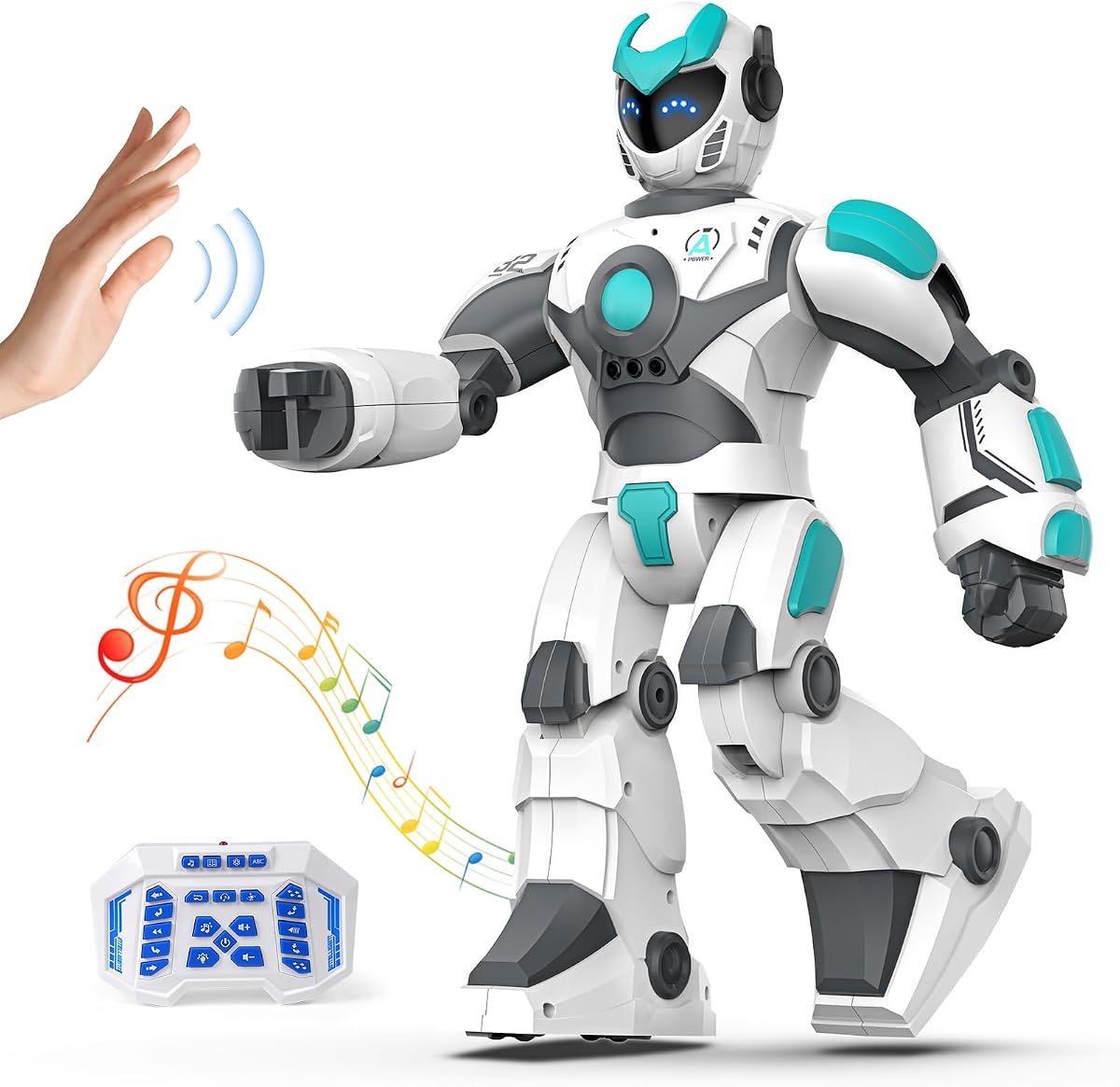
The Ruko 1088 Smart Robot delivers an unusually polished combination of movement, expression, music, and control options. Its 4.5 rating and substantial 15.8-inch frame place it firmly in the premium section of this list, but the premium case rests on more than size. The robot's ten facial expressions, nine flexible joints, and ten songs create a theatrical presence that can sustain repeated indoor play.
We may earn a commission when you buy through this link, at no additional cost to you.
The robot supports three practical control styles: a 2.4GHz remote, the Carle app through Bluetooth, and gravity-sensor phone control that responds to tilting. Voice-style commands such as a request to dance add another layer of interaction. Its movement variety includes gymnastics, storytelling, dance, music, and recording functions, while the nine flexible joints allow the robot to appear more lifelike than a fixed-action toy. Skin-safe ABS material, smooth burr-free edges, and FCC and CPC certification reinforce its family-friendly positioning.
A stated full-charge playtime of up to 100 minutes is one of the strongest battery claims among the products reviewed. There is, however, an important charging caveat: the included original cable should be used, because USB-C to USB-C cables are not supported. The product also requires charging for 30 minutes before first use if it does not respond. Compared with the Holyton 5088, the supplied information does not define the exact number of programmable steps, so buyers focused on elaborate coding should examine the app and programming workflow before choosing.
The Ruko 1088 is best for families seeking a large, expressive robot that feels like an interactive companion or performer. It suits children interested in dance, storytelling, music, and make-believe, while its multiple control methods accommodate different levels of technological confidence. For the premium budget, it is a strong choice when expressive movement, long playtime, and flexible body mechanics matter more than a projectile launcher or a precisely quantified coding sequence.
Nine flexible joints let the robot gesture, dance, and perform gymnastics-style movements rather than only rolling or sliding. That movement range can make routine play feel more varied and story-driven.
Three distinct control approaches make it easy to vary the experience. Younger operators can begin with the remote, while older children can use the Bluetooth app or tilt a phone to direct movement.
We may earn a commission when you buy through this link, at no additional cost to you.
The Remote Control Programmable Robot Toy Kids provides a broad mix of programming, combat, gesture control, and automatic dancing. Its 4.5 rating reflects a versatile feature set at a value-oriented level. The stated suitability for ages 3 through 12 is unusually broad, although the smallest children may need help understanding the controls and programming steps. Visually, the robot is presented as an upgraded combat-style machine with a cannonball rack and shield.
We may earn a commission when you buy through this link, at no additional cost to you.
Programming is the most educationally relevant feature. The RH705 model can edit up to 50 actions, creating a custom sequence that the robot demonstrates after programming is completed. This gives children a practical way to explore order, cause and effect, and basic logic without requiring a separate computer. Gesture sensing and remote control provide two ways to operate movement, while the combat form and sound effects support interactive battles when more than one child plays.
Entertainment features broaden its appeal beyond programming. The dance button activates rhythmic movement, and eight built-in songs can be changed by pressing the same button. A rechargeable lithium battery is said to charge in one hour and deliver another hour of continuous play, with a low-battery alert helping parents plan the next session. The main limitation is that the product information does not describe a smartphone app, so buyers should not assume the same extensive app-based routines found in the leading picks.
This robot is a good fit for families seeking programmable play, music, and pretend combat in one reasonably accessible package. It may be especially useful for siblings or groups because the combat concept supports face-to-face interaction, although the listing suggests separate robots for a full battle. It is less compelling for buyers specifically looking for a large humanoid or a voice-command platform, but it delivers a balanced mix of motion, programming, and entertainment for its stated audience.
The ability to edit up to 50 actions gives children a meaningful introduction to sequencing. It is substantial enough to create recognizable routines while remaining accessible through the robot's own control system.
A cannonball rack, shield, and sound effects turn the robot into a partner for imaginative battles. Social play is more engaging when each child has a robot and follows shared rules.
We may earn a commission when you buy through this link, at no additional cost to you.
The VAV Toys Programmable RC Robot blends traditional remote operation with gesture sensing in a design aimed at children ages 6-12. Its 4.5 rating and broad feature mix make it a practical middle-ground choice. It is described as larger than many competing robots and includes LED eyes, a voice function, machine-gun styling, and a protective shield, giving it a toy-like appearance that works well for display as well as active play.
We may earn a commission when you buy through this link, at no additional cost to you.
The remote can command forward, backward, left, and right movement, while the gesture system recognizes similar directional commands. Programming is performed through the remote and can combine actions such as moving forward, sliding, turning, playing music, and returning to programming mode. This is less quantifiable than the 200-step system of the Holyton 5088 or the 50-action system offered by the third-ranked robot, but it provides a clear, accessible way for younger children to experiment with ordered movement.
The built-in battery uses a USB socket, allowing charging through an adapter, power bank, laptop, or car charger. A one-hour charge is stated to provide about 60 minutes of play, which is practical for regular indoor sessions. The product's principal limitation is that the supplied information does not mention an app, voice-command library, or quantified number of programmable steps. Buyers wanting advanced smartphone workflows may find one of the explicitly app-controlled robots more suitable.
This VAV model is recommended for families who want a recognizable remote-controlled robot with enough programming and sensing to feel smart. It works particularly well for children in the 6-10 range who can manage multi-button sequences and are ready to move beyond simple directional driving. It also suits buyers who prefer a machine-gun and shield theme but do not need the larger humanoid format found among the top choices.
Programming directly from the included remote removes the need for a separate device. Children can combine directional and action commands, then watch the robot perform them in the selected order.
The USB socket can work with common household power sources, including a power bank, laptop, wall adapter, or car charger. That flexibility makes it easier to keep the robot ready for play.
We may earn a commission when you buy through this link, at no additional cost to you.
The VATOS Remote Control Robot is built around a rare combination of movement, voice control, multimedia performance, and programmable routines. Its 4.5 rating reflects a well-rounded set of features, while the 15.4-inch body gives it enough scale for children to treat it as a character. Bright LED eyes can change expression, adding visual feedback as the robot sings, dances, or talks.
We may earn a commission when you buy through this link, at no additional cost to you.
Twenty-two remote instructions unlock functions including sliding, walking, singing, dancing, storytelling, joke delivery, poetry recitation, and volume adjustment. Voice control allows children to direct the robot directly, and gesture sensing supports movement commands. Programming can record up to 30 commands, which the robot later repeats. This makes the product useful for a child who wants to create a short performance rather than merely steer a vehicle from one room to another.
The built-in rechargeable battery charges by USB through a power bank, wall plug, computer, or similar source. A charge time of about two hours is followed by roughly 60 minutes of play. That relationship may feel less convenient than products that recharge in around an hour, so planning around charging sessions is important. The listing also does not mention a dedicated smartphone app, which limits the appeal for families specifically seeking extensive app-based coding.
This VATOS robot is a strong choice for children who enjoy stories, jokes, music, and conversational play. The wide range of stated ages means it can work for younger children with close supervision and for older children who want to build longer command sequences. Buyers should prioritize the model's voice and performance strengths, and confirm that the included voice functions and remote commands are suitable for their household before purchase.
Stories, jokes, poems, songs, and dancing give the robot substantial replay value without requiring extra accessories. It can function as a performer, a character in pretend play, or a focus for family entertainment.
The ability to record and replay 30 commands makes custom routines more useful than isolated movement commands. Children can design a sequence that reflects a story, exercise, or dance.
We may earn a commission when you buy through this link, at no additional cost to you.
The Hamourd Robot Toys is a straightforward, budget-friendly introduction to remote-controlled robotics. It carries a 4.6 rating and uses a tank-style lower body, flexible head and arms, LED eyes, and a 2.4GHz controller. Rather than pursuing a smartphone app, elaborate voice recognition, or extensive programming, it concentrates on accessible movement, music, and an automatic demonstration that is easy for a younger child to activate.
We may earn a commission when you buy through this link, at no additional cost to you.
Directional movement includes forward, backward, left, and right. The head and arms can move as the robot operates, and the demo mode produces 360-degree spins and dancing. Remote commands can also change the LED eye display and select different songs. The tracked base contains six wheels, helping the robot move while maintaining its distinctive robot-and-tank appearance. The 2.4GHz system also allows multiple robots to operate at the same time without the interference associated with older radio frequencies.
A major strength is simplicity. There is no app to pair and no complicated programming language, which makes this a good first remote-controlled robot. The included box contains the robot, controller, Type-C charging cable, screwdriver, user manual, and controller batteries. A limitation is that it offers none of the gesture, app, or programmable features found in higher-ranked options, so children ready for long action sequences may outgrow it relatively quickly.
The Hamourd model is recommended for children around ages 4-5, as stated in the product information, and for adults seeking a straightforward gift with immediate entertainment. It works well for introductory RC practice, music-and-dance play, and multi-robot demonstrations. Its strength lies not in advanced capabilities but in an easy interface, lively presentation, and low-complexity operation that can help a young child become comfortable with remote control.
The one-button demonstration produces spins and dance movements without complex input. It is especially helpful for younger children who may not yet coordinate several remote commands.
Because the controller uses 2.4GHz radio control, multiple units can operate together with less interference. This makes the robot suitable for siblings, parties, or side-by-side demonstrations.
We may earn a commission when you buy through this link, at no additional cost to you.
The RC Wall Climbing Gecko is the most unconventional robot in the guide, replacing the usual humanoid or tank body with a remote-controlled reptile. Its 4.3 rating reflects a distinctive product that may not suit every household, but it offers an experience that conventional robots cannot match. The gecko crawls over smooth walls, glass, floors, and ceilings using negative-pressure technology, creating an immediate sense of wonder for children interested in animals, climbing, or scientific-looking gadgets.
We may earn a commission when you buy through this link, at no additional cost to you.
Control comes through a 2.4GHz remote with a stated range of up to 33 feet. The robot can also spin 360 degrees in place, which is particularly noticeable on a wall. Its blue LED eyes glow in low light and make the gecko visually striking after dark. A dual-mode design allows the same product to be used for wall climbing and floor play, helping it work as more than a one-scene demonstration.
The gecko measures 12.8 by 6.5 by 1.6 inches and weighs 2.6 ounces. USB charging allows it to be played and charged according to the supplied information. The remote requires two AAA batteries, which are not included. The main practical consideration is that wall climbing depends on suitable smooth surfaces and adhesion, so buyers should follow the instructions and test it on the types of walls and glass in the home before planning a larger play session.
This product is ideal for children ages 3-12 who enjoy unusual robotic animals, the stated target range also includes younger reptile enthusiasts, and it is a strong novelty gift for older children who have moved beyond basic vehicle toys. It is less suitable for a child primarily seeking programming, voice interaction, or humanoid movement. Its appeal rests on realistic crawling, surface exploration, and the unusual visual of a glowing gecko traversing a wall.
The ability to move across walls, glass, floors, and ceilings transforms an ordinary room into a play space. It encourages observation and experimentation with how the robot responds to different surfaces.
The gecko form is more interactive than a conventional remote car. Its flexible-looking body, glowing eyes, and climbing behavior make it feel like a robotic animal companion rather than a vehicle.
We may earn a commission when you buy through this link, at no additional cost to you.
The STEMTRON Smart Robot offers one of the strongest balances between entertainment, programming, and accessible controls. Its 4.6 rating reflects a broad collection of content, and the robot can be operated with either a 2.4GHz remote or hand gestures held in front of its chest. The remote includes more than 22 functions, while gesture control focuses on intuitive forward, backward, left, and right movement.
We may earn a commission when you buy through this link, at no additional cost to you.
The built-in library is unusually extensive for a non-app-dependent robot. It includes five nursery rhymes, two stories, eight music tracks, four science tales, five voice commands, and three automatic dance demonstrations. On startup, the robot greets the user with a voice and welcome dance, enters standby, and goes to sleep after two minutes of inactivity. These behaviors make it feel more like an electronic companion, although some children may need a little guidance to discover the available commands.
Custom action sequences add the STEM-oriented value. The robot can be programmed to perform selected movements in a chosen order, allowing a child to design a simple routine and observe the result. Its 3.7-volt, 350mAh lithium-polymer battery charges through a USB port requiring 5V and at least 500mA. Charging takes about one hour, with up to 60 minutes of play. The robot does not respond while connected to power, so it must be unplugged before resuming use.
The STEMTRON is well suited to children who enjoy stories, music, movement, and beginner programming. It also works for older children who want to experiment with gesture input and custom routines without a smartphone. The stated safety notice notes that the product contains small parts and is not suitable for children under three. Adult supervision during charging is required, and only the included cable should be used.
Rhymes, stories, science tales, music, commands, and dances provide enough variety for different times of day. A child can use the robot for quiet storytelling as easily as for active movement.
Gestures performed in front of the chest provide a simple alternative to pressing remote buttons. The method is especially approachable for children who enjoy acting out commands rather than operating a conventional controller.
We may earn a commission when you buy through this link, at no additional cost to you.
The FDJ Remote Control Car combines a driving toy and a robot in one 1:18-scale police car. Its 4.4 rating reflects a distinctive transformation concept that stands apart from the humanoid robots dominating most of the list. Pressing the appropriate remote button converts the vehicle from car mode into robot mode and back again, giving children two forms of play in a single product.
We may earn a commission when you buy through this link, at no additional cost to you.
Movement includes forward and backward travel, drifting, and 360-degree rotation through the universal wheel design. LED police lights add visibility and excitement, while the automatic demonstration function introduces surprise movement. A one-button transformation is easy to operate, making the product suitable for children who may struggle with more complicated sequences. The stated age guidance includes children ages 3 and 4, with broader suitability extending through ages 5 to 8 and beyond.
Constructed from durable ABS plastic, the toy includes an anti-fall body intended to tolerate active handling. The 2.4GHz technology is designed to reduce interference when several cars are used together, making it useful for family or group play. Its biggest limitation is that it does not provide gesture sensing, voice control, programmable routines, or an app. In exchange, it offers an immediately understandable concept that can be enjoyed without setup.
The FDJ transforming police car is a good choice for children who enjoy vehicles, transforming machines, drifting, and battle-style play. It also works for collectors of unusual robot toys because the dual form gives it shelf appeal alongside active use. Parents seeking a talking or programmable humanoid should look elsewhere, but families wanting a simple remote-controlled toy with dramatic transformations will find the core concept immediately engaging.
The automatic transformation lets the same unit shift from realistic police car to robot. The change adds a sense of spectacle and gives children two distinct play modes without managing separate toys.
Forward travel, backward travel, drifting, and 360-degree rotation make the car more dynamic than a basic push toy. These movements are especially useful on open floors with adequate space.
We may earn a commission when you buy through this link, at no additional cost to you.
The SONOMO Intelligent Programmable Robot is a well-rounded companion for children who want accessible programming alongside music and movement. It carries a 4.6 rating and provides a 2.4GHz remote, gesture sensing, programmable action sequences, and entertainment functions including singing, dancing, and storytelling. Its weapon-and-shield styling gives it a robotic sidekick theme, while the white finish differentiates it from many darker robot designs.
We may earn a commission when you buy through this link, at no additional cost to you.
Directional gesture commands allow the robot to move forward, backward, left, and right, while the remote provides direct control. Through the remote, a child can build a sequence from actions such as turning left, turning right, sliding forward, and stepping backward. The number of programmable actions is not stated, but the system offers enough structure to demonstrate an important principle: children can create a sequence and then watch the robot reproduce it in order.
The built-in rechargeable battery provides about one hour of play after a 60-minute charge and can be recharged with the included USB cable. Singing, dancing, and storytelling broaden the experience beyond movement and programming. It is an approachable model for the stated target of children ages 6-9, with the product information also presenting it as suitable for ages 5-8 in its gift guidance.
The SONOMO robot is recommended for families seeking a traditional programmable RC toy with gesture control and built-in entertainment. It is particularly suitable for children transitioning from simple driving to creating movement routines. It does not offer the app ecosystems, quantified coding capacity, voice-command variety, or physical gripper and launcher found among the leading products, but it delivers the core appeal of an imaginative robotic companion in a manageable format.
The remote-based programming system keeps the experience self-contained. Children can build movement sequences without a phone, tablet, account setup, or separate software.
Singing, dancing, storytelling, gestures, and programmable actions create several ways to play. The variety helps the robot serve as both a controllable toy and a participant in imaginative play.
We may earn a commission when you buy through this link, at no additional cost to you.
The best remote control robot depends on the child, the available space, and how much emphasis the family places on movement, programming, creativity, or entertainment. Use the following factors to narrow the options before making a purchase.
In short, select a humanoid for expressive interaction, a compact robot for simple control, a gecko for climbing novelty, or a transforming car for dual-form play.
In short, begin with remote operation for predictability, then consider gesture, app, or voice features only when the child is ready for a more involved interface.
In short, compare the number and complexity of supported actions, not merely whether a product is labeled programmable.
In short, favor a varied entertainment library if the robot will be used by one child or in a space where physical play is limited.
In short, favor a model that fits the household's charging routine and includes a compatible cable or clearly documented power requirements.
In short, use the listed age range as a starting point, then check the specific warnings, projectile features, small parts, and adult-supervision instructions.
In short, select the robot around the space available and the surfaces it needs, not only around its feature list.
In short, verify that required cables, projectiles, controller batteries, and compatible devices are included or readily available.
Begin by reading the included manual and charging the robot according to its product-specific instructions. Some models require an initial 30-minute charge, most use a USB cable, and the Ruko does not support USB-C to USB-C cables. Confirm that the robot is fully charged, install any required controller batteries, and pair the app only if the model includes that function. Before a first full session, test movement in a clear area away from furniture, breakable objects, people, and pets.
Start with simple driving commands, then introduce one feature at a time. Children can learn remote directions before trying gestures, voice commands, songs, or programmed routines. For programming, begin with a short sequence containing a few movements, run it, and then add delays, turns, expressions, loops, or more complex actions. This progression makes troubleshooting easier and helps the child understand why each command appears in the robot's performance. The same principle applies to the wall-climbing gecko: test it on a clean, smooth surface before trying glass or a ceiling.
Care for the robot by keeping its body and charging port free from dirt, and never use a damaged cable, charger, or battery. Use the specified original cable where required, unplug the robot after charging when the instructions call for it, and do not operate a robot while it is charging. Remove foam darts after play, keep the gecko away from dusty or textured walls that may impair adhesion, and avoid exposing any model to moisture or extreme heat. Supervise charging, small-part handling, and projectile use, and store the robot with its controller and accessories together so nothing is lost.
They can be, but age guidance and the specific features matter. Some models in this guide are listed for children as young as three, while the Hamourd is positioned for ages 4-5 and several programmable humanoids target ages 6-12. Children under three should not use products with small parts, and younger users may need help learning multi-step controls. Adult supervision remains important for charging, accessories, and moving robots.
Remote control uses physical buttons and is generally the most predictable option. Gesture control interprets hand movements in front of the robot, allowing more interactive play but requiring some practice. Voice control lets a child issue spoken commands, which is engaging but may depend on the size of the supported vocabulary. The most versatile models combine several methods so users can switch between them.
The Holyton 5088 offers the deepest stated programming capability, with more than 200 app-based steps and support for loops and delays. The Remote Control Programmable Robot Toy Kids allows up to 50 edited actions, while the VATOS robot can record up to 30 commands. For beginners, the SONOMO and VAV robots offer simpler remote-created routines that still introduce sequencing in an approachable form.
That depends on the model. The Holyton 5088 and Ruko 1088 use Bluetooth apps for some functions, so a compatible mobile device is useful. Several other robots program directly through their remotes and do not require an app. Buyers should check the listed control options, confirm device compatibility, and decide whether app-based interaction adds enough value for their child.
Many of the listed products use 2.4GHz radio control, which is designed to reduce interference and allows multiple units to operate simultaneously. This is especially useful for the Hamourd robot and transforming vehicles. Actual performance can still depend on nearby electronics, distance, and the number of controllers, so maintaining reasonable separation between units is advisable.
Most of the rechargeable models in this guide state about 60 minutes of play, while the Ruko 1088 states up to 100 minutes. Charging time is commonly around one hour, although the VATOS robot requires about two hours. Actual runtime can vary with volume, movement intensity, and battery condition, so it is best to plan sessions around the stated figures rather than assuming uninterrupted operation.
They should be used with adult supervision and kept away from faces and eyes. The Holyton 5088 includes 10 foam darts, loads up to five at a time, and launches them from one arm. Even lightweight foam projectiles can cause discomfort or create tripping hazards, so children should aim only at safe targets and retrieve darts promptly after use.
The gecko is designed for smooth surfaces such as clean walls, glass, floors, and ceilings. Dust, texture, moisture, and uneven surfaces may reduce its adhesion or climbing performance. Test it on a small area first, follow the manual, and avoid surfaces that could be damaged or become slippery. The remote also requires two AAA batteries, which are not included.
The Holyton 5088 is the strongest all-around recommendation because it combines app-based programming, four control methods, expressive features, and physical action accessories in one large robot. The Ruko 1088 stands out for premium expressiveness, flexible joints, multiple control styles, and the longest stated playtime, while the Hamourd robot offers the simplest and most affordable way to introduce a child to remote-controlled robotics.
Prioritize according to the type of play your child is most likely to enjoy. Choose the Holyton for deeper programming and action, the Ruko for music and expressive movement, the STEMTRON for varied built-in content, the VATOS for stories and voice features, and the wall-climbing gecko for a distinctive robotic animal. The transforming police car is the better match for drivers, and the more basic programmable models suit children building confidence with straightforward routines.
Finally, confirm the current listing details before purchasing, particularly age guidance, included accessories, charging requirements, app compatibility, and surface restrictions. Product prices, promotions, ratings, and availability can change over time, and current manufacturer or seller information may clarify details not included in a product summary. Checking those details helps ensure the selected robot matches the child's abilities, interests, and play environment.