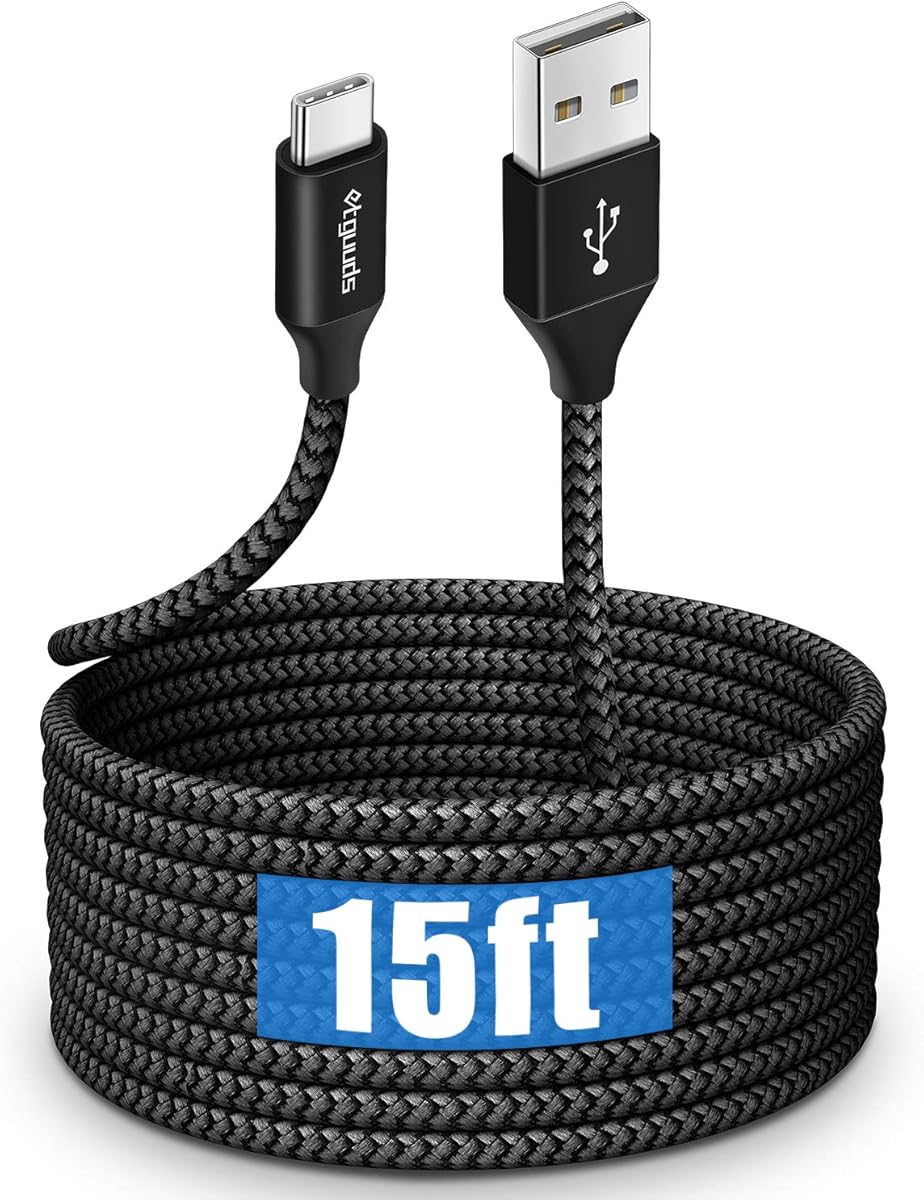
etguuds Long USB C Cable
4.6Editor score
15-foot USB-A to USB-C
3A fast charging
480Mbps data transfer
Nylon braided construction
This Long USB Cable guide compares ten extended cables for charging, data transfer, printing, device compatibility, reach, and durability.
A long USB cable offers more freedom to charge, connect, and transfer files across rooms, but the best choice depends on connector type, cable length, data speed, and charging support. The wrong cable may be inconvenient, provide unstable performance, or fail to connect to the device you actually own.
We compared all ten options by connector configuration, stated transfer speed, charging capability, supported devices, construction, and practical range. The list covers USB-A to USB-C charging cables, USB 3.0 A-to-A and extension cables, USB-A to USB-B printer cables, and a Micro USB cable.
Each review identifies the product's strongest use and important limitations, while the comparison table makes connector and length differences easier to scan. Product ratings reflect the supplied marketplace feedback, and current prices and availability can change over time.
4.6Editor score

4.7Editor score

4.7Editor score
This side-by-side comparison highlights the cable type, reach, data standard, and most important use of each option, making it easier to match a cable to a specific device or room layout.


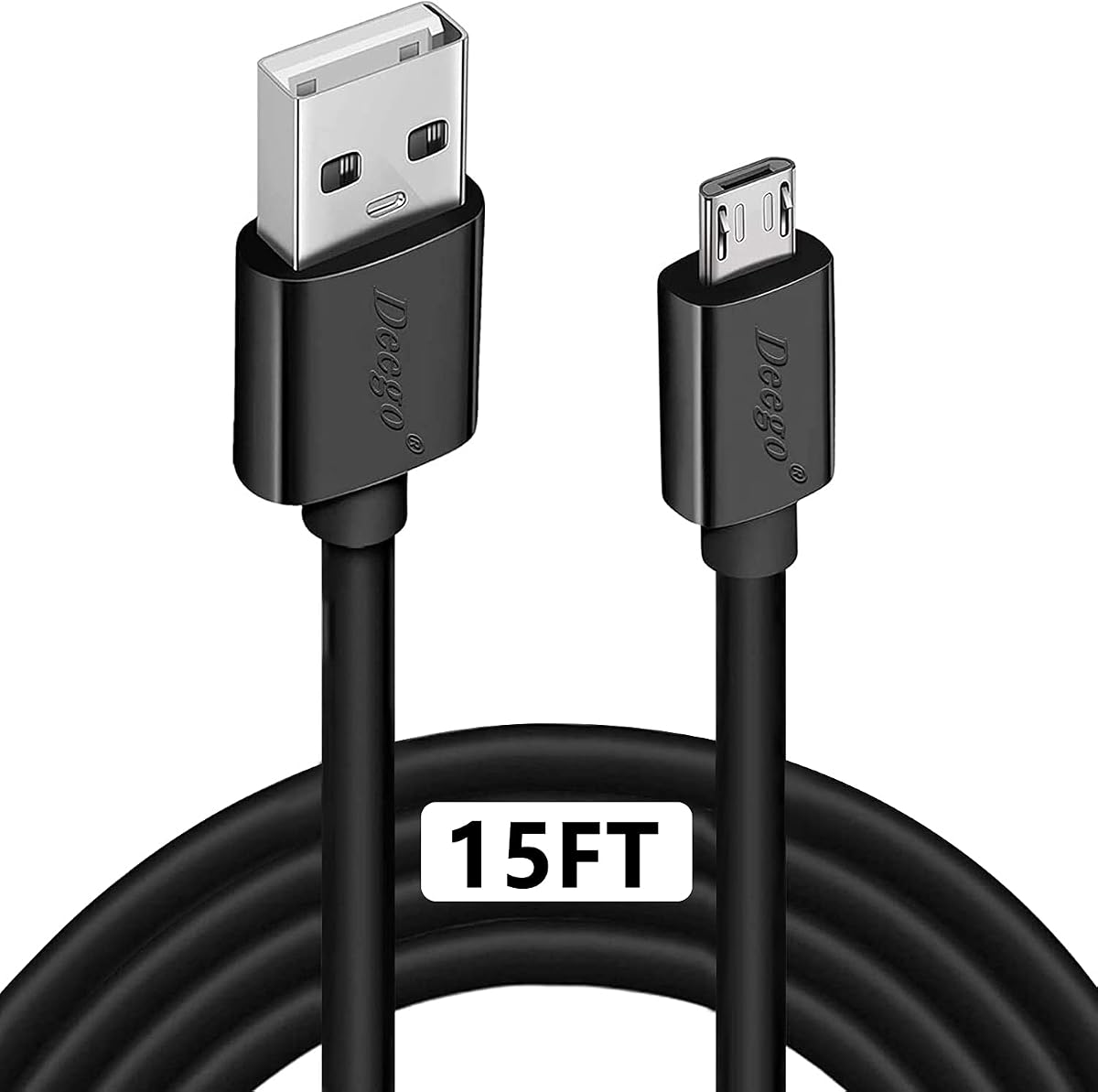
This 20-foot USB 3.0 male-to-male Type A cable combines substantial reach with a stated transfer rate of up to 5 Gbps. Its 4.7 rating and reinforced construction make it the strongest all-around choice in this guide for users connecting USB-A peripherals across a desk, entertainment center, or work area. It is specifically a data cable rather than a charging lead.
We may earn a commission when you buy through this link, at no additional cost to you.
The main advantage is a combination of range and transfer capability. A braided nylon jacket, reinforced strain-relief molding, gold-plated contacts, and multiple shielding layers support dependable use and help limit interference. The connectors also have anodized aluminum shells designed to resist corrosion and wear, while the cable reportedly passes a 10,000-bend test.
Its connector arrangement is the most important trade-off. Both ends are Type A male plugs, so this is not appropriate for a USB-C phone, a USB-C tablet, or a modern USB-B printer. The product information also explicitly says it is not a charging cable. It is best treated as a specialized high-speed data connection for compatible Type A devices.
Choose this cable when you need more than 15 feet of reach and your devices use USB 3.0 Type A ports. It is particularly appropriate for external drives, hubs, cameras, and other compatible peripherals. For charging a modern phone, select one of the USB-A to USB-C options instead; for a printer, verify that the device accepts Type A-to-Type A data connections rather than USB-B.
The stated 5 Gbps capability makes this cable more useful than ordinary USB 2.0 leads for compatible high-speed storage and hubs. Actual performance depends on both connected devices and the speed limits of the host controller.
Braided shielding, reinforced joints, and gold-plated contacts are valuable when a cable must run behind furniture, across a workbench, or be unplugged frequently. These features support longevity without changing the basic A-to-A format.
We may earn a commission when you buy through this link, at no additional cost to you.
The CLEEFUN cable provides 20 feet of reach for charging and synchronizing USB-C devices through a USB-A connector. It holds a 4.6 rating and supports QC 2.0 and QC 3.0 fast charging, making it a practical budget-oriented option for reaching a wall outlet from a sofa, bed, or desk.
We may earn a commission when you buy through this link, at no additional cost to you.
Its heavy-duty nylon braid is designed to resist tangling and survive more than 20,000 bends, while aluminum housings add rigidity around the connector joints. A built-in 56K pull-up resistor and strong metal connections are intended to support stable conductivity, while the cable combines charging and data transfer in one lead.
Transfer performance is limited to 480 Mbps, so this is a USB 2.0-era data solution rather than a choice for very large file transfers. The included one-pack contains a black USB-A to Type C cable, and compatibility depends on having a USB-C device and a compatible USB-A charging adapter.
This is a good selection for people who value flexibility and reach more than maximum synchronization speed. It suits many Samsung Galaxy, LG, Motorola, Google Pixel, and other USB-C phones or tablets. Buy it for charging across a room, but choose a USB 3.2 Gen 1 cable if rapid transfers between devices are the priority.
Twenty feet gives users more freedom to keep using a phone while it charges. It is especially useful when the nearest outlet is behind furniture or on the opposite side of a living space.
The stated 20,000-plus bend life and aluminum connector housings target the weak points that commonly fail on long charging leads. The braid also helps keep the cable more orderly during storage and transport.
We may earn a commission when you buy through this link, at no additional cost to you.
This 15-foot USB-A to USB-C cable balances reach, charging, and everyday durability. Its 4.6 rating reflects strong customer satisfaction, while 3A charging and 480 Mbps data transfer cover the most common tasks of powering a compatible device and synchronizing files.
We may earn a commission when you buy through this link, at no additional cost to you.
A 56 kΩ resistor is included to support conductivity and stability, and the nylon-braided jacket reportedly withstands more than 20,000 bends. The 15-foot length is long enough to reach from a bedside, sofa, or desk while remaining easier to route and store than a 20-foot lead.
Its data rate is the main limitation for demanding users. At up to 480 Mbps, it is appropriate for routine synchronization but not for maximizing USB 3.2 Gen 1 storage performance. Compatibility also depends on the device using a USB-C port and the charger providing a USB-A connection.
The product listing names a wide range of supported phones, including numerous Samsung Galaxy models, several iPhone versions with USB-C interfaces, and devices from LG, Motorola, and Google Pixel. This makes it a versatile first long cable for many households, especially where reach and reliable charging matter more than maximum transfer speed.
Fifteen feet is long enough for many beds and couches without creating as much excess slack as a 20-foot cable. The result is a convenient compromise for charging while watching, reading, or working.
The 3A charging specification and 56 kΩ resistor provide a useful combination for common USB-C phones and tablets. A 480 Mbps connection also covers standard document, photo, and music transfers.
We may earn a commission when you buy through this link, at no additional cost to you.
This 40-foot active USB-A to USB-B cable is built for unusually long printer and peripheral connections. It carries a 4.7 rating and extends USB 2.0 data up to 480 Mbps, offering a specialized solution for placing a printer, scanner, keyboard, or other Type B device far from the computer.
We may earn a commission when you buy through this link, at no additional cost to you.
The active design and multiple shielding layers help maintain a stable connection over a distance where a basic passive lead may be less dependable. Gold-plated plugs, reinforced joint points, and a tangle-resistant nylon braid add protection at high-wear areas and improve long-term usability.
The crucial limitation is the connector and speed combination. It uses a USB 2.0 Type B interface, so it will not work with a USB 3.0 Type B port. It also cannot match the transfer capability of newer USB 3.x standards, although 480 Mbps is sufficient for many ordinary printers, scanners, and document workflows.
This is the premium choice when you truly need 40 feet between a computer and a Type B device. It is useful in offices, studios, workshops, and rooms where a printer cannot sit directly beside the host computer. Check the printer's port first, because modern USB-C-only equipment requires a completely different cable.
Forty feet extends well beyond the reach of standard desk leads. The active circuitry is intended to keep the USB 2.0 signal stable across that longer run, while shielding helps reduce interference.
The cable is intended to be connected directly between the Type B device and a compatible computer. Its simple plug-and-play approach is convenient for offices that need a printer positioned away from the workstation.
We may earn a commission when you buy through this link, at no additional cost to you.
The 10-foot USB-A to USB-C cable is a concise option for people who need more reach than a standard desk lead without dealing with an extra-long cable. It supports charging up to 3A and data transfer up to 480 Mbps, earning a 4.6 rating across the supplied customer feedback.
We may earn a commission when you buy through this link, at no additional cost to you.
A premium nylon braid gives the cable a soft but sturdy exterior, while the upgraded construction is intended to improve durability. The length suits charging in an office, living room, bedroom, or on a sofa and is easy to route along furniture or behind a desk.
The main limitation is that it cannot carry a video signal. It also has a shorter reach than most entries in this list, and the source emphasizes that it works with USB-A chargers rather than a USB-C wall adapter. Data performance remains in the USB 2.0 class.
Choose this cable for basic charging and file synchronization of compatible USB-C phones and tablets where ten feet is sufficient. It is a good choice for travel or a secondary charging location, but buyers needing display output, high-speed transfers, or room-spanning reach should select a more specialized alternative.
Ten feet is long enough to bridge many common gaps between an outlet and a sofa, desk, or bedside table. It is also simpler to manage than the 15-, 20-, and 40-foot options.
The cable handles up to 3A charging and standard 480 Mbps synchronization. Its lack of video output makes it less versatile, but it remains a focused solution for basic USB-C device use.
We may earn a commission when you buy through this link, at no additional cost to you.
This two-pack provides two 15-foot USB-A to USB-C cables, making it distinctive among the longer options in the guide. Its 4.5 rating and broad device compatibility position it as a versatile charging solution for households that want a spare cable or different rooms.
We may earn a commission when you buy through this link, at no additional cost to you.
The listing cites high-speed data transfer, fast charging, and built-in safeguards against overcharging, overvoltage, and overheating. A thickened, flexible core and tough outer sheath are designed to withstand repeated bending, while reinforced connectors help resist loosening or detachment.
Compared with other products here, its published specifications are less precise. It does not state a numerical amperage or exact transfer rate, so buyers who need a known 3A, 18W, or 5Gbps specification should favor a cable with those figures clearly listed. The supplied title also inconsistently refers to 15-foot and 16-foot lengths, while the body describes two five-meter cables.
The two-pack format makes this attractive for people who want identical long leads in more than one location. Compatible devices include numerous USB-C phones, tablets, laptops, power banks, and accessories. It is a sensible general charging choice when convenience and coverage matter more than exact performance figures.
The package includes two matching five-meter leads, allowing one cable to remain at a bedside table and another in a living room or office. This reduces the need to unplug and relocate a single long cable repeatedly.
The product information describes multiple safety mechanisms intended to address overcharging, excessive voltage, and heat. These safeguards add value, although the listing does not quantify charging current.
We may earn a commission when you buy through this link, at no additional cost to you.
The VCZHS Tech cable is a 20-foot USB 3.0 Type A male-to-female extension designed to bring remote peripherals closer to a workstation. Its 4.6 rating reflects favorable feedback, and the heavy-duty 22AWG power wire differentiates it from a basic extension lead.
We may earn a commission when you buy through this link, at no additional cost to you.
The cable supports data transfer up to 5 Gbps and is backward compatible with USB 2.0 and 1.1 devices. Triple-layer shielding, gold-plated connectors, and reinforced joints support stable connections for printers, scanners, webcams, keyboards, mice, hubs, and external drives.
There are important exclusions. The product information specifically advises against use with VR headsets, high-speed SSDs, or rapid charging, and it recommends a direct PC connection rather than cascading through hubs. It is also not intended for direct burial without conduit, even though it is described as suitable for indoor or outdoor rated security-camera use.
This extension is most useful when a fixed device must sit 20 feet from a computer and a standard host port cannot reach it. It may suit a wall-mounted television, media center, remote desk, or security camera. Verify that the target peripheral is not among the excluded high-power or high-speed applications before purchasing.
A male-to-female extension can reach a keyboard, webcam, printer, or camera positioned away from the computer. It expands placement options without requiring a new active hub or a shorter peripheral lead.
The specified 22AWG power conductor and triple-layer shielding target the signal and power demands of a lengthy run. Users should still observe the stated exclusions for high-speed SSDs, rapid charging, and hub cascading.
We may earn a commission when you buy through this link, at no additional cost to you.
The Amazon Basics USB-A to USB-B 2.0 cable offers a straightforward 16-foot connection for printers and other Type B devices. It carries a 4.7 rating, and its familiar connector format makes it a natural option for a computer positioned moderately far from a desktop printer.
We may earn a commission when you buy through this link, at no additional cost to you.
Gold-plated connectors are designed to resist corrosion and support a dependable signal, while the 16-foot length provides enough reach for many office layouts. The cable is also listed for external hard drives, cameras, mice, keyboards, and other speed-critical USB devices.
As a USB 2.0 product, it operates at up to 480 Mbps rather than the 5 Gbps available from USB 3.x alternatives. It also cannot be used with USB-C-only equipment, and the device must provide the appropriate Type B receptacle. Buyers should not confuse the square Type B plug with modern USB-C or rectangular USB-A ports.
This is a good straightforward choice for a traditional printer, scanner, or external drive that uses USB-B and does not require high-speed transfer. Compared with the 40-foot active cable, it offers a more conventional passive design and moderate reach. For a USB 3.0 Type B printer, you will need a different cable altogether.
The USB-A to USB-B format remains common on traditional printers and scanners. A 16-foot lead provides practical reach while retaining a simple connection to a laptop or desktop.
Gold-plated contacts are intended to maintain reliable signal quality and resist corrosion over repeated use. The basic construction is focused on dependable conventional peripheral connections rather than advanced data throughput.
We may earn a commission when you buy through this link, at no additional cost to you.
This 20-foot USB-A to USB-C cable combines a USB 3.2 Gen 1 chip with 5 Gbps data transfer and 18 W charging support. It is one of the few entries in the guide to pair extended reach with high-speed data, making it relevant for portable SSDs and other compatible USB-C accessories.
We may earn a commission when you buy through this link, at no additional cost to you.
A double-braided exterior, aluminum alloy components, reinforced ports, and strain-relief bend testing are intended to improve durability. The compatibility list covers numerous phone series, tablets, a portable USB-C SSD, game controllers, dashcams, cameras, and several other device categories.
Its 4.2 rating is the lowest in this list, and long-cable power loss is explicitly acknowledged. The 18 W figure is theoretical, with actual transmission power reduced by resistance over 20 feet. Data speed may also fall below the stated maximum depending on cable length and the devices involved.
Buy this cable if you specifically need both 5 Gbps data and extended reach from a USB-A host. It is well suited to moving large files between a compatible computer and USB-C storage. Users seeking only basic charging and synchronization may find more highly rated alternatives that make fewer performance promises.
The USB 3.2 Gen 1 chip and stated 5 Gbps capability distinguish this cable from most USB-C charging leads. It is particularly relevant for compatible external SSDs, although the product notes that actual speed can vary with length.
Double braiding and aluminum alloy components target durability in a lead that may be routed around furniture or carried between locations. These features make the extra reach more practical for daily use.
We may earn a commission when you buy through this link, at no additional cost to you.
The DEEGO 15-foot Micro USB cable serves older and specialized devices that still rely on the small Micro USB connector. It holds a 4.6 rating and supports charging up to 2.4 A along with data transfer up to 480 Mbps, making it particularly relevant for compatible game controllers.
We may earn a commission when you buy through this link, at no additional cost to you.
A stainless steel connector head is designed to fit securely and resist loosening, while the PVC jacket offers flexibility and reduced tangling. The cable reportedly passes more than 10,000 bends, which is useful for a lead likely to be moved between a gaming area, desk, and travel bag.
The obvious limitation is that Micro USB is an older format and cannot connect directly to USB-C devices without an appropriate adapter. Its USB 2.0 transfer speed is suitable for basic synchronization but not high-speed storage workflows. Compatibility also depends on the device accepting standard Micro USB power and data connections.
This is a strong choice for a PS4 controller, compatible Android phone, Kindle Fire tablet, older GPS unit, Bluetooth speaker, camera, or other Micro USB accessory. Check the device's charging port before purchasing. For a newer phone or tablet, choose a USB-A to USB-C option instead.
The Micro USB plug remains useful for many PS4 controllers and older consumer electronics. Its 2.4 A charging capability gives gaming controllers a practical option when a shorter cable cannot reach.
The environmentally friendly PVC jacket is designed to remain flexible and resist tangling. A tested 10,000-plus bend life and stainless steel head reinforce the two areas most exposed to everyday strain.
We may earn a commission when you buy through this link, at no additional cost to you.
Choosing a long USB cable starts with the device and task, not simply the greatest stated length. Connector type, data standard, charging requirements, and the physical route of the cable should all be considered before selecting a model.
A cable can only connect when its plug shape matches the device port. USB-C is small and symmetrical, USB-A is the larger rectangular connector, USB-B is commonly found on traditional printers, and Micro USB is a smaller, asymmetrical legacy connector. This guide includes A-to-C, A-to-A, A-to-B, and Micro USB-to-A options, so the title alone does not establish compatibility.
Some long leads are built primarily for data transfer, while others combine charging and synchronization. The 20-foot male-to-male A-to-A product is explicitly not a charging cable, and the 10-foot USB-C lead cannot output video. If your primary need is powering a phone or tablet, look for charging specifications; if it is moving files, prioritize the supported data standard.
Data rates vary substantially. USB 2.0 cables in this list are rated up to 480 Mbps and suit many printers, controllers, and routine phone synchronization. The A-to-A and extension models use USB 3.0, while the 20-foot USB-C cable uses a USB 3.2 Gen 1 chip for a stated 5 Gbps. The fastest connected device, hub, and controller can reduce the result.
A cable only needs to span the distance between the device and its power source or host computer. Ten feet may cover a desk, 15 feet suits many sofas and beds, 20 feet handles wider rooms, and 40 feet addresses unusual office or workshop layouts. Leaving excessive slack can make cables harder to manage and may increase accidental snagging.
Connector type and maximum current are not the same thing. Several USB-A to USB-C cables support 3A, while the Micro USB model states 2.4A and the high-speed USB-C model states 18W. Very long cables lose some power through resistance, and a cable cannot deliver more than the connected charger and device can accept.
Some products include narrow warnings. The 20-foot A-to-A lead does not charge devices, the 10-foot USB-C lead cannot output video, and the VCZHS extension should not be used with high-speed SSDs, rapid charging, or cascaded hubs. The 40-foot printer lead requires USB 2.0 Type B rather than USB 3.0 Type B. These limitations are more important than the length in many installations.
A nylon braid can improve flexibility, resist scuffing, and reduce tangling, while reinforced connector housings protect the point where the cable is most often flexed. Several listings state tested bend lifespans, including 10,000 bends for the A-to-A cable, 20,000-plus for several USB-C leads, and 10,000-plus for the Micro USB option. These are useful durability indicators but not guarantees for every use.
Long cables work best when routed safely along walls, desk undersides, or furniture edges. Avoid leaving them across walkways, beneath furniture wheels, or near pets that may chew them. Connector direction also matters: a right-angle plug can reduce strain in tight spaces, while a straight plug is easier to align with accessible ports.
Before first use, confirm that both connectors match the device and host ports. Inspect the cable for damage, and check whether the connected charger supports the cable's stated current or wattage. For a printer or storage device, connect the host end first, power on the peripheral, and then begin the transfer or printing task.
Route the cable without creating tight bends, sharp corners, or loops under tension. Secure excess length with reusable cable ties or a suitable cable channel. When unplugging, grasp the connector housing rather than pulling the cable itself, and disconnect a printer or drive before removing the host connection.
Keep long cables away from heat, moisture, direct sunlight, sharp edges, and frequently walked areas. Do not wrap the cable tightly around a charger or use it under heavy furniture. Inspect the braid and connector joints periodically, especially near a pet, and replace the cable if the jacket is split or the plug becomes loose.
No. Long USB-C cables can differ in connector orientation, charging current, data speed, video support, and construction. Some support only 480 Mbps data, while others offer 5 Gbps, and some are for charging alone. Check the port on both ends and the specifications required by your device before purchasing.
Longer cables can lose more power through resistance, especially at high current levels. The 20-foot USB-C cable in this guide explicitly notes that actual power can be reduced because of its length. Charging performance also depends on the adapter, device, protocol, and cable's current or wattage rating.
Only if the printer and computer use the matching connector and data standard. The 20-foot options shown are USB-A to USB-C and USB-A male-to-male, while many traditional printers use USB-B. The 40-foot USB 2.0 A-to-B lead is intended for those devices, but it cannot connect to USB 3.0 Type B ports.
Choose a cable that supports the speed of both the SSD and the computer. A USB 3.2 Gen 1 model with a stated 5 Gbps rate is better for high-speed transfers than a 480 Mbps cable. The VCZHS extension specifically excludes high-speed SSDs, so it should not be selected for that purpose.
Data and display functions depend on the cable's internal design and supported USB-C protocols. The 10-foot USB-A to USB-C cable in this guide explicitly cannot output video. For display use, verify that the cable, host, and display all support the required video mode and connector arrangement.
It can be when a device truly needs that distance, such as a printer in a separate office area. The active 40-foot USB-A to USB-B model is designed to maintain a stable USB 2.0 connection over that run. For ordinary charging, 10 to 20 feet is usually easier to manage.
Only if the phone still has a Micro USB port. Newer phones generally use USB-C, and a Micro USB cable will not plug into a USB-C socket without an appropriate adapter. Confirm the device's charging and data port before selecting the DEEGO cable.
A nylon-braided jacket can reduce tangling, but careful storage still matters. Coil the cable loosely in a large loop, secure it with a reusable tie, and avoid sharp wraps around a narrow charger. Route installed cables along furniture or walls and keep them out of walkways to prevent accidental pulls.
The etguuds 15-foot USB-A to USB-C cable is the balanced everyday choice, offering 3A charging, 480 Mbps data transfer, and a durable braid. The 20-foot USB-to-USB lead stands out for 5 Gbps data, while the 40-foot active USB-A to USB-B cable provides the greatest reach for compatible traditional peripherals.
Prioritize connector compatibility, intended function, and data or charging specifications before considering length. A USB-C phone needs an A-to-C lead, a traditional printer may require USB-B, and a high-speed SSD needs a cable that explicitly supports the relevant transfer mode. Extra length helps only when it solves a real placement problem.
Finally, check the current price, availability, warranty information, and compatibility details before ordering because marketplace conditions and product information can change. The supplied list is a practical starting point, but the right long USB cable is the one that safely connects your exact devices and supports the tasks you expect to perform.
