Alarm System for Home Security with WiFi+GSM/4G
4.8Editor score
WiFi and cellular connectivity
Automated arming schedules
Alexa and Google Assistant
App event history
Emergency SOS device
Our Alarm System without Monthly Fee guide compares ten DIY wireless alarm kits, reviewing connectivity, sensors, app control, backup power, expandability, and
An alarm system without monthly fees can provide dependable home monitoring without recurring subscription charges. The right kit balances useful sensors, reliable app alerts, clear controls, and flexible expansion while remaining practical to install across doors, windows, hallways, and other vulnerable entry points.
We compared the ten systems using their supplied specifications, focusing on wireless connectivity, included accessories, alert options, backup power, voice-assistant compatibility, installation requirements, and maximum expansion capacity. The list covers WiFi-only systems as well as models that can add a SIM card for cellular backup.
Each review explains the system’s strongest benefits, important limitations, and ideal buyer, while the comparison table offers a quicker overview. Ratings and product details reflect the supplied listings, but availability, features, and pricing can change, so confirm the current listing before purchasing.
4.8Editor score

4.5Editor score

4.3Editor score
The comparison highlights included sensor counts, connectivity options, app control, alert methods, expansion potential, and standout conveniences so buyers can identify the most suitable setup for their home.


The WiFi Alarm System for Home Security offers one of the most balanced configurations in this guide, combining a substantial collection of sensors with straightforward app alerts and a loud indoor siren. Its 4.5 rating reflects a generally favorable buyer response, while its inclusion of ten door sensors, a motion sensor, keypad, two remotes, and base station gives new owners a useful starting point rather than a bare hub.
We may earn a commission when you buy through this link, at no additional cost to you.
The strongest feature is the breadth of the package. Ten door sensors can cover many exterior entry points, and the included motion sensor adds interior coverage without requiring a separate purchase. The 120dB siren provides a conspicuous deterrent, while the base station’s eight-hour rechargeable battery helps the system remain active during a power interruption. Users receive smartphone notifications through the app whenever a sensor is triggered, and installation is designed around adhesive pads or screws rather than hardwired connections.
There are important limits to consider. This is a WiFi-only system, and its specifications explicitly limit it to 2.4GHz networks; homes with a 5GHz-only router will need to make that adjustment before setup. Its expansion ceiling of 20 sensors and five remotes or keypads is also less generous than the 100-accessory capacity offered by several competitors. Finally, buyers relying exclusively on internet-based notifications should consider how a home internet outage affects remote access.
Despite those trade-offs, this kit is a strong fit for apartments, houses, and other properties that want extensive entry coverage without a recurring subscription. It is especially attractive to buyers who value a large door-sensor bundle, audible deterrence, straightforward DIY installation, and a modest battery backup. For most shoppers seeking an easy balance of coverage and convenience, it is the most well-rounded recommendation in the list.
Ten included door sensors make this one of the strongest choices for covering numerous doors without assembling a custom system piece by piece. Adding the motion sensor creates useful whole-home coverage, while the keypad and remotes offer several ways to arm or disarm the alarm.
The built-in rechargeable battery supplies up to eight hours of operation after power is lost. That duration helps preserve local alarm coverage and app awareness, although it does not replace a fully independent cellular connection if internet service is also interrupted.
We may earn a commission when you buy through this link, at no additional cost to you.
The 15-Piece WiFi Home Security System is a conventional DIY alarm kit built around app control, entry sensors, and a high-volume siren. It carries a 4.2 rating, placing it among the more widely favored options in the supplied data. The package contains a WiFi base station, keypad, motion sensor, ten door sensors, two remote controls, a manual, and customer service support.
We may earn a commission when you buy through this link, at no additional cost to you.
Its most appealing characteristic is the balance between hardware and setup simplicity. The ten door sensors offer a meaningful number of monitored points, and the 120dB siren supplies a strong audible response when a sensor is activated. The app can provide real-time alerts, while the system supports remote control and custom expansion up to 20 sensors and five remotes or keypads. Alexa compatibility adds another layer of convenience for people who already use voice assistants in their homes.
The main limitations concern connectivity and room for future expansion. Like many WiFi alarm kits, it works only on a 2.4GHz network and does not support 5GHz WiFi. There is no listed cellular fallback, so the system depends on the home’s internet connection and electrical power for its remote features. Its 20-sensor limit may also feel restrictive for larger homes or buyers planning extensive customization.
This system is best suited to buyers who want a recognizable alarm layout, numerous door sensors, and simple app-based operation without a monthly subscription. It should appeal particularly to Alexa users and those comfortable configuring their router for 2.4GHz operation. For a smaller property or a straightforward door-and-hallway security plan, the generous starter package offers solid value and practical coverage.
Users can receive smartphone notifications and manage the alarm from the app, while Alexa support allows voice-based system control. This makes the kit approachable for everyday arming, disarming, and status checks without requiring direct interaction with the hub every time.
The 120dB alarm and ten included door sensors work together to create visible and audible deterrence. The motion sensor broadens coverage beyond entry points, giving users a more complete basic layout without needing to design every component from scratch.
We may earn a commission when you buy through this link, at no additional cost to you.
The 24-Piece WiFi and 4G Alarm System is built for buyers who want more than basic app notifications. Its 4.3 rating reflects a positive reception, while the combination of WiFi, optional 4G SIM support, phone calls, SMS messages, app alerts, and a local alarm gives it a notably flexible notification profile. The hub also incorporates a color screen and supports voice-control integration.
We may earn a commission when you buy through this link, at no additional cost to you.
This model distinguishes itself through tamper protection. Unauthorized removal of a sensor or host triggers an alarm and sends phone, SMS, and app notifications, while disarming requires a security code. Its main unit can display status, weather, and date information and supports ten international languages. An emergency SOS button provides a direct way for older adults or children to request assistance, while the remote control carries a similar function.
The 24-piece designation suggests extensive coverage, but buyers should still check the exact accessory list before purchase, as the supplied description does not itemize every included piece. A 4G SIM is supported rather than necessarily included, and any carrier or service obligations associated with the SIM are separate from the alarm hardware’s no-subscription claim. The system also limits itself to 2.4GHz WiFi and does not support 5GHz.
This alarm system is a compelling option for people who value redundant communication and detailed remote control. It is particularly suitable for homes where internet reliability is uncertain, households that want phone and SMS escalation, and users who appreciate a touchscreen hub. Buyers should confirm they are comfortable managing a SIM card and that the included accessories align with the layout of their property.
The system can issue local sound and send app, phone, and SMS notifications. That variety gives household members more ways to respond, although phone or SMS use may depend on a configured SIM and its provider terms.
Physical removal can trigger an alert, and a code is required to disarm the system. A dedicated emergency SOS device adds a practical way for vulnerable household members to request help without reaching a conventional sensor.
We may earn a commission when you buy through this link, at no additional cost to you.
The 16-Piece Instant Alert Alarm System combines a high 4.7 rating with one of the strongest expansion figures in the guide. It is designed for houses and flats, supports app-based arming, disarming, voice monitoring, and intercom functions, and can accommodate up to 100 wireless accessory locations. That makes it an interesting option for buyers who expect their security requirements to grow over time.
We may earn a commission when you buy through this link, at no additional cost to you.
The Smart Life and Tuya apps provide a centralized place to change alarm modes, manage paired devices, receive instant push notifications, and review settings. Five groups of phone numbers and SMS numbers can be configured separately for voice and SMS activation, while 12 alarm types can receive custom names such as front door or hall. The supported accessory list includes motion detectors, remotes, door sensors, an outdoor siren, SOS buttons, and a doorbell.
The trade-offs center on configuration rather than fundamental capability. With so many channels, zones, names, and accessories, setup can take more planning than it would for a smaller system. The listing title references 16 pieces, but the supplied description does not provide a full itemized inventory, so buyers should verify exactly which sensors and accessories arrive in the box. 4G compatibility is also offered, though the relevant SIM arrangement is not explained in the provided data.
This is a good match for homeowners who want a system capable of growing into a customized whole-home network. It is particularly attractive for users already invested in the Smart Life ecosystem, people who want several notification destinations, and those who value naming and organizing individual alarm zones. For straightforward single-home use, it may offer more configurability than necessary, but over time that flexibility could prove valuable.
The ability to learn up to 100 wireless accessory locations separates this kit from more compact systems. Buyers can start with the supplied package and add sensors, an SOS button, a doorbell, or an outdoor siren as coverage needs evolve.
Separate phone and SMS number groups allow household members or trusted contacts to receive selected alerts. Custom alarm-type names also make a larger system easier to interpret when reviewing notifications and event categories.
We may earn a commission when you buy through this link, at no additional cost to you.
The Wireless Smart WiFi Alarm System is the best budget pick in this guide, combining a compact starter package with unusually generous expansion potential. Its 4.3 rating indicates a solid overall reception. The kit includes an alarm hub with a rechargeable battery, four door and window sensors, one remote, and a built-in 120dB siren, making it a practical starting point for an apartment or modest home.
We may earn a commission when you buy through this link, at no additional cost to you.
The hub works with the Smart Life app, allowing owners to arm or disarm the system, review event records, and receive push notifications when a sensor is triggered. Alexa and Google Home compatibility expands control options, and the remote includes one-touch SOS functionality. Its 433MHz wireless sensor signal is intended for doors, windows, safes, storage rooms, and other entry points. The stated installation time of about 15 minutes reflects the system’s wireless, no-wiring design.
The primary limitation is that the supplied hardware is modest. With only four door and window sensors and one remote, larger homes will need additional accessories. The system depends on 2.4GHz WiFi and does not support 5GHz, and no cellular backup is listed. Its large accessory ceiling is a strength, but prospective buyers should not confuse supported capacity with the number of components included in the box.
This kit is ideal for first-time alarm owners, apartment residents, and anyone seeking essential entry monitoring with app alerts and voice-control support at a restrained starting point. It also works well as the core of a larger installation because additional sensors, motion detectors, keypads, smoke detectors, leak sensors, and outdoor sirens can be added. For buyers seeking a simple, expandable foundation, it is a compelling budget recommendation.
Four door and window sensors cover several common entries, and the motion detector compatibility allows a later upgrade. The included remote and integrated siren provide basic controls and audible deterrence without requiring a complex professional installation.
Alexa and Google Home support make this a convenient choice for connected homes. The Smart Life app adds remote arming, event history, and push notifications, while 2.4GHz-only operation should be confirmed before installation.
We may earn a commission when you buy through this link, at no additional cost to you.
The 21-Piece WiFi Wireless Alarm System combines a 4.4 rating with a polished hub and generous component count. Its key selling point is the stated 48-hour rechargeable battery backup, which is longer than the eight-hour backup offered by the top-ranked kit. The system also provides a 120dB buzzer, instant app notifications, a color display, tamper protection, and customization through the Smart Life and Tuya apps.
We may earn a commission when you buy through this link, at no additional cost to you.
Daily operation is designed to be flexible. Users can arm and disarm remotely, rename sensors according to their location, control the system through Alexa, and view status, weather, or date information on the built-in color screen. Ten-language support broadens its household appeal, while tamper detection triggers both a loud alarm and app notification. The listed 21-piece package suggests a more substantial hardware bundle than the compact budget model.
WiFi remains the sole communication route. The alarm requires a 2.4GHz network, does not support 5GHz, and does not accept a SIM card, so a home internet outage could limit remote notification and app-control functions even while the stated backup battery sustains local operation. Buyers who require phone calls, SMS escalation, or automatic cellular failover should choose a dual-network model instead.
This kit is well suited to buyers who want a polished alarm hub, broad accessory support, and a relatively long stated power reserve. It should appeal to Alexa users, multilingual households, and anyone who values a touchscreen interface for local status checks. For a property with reliable 2.4GHz WiFi and no need for cellular fallback, it provides a strong, feature-rich package without recurring alarm-system charges.
A stated 48-hour rechargeable backup is the system’s clearest advantage over many compact kits. It can keep the hub and connected components operating through a substantial power interruption, though app access still depends on internet availability.
The color screen displays status, weather, and date, while the app can rename sensors and manage alarm states. This combination provides a convenient local interface alongside remote control, especially useful in larger or more complex homes.
We may earn a commission when you buy through this link, at no additional cost to you.
The PGST WiFi and 4G Touchscreen Alarm is a polished, interface-led security system rated 4.5 by buyers. Its 4.3-inch color display is the defining feature, giving users a clear way to view accessory status and adjust settings directly at the hub. The system can connect to 2.4GHz WiFi or accept a SIM card, and its multiple control options make it approachable for different household members.
We may earn a commission when you buy through this link, at no additional cost to you.
Users can operate the alarm through the touchscreen, mobile app, remote control, or RFID card. The app is compatible with Smart Life and Tuya, and the system supports Alexa and Google voice control as well as scheduled operation. When triggered, the hub produces more than 120dB of sound and can issue app alerts or phone notifications through 4G. Wireless accessory installation is designed to be straightforward.
One unusual and potentially valuable feature is silent alarm mode. Instead of immediately announcing an intrusion through the full siren, the hub can deliver notifications quietly while the user takes protective action. That makes the system useful for people who do not want an alarm to reveal that a break-in has been detected. As with other cellular-capable kits, however, 4G service requirements and any SIM-related costs are separate considerations.
This model is a good fit for buyers who want direct touchscreen control, flexible access methods, and optional cellular redundancy. The RFID option may be useful for family members who find remotes or app controls inconvenient, while scheduled arming helps reduce repetitive daily tasks. It is especially appropriate for larger homes or users who appreciate a central display and multiple ways to interact with the alarm.
The 4.3-inch display makes system status easier to read and settings easier to adjust than on a small keypad-only hub. It can also show accessory status, giving household members a central reference point for confirming whether the system is armed.
Silent mode offers a measured response when users do not want a loud alarm to signal that an intrusion was detected. App and phone notifications still support awareness, allowing the household to respond without automatically creating an audible disturbance.
We may earn a commission when you buy through this link, at no additional cost to you.
The 9-Piece WiFi and 4G Alarm System is a compact but thoughtfully composed kit for a two- to three-bedroom home. Its 4.0 rating is the lowest among the ten products, yet the core proposition is strong: a nine-piece package, mobile app control, instant notifications, and automatic cellular failover without a monthly alarm subscription. Buyers receive a base station, keypad, four door and window sensors, two motion detectors, and two remotes.
We may earn a commission when you buy through this link, at no additional cost to you.
The keypad supports arming, disarming, and distinct defense modes such as stay, away, and emergency. Smart Life and Tuya app compatibility provides remote management of PGST devices, while the system can automatically move to 4G when WiFi disconnects. That redundancy helps preserve alarm communication during an internet outage. Alexa support adds voice-based arming and disarming, and PGST cameras can be added separately to create a visual monitoring component.
The main caution involves the cellular service required to use 4G features. The alarm system itself is presented as having no subscription or monthly charge, but a SIM-based connection can carry separate carrier terms, and users should understand those before relying on failover. The relatively modest nine-piece inventory also means larger homes will need extra sensors, and the product’s lower rating may warrant more careful review of current buyer feedback.
Despite that rating, this is a sensible choice for buyers who want a defined starter package and automatic WiFi-to-4G continuity. It is particularly useful for a two- or three-bedroom property where four entry sensors and two motion detectors provide a practical initial layout. It also suits households already using Alexa or interested in adding cameras later. For buyers who value cellular resilience but want a smaller initial system, it remains a practical option.
Automatic switching to 4G can keep the alarm online when the primary WiFi connection becomes unavailable. This is one of the system’s most important distinctions from WiFi-only models, though users should separately verify SIM and carrier requirements.
Four door and window sensors paired with two motion detectors create a useful beginning for a two- or three-bedroom home. Two remotes and a keypad cover local access, while the system remains open to additional sensors as requirements change.
We may earn a commission when you buy through this link, at no additional cost to you.
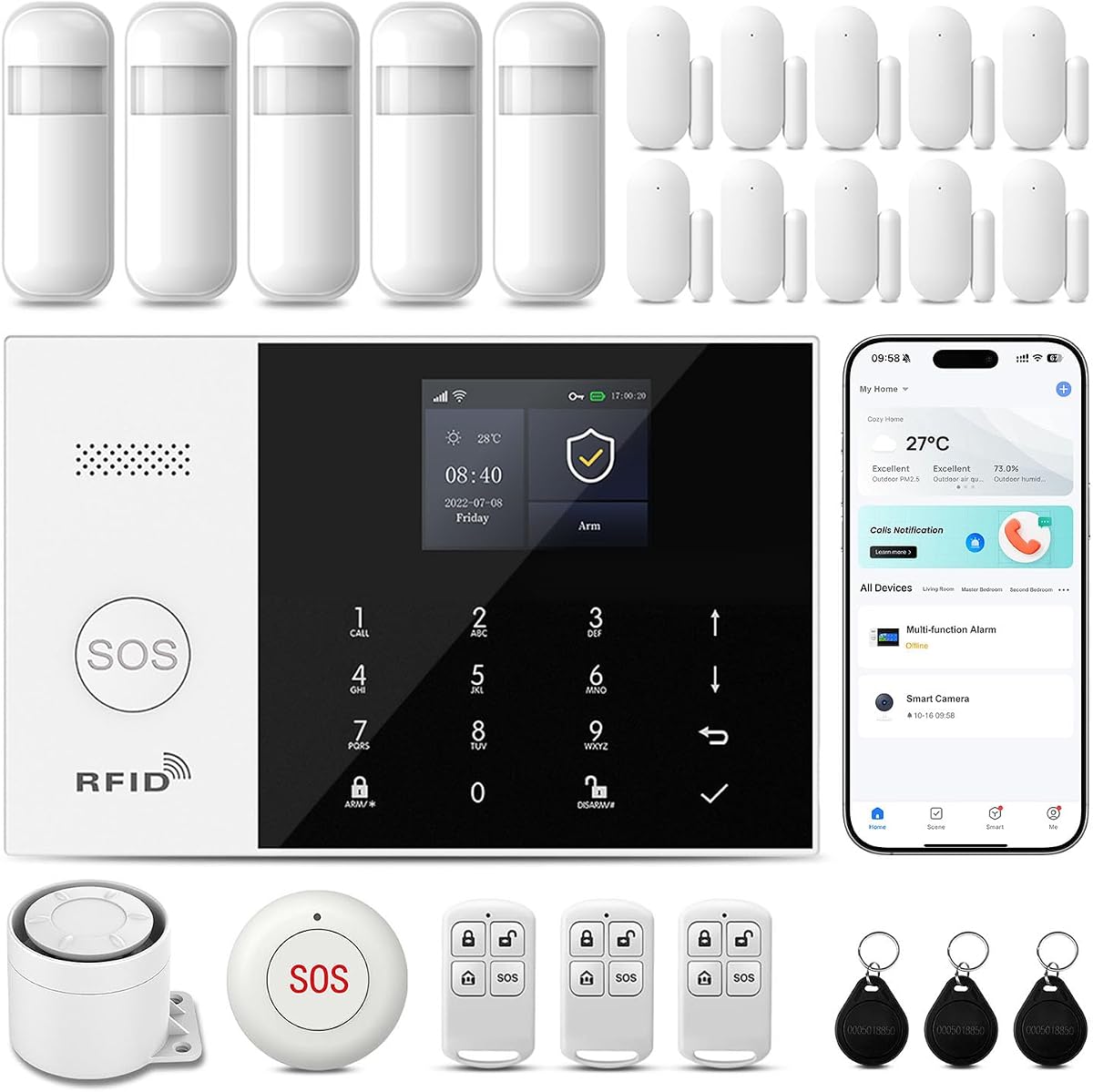
The 24-Piece WiFi and GSM/4G Alarm System earns the premium recommendation with a 4.8 rating, the highest supplied rating in the guide. It combines a substantial 24-piece format with automatic cellular failover, scheduled arming, app event history, shared family access, and voice-control support. Those features make it the most complete choice for buyers who want flexibility without recurring alarm-system fees.
We may earn a commission when you buy through this link, at no additional cost to you.
Dual connectivity is its defining strength. The system operates on 2.4GHz WiFi and can move to 4G through a SIM card when WiFi becomes unavailable. Smart scheduling can arm the alarm at bedtime, disarm it after waking, and reactivate it during another period, reducing repetitive manual commands. The Smart Life and Tuya apps provide remote status checks, event history, and shared system access, while Alexa and Google Assistant allow hands-free control.
The listing also includes a portable emergency SOS device and a remote with an SOS function, making the system more useful to children and older residents. It is important to distinguish the alarm system’s no-monthly-fee claim from optional in-app SMS and phone alarm services, which can involve third-party charges. The system also does not support 5GHz WiFi, so compatible router configuration remains necessary.
This system is best suited to buyers who want comprehensive connectivity, flexible scheduling, and household collaboration. It is a strong choice for a larger home, a property with frequent internet interruptions, or anyone who wants a portable SOS device included. The premium badge reflects the combination of the highest rating, extensive accessories, and advanced alert-management features rather than a claim that it has been personally tested.
Scheduled arming and disarming can reflect workdays, sleep periods, naps, and other changing routines. The system reduces the chance that someone forgets an alarm state while adapting more smoothly than a fixed always-armed or always-disarmed configuration.
Event history and shared system access let more than one person participate in monitoring. Optional SMS and phone alarm functions may be useful, but buyers should review third-party charges before enabling them as part of a regular response plan.
We may earn a commission when you buy through this link, at no additional cost to you.
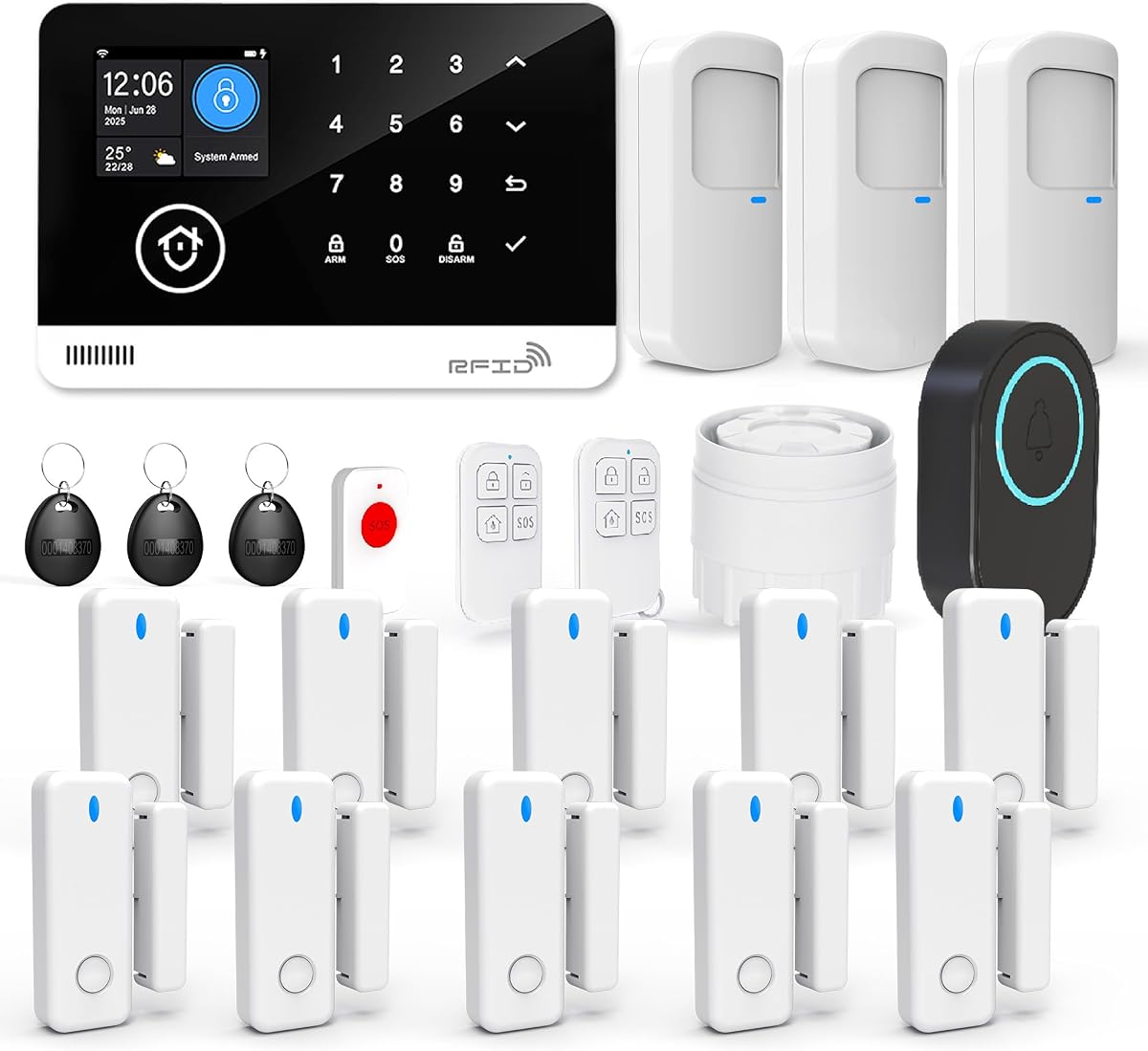
The 22-Piece WiFi and GSM Alarm System offers a broad collection of hardware for buyers who want extensive monitoring without a subscription. Its 4.0 rating is tied for the lowest supplied score, but the package includes three PIR motion detectors, ten door and window sensors, a siren, three RFID cards, two remotes, an SOS button, and a doorbell push button. That range gives the system a ready-made foundation for a larger property.
We may earn a commission when you buy through this link, at no additional cost to you.
The Smart Life and Tuya apps support remote arming, disarming, voice monitoring, and intercom functions. Arming and disarming can be programmed, and a time limit helps prevent an alarm when occupants leave or cross a monitored area. The system also supports Alexa and Google voice control. When triggered, it sounds a local alarm, sends an app notification, and can call or message a preset number.
Connectivity is the main caveat. The cellular side uses a 2G SIM card, which is an older technology and may not be available from every carrier or in every region. The system also uses 2.4GHz WiFi and does not support 5GHz. Because the product relies on 2G for its cellular option, buyers should confirm network compatibility before purchase, especially if they expect long-term use.
This alarm system is a strong value-oriented choice for buyers who want many included components, three motion detectors, and a full collection of access methods. It fits larger homes, offices, or properties that benefit from dedicated SOS and doorbell controls. It is less suitable for users who specifically require modern 4G cellular service. For a large wired-free kit and strong sensor count, however, it delivers substantial coverage.
Ten door and window sensors and three PIR motion detectors provide one of the broadest starting inventories in the guide. The included siren, remotes, RFID cards, SOS button, and doorbell push button support several common access and emergency scenarios.
Programmable schedules reduce repetitive arming and disarming, while an adjustable time limit can help avoid alarms caused by occupants crossing a detection area during entry or exit. These controls add convenience in everyday household use.
We may earn a commission when you buy through this link, at no additional cost to you.
A useful alarm purchase balances immediate coverage, reliable communication, simple controls, and realistic expansion. The right choice depends on your property size, router, communication preferences, and whether local audible alerts or redundant cellular notifications matter most.
Choose a bundle that covers the most important openings now, with room to add sensors later.
Use WiFi-only for simplicity, or choose cellular backup when uninterrupted alert delivery is essential.
Prioritize the alert methods you will reliably monitor, and review any carrier or messaging charges.
Favor an app and control methods that every regular user can comfortably operate.
Match backup duration to outage risk, and do not assume battery power preserves internet-based remote access.
Choose a ceiling that gives your property room to grow without forcing a near-term hub replacement.
Plan the layout before mounting anything, and test each sensor before treating the installation as complete.
Treat voice assistants as a convenient control layer, not a substitute for checking app and alert coverage.
Start by mapping the property and identifying the doors, windows, hallways, and other areas that need sensors. Charge the hub according to its manual, connect it to a 2.4GHz WiFi network, and create the app account before pairing accessories. Install the hub in a central location, then place door sensors on the frame or window sensor on the movable edge so they detect separation correctly.
After pairing each component, test it individually by opening a protected door, triggering a motion zone, and using the remote or keypad. Give every zone a clear name in the app so household members can understand notifications. Set arming schedules around work, sleep, and other routines, then decide whether the siren should be loud, silent, or accompanied by phone or SMS alerts. Document any preset notification contacts and secure access codes.
Care for the system by testing sensors periodically, checking battery levels, and confirming that the hub reconnects after an outage. Clean motion detectors and sensors without pushing moisture into the housing. Keep the hub’s power supply unobstructed, update the app when updates are offered, and change shared access or security codes if household members change. If cellular service is used, periodically verify that the SIM remains active and that failover works as expected.
Yes. Every system in this guide supports app-based control and notifications through the supplied information. Most use Smart Life or Tuya, allowing users to arm the system, view events, and receive push alerts when a sensor is triggered. Optional phone or SMS alert functions may involve separate third-party charges, so buyers should distinguish those services from the alarm hardware itself.
The listed systems do not support 5GHz WiFi. They require a compatible 2.4GHz network, which many dual-band routers can provide. If the router is configured for 5GHz only, enable 2.4GHz operation before starting the app setup. Buyers should also pay attention to the exact network language in the product listing, especially when cellular backup is included.
A WiFi-only system sends app notifications and control commands through the home internet connection. A WiFi plus 4G or GSM system can use a SIM card and may continue operating through cellular service when WiFi is unavailable. Cellular models offer greater redundancy, but users may need to arrange a SIM and understand any carrier fees associated with calls or messages.
The correct number depends on the accessible openings and the size of the property. Apartments may be well served by four door and window sensors, while larger homes often need sensors for several exterior doors, windows, and garage entrances. Motion sensors add interior coverage, and expanding to 100 accessories can accommodate a more comprehensive layout. A complete entry map is more useful than choosing a number based only on room count.
The systems primarily provide self-monitoring through local sirens, smartphone apps, and, on some models, phone or SMS notifications. One listing mentions 24/7 monitoring and another supports adding PGST cameras, but camera purchases are separate. Buyers who require an emergency response center to contact authorities should verify whether a dedicated professional-monitoring service is included rather than assuming app alerts provide that service.
Most models are designed for expansion, with supported limits ranging from 20 sensors to 100 accessory locations. Common additions include door and window sensors, motion detectors, keypads, remotes, SOS buttons, doorbells, outdoor sirens, and sometimes smoke or leak sensors. Compatibility is model-specific, so buyers should confirm both the maximum accessory count and the exact supported device types before ordering additional equipment.
Many of the listed systems support Alexa, Google Assistant, or Google Home for convenient voice control. Commands commonly include arming, disarming, and checking supported alarm states. Voice control does not necessarily cover every advanced function, and cellular-only behavior may not be identical to ordinary smart-home device availability. Check the latest product documentation and app compatibility before installation.
First, confirm that the hub is connected to the 2.4GHz network and that the app remains connected to the correct account. Check arming status, zone names, notification permissions, and whether a phone is in Do Not Disturb mode. For cellular models, inspect SIM status and carrier coverage. If a sensor still fails to report, test it independently and refer to the manual or customer support before replacing the unit.
The WiFi Alarm System for Home Security is the best-balanced choice for most buyers, offering ten door sensors, a motion sensor, app alerts, a 120dB siren, and eight-hour backup in a straightforward DIY package. The 24-Piece WiFi and GSM/4G model takes the premium position because of its 4.8 rating, automatic cellular failover, schedules, shared access, and emergency SOS device.
For a cost-conscious starting point, the Wireless Smart WiFi Alarm System provides a hub, four door sensors, a remote, app control, voice-assistant compatibility, and room for up to 100 accessories. Prioritize 2.4GHz compatibility, the number of openings you want protected, the need for cellular redundancy, and the control methods your household will actually use. Larger capacity is valuable only when the included sensors and supported accessory types match the property.
Product listings, ratings, package contents, and pricing can change, so verify the current description before ordering. In particular, confirm the exact sensor inventory, router requirements, battery-backup duration, cellular compatibility, and any separate charges connected with optional phone or SMS services. Taking those final checks seriously helps ensure the selected no-monthly-fee system fits both the property and the household’s daily routine.