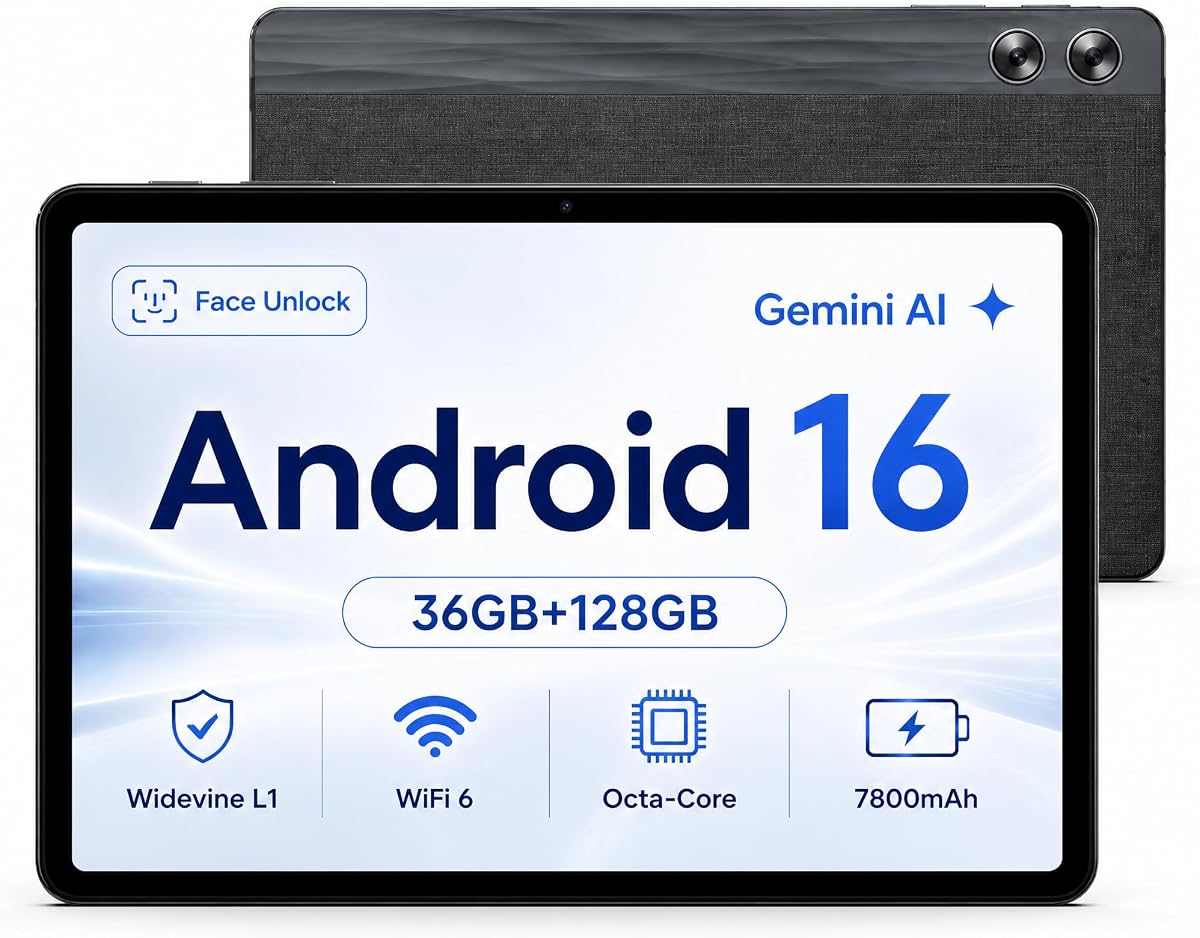
Jeazans X7
4.8Editor score
Android 16 with Google Play
36GB RAM and 128GB storage
11-inch HD in-cell display
A tablet for Google Apps is most useful when it combines dependable performance, a comfortable display, full Android app support, and enough storage for the apps and files you use each day. The right model depends on whether you need a versatile family device, a focused study tablet, a compact option for children, or a premium screen for demanding work and entertainment.
This guide compares ten tablets based on their stated processors, memory, storage, screens, batteries, cameras, connectivity, Google Play support, and included accessories. It also considers specialized features such as Google Gemini, Circle to Search, Google Kids Space, offline learning content, parental controls, streaming support, and productivity tools for students.
Each pick reveals what it does best, from large-screen productivity and stylus support to compact family use and rugged kid-friendly designs. Ratings and product details reflect the supplied information, while availability and prices can change, so check the current listing before deciding which option fits your needs.
4.8Editor score

4.6Editor score
4.6Editor score
As an Amazon Associate we earn from qualifying purchases.
This side-by-side comparison highlights the principal differences in display size, memory, storage, Google app access, battery capacity, and specialized features across all ten tablets.



The Samsung Galaxy Tab A11+ with 6GB RAM and 128GB storage is a strong all-purpose choice for people who want a full Google app experience without moving to a premium model. Its 4.6 rating reflects a well-rounded feature set, and the 11-inch display, expandable storage, quad speakers, and Google Gemini support make it particularly useful for family use.
We may earn a commission when you buy through this link, at no additional cost to you.
The most noticeable strength is the combination of an 11-inch screen and a refresh rate of up to 90Hz. That gives web pages, videos, games, and on-screen navigation a smooth feel, while the screen size is large enough for shared browsing, video calls, reading, and casual work. The upgraded chipset is designed to keep everyday tasks responsive, and the memory and storage provide room for installed apps, media, and larger files.
Its entertainment features are stronger than those of many straightforward budget tablets. Four speakers tuned with Dolby Atmos create a more immersive sound for movies, music, and games. A long-lasting battery and fast charging further improve its suitability for commuting, travel, or a full day of intermittent use. Google Gemini and Circle to Search add convenient ways to ask questions or identify items directly from the screen.
The main limitation is the listed 6GB of memory, which is less generous than some competing configurations. Storage can also eventually become tight if the tablet is used for large offline media collections, although expandable storage addresses that concern. Even so, this Samsung is an excellent recommendation for households seeking a polished, balanced tablet that handles Google apps, streaming, calls, and everyday productivity well.
The 11-inch 90Hz display balances comfortable viewing dimensions with fluid motion. Combined with quad Dolby Atmos speakers, it gives streaming, casual gaming, and everyday browsing a noticeably more polished presentation.
Google Gemini can help with on-the-spot questions and routine tasks, while Circle to Search lets you look up visible content without abandoning your current activity. These features make the tablet more useful for ordinary Google workflows.
We may earn a commission when you buy through this link, at no additional cost to you.
The Jeazans X7 combines Android 16, full Google Play Store access, 36GB RAM, and 128GB built-in storage. Its 4.8 rating is the highest in this list, and the generous memory specification makes it a compelling option for buyers who want responsive multitasking at a relatively accessible level.
We may earn a commission when you buy through this link, at no additional cost to you.
Its octa-core processor and Mali-G57 MC1 GPU are intended to handle routine browsing, streaming, communication, and app switching. Gemini AI adds voice control, real-time translation, and AI summarization, while the Type-C port supports OTG accessories such as keyboards, mice, and USB drives. That makes the tablet more versatile than models designed mainly for isolated app use.
Storage is another major advantage. The 128GB internal capacity can be expanded by up to 1TB with a microSD card, giving users room for downloaded media, documents, and apps. The 7800mAh battery is also among the largest listed here, while dual speakers and 5MP front and 8MP rear cameras cover entertainment, calls, and everyday photography.
The trade-off is display fidelity. Its 11-inch HD in-cell panel is useful for reading and streaming, but it does not offer the 2.5K or 3K resolution found on the Lenovo models. Some buyers may also prefer a more established brand ecosystem. Even with those caveats, the X7 is a strong recommendation for anyone prioritizing memory, Google app support, and battery capacity over a high-resolution premium screen.
The unusual 36GB RAM allocation provides ample headroom for browser tabs, Google Docs, communication apps, and media. It also gives this tablet a clear advantage over many conventional configurations that offer substantially less memory.
Widevine L1 support is listed for HD streaming services such as Prime Video, HBO, and Disney+, while the Type-C 2.0 interface adds OTG flexibility. These details broaden the X7's usefulness beyond a standalone entertainment screen.
We may earn a commission when you buy through this link, at no additional cost to you.
This 10.1-inch Android 15 tablet stands out because the package includes both a stylus and a foldable protective case. With 8GB RAM, 32GB internal storage, and support for expansion up to 1TB, it is a practical option for writing, study, reading, and general Google app use.
We may earn a commission when you buy through this link, at no additional cost to you.
The included stylus makes it easier to take handwritten notes, annotate documents, or enter text without relying entirely on the on-screen keyboard. That is a meaningful advantage for students and users who prefer a more paper-like experience. The foldable leather-style case adds protection and supports convenient carrying, while the 10.1-inch 1280-by-800 IPS touchscreen offers a practical size for viewing documents and watching videos.
Its Android 15 platform includes Wi-Fi 6, Bluetooth 5.0, and GPS support, while the 6000mAh battery is rated for up to six to eight hours of continuous use. The five-point capacitive touch system is designed for smoother interaction in media and games. Dual cameras include an 8MP rear camera and 2MP front camera, with the latter being more appropriate for basic calls than detailed video.
This model's 32GB starting storage is modest, and the included 5GB memory expansion should not be confused with physical RAM. Nevertheless, expandable storage and the bundled accessories offset those limitations. It is best suited to buyers who want stylus input and a protective case without moving to a more advanced tablet with a brighter, higher-resolution display.
The included stylus provides a more natural option for handwritten notes, document annotation, and light creative work. It also makes the tablet practical for students who may not want to carry a separate keyboard for every task.
A folding protective case is supplied with the tablet, reducing the need for a separate purchase. MicroSD expansion of up to 1TB offers a practical way to add storage for downloads, documents, and media.
We may earn a commission when you buy through this link, at no additional cost to you.
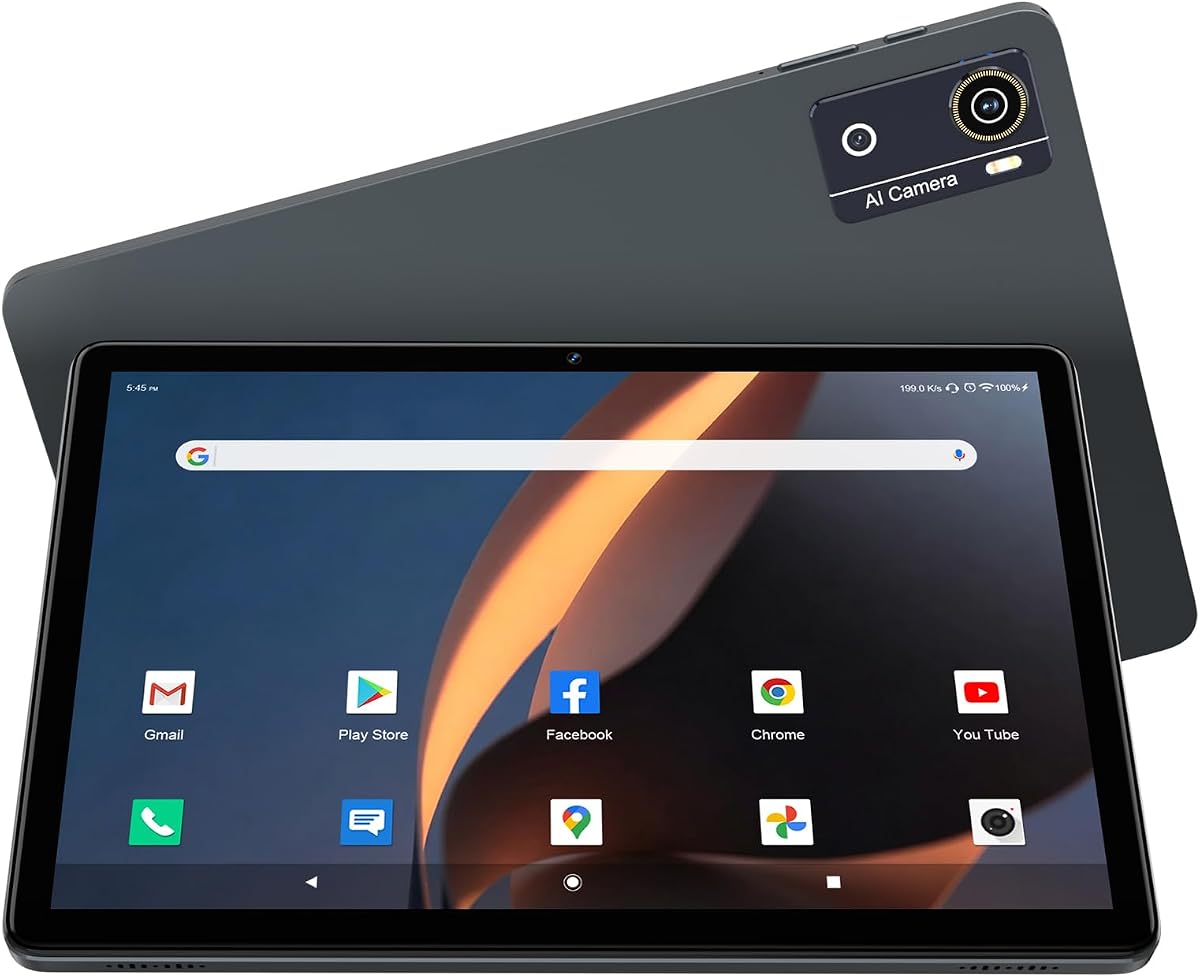
The Android 16 Gemini Tablet is a broad midrange option with Google Mobile Services certification, 12GB RAM, 64GB storage, and a 7000mAh battery. Its 4.2 rating suggests a generally capable device, while the included Gemini tools, split-screen mode, and face unlock add convenience for everyday tasks.
We may earn a commission when you buy through this link, at no additional cost to you.
The Helio G80 octa-core processor is designed for regular multitasking, including browser tabs and switching between Google Docs and other routine applications. Gemini can assist with drafting emails, summarizing articles, and planning family itineraries. The operating system also includes basic privacy controls, making this a practical option for users who want modern Google features without a flagship price.
Its 10.1-inch 1280-by-800 IPS display includes eye-care technology and dark mode, which can be useful for evening reading. Dual stereo speakers, dual-band Wi-Fi, Bluetooth 5.0, GPS, and wireless screen casting make it well connected. The 13MP rear camera and 8MP front camera are stronger specifications than many competing budget models, especially for video calls and online classes.
One important detail is that the listed 1TB expandable storage requires a TF card, which is not included. The screen also remains below the higher-resolution standard offered by the Lenovo tablets. Even so, the combination of Google certification, Gemini, generous memory, cameras, and battery makes this an attractive all-round choice for users who prioritize software features.
Gemini is integrated into routines such as drafting email, summarizing articles, and organizing travel plans. Paired with split-screen functionality, it can reduce the need to move repeatedly between separate productivity tools.
The 13MP rear and 8MP front cameras cover photography, classes, and business calls. Dual-band Wi-Fi, Bluetooth 5.0, GPS, and screen casting add useful flexibility for travel and connected workspaces.
We may earn a commission when you buy through this link, at no additional cost to you.
The TUOHAITIME Android 16 Tablet is a 10-inch device built around family use, Google apps, and basic learning. It has 24GB of combined RAM, 64GB of internal storage, expandable storage up to 512GB, and a 4.1 rating. Google Kids Space and parental controls are especially valuable for households sharing a device with children.
We may earn a commission when you buy through this link, at no additional cost to you.
The 2.0GHz octa-core processor is claimed to provide a substantial processing improvement over a conventional quad-core design. Google Mobile Services certification gives access to standard apps through Google Play, including YouTube and Netflix, while Wi-Fi 6 and Bluetooth 5.0 provide modern wireless connectivity. A screen protector is included for immediate use.
Parental tools allow adults to filter content, set educational goals, establish time restrictions, and support a safer online environment for children aged three and above. Google Kids Space includes activities such as coloring, crafts, story listening, and puzzles. For entertainment, the 6000mAh battery is listed for eight to twelve hours of reading or video use, and Widevine L1 supports high-quality streaming on eligible services.
The charging guidance is unusually specific: the listing recommends an 18W or 10W adapter and advises against 20W or 30W chargers, with a longer initial charge suggested. Streaming quality can also vary when a service imposes its own device restrictions. Nevertheless, this is a capable family tablet for parents seeking Google app access, child controls, and generous memory without a premium design.
Parents can filter content, define screen-time boundaries, set educational goals, and monitor app use. These features make the tablet easier to share between adults and younger children.
The combination of 24GB RAM, 64GB internal storage, and 512GB expansion supports a broad app library. Widevine L1 is listed for compatible HD streaming services, subject to each provider's rules.
We may earn a commission when you buy through this link, at no additional cost to you.
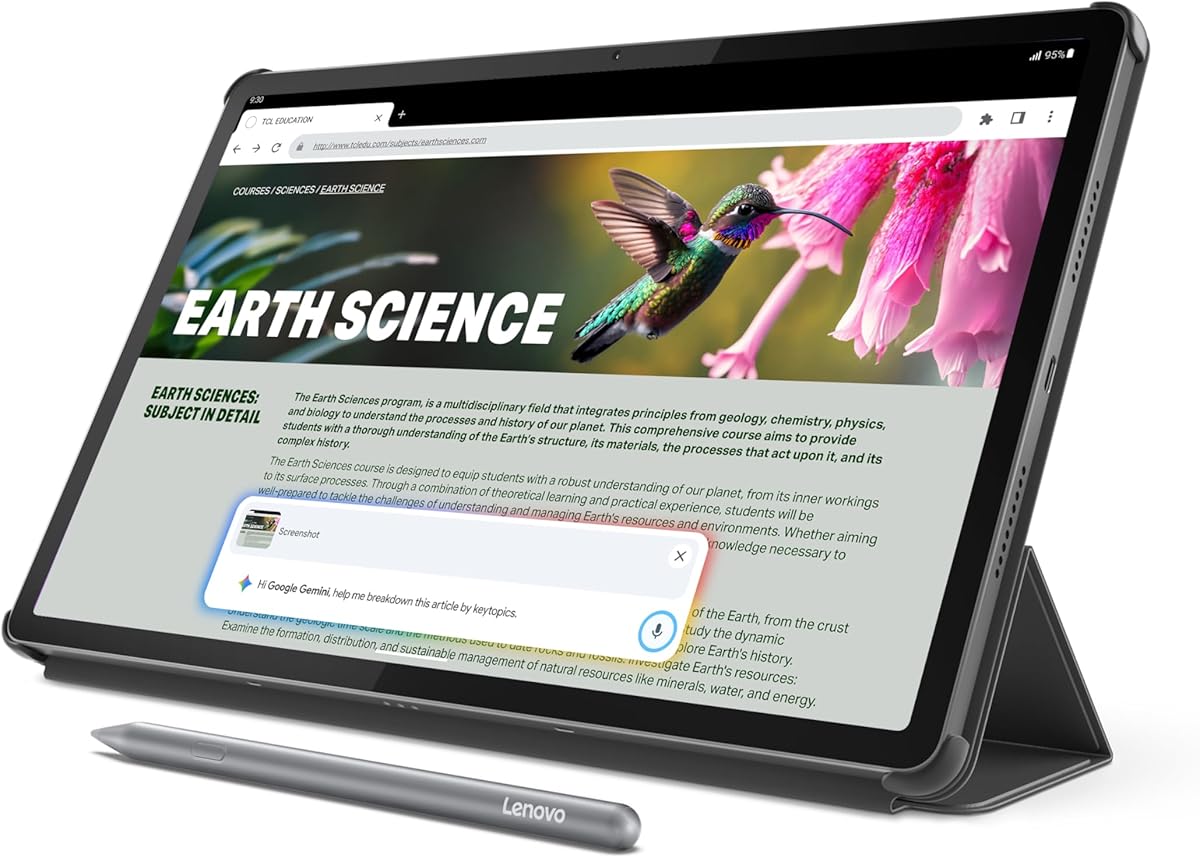
The Lenovo Idea Tab is designed as a college-oriented tablet with an 11-inch 2.5K IPS display, 90Hz refresh rate, Tab Pen, and folio case. Its 4.3 rating and thoughtful learning-software package make it an attractive option for students who want a capable note-taking and Google app device.
We may earn a commission when you buy through this link, at no additional cost to you.
The MediaTek Dimensity 6300 processor and integrated Arm Mali-G57 MC2 GPU support multitasking and regular academic workloads. Lenovo AI Note, Squid, Nebo, and MyScript Calculator provide tools for writing, organizing, sketching, and calculation. The included Tab Pen supports more natural annotation, while Circle to Search and translation features can speed up research without manually switching applications.
Display quality is a major strength. The 2.5K panel offers substantially more detail than a standard HD screen, and the 90Hz refresh rate keeps motion smooth. TÜV Rheinland low-blue-light hardware solutions are designed to improve comfort during extended study sessions. Four Dolby Atmos-tuned speakers also make the device well suited to lectures, media, and breaks between classes.
The listed 4GB of memory is modest for heavy multitasking, even though 128GB of storage is useful for course materials and downloaded documents. Smart Connect can improve transitions between compatible devices, and the claimed 20W charging and long battery life are helpful for campus days. Overall, the Idea Tab is a strong study recommendation for buyers who prioritize detail, pen input, and learning tools over maximum memory.
The high-resolution 11-inch display gives documents, diagrams, and handwritten notes more visual clarity. The Tab Pen and dedicated learning applications create a focused environment for reading, writing, and calculation.
Circle to Search makes on-screen research more direct, while translation and Smart Connect support connected workflows. These features are particularly relevant for students moving between classroom notes, online references, and other compatible devices.
We may earn a commission when you buy through this link, at no additional cost to you.
This Samsung Galaxy Tab A11+ configuration combines 8GB RAM with 256GB storage, making it the higher-capacity version of the same well-rounded Galaxy Tab A11+ platform. Its 4.6 rating, 11-inch 90Hz screen, and quad Dolby Atmos speakers make it especially attractive for families that need more room for apps and media.
We may earn a commission when you buy through this link, at no additional cost to you.
Compared with a standard configuration, the additional memory can improve the feeling of multitasking, while 256GB reduces the likelihood of filling internal storage with downloaded videos, documents, and applications. Expandable storage provides further flexibility, so buyers do not have to rely exclusively on the built-in capacity for long-term use.
The rest of the experience is centered on entertainment and practical everyday use. The upgraded chipset is designed to keep tasks responsive, the long-lasting battery supports browsing, streaming, and play, and fast charging is available when a refill is needed. Four speakers with Dolby Atmos provide a strong entertainment experience, while the large display is useful for shared viewing and routine work.
This is the Galaxy A11+ option to choose when storage and memory matter more than minimizing the specification tier. It does not offer the 2.5K or 3K resolution of the Lenovo models, but it balances screen smoothness, sound, battery convenience, and Samsung's established product ecosystem. For a family seeking one tablet to handle Google apps, media, and everyday productivity, it is a particularly practical choice.
The 8GB memory and 256GB storage configuration provides more breathing room for app collections, downloaded videos, and family media. Expandable storage adds a useful path for long-term growth.
The large 90Hz display and four Dolby Atmos speakers create a strong setup for shared streaming and gaming. Fast charging and a long-lasting battery help keep the device ready for regular use.
We may earn a commission when you buy through this link, at no additional cost to you.
The Lenovo Idea Tab Pro is the most advanced option in this guide, combining a 12.7-inch 3K LCD display with the MediaTek Dimensity 8300 processor, 8GB memory, 128GB storage, and an included Tab Pen Plus and folio case. Its 4.6 rating reflects a feature set aimed at demanding study, entertainment, and creative workflows.
We may earn a commission when you buy through this link, at no additional cost to you.
The 3K screen is the centerpiece for users who spend long periods reading documents, editing images, watching lectures, or creating with a stylus. A 90Hz display and 360Hz touch sampling rate offer smooth visual motion and responsive input. Low Blue Light certification and selectable mono or chromatic reading modes support comfortable use in different environments.
Performance is a major advantage. The Dimensity 8300 is positioned for efficient multitasking, and Wi-Fi 6E supports fast wireless connectivity. Quad JBL Dolby Atmos speakers deliver a more refined sound system than most competing tablets, while Google Gemini assists with assignments and Circle to Search simplifies visual research. The device is also PUBG certified, with support for 90fps gaming.
Its 45W charging system and claimed 11 hours of unplugged video streaming help offset the demands of the large display and advanced processor. The main trade-off is the premium nature of the configuration, and the 12.7-inch size may be less convenient for small bags or prolonged handheld use. For a buyer who wants a high-resolution Google app tablet with a pen, premium sound, and strong performance, it is the leading choice.
The 12.7-inch 3K LCD provides abundant detail for reading, media, and creative work. Quad JBL Dolby Atmos speakers add clear, rich sound that complements the large display for lectures and entertainment.
The Dimensity 8300 supports responsive multitasking, while the 90fps mode and 360Hz touch sampling benefit responsive games. Google Gemini and Circle to Search keep common academic tasks close at hand.
We may earn a commission when you buy through this link, at no additional cost to you.
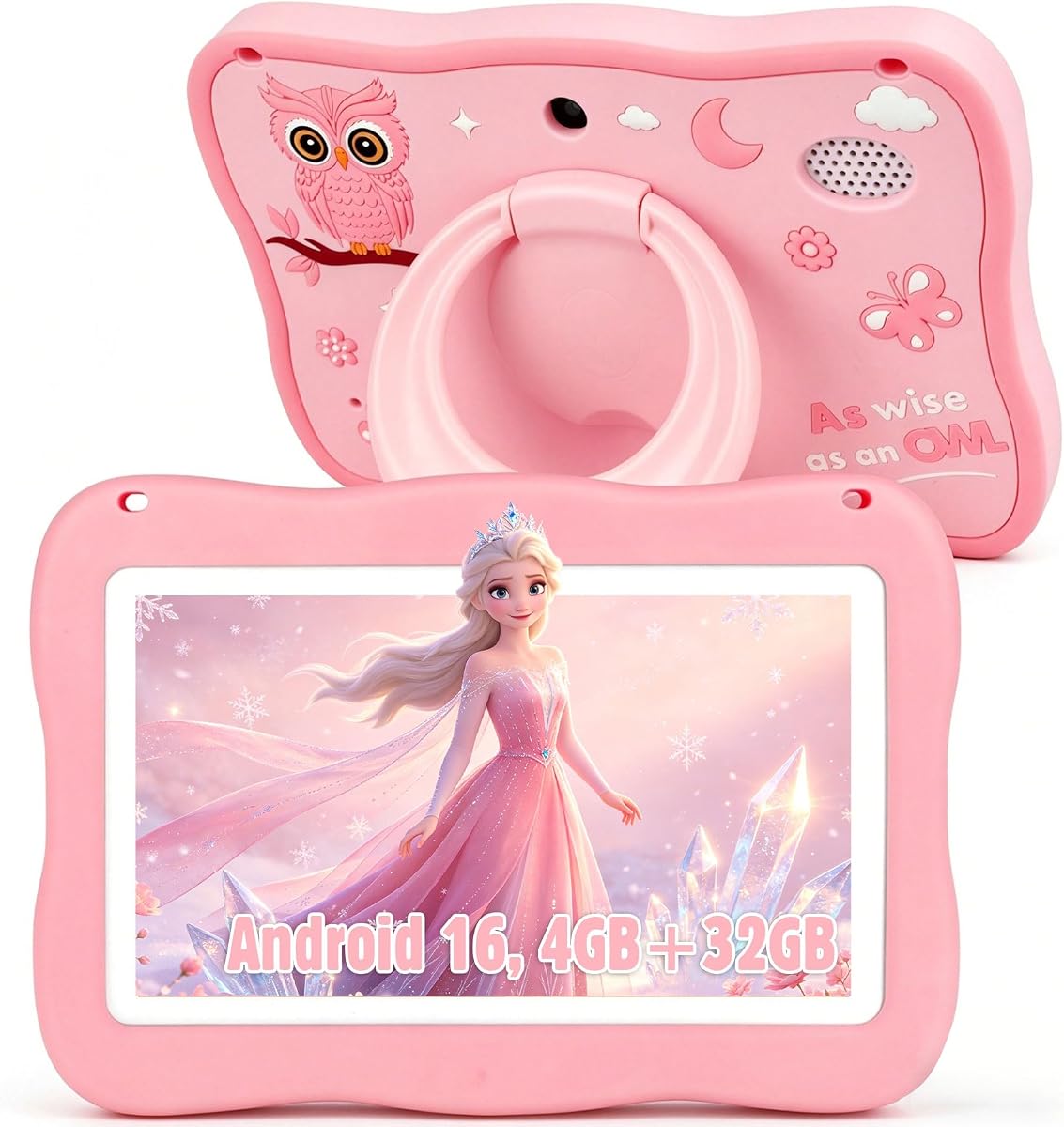
The YosaToo Kids Tablet is a compact Android 16 device intended for children aged three to twelve. It combines a 7-inch display, 4GB RAM, 32GB built-in storage, Google Kids Space, a Play Store, parental controls, and offline learning software in a protective case. Its 4.1 rating is consistent with a specialized family tablet.
We may earn a commission when you buy through this link, at no additional cost to you.
Offline access is the most distinctive feature. The YUBABE application includes Montessori-style activities, mini games, STEM content, and art for younger children, making the tablet useful during road trips, flights, or locations with unreliable Wi-Fi. Preinstalled drawing, camera, and child-friendly software also supports creative play without requiring immediate downloads.
For families with older children, Google Kids Space and full Play Store access offer a wider app ecosystem. Parents can filter age-appropriate content, set daily screen-time limits, monitor app usage, and block unwanted apps. These controls can be adjusted over time, making the device adaptable as a child grows and their interests change.
The included silicone case is designed to absorb impact, and its built-in adjustable stand allows hands-free viewing. The 7-inch display is easy for small children to hold, although adults may find it less comfortable for extended reading or document work. The tablet is therefore best suited to younger users and families prioritizing safe, offline learning over large-screen productivity.
Offline Montessori, game, STEM, and art activities help the tablet remain useful during travel or in low-connectivity locations. This makes the device more versatile than a standard tablet dependent entirely on streamed content.
The shock-absorbing silicone case is intended to withstand drops, tumbles, and regular movement by younger users. Its integrated adjustable stand also supports hands-free viewing during lessons or entertainment.
We may earn a commission when you buy through this link, at no additional cost to you.
This YosaToo Kids Tablet listing shares the same child-focused Android 16 foundation as the preceding model, including a 7-inch display, 4GB RAM, 32GB internal storage, Google Kids Space, offline learning content, and a drop-resistant case. It is a practical choice for parents who want direct oversight of a young child's tablet use.
We may earn a commission when you buy through this link, at no additional cost to you.
Advanced parental controls are central to the experience. Adults can filter content, establish daily screen-time limits, monitor app usage, and block unwanted applications. The controls can be changed as the child ages, allowing one device to accommodate toddlers and older children. Full Play Store access adds flexibility, but the preinstalled Google Kids Space provides a safer starting point.
The YUBABE application supports offline access to Montessori material, games, STEM activities, and art. This is particularly useful for airplane rides, road journeys, or homes without stable connectivity. Drawing and camera applications support creative expression, while the tablet stores photos, books, shows, games, and children's creations together.
The silicone case absorbs impact, and its integrated stand provides a stable, hands-free arrangement. A 32GB starting capacity is modest, but 64GB of expandable storage can extend the available space. The seven-inch display is well suited to small hands rather than adult productivity. Overall, this is a compelling recommendation for families seeking a supervised, durable, and educational first tablet.
Daily limits, app monitoring, content filtering, and blocking tools give adults meaningful control over the tablet. Adjustable settings help the same device remain appropriate as a child's age and needs change.
Google Kids Space, YouTube availability, creative apps, and offline YUBABE content offer a mix of entertainment and learning. The impact-resistant case supports the device's role as a frequently handled family tablet.
We may earn a commission when you buy through this link, at no additional cost to you.
The right Google apps tablet depends on the software, screen, battery, and accessories you expect to use every day. These factors help separate basic content consumption from demanding productivity, note-taking, and family use.
Start by confirming that the tablet includes the Google ecosystem you need. Google Mobile Services certification and full Google Play Store access allow installation of Google apps, while Widevine L1 support can enable high-quality streaming on compatible services. Individual providers may still restrict device compatibility or streaming quality, so check the current listing and the requirements of your preferred apps.
Choose verified Google app support over an ambiguous Android installation. You want standard app compatibility, timely software features, and access to services such as YouTube, Google Docs, Maps, and Google Play.
An octa-core processor is preferable when you expect to move between browser tabs, Google Docs, video calls, and streaming apps. Memory matters for sustained multitasking: 8GB is a sensible baseline, while configurations offering 12GB, 24GB, or 36GB provide additional headroom. A capable processor is also more important for gaming, large files, and split-screen work.
Prioritize a balanced processor-and-memory combination. Extra memory helps only if the chip and software also manage sustained tasks smoothly.
Screen size determines how comfortably you will read, watch, write, and collaborate. A 10- or 11-inch display is generally easier for adult productivity and shared media, while seven-inch models are more manageable for children and travel. Resolution adds visible detail, and a 90Hz refresh rate can make scrolling and animation feel smoother.
Match resolution and size to the device's role. Large high-resolution screens favor study and media, while compact HD panels are often more practical for children.
Think about both internal storage and expansion. 64GB can work for a modest app collection, while 128GB or 256GB is more comfortable for downloaded videos, music, photographs, and documents. A microSD or TF card may add valuable space, but check whether the card is included and confirm the maximum supported capacity.
Choose enough built-in storage for daily use, and treat expansion as a useful backup rather than an automatic substitute for generous internal capacity.
Battery capacity is only one part of the equation because screen size, processor behavior, streaming quality, and background apps all influence runtime. A 6000mAh battery may suit a 10-inch tablet, while an 11-inch device with a larger screen may benefit from a 7000mAh or 7800mAh cell. Fast charging is particularly helpful for students and commuters.
Review the stated usage estimate, charger wattage, and compatible-adapter guidance. Fast charging is most valuable when reliable access to an outlet is limited.
A stylus can improve note-taking, annotation, sketching, and precise navigation. Some tablets include a pen, folio, keyboard, or learning applications, while others require separate accessories. Google Gemini, Circle to Search, split-screen multitasking, and Smart Connect can also improve productivity, but they do not replace sufficient processing power, memory, or a comfortable display.
Choose included accessories carefully. A bundled pen and case can provide better value than a bare tablet, especially for students.
A child-oriented tablet should offer more than a colorful preinstalled app library. Google Kids Space, content filtering, screen-time limits, app monitoring, and adjustable parental controls create a more controlled environment. Offline educational content is also useful during travel, while a shock-resistant case and stand can withstand frequent use and reduce reliance on an adult during setup.
Prioritize controls that parents can adjust as the child grows. The ability to monitor usage and block unsuitable apps is more important than having the largest app selection.
A capable front camera improves video calls, online classes, and family communication, while a higher-resolution rear camera is useful for everyday photography. Speakers matter significantly for media consumption, so look for stereo or quad-speaker systems and listed Dolby Atmos or JBL support. Wi-Fi 6, Wi-Fi 6E, Bluetooth, GPS, and screen casting determine how smoothly the tablet fits into a connected home or school routine.
Balance camera and audio quality against your actual use. Excellent specifications are most valuable when calls, streaming, and media are regular priorities.
Begin by signing in with the intended Google account, completing the initial software setup, and configuring screen brightness, accessibility, and security options. For a child, create or select the appropriate supervised account, review parental-control settings, and test content filters before handing over the device. For a student, organize apps into folders for classes, documents, communication, entertainment, and creative work.
Keep Google apps and the operating system updated, review permissions periodically, and use a screen lock or biometric feature when available. Enable automatic locking for short periods, maintain a current backup, and avoid storing the only copy of important documents on the tablet. Use official charging equipment that matches the device's stated requirements, especially for models with specific charger-wattage guidance.
Protect the screen and tablet with the supplied case, and keep the charging port free of dust and debris. For storage-heavy use, regularly review downloaded videos, cached files, and unused applications. Children should also have regular breaks away from the screen, while students can reduce eye fatigue with appropriate brightness, dark mode, low-blue-light features, and sensible viewing distance.
The best tablet for Google Apps depends on how you will use it. The Samsung Galaxy Tab A11+ is the most balanced general option, the Jeazans X7 offers especially generous memory, and the Lenovo Idea Tab Pro serves buyers who prioritize a high-resolution display, pen input, and premium performance. Students, children, and entertainment-focused households may prefer models with more specialized features.
Most models explicitly mention Google Play Store access, Google Mobile Services certification, Google Kids Space, or standard Google apps. Compatibility details vary by listing, and a service such as Netflix may still impose device-specific restrictions. Verify that the particular apps and streaming quality you require are supported before purchasing.
For basic document editing and browsing, 8GB of RAM is generally a practical baseline. More memory can help when many browser tabs, messaging apps, Google Docs, and media applications remain open at once. Tablets with 12GB, 24GB, or 36GB offer more headroom, although storage capacity and processing speed also influence the overall experience.
A 10.1-inch tablet is easier to carry and generally sufficient for reading, note-taking, and video lectures. An 11-inch model offers a larger workspace for split-screen use, documents, and stylus work. The Lenovo models add high-resolution panels, making them particularly attractive when visual clarity is important.
Safety depends on the account configuration and supervision rather than the operating system alone. Google Kids Space, parental controls, screen-time limits, content filters, app blocking, and usage monitoring are useful tools, while offline learning content prevents constant reliance on streaming. Parents should review settings regularly and adapt them as the child grows.
In most of the listed configurations, a separate microSD or TF card is required and is not generally included. The card adds file capacity, but it does not replace internal storage for certain system functions or app-intensive workloads. Check the maximum supported card size and the manufacturer's formatting guidance before use.
Screen resolution, Widevine certification, storage, and stable connectivity all influence the streaming experience. Models with Widevine L1 can support high-quality playback on supported services, but some providers limit quality based on device compatibility. Headroom and a 90Hz display also improve navigation and general responsiveness.
A stylus is valuable for handwritten notes, diagram annotation, math, and light creative work. Two of the listed Android tablets include one, and both Lenovo models bundle a pen with a folio case. If you mainly need to view documents or type assignments, a keyboard and responsive screen may matter more than pen support.
The Samsung Galaxy Tab A11+ stands out as the most balanced choice, combining a smooth 11-inch 90Hz display, strong quad-speaker audio, expandable storage, and useful Google AI features. The Jeazans X7 is the leading performance-focused budget option because of its 36GB RAM, Android 16 software, 7800mAh battery, and full Google Play access.
Prioritize according to the work you actually expect to do. Choose a Lenovo model for detailed screens, stylus workflows, and stronger processing, the TUOHAITIME for Google Kids Space and family controls, or a YosaToo tablet for young children who need a compact, protected device with offline content. A 10.1-inch model with a stylus can serve budget-conscious note-takers well.
Finally, check the current product listing, app compatibility, accessory contents, warranty information, and up-to-date price before ordering. Product details and promotional offers can change, but the core comparison should remain focused on Google app support, usable performance, storage, display quality, battery life, and the features your household will use most.