
HSXIRQA 180W MSI Charger
4.4Editor score
180W output
5.5 x 2.5mm tip
Extensive model support
MSI Laptop Charger Replacement guide comparing wattage, connectors, voltage, model compatibility, safety features, and portability for popular MSI systems.
Finding an MSI Laptop Charger Replacement becomes much easier when you match the adapter’s voltage, amperage, wattage, and connector to your laptop rather than relying on the model family alone. A charger can look similar while delivering different power levels, and the wrong replacement may fail to charge reliably or may not work at all.
This guide compares ten replacement chargers for popular MSI gaming, creator, thin, workstation, and performance laptops. We evaluated the listed electrical ratings, connector sizes, included tips and cords, model references, safety features, and intended use, with particular attention to the differences between 120W, 180W, and 330W options.
Each review explains who the charger is best suited for, along with its notable strengths and limitations. Product details and availability can change over time, so shoppers should verify their complete laptop model, original adapter label, charging-port dimensions, and power requirements before ordering; current prices and offers also change frequently.
4.4Editor score

4.8Editor score

4.6Editor score
The table below compares the ten replacements by output, connector, supported MSI families, and practical distinctions. It makes the major 120W, 180W, and 330W options easy to separate while showing which chargers include alternate tips or unusually long cabling.


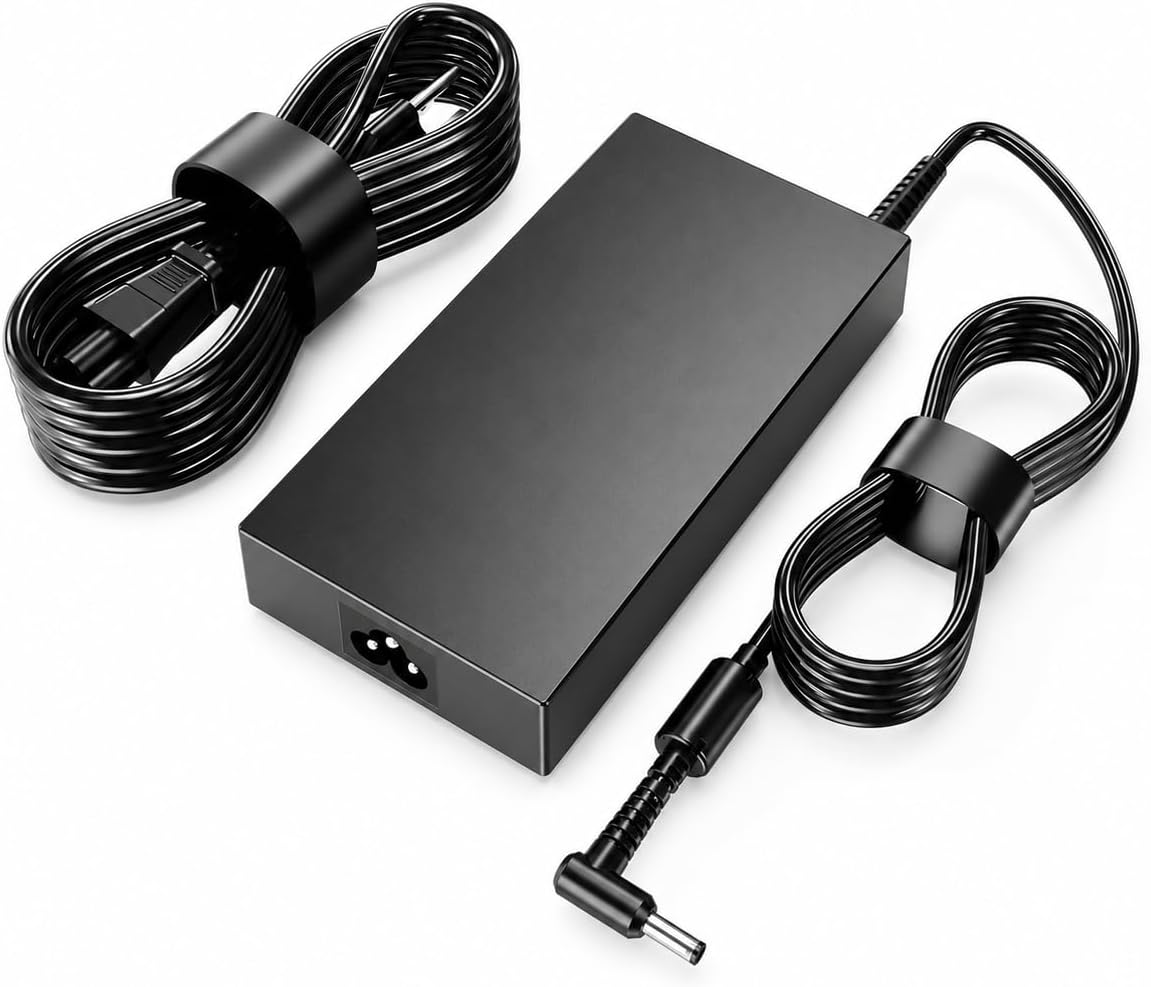
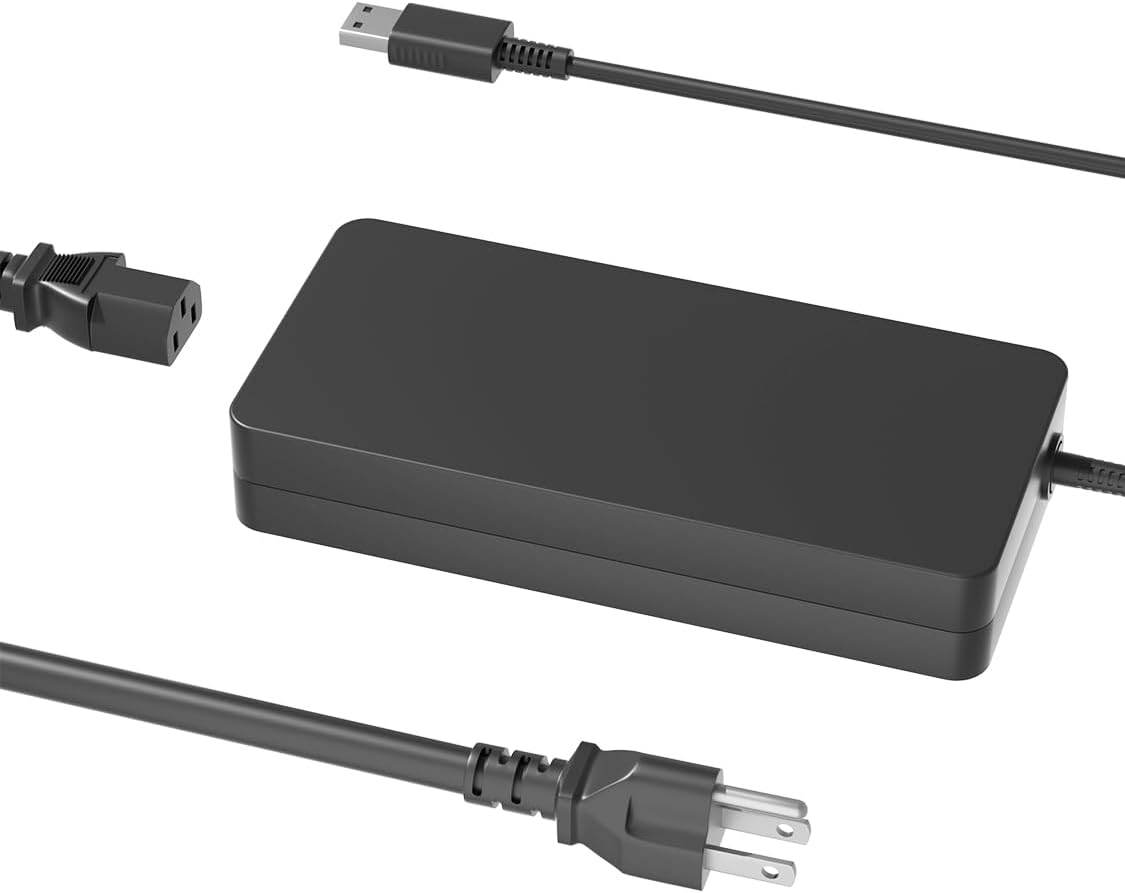
This 180W AC power adapter is a flexible replacement for several MSI gaming-laptop families, carrying a 4.3 rating and a 19.5V, 9.23A output. Its central advantage is the three-tip arrangement: the attached 5.5 x 2.5mm barrel connector is supplemented by 7.4 x 5.0mm and 4.5 x 3.0mm tips, giving it broader relevance across compatible MSI systems.
We may earn a commission when you buy through this link, at no additional cost to you.
The adapter accepts 100-240V at 50-60Hz and is specified for 180W output, while also working with compatible 150W and 120W power supplies. Compatibility information includes the GF63, GF65, GF75, GF62, GS63, GS65, GS73, GS75, GS60, GS70, and GS40 families, with additional references to Stealth, Thin, Katana, Sword, and Pulse series. Built-in protections cover over-current, over-voltage, overheating, and short-circuiting.
The limitations are the usual limitations of broad compatibility listings: a listed model name does not guarantee that every configuration uses the same power rating or connector. Buyers should still check the complete laptop label and the physical dimensions of the original charging port. The extra tips improve versatility, but using the wrong one could prevent a proper connection.
This is a strong choice for someone who wants one charger to cover several compatible MSI gaming laptops or who wants a backup alongside a 120W or 150W setup. It is especially useful when the supplied tips correspond to more than one device in the household. Confirming the tip, polarity, and original wattage before purchase makes it a practical general-purpose replacement.
The included 7.4 x 5.0mm and 4.5 x 3.0mm tips add flexibility that many single-tip replacements lack. This makes the adapter useful for a mixed collection of compatible MSI laptops, provided the chosen tip matches the port exactly.
A 180W specification gives suitable systems more available output than their lower-wattage requirements. The listing also states compatibility with 150W and 120W MSI power supplies, although users should verify that the target laptop and charging protocol match.
We may earn a commission when you buy through this link, at no additional cost to you.
This universal 180W laptop charger has a 4.3 rating and targets MSI laptops using a 19.5V, 9.23A supply with a 5.5 x 2.5mm round connector. Its most useful feature is the unusually specific GF63 list, which includes 8RC, 9RCX, 9SCSR, 10SC, 11UC, 12VE, and 12UCX variants rather than referring only to the general family name.
We may earn a commission when you buy through this link, at no additional cost to you.
The charger supports compatible systems requiring 180W or less and lists MSI power ratings of 19.5V 6.15A, 19V 6.3A, 19.5V 7.7A, and 19V 7.9A. Its model coverage extends through the GF63, GF65, GF75, GF62, GS63, GS65, GS73, GS75, GS60, GS70, and GS40 families. It also names selected Razer Blade 15 and Gigabyte G6, KF, and G5 systems, which broadens its potential use beyond MSI.
A 100-240V, 50-60Hz input makes the adapter suitable for regions with different mains voltage, provided the appropriate physical plug is used. FCC and CE marks are stated, and the listing describes safeguards for short-circuit, over-current, and over-voltage conditions. Unlike the first charger in this guide, it does not include alternate connector tips, so users need the exact 5.5 x 2.5mm connection.
This is a particularly sensible option for GF63 owners who know the precise suffix of their machine, since the listing offers more granular guidance than many competitors. It also works well as a shared adapter when the other devices in a collection use the stated 120W or 150W barrel format. Checking the original adapter label remains essential before ordering.
The detailed GF63 references can make compatibility easier to assess than a generic family listing. Buyers should still locate the full model number and compare it with the original charger’s output because retail configurations can differ.
The stated 120W and 150W compatibility makes this a potentially useful household replacement. It should only be used with a laptop whose original adapter matches the listed voltage, amperage, and connector requirements.
We may earn a commission when you buy through this link, at no additional cost to you.
This HSXIRQA replacement earns a 4.4 rating and stands out for the breadth of MSI models in its compatibility list. It covers GE, GS, GF, GL, GP, WS, WE, WT, GV, GT, GX, PE, PL, PX, WF, and WP families, plus Creator, Bravo, Stealth, and Apache Phantom references. That breadth makes it a compelling general option when the buyer wants one 180W charger for many supported systems.
We may earn a commission when you buy through this link, at no additional cost to you.
Its electrical specification is 19.5V at 9.23A for 180W, with a 5.5 x 2.5mm round connector. The listing states that it also works with compatible 150W and 120W devices, while clearly warning that it is not suitable for laptops requiring more than 180W. The input range is 100-240V at 50-60Hz, and the box includes one power adapter and one power cord.
The listing emphasizes heat-resistant materials, automatic adjustment based on device temperature and battery status, and protections against overcurrent, short-circuiting, and overheating. These are useful design claims for a high-output replacement, although claims about battery longevity should not be interpreted as a guarantee that the charger itself extends battery life. The main drawback is the absence of extra tips, so compatibility depends on the standard barrel connection.
This charger is a strong budget-oriented recommendation for an MSI owner whose model appears in the extensive list and whose original adapter was no more than 180W. It is less suitable for newer systems requiring 240W, 280W, 330W, or a USB-based power connection. Confirming the model and port before ordering is essential.
The long model list creates value for buyers who want a broadly compatible replacement rather than one dedicated to a single family. It still does not replace label verification, because several models can appear with different power requirements.
Overcurrent, short-circuit, and overheating protection make this a more reassuring high-output option. Heat-resistant construction is also relevant during sustained gaming or creator workloads, when a replacement charger may operate near its rated capacity.
We may earn a commission when you buy through this link, at no additional cost to you.
This 120W charger has a 4.6 rating and fills an important gap in the guide by using a 4.5 x 3.0mm round connector rather than the common 5.5 x 2.5mm MSI barrel. Its 20V, 6A output is intended for laptops designed around compatible 120W adapters, including systems associated with the A17-120P2A, ADP-120VH, and ADP-120VH D references.
We may earn a commission when you buy through this link, at no additional cost to you.
The compatibility list is particularly focused on MSI Thin 15, Thin A15, GF63 Thin, GV15 Thin, Cyborg, and Creator families. Named GF63 configurations include 10UC, 11UC, 12UC, 12UCX, 12VE, and 12VF, while Cyborg 14, Cyborg 15, Creator M14, and MS-16 series references broaden its reach. The listing also names a group of ASUS Zenbook Flip and Pro models, making it potentially useful for a mixed setup.
A 100-240V, 50-60Hz input supports use in many regions, and the charger includes stated protections against short-circuit, over-current, over-voltage, and temperature issues. However, the smaller tip is the decisive detail. A system requiring 150W or 180W should not use this charger merely because its voltage appears close, and a laptop with a USB-C charging port needs a different cable and power standard.
This is the ideal option for a compatible 120W MSI Thin, Cyborg, Creator, or selected GF63 owner. The 4.6 rating and focused model list give it a compelling balance of specificity and versatility, while the 120W rating makes it more convenient and potentially easier to manage than an oversized 180W adapter. Verify the original charger’s tip and output first.
Using a correctly rated 120W charger for a laptop designed for that output can be a sensible way to avoid carrying unnecessary power capacity. The 20V and 6A specification must match the original adapter and the 4.5 x 3.0mm port must fit exactly.
Thin, Cyborg, and Creator support makes this more useful than a narrowly named legacy replacement. Detailed suffix references help narrow the field, but the full system model and original label remain the authoritative comparison points.
We may earn a commission when you buy through this link, at no additional cost to you.
This 180W AC adapter carries a 4.4 rating and offers a straightforward replacement for many MSI gaming laptops. It delivers 19.5V at 9.23A, making it suitable for systems that originally used a 180W adapter, and it is also advertised as compatible with lower 150W and 120W MSI power arrangements.
We may earn a commission when you buy through this link, at no additional cost to you.
Named compatibility includes the GF63, GS66, GS65, GE72, GF65, GF75, GS75, GE62, GE70, GF62, GF72, GL62, GL72, GS40, GS43, GS63, and GS73 series. Its 100-240V input at 50-60Hz allows use with different mains standards around the world, subject to the plug format. The listing also describes a compact construction intended to make the adapter easier to carry.
Protection against short circuits, overcurrent, overvoltage, and overheating gives it a solid safety-oriented feature set. The package includes the charger and an AC power cord. The main weakness is that the product information is less granular than some competitors: it does not provide the detailed submodel references or alternate tips seen elsewhere, so a buyer may need to consult the laptop’s original label more carefully.
This adapter suits buyers who already know their MSI model uses a 5.5 x 2.5mm 180W supply and value a compact replacement for travel or a home backup. It is less attractive for someone with a 120W-only connector or a modern USB-based system. Confirming wattage, polarity, and plug geometry prevents most compatibility problems.
The listing highlights a compact design, which is helpful for keeping a spare charger in a laptop bag. Size should still be considered alongside the cable and plug, because the complete wall setup may occupy more space than the adapter body alone.
Short-circuit, overcurrent, overvoltage, and overheating safeguards are useful during long gaming sessions. These protections support reliability, but the charger should still be used with a properly rated outlet and an undamaged cable.
We may earn a commission when you buy through this link, at no additional cost to you.
The BIYTC 180W gaming laptop charger has a 4.1 rating, making it the least highly rated option among the ten products, but it remains a straightforward replacement for several major MSI families. Its output is 19.5V at 9.23A, and it uses the common 5.5 x 2.5mm barrel connector associated with many 180W MSI gaming adapters.
We may earn a commission when you buy through this link, at no additional cost to you.
Compatibility is described around the Thin GF63 and GF65, Stealth GS65 and GS63, 15M, Sword 15, Crosshair 15 and 17, and Katana families. The input specification is 100-240V at 50-60Hz, and the box includes one 180W laptop charger and one AC power supply cord. That combination provides the essential pieces needed for a desk or travel setup.
The listing states that the port can provide up to 180W for fast and efficient charging of compatible devices. It offers fewer details about electrical protections than the more thoroughly described products in this guide, so buyers may want to prioritize the matching specifications and complete model name. Its lower rating also suggests that the manufacturer’s listed compatibility should not be treated as blanket approval for every similarly named laptop.
This charger is most appropriate for a buyer who has confirmed the exact power rating and connector and wants a simple 180W replacement without interchangeable tips. It can be a practical choice for a compatible Thin, Stealth, Katana, Sword, or Crosshair system. Owners of higher-power workstations or USB-C models should choose a more specialized charger instead.
The clean 19.5V, 9.23A specification and standard barrel connector make this easy to evaluate against an original adapter. It avoids the complexity of multiple tips, which is beneficial when the buyer already knows exactly which connector is required.
Thin, Stealth, Katana, Sword, and Crosshair references cover several popular gaming lines. The exact suffix and original charger label should be checked because laptops within the same family may have been offered with different power configurations.
We may earn a commission when you buy through this link, at no additional cost to you.
This 180W charger has the highest rating in the roundup at 4.8 and stands out for its five-in-one approach. It includes a built-in 5.5 x 2.5mm tip plus 7.4 x 5.0mm and 4.5 x 3.0mm alternatives, allowing it to cover the three connector formats represented across the guide. It also states support for 120W, 135W, 150W, and 180W systems.
We may earn a commission when you buy through this link, at no additional cost to you.
The listed MSI compatibility is extensive, spanning GF, GS, GL, WF, GE, WP, WS, WE, GX, PE, GT, and GP families. It names mainstream gaming lines such as Bravo, Crosshair, Sword, Creator, and Alpha, along with portable systems and the 15M and 17M families. This makes the charger appealing to owners of several MSI devices or those who want a backup likely to suit more than one machine.
Output is 19.5V at 9.23A for 180W, with 100-240V input. The listing cites FCC, CE, and RoHS certifications, along with overvoltage, overcurrent, short-circuit protection, temperature monitoring, and heat dissipation. It also describes oxygen-free copper wiring, reinforced construction, and laser-soldered ports. A 1.8-meter, or six-foot, AC power cable is included for flexible placement at a desk or outlet.
This is the most versatile option in the guide and our Editor’s Choice for buyers who want a single 180W replacement with multiple tips and a very broad model list. The tradeoff is that an extensive marketing list cannot replace checking the original adapter. Use the correct tip, confirm polarity, and verify that the laptop does not require more than 180W before connecting it.
The three-tip set is the defining advantage, covering 5.5 x 2.5mm, 7.4 x 5.0mm, and 4.5 x 3.0mm connections in one package. This is especially helpful for households with different MSI charging-port formats or for users who want one adaptable travel charger.
The 19.5V, 9.23A output is designed for high-power compatible laptops and can also serve supported 120W, 135W, and 150W systems. It should not be selected for a machine whose original adapter is rated above 180W.
The stated temperature monitoring and heat dissipation features add confidence during extended use. They do not eliminate the need for reasonable placement, ventilation, and inspection of the cable for damage.
We may earn a commission when you buy through this link, at no additional cost to you.
This HNHTKJ adapter offers a 4.3 rating and differentiates itself with an extended cable arrangement. The total length is listed as ten feet, consisting of a six-foot charger cable and four-foot power cable, allowing the laptop to sit farther from a wall outlet than a compact adapter setup generally permits.
We may earn a commission when you buy through this link, at no additional cost to you.
The electrical output is 19.5V at 9.23A for 180W, using a 5.5 x 2.5mm connector. It is described as a plug-and-play replacement or backup for A15-180P1A, ADP-180MB K, and A17-180P4A references. Compatibility includes GF63, GF65, GS65, GS66, GL62, GE62, GF75, GP60, WS65, Stealth, and Apache Phantom systems, along with a longer list of GS, GF, GE, and GP models.
The listing states support for 120W, 150W, and 180W requirements, although the actual electrical output remains 180W. The package includes one charger and one power cord. Its main practical benefit is placement flexibility: a hard-to-reach outlet, a desk with the power source on the floor, or a setup where the laptop needs to remain some distance from the wall can all be easier to manage with the longer cable.
This is a good choice for a compatible MSI owner who prioritizes reach over compactness. It may be less appealing for frequent travelers who want the shortest possible package, and its single 5.5 x 2.5mm tip does not support the newer small-barrel systems. Confirm output, polarity, and connector dimensions before buying.
The ten-foot total cable is helpful when a nearby outlet is inconvenient. It can also reduce strain on the connector because the cable does not need to be pulled taut to reach the wall.
A 19.5V, 9.23A output and standard 5.5 x 2.5mm tip align with many MSI gaming systems. The claimed 120W and 150W support still requires the laptop’s original power requirements to be checked.
We may earn a commission when you buy through this link, at no additional cost to you.
The FOYUEH 120W charger carries a perfect 5.0 rating and is the most transparently compatibility-focused product in the guide. Rather than claiming a vague range of MSI systems, it provides detailed model references and cross-references the MSI spare number S93-0403460-C54 and Chicony A120A041P adapter.
We may earn a commission when you buy through this link, at no additional cost to you.
Its output is 19.5V at 6.15A, and it uses a round barrel plug with a 5.5mm outer diameter and 2.5mm inner diameter. The listing names GF63 8RC and 8RD, several GF63 Thin 8, 9, and 10-series variants, WF65 10-series, WP65 9TH, and select GE62, GE72, WE62, WE72, and GF75 systems originally equipped with a matching 120W adapter.
The product information explicitly warns that the charger is not compatible with USB-C charging ports, 4.5mm round plugs, rectangular connectors, or laptops requiring 150W or 180W or more. That precision is valuable because it reduces the risk of assuming that a nearby-looking connector will fit. The adapter and AC power cord are included, and the input accepts 100-240V at 50-60Hz.
This is an excellent choice for someone who has confirmed the original adapter matches 19.5V, 6.15A and the 5.5 x 2.5mm barrel. Its unusually clear guidance makes it a strong candidate for a 120W replacement, especially for GF63 Thin and select GE-series systems. It is not a universal MSI solution, and buyers should not stretch its stated limits.
Providing original spare and manufacturer part references gives shoppers concrete ways to validate the replacement. Matching the original output, connector size, and polarity is a more reliable process than relying only on a retail model family.
The explicit exclusions for USB-C, 4.5mm, rectangular, and higher-wattage systems may appear restrictive, but they are helpful. Clear boundaries are especially valuable when one small sizing difference can prevent a charger from working.
We may earn a commission when you buy through this link, at no additional cost to you.
This 330W replacement carries a 4.6 rating and serves a distinctly different segment of MSI laptops. It is intended for high-performance Raider, Vector, Titan, CreatorPro, and newer Stealth systems rather than ordinary GF63 or GF75 machines. Its 19.5V, 16.92A output provides substantially more power than the 120W and 180W adapters elsewhere in this guide.
We may earn a commission when you buy through this link, at no additional cost to you.
The compatibility listing includes Stealth 18 and Stealth 16 variants, CreatorPro 16 and X17 systems, Titan GT77, Vector 17 and 16, GP66, GP76, GP78, and GP77 models, and a wide range of Raider families including GE66, GE67HX, GE68HX, GE76, GE77HX, and GE78HX. Adapter references include ADP-330CB B and A20-330P1A. The charger also states support for compatible 240W, 280W, and 230W devices.
Its connector is identified as a USB tip rather than a conventional round barrel, which is an important distinction. The adapter accepts 100-240V at 50-60Hz and includes a chip described as adjusting power according to device temperature and battery status. Listed protections include overcurrent, short-circuit, and overheating, while the construction uses heat-resistant, flame-retardant, and fire-resistant materials.
This charger is the right choice for a supported high-end MSI system that originally used a 330W USB-tip adapter. It is not a sensible substitute for a 120W or 180W laptop, and the much higher electrical output makes careful model verification essential. Buyers should also ensure their outlet and cable setup can accommodate the sustained load associated with a performance machine.
A 330W output gives compatible Raider, Titan, Vector, CreatorPro, and Stealth systems the headroom required by their original power systems. It is unnecessary for most mainstream gaming laptops and should not be used as a generic upgrade.
The USB power tip is entirely different from the 5.5 x 2.5mm and 4.5 x 3.0mm barrel connectors used by many lower-power models. Confirm the original cable, tip shape, and adapter reference before ordering this higher-output replacement.
The stated temperature-responsive chip and heat-resistant materials are relevant for a charger used with demanding performance laptops. Good ventilation and regular cable inspection remain important when operating near the maximum rating.
We may earn a commission when you buy through this link, at no additional cost to you.
The right replacement depends on exact electrical and mechanical compatibility, not merely the MSI badge. Use the following factors to narrow the field before comparing chargers, especially when a family includes several power configurations.
Start with the wattage printed on the original MSI adapter, because choosing a higher-rated replacement can still be unsafe if its voltage, current, connector, or charging protocol differs. The most common options in this guide are 120W, 180W, and 330W. A 120W charger suits systems designed for 120W, while the 180W adapters are intended for compatible gaming systems up to that output. The 330W unit is for high-performance models that originally used comparable high-power USB-tip charging.
Use the original adapter as the reference rather than assuming every laptop in a series shares one power standard. Some related models can use different voltage and amperage combinations even when the connector looks identical.
Voltage and amperage work together to determine available power. For example, 19.5V at 9.23A corresponds to the 180W options in this roundup, while 19.5V at 6.15A corresponds to 120W. The 120W Thin charger uses a different combination of 20V and 6A, demonstrating why equal-looking power levels can still use different hardware.
When the original label is available, compare voltage, amperage, wattage, and connector together. If the charger or laptop has been modified, contact MSI support or a qualified repair technician rather than relying on inference.
Connector measurements refer to the tip that enters the laptop, not the wall plug. The 5.5 x 2.5mm round barrel is the dominant format among the 180W choices, while the 4.5 x 3.0mm round tip is used by the 120W Thin and Cyborg-oriented adapter. The 330W model uses a USB-style tip. Even when the outside diameters match, the inner diameter or tip architecture can prevent a proper fit.
Measure the original tip or remove the old adapter and compare it with the seller’s dimensions. Do not force a connector that does not slide in easily, and do not assume a USB-C cable is interchangeable with a proprietary USB-tip charger.
Polarity describes how the positive and negative conductors are arranged, and a mismatch can prevent charging or create a hazardous connection. Some modern USB-based laptops also negotiate power through data-capable USB-C connections, meaning voltage alone is not enough to establish compatibility. The 330W product’s USB tip should be matched to the original MSI cable and protocol rather than treated like an ordinary round barrel.
Look for the polarity symbol on the original adapter label or in service information. For USB-C systems, use the specified charger and cable combination rather than adapting a proprietary connector.
Model-family compatibility is a useful screening tool, but exact model numbers and suffixes provide better guidance. The FOYUEH 120W charger offers an especially strong example by naming specific GF63, WF65, WP65, GE, and WE variants and cross-referencing original adapter part numbers. The 180W models often list broad families because their connector and output are common across many configurations.
Locate the full model number on the bottom of the laptop, compare it with the charger’s compatibility information, and then verify the original output label. This three-step process is more dependable than matching only the GF, GS, GE, or Creator name.
Some chargers arrive with a fixed connector, while the 5-in-1 180W model includes a 5.5 x 2.5mm tip plus 7.4 x 5.0mm and 4.5 x 3.0mm alternatives. Multiple tips can be useful for a mixed device collection, but they do not make every charger universally compatible. The 120W Thin adapter has no alternate tips, and the high-power 330W replacement requires its specified USB-style connection.
Also check whether the package includes the AC wall cord. Every product in this roundup lists a power cord, but cable length varies. The HNHTKJ adapter offers the longest total cable, while the 5-in-1 180W choice includes a six-foot cable, making them more convenient when the outlet is distant.
Look for stated protection against overcurrent, overvoltage, short circuits, and overheating. Several 180W options describe all four safeguards, while the 120W Thin charger also highlights temperature protection. Certifications such as FCC, CE, and RoHS are referenced on selected products, providing additional context about compliance and materials, although they do not replace proper use.
Use the adapter on a dry, stable surface with ventilation, inspect the cable for damage, and avoid wrapping it tightly around the power brick while under load. Stop using a replacement if it produces an unusual odor, visible discoloration, repeated interruptions, or a connector that becomes loose.
A replacement used only at a fixed desk does not need to be minimized, but a travel charger benefits from a compact body, manageable cable, and broad 100-240V input. All ten products specify international-range input, although the physical wall plug must be appropriate for the destination. The BIYTC and general-purpose 180W AC adapter emphasize compactness, whereas the extended-cable HNHTKJ model favors reach.
Think about how often you will move the setup. A lower-wattage adapter may be preferable when it exactly matches a lightweight Thin or Cyborg system, while a 330W model is inherently substantial because it supports more demanding hardware. Choosing the smallest correctly matched charger is usually more convenient than carrying unnecessary capacity.
Before connecting a replacement, compare its output label with the original adapter and verify the complete laptop model. Confirm that voltage, current, wattage, polarity, and connector dimensions agree with the system’s requirements. For USB-based models, use the required tip and protocol rather than assuming a visually similar USB connector will negotiate power correctly.
Place the adapter on a hard, dry, and ventilated surface. Connect the charger to the laptop before or after attaching the wall cord according to the manufacturer’s instructions, then observe the charging indicator. If the battery level does not increase, the indicator behaves unexpectedly, or the connector feels loose, disconnect it and revisit the compatibility check rather than repeatedly reconnecting it.
Unplug the charger when it is not needed, and avoid leaving it under pillows, bedding, inside a closed bag, or near excessive heat. Inspect the connector and cable for bends, cracks, discoloration, or damaged insulation. Do not use a replacement with a visibly frayed cable or a wet, discolored, or unusually hot power brick; seek qualified service when a fault is suspected.
A higher-wattage replacement can be suitable only when its voltage, connector, polarity, and charging protocol are compatible and the laptop can negotiate the offered power safely. The product should support the lower-wattage configuration rather than merely exceed it. A round 5.5 x 2.5mm 180W adapter, for example, is not automatically suitable for a USB-C laptop or a system that originally used a 4.5 x 3.0mm connector.
The most common 180W replacement in this guide uses a 5.5 x 2.5mm round barrel connector. The 120W Thin, Cyborg, and some Creator replacements use a smaller 4.5 x 3.0mm round tip, while the 330W performance-laptop replacement uses a USB-style tip. Measure the original connector carefully because the same outside diameter can conceal a different inner diameter.
Several chargers in this guide state that they support compatible 150W and 120W MSI power systems. Support still depends on matching the connector and the lower system’s expected voltage and current configuration. Check the original adapter label and the replacement’s specifications; do not rely only on the 180W headline.
A suitable replacement can provide stable power when its rating and connector match the laptop. The listed products describe protections such as overcurrent, overvoltage, short-circuit, and overheating safeguards, which are important for sustained gaming use. Buyers should still inspect cords, provide ventilation, and stop using any charger that becomes damaged, excessively hot, or produces unusual smells.
A compatible third-party replacement can serve as a primary or backup adapter when it matches the required electrical and physical specifications. The FOYUEH 120W option is explicitly described as a compatible replacement rather than an MSI-manufactured original, illustrating the distinction. For unusual models, proprietary protocols, or uncertain compatibility, an original adapter or guidance from MSI support is the safer route.
Every charger in this guide specifies 100-240V, 50-60Hz input, which supports many international mains systems. The wall plug and cord must still be appropriate for the destination, and some regions require a different plug shape. The 5-in-1 180W charger’s six-foot cable and multi-tip design may be convenient for travel, provided the correct tip is selected.
A visually similar connector can have a different outer or inner diameter, a different tip profile, or a different electrical polarity. USB-based laptops may also require a compatible charging protocol rather than only a matching physical plug. Compare the original label, measure the connector, and check the complete system model before assuming the replacement is defective.
The answer depends on the exact GF63 configuration. The FOYUEH 120W product provides detailed suffixes and cross-references for selected GF63 models, while the 180W choices cover many gaming configurations that originally used a 19.5V, 9.23A adapter. Find the complete model number and compare the original charger’s output and connector before choosing between them.
The HSXIRQA 180W model offers the broadest conventional value, with extensive MSI family coverage and a 4.4 rating. The 5-in-1 180W adapter earns the Editor’s Choice designation because it combines the highest rating with three connector tips, a long list of supported systems, and a six-foot cable. For owners of compatible 120W Thin, Cyborg, and Creator systems, the specialized 120W charger provides an appropriately sized alternative.
Above all, prioritize exact compatibility over the number of models printed in a listing. Check the original voltage, amperage, wattage, polarity, connector dimensions, and full laptop model, then confirm that the replacement supports the exact configuration. Choose a 120W or 180W barrel charger for the relevant gaming systems, or a 330W USB-tip replacement only for one of the high-performance models that originally requires it.
Current product availability, ratings, offers, and prices can change, so review the live listing before making a final decision. A lower-cost adapter is not a better deal if its specifications do not match, while a well-matched charger can provide dependable charging and serve as a useful backup. Use the information in this guide to narrow the options before checking the latest listing details.