
HOTTABLET Kids Tablet 7 inch Android
4.0Editor score
Compact seven-inch display
Customizable parental profiles
Protective case included
Our Tablet for 2 Year Old guide compares 10 kid-friendly options for learning, durability, parental controls, screen quality, storage, and daily use.
Choosing a tablet for a 2-year-old requires balancing educational value, simple navigation, sturdy construction, and strong parental controls with a device small enough for a toddler to handle. The best options should support short learning sessions, familiar activities, and hands-on exploration without exposing young children to unrestricted content or overly complex interfaces.
We compared these 10 products using the supplied specifications, intended age guidance, ratings, screen details, included accessories, parental-control features, storage options, and stated battery performance. The list covers compact learning laptops, rugged full-size Android tablets, and lower-cost devices designed to provide age-filtered apps, offline activities, drawing, stories, games, and video options.
Each review identifies the strongest use case, important trade-offs, and the households most likely to benefit from that particular model. Ratings and availability can change over time, so readers should verify the latest product details, age guidance, included accessories, and current pricing before making a final purchase.
4.0Editor score

4.7Editor score

4.2Editor score
The comparison covers age guidance, screen size, operating platform, parental controls, and major extras so parents can distinguish purpose-built learning toys from more general-purpose Android tablets suitable for supervised toddler use.




The COLORROOM 2026 Upgraded Android 15 Tablet combines a large touchscreen, a substantial battery, and a dedicated child-focused interface in a device that can work well for a 2-year-old with close adult involvement. Its 4.2 rating reflects a broadly capable platform, although the supplied age guidance specifically identifies Google Kids Space for children aged 3 and above. A parent should therefore treat it as a supervised option for a younger sibling rather than assume every activity is developmentally calibrated for a toddler.
We may earn a commission when you buy through this link, at no additional cost to you.
The strongest feature is the combination of a 10.1-inch, 1280-by-800 fully in-cell display and Google Kids Space. Young children benefit from large, easily recognized touch targets, while the kid-oriented content includes coloring, crafts, story listening, and puzzle games. Automatic brightness adjustment and an anti-blue-light design make the screen more comfortable for short daily sessions. A 6000mAh battery is stated to support roughly 8 to 12 hours of reading or video, reducing the likelihood that the tablet will run out during a family outing.
Performance and flexibility are more substantial than on many basic preschool tablets. The octa-core processor runs Android 15, while the stated 10GB RAM, made up of 4GB plus 6GB, and 64GB internal storage provide room for learning apps and media. Storage can be expanded to 1TB with a separately sold MicroSD card. The trade-offs are size, the need for careful adult configuration, and the fact that the manufacturer does not list this model as being designed for children under 3.
This is our best overall pick for a household seeking a versatile tablet that can transition from toddler activities to elementary learning, video calling, reading, and ordinary family use. Start in the restricted child environment, install only age-appropriate content, disable unnecessary purchases, and use short scheduled sessions. For a child who is exactly two, those safeguards are essential; parents wanting a purpose-built preschool device may prefer the LeapFrog LeapTop instead.
Google Kids Space provides age-appropriate educator-endorsed activities, including crafts, stories, coloring, and puzzles. Parent controls add filters, time limits, and educational targets, making it possible to tailor the device without allowing unrestricted access.
The combination of 64GB internal storage and MicroSD expansion to 1TB supports a larger library than a compact specialist toy. It is a practical choice for families that expect to add videos, books, games, and creative apps over time.
We may earn a commission when you buy through this link, at no additional cost to you.
The LeapFrog 2-in-1 LeapTop Touch is the clearest fit for the literal request of a tablet for a 2-year-old because its stated intended age range begins at two. It does not try to imitate a general-purpose adult tablet. Instead, it combines a keyboard, touch screen, audio activities, and role-play in a deliberately simple package that can engage a preschooler without introducing a complicated app interface.
We may earn a commission when you buy through this link, at no additional cost to you.
The swivel design changes the way the toy is used. In laptop mode, children can explore an alphabet and number keyboard, while touching and rotating the screen transforms it into a tablet for games and other activities. Five modes cover ABCs, numbers, games, music, and messages. Parents can also personalize activities, including helping a child spell their name, which adds relevance to what is otherwise a familiar learning-laptop format.
Its advantages are focus and simplicity. A 4.7 supplied rating is among the strongest in this comparison, while the dedicated learning modes keep the experience tightly curated. The main limitation is that the LeapTop Touch is a learning toy rather than a modern Android device, so families looking for YouTube Kids, expandable app libraries, camera functions, and regular software updates will need a different product. It also requires three AA batteries, and the included batteries are intended only for demonstration.
For a child who is two and still learning letters, numbers, and basic touch-screen behavior, this is an excellent first electronic learning device. Parents can introduce it gradually, use the role-play features together, and rotate between educational modes. It is less suitable as the sole family tablet, but it is arguably the most age-appropriate option in the list for independent preschool exploration.
The rotating screen lets a child move naturally between a traditional toy laptop and a touch-oriented tablet. This flexibility supports letter and number practice while keeping the device recognizable and approachable.
Five clearly defined modes provide a controlled introduction to letters, counting, games, music, and messages. That focused library is easier for a two-year-old to navigate than a standard tablet home screen.
We may earn a commission when you buy through this link, at no additional cost to you.
The pink LeapFrog 2-in-1 LeapTop Touch offers the same fundamental preschool experience as the standard version, with a child-friendly color option that may be particularly appealing as a birthday or holiday gift. It is explicitly intended for ages 2 through 5 and carries a 4.7 rating. For families specifically shopping for a 2-year-old, that direct age alignment matters.
We may earn a commission when you buy through this link, at no additional cost to you.
Its convertible construction supports two familiar forms of play. The screen operates as a touch tablet when swivelled, while the keyboard provides access to letters A through Z and numbers 1 through 10. ABCs, numbers, games, music, and messages form the five learning modes, giving a toddler a structured range of activities without unrestricted web access or a crowded application store.
The main compromise is capability. Unlike a full Android tablet, this product cannot be used as a general media and communications device, and it does not offer the growing storage, cameras, or connectivity found on the newer models in this guide. The 3 AA battery requirement also means regular replacements, and the supplied batteries are intended for demonstration rather than sustained use.
Choose this model for a child who benefits from a bright, friendly, tightly controlled learning toy and whose parents do not need app-based flexibility. It is also a sensible duplicate or travel option when a family already owns a conventional Android tablet. As a standalone first electronic learning device for a 2-year-old, its explicit age range and simple activity structure make it a strong premium specialist choice.
The stated age range starts at two, avoiding the need to reinterpret a model aimed primarily at preschoolers aged three and up. The limited interface also reduces the risk of a toddler wandering into complex settings.
The pink finish gives the convertible learning laptop a playful appearance. Combined with the swivel screen and large keyboard elements, it creates a device that looks more like a familiar toy than advanced technology.
We may earn a commission when you buy through this link, at no additional cost to you.
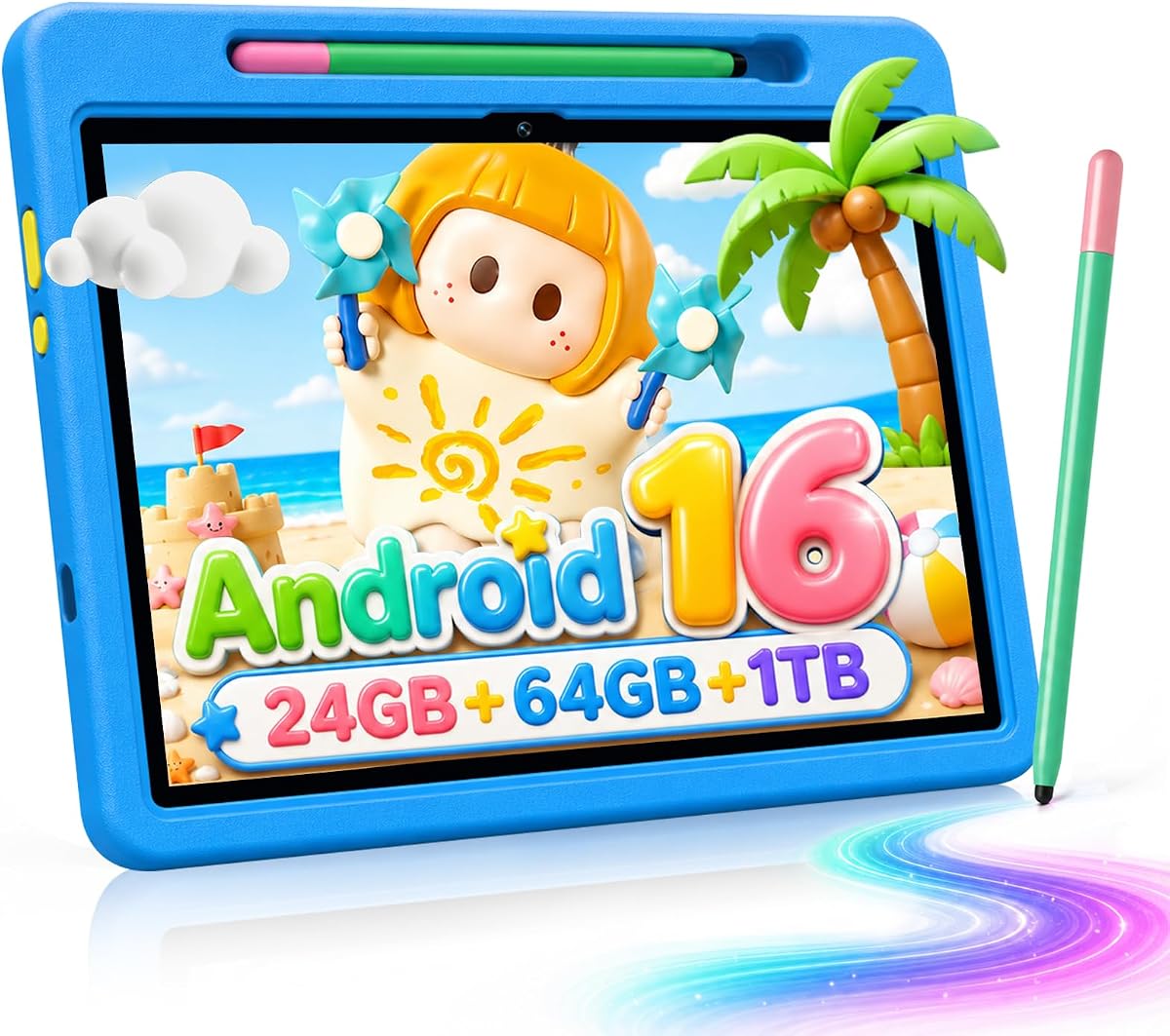
The Android 16 Kids Tablet HD 10 Inch with Stylus & Case is a feature-rich alternative for parents who want a modern Android device with substantial performance and a generous accessory package. Its 4.6 rating is among the better results in the list. However, the product is marketed for ages 3 through 12, so a two-year-old should use it only with close supervision and age-appropriate setup.
We may earn a commission when you buy through this link, at no additional cost to you.
The A333 processor is stated to reach 1.8GHz, while 24GB RAM and 64GB ROM support app launches and multitasking. Storage can expand to 1TB through a separately sold TF card. A 10-inch display gives room for picture books, drawing exercises, videos, and games, while the supplied stylus can support early mark-making and creative work. The package also includes a protective case with a 180-degree adjustable stand, useful for watching content hands-free.
UKIDOZ Kids Space provides educational content, games, and picture books, while the parental-control system allows parents to set screen-time limits, manage app permissions, and filter content. Cameras and a 6000mAh battery round out the feature set. The compromises are the advanced platform, which requires more adult configuration, and the 10-inch form factor, which may be cumbersome for very small hands.
This tablet is best for a family willing to act as the digital gatekeeper and use a two-year-old primarily for simple games, stories, drawing, and short supervised video sessions. Its performance, cameras, and accessories make it a worthwhile long-term family device. Parents seeking a device designed from the beginning for children aged two should look instead to the LeapFrog LeapTop Touch.
The included stylus gives toddlers another way to interact beyond tapping. Parents can introduce simple lines, shapes, coloring apps, and shared drawing sessions while the case keeps the device supported on a table.
Android 16, 24GB RAM, expandable storage, and a broad selection of kid-focused functions make this more adaptable than a specialist learning toy. It can serve a two-year-old briefly and then accommodate a child's changing interests as the child grows.
We may earn a commission when you buy through this link, at no additional cost to you.
The LeapFrog LeapPad Academy Kids’ Learning Tablet is a durable, education-focused device with a strong library of learning activities. Its supplied rating is 4.3, and the included bumper, kickstand, and shatter-safe seven-inch screen make it especially relevant to homes concerned about durability. Like several Android products in this comparison, though, its official age range starts at three.
We may earn a commission when you buy through this link, at no additional cost to you.
More than 20 educator-approved applications cover math, reading, writing, coding, problem-solving, and creativity. The LeapFrog App Center can add more games, videos, music, and e-books, while the included three-month LeapFrog Academy trial offers a large collection of additional activities and media. The supplied stylus supports mark-making and writing practice, which can be valuable once a two-year-old shows interest in tracing shapes and copying simple strokes.
Parent controls allow guardians to set time limits, manage applications, and explore kid-friendly web content. A rechargeable lithium-ion battery avoids the recurring battery replacement required by the LeapTop Touch. The trade-off is that access to some of the richest material is connected to LeapFrog Academy, so families should understand the trial and any later subscription terms before depending on that library.
For a household that wants a sturdy specialist learning device with a stylus, this model is a strong choice. A two-year-old can begin with parent-led color, shape, letter, and music activities in a protective setup, even though the formal age guidance is slightly higher. It is a better choice than an unprotected general tablet for early learning, but less flexible than the Android 15 and Android 16 models.
The tough bumper, kickstand, and shatter-safe screen address common concerns around drops and unstable positioning. These physical protections are particularly useful when a young child is still developing controlled tapping and sitting habits.
More than 20 included applications create a broad starting library, and the App Center provides a path to additional games, videos, music, and e-books. Parents can introduce only the subjects that match their child's current interests.
We may earn a commission when you buy through this link, at no additional cost to you.
The HOTTABLET Kids Tablet 7 inch Android is a compact, general-purpose tablet with a child mode, a protective silicone case, and several practical controls. Its 4.0 rating makes it a credible budget-oriented option for supervised use by a 2-year-old, particularly when portability and a smaller screen are priorities. It does not provide a separately stated minimum age, so parents must still assess whether the interface and included content suit their child.
We may earn a commission when you buy through this link, at no additional cost to you.
The 1024-by-600 IPS screen is smaller than most full-size options in the guide, which can make it easier for a toddler to hold and less intimidating visually. Android 12 supports Google Play and the supplied information notes Netflix and Widevine L1 compatibility. Parents can create child profiles, filter websites, applications, and video channels, decide which content is available, and set usage limits.
The case can stand the tablet at a comfortable viewing angle, reducing the need for a child to hold it continuously. A 2GB plus 2GB expandable RAM configuration and 32GB ROM provide reasonable everyday performance, and storage can expand to 1TB. Dual cameras, Wi-Fi, Bluetooth, speakers, and a 3.5mm headphone jack broaden the device's usefulness. Its 3000mAh battery is listed at around eight hours of mixed use, which is shorter than the battery capacity in several larger models.
This is a sensible value pick for short learning sessions, drawing, simple games, family videos, and travel. Change the default kids-mode password before handing it to a child, install only suitable applications, and keep the device supervised. It offers more flexibility than a learning toy but less screen space and endurance than the premium full-size Android options.
The seven-inch display and lightweight form are practical for small hands. A fitted case that also serves as a stand makes floor-time play, video viewing, and table-based learning more comfortable.
Separate child profiles, content filters, and adjustable screen-time settings give parents meaningful control over a shared Android tablet. The included apps add creative games, drawing, brain-training activities, and children's television.
We may earn a commission when you buy through this link, at no additional cost to you.
The SVITOO Kids Tablet 10 Inch combines Android 16, a large 1280-by-800 display, and a playful blue dinosaur case. Its supplied 5.0 rating is the highest listed in this roundup, although ratings should be considered alongside age guidance, included functions, and the amount of parental setup required. The stated recommendation begins at age three, so use by a two-year-old should be limited to carefully selected, supervised activities.
We may earn a commission when you buy through this link, at no additional cost to you.
The 10.1-inch 16:10 display provides a generous canvas for picture books, educational videos, drawing, and simple games. An Allwinner A333 penta-core processor, 20GB RAM, and 32GB internal storage support general use, while a MicroSD card can expand storage to 1TB. Dual-band Wi-Fi, Bluetooth 5.3, a 6000mAh battery, and up to eight hours of stated entertainment or browsing make it suitable for travel and longer sessions.
Parental tools include time limits, app access management, content blocking, activity monitoring, and a night mode. A gift-ready box, USB-C charging cable, headphone jack, face unlock, and the illustrated shockproof case improve convenience. Widevine L1 is listed for HD streaming, with an 8MP rear camera and 2MP front camera. The model lacks GPS and split-screen functionality, which matters only if those particular features are priorities.
Choose it when a family wants a modern, full-size Android tablet with strong supplied ratings and a playful protective design. A two-year-old can benefit from a few age-appropriate activities, but the broad Android platform means parental oversight is more important than with a dedicated learning toy. It is an excellent shared-family tablet with a child-friendly front end.
The lightweight blue case uses a dinosaur-jungle design and is described as shockproof, drop resistant, and easy to grip. A child-friendly appearance can make the tablet more inviting while reducing the impact of ordinary bumps.
Dual-band Wi-Fi, Bluetooth 5.3, USB-C charging, and a headphone jack support travel, accessories, and daily routines. These practical details help the tablet function as a normal household media device within a protected child environment.
We may earn a commission when you buy through this link, at no additional cost to you.
The Plimpton Kids Tablet 10 Inch is a large Android 15 device designed around Google Kids Space, educational activities, and a durable rotating case. Its 4.2 rating, 10.1-inch screen, and 2.0GHz octa-core processor make it a capable option for families that want a shared tablet with a child-focused starting point. As with Google Kids Space offerings elsewhere in the list, the stated age recommendation begins at three.
We may earn a commission when you buy through this link, at no additional cost to you.
Google Kids Space provides educator-endorsed coloring, crafts, story listening, and puzzle activities, while the parental-control system allows filtering, time restrictions, and educational goals. The device is also described as offering Gemini AI features for interactive explanations and concept learning. Those functions may be more useful as a child gets older, but even a two-year-old can benefit from carefully supervised shapes, colors, stories, and matching games.
The 1280-by-800 IPS glass display includes low-blue-light technology, eye-protection mode, and automatic brightness adjustment. A 360-degree rotating EVA case provides multiple viewing angles, helps the device stand without being held, and offers impact protection. Internal storage is 64GB with expansion to 1TB, while the stated power system is designed to provide approximately 30% longer runtime than the manufacturer's original model.
The product is best viewed as an educational family tablet rather than a dedicated device for two-year-olds. Parents should configure accounts, filters, and schedules before handing it over, and they should avoid assuming that an AI feature is suitable for unsupervised toddler use. In return, they gain a large, flexible device with a curated child mode, a protective stand, and useful growth potential.
Google Kids Space offers an understandable set of age-appropriate activities without requiring a parent to hunt through a large app catalog. It is a convenient starting point for stories, crafts, coloring, and introductory puzzles.
The rotating EVA case allows the screen to sit at different angles, making it suitable for floor time, drawing, and hands-free video. Its light, grippy construction also helps protect the tablet from common handling mishaps.
We may earn a commission when you buy through this link, at no additional cost to you.
The Trayoo Kids Tablet 7 Toddler Children's Learning Tablet is compact, comes with a durable case, and includes offline learning resources. Its 3.8 rating is the lowest in the group, so prospective buyers should examine the product carefully and confirm current customer feedback. More importantly, the supplied warning states that the product contains small parts and is not intended for children under 3.
We may earn a commission when you buy through this link, at no additional cost to you.
The Android 11 device has a quad-core processor, 2GB RAM, and 32GB ROM, with storage expandable to 64GB. Its 1024-by-600 LCD display includes low-blue-light technology and automatic brightness adjustment. Wi-Fi, Bluetooth, and dual cameras are supported, while GMS certification allows compatible learning and entertainment applications to be downloaded from Google Play.
Yubabe is preloaded with educational resources and games that work without an internet connection, including Montessori-style activities, mini games, children's television, and creative content. Parent controls cover screen-time limits, educational goals, filtering, and content expansion as a child grows. The tablet can also leave child mode for normal Android use, but a two-year-old should remain in the restricted profile and under direct supervision.
This product is most appropriate for a child who is just turning three or for a family willing to use it with exceptional caution around a two-year-old. The choking-hazard warning cannot be overlooked. Its strongest benefit is the ability to provide meaningful offline learning when reliable internet access is unavailable.
Preinstalled offline resources are valuable during flights, family travel, or temporary internet outages. Montessori-inspired activities, drawing, games, and children's television give a child something to explore without depending on streaming access.
The supplied small-parts warning is central to evaluating this model for the target age. Families with a two-year-old should choose an explicitly age-appropriate product or maintain close, continuous supervision and follow the manufacturer's safety guidance.
We may earn a commission when you buy through this link, at no additional cost to you.
The Trayoo Kids Tablet 7 inch Pink is a straightforward compact tablet built around preinstalled learning content, child profiles, and a protective case. Its 3.8 rating places it near the bottom of the supplied ratings, but the product still offers a useful mix of offline activities, Google Play access, Wi-Fi, and a stated battery runtime of up to 10 hours. A two-year-old should use it only with adult oversight and carefully selected content.
We may earn a commission when you buy through this link, at no additional cost to you.
The quad-core tablet includes 2GB RAM and 32GB storage, with support for 64GB TF cards for additional media. Preinstalled Yubabe resources provide thousands of learning experiences according to the supplied information, including Montessori material, brain-training games, painting, games, and children's television. Compatible applications such as YouTube Kids, ABC Mouse, and Netflix can also be obtained through Google Play when connectivity and subscriptions allow.
The parent-control mode supports separate profiles for multiple children, app blocking and approval, content filtering, and screen-time limits. A child-resistant case protects against falls, bumps, and squeezing, and its integrated stand can hold the tablet at different angles. A 3.5mm headphone connection is not explicitly stated for this model, so buyers should verify physical ports if wired audio is important.
For families seeking a simple pink tablet with meaningful offline content, this model offers a practical package. Its lower rating and modest specifications suggest it is better suited to basic learning and media than demanding games. It is most useful when a parent can establish a small, reliable set of activities, maintain the device in child mode, and use short supervised sessions.
The included learning portal is designed to work without Wi-Fi, reducing frustration when a child wants an activity in a car, on a trip, or during a connectivity problem. Parents can add selected online resources when they are available.
Separate profiles let siblings have different content experiences and screen limits. That flexibility is valuable for households sharing one tablet, provided an adult configures each profile before handing over the device.
We may earn a commission when you buy through this link, at no additional cost to you.
The most important factors are developmental fit, easy navigation, durable construction, meaningful parental controls, and a comfortable screen-and-handle arrangement. A larger, more powerful tablet is not automatically better for a two-year-old if it is difficult to control or unsuitable for the child's age.
Choose an explicitly suitable model when possible, especially for a child who communicates verbally with little independence. If considering a model intended for older children, use it only as a supervised shared-family tablet with tightly restricted content.
Look for a small set of age-appropriate starting activities and an adult-created profile. Avoid buying primarily for specifications that a toddler will not use until much later.
Match the device to the child's physical abilities and use a stand for floor play. Avoid expecting a toddler to grip a large tablet for an entire session.
Treat eye-care settings as helpful additions rather than proof that extended use is safe. Pair them with short sessions, good room lighting, and frequent breaks.
Set the controls before handing over the tablet, then review them periodically as the child's interests change. Strong defaults are more important than a long list of theoretical settings.
Match the library to the child's developmental stage and your comfort level. A small, familiar set of high-quality activities is usually more useful than a large collection of apps that require constant filtering.
Choose protection that fits properly and does not block buttons, charging ports, speakers, or cameras. Check every included accessory and verify compatibility before ordering additional items.
Prioritize a full charge before outings and keep the original compatible charging equipment nearby. Choose storage based on planned offline content rather than on advertised maximum expansion alone.
Begin with setup rather than handing over the tablet immediately. Charge it with the specified cable and adapter, create the child's profile, change any default password, set screen-time limits, and test every application. If the device supports multiple profiles, keep the adult account locked behind a password that a two-year-old cannot guess. For general Android models, start in the child environment and avoid granting permissions for contacts, purchases, location, camera, or unrestricted web access unless they are essential to a supervised activity.
Introduce one activity at a time and keep sessions short. Coloring, shape recognition, simple puzzles, counting, and familiar stories are usually better starting points than dense text or complex games. Sit with the child at first, demonstrate one interaction, and then allow independent exploration within the restricted profile. Periodically check recently used apps and adjust the content, time limits, and educational goals as the child's abilities and interests develop.
Care for the device by using the included case, keeping it away from food and liquid, and storing it on a safe surface when not in use. Remove the child from unsupervised access when the battery is low, the tablet overheats, or software updates are being installed. Use a soft dry cloth for cleaning, avoid liquid cleaners, inspect the case and cables for damage, and rotate between charging locations. Most importantly, combine screen time with conversation, movement, outdoor activity, sleep, and hands-on play.
The LeapFrog 2-in-1 LeapTop Touch is the most directly age-appropriate choice because it is intended for ages 2 through 5 and provides simple ABC, number, game, music, and message activities. If a family wants a more versatile Android device, a compact model with strong child controls may be preferable for shared use. The best choice depends on whether the priority is focused learning or broader app and media flexibility.
An Android tablet can be suitable for a 2-year-old when it is explicitly age-appropriate, properly configured, and closely supervised. Parents should enable child mode, create restricted profiles, set time limits, filter apps and content, and change default passwords. Avoid giving a young child unrestricted access to the main operating system, internet search, purchases, or communication tools.
A dedicated device can be useful for short learning sessions, but children benefit from sharing screens and participating with a parent. If the device is shared, use separate child and adult profiles and keep the adult profile protected. If the tablet is dedicated, begin with a few carefully selected activities rather than a large collection of apps.
The most valuable controls are screen-time limits, app restrictions, filtered web and video content, separate child profiles, and a protected exit from the child environment. Parents should also disable or restrict purchases and review newly installed applications. A simple control system that is configured correctly is more useful than many advanced settings that remain at their defaults.
Screen-time guidance for very young children emphasizes quality, context, and adult participation rather than allowing unstructured use. Sessions should be short, age-appropriate, and paired with talking, movement, and offline play. Parents should follow current advice from their child's healthcare provider and avoid using the tablet as a substitute for sleep, meals, outdoor activity, or direct interaction.
A 7-inch tablet is generally easier for small hands to hold and can feel less overwhelming, while a 10-inch screen is better for books, videos, and drawing. The best size also depends on the case, stand, weight, and the child's ability to hold the device. For floor-time use, a stable stand can make a larger screen manageable.
General Android tablets need connectivity for app downloads, streaming, and many online learning services. Some models include offline learning resources, while the LeapFrog LeapTop Touch operates primarily with its built-in activities and does not function like a full internet tablet. Checking offline availability is helpful for travel and young children who may not yet use the device independently.
A fitted protective case, compatible charger, and cable are the most important additions. A stand can support short viewing sessions, while a child-friendly stylus can support drawing and early mark-making. Headphones may be useful for travel, although volume should remain low, and a compatible memory card may be needed if the family stores many offline files.
The LeapFrog 2-in-1 LeapTop Touch is the strongest recommendation for a child exactly at the youngest end of the target range because it is explicitly intended for ages 2 through 5 and keeps learning simple. The HOTTABLET 7-inch model offers a compact budget route for families wanting Android flexibility and customizable profiles, while the COLORROOM Android 15 tablet serves as the premium all-around option with a large screen, Google Kids Space, and expandable storage.
Most families should prioritize age guidance, simple navigation, strong parent controls, and physical protection before considering processor speed or storage. Dedicated learning toys are easier for a toddler to understand, whereas full Android tablets can grow with a child but demand more supervision and curation. A large screen is helpful for books and drawing, yet a smaller device may be easier for a two-year-old to hold comfortably.
Before ordering, verify the current product listing, age recommendation, included accessories, account requirements, and latest customer feedback. Pricing, promotions, software details, and availability can change, so use this guide as a feature-based comparison rather than a substitute for checking the current listing. With careful setup and short, interactive sessions, the right device can become a useful addition to a child's learning routine.


