
R4 2026 R4xMP SDHC Dual Core Update Adapter Memory Card
4.6Editor score
No expiration timebomb
Supports original 3DS
Requires microSD installation
Runs R4xMP kernel
Discover the best SD Card for Modding 3DS options, comparing capacity, speed, compatibility, bundles, and setup needs for safe custom firmware use today.
Choosing a card for modding a Nintendo 3DS involves more than picking any SDHC or SDXC card with sufficient capacity. Format, speed class, adapter requirements, firmware setup, and reliable operation all influence whether a card works smoothly with a custom kernel or complete modding solution.
This guide compares ten relevant cards and SD-based modding products, including standard SanDisk Ultra and Extreme PRO cards, dedicated R4 adapters, and bundled solutions. We evaluated the supplied capacity, speed ratings, compatibility claims, included software, setup requirements, and practical value for 3DS owners.
Each review explains the product's strongest feature, meaningful trade-offs, and who is most likely to benefit from it. The list also highlights three especially useful choices, while noting that availability, firmware details, bundled contents, and prices can change over time.
4.6Editor score

4.5Editor score

4.8Editor score
The comparison below covers dedicated modding adapters, ready-to-use bundles, and general-purpose SD cards for 3DS storage, highlighting compatibility, capacity, speed, and setup considerations.



The SanDisk 32GB Ultra 100MBs SDHC Memory Card is a straightforward option for owners who already know what modding hardware or flashcart they use. It carries a 4.7 rating and provides 32GB of standard SDHC storage. That amount is generally more useful for essential applications, firmware, and a modest selection of files than for an expansive homebrew or game library.
We may earn a commission when you buy through this link, at no additional cost to you.
Its headline read speed is 100MB/s, which gives the card enough performance for everyday transfers and general storage tasks. The U1 and Class 10 designations also make it a recognizable UHS-I card rather than an obscure low-capacity model. However, the supplied specifications are limited, so buyers should confirm that their specific adapter, flashcart, or storage workflow supports standard 32GB SDHC cards.
The central trade-off is capacity. A 32GB card offers a useful entry point, but users planning to install multiple larger applications, retain many ROMs, or keep a growing personal collection may find the space restrictive. The card also does not include a kernel, firmware, or dedicated 3DS adapter, meaning the buyer must already have the necessary hardware or separate software workflow.
This is a sensible budget recommendation for an existing modding setup that needs a straightforward replacement card. It is less appropriate for a first-time owner seeking an all-in-one solution. In those cases, the dedicated R4 products in this guide offer clearer 3DS-specific functionality and more explicit setup guidance.
For essential files, firmware, and a smaller application selection, 32GB can provide a clean, uncomplicated starting point. Its main benefit is that the card remains easy to replace or expand as a user's storage needs change.
A listed read speed of 100MB/s gives the card ample performance for ordinary file movement. Modding workloads can still depend on adapter quality and system support, so the hardware specification remains more important than headline speed alone.
We may earn a commission when you buy through this link, at no additional cost to you.
The SanDisk 128GB Ultra SDXC is a balanced general-purpose choice for 3DS owners who want more capacity than a basic 32GB card. It has a 4.7 rating, 128GB of storage, and an advertised read speed of up to 140MB/s. That combination makes it useful for users who want room for applications, firmware-related files, and a larger personal collection.
We may earn a commission when you buy through this link, at no additional cost to you.
The card supports UHS Speed Class 1 and Class 10, which are well-established performance classifications. Its 140MB/s figure is intended for compatible readers and hosts, and the product information notes that actual performance can vary with the device and interface. A 3DS modding adapter may not deliver the card's maximum headline speed, but that is not the only factor when choosing a modding card.
As a standalone memory card, it does not address the complete hardware and software setup of a dedicated R4 solution. Users must have a compatible adapter, flashcart, or other established method for loading the required kernel or firmware. It also lacks the explicit DS-family compatibility statements found on the dedicated products.
Choose this card when you already understand your modding setup and want a recognizable, high-capacity SDXC card for storage. It is a better fit for a growing library than the 32GB options, while costing less to justify than the largest Extreme PRO card. Verify your hardware's capacity and file-system requirements before ordering.
The 128GB capacity is a meaningful step up from 32GB and reduces the likelihood of running out of space during regular use. It is particularly attractive for owners who maintain several larger applications alongside system files.
The listed 140MB/s read speed benefits transfers through compatible hardware. Actual results depend on the host device, interface, and operating conditions, so compatibility matters more than the maximum figure in a constrained adapter.
We may earn a commission when you buy through this link, at no additional cost to you.
The SANDISK 32GB Ultra SD Memory Card offers a 4.7 rating and up to 120MB/s read speeds, but its listing explicitly states that this version has been discontinued by the manufacturer. That status does not make it unusable, yet it introduces availability and long-term support concerns that buyers should recognize.
We may earn a commission when you buy through this link, at no additional cost to you.
The card uses SDHC storage with UHS-I, U1, and Class 10 performance classifications. These are appropriate characteristics for a 3DS storage card used with compatible hardware. A 32GB capacity is enough for essential files and a modest selection of applications, although it is less attractive for extensive ROM collections.
Its main advantage over basic capacity-focused cards is the higher stated read speed, while its principal disadvantage is clear: this exact version is no longer produced. Continuing support or product updates should not be assumed, and a buyer should confirm that the card remains available from a reputable seller and that its condition and authenticity are satisfactory.
For an existing modder who specifically wants this model, the card can provide capable general storage. For a new buyer, a current standard SDHC card or a dedicated modding product is usually a more dependable choice. The product is best treated as an opportunistic purchase rather than the foundation of a first-time setup.
The advertised 120MB/s read rate gives this 32GB card more transfer potential than many standard-capacity alternatives. Compatible hardware is still required to achieve the stated maximum.
A discontinued product can still work, but inventory becomes less predictable and replacement units may eventually be difficult to find. New setups are better served by an actively available alternative unless this specific card meets a particular need.
We may earn a commission when you buy through this link, at no additional cost to you.
The SanDisk 128GB Extreme PRO SD UHS-I Card combines a strong 4.8 rating with 128GB of capacity and a maximum advertised read speed of 250MB/s. It is aimed at demanding storage applications, including 4K UHD video and burst photography, but those capabilities can also benefit users who transfer larger modding libraries through compatible equipment.
We may earn a commission when you buy through this link, at no additional cost to you.
U3 and V30 ratings provide a clear indication of its performance class, while the product information emphasizes resilience under demanding conditions. The listed write-speed details vary by capacity in the broader model family, so the model-specific specification should be considered carefully. Real transfer performance will depend on the reader, interface, host, and individual usage conditions.
For a 3DS owner, this may be more performance than necessary. A standard 3DS storage path rarely needs the maximum speed advertised for high-end cameras and computers. However, if the same card will also serve a demanding reader setup or a growing collection, the headroom may justify choosing a higher-tier model rather than a basic Ultra card.
This is a good choice for an established modder who wants substantial capacity and faster transfers, particularly when a compatible high-speed reader is part of the setup. It is not an all-in-one 3DS solution, so it still needs compatible hardware. Compare its extra capability with your actual workflow to avoid paying for speed the console cannot use.
A stated read speed of up to 250MB/s can shorten transfers when used with compatible readers and hosts. The benefit is most meaningful when moving substantial collections or using the card beyond the console.
U3 and V30 ratings position the card for demanding sustained workloads. While 3DS use may not require those levels, the classifications provide a clear margin for storage tasks performed through higher-speed equipment.
We may earn a commission when you buy through this link, at no additional cost to you.
The R4 2026 R4xMP SDHC Dual Core Update Adapter is the most explicitly tailored product for Nintendo DS and 3DS modding in this guide. It has a 4.6 rating, supports the Original Nintendo DS, DS Lite, DSi, 2DS, and 3DS, and runs the R4xMP kernel, described as an Ace3DS+ variant.
We may earn a commission when you buy through this link, at no additional cost to you.
A major advantage is the absence of a timebomb. The product information explains that this means the device will not expire on a future date, removing a concern associated with some competing R4 products. Its dedicated adapter format also gives buyers a clearer path than choosing a general SD card without knowing which hardware will read it.
The tradeoff is setup effort. No microSD card is included, and the kernel must be installed manually. A U.S.-hosted kernel link is located on the packaging, and the instructions need to be followed correctly. Buyers therefore need to supply their own compatible microSD, perform the installation, and understand the basic configuration process.
This is our best dedicated pick for a 3DS owner who wants an explicitly compatible, expiration-free solution and is comfortable with a short setup process. It can also serve DS-family systems. It is less convenient than a preconfigured bundle, but it avoids paying for a preinstalled card that may not match the user's preferred setup.
The explicit support list includes the Original 3DS, New 2DS, New 3DS, 3DS XL, and several DS-family systems. That clarity makes the adapter easier to evaluate for a multi-console Nintendo collection.
The absence of a timebomb is a meaningful advantage for owners who want their modding hardware to remain usable without a predetermined expiration. It also reduces uncertainty when planning long-term use.
Owners must supply a microSD card and install the kernel using the link supplied on the packaging. Buyers who prefer a finished, preconfigured bundle may find the R4 SDHC Gold Pro easier to start.
We may earn a commission when you buy through this link, at no additional cost to you.
The R4 SDHC Gold Pro is the most convenient complete package in the guide. It includes a 32GB microSD card, an R4 SDHC Gold Pro adapter, and YS Menu with 500 in 1 games already installed. That combination reduces the number of separate purchases and gives a first-time owner a substantially simpler starting point.
We may earn a commission when you buy through this link, at no additional cost to you.
The supplied feature information also identifies NTR Boot support, built-in cheat functions, real-time save functionality, and custom firmware support. Its compatibility statement extends across the DS, DSi, DS Lite, 2DS, 2DS XL, 3DS, and 3DS XL. The 4.5 rating reflects a solid but not flawless product history, so checking the current firmware and compatibility information before use is advisable.
Preinstallation is the defining benefit, but it should not be mistaken for permanent immunity from maintenance. Software and menu environments can change, and the included card's contents may need to be updated or organized as the user's needs develop. A bundle that starts ready can still require later configuration when adding files or using particular features.
Choose this product if convenience matters most and you want a recognized homebrew environment, a collection of built-in games, and storage in one purchase. It is our editor's choice for the best ready-to-use 3DS modding bundle. More demanding users who need extensive storage can choose a larger standalone SD card and retain a compatible adapter.
The included 32GB microSD and preinstalled YS Menu remove the need to select storage and perform the first configuration manually. This makes the bundle particularly approachable for new modders.
NTR Boot, custom firmware support, built-in cheats, and real-time save functionality broaden the package beyond basic file storage. These features make it more useful as a complete handheld modding environment.
Thirty-two gigabytes is enough for an initial selection of applications and files. Owners who accumulate a larger library may later want a larger supported card or another storage upgrade path.
We may earn a commission when you buy through this link, at no additional cost to you.
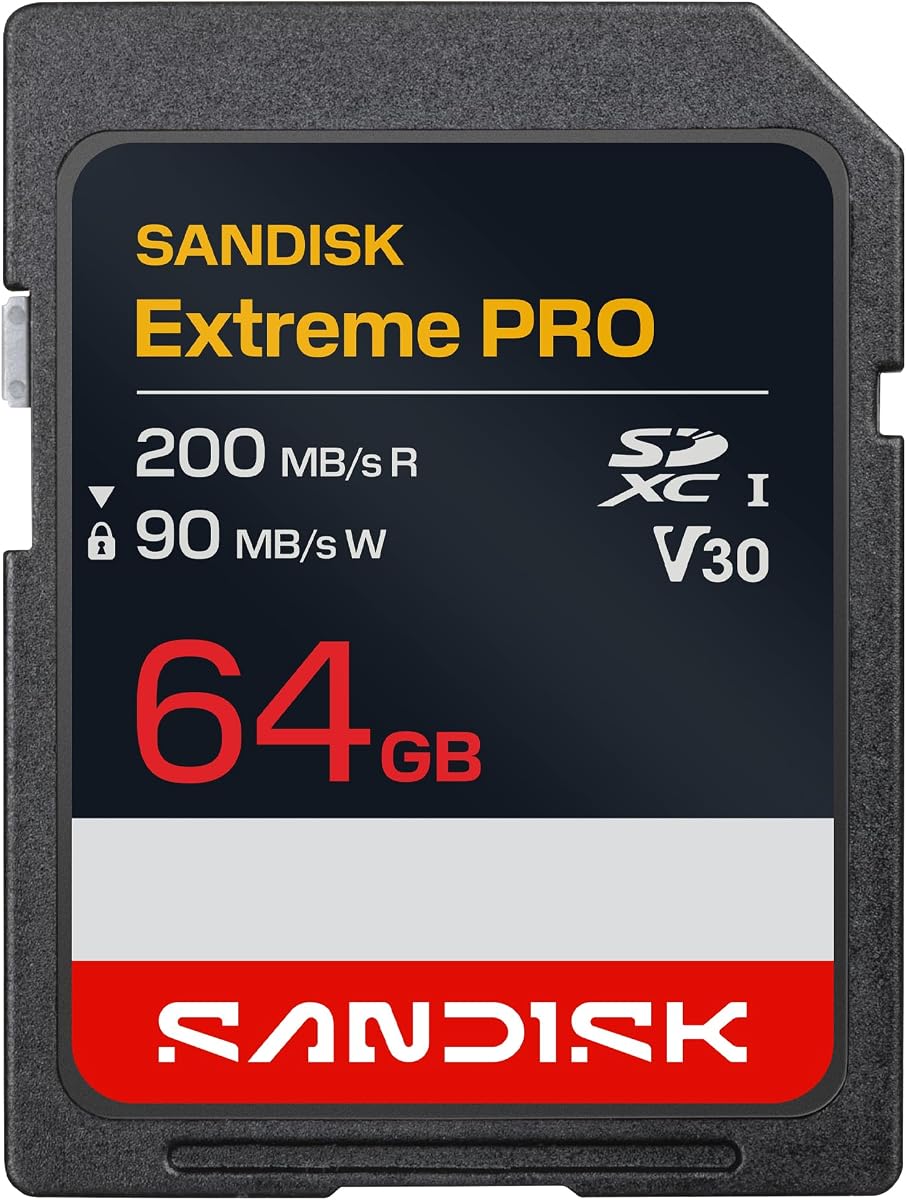
The SANDISK 64GB Extreme PRO SDXC UHS-I Memory Card offers an appealing middle ground between basic storage and the largest Extreme PRO capacity. Its 4.8 rating, 64GB capacity, and up to 200MB/s read speed make it suitable for users who want faster transfers and more room than a small SDHC card.
We may earn a commission when you buy through this link, at no additional cost to you.
The product supports Class 10, U3, and V30 performance ratings, along with 4K UHD and Full HD use. Shot speeds are listed at up to 90MB/s, while card-offload reads can reach up to 200MB/s with compatible equipment. The supplied details clarify that QuickFlow technology applies to supported capacities and that real results vary by device and interface.
For 3DS modding, the card can serve as storage when used with compatible hardware, but it does not include a kernel, adapter, or firmware environment. A buyer must already know which adapter or flashcart will read it and which file system and capacity limits apply to that equipment. The extra camera-oriented performance may not be necessary for console-only use.
This card is well suited to a modder with a 64GB target who also uses a high-quality reader. It offers a more balanced capacity-to-performance balance than the 128GB and 256GB Extreme PRO options. Verify device support before ordering, and pair it with a dedicated adapter if you do not already own one.
A listed read speed of up to 200MB/s can make a meaningful difference when copying larger application or game collections. The reader and host must support the relevant interface to realize the advertised maximum.
Sixty-four gigabytes provides more useful breathing room than 32GB while remaining less demanding than 128GB or 256GB. It works well for users who want a moderate library without maximizing capacity.
We may earn a commission when you buy through this link, at no additional cost to you.
The SANDISK 64GB Extreme PRO SD Memory Card is a high-rated, high-speed option with a 4.8 score. Its listing advertises up to 200MB/s reads in the title and broader family information that references read speeds up to 250MB/s and write speeds up to 170MB/s for specified larger capacities. Buyers should focus on the capacity-specific figures rather than applying every family claim to every version.
We may earn a commission when you buy through this link, at no additional cost to you.
U3 and V30 video speed classes, 4K UHD support, and the emphasis on resilient construction make this a well-specified card for demanding storage tasks. It also supports management through the SanDisk Memory Zone desktop app according to the product information, which may help organize content when using a card reader.
As with other general-purpose cards, compatibility with a particular 3DS adapter, flashcart, or firmware workflow is not detailed. The buyer should verify SDXC support, the maximum capacity accepted by the hardware, and the required file-system format. Without a dedicated adapter, the card cannot boot or load a custom kernel on its own.
This is an attractive choice for an existing modder who wants 64GB and values a high-rated performance card. Its advantages become clearest when paired with a capable reader and used for more than console storage. For a simple first setup, the bundled R4 Gold Pro remains more convenient.
The card's high stated read speeds can improve transfers through compatible equipment. Since the console's adapter may impose lower limits, a modern reader is worthwhile when maintaining a sizable library.
The listed SanDisk Memory Zone desktop app support can simplify backing up, organizing, and transferring files. This is especially helpful when the card is used across the console and a computer.
We may earn a commission when you buy through this link, at no additional cost to you.
The SanDisk 128GB Ultra SDXC UHS-I Memory Card combines a generous 128GB capacity with a more modest 100MB/s read speed and a 4.7 rating. That combination makes it a practical option for users who care more about having ample storage than maximizing transfer performance.
We may earn a commission when you buy through this link, at no additional cost to you.
The card is rated U1 and Class 10 and supports Full HD video according to the supplied details. Its listed read speed is up to 100MB/s for applicable capacities, with write speed lower, and actual performance depends on the host. For console modding, these specifications are generally more useful as indicators of a mainstream, recognizable UHS-I card than as direct predictors of console load times.
The main limitation is that it is simply a memory card. It does not include an SD adapter, a microSD, YS Menu, a kernel, or a custom firmware environment. Users must pair it with compatible hardware and follow the correct setup process. Its 128GB capacity also demands attention to file-system and adapter limitations, which vary by product.
This is a good value-oriented choice for an owner who already has a compatible R4, flashcart, or storage workflow and needs a large amount of room. It may be especially useful for people who want one recognizable card for console files and ordinary computer storage without paying for a high-end performance model.
The 128GB capacity supports a much broader selection of files than 32GB cards. It suits users who want to retain applications and a personal library on one card.
U1, Class 10, and a listed 100MB/s read rate position the card as a conventional UHS-I option. It offers dependable mainstream performance without the added cost of a premium speed tier.
We may earn a commission when you buy through this link, at no additional cost to you.
The SanDisk 256GB Extreme PRO SD UHS-I Card is the premium storage choice in this guide. It pairs 256GB of capacity with up to 250MB/s read speed and 170MB/s write speed, earning a 4.8 rating. That amount of space suits extensive libraries and users who want considerable headroom for future additions.
We may earn a commission when you buy through this link, at no additional cost to you.
U3 and V30 ratings, 4K UHD support, and Full HD support make the specifications clear and modern. The product information also emphasizes resilience and content management through the SanDisk Memory Zone desktop app. These qualities extend beyond basic console use, making the card useful in a broader digital storage setup when a compatible reader is available.
The tradeoff is that a 3DS modding environment may not need the card's premium capabilities. The adapter or flashcart must support 256GB, and users must format the card correctly for their system. If the hardware has a lower capacity ceiling, a smaller card is the safer choice. Some users may also find the premium card excessive for a modest application collection.
Choose this product if you want the most capacity and performance among the listed standard cards, especially for a large and growing collection. It is our best premium pick for performance-conscious modders who already own compatible hardware. Users starting from scratch should remember that the card alone does not provide the adapter and software environment.
The 256GB capacity minimizes the need for frequent file transfers or library rotation. It is particularly attractive for users who maintain many large applications alongside system files.
With listed read speeds up to 250MB/s and write speeds up to 170MB/s, the card offers substantial throughput through compatible equipment. This can make maintenance and backups quicker when the reader and host are not limiting performance.
U3, V30, 4K UHD, and Full HD support indicate that the card is built for more demanding sustained tasks. The extra capability provides useful headroom for 3DS owners who also use the same card in a computer workflow.
We may earn a commission when you buy through this link, at no additional cost to you.
The right choice depends on whether you need storage alone or a functioning modding environment, plus the exact adapter, flashcart, capacity limit, file system, and level of setup support required by your hardware.
A standard SD card is only one part of many 3DS modding setups. Dedicated R4 products include an adapter designed to read a microSD and provide a path for loading the relevant kernel or firmware. A standalone SanDisk card is appropriate when you already own a compatible adapter, flashcart, or established storage workflow. Buying a large card without the necessary hardware can leave you unable to boot the modding environment even if the card itself performs well.
Choose a dedicated adapter for a new or complete setup. Choose a standalone card when replacing existing storage or expanding a setup that is already working.
Check the product's stated support for the exact console model. The R4 2026 R4xMP lists the Original 3DS, New 2DS, New 3DS, 3DS XL, and several DS-family systems, while the Gold Pro bundle also lists DS, DSi, 2DS, 2DS XL, 3DS, and 3DS XL. General SD cards do not establish console compatibility by themselves; that responsibility belongs to the adapter, flashcart, kernel, and firmware combination.
Match the complete system before purchasing. Console model, adapter revision, kernel version, and file system must all be compatible.
Capacity should reflect both the files you have now and the files you expect to add. A 32GB card is a modest starting point that suits the Gold Pro bundle and users who only need essential software. A 64GB card provides more room without reaching the limits of larger models, while 128GB and 256GB options are useful for extensive libraries. Do not assume that every adapter or flashcart can read the maximum capacity offered by a standard card.
Estimate current usage, allow room for updates, and prefer the smallest sufficient capacity. Confirm your hardware's maximum supported size before choosing 128GB or 256GB.
SDHC and SDXC describe capacity classes, while the file system determines how the card is organized. A card may perform correctly in a computer but still fail to appear in a modding adapter if it is formatted incorrectly. The SDXC options in this list range from 64GB to 256GB and are better suited to expanding libraries, while the 32GB SDHC options offer a smaller, widely supported capacity class. Users of dedicated R4 products should follow the formatting instructions associated with that product and kernel.
Capacity class and file system are separate decisions. Format the card according to the modding system's instructions rather than assuming any card will boot automatically.
Headline speed is most useful when you know the reader and host involved. The listed cards range from a 100MB/s read speed to as high as 250MB/s, while the 256GB Extreme PRO lists writes up to 170MB/s. These figures can shorten transfers through compatible equipment, but a 3DS adapter may be the limiting factor. U1, U3, Class 10, and V30 ratings describe sustained performance classes and can help distinguish mainstream and higher-performance cards.
Prioritize reliable compatibility over maximum speed for console use. Choose a faster card when maintaining a large library through a capable computer reader.
Setup effort can be more important than raw speed. The R4 2026 R4xMP includes the adapter but no microSD, and its kernel must be manually installed using the link on the packaging. The R4 SDHC Gold Pro includes a 32GB microSD with YS Menu and 500 in 1 games already installed. The first option offers more control and lets you select the storage, while the second is easier for a new owner who wants a working starting point.
Choose manual setup if you understand the process and want control. Choose a preinstalled bundle if convenience and immediate access are the priority.
Dedicated modding products can provide a menu environment, custom firmware support, NTR Boot, real-time save functionality, cheats, and collections of built-in games. These features add convenience but may also require updates as software evolves. A standalone card simply stores data and leaves the software layer to your existing setup. Consider whether you want a complete environment or only additional capacity for a system that already has the necessary firmware and utilities.
More bundled features do not eliminate maintenance. Review current firmware instructions, back up important files, and plan to update software as needed.
Reliability matters because a failed card can interrupt access to the entire modding library. Mainstream SanDisk models offer established performance classes, while Extreme PRO options add speed, capacity, and resilience claims for demanding use. The R4 2026 R4xMP also has a distinct long-term advantage in the absence of a timebomb. Value should be judged across the complete setup rather than by storage capacity alone.
Balance reliability, capacity, speed, and included hardware. The cheapest card is not necessarily the cheapest complete solution, and the most premium card may not be necessary.
Begin by confirming that your adapter or flashcart supports the card's capacity and format. If using the R4 2026 R4xMP, insert a compatible microSD into the adapter and follow the packaging instructions to install the R4xMP kernel manually. If using the Gold Pro bundle, verify that the preinstalled YS Menu and included content are present before inserting the microSD into the adapter.
Format the card according to the instructions for your specific modding system rather than applying a generic computer formatting procedure. A standard SD card used with a separate adapter should also be formatted in the file system and directory structure required by that firmware or kernel. Test the setup with a small selection of files before transferring a large library.
Eject the card or adapter safely before removing it, avoid using the console while writes are in progress, and keep a separate backup of important applications, saves, and custom files. Do not interrupt the first boot or a firmware update. If the system fails to recognize the card, reseat the hardware, revisit the formatting requirements, and confirm that the adapter supports the selected capacity.
It depends on the adapter or flashcart. The R4 2026 R4xMP requires a microSD that you supply and install according to the package instructions. A full-size SD card is suitable only when the hardware explicitly accepts that format. Check the adapter specifications before purchasing storage.
The best capacity depends on the size of your library and the maximum supported by your adapter. A 32GB card works well for a small setup, while 64GB, 128GB, and 256GB options provide more room. Always confirm that the adapter supports the selected capacity and card type before ordering.
The 3DS itself does not directly use a standard full-size SD card for this kind of modding, so the relevant limit comes from your adapter, flashcart, or firmware. The 256GB Extreme PRO card can be suitable when that hardware explicitly supports 256GB SDXC cards and the correct formatting method is used.
You should follow the formatting instructions supplied for the specific R4 product and kernel rather than assume a default computer format is correct. The R4 2026 R4xMP also requires manual kernel installation, while the Gold Pro product arrives with a preinstalled YS Menu. A brief test with several files is advisable before adding the full library.
Faster cards are not always necessary because the adapter and console may be the limiting factors. Capacity, reliability, correct formatting, and hardware compatibility usually matter more for routine modding. A faster card can still help when transferring a large collection through a compatible high-speed reader.
The R4 2026 R4xMP includes the dedicated adapter but no microSD, and the kernel must be installed manually. It has no expiration timebomb. The R4 SDHC Gold Pro includes a 32GB microSD with YS Menu and 500 in 1 games already installed, making it the more convenient starting package.
These markings describe different aspects of a card's performance guarantees, including sustained write behavior and video suitability. They are useful for comparing cards, but they do not establish 3DS compatibility by themselves. Your adapter, kernel, and file-system requirements remain the decisive factors.
Maintain a computer backup of important applications, configurations, saves, and custom content. Use a known-good card reader and avoid interrupting transfers or firmware updates. When transferring to a new card, verify that files and directories were copied correctly and test the replacement before deleting the original.
The R4 2026 R4xMP stands out as the best dedicated adapter because it explicitly supports the 3DS family, has no expiration timebomb, and lets owners select their own microSD. The R4 SDHC Gold Pro is the most convenient complete solution, with a 32GB microSD and YS Menu already installed. For owners with compatible hardware who need premium capacity, the SanDisk 256GB Extreme PRO is the strongest performance-oriented storage option.
Prioritize compatibility before speed. Confirm the adapter or flashcart, maximum supported capacity, required file system, and kernel or firmware version before selecting a card. New users who value simplicity should consider a preconfigured bundle, while experienced modders can build their own setup around an appropriate standard card and install the required software themselves.
Firmware details, included software, product availability, and prices can change, so review the current listing and instructions before purchasing. Checking the latest compatibility information protects the setup from avoidable problems and helps ensure that the chosen card remains useful as the user's application and file library grows.