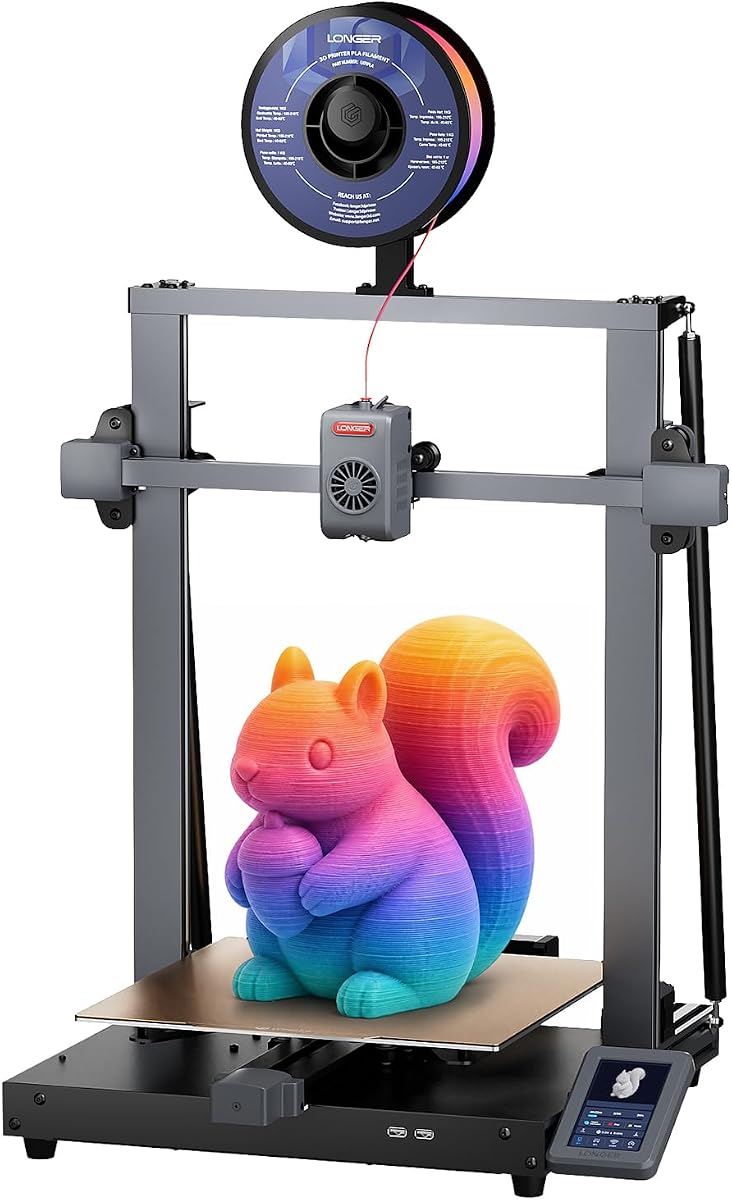
LONGER New LK10 Plus
4.4Editor score
320×320×400mm build volume
500mm/s claimed print speed
Automatic bed compensation
Our FDM printer for large prints guide compares build volumes, speed, materials, automation, multi-color options, and print-farm features across ten standout
An FDM printer for large prints should offer more than a roomy bed; it needs a rigid frame, dependable extrusion, effective leveling, and enough thermal control to keep oversized models stable. The right machine also depends on whether you prioritize multi-color work, batch production, engineering materials, or simply creating large objects without splitting them into sections.
We compared all ten printers using their published build volumes, motion systems, maximum speeds, leveling features, filament compatibility, monitoring tools, and multi-color capabilities. The list covers compact large-format options as well as enclosed machines designed for advanced materials, automated production, and highly detailed color or mixed-material projects.
Each review shows how the printer fits into the category and which makers may benefit from it. We also note practical trade-offs, such as add-on requirements for multi-color systems or open-frame designs that are less suited to high-temperature materials. Product configurations and availability can change, so verify the current specifications before purchasing.
4.4Editor score

4.0Editor score

4.6Editor score
The comparison below highlights build volume, print speed, structural design, and automation features to help you identify the most suitable large-format FDM printer for your projects.




The Bambu Lab P1S is an enclosed FDM printer built for makers who want fast results, straightforward operation, and the option to add multi-color or multi-material capability. Its listed rating is 4.5, placing it among the strongest all-around products in this guide. The machine is especially attractive for large decorative models because its chamber can help control airflow around taller prints.
We may earn a commission when you buy through this link, at no additional cost to you.
Its standout specifications include a claimed speed of 500mm/s, acceleration of 20000mm/s², and automatic bed leveling. The enclosed body is particularly useful when working with materials that benefit from a stable environment, while the supported-filament list includes PLA, PETG, TPU, PVA, PET ABS, and ASA. The printer is also described as reaching a ready-to-print state in approximately 15 minutes, reducing the barrier for new users.
The main limitation is that the P1S is not the largest machine in this roundup, and the supplied specifications do not state its build volume. Multi-color printing also requires a separate Bambu Lab AMS rather than arriving as a standard feature. Carbon- and glass-fiber-reinforced polymers are not recommended, so buyers with advanced composite plans should look elsewhere. These constraints are offset by the machine's strong speed, enclosure, and approachable setup.
Choose the P1S if you want an enclosed, high-speed printer with a gentle learning curve and the option to expand into multi-color printing later. It is well suited to large props, durable household items, functional prototypes, and everyday production. Users needing a maximum build volume or a preinstalled four-tool system should instead consider the Ender 5 Max or Snapmaker U1.
The 500mm/s claimed speed and 20000mm/s² acceleration make the P1S appealing to creators who want shorter production cycles. Its enclosed design also provides a more stable environment for ABS-family materials, ASA, and other filaments that can be sensitive to drafts.
Automatic bed leveling reduces repetitive setup, while the stated 15-minute setup target helps new owners move toward printing sooner. Multi-color capability remains expandable through the AMS when the project requires a broader palette.
We may earn a commission when you buy through this link, at no additional cost to you.
The Snapmaker U1 ranks highest by customer rating in this selection, with a listed 4.6. Its defining strength is the four-toolhead system, which can print with several colors and materials in one job without conventional manual filament swapping. That makes it an unusually capable option for large sculptures, articulated figures, and prototypes that benefit from differentiated materials.
We may earn a commission when you buy through this link, at no additional cost to you.
The SnapSwap system changes toolheads in about five seconds rather than the roughly two minutes associated with traditional filament changes. Its four independent heads can combine rigid and flexible filaments, water-soluble supports, and engineering materials. The listed compatible materials include PLA, PVA, TPU, PETG, PCTG, ABS, ASA, PA, and PC. The company also states that its locking mechanism was validated through more than one million swaps without failure.
Its CoreXY motion system supports speeds up to 500mm/s, while automatic toolhead offset calibration, vibration compensation, extrusion tuning, and first-layer calibration are designed to reduce manual setup. The included 3.5-inch touchscreen, built-in model library, Snapmaker Orca slicing software, and remote app control create a feature-rich workflow. The trade-off is that the 270×270×270mm build volume is smaller than several conventional large-format options in the list.
The U1 is an excellent choice for creators who see multi-material capability as the real meaning of large printing. It is well matched to detailed color models, functional assemblies, and designs requiring soluble support. If your priority is exclusively maximizing physical dimensions or running a print farm, the Creality Ender 5 Max offers a more expansive volume and remote fleet management.
Independent toolheads make mixed-material printing more practical than a simple color-changing system. Rigid and flexible sections, soluble interfaces, and multiple colors can be handled in a single job, reducing both workflow interruptions and purge waste.
Automatic toolhead offset calibration and extrusion tuning help maintain alignment across repeated changes. These features support the machine's strongest use case: producing complex, multicolor objects without extensive manual intervention.
We may earn a commission when you buy through this link, at no additional cost to you.
The Creality Ender 5 Max is the straightforward choice when physical size is the priority. Its 400×400×400mm build volume is the largest stated in this guide, allowing oversized models to be printed in one piece or multiple components to be produced together. Its 4.0 customer rating still provides a reasonable foundation, though it trails several highly rated specialty options.
We may earn a commission when you buy through this link, at no additional cost to you.
A CoreXY structure, high-torque motors, and a claimed maximum speed of 700mm/s target high-throughput workflows. The reinforced die-cast aluminum frame and precision X-axis rail are designed to limit vibration and preserve stability for tall or heavy prints. Its 64-point leveling system and automatic Z-offset simplify setup, while the 1000W heated bed supports PLA, PETG, ABS, ASA, PA, and other materials.
This printer is particularly interesting to studios operating several machines. WLAN control supports grouped management, and a tri-color status indicator helps operators identify printer conditions from a distance. The direct-drive dual-gear extruder is another production-oriented feature intended to improve feeding force and resist clogging. The drawback is that the machine does not include a native multi-material system, and its enclosed-chamber benefits are not clearly specified.
Buy the Ender 5 Max if you routinely create large props, architectural elements, oversized prototypes, or batches of smaller parts. It is a compelling central machine for a print farm because of its size, remote controls, and status features. Users whose priority is mixed-color artwork rather than maximum dimensions should look at the Snapmaker U1 or a model with an included filament management system.
The equal 400mm dimensions are unusually practical because they create a large usable zone in every axis. Large sculptures can fit without a split, while a generous bed can also host many smaller pieces in a single batch.
WLAN grouping and a visible tri-color status indicator remove some of the difficulty associated with operating multiple machines. The dual-gear direct-drive extruder reinforces the production focus by supporting stable, forceful filament delivery.
We may earn a commission when you buy through this link, at no additional cost to you.
The Creality K2 Plus Combo blends a large 350×350×350mm build volume with sophisticated color and monitoring features. Its listed rating is 4.0, and the machine's strongest appeal lies in how thoroughly it supports advanced workflows rather than in one isolated specification.
We may earn a commission when you buy through this link, at no additional cost to you.
The included Combo concept centers on the CFS filament system, which can be connected in a four-unit arrangement to deliver up to 16 colors. RFID filament identification allows automatic color and type detection, while a similar installed filament can take over when another runs out. A claimed speed of 600mm/s, acceleration of 30000mm/s², and 40mm³/s flow rate are aimed at quick production.
Thermal capability is another major strength. The chamber is described as maintaining temperatures up to 60°C, and the high-temperature nozzle supports operating temperatures up to 350°C. Two AI cameras monitor for failures, idling, and flow issues, while 18 sensors and independently motorized Z axes support automated bed-tilt and leveling corrections. The Matrix frame and four Z-axis linear rods improve rigidity and bed stability.
This model suits advanced makers producing large, multicolored models or engineering parts that benefit from automated supervision. The complexity and need for multiple CFS units may be excessive for someone printing one-color objects, while the relatively modest 4.0 rating gives less evidence of broad customer satisfaction. Even so, its material management and monitoring depth distinguish it from simpler large printers.
RFID recognition, automatic filament selection, and runout relay are particularly useful in long or multi-color jobs. Linking four CFS units expands the palette to as many as 16 colors and can eliminate the need to paint finished models.
The heated chamber, high-temperature nozzle, flow monitoring, and dual-camera system create a strong foundation for ASA, PPA, and other demanding materials. Automatic bed-tilt correction adds another layer of support for repeatable large prints.
We may earn a commission when you buy through this link, at no additional cost to you.
The ANYCUBIC Kobra X is a multi-color production machine with a 4.4 rating. Its 260×260×260mm build volume is smaller than most of the large-format models featured here, but the printer is designed to make colorful production efficient within that space. Native four-color support is the key reason to consider it.
We may earn a commission when you buy through this link, at no additional cost to you.
Four ACE 2 Pro units can expand the system to as many as 19 colors. The product data also states an 81.25% reduction in filament change length, which helps conserve material and reduce production downtime. A top-mounted vertical spool arrangement preserves workbench space, and the 49-point LeviQ 3.0 leveling mesh is intended to remove manual bed compensation.
Monitoring is unusually comprehensive. A 720P camera provides real-time views, while AI features can detect spaghetti failures and other objects that might damage the print. The app adds object skipping and fleet management, making the machine suitable for grouped production. A claimed Benchy completion time of 14 minutes and possible time savings of up to 50% for bulk work indicate a performance focus.
The Kobra X makes sense for a small business producing custom colored objects in compact batches. It is less suitable for a single oversized sculpture because its cube-shaped volume is more modest than the alternatives. Buyers who need truly large physical dimensions should favor the Ender 5 Max, while those who prioritize sophisticated mixed materials may prefer the Snapmaker U1.
The top-mount architecture helps operators fit more machines onto limited workbench space. That density is useful for small studios that want the efficiency of color production without filling the room with external filament boxes.
AI-assisted failure detection can help avoid wasting an entire run on a print that has already failed. Object skipping and app-based management further strengthen the machine's suitability for repeatable custom-order workflows.
We may earn a commission when you buy through this link, at no additional cost to you.
The LONGER New LK10 Plus pairs a useful 320×320×400mm build volume with a 4.4 customer rating. It is our top budget-oriented selection because it delivers the scale, speed, and automatic setup features that large-print buyers need without the multi-tool complexity of premium systems.
We may earn a commission when you buy through this link, at no additional cost to you.
Klipper firmware supports a claimed speed of 500mm/s and acceleration of 10000mm/s². The dual-gear direct-drive extruder is designed for smooth, high-flow feeding across PLA, PETG, ABS, TPU, Nylon, and other filaments. Its 320mm square footprint gives projects a balanced amount of width and depth, while the 400mm height accommodates tall figures, stands, and elongated assemblies.
An eddy-current sensor detects bed conditions and compensates in real time, while automatic Z-offset calibration helps maintain the nozzle gap. Runout detection and power-loss recovery protect long jobs, dual-band Wi-Fi enables remote control, and TMC2209 drivers plus a dual-Z design support quiet, stable movement. The principal trade-off is the lack of native multi-color support and no stated heated-chamber system.
Choose the LK10 Plus for large PLA, PETG, TPU, and practical prototype work when speed and ease of maintenance matter most. It is also a strong entry for creators who want to print multiple parts per platform. If your designs regularly require engineering polymers, controlled chamber temperatures, or several colors in one job, move up to an enclosed or multi-material model.
The 400mm height is especially valuable for statuettes, display stands, and vertically oriented parts. At the same time, the 320×320mm bed area allows several smaller items to be produced together without requiring a machine with a much larger footprint.
Runout detection and power-loss recovery reduce the impact of two common interruptions. Dual-band Wi-Fi and silent TMC2209 drivers make the printer easier to supervise remotely or operate in a shared workspace.
We may earn a commission when you buy through this link, at no additional cost to you.
The QIDI Max4 Combo is built around scale, speed, and thermal stability. Its 4.5 rating and 390×390×340mm build volume make it one of the most compelling industrial-style options in the guide, particularly for workshops that routinely print demanding materials.
We may earn a commission when you buy through this link, at no additional cost to you.
Closed-loop X and Y motors, a 2mm lead screw, and an anti-backlash Z nut support a claimed maximum speed of 800mm/s and acceleration of 30000mm/s². The 40mm³/s hotend and hardened steel nozzle can handle standard PLA and ABS as well as abrasive carbon-fiber-reinforced nylon. A 65°C active chamber and Polar Cooler system create conditions for ABS-CF, PC, and PPS-CF.
The full-surface silicone heated bed is designed for even temperature distribution and reliable first-layer adhesion. A built-in AI camera detects abnormalities such as spaghetti-like failures and can pause the machine, while a large touchscreen provides centralized control. Connecting a QIDI BOX expands the system to 16 colors and multi-material operation with filament-level monitoring and automatic runout pauses.
This printer is aimed at advanced users who need more than an oversized bed and fast movement. It suits professional prototypes, molds, industrial parts, and abrasive filled material projects. The Polar Cooler must be purchased separately, and the QIDI BOX adds further cost to the multi-color path, so buyers should evaluate the complete configuration rather than only the base printer.
A 65°C active chamber can reduce warping and improve layer bonding with temperature-sensitive polymers. That makes the Max4 Combo relevant to PC, PPS-CF, and other advanced materials that many large open-frame printers cannot handle consistently.
Closed-loop motors and the anti-backlash Z arrangement help maintain accuracy as speed increases. A 40mm³/s high-flow hotend complements the motion hardware, allowing the printer to move quickly without forcing the extruder beyond its intended operating range.
We may earn a commission when you buy through this link, at no additional cost to you.
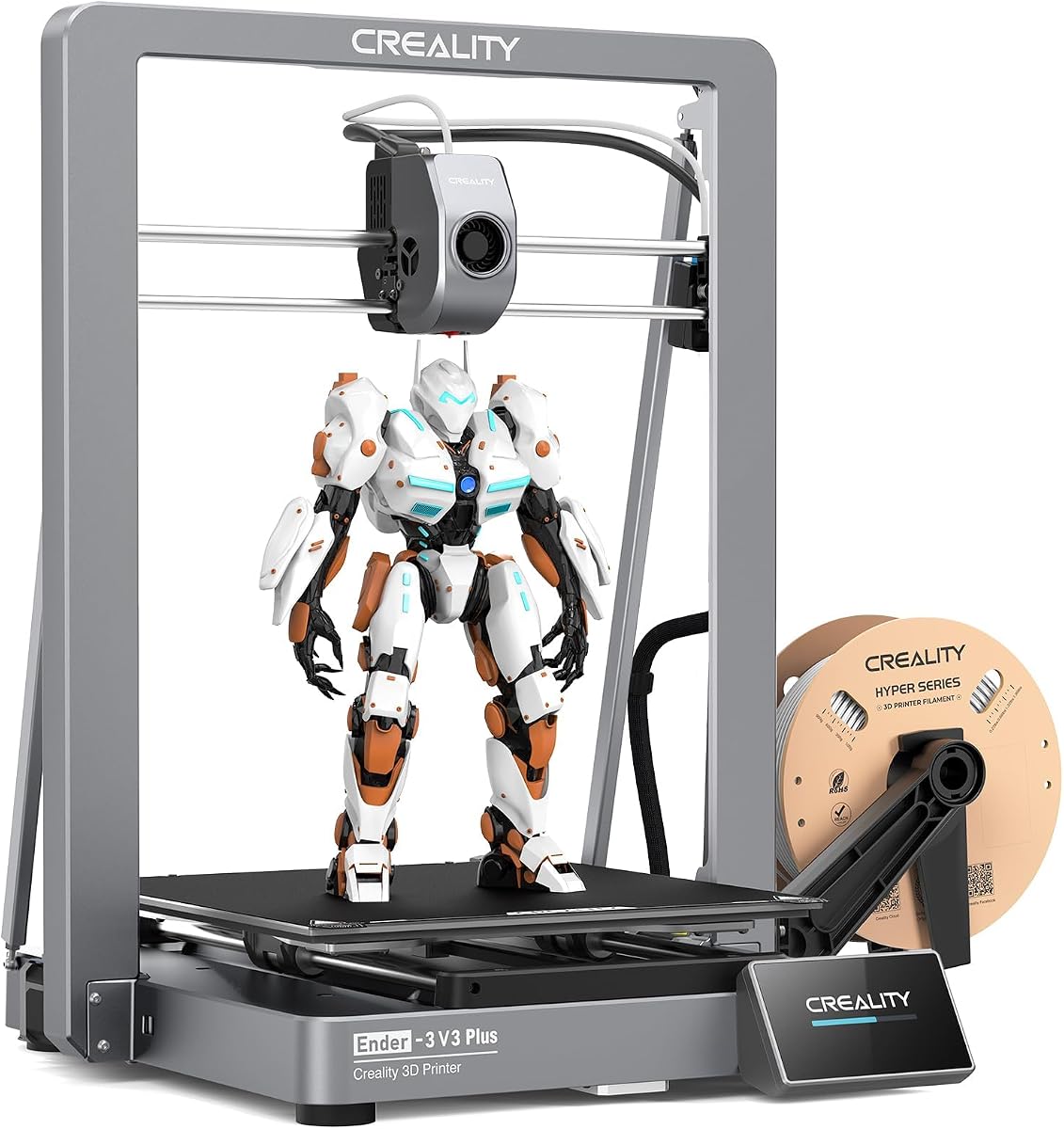
The Creality Ender 3 V3 Plus offers a 300×300×330mm build volume, CoreXZ motion, and a claimed speed of 600mm/s. Its 3.7 rating is the lowest numerical customer score among the rated products here, so buyers should weigh the detailed feature set carefully against reviews collected over time.
We may earn a commission when you buy through this link, at no additional cost to you.
Its CoreXZ layout uses dual Y-axis motors, an upgraded XZ belt, and a precision optical shaft with synchronous belt. The added support rods create a triangular gantry structure intended to reduce Z-axis shaking. A direct-drive extruder uses a spring and ball plunger to maintain grip, while the tri-metal nozzle and throat incorporate a hardened steel tip for smoother discharge and longer service life.
Automatic leveling, Z-offset, and input-shaping test functions are controlled through a one-tap calibration process. The machine arrives in preassembled modules, which can shorten initial setup compared with a fully unassembled kit. The trade-off is the lack of a clearly specified heated chamber, limiting its consistency for warp-prone engineering polymers compared with enclosed competitors.
The Ender 3 V3 Plus is a practical choice for makers who want large prints, rapid movement, and minimal manual calibration. It can produce life-size objects or batches of smaller pieces without moving to a substantially larger machine. Those needing advanced materials, chamber temperature control, or highly reliable multi-color printing should consider the K2 Plus Combo, QIDI Max4 Combo, or Snapmaker U1.
The CoreXZ platform and dual-motor Y-axis help support the stated 600mm/s speed. An upgraded belt arrangement is intended to resist slip, while input shaping helps reduce the visual effects of rapid acceleration.
Extra support rods create a triangular structure around the moving bed, helping limit Z-axis vibration. This is particularly relevant when printing tall objects on a machine whose build height reaches 330mm.
We may earn a commission when you buy through this link, at no additional cost to you.
The LONGER LK5 Pro 3 is a large-format FDM printer centered on accessibility and flexibility. It has a 300×300×400mm build volume, arrives approximately 90% assembled, and includes a 4.3-inch full-color touchscreen. Its 4.1 rating reflects a generally positive but less exceptional customer history than several newer models in the guide.
We may earn a commission when you buy through this link, at no additional cost to you.
Reinforced diagonal rods create a stable triangular structure that helps reduce vibration, while a dual blower kit cools filament after extrusion to limit deformation and stringing. The open-source motherboard and firmware give experienced users the ability to modify G-code and adapt the machine. Silent TMC2208 step drivers are included, and BLTouch installation is provided as an option even though the sensor itself is not included in the package.
The glass-lattice build plate is intended to provide a flatter surface and make finished models easier to remove. Filament runout detection pauses the print when material runs out, and the resume function restores the job after a power loss. As an open-frame machine, however, it offers less protection from drafts and temperature loss than an enclosed large-format model, which matters for ABS, ASA, and other warp-sensitive filaments.
Choose the LK5 Pro 3 if you want a tall build area, a large touchscreen, and a machine that welcomes tinkering. It is well suited to prototypes, decorative pieces, and users who value the open-source platform. It is less appropriate for professional advanced-material production or tightly controlled batch work, where an enclosed model with chamber heating and automated monitoring would offer more consistency.
A 90% preassembled configuration and full-color touchscreen remove many early setup obstacles. Automatic power recovery and filament sensing add safeguards that can protect an unattended print.
The open-source motherboard and firmware make it possible to adjust G-code, explore custom commands, and adapt the printer to new workflows. That flexibility is valuable for technically inclined users, although it is less essential for buyers who want a fully closed ecosystem.
We may earn a commission when you buy through this link, at no additional cost to you.
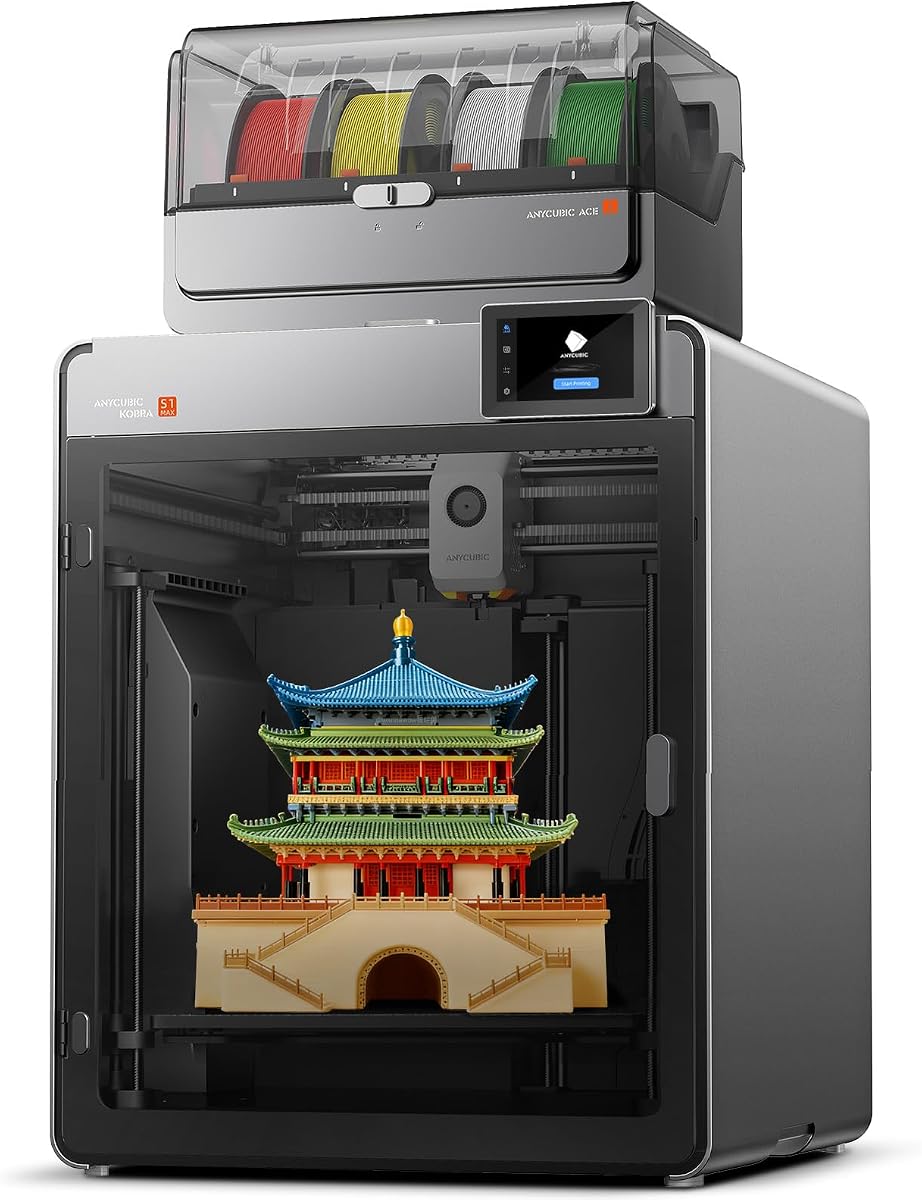
The Anycubic Kobra S1 Max Combo combines a 350×350×350mm build volume with an enclosed CoreXY system, a 65°C chamber, and native four-color printing. No numerical customer rating is available in the supplied product data, so its evaluation here relies on the stated hardware and feature set rather than a numerical score.
We may earn a commission when you buy through this link, at no additional cost to you.
A claimed speed of 600mm/s is supported by active vibration compensation intended to reduce ringing at high speeds. The heated chamber and 350°C hotend accommodate PLA, PETG, TPU, ABS, ASA, and PVA, helping reduce warping and cracking in demanding jobs. Hardened steel extruder gears and nozzle improve wear resistance for abrasive filaments, while a titanium alloy throat tube helps guard against clogs.
The included ACE 2 Pro supports four-color output, and connecting four ACE 2 Pro units expands the system to as many as 16 colors. LeviQ 3.0 auto-leveling detects uneven bed surfaces, while filament runout detection and power-loss recovery help protect extended jobs. These features make it a well-rounded choice for users who want both large-format capability and accessible color workflows.
The Kobra S1 Max Combo is a strong candidate for large decorative models, functional prototypes, and colorful production inside an enclosed environment. The lack of a numerical rating means buyers should examine recent customer feedback and verify the current bundle carefully. It offers a compelling balance, but the Creality K2 Plus Combo has a deeper sensor suite, while the QIDI Max4 Combo offers an even larger stated maximum speed.
The fully enclosed design and 65°C chamber help maintain a consistent environment for ABS, ASA, and similar materials. This is a meaningful advantage over open-frame alternatives when large parts are vulnerable to warping.
Native four-color printing covers many visual projects, while four ACE 2 Pro units can expand the palette to 16 colors. The combination gives creators a practical path from simple multicolor models to more ambitious assemblies.
We may earn a commission when you buy through this link, at no additional cost to you.
A large-print FDM machine should be evaluated as a complete system rather than by build volume alone. Frame rigidity, motion control, thermal management, extrusion consistency, and workflow automation determine whether oversized models print successfully and repeatably.
Build volume indicates the maximum model dimensions, but the shape of the cube matters too. A machine measuring 300×300×400mm can accommodate tall statuary and upright panels more effectively than a 300×300×300mm cube, while a 400×400×400mm bed offers maximum flexibility for oversized props and dense batches. Check the stated dimensions against the orientation of your most common designs, including support structures and brim clearance.
Choose a volume that leaves comfortable working room rather than merely fitting the model. A slightly larger machine provides space for skirts, braces, multiple copies, and calibration margins, especially when producing tall items that may require stronger supports.
Large prints place more leverage on the gantry and bed than small ones. Metal frames, reinforced gantries, triangular bracing, dual Z motors, and linear rails help control vibration. CoreXY and CoreXZ layouts are common on fast machines because they can move the toolhead efficiently while maintaining a compact structure. Examine how the frame supports tall or heavy models rather than focusing only on advertised speed.
Prioritize rigidity when the workpiece is tall, heavy, or made with multiple wall loops. A stiffer machine reduces ringing, wobble, and layer shifts, while a properly tuned motion system can still deliver high throughput.
Claimed maximum speeds describe the machine's capability under favorable conditions, not every layer's actual pace. Acceleration, travel moves, perimeter strategy, infill, cooling, and slicer settings all affect completion time. A printer with 500mm/s may still produce a model faster than a nominally quicker machine if its extruder, hotend, and acceleration can sustain that motion without underfeeding.
Compare speed alongside flow rate and hardware quality. The best throughput comes from a balanced system that can feed material, deposit layers, cool appropriately, and recover from interruptions without repeatedly sacrificing print quality.
An enclosed chamber blocks drafts that can cause layer separation, warping, or cracking, especially with ABS, ASA, PC, and filled filaments. A heated chamber goes further by actively reducing temperature variation through the build. Look for stated chamber temperatures, bed heating capability, and nozzle temperature when engineering materials are central to your work.
Use an open frame for standard PLA, PETG, and TPU when flexibility and lower thermal demands matter. Choose an enclosure or heated chamber for stronger parts, better dimensional consistency, and material options beyond everyday consumer filament.
A large bed is more likely to contain subtle variations, making accurate calibration essential. Automatic bed leveling, Z-offset control, mesh compensation, and bed-tilt adjustment can prevent the first layer from being too close in one region and too distant in another. A multi-point mesh is generally more useful on a large surface than a basic two- or three-point measurement.
Check whether calibration is automatic, repeatable, and tied into the printer's monitoring system. For fleets, the ability to manage multiple machines consistently becomes just as important as convenient first-layer setup.
Multi-color support can come from an included toolhead or filament box, or through add-on units. The Snapmaker U1 uses four independent toolheads for fast mixed-material changes, while the Kobra X, K2 Plus Combo, Kobra S1 Max Combo, and QIDI Max4 Combo use ACE or CFS systems with varying expansion capacities. Evaluate included accessories, supported colors, filament identification, runout handling, and purge waste.
Choose a dedicated toolhead system for frequent color and material changes, or a box-fed system when high color counts and centralized filament management are priorities. Confirm that the selected configuration actually includes the required units rather than assuming every listed capability comes standard.
The hotend, chamber, bed, and extruder must work together to support the materials you intend to use. Standard PLA and PETG are straightforward, while ABS, ASA, PA, PC, TPU, PVA, and filled filaments introduce greater demands for temperature control, feeding force, and wear resistance. Direct-drive dual-gear extruders and hardened nozzles are positive indicators for difficult materials.
Verify nozzle temperatures, chamber limits, supported material lists, and whether abrasive reinforcement is recommended or merely tolerated. Choose a robust path if you plan to print engineering parts regularly rather than treating the specification list as an occasional-use checklist.
Large projects and batch runs can be expensive to lose, so cameras, failure detection, runout sensors, and power-loss recovery add meaningful protection. AI-assisted monitoring can identify spaghetti failures or obstructions, while remote apps and grouped controls help operators supervise several machines. These features are particularly important for studios, classrooms, and print farms.
Look for notification quality, pause and recovery behavior, remote-control reliability, and the ability to manage groups of printers. A simple camera is useful, but automated detection and fleet-level organization deliver greater value when multiple machines run unattended.
Start by confirming that the machine has been assembled and leveled according to its current instructions. Remove shipping restraints, verify that the build plate is clean, and check that filament can travel freely through the extruder before beginning a long project. Load the filament with the machine's recommended procedure, then perform a short test or calibration print to validate the nozzle distance, bed adhesion, motion, and cooling.
For large models, orient the part to minimize support material and place it near the center of the plate whenever possible. Use adequate brim or raft settings for materials with a large thermal footprint, and treat overhangs according to the filament and geometry rather than relying on a universal percentage. Check that the slicer respects the machine's acceleration, flow, temperature, and travel limits. Large objects also benefit from conservative first layers because a defect near the base can spoil an entire print.
Monitor long jobs through the camera or application when available, and keep the filament path clean and unobstructed. Do not interrupt the machine unnecessarily, and use proper filament-drying practices for moisture-sensitive materials. Clean the nozzle and build plate periodically, inspect belts, lead screws, gears, and idlers, and update firmware or printer profiles only after reviewing release notes. For multi-color systems, verify each filament color and type before starting a long batch.
There is no universal threshold, but many makers consider 300×300×300mm a large-format desktop machine. Vertical dimensions above 300mm can be especially useful for figures, while a 400mm cube offers more freedom for oversized props and batches. The most useful capacity depends on the shapes you print and whether you need additional space around the model for supports.
No. A higher maximum speed is useful only when the hotend, extruder, frame, cooling, and slicer settings can sustain it. Many large parts spend much of their print time on perimeter and infill layers, so balanced performance, reliability, and repeatable calibration often matter more than the largest advertised speed.
An enclosure is strongly preferable because it reduces drafts and temperature swings that can contribute to cracking and warping. A heated chamber offers additional stability, while a high-temperature hotend and suitable bed are also necessary. If your large-print workload is mostly PLA, PETG, or TPU, an open frame can still work well when the room temperature remains stable.
A large machine can print multiple smaller parts in one batch, but it does not always match the flexibility of several separate printers. Separate units can run different designs concurrently, and one failure does not stop every job. A fleet also demands space, ventilation, filament handling, and remote-management capability, so model quantity should be considered alongside bed size.
Multi-color support allows a single model to use several filament colors without painting afterward. Systems differ: independent toolheads change materials quickly, while ACE and CFS-style units feed filament from external boxes and may support automatic identification or runout handling. Check whether the advertised color count includes the required accessories in the selected configuration.
Not always. Model orientation, supports, brim, machine clearance, and accessory placement can reduce the space actually available. Before buying, compare the printer's full three-axis dimensions with the model's bounding box in its intended orientation. Leave additional room for adhesion features and supports whenever possible.
Routine maintenance includes keeping the nozzle and plate clean, checking filament for tangles, inspecting the motion system, and verifying that the first layer remains consistent. You should also monitor belts, gears, idlers, lead screws, and the extruder path, especially when using abrasive filaments. Promptly resolving unusual noises or feed issues can prevent larger failures.
Choose an open frame for PLA, PETG, TPU, lower-cost hardware, and flexible placement in a stable room. Choose an enclosed model for ABS, ASA, PC, filled filaments, better consistency, or a cleaner production environment. Mixed-material and multi-color buyers should also consider whether the system includes compatible filament-management hardware.
The Creality Ender 5 Max stands out for its 400×400×400mm volume, rigid frame, fast motion, and multi-printer WLAN management, making it the strongest general choice for oversized work and scaled production. The Snapmaker U1 leads in advanced color and mixed-material versatility through four independent toolheads, while the LONGER New LK10 Plus provides a balanced, accessible route to large printing with a 320×320×400mm volume and useful automation.
Prioritize the workload before choosing a machine. Maximum dimensions matter for oversized props, a heated chamber matters for engineering polymers, fast motion matters for batch throughput, and native multi-color support matters for decorative models. Higher specification numbers are not automatically more useful, so confirm that the extruder, frame, cooling, calibration, and slicer can work together under the conditions you actually plan to use.
Product bundles, accessories, firmware, and manufacturer specifications can change over time, so verify the current build volume, included equipment, and supported materials before ordering. Also consider the space required for the machine, filament storage, ventilation, and accessories. Checking those details ensures that the printer fits both your largest projects and your available workspace.