
XIAOWTEK Wireless Earbuds
4.9Editor score
Four-mic ENC call clarity
Bluetooth 5.4 stable connectivity
Fifty-hour combined battery life
Discover the best earbuds for laptop conference calls, comparing microphone quality, noise control, connectivity, comfort, battery life, and features for work.
Earbuds for laptop conference calls should do more than play audio. They need to capture your voice clearly, limit distracting background noise, remain comfortable through long meetings, and connect reliably to your computer without creating frustrating delays or dropouts. A secure fit and useful call controls are just as important as sound quality.
We compared ten wireless and wired options using the specifications and product information supplied for each model. The guide evaluates microphone configurations, noise-control technology, Bluetooth capabilities, multipoint support, battery life, water resistance, controls, and practical laptop compatibility. It covers options for everyday calls, busy offices, travel, online classes, and focused work.
Each review explains the product's strongest qualities, relevant limitations, and ideal user. The top picks highlight affordable general-purpose earbuds, a premium option for demanding calls, and a specialized model with meeting-focused features. Product availability and prices can change, so confirm the current listing, computer compatibility, and included accessories before purchasing.
4.9Editor score
4.0Editor score

4.2Editor score
This side-by-side comparison highlights the products that best balance call microphones, noise control, computer connectivity, battery endurance, comfort, and work-focused features across wired and wireless designs.



The XIAOWTEK Wireless Earbuds combine an approachable feature set with a 4.9 rating, making them a strong all-around choice for laptop conference calls. Their four-microphone ENC arrangement is designed to isolate the wearer's voice from background noise, while Bluetooth 5.4 supports a stable connection as far as 15 meters from the linked device.
We may earn a commission when you buy through this link, at no additional cost to you.
Call-focused strengths extend beyond the microphones. The earbuds support touch controls for answering calls, managing calls, adjusting volume, and controlling playback, reducing the need to handle the laptop during a meeting. Automatic pairing when the charging case opens makes reconnection straightforward, and compatibility extends to laptops, tablets, and phones across the listed operating systems.
Battery life is another meaningful advantage. Each earbud can provide six hours of use per charge, while the 470mAh case supplies four additional full charges for a stated total of 50 hours. The dual LED displays show the battery status of both earbuds and case, and IPX7 protection adds durability for commuting or workouts.
The main compromise is the absence of explicitly documented multipoint connectivity. Users who routinely move between a phone and computer may need to manage reconnection manually. Even so, the combination of ENC, stable wireless performance, long battery life, broad compatibility, and a high rating makes this an excellent default choice for everyday conference calls.
The four-mic ENC system is the defining feature for work calls, as it is designed to reduce background noise while capturing the wearer's voice. A close in-ear fit also helps limit how much surrounding sound reaches the microphones.
Bluetooth 5.4, automatic pairing, and a stated 15-meter range reduce the friction of using these earbuds with a laptop. The generous total playback time also makes them suitable for workdays that involve several meetings and limited charging opportunities.
We may earn a commission when you buy through this link, at no additional cost to you.
These Wireless Earbuds earn a 4.4 rating through a balanced mix of stable connectivity, ENC call processing, and everyday convenience. The Bluetooth 5.4 chipset is positioned for fast, stable transmission with low latency, making the earbuds a practical choice for video meetings, screen watching, and gaming on a laptop.
We may earn a commission when you buy through this link, at no additional cost to you.
The call system is designed to separate the user's voice from environmental noise. Dual 14.2mm dynamic drivers and support for AAC and SBC provide suitable everyday audio, while the built-in decoder focuses on higher-fidelity sound. Touch gestures can answer or manage calls, adjust music, or activate a voice assistant without reaching for the computer.
Battery performance supports a typical workday. A single charge provides six to eight hours, and the included case raises total playback to as much as 36 hours. USB-C charging and LED power displays for the earbuds and case simplify maintenance, while IP7 water resistance helps protect against sweat and light moisture.
These earbuds lack a detachable boom microphone, so users who need the strongest possible voice capture in extremely noisy settings may prefer a dedicated headset. They also do not explicitly advertise multipoint pairing. Even so, the combination of ENC, low-latency Bluetooth 5.4, broad device pairing, and solid battery life makes them a convincing option for regular laptop calls.
The stated low-latency Bluetooth 5.4 connection is especially relevant when spoken conversation needs to remain synchronized with on-screen video. A stable range of up to 15 meters provides flexibility around a desk or home office.
Six to eight hours per earbud charge can cover a conventional workday, while the case extends that endurance substantially. LED indicators and USB-C charging make it easier to monitor and replenish the batteries between meetings.
We may earn a commission when you buy through this link, at no additional cost to you.
The Soundcore P30i pairs a 4.3 rating with a mature feature set for both communication and concentration. Its four microphones work with an AI algorithm to pick up the wearer's voice, while adaptive active noise cancelling can reduce ambient sound by up to 42dB and automatically adjust the cancellation level.
We may earn a commission when you buy through this link, at no additional cost to you.
The charging case doubles as a phone stand, adding a useful work and travel feature for hands-free viewing. Bluetooth 5.4 enables one-step pairing and automatically reconnects to the last paired device, which can be helpful when a laptop is the primary meeting device.
Battery specifications are strong, although enabling noise cancellation changes the totals. The earbuds provide up to 10 hours without ANC and six hours with it, while the case extends those figures to 45 and 25 hours respectively. A quick charge adds two hours of use. The soundcore app adds EQ modes, ANC adjustments, and over-the-air updates.
This model is best for users who want more control than a basic pair of call earbuds provides. Its app ecosystem, adaptive ANC, transparency mode, and AI-assisted microphones are particularly useful for hybrid workers. The lack of documented multipoint support is the main limitation for people who constantly alternate between two devices.
Adaptive active noise cancelling responds to the surrounding environment, while transparency mode lets users hear colleagues or announcements without removing the earbuds. This makes the P30i adaptable to both focused work and interactive office settings.
The soundcore app provides EQ presets, ANC controls, and firmware updates. For users who want to adjust the listening profile or keep software current, this is more flexible than a basic hardware-only design.
We may earn a commission when you buy through this link, at no additional cost to you.
The Panasonic ErgoFit RP-TCM125-KB is a 4.3-rated wired option for users who want dependable laptop calls without charging or pairing. Its integrated microphone and inline call controller provide a straightforward route for joining meetings, managing calls, and controlling a compatible device.
We may earn a commission when you buy through this link, at no additional cost to you.
The defining feature is the inclusion of small, medium, and large earpads. A secure in-ear fit is important because Panasonic specifically notes that incorrect tip size or improper positioning can reduce both sound quality and call performance. The ergonomic ErgoFit design is intended to remain secure while limiting sound leakage.
Stereo audio is described as tonally balanced, with crisp highs and deep low notes for recorded media. The wired connection eliminates wireless latency, charging interruptions, and pairing problems. It also gives the user a dependable option for interviews, online classes, language practice, and travel where a small backup headset is useful.
The trade-off is universal compatibility rather than universal plug-and-play convenience. A laptop must have a compatible 3.5mm audio jack or an appropriate adapter, and some newer phones require additional accessories. The cable can also feel less convenient than true wireless earbuds. For a compatible computer, however, this is a simple and dependable call solution.
The three included earpad sizes are more than a comfort feature for this model. Panasonic warns that poor fit can undermine sound and microphone performance, so selecting the seal that feels secure is essential.
A physical cable means there is no battery to run down and no wireless pairing to manage. For office desks, online learning, or backup use, that simplicity can be more valuable than wireless convenience.
We may earn a commission when you buy through this link, at no additional cost to you.
The Antool Wired Earbuds include two complete earbud sets, making them a distinctive choice for shared workspaces, couples, online classes, or keeping a wired backup available. They carry a 4.3 rating and prioritize clear communication through a noise-filtering microphone and multifunction inline remote.
We may earn a commission when you buy through this link, at no additional cost to you.
The remote can answer or reject calls, control media, adjust volume, and switch tracks. That level of physical control is helpful during online meetings because the user does not need to navigate laptop software or reach for a separate headset. The product information specifically identifies ZOOM, SKYPE, online meetings, and web conferences as suitable use cases.
Each earbud weighs three grams and uses a 45-degree inclined design intended to remain stable during movement. The supplied 3.5mm plug uses gold plating, and the construction combines TPE with copper wiring and aluminum foil for durability. A passive noise-isolating in-ear design reduces leakage and can improve bass response.
These are passive wired earbuds, so they cannot actively cancel environmental noise. They also require a compatible port or adapter on modern devices. Despite those limitations, the two-pack configuration, light weight, immediate operation, and useful remote make them especially practical for students and anyone who wants a spare conference-call headset.
The bundled two-pack provides an easy way to equip another person without finding a separate matching headset. It can be useful for study partners, shared offices, travel, or one-earbud-and-one-backup arrangement.
The inline controller handles calls and media without opening meeting software. Its dedicated buttons can be easier to locate quickly than touch gestures when the user needs to mute, answer, or adjust audio during a call.
We may earn a commission when you buy through this link, at no additional cost to you.
The JLab Work Buds stand apart with a detachable noise-cancelling boom microphone and Bluetooth multipoint connectivity. Their 3.9 rating is the lowest among the listed options, but the work-oriented design directly addresses a common weakness of ordinary true wireless earbuds: the lack of a microphone positioned close to the mouth.
We may earn a commission when you buy through this link, at no additional cost to you.
The boom microphone uses a condenser element and is designed to eliminate background noise so the wearer's voice remains clear. Because it is detachable, users can remove it when switching between calls and music, and it can be fitted to either ear. The earbuds themselves also include MEMS microphones, while the supplied technical information lists two listening modes.
Bluetooth 5.3 multipoint allows the headset to remain connected to more than one source, such as a phone and laptop, which is particularly useful for conference calls. The 6mm dynamic drivers cover a 20Hz to 20kHz frequency range, and the included USB-C dock supplies additional charging. Each earbud provides over 10 hours of playback, including more than six hours of talk time, with 55-plus total hours when used with the dock.
The main limitation is the lack of active noise cancellation, so the boom mic improves outgoing voice pickup but does not reduce incoming office noise. Its 3.9 rating should also be considered carefully. Even so, the detachable boom, multipoint support, long talk-time battery, and included charging dock make this a specialist choice for people who communicate from busy locations.
The detachable boom is the key advantage for call clarity because it captures speech closer to the mouth than a conventional earbud microphone. It can also be worn on either side for a more comfortable fit.
Bluetooth multipoint is valuable for people who receive calls on a phone while working on a laptop. Instead of relying on a single remembered device, the earbuds can maintain connections to two sources.
We may earn a commission when you buy through this link, at no additional cost to you.
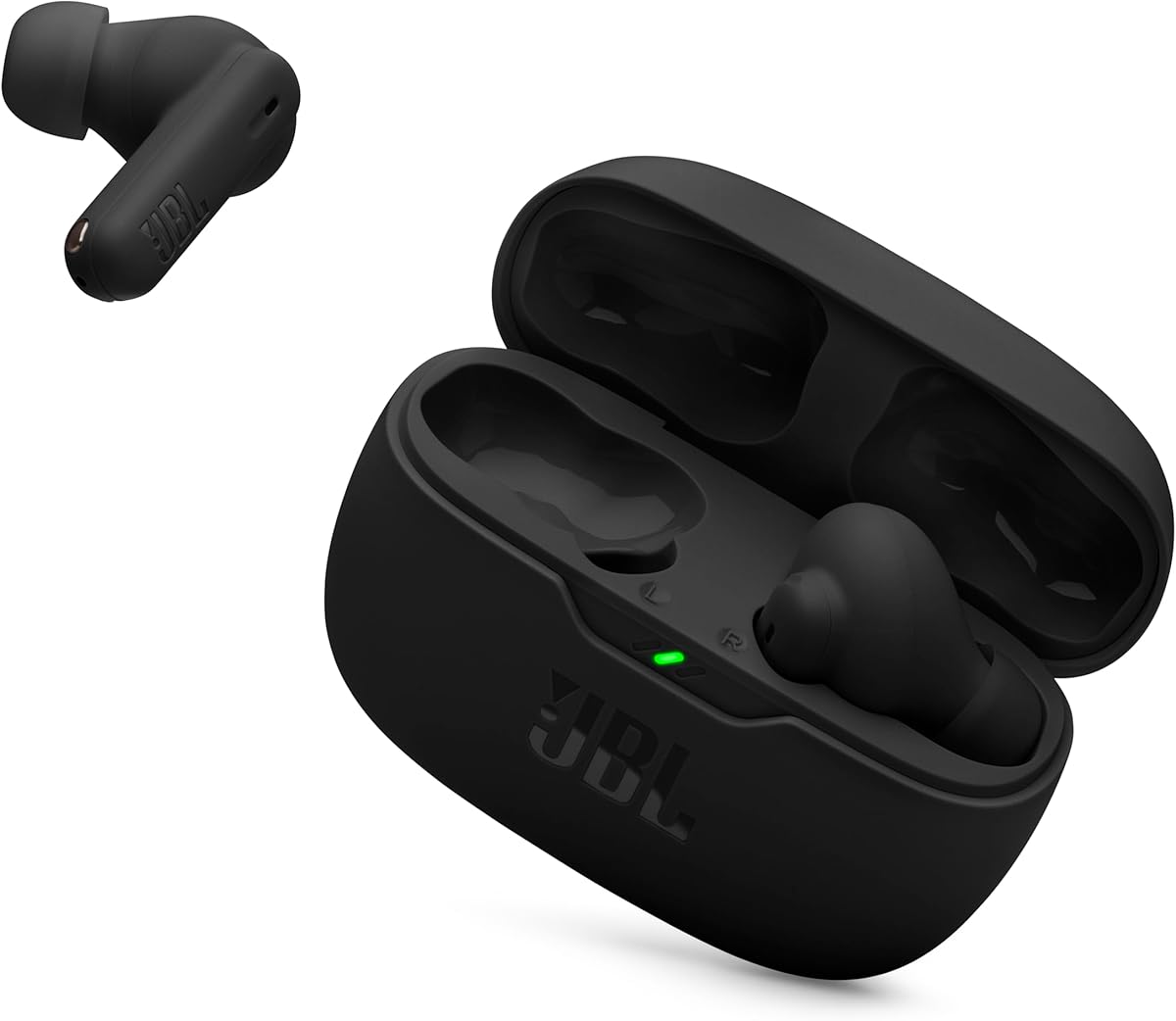
The JBL Vibe Beam 2 offers a balanced combination of active noise cancellation, call microphones, familiar sound tuning, and app-based features. Its 4.1 rating positions it as a solid all-purpose option for users who want more than a basic meeting headset.
We may earn a commission when you buy through this link, at no additional cost to you.
Two microphones on each earbud work together to transmit the wearer's voice clearly while cancelling ambient noise. Smart Ambient controls how much outside sound remains audible, allowing a user to move between focused work and awareness without removing the earbuds. This is useful in offices where announcements or colleague interaction may require attention.
The earbuds use 8mm dynamic drivers for JBL Pure Bass sound and support EQ customization through the JBL Headphones app. Additional app tools include voice prompts and five relaxation sounds. Battery life reaches 10 hours per charge without ANC, while the case supplies three additional charges for a total of 40 hours. A 10-minute USB-C charge adds three hours of playback.
Multipoint connectivity is not mentioned in the supplied information, and some of the strongest features depend on the companion app. Nevertheless, the four-microphone call system, active cancellation, ambient control, and fast charging create a compelling package for hybrid workers and frequent online learners.
The four-microphone arrangement is designed to isolate the user's speech from environmental noise, including outdoor distractions. That makes it useful for calls taken while commuting or working from a busier public setting.
Smart Ambient provides a middle ground between active isolation and leaving both ears open. Users can let surrounding sound back in when needed, which is useful for office coordination and environmental awareness.
We may earn a commission when you buy through this link, at no additional cost to you.
The Dell Pro Plus EB525 is designed explicitly around workspace communication. It combines an AI-based noise-cancelling microphone, adaptive active noise cancellation, enhanced transparency, and straightforward touch controls, making it a focused option for professionals who spend considerable time in meetings.
We may earn a commission when you buy through this link, at no additional cost to you.
The microphone is engineered to recognize and isolate the wearer's voice from background sound. Dell states that the design is intended to provide high call quality based on its internal analysis of publicly available data from November 2026. A pinch can handle calls or switch between adaptive ANC and transparency, while a swipe adjusts volume.
Adaptive ANC helps reduce distractions during focused work, and transparency mode supports awareness when the user needs to hear a colleague or monitor the environment. Bluetooth 5.3 provides the wireless foundation, while the touch interface avoids the need to operate laptop software for routine audio changes.
The supplied product information does not specify battery duration, charging details, water resistance, or multipoint connectivity. Those omissions make it harder to compare long-session endurance with the other models. Nevertheless, the combination of AI voice isolation, adaptive cancellation, and tactile call controls gives the EB525 a clear professional identity.
The AI-based microphone focuses on separating speech from background noise, addressing the central requirement of a conference-call earbud. Its intended use across different workspaces makes it appealing for office-based and hybrid professionals.
Pinch and swipe gestures provide clear physical actions for call handling, mode changes, and volume. These controls are especially useful during meetings because they reduce the need to navigate the computer interface.
We may earn a commission when you buy through this link, at no additional cost to you.
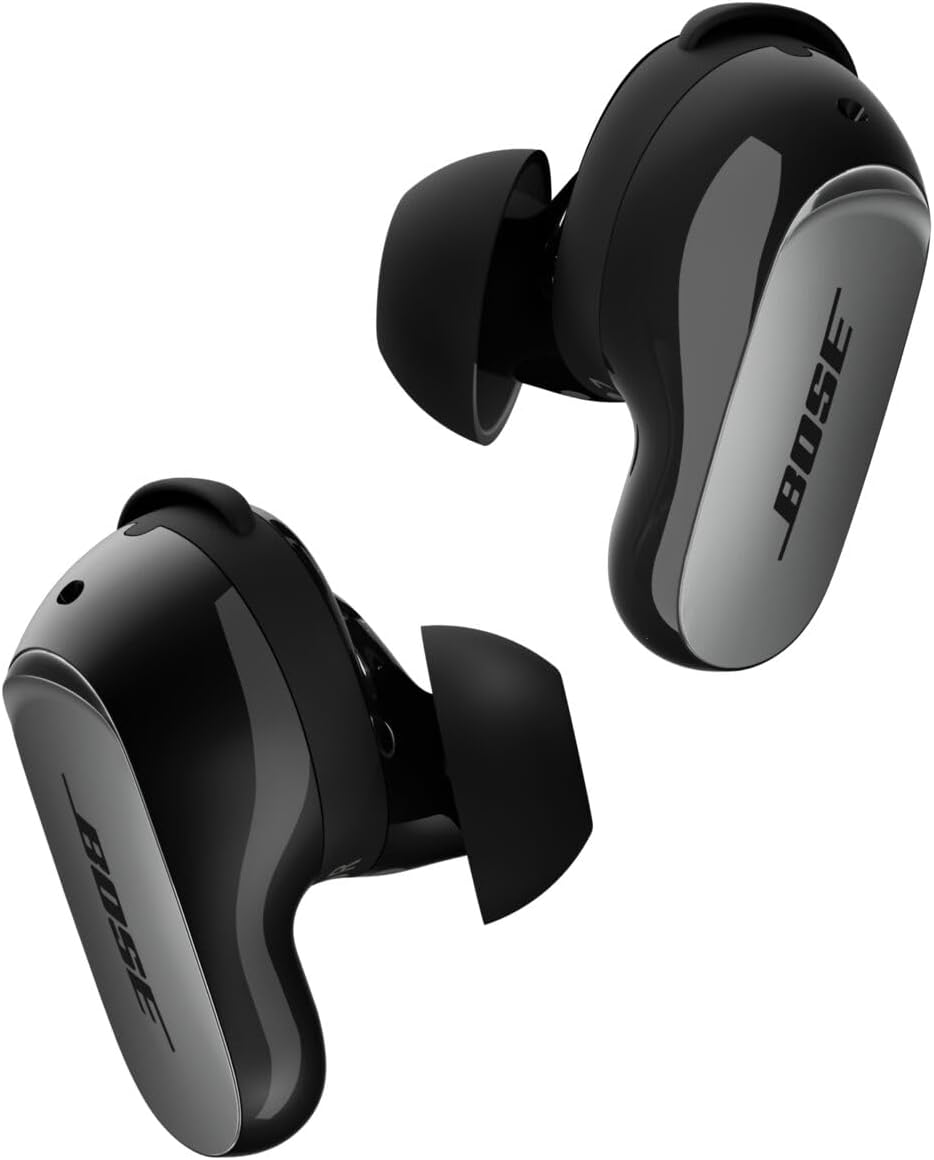
The second-generation Bose QuietComfort Ultra Earbuds combine refined call processing, class-leading customization, active noise control, and seamless laptop connectivity. Their 4.0 rating may not be the highest here, but the feature set makes them an Editor's Choice for users who place a premium on call quality and adaptive performance.
We may earn a commission when you buy through this link, at no additional cost to you.
SpeechClarity uses noise-rejecting microphones to filter background noise and wind while focusing on the wearer's voice. Calls can be taken with both earbuds or a single one, giving users flexibility when one ear needs to remain uncovered. Bluetooth multipoint makes it easy to switch among a phone, laptop, and other paired devices.
CustomTune analyzes the shape of each user's ears to adapt the sound and noise cancellation. The earbuds offer flexible ANC adjustment and a transparency mode, while nine combinations of eartips and stability bands help establish a secure seal. These are meaningful advantages for long sessions and calls from inconsistent environments.
Battery life reaches up to six hours in Quiet or Aware mode and up to four hours with Immersive Audio. The case supplies three full charges and supports both USB-C and wireless charging. IPX4 adds limited moisture protection. The principal compromise is battery reduction in the richest listening mode, but the call features, multipoint support, fit options, and adaptive controls justify this choice for demanding users.
SpeechClarity is designed to separate speech from wind and background noise. Supporting single-earbud calls adds another layer of flexibility for users who need awareness of their surroundings or prefer a lighter fit.
CustomTune adapts the in-ear response to the wearer's ear shape, while interchangeable eartips and stability bands help achieve both comfort and a good seal. A better seal supports effective noise cancellation and consistent microphone performance.
Bluetooth multipoint supports seamless switching between a phone, laptop, and other devices. This is one of the most practical premium features for people whose work calls can arrive from multiple sources.
We may earn a commission when you buy through this link, at no additional cost to you.
The Soundcore Liberty 5 Pro Max is the most feature-rich option in this guide, combining advanced call processing, adaptive noise cancellation, a large case display, and an AI note-taking system. Its 4.2 rating reflects a capable and ambitious product aimed at professionals who use earbuds for meetings, interviews, and focused work.
We may earn a commission when you buy through this link, at no additional cost to you.
Whisper-Clear calls use ten sensors and the Thus AI Chip to process the user's voice, including in environments above 100dB. The same platform powers an advanced noise cancellation system claimed to process more than 384,000 noise signals per second. This processing is intended to keep outgoing calls intelligible in offices, on streets, and around transportation noise.
The charging case includes a 1.78-inch AMOLED display for controlling the AI recorder, adjusting ANC, and managing settings. Its microphone can record in-person meetings and interviews, then create transcriptions, summaries, key points, and action items. Importantly, the supplied information states that the recorder captures in-room audio only and does not capture online meetings, video calls, or phone calls.
Privacy and battery management are the main considerations. Local AES-256 encryption and a tiered cloud-deletion approach address recording security, while the AI transcription feature includes subscription options beyond its free allowance. Extreme mode also limits battery life to 2.5 hours, or 10.5 hours with the case. For users who genuinely need meeting capture and advanced voice isolation, however, the specialized tools justify the premium positioning.
The ten-sensor Whisper-Clear system is designed to preserve the user's voice even in very loud surroundings. That makes the earbuds particularly compelling for commuters, open-plan offices, and users who regularly speak in unpredictable environments.
The case can record nearby conversations, transcribe them, and generate summaries with action items through the soundcore app or web portal. Users should note that this function is for in-room meetings and interviews rather than online calls or video conferences.
Local AES-256 encryption and immediate temporary-file deletion when cloud synchronization is disabled provide meaningful controls for sensitive conversations. The stated compliance standards add reassurance, although users must still understand the permissions and services they enable.
HearID 5.0 creates a personalized EQ profile, while the AI Audio Enhancer adjusts playback. Together with adaptive ANC and the case touchscreen, these features create a sophisticated work-focused platform rather than a basic call headset.
We may earn a commission when you buy through this link, at no additional cost to you.
The best conference-call earbuds balance outgoing voice clarity, incoming sound control, reliable computer connectivity, long-session comfort, and convenient call controls. The priorities vary depending on whether you work from home, commute, or communicate in a busy shared office.
The microphone system is the most important feature to examine in earbuds for laptop conference calls. Noise-cancelling microphones attempt to distinguish speech from background sound, while dedicated boom microphones position the pickup element near the mouth for more consistent voice capture. Four-microphone and multi-sensor systems can provide greater environmental awareness, but the quality of the laptop microphone input and the user's speaking volume still affect how a call sounds.
Prioritize clear microphone specifications, noise rejection, and the option to use one or both earbuds. Also consider the environment: an ordinary ENC microphone may be sufficient in a quiet home office, while a boom mic is more useful in a café, lobby, or open office.
Active noise cancellation uses microphones and processing to reduce incoming environmental sound, which can make it easier for users to focus and prevent background noise from reaching the earbud microphone. Passive isolation comes from a close in-ear seal and can reduce some external sound without additional processing. Transparency mode provides the opposite behavior by intentionally allowing more outside sound back in.
Choose a model that balances isolation with awareness. Strong ANC is helpful during a meeting, but an awareness or transparency mode is valuable when a colleague speaks, an announcement occurs, or the user needs to maintain situational awareness.
Wireless earbuds need a stable, low-latency connection to avoid delayed speech or sound that falls out of sync with video. Bluetooth 5.3 and 5.4 are common in this selection, and automatic reconnection to the last device improves the daily experience. A physical 3.5mm connection avoids wireless pairing and latency entirely, but it may require an adapter on computers that lack a headphone jack.
Check the computer's Bluetooth version, available audio profiles, and whether the earbuds support the intended workflow. People who constantly alternate between a phone and laptop should look for Bluetooth multipoint, while single-device users may not need to pay for that feature.
A conference-call earbud should comfortably cover a full workday without requiring frequent recharging. Compare both per-earbud endurance and total playback with the case. Remember that active noise cancellation, transparency, immersive audio, and other advanced features can reduce those figures, as reflected in the battery differences listed for several models here.
Look for battery indicators, USB-C charging, and a quick-charge function if you regularly travel. A dock-style case may also be useful for a desk, while a compact case is more convenient in a laptop bag. The best choice is the one that matches the user's longest realistic workday without creating charging anxiety.
Conference calls can last an hour or more, making comfort as important as raw audio performance. Lightweight in-ear designs reduce pressure, while multiple eartip sizes help create a stable seal. Stability bands can be useful for active use, although a desk-bound user may prioritize a lightweight shape and unobtrusive fit instead.
A secure fit also affects microphone consistency because poorly positioned earbuds can shift and allow more outside sound into the pickup path. Select the correct tip size, test both ears, and avoid wearing the earbuds in a position that creates pressure during extended use.
Call controls should be easy to find and operate while speaking. Touch controls can handle answer, end, playback, volume, and voice-assistant functions, while physical buttons on a wired remote may be easier to locate by touch. Software integration through an app can add EQ, noise-control settings, firmware updates, and device-specific controls.
Consider whether you prefer a dedicated mute button, gesture controls, or automatic microphone behavior. Some meetings also benefit from transparency mode because it lets you check whether other people are speaking before switching modes or removing the earbuds.
Wireless earbuds increasingly include companion apps, personalized EQ, adaptive noise cancellation, and meeting-related tools. These features can improve day-to-day usability, but they also add complexity and may create a need to keep firmware and privacy settings current. A product built for in-person recording is not automatically a recorder for online conference calls, so users should confirm the intended capture method.
Decide whether basic call performance is enough or whether portable note-taking, multi-device switching, voice prompts, and software controls justify a premium design. The most valuable feature is the one you will use regularly, not the longest list of specifications.
Work earbuds travel between home, offices, vehicles, and meeting spaces, so water resistance and a durable charging case can be useful. IPX7 models offer stronger moisture protection, while IPX4 is designed to withstand sweat and splashes. Neither rating necessarily protects against dust, drops, or impact, so the case should still be handled carefully.
Wired models are inherently simple to transport, although the cable must be managed to prevent tangling. Wireless models avoid cord clutter but require a case and battery charging. Consider the size of the case, the included cable, and how the earbuds fit into a laptop bag or pocket.
Before the first call, fully charge both earbuds and the case, then pair the earbuds with the laptop before joining the meeting. On Windows, open Bluetooth settings, select the earbud name, and confirm the connection; on macOS, use the Bluetooth menu in Control Center or System Settings. For a wired model, connect the 3.5mm plug to the correct headphone or microphone port and use an adapter if the computer has only USB-C or a combined headset connector.
Test the microphone and output before the meeting starts. Record a short sample in the laptop's voice-recorder or audio-test tool, then play it back or ask a colleague to confirm that your voice sounds clear and free of echo. Select the earbuds as both the input and output device, and adjust the gain in the computer's sound settings if speech is too quiet. Keep the microphone end of a boom-equipped model pointed toward the mouth and avoid touching the grille during calls.
For care, remove the earbuds after use, wipe the eartips and microphones with a soft dry cloth, and return them to the charging case. Do not flood the openings with water, even when a product has an IP rating. Keep the charging contacts clean, inspect the cable or USB-C port for damage, and update the companion app when updates are available. Store wireless earbuds away from excessive heat and cold, and avoid leaving wired cables tightly wrapped for long periods.
The Bose QuietComfort Ultra Earbuds are a strong premium choice because their SpeechClarity microphones, Bluetooth multipoint, CustomTune fit analysis, and adaptive controls are well suited to demanding work calls. The XIAOWTEK Wireless Earbuds offer a more affordable four-mic ENC system with long battery life, while the JLab Work Buds suit people who prefer a dedicated boom microphone.
Wired earbuds can be better when reliability, zero charging, and consistent latency are the main priorities. They connect directly to a compatible audio port and eliminate Bluetooth pairing, but newer laptops may require a USB-C or combined-headset adapter. Their physical cable can also be less convenient during long working sessions.
Active noise cancellation is helpful when background noise distracts you or leaks into your microphone, particularly in offices and shared homes. It is not essential in a quiet room, and transparency mode can be more useful when you need to hear colleagues or announcements. A close in-ear fit and good microphone processing matter alongside the noise-control system.
Bluetooth multipoint allows an earbud to remain connected to two devices at the same time, such as a laptop and phone. A user can take a call on the phone without manually disconnecting the computer. It is especially useful for hybrid workers, though not every earbud supports it and the switching experience varies by model.
Start by testing the microphone in the laptop's audio settings and confirm that the earbuds are selected as both input and output. Choose a snug eartip size, keep the microphones unobstructed, and speak at a natural volume. If the call is still unclear, move away from the loudest background sound or use a model with a boom or advanced noise-rejecting microphones.
Noise cancellation is generally designed to improve focus, but the incoming microphone still determines what other participants hear. A poor seal, noise leaking around the earbud, or speaking too quietly can undermine the call. Check the input level, keep the microphones clean, and avoid covering them with a hand or face covering.
Six hours is a useful minimum for many workdays, while longer playback provides more flexibility for meetings and media use. Features such as ANC, immersive audio, and extreme processing modes can reduce endurance, as the specifications in this guide show. A charging case extends the available time and is essential for regular travel.
A boom microphone is worth considering when calls regularly happen in noisy or unpredictable places. Placing the microphone closer to the mouth can improve the balance between the user's voice and environmental sound. The JLab Work Buds are the clearest example in this selection, with a detachable, noise-cancelling boom that can be worn on either ear.
The XIAOWTEK Wireless Earbuds are the strongest budget-oriented choice because their four-mic ENC system, Bluetooth 5.4 connection, broad compatibility, and long combined battery life cover the essentials well. The Bose QuietComfort Ultra Earbuds take the Editor's Choice position for their refined call processing, multipoint switching, personalized fit, and flexible noise controls.
The Soundcore Liberty 5 Pro Max is the best premium option for users who value specialized meeting tools, advanced voice isolation, and a display-equipped case. For a different kind of work-focused design, JLab Work Buds provide a detachable boom microphone and multipoint connectivity, while Panasonic and Antool provide dependable wired alternatives.
Before buying, confirm that the earbuds connect to your laptop, check whether you need multipoint or boom-microphone support, and consider the typical length of your calls. Prices, availability, software plans, and included accessories can change, so review the current product listing and recent user feedback before making a final decision.