
DBIT N300 T1 Pro
4.2Editor score
Physical WPS button
2.4 GHz N300 Wi-Fi
WISP wireless repeater mode
Guest network and access controls
Compare 10 router options for Router with Wps Button, comparing Wi-Fi speed, coverage, security, ports, mesh support, setup ease, and home use.
A router with a WPS button can make it easier to add compatible wireless devices without typing a long network password. The feature is useful for printers, smart-home equipment, and older networking hardware, but speed, range, security, and ease of management remain equally important when choosing a router for your home.
This guide compares ten routers using the specifications and feature details available for each model. It covers Wi-Fi generations, wireless bands, maximum advertised speeds, coverage, Ethernet connectivity, security features, mesh compatibility, and setup options while calling out where the supplied information explicitly confirms a physical WPS button.
Each review identifies the product's strongest use case and its practical trade-offs, helping you distinguish a dedicated WPS-equipped model from faster premium routers and feature-rich alternatives. Ratings and specifications can change over time, so shoppers should verify current specifications, availability, features, and prices on the linked product pages before purchasing.
4.2Editor score

4.4Editor score
4.2Editor score
The comparison below highlights the major hardware and network capabilities of all ten routers, including wireless generation, bands, coverage claims, wired connectivity, security, and expandability. The DBIT T1 Pro is the only model whose supplied product information explicitly states that devices can be connected using a physical WPS button, so buyers should confirm that feature directly when considering any other listing.



The TP-Link Archer AX21 combines dual-band Wi-Fi 6 performance with a feature set that suits many modern households. Its 4.4 rating is the highest among the ten products presented, while its advertised 1.8 Gbps aggregate bandwidth offers useful headroom for streaming, gaming, browsing, and connected devices. Four external antennas and beamforming help maintain signal strength in larger or divided homes.
We may earn a commission when you buy through this link, at no additional cost to you.
OFDMA is one of the router's most important strengths because it allows the access point to communicate with multiple devices more efficiently. That capability is particularly valuable when phones, computers, televisions, and smart-home products are active at the same time. The router also supports OpenVPN and PPTP server functions, allowing compatible devices on the home network to access a remote VPN without installing individual VPN software on every device.
The principal trade-off is that the supplied information does not explicitly confirm a physical WPS button. It is also a dual-band model and therefore does not support 6 GHz Wi-Fi. Advertised throughput depends on the client device, distance, interference, walls, network conditions, and other environmental factors, so the AX1800 designation should not be interpreted as guaranteed real-world speed in every room.
This is a strong general recommendation for households seeking a balanced, modern router, especially when a WPS button is convenient but not the only consideration. Buyers whose WPS requirement is absolute should verify the current hardware and control panel before ordering. For everyone else, the AX21 combines speed, capacity, security-focused design, and broad provider support in a well-rounded package.
OFDMA, beamforming, and four high-gain antennas work together to improve efficiency and signal direction. The result is a router designed to serve multiple connected devices without treating aggregate headline speed as the only measure of performance.
VPN server support and compatibility with major internet providers add flexibility, while a separate modem remains necessary. Buyers can use the Tether app for setup, management, and firmware updates.
We may earn a commission when you buy through this link, at no additional cost to you.
The TP-Link Archer A54 is a conventional dual-band router for users who need reliable Wi-Fi without paying for the newest wireless generation. Its 4.3 rating reflects a favorable balance of simple setup, useful management features, and a coverage target of up to 1,000 square feet. It offers up to 867 Mbps on the 5 GHz band and up to 300 Mbps on the 2.4 GHz band.
We may earn a commission when you buy through this link, at no additional cost to you.
The A54 supports WPA3, which improves security for compatible personal networks, and its four external antennas assist with stable connections within its stated coverage area. It can operate in access point mode, making it useful when the routing function is already handled by another device. EasyMesh compatibility also allows it to join a broader mesh network with compatible routers or range extenders.
Its main limitation is Wi-Fi 5. While 1,200 Mbps of aggregate bandwidth remains useful for many homes, the router does not offer the efficiency and capacity benefits of newer Wi-Fi 6 or Wi-Fi 7 models. It also lacks 6 GHz support, and the supplied details do not explicitly identify a physical WPS button.
The Archer A54 is most appropriate for apartments, smaller homes, and buyers who prioritize value, familiar app-based management, and expandable coverage. Those who need the WPS button specifically should confirm it before buying. For others, a straightforward dual-band system with WPA3 and EasyMesh support remains a practical choice.
The stated coverage target of up to 1,000 square feet makes the A54 easier to place in a compact living space. Separate 2.4 and 5 GHz bands let users place slower but more forgiving devices on the former and bandwidth-hungry devices on the latter.
WPA3 support, guest access, VLAN-related features, and access point mode add useful control. EasyMesh compatibility creates a path to wider coverage when one router is not enough.
We may earn a commission when you buy through this link, at no additional cost to you.
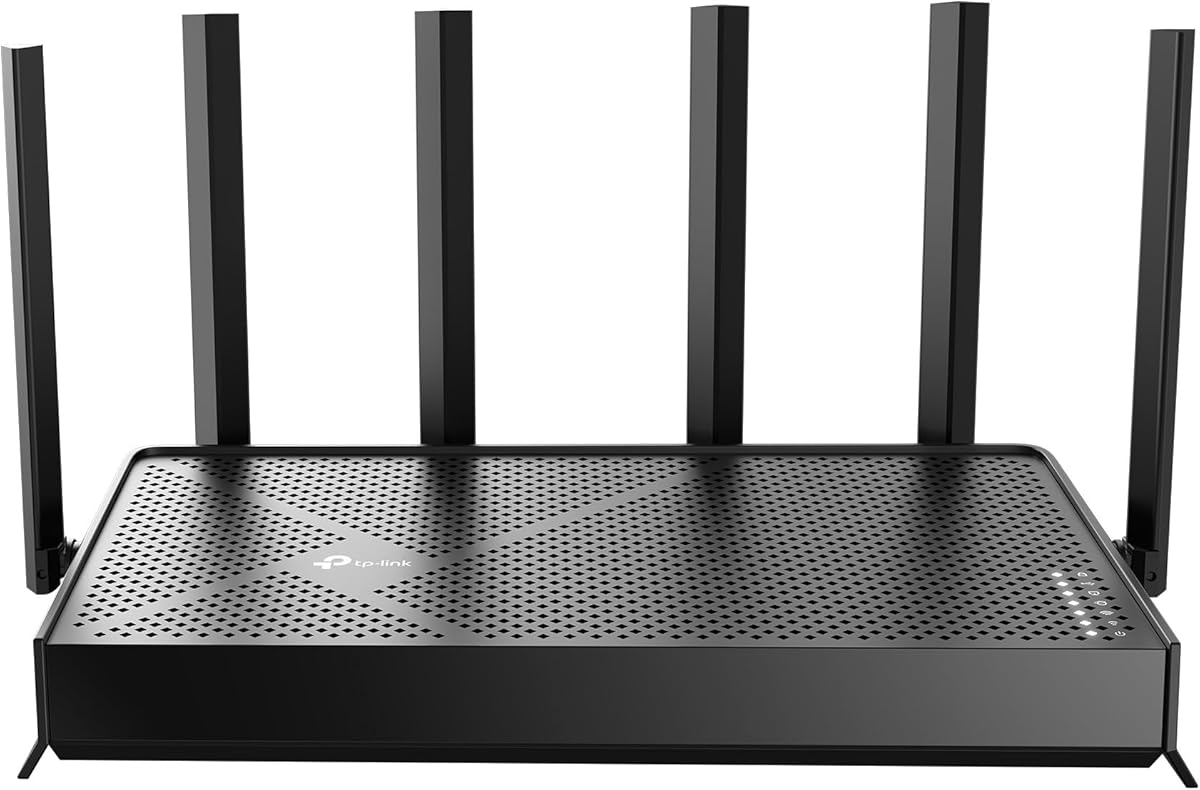
The DBIT N300 T1 Pro is the clearest choice in this roundup for shoppers whose priority is a confirmed WPS button. Its product information specifically states that new devices can be connected using the physical WPS button, a valuable detail because many competing listings do not explicitly mention one. It also earns a 4.2 rating and targets everyday browsing, HD streaming, and compatible smart-home devices.
We may earn a commission when you buy through this link, at no additional cost to you.
Its 2.4 GHz N300 connection is most appropriate for security cameras, IoT equipment, and other low-bandwidth clients. WISP and wireless repeater modes can expand coverage in a larger home or office, while a guest network isolates visitors from personal computers and connected devices. WLAN scheduling, internet access control, and quality-of-service speed limits provide additional ways to organize traffic.
The trade-off is substantial when compared with dual-band models. The router does not offer a 5 GHz band, and its supplied information explicitly says it is not intended for 4K applications. Real-world results still depend on distance, interference, walls, and client capabilities, so the advertised 300 Mbps should be understood as a maximum rather than a guaranteed throughput for every device.
The T1 Pro is best for a specific need: inexpensive WPS-based setup for compatible devices, especially in an IoT-focused or secondary-router installation. It is not the right choice for a primary gaming network or a home that requires modern multi-band throughput. It is also a standalone router and must be connected to a modem or optical network terminal.
The physical WPS button is the feature that distinguishes this model within the supplied list. It gives compatible hardware a quick connection path while WPA2 provides the stated wireless security protocol for the network.
WISP repeating, guest networking, access controls, and IoT-oriented features make the T1 Pro practical for cameras and low-bandwidth devices. A primary high-bandwidth router can remain responsible for demanding applications.
We may earn a commission when you buy through this link, at no additional cost to you.
The TP-Link Archer BE230 brings Wi-Fi 7 to a dual-band home router without introducing the full complexity of a tri-band system. It offers up to 2,882 Mbps on 5 GHz and 688 Mbps on 2.4 GHz, with a 4.2 rating. Multi-Link Operation, Multi-RUs, and 4K-QAM form the core of its stated next-generation performance features.
We may earn a commission when you buy through this link, at no additional cost to you.
Its most distinctive hardware feature is the 2.5 Gbps WAN/LAN port, which can support faster internet service and high-speed local links. One additional 2.5 Gbps LAN port and three 1 Gbps LAN ports provide flexibility for computers, game consoles, televisions, and other networked equipment. The router also supports EasyMesh, a 2 GHz quad-core processor, and beamforming.
Although its capabilities are modern, the Archer BE230 is still a dual-band model and does not support 6 GHz. That means it cannot use the third frequency band found in tri-band Wi-Fi 7 routers. The supplied information also does not confirm a physical WPS button, so that feature should be verified before purchase.
This model is a sensible choice for a medium-sized home that wants Wi-Fi 7 and multi-gigabit wired connections without moving to a tri-band flagship. It supports up to 60 devices according to the stated coverage information and can be managed through the Tether app. It is especially attractive for users with newer devices or a broadband plan capable of benefiting from a 2.5 Gbps connection.
The BE230 delivers several Wi-Fi 7 technologies without requiring a tri-band design. It is a practical option for households seeking newer wireless behavior, efficient multi-device handling, and a faster wired path.
Four internal antennas, beamforming, and a stated target of up to 2,000 square feet support broader coverage. The Tether app, HomeShield tools, and EasyMesh compatibility make management and expansion more accessible.
We may earn a commission when you buy through this link, at no additional cost to you.
The ASUS RT-AX3000S targets users who want a fast dual-band Wi-Fi 6 router with room to grow. It provides about 3,000 Mbps of aggregate networking speed, including up to 2,402 Mbps on 5 GHz and 574 Mbps on 2.4 GHz, and carries a 4.2 rating. The 5 GHz capability makes it more appropriate for modern high-bandwidth devices than entry-level N300 models.
We may earn a commission when you buy through this link, at no additional cost to you.
MU-MIMO and OFDMA improve efficiency when several devices communicate at once, while 1024-QAM supports denser data transmission. ASUS also highlights Instant Guard, parental-control scheduling, built-in VPN functionality, and AiMesh compatibility. Adding another compatible AiMesh router can create a more seamless network with roaming between access points.
The supplied information does not confirm a physical WPS button, which is important for shoppers searching specifically for that interface. It also lacks 6 GHz support and provides less specific coverage guidance than some competing listings. As with every router, actual throughput and range depend on client devices, traffic, building materials, interference, and router placement.
The RT-AX3000S is a strong fit for gamers, streamers, and mixed-device households that value high 5 GHz speed and expandable ASUS networking. It may appeal particularly to users who already own or intend to buy AiMesh equipment. Confirm the WPS requirement and internet compatibility before making it the primary choice.
The AX3000 class gives the router substantially more 5 GHz headroom than the DBIT N300. It is better suited to modern laptops, streaming devices, and other clients that benefit from a faster wireless band.
Instant Guard and built-in VPN features support remote access, while AiMesh expands coverage across compatible ASUS access points. These features make the router more attractive when the home may grow or change.
We may earn a commission when you buy through this link, at no additional cost to you.
The ASUS RT-AX1800S combines a 4.3 rating with a balanced set of Wi-Fi 6 and wired networking features. It supports the 802.11ax standard, MU-MIMO, OFDMA, and 1024-QAM, giving it a stronger foundation than older Wi-Fi 5 routers. Four external antennas and the expandable AiMesh platform make it adaptable to homes needing additional coverage.
We may earn a commission when you buy through this link, at no additional cost to you.
Its five Gigabit Ethernet ports include one WAN port and four LAN ports, which is useful for a mix of wired and wireless devices. AiProtection Classic, powered by Trend Micro, provides network security without requiring a subscription, according to the supplied information. ASUS Instant Guard offers a one-click secure VPN option for connecting to the home network while away.
The router lacks 6 GHz support and the supplied details do not confirm a WPS button. The manufacturer also notes that actual data throughput and coverage vary with network traffic, building materials, construction, overhead, and other environmental conditions. Buyers should therefore compare it by overall features rather than assuming the advertised standard will always deliver a specific experience.
The RT-AX1800S is well suited to a general-purpose home network, especially for buyers who want security features without another recurring service and enough Ethernet ports to avoid an immediate switch. Its balance of performance, expansion potential, and management tools makes it a solid alternative to the TP-Link models in this guide.
Four Gigabit LAN ports make it easier to connect desktops, streaming boxes, and game consoles without adding a switch immediately. The dedicated WAN port keeps the main network path straightforward.
AiProtection Classic and parental controls strengthen the package for families. Instant Guard adds a simple option for accessing the home network securely through a VPN connection.
We may earn a commission when you buy through this link, at no additional cost to you.
The TP-Link Archer BE600 is the most advanced router in this group, combining tri-band Wi-Fi 7 with multi-gigabit Ethernet. It has a 4.2 rating and advertises up to 5,765 Mbps on 6 GHz, 2,882 Mbps on 5 GHz, and 1,032 Mbps on 2.4 GHz. This three-band structure is especially relevant to homes with a mix of modern and older wireless devices.
We may earn a commission when you buy through this link, at no additional cost to you.
A 10 Gbps WAN/LAN port provides a very fast path for compatible equipment and multi-gig internet plans. It is joined by a 2.5 Gbps WAN/LAN port and three 2.5 Gbps LAN ports, giving extensive wired flexibility. The stated coverage target reaches up to 2,600 square feet for as many as 120 devices, assisted by six positioned antennas and beamforming.
Advanced features do not erase the usual caveats. The supplied information does not confirm a WPS button, and headline wireless speeds require compatible clients and favorable conditions. A faster router cannot create greater internet service bandwidth than the provider supplies, though it can improve local wireless and multi-gigabit wired performance.
The Archer BE600 is recommended for large homes, premium networking projects, and households with several high-speed devices. Multi-Link Operation, EasyMesh, HomeShield, VPN support, and the 10 Gbps port create a flexible foundation. It is the top premium pick here, but buyers whose sole requirement is a verified WPS button should choose based on that detail rather than overall flagship capability.
The 6 GHz band can support high-bandwidth modern clients, while 5 GHz and 2.4 GHz remain useful for a wider mix of equipment. Separating traffic by band and client capability can reduce congestion in busy homes.
The 10 Gbps and 2.5 Gbps ports support demanding local connections and faster broadband plans. These interfaces are meaningful advantages for users with compatible computers, network storage, and workstations.
We may earn a commission when you buy through this link, at no additional cost to you.
The ASUS RT-BE58 Go is designed for a different setting from the fixed home routers in this guide. This compact Wi-Fi 7 travel router has a 4.2 rating, supports dual-band speeds up to 3.6 Gbps, and uses USB-C power delivery for convenient operation with the same charger used for a laptop or phone. It also offers a three-year manufacturer warranty.
We may earn a commission when you buy through this link, at no additional cost to you.
Its standout travel features include WISP mode for creating a private hotspot over public Wi-Fi, along with 4G LTE and 5G mobile tethering. That flexibility is useful in hotels, offices, and locations where users need a controlled personal network. VPN features and commercial-grade security further support the travel focus, while Guest Network Pro can isolate IoT devices or present a guest portal.
The model is dual-band and does not support 6 GHz, and the supplied information does not confirm a WPS button. Its USB-C power system is convenient, but actual travel performance still depends on the public network, local interference, device capabilities, and available mobile service. It should be viewed as a portable access point rather than a substitute for a full-featured stationary router.
The RT-BE58 Go is an excellent fit for frequent travelers, remote workers, and anyone who wants a private Wi-Fi layer over an untrusted connection. It also supports AiMesh expansion, making it less isolated than a typical pocket router. Confirm physical WPS availability if that specific control is essential.
WISP mode can place a secured personal network over public Wi-Fi. This is useful for reducing direct exposure of laptops and phones to the surrounding access point while maintaining internet access.
Universal 18W USB-C power delivery simplifies packing. The router can draw power from a compatible laptop or phone charger, reducing the need for a separate bulky adapter.
We may earn a commission when you buy through this link, at no additional cost to you.
The TP-Link Archer BE550 is a tri-band Wi-Fi 7 router that emphasizes balanced performance and extensive 2.5 Gbps wired connectivity. It has a 4.0 rating and advertises 5,760 Mbps on 6 GHz, 2,880 Mbps on 5 GHz, and 574 Mbps on 2.4 GHz. The result is a router designed for modern wireless clients as well as connected homes with many active devices.
We may earn a commission when you buy through this link, at no additional cost to you.
One 2.5 Gbps WAN port and four 2.5 Gbps LAN ports are a meaningful highlight. Rather than mixing one very fast port with several slower ones, the design provides multi-gigabit access across the wired network. Six strategically positioned antennas, beamforming, and TP-Link's wireless optimization technology support stronger and more efficient connections.
The lower rating compared with the other products in the list may make careful buyers examine recent customer feedback. The supplied information also does not confirm a physical WPS button. Actual results remain dependent on the client device, distance, walls, interference, and network traffic, and a compatible broadband plan is required to use more than the available connection speed.
The BE550 is a strong choice for households that want tri-band Wi-Fi 7 and multiple 2.5 Gbps connections without moving to a router with a 10 Gbps port. Its private IoT network, WPA3 encryption, HomeShield tools, VPN support, and EasyMesh expansion make it well suited to connected homes.
Four 2.5 Gbps LAN ports let several wired devices operate at high speeds simultaneously. The additional WAN port keeps multigig internet service straightforward to connect.
A private IoT network can keep compatible cameras, sensors, and appliances away from the primary wireless network. HomeShield and WPA3 add further tools for managing and protecting connected devices.
We may earn a commission when you buy through this link, at no additional cost to you.
The NETGEAR R6900P is an older dual-band design that still offers a useful balance of coverage, wired connections, and smart features. Its 4.3 rating is among the stronger results in the list. The router is rated for up to 1,800 square feet and approximately 30 devices, with aggregate Wi-Fi speed advertised at up to 1,900 Mbps.
We may earn a commission when you buy through this link, at no additional cost to you.
Three amplified antennas, Beamforming+, MU-MIMO, Dynamic QoS, and Smart Connect support reliable connections and device management. Four Gigabit Ethernet ports provide wired connectivity for computers, consoles, and streaming devices, while the 3.0 USB port can share a storage drive or printer and support personal cloud storage. Amazon Alexa voice control is also included among the stated functions.
The principal limitation is age. It uses Wi-Fi 5 rather than Wi-Fi 6 or Wi-Fi 7, does not support 6 GHz, and may not offer the same multi-device efficiency as newer models. The supplied information does not explicitly confirm a WPS button. NETGEAR Armor and Smart Parental Controls are described with 30-day free trials, which is an important consideration for ongoing costs.
The R6900P remains relevant for buyers who value a generous coverage claim, established NETGEAR features, and several wired ports at a lower-tier level. It is best suited to an AC1900-class connection, many standard smart-home devices, and homes that do not yet need Wi-Fi 6 efficiency or Wi-Fi 7 throughput.
The stated 1,800-square-foot target and support for approximately 30 devices suit average connected homes. Amplified antennas and Beamforming+ help direct the dual-band signal toward connected clients.
Four Gigabit LAN ports support several fixed devices, and the USB port adds storage or printer-sharing options. These features remain useful for homes with mixed connected-device requirements.
We may earn a commission when you buy through this link, at no additional cost to you.
Choosing a router with a WPS button requires balancing the convenience of quick device setup against wireless speed, coverage, security, wired connectivity, and long-term expansion. The physical WPS control should be confirmed for the exact model and revision, while the broader network requirements determine which performance tier is appropriate.
WPS support can mean different things on a router interface: a dedicated hardware button, a selectable option within the administration page, or compatibility with WPS-enabled devices without an obvious front-panel control. Because a listing may discuss several related models or revisions, shoppers should inspect product photographs and the exact model details to confirm that a physical WPS button is present. The DBIT N300 T1 Pro is the only product in this roundup whose supplied information explicitly confirms that new devices can be connected using the router's WPS button.
If a WPS button is non-negotiable, treat product-page confirmation as part of the purchase criteria rather than assuming every Wi-Fi router includes one. Also consider that modern operating systems and some wireless adapters may restrict WPS for security reasons. Confirm whether your intended phone, printer, camera, or other client actually supports the connection method before relying on it.
Wi-Fi 5, Wi-Fi 6, and Wi-Fi 7 offer different levels of speed, efficiency, and client compatibility. The N300 T1 Pro operates on 2.4 GHz and is aimed at basic browsing and low-bandwidth smart devices. The AC1200, AC1900, and AX1800 models represent mainstream dual-band classes, while Wi-Fi 6 AX3000 and AX3600 systems add newer efficiency features. Tri-band Wi-Fi 7 routers are appropriate for homes with many high-speed clients and an interest in the 6 GHz band.
Choose the newest standard that meaningfully matches your devices and internet plan. A more advanced standard cannot overcome weak signal caused by poor placement or building materials, and it may add little value if all connected clients use older Wi-Fi technology. In short, prioritize the standard your actual devices can use rather than selecting on generation alone.
A dual-band router separates 2.4 GHz and 5 GHz traffic, allowing compatible devices to choose between longer range and higher throughput. A tri-band router adds a 6 GHz band, which can provide additional capacity and wider channels for modern clients. The TP-Link Archer BE600 and Archer BE550 are tri-band models, while the ASUS RT-BE58 Go and TP-Link Archer BE230 are dual-band despite using Wi-Fi 7.
Use 2.4 GHz for compatible IoT devices, basic browsing, and longer-range connections. Use 5 GHz for high-bandwidth clients located nearer the router. A 6 GHz band is attractive for recent phones, laptops, and other Wi-Fi 7 equipment but requires compatible hardware, and it generally has less penetration through walls.
Coverage claims offer a useful starting point, but apartment size, wall material, floors, interference, router placement, and client power all influence real results. The products in this list state targets ranging from 1,000 square feet to 2,600 square feet, and device recommendations extend from general smart-home use to as many as 120 devices. Those figures should be treated as manufacturer guidance rather than guaranteed results in every environment.
For a small or simple home, the T1 Pro or Archer A54 may be sufficient. Medium homes may benefit from Wi-Fi 6 models such as the Archer AX21 or ASUS RT-AX3000S. Larger homes and busy device environments benefit more from tri-band coverage, beamforming, and EasyMesh or AiMesh expansion.
Wireless performance is only part of a home network. Gigabit Ethernet remains essential for many desktops, televisions, game consoles, and network storage devices, while 2.5 Gbps ports can accommodate faster local transfers and multigig internet plans. The Archer BE600 includes a 10 Gbps WAN/LAN port, the Archer BE550 provides four 2.5 Gbps LAN ports, and the ASUS RT-AX1800S offers four Gigabit LAN ports.
Count the devices that truly need wired connections before choosing port speeds. A faster port is valuable only when the connected device, network equipment, and internet service can use it. If most devices connect wirelessly, prioritize coverage and radio capability; if many devices use cables, inspect WAN and LAN speed together.
Look for current wireless encryption, firewall protection, parental controls, guest networks, and secure remote access. WPA3 appears in the Archer A54 and Archer BE550 feature details, while the T1 Pro uses WPA2. ASUS models add AiProtection Classic and Instant Guard, TP-Link models offer HomeShield on the newer Wi-Fi 7 routers, and NETGEAR includes Armor and Smart Parental Controls with 30-day free trials.
Security also depends on configuration. Change default administrator credentials, use WPA2 or WPA3 where supported, keep router firmware updated, and isolate visitors or vulnerable smart devices on separate networks. Compare recurring service terms as carefully as headline features, because a free trial may later require a subscription.
A router should be easy to configure and maintain after installation. TP-Link's Tether app supports setup, management, and firmware updates across the Archer AX21, A54, BE230, BE600, and BE550. The ASUS Router app supports the RT-BE58 Go, while AiMesh compatibility gives the ASUS RT-AX3000S and RT-AX1800S a clear expansion path. EasyMesh compatibility is also offered by the TP-Link A54, Archer BE230, and both tri-band Wi-Fi 7 models.
Expansion is particularly useful in homes with dead zones, but mesh systems are not automatically faster than a well-positioned single router. Confirm that the expansion units operate on compatible bands and can create the roaming experience you want. Choose management tools you understand and will actually use for firmware updates, guest access, and parental controls.
Every router in this roundup requires an internet connection source, and most service providers require a separate modem or optical network terminal. Several models are described as compatible with major providers, but that does not guarantee every plan, region, or technology is supported. A router does not need to perform modem functions merely because the retailer page refers to compatibility with an internet service provider.
Check the connection type, required WAN speed, and whether your provider supplies a combined modem and router. High-end wireless speeds cannot exceed the actual broadband throughput, so select a Wi-Fi 7 or multi-gigabit system only when the service and client devices justify it. For a secondary access point, the DBIT T1 Pro's access point and WISP functions may be particularly relevant.
Begin by positioning the router in a central, open location rather than beside a television, inside a cabinet, or at the edge of the home. Connect the modem or optical network terminal to the router's WAN or Internet port, then power both devices and use the manufacturer's app or web interface to complete the basic setup. Create a strong administrator password, choose an appropriate wireless name, and update the router's firmware before adding many devices.
When using a confirmed WPS button, first place the new client in its WPS or network-join mode and press the router's WPS control briefly. The devices should recognize one another during the short pairing window, after which the client can request the network password or use the protected WPS exchange. Keep WPS disabled after compatible legacy devices have been added if the router and network do not require ongoing button-based pairing.
Care for the system by checking for firmware updates periodically, reviewing connected devices, changing administrative and wireless passwords when needed, and confirming that guest and IoT networks remain separate. Avoid placing the router near microwave ovens or other common interference sources, and do not hide it in a closed space. For recurring performance problems, test a wired connection, compare results near the router, and then investigate placement, interference, or client compatibility.
The DBIT N300 T1 Pro is the only model whose supplied product information explicitly confirms a physical WPS button and states that new devices can be connected through it. The other routers may offer WPS-related functions or different control methods, but the provided details do not verify a physical button. Check the exact model, hardware revision, and photographs before ordering if WPS is essential.
WPS, or Wi-Fi Protected Setup, is designed to let compatible devices join a wireless network without manually typing the network password every time. It can be convenient for printers, cameras, and older smart-home equipment. Because WPS has also attracted security concerns, many current devices and operating systems limit its functionality, and using a strong network password is still recommended.
Not automatically. A WPS button improves convenience for supported devices but does not increase speed, range, security, or device capacity. A newer Wi-Fi 6 or Wi-Fi 7 router without a confirmed WPS control may provide a much better overall network. Choose based on the entire feature set, with WPS serving as one requirement rather than the only criterion.
The availability of WPS depends on the exact router model, its firmware, the physical controls, and the client device, not simply the Wi-Fi generation. The product details in this guide do not explicitly confirm physical WPS buttons for the Wi-Fi 6 or Wi-Fi 7 models. Verify the manual and interface for the exact revision before relying on button-based pairing.
Yes, each router discussed requires an internet source, such as a compatible cable or DSL modem or an optical network terminal. Some internet providers offer combined modem-and-router equipment, while others require the customer to use a separate modem or supplied gateway. Confirm the connection type and WAN requirements with the provider before setup.
A tri-band router can still be a good choice if you have recent Wi-Fi 7 devices, want multi-gigabit wired connections, or plan to expand the network. However, a smaller home with modest internet service may receive little visible benefit from the highest wireless speeds. Coverage, placement, client compatibility, and the number of connected devices are often more important than the headline generation.
You can add a compatible mesh system, range extender, or access point after checking ecosystem compatibility. The TP-Link Archer A54, Archer BE230, Archer BE600, and Archer BE550 support EasyMesh, while the ASUS RT-AX3000S, RT-AX1800S, and RT-BE58 Go support AiMesh. A properly placed second access point can improve coverage, but placement and roaming configuration are critical.
Neither method is automatically safe, so security depends on the network configuration and behavior of the connected device. A strong WPA2 or WPA3 password remains important even when WPS is used, and the router's WPS function can be disabled after compatible devices are connected. Updating firmware and keeping the router on a trusted network also reduces risk.
The DBIT N300 T1 Pro is the most direct answer for a verified physical WPS button, while the TP-Link Archer AX21 offers the best general balance of speed, capacity, and useful network features. The TP-Link Archer BE600 stands out as the premium choice with tri-band Wi-Fi 7, broad coverage, and 10 Gbps connectivity. Each serves a different household rather than representing a single universal winner.
Prioritize confirmed WPS hardware if that is an absolute requirement. Otherwise, select according to client compatibility, home size, internet speed, wired-device needs, security, and expansion plans. A basic router can be ideal for IoT equipment or a secondary network, while a Wi-Fi 6 or Wi-Fi 7 system offers considerably more capacity for modern connected homes.
Before making a final purchase, verify the exact hardware revision, current specifications, WPS availability, and internet-provider requirements. Ratings, product details, availability, and prices can change, so use the linked listings to confirm current information. The right router is the one that meets the WPS requirement without compromising the speed, coverage, and security your network actually needs.