
CENMATE 8 Bay RAID Enclosure
3.8Editor score
Eight RAID operating modes
FiveGbps USB connectivity
Dual cooling fans
2.5 and 3.5-inch drives
An 8 bay hardware RAID enclosure combines eight drive bays with a controller capable of organizing storage into RAID configurations. The right model can simplify large backups, accelerate media workflows, expand a NAS, or provide a dependable bridge between multiple disks and a computer, but only certain products in this guide offer true RAID support.
We compared the ten products using the supplied specifications, focusing on RAID capabilities, supported drive types, interface speed, bay count, cooling, expansion options, operating-system compatibility, and intended workload. The list includes genuine hardware RAID systems, direct-attached storage enclosures, a NAS expansion chassis, a DIY case, and a specialized backplane so readers can distinguish among them accurately.
Each review explains the enclosure's strongest feature, notable limitations, and ideal user profile. Ratings reflect the supplied customer feedback rather than personal testing, and specifications can vary by configuration. Product prices and availability change over time, so compare the current listing, drive requirements, and warranty terms before making a final purchase.
3.8Editor score

3.7Editor score

5.0Editor score
As an Amazon Associate we earn from qualifying purchases.
This side-by-side comparison highlights how each eight-bay option differs in RAID capability, interface performance, drive support, cooling, and expansion potential. It also identifies products that are direct-attached storage or chassis-only solutions rather than complete hardware RAID enclosures.

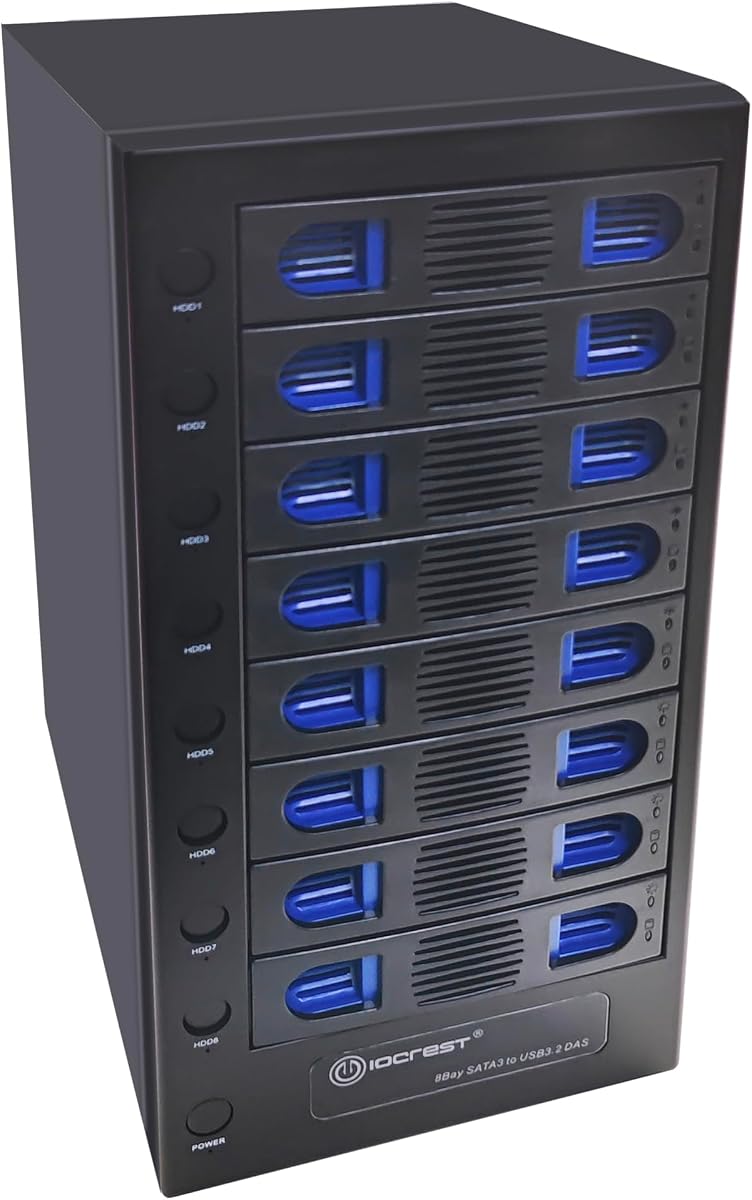


The CENMATE Aluminum 8 Bay Hard Drive RAID Enclosure is the most straightforward option in this guide for buyers who specifically want a hardware RAID controller at an accessible tier. Its supplied rating is 3.8, but the defining advantage is functional rather than cosmetic: eight drive bays can be configured in CLONE, LARGE, LARGE*2, NORMAL, RAID0*2, RAID5*2, RAID50, and RAID00 arrangements.
We may earn a commission when you buy through this link, at no additional cost to you.
The enclosure accepts 2.5-inch and 3.5-inch SATA hard drives and solid-state drives through tool-free, individually removable bays. Its listed maximum is 160TB when using eight compatible 20TB drives. An aluminum-alloy chassis, two 2.9-inch cooling fans, and a dedicated 12-volt, 20-amp power supply support sustained multi-drive use, while USB-A and USB-C 3.0 connections offer broad computer compatibility.
The RAID controller requires careful handling. Changing a RAID mode involves disconnecting power, moving a selector with a screwdriver, holding the reset button during startup, and using the product's instructions. The supplied warning explicitly says RAID configuration may result in data loss. Drive compatibility is also nuanced because the listing excludes WD 20TB hard drives while identifying compatible Seagate 20TB drives. Fans reportedly operate around 40–50 decibels.
This enclosure makes sense for a creator, studio, or technically confident home user who wants several modes without moving to a premium all-in-one array. Buyers should back up every drive before configuration, test drives individually if a problem occurs, and confirm their exact models against the compatibility notes. It is the strongest budget-oriented choice on the list for actual selectable RAID, but it demands more setup discipline than a simple direct-attached enclosure.
The wide mode selection lets the same enclosure move between mirrored, striped, striped-volume, normal, and multi-mode configurations. This flexibility is valuable for users whose performance, redundancy, and capacity priorities change over time.
Two 2.9-inch fans help move heat away from eight spinning or solid-state drives. The aluminum enclosure also supports thermal management, although buyers sensitive to moderate fan noise should consider alternatives.
We may earn a commission when you buy through this link, at no additional cost to you.
The SanDisk Professional G-RAID Shuttle is the most complete premium package in the lineup, combining eight bays, eight removable 20TB Ultrastar hard drives, a hardware RAID controller, and a Thunderbolt 3 enclosure. Its supplied rating is 5.0, and the product targets demanding video, imaging, and production workflows where both throughput and dependable large-scale storage matter.
We may earn a commission when you buy through this link, at no additional cost to you.
Thunderbolt 3 provides a 40Gbps interface, with listed read speeds up to 1900MB/s and write speeds up to 2000MB/s. The array arrives configured for RAID 5 but can be switched among RAID 0, 1, 6, 10, 50, 60, and JBOD. Dual Thunderbolt 3 ports support daisy chaining, and USB-C Power Delivery can provide up to 85 watts to a compatible MacBook.
Its main advantage is that it is not merely an empty box requiring a separate controller, interface card, and eight carefully matched disks. The removable enterprise-class Ultrastar drives create a cohesive professional system, while the broad RAID choices let users adjust the balance between capacity, performance, and redundancy. The transportable design also makes the system more practical for location-based production than a fixed tower.
This is the natural selection for professional editors and studios that need an all-in-one high-capacity array. It is less relevant to a buyer who already owns compatible drives, wants a simple DAS unit, or needs a less specialized system. Confirm that the host computer has the appropriate Thunderbolt 3 or USB-C connection, and review the current configuration and support terms before ordering.
The enclosure and its eight matched Ultrastar drives arrive as a designed system. That removes much of the guesswork involved in assembling a high-performance array from separate components.
Thunderbolt 3 bandwidth and multi-stream RAID performance suit editors moving high-resolution footage, virtual assets, and project files between shared storage and workstations.
We may earn a commission when you buy through this link, at no additional cost to you.
The CENMATE Aluminum 8 Bay Hard Drive Enclosure provides direct attached storage rather than RAID, a distinction clearly stated in its title. It is attractive for users who want to work with individual volumes, combine storage for backups, or connect large quantities of disks without configuring striped or mirrored sets. Its supplied rating is 4.3.
We may earn a commission when you buy through this link, at no additional cost to you.
The enclosure accepts 2.5-inch and 3.5-inch SATA hard drives and SSDs, with a listed maximum capacity of 160TB using eight compatible 20TB drives. USB 3.0 provides up to 5Gbps under UASP, while a USB-A and USB-C cable package supports connection to Windows, Mac OS, and Linux systems. Tool-free bays and hot swapping make it convenient to add or replace storage.
Its two 2.9-inch fans and aluminum-alloy construction address the heat generated by a densely populated enclosure. A 12-volt, 20-amp adapter supports stable multi-bay operation. A host port also permits daisy chaining with up to three devices, allowing the stated expansion to reach 480TB in a compatible chain. As with the RAID model, the listed fan noise is around 40–50 decibels.
Choose this model if you need lots of flexible external capacity but not a hardware RAID controller. It works well for local media libraries, source-drive staging, and backup destinations. It is not appropriate when you need parity, striping, automatic volume rebuilding, or a single fault-tolerant storage pool. Users should plan carefully for how their operating system will recognize and label the individual disks.
Hot-swappable tool-free trays make it easier to rotate media, add archive drives, or replace a failed disk. The enclosure still requires appropriate software and backup procedures for safe operation.
The host port supports chaining as many as three devices according to the supplied specifications. This creates an efficient path to larger working storage without replacing the main enclosure.
We may earn a commission when you buy through this link, at no additional cost to you.
The OWC ThunderBay 8 is an eight-bay Thunderbolt 3 external storage enclosure designed for high-speed access to both 2.5-inch and 3.5-inch SSDs and hard drives. Its supplied rating is 3.9. Rather than being explicitly sold as a RAID controller, it serves as a flexible Thunderbolt storage platform whose RAID behavior depends on the connected computer and software.
We may earn a commission when you buy through this link, at no additional cost to you.
Dual Thunderbolt 3 ports provide a nominal 40Gbps connection and backward compatibility with Thunderbolt 2. The enclosure can daisy-chain six units for a listed maximum of 1,152TB, or connect five additional Thunderbolt devices through its second port. Plug-and-play operation, included Thunderbolt cabling, and Mac and Windows certification reduce setup complexity for demanding creative users.
Individual thumb-screw release trays provide straightforward access to the eight universal drive bays. This makes physical drive maintenance manageable and gives the enclosure a more serviceable design. However, the supplied specifications do not identify a built-in hardware RAID controller or a specific RAID mode set, so buyers seeking an independent RAID array should not assume those capabilities are included.
The ThunderBay 8 is well suited to media professionals and advanced users who already use storage management software or want to attach a large pool of disks to a Thunderbolt workstation. It is also a sensible building block for a multi-bay workstation. For a self-contained hardware RAID system, the OWC ThunderBay Flex 8 offers more explicit RAID management, while the SanDisk G-RAID Shuttle is the most turnkey premium option.
A 40Gbps Thunderbolt 3 link offers more interface headroom than ordinary USB enclosures. That makes the platform suitable for large media libraries and fast local working sets.
Supporting up to six chained units creates a practical way to assemble very large storage pools while preserving a single high-speed connection to the host computer.
We may earn a commission when you buy through this link, at no additional cost to you.
The CENMATE Aluminum 8 Bay 10Gbps Hard Drive Enclosure is a direct-attached storage solution for users who want more interface speed than the 5Gbps version without the complexity of a RAID controller. Its supplied rating is 4.1, and it emphasizes fast USB-C transfer, hot-swappable access, and a large working capacity of up to 160TB.
We may earn a commission when you buy through this link, at no additional cost to you.
The USB 3.2 Gen 2 interface can deliver up to 10Gbps under UASP, twice the nominal bandwidth of the enclosure's 5Gbps counterpart. It supports 2.5-inch and 3.5-inch SATA hard drives and SSDs through tool-free, hot-swappable bays. A 12-volt, 20-amp adapter provides stable power, and two internal fans help control heat in the aluminum-alloy chassis.
Its USB host port allows daisy chaining with as many as three devices for a listed aggregate capacity of 480TB. The Type-C connection is compatible with USB 3.0, USB 3.1, USB 3.2, Thunderbolt 3, and Thunderbolt 4 hosts, while the supplied information lists Windows, Mac, and Linux support. Fan noise is listed at approximately 40–50 decibels, which may be noticeable in a quiet room.
This enclosure is best for users who want capacity, convenient drive access, and a faster USB path for local editing or backups. Since it explicitly offers no RAID or NAS function, individual disks will generally be exposed to the host rather than combined into a hardware-protected pool. Consider this model for a local scratch disk, source library, or offline archive, and use software-level pooling only if you understand its redundancy and management requirements.
The 10Gbps interface reduces the connection constraint present in 5Gbps models. It is particularly useful for transferring collections of media files between compatible high-speed storage and a modern workstation.
Compatibility with several USB generations and Thunderbolt host interfaces makes this enclosure more adaptable across changing computer setups, provided the connected port and cable support the required speed.
We may earn a commission when you buy through this link, at no additional cost to you.
The 8 Bay Tool Less Tray enclosure is a straightforward USB-C storage system with room for eight 2.5-inch or 3.5-inch SATA drives. Its supplied rating is 4.3. It does not provide RAID or NAS functions, so its primary appeal lies in high individual capacity, flexible drive access, and clear thermal and power controls.
We may earn a commission when you buy through this link, at no additional cost to you.
Each bay can accept a drive up to 22TB, allowing a theoretical total of 176TB when eight maximum-capacity drives are installed. The USB-C 3.2 interface supports up to 10Gbps and works with SATA I, II, and III devices, UASP, and USB 3.0 connections. Tool-less hot-swappable trays let users move media or replace storage without removing screws.
A built-in thermal sensor supports automatic and manual fan operation with three speed levels. The steel housing helps dissipate heat, while separate power switches for each drive provide granular control over which disks receive power. This is useful for staged workflows in which one bay is being populated or investigated while the remaining drives remain available.
The supplied operating-system list includes multiple Windows and Server editions, several macOS versions, Linux, and Chrome OS. This enclosure is a good fit for backup repositories, offline archives, media staging, and users who want to manage each disk independently. It should not be mistaken for a fault-tolerant RAID appliance. Anyone requiring parity or mirroring will need software or a different hardware controller and should build redundancy into the backup plan.
The temperature sensor and three-level fan control let the enclosure adjust cooling to the workload. Manual control is also available for users who want predictable noise or airflow behavior.
Independent switches for each bay make it possible to isolate individual drives. That control can simplify testing, media rotation, and energy-conscious storage management.
We may earn a commission when you buy through this link, at no additional cost to you.
The OWC ThunderBay Flex 8 stands apart as the most versatile enclosure in the guide, combining eight storage bays, multiple interfaces, card readers, and a PCIe expansion slot. Its supplied rating of 3.7 is the lowest among the listed products, but the breadth of its capabilities makes it a compelling choice for advanced users assembling a flexible workstation.
We may earn a commission when you buy through this link, at no additional cost to you.
The bays support SATA and SAS hard drives or SSDs, while the top four bays can also accept U.2 SSDs and M.2 NVMe drives. This unusual mix makes the enclosure useful for consolidating different generations of media. The listed capacity reaches 144TB, and real-world speeds are stated at up to 2750MB/s, giving it exceptional potential for fast working storage.
RAID sets can be created and monitored through SoftRAID, which provides setup assistance, notifications, and drive-integrity monitoring. RAID 4, 5, and 1+0 are listed as available for Mac at the time of the supplied information. A PCIe x16 connector operating at an x4 lane adds room for capture, networking, additional SSD storage, a hardware RAID card, or other I/O expansion.
Front-mounted USB-C and two USB-A 10Gbps ports provide peripheral connectivity, while front SD 4.0 and CFexpress readers support media transfer at speeds up to 985MB/s. This is an excellent platform for a professional edit, ingest, or post-production machine, particularly for someone comfortable selecting drives and configuring advanced storage. Buyers seeking a completely self-contained turnkey array may prefer the SanDisk G-RAID Shuttle instead.
SATA, SAS, U.2, and M.2 NVMe support lets one enclosure serve as a bridge between older production media and newer high-speed workflows. Matching the controller and host configuration is essential.
The PCIe slot allows specialized expansion cards for networking, capture, I/O, or additional storage. That makes ThunderBay Flex 8 more like a compact workstation platform than a simple drive box.
We may earn a commission when you buy through this link, at no additional cost to you.
The QNAP TL-D810TC4-US is an eight-bay desktop expansion enclosure for users who already use QNAP storage or want a convenient way to add capacity to a NAS, Windows, macOS, or Ubuntu/Linux workstation. Its supplied rating is 4.0, and it operates as direct attached storage or JBOD rather than providing a broad built-in hardware RAID mode set.
We may earn a commission when you buy through this link, at no additional cost to you.
A USB 3.2 Gen 2 Type-C connection delivers up to 10Gbps for file access, backups, and media archiving. The eight-bay tower accepts high-capacity 3.5-inch and 2.5-inch SATA 6Gb/s hard drives and SSDs. Plug-and-play operation makes the enclosure straightforward to introduce into an existing workflow without requiring a full NAS replacement.
Drive health, system information, and JBOD configurations can be monitored through the free QNAP JBOD Manager utility or the QTS and QuTS hero Storage & Snapshots app. This software-oriented management is a major advantage for QNAP users who want visibility into the expansion chassis and its disks rather than treating it as an anonymous collection of external drives.
The enclosure is ideal for media libraries, backup repositories, and surveillance-data expansion where an existing storage ecosystem is already in place. JBOD combines capacity without the parity protection of RAID, so users should treat the device as part of a broader backup strategy rather than as the only safeguard for their data. It is less appropriate for buyers seeking a standalone RAID appliance or a drive-free enclosure.
Dedicated management utilities make drive status and JBOD behavior easier to monitor. Existing QNAP users can add a familiar expansion path rather than learning an entirely separate management system.
The 10Gbps Type-C connection and support for major desktop operating systems make the enclosure useful beyond a single NAS environment. Host speed and cable capability still determine actual throughput.
We may earn a commission when you buy through this link, at no additional cost to you.
The 8 Bay Mini ITX Micro ATX NAS Case is a do-it-yourself enclosure for building a custom home media server, private cloud, backup system, or small-business archive. Its supplied rating is 4.0. Unlike the finished external enclosures in the guide, it is a chassis that gives the builder control over the motherboard, processor, storage controller, operating system, and networking hardware.
We may earn a commission when you buy through this link, at no additional cost to you.
The steel case contains eight hot-swappable bays that support both 3.5-inch hard drives and 2.5-inch SSDs. Independent upper and lower air channels separate cooling for drives and the mainboard, while three temperature-controlled silent fans help maintain operating temperatures. Dedicated power and read/write indicators make drive activity visible from the front.
Compatibility is broad for a compact build. The chassis supports Mini-ITX and Micro-ATX motherboards, small 1U or Flex power supplies, and CPU coolers up to 58 millimeters high. Included accessories include three rear fans, two back panels, eight hard-drive stands, SATA data cabling, and assorted screws. The motherboard, CPU, memory, storage devices, and other core system parts are not included.
This case is an excellent match for an experienced builder who wants a quiet, serviceable NAS tailored to a specific operating system or application. It is less suitable for someone expecting a plug-and-play RAID appliance, since RAID capabilities depend on the selected controller and software. Prospective builders should plan airflow, power requirements, operating-system installation, drive initialization, and data recovery before assembling the system.
Independent upper and lower ducts reduce interference between drive heat and motherboard heat. That separation is valuable in a compact system intended to remain active for long periods.
Because the enclosure arrives without a motherboard or storage controller, builders can select exactly the hardware and RAID method their needs require. It rewards planning and hands-on assembly.
We may earn a commission when you buy through this link, at no additional cost to you.
The ICY DOCK MB998SK-B is an internal eight-bay backplane cage designed for compact 2.5-inch SATA hard drives and SSDs. Its supplied rating is 5.0. It is not a complete external RAID appliance, but it offers a secure and organized way to integrate eight compact drives into a compatible workstation, server, or custom storage system.
We may earn a commission when you buy through this link, at no additional cost to you.
All eight bays use locking trays, helping keep each drive firmly seated in demanding or mobile installations. The full-metal construction favors durability, and the backplane accepts SATA drives as well as SAS devices when using a compatible single-channel SAS controller. That flexibility can help buyers reuse compatible enterprise or client 2.5-inch drives.
The unit occupies one external 5.25-inch drive bay and receives power through two 15-pin SATA power connectors. Installation also requires a suitable internal data connection and host controller, neither of which is included. RAID behavior therefore depends on the controller and software installed in the host computer, making this product better understood as a backplane and mechanical platform than an all-in-one enclosure.
The MB998SK-B is ideal for a compact workstation builder who wants tool-assisted or removable 2.5-inch drive access in a small internal footprint. It is less suitable as a plug-and-play desktop solution because it needs a suitable case and internal controller. Before buying, verify chassis clearance, connector availability, power requirements, operating-system support, and whether locking trays suit your maintenance workflow.
Locking trays help resist accidental or physical ejection of 2.5-inch drives. This is particularly useful in compact systems where vibration and movement may be concerns.
Because the backplane accepts SATA and compatible SAS devices, it can support a mix of drive types when the host controller permits. The surrounding system must provide the appropriate data link and power.
We may earn a commission when you buy through this link, at no additional cost to you.
Choosing an eight-bay storage enclosure requires separating the controller function from the enclosure function, then matching drive support, throughput, cooling, and expansion to the intended workload. The following factors are more important than cosmetic design or the number of marketing labels.
A hardware RAID enclosure manages disk arrays through an onboard controller rather than relying entirely on the host operating system. By contrast, a direct attached storage enclosure normally exposes each drive independently, while JBOD combines capacity without parity protection. The CENMATE RAID model lists eight modes, the SanDisk G-RAID Shuttle offers multiple hardware RAID choices, and the OWC ThunderBay Flex 8 provides RAID management through SoftRAID. Other products in the list explicitly do not provide RAID or NAS functions.
The host interface can determine how quickly an array transfers data. USB 3.0 and 5Gbps models suit moderate storage tasks, while USB 3.2 at 10Gbps provides more headroom for large media collections. Thunderbolt 3 at 40Gbps is better suited to professional editing, large working sets, and multi-stream workflows. A fast enclosure cannot exceed the capabilities of the host port, cable, drive media, and selected RAID level.
Most eight-bay products accept 2.5-inch and 3.5-inch SATA hard drives and SATA SSDs, but specialized models can broaden that support. The OWC ThunderBay Flex 8 also supports SAS, U.2, and M.2 NVMe drives in designated bays. The ICY DOCK MB998SK-B is limited to 2.5-inch SATA and compatible single-channel SAS devices. Check bay dimensions, interface generation, and controller support before purchasing.
Eight large drives can provide enormous raw capacity, but RAID mode determines the amount available to the user. Mirroring reduces usable capacity in exchange for redundancy, striping increases performance but has no parity protection, and RAID 5 distributes capacity with parity overhead. Listings often state raw capacity based on maximum supported drives. Buyers should calculate usable capacity for their chosen mode rather than treating the headline total as immediately available storage.
Eight drives in a compact enclosure can generate substantial heat. Active cooling, a conductive metal chassis, and a smart fan controller all improve longevity. CENMATE models use aluminum-alloy housings and two 2.9-inch fans, while the tool-less DAS model offers a temperature sensor and three fan speeds. Buyers should also consider the listed 40–50-decibel fan noise if the enclosure will sit in a quiet office or editing room.
RAID is not a substitute for backup. Parity configurations can improve availability, while RAID 0 can eliminate redundancy entirely. The CENMATE RAID enclosure warns that changing modes may format drives, and the SanDisk system arrives in RAID 5 while supporting multiple alternative layouts. Users should back up important data, test individual drives, document the RAID configuration, and understand recovery requirements before changing an array.
Daisy chaining can add capacity without another direct data path, but it increases complexity and depends on host, cable, and controller support. The CENMATE DAS models support chains of up to three devices, while the OWC ThunderBay 8 supports six-unit chaining and additional Thunderbolt devices. QNAP users may prefer the TL-D810TC4-US for integration with an existing NAS. Builders can also use an expansion card in the ThunderBay Flex 8's PCIe slot.
Some products arrive ready to use, while others require controller configuration, operating-system setup, or physical assembly. The SanDisk G-RAID Shuttle is a complete turnkey system with eight included drives. The QNAP unit is designed for straightforward expansion, and the tool-less DAS is largely plug-and-play. The DIY case requires a motherboard, processor, storage controller, and assembly, while the ICY DOCK backplane requires compatible internal hardware.
Before inserting any drives, confirm that each disk is healthy and supported by the enclosure. For the CENMATE RAID model, the supplied guidance recommends testing one drive at a time, powering the unit down before adding another, and identifying any drive that fails to appear. Save an independent backup of all important data before initializing a RAID set or changing its mode.
Install drives according to the manufacturer's instructions, connect the enclosure with a compatible cable, and attach the external power supply before powering the host. For a new RAID volume, use the enclosure's controller software or physical controls to select the intended mode. For DAS systems, let the operating system detect the individual disks before moving files. Never interrupt formatting, rebuilding, or synchronization while it is running.
Maintain the enclosure by keeping its vents unobstructed, listening for unusual fan or drive noises, and checking the reported health of every disk. Keep the original recovery information and RAID configuration notes. When replacing a drive, verify support for the new model and capacity, follow the enclosure's hot-swap or shutdown procedure, and allow the array to rebuild completely before treating the replacement as finished.
A hardware RAID enclosure uses an internal controller to combine disks into a managed array with features such as mirroring, striping, or parity. A DAS enclosure normally presents each disk independently to the connected computer. JBOD is another category: it combines drives into one large volume without providing RAID parity protection.
No. The products in this guide include full hardware RAID systems, DAS enclosures, a JBOD and NAS expansion unit, a DIY NAS chassis, and an internal drive backplane. Their RAID capabilities come from different places, including an onboard controller, host software, an expansion card, or a separate computer system.
Many enclosures can physically accept both sizes, although RAID performance and capacity will vary by drive type. Mixing SSDs with hard drives can make rebuilds and workload performance slower because the array is limited by its slowest members. Confirm that the controller supports mixed media and check any compatibility guidance before creating a volume.
Not necessarily. RAID can tolerate certain drive failures, but it does not protect against accidental deletion, malware, controller failure, power events, or loss of the entire enclosure. Keep separate backups and consider a second copy of critical media in a different location.
Some controllers support conversion between particular modes, while others require the volume to be rebuilt or recreated. The CENMATE model warns that designing RAID can result in data loss and describes a physical mode-switching procedure. Back up the array and read the manual before attempting any conversion.
Thunderbolt 3 generally offers the greatest interface bandwidth among the products listed, followed by 10Gbps USB 3.2 and then 5Gbps USB 3.0. Actual performance also depends on the RAID level, drive speeds, host controller, cable, and whether the workload benefits from parallel access.
Enclosures designed for eight spinning hard drives normally use a dedicated external adapter because a single computer USB port cannot safely provide enough startup and operating power. The listed CENMATE models use 12-volt, 20-amp adapters. Use the supplied or manufacturer-approved supply rather than an inadequately rated alternative.
JBOD increases usable capacity by presenting multiple disks as one volume, but it lacks RAID parity and does not automatically replace backup software. It can serve as a backup repository, yet important files should also be protected by versioning or separate copies outside the enclosure.
The CENMATE 8 Bay RAID Enclosure stands out as the most affordable option with explicit, selectable hardware RAID modes. The SanDisk Professional G-RAID Shuttle is the complete premium choice, pairing eight removable 20TB Ultrastar drives with a fast Thunderbolt 3 interface, while the OWC ThunderBay Flex 8 is the most versatile platform for unusual drives, SoftRAID management, card readers, and PCIe expansion.
Prioritize the controller before the chassis. Determine whether you need mirrored or parity-protected storage, independent disk access, JBOD expansion, a complete professional array, or a DIY build. Then match the interface to your host, confirm drive support, calculate usable capacity for the selected RAID level, and account for cooling and noise. Always treat RAID as availability technology rather than a replacement for backups.
Product prices, configurations, and availability can change, so verify the current listing and manufacturer documentation before ordering. Pay particular attention to included cables, adapters, recovery instructions, operating-system requirements, and warranty coverage. Those details can determine whether an enclosure integrates smoothly into your workflow or introduces avoidable setup problems.