
EZ AD Digital Signage Player
4.1Editor score
Works with existing HD televisions
Free cloud signage plan
Flexible multi-zone layouts
A digital menu display can turn static printed material into a flexible business tool for menus, promotions, schedules, product showcases, and visitor information. The right model depends on viewing distance, ambient light, available counter or wall space, and how frequently content needs to change.
This guide compares ten digital menu displays and signage media players across screen size, resolution, brightness, viewing angle, connectivity, content-management tools, playback features, construction, and intended placement. It covers all-in-one commercial screens, portable kiosks, compact touch displays, and player-only devices for existing televisions.
Each review explains the strongest use case, notable specifications, practical advantages, and trade-offs. The featured selections include the best balance of features, a value-oriented option, and a premium large-format choice, while current prices and availability should be confirmed before purchasing.
4.1Editor score
5.0Editor score

3.4Editor score
As an Amazon Associate we earn from qualifying purchases.
The table below summarizes the core hardware, content-management, connectivity, and placement characteristics of all ten products, from compact desktop units and player-only devices to large commercial panels and portable kiosks.



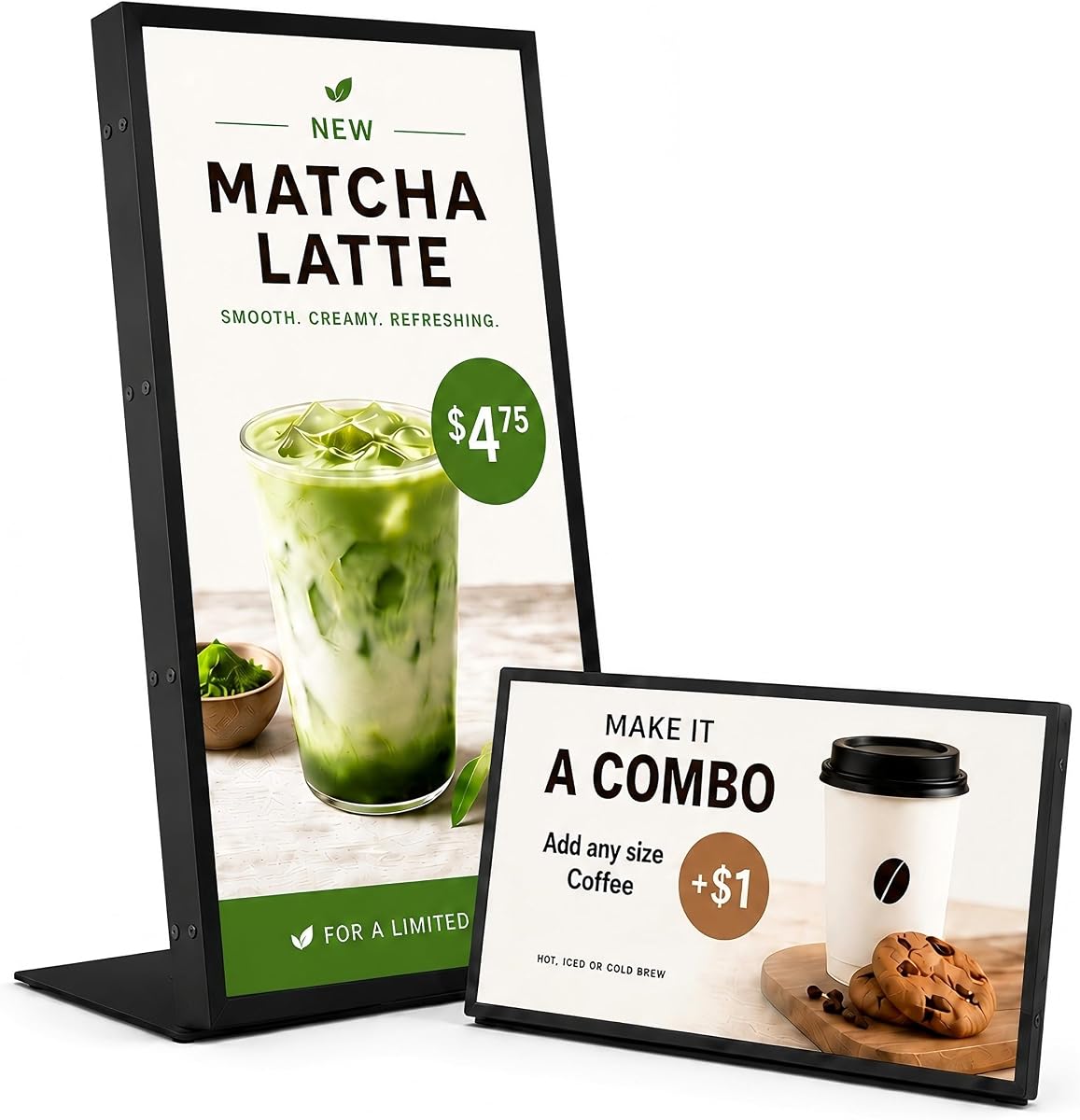


This 18.5-inch commercial menu board combines a bright 700-nit display with a free lifetime cloud CMS, making it a capable all-in-one choice for counters, reception areas, restaurants, and retail businesses. Its 3.8 rating reflects a solid feature set, although buyers should consider the modest 720p resolution when fine text is central to the presentation.
We may earn a commission when you buy through this link, at no additional cost to you.
The strongest advantage is the range of content-management options. A PC, tablet, or smartphone can be used to upload materials, create playlists, schedule playback, manage multiple displays, divide the screen, and change promotions in real time. USB plug-and-play is available for local updates, while HDMI, LAN, USB 2.0, USB 3.0, and a TF card provide useful connection choices.
Its 700-nit brightness and wide viewing angle suit indoor locations with bright ambient lighting, and Android 12 with 2GB RAM and 32GB storage provides a dedicated platform for commercial content. The sturdy desktop stand supports both landscape and portrait orientations. The main compromises are the 720p panel and the fact that this is a display-only unit rather than an interactive ordering terminal.
This menu board is best for a business that values remote control, brightness, and flexible placement in a compact footprint. Choose it when frequently changing promotions are more important than ultra-high-resolution imagery. It also makes sense for operators who appreciate the included three-year warranty and do not need touch functionality.
The lifetime cloud CMS covers remote uploads, playlists, scheduling, multi-display management, split screens, and real-time promotional changes. USB playback gives operators a practical local workflow when network access is limited or a stable playlist is already prepared.
A 700-nit panel and wide viewing angle help menus remain legible in busy indoor settings. The 18.5-inch size is large enough to present detailed information while remaining appropriate for a countertop, reception desk, or waiting area.
We may earn a commission when you buy through this link, at no additional cost to you.
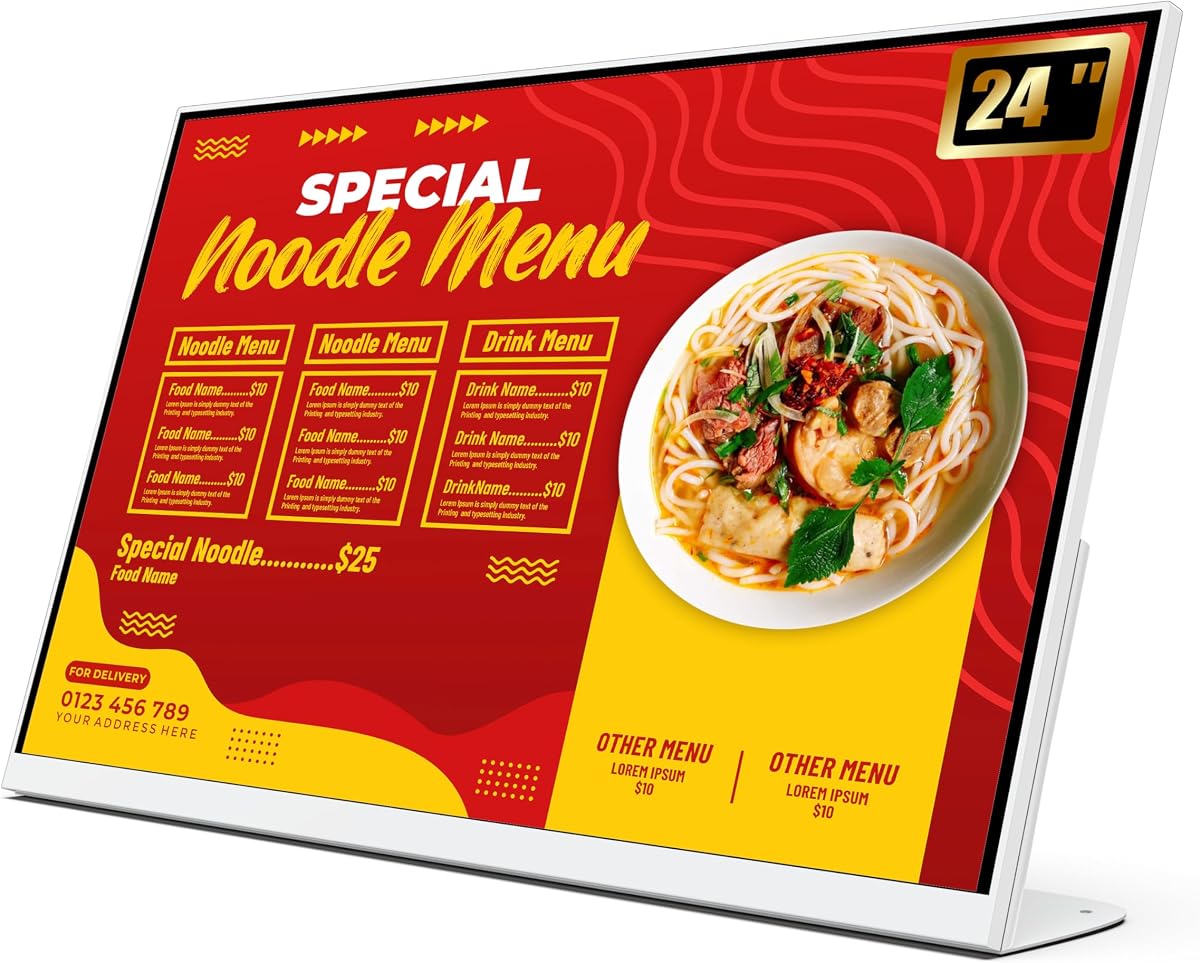
The 24-inch desktop digital menu board is a particularly convincing all-around recommendation, pairing a 1920×1080 display with Android-based content management and a 5.0 customer rating. Its 16:9 format closely matches common menu, advertising, and promotional content layouts, while the desktop footprint suits ordering counters and front desks.
We may earn a commission when you buy through this link, at no additional cost to you.
Content can be managed centrally and updated remotely, reducing the need to operate a computer beside the screen. The display supports USB, app, and PC remote updates through WiFi or LAN, giving operators several paths for different operating routines. Split-screen layouts, scheduled power controls, and support for multiple content formats add further flexibility.
The product is described as commercial-grade, with materials and heat dissipation intended for 24/7 use. Wide viewing angles and high-contrast color reproduction make it easier for customers to read the screen from different positions around a counter. Two USB ports and one LAN port support routine file transfer and network connectivity.
It is an excellent choice for milk tea shops, restaurants, retail counters, and service desks that want a dedicated Full HD screen without a large wall-mounted installation. The main limitation is that it is presented as an electronic menu and advertising display rather than a self-ordering kiosk, so touch interaction should not be assumed.
The 1920×1080 panel gives menus, prices, product photographs, and promotional videos more usable detail than a basic 720p screen. A conventional 16:9 ratio also simplifies the creation of content intended for widescreen displays.
USB, app, and PC remote updating accommodate everything from quick local swaps to scheduled network management. Split-screen functionality lets one display carry several kinds of information without requiring separate screens for every message.
We may earn a commission when you buy through this link, at no additional cost to you.
This MWE 32-inch Android signage kiosk stands out for businesses that need to move their display between locations. It combines a Full HD IPS panel with a wide 178-degree viewing angle, automatic loop playback, and a foldable frame with built-in wheels. Its 4.6 rating makes it one of the stronger-rated options in the group.
We may earn a commission when you buy through this link, at no additional cost to you.
USB and HDMI inputs support straightforward local operation, with files on a USB drive able to loop automatically after startup. WiFi and the MWE-QIXZOCV CMS add remote publishing, allowing images and information to be changed from another location. This combination is useful for campaigns that need to be deployed across different events or temporary installations.
Timed on and off settings help manage energy use according to operating hours. The screen can run continuously for 24 hours a day, seven days a week, making it suitable for restaurants, hotels, shopping malls, exhibitions, and retail promotions. The three-year warranty and online technical support offer added reassurance for commercial operators.
This is the most useful model for temporary campaigns, trade shows, exhibitions, or businesses that rotate signage between several spaces. Its wheeled design is less relevant for a permanently mounted menu board, while its 32-inch size means buyers should confirm storage and transportation arrangements before purchase.
The foldable structure and integrated wheels make it easier to reposition a complete 32-inch display. Android, automatic media playback, USB, HDMI, and WiFi are built into the kiosk rather than requiring a separate media box.
The CMS supports synchronized remote publishing, while USB startup playback continues a prepared sequence without manual intervention. Together, these features balance centralized campaign control with dependable local playback.
We may earn a commission when you buy through this link, at no additional cost to you.
The EZ AD player is the most budget-conscious route into professional digital menu management because it connects to an existing HD television rather than including a commercial panel. It supports 4K content and carries a 4.1 rating, while a free plan includes image and video formats, technical support, and up to 50 slides.
We may earn a commission when you buy through this link, at no additional cost to you.
The software suite is a major selling point. A template builder, video studio, YouTube loader, and mobile app support content creation and management without requiring a conventional desktop publishing workflow. Layouts can be divided into multiple slideshows, including video above image regions, and the screen can be configured for vertical presentation.
Connectivity includes one HDMI output, Ethernet, two USB Type-A ports, and a memory card reader. Cloud-based content updates mean the screen can be refreshed wirelessly once the player is online. A library of more than 250,000 video options provides additional material for promotional loops.
This player is ideal for a restaurant, salon, clinic, or small shop that already owns a suitable television and wants inexpensive scheduled signage. Its limitation is self-evident: there is no screen, and some creation and management features require upgraded plans. The buyer must also ensure that the television supports the desired orientation and continuous use.
When a business already has an HD television, a player-only device can provide the essential behavior of a digital menu display. It reduces the need to purchase another panel while retaining remote publishing, scheduling, and reusable layouts.
The free plan supports common image and video formats and up to 50 slides, which may be sufficient for a compact restaurant or retail menu. Template and mobile tools reduce the learning curve for operators who do not employ a dedicated design team.
We may earn a commission when you buy through this link, at no additional cost to you.
The 10.1-inch Android touchscreen kiosk is designed for close-range customer interaction rather than long-distance viewing. Its compact tabletop form can fit on café tables, reception desks, retail shelves, salon counters, and similar surfaces, while the touch panel allows simple browsing through supported information.
We may earn a commission when you buy through this link, at no additional cost to you.
WiFi and USB support both network-oriented and local content workflows. Operators can organize menu pages, price lists, notices, brand slides, and other visual materials, with routine changes intended to remain straightforward. The screen can therefore serve as a digital menu, product showcase, information board, or customer-facing advertising display.
The product's 4.0 rating indicates a balanced but not exceptional reception. Its main benefit is flexibility in compact environments: a business can use the same category of hardware for a POS display, branded promotion, or information board without occupying substantial counter space.
It is best suited to businesses whose customers interact with the display at close range and where readability is not needed from across a room. The small footprint and touch operation distinguish it from larger passive menu panels. Buyers should verify supported file formats and installation arrangements, and should not expect the visibility of a 24-inch or 32-inch commercial screen.
The 10.1-inch format is easy to place where larger signage would crowd the counter or table. Touch operation adds a browsing layer that can make menus and product information feel more approachable for waiting customers.
WiFi and USB give operators both connected and local methods for moving supported content onto the display. The management workflow is aimed at routine changes to prices, notices, slides, and product information.
We may earn a commission when you buy through this link, at no additional cost to you.
This 18.5-inch countertop display pairs a 1080p, 700-nit screen with commercial metal housing and a tempered glass front. Its 4.5 rating is among the stronger results in this comparison, and the specification mix is particularly coherent for restaurants, cafes, bakeries, clinics, salons, and retail checkout areas.
We may earn a commission when you buy through this link, at no additional cost to you.
Both landscape and portrait stands are included, allowing the screen to adapt to horizontal menus or vertical posters, welcome messages, and service lists. The 18.5-inch size is practical for close-range viewing at a checkout counter or reception desk without demanding the wall space of a large commercial panel.
Content can be published remotely through a CMS or managed locally by USB. Loop playback and scheduling support recurring or time-sensitive messaging, while Ethernet, 2.4G WiFi, HDMI input, two USB ports, and one LAN port provide useful connection options. Android 10, 2GB RAM, and 32GB storage form the underlying platform.
The product is explicitly a display rather than a touchscreen tablet, POS terminal, self-ordering kiosk, or outdoor waterproof unit. That limitation is appropriate for buyers seeking a passive information screen, and the three-year warranty with first-year replacement support is a notable commercial benefit. It is a strong fit for polished indoor counters.
Metal housing and a tempered glass front panel are suited to daily use in high-traffic indoor environments. The construction gives the screen a more purpose-built appearance than a consumer television used for signage.
Landscape placement accommodates standard menus and product information, while portrait mode suits vertical graphics and service lists. Having both stands included makes it easier to adapt the display as merchandising needs change.
We may earn a commission when you buy through this link, at no additional cost to you.
The 50-inch 4K UHD display is the premium choice in this guide, offering 1000-nit brightness, a 4K panel, an ultra-narrow 6.8mm bezel, and a slim 3.5cm profile. Those specifications suit spacious restaurants, retail environments, hotel areas, and wall-mounted video walls where visibility and a clean presentation matter.
We may earn a commission when you buy through this link, at no additional cost to you.
The screen can be divided into two to six interactive zones, allowing video, social feeds, countdowns, and QR codes to share the same panel. Continuous 24/7 loop playback and image rotation broaden the range of possible menus and campaigns. A complimentary CMS can switch between breakfast, lunch, and dinner menus, edit displays in bulk, and remotely schedule changes.
The all-metal chassis and intelligent heat dissipation are designed for stable commercial operation. HDMI plug-and-play works without drivers, and the Google Play Store is preinstalled, which adds some flexibility beyond a fixed signage interface. The stated 50,000-hour lifespan and three-year warranty support the positioning as a durable professional panel.
Its 3.4 rating is lower than those of several smaller models, so it is not automatically the best choice for a small counter. The larger screen, complex installation, and premium specifications are best justified when customers view content from a distance or when multiple messages must be presented in a single installation.
The combination of 4K resolution and 1000-nit brightness supports crisp, prominent menus and promotions. A 178-degree viewing angle makes the display more practical in open restaurant, retail, and hospitality spaces.
Two-to-six-zone layouts let one screen combine video, social content, QR codes, countdowns, and other information. The narrow bezel and thin profile also make multi-screen tiled arrangements more visually cohesive.
We may earn a commission when you buy through this link, at no additional cost to you.
The 29-inch 700-nit Android display offers a useful middle ground between countertop screens and large wall panels. It has a 2K panel, a 178-degree viewing angle, a 6.8mm bezel, and the ability to split the display into two to six zones. Its 2.6 rating is the lowest in the group, so potential buyers should weigh the listed features carefully.
We may earn a commission when you buy through this link, at no additional cost to you.
The Android platform includes the Google Play Store and supports HDMI plug-and-play without drivers. Free CMS software enables automatic breakfast, lunch, and dinner menu switching, bulk editing, remote scheduling from mobile devices or computers, and real-time control of brightness, volume, and power. Loop playback and image rotation support varied operating patterns.
With 2GB RAM and 32GB storage, the display is equipped for local media and app-based use. It is described as switching applications faster than 1GB models, and the stated storage can hold more than 25,000 high-definition images or 60 hours of 4K video locally.
This display is most suitable for restaurants, malls, hospitals, offices, churches, stores, cafes, gyms, hotels, stations, banks, airports, and government halls that need a relatively large, remotely managed screen. Its lower rating and 2K resolution are reasons to compare it carefully with the 24-inch and 50-inch alternatives before settling on a model.
A 29-inch panel offers more room for detailed menus and multi-part layouts than a compact desktop display. Dividing the panel into several zones allows different content types to remain visible at the same time.
The preinstalled Google Play Store, 2GB of memory, and 32GB of storage support both app-based and local media workflows. Offline libraries can be useful when network continuity is not guaranteed.
We may earn a commission when you buy through this link, at no additional cost to you.
The Cloud-Controlled 4K player focuses on a simple setup and approachable content creation. It connects through HDMI and power, joins WiFi, and then allows users to upload and schedule content through the cloud. Its 3.0 rating is moderate, making the software workflow and included tools the most important elements to investigate.
We may earn a commission when you buy through this link, at no additional cost to you.
LightningAds provides no-cost uploading and scheduling, while premium plans unlock features such as the Template Builder and AI Enhancer. The built-in Canvas Designer is intended to help operators create menu boards without advanced design skills or separate software. PowerPoint uploads are also supported, which can be useful for businesses already working with familiar office files.
Remote management allows users to change screens, schedule menu transitions, and promote events from different locations. Because the device is a media player rather than a complete display, it can make use of an existing screen and may be especially useful for a temporary or secondary sign.
This player is best for a small business that values straightforward setup and free scheduling over bundled display hardware. Potential buyers should confirm that their television or monitor can accept the player's output and support the intended orientation. They should also determine whether the free feature set is sufficient or whether premium design tools are necessary.
Connecting HDMI and power, joining WiFi, and beginning to publish content keeps the initial setup direct. This approach is approachable for operators without a dedicated media server or complex sign-management background.
The integrated canvas designer helps users build boards directly within the management platform. PowerPoint support adds a familiar fallback for organizations that already have presentation-style menu material.
We may earn a commission when you buy through this link, at no additional cost to you.
The mediaDROID+ is a dedicated signage media player with a more powerful hardware profile than many simple stick-style alternatives. It uses a hexa-core ARM configuration combining Cortex-A73 and Cortex-A53 processors, 4GB RAM, and 16GB storage. Its 4.3 rating makes it a credible option for businesses already committed to a robust signage platform.
We may earn a commission when you buy through this link, at no additional cost to you.
The custom baked Android operating system and built-in watchdog are designed to keep playback stable. A 16GB local storage cache provides room for cached content, reducing the risk of interrupted playback when network access is temporarily unavailable. Both vertical and horizontal screen modes support different display orientations.
HDMI, WiFi, and Ethernet provide the expected connectivity for a permanent installation, while cloud-based management is powered by the DigitalSignage.com service. The device is not intended to serve as a general entertainment hub; it is built specifically to operate digital signage workloads.
This is a good choice for operators who want a dedicated player, substantial memory, and dependable local caching. It pairs well with a compatible commercial screen or television in restaurants, retail locations, offices, and service businesses. Buyers should confirm compatibility with their preferred display and account requirements before finalizing the installation.
The mixed ARM Cortex processor configuration, 4GB of RAM, and dedicated watchdog provide a stronger foundation for sustained signage operation. These resources are intended to support reliable playback rather than general-purpose media browsing.
With 16GB of storage for cached content, the player can keep essential material available locally. This is valuable in establishments where an uninterrupted menu matters more than immediate cloud updates.
We may earn a commission when you buy through this link, at no additional cost to you.
The best digital menu display is the one that fits the viewing environment, content workflow, and physical space of the business. Buyers should evaluate the complete installation rather than focusing only on screen size or resolution.
Choose a screen whose dimensions suit the distance from which customers will read it. Compact 10.1-inch and 18.5-inch models work well at counters, tables, and reception desks, while 24-inch, 29-inch, and 32-inch displays suit broader counter areas and moderate-distance viewing. A 50-inch panel is better reserved for open spaces, wall installations, or video-wall configurations where a larger visual footprint is genuinely useful.
In short, match screen size to customer distance and available space rather than automatically choosing the largest model.
Resolution determines how finely menus, prices, and small promotional details can be rendered. The 720p panel in the 18.5-inch 700-nit display is adequate for many large-text menu layouts, but a 1920×1080 panel offers more comfortable detail. The 2K and 4K choices become more attractive when high-resolution photography, intricate graphics, or very small text are important.
Select the highest practical resolution that supports your content, especially when viewers will inspect product details from close range.
Brightness matters most in restaurants, cafés, retail areas, and reception spaces with strong overhead lighting or daylight. A 700-nit screen is positioned for bright indoor commercial use, while the 1000-nit 50-inch panel offers greater headroom. The compact 10.1-inch product does not provide a comparable brightness figure, so its intended close-range placement should be considered carefully.
For high-traffic indoor counters, prioritize brightness along with wide viewing angles rather than treating it as a minor specification.
A useful content-management system should make routine changes understandable and support the way a business operates. Remote CMS publishing is valuable for businesses with multiple locations or frequent campaign changes, while USB playback is useful for offline control and quick local updates. Scheduling, playlists, split-screen layouts, timed on and off functions, and multi-display management can prevent repetitive manual work.
Pick a platform that matches the operator's technical comfort and supports the number of screens, update frequency, and message types the business expects to use.
WiFi and Ethernet enable convenient cloud publishing, but dependable local playback remains important in case network service is interrupted. Look for USB media support, sufficient local storage, automatic loop playback, and a watchdog or equivalent reliability feature. HDMI is essential for connecting a player to a screen, while additional USB, LAN, or memory-card inputs can simplify file handling.
Favor a system that supports both connected management and dependable offline media, especially in restaurants and venues where a blank sign is disruptive.
Countertop products should have a stable stand and enough weight or base design to prevent accidental movement. Dual landscape and portrait stands offer flexibility for switching between menu rows, vertical posters, welcome messages, and service lists. Portable signage should have a foldable frame and wheels, while wall-mounted displays need a slim profile, narrow bezel, and suitable mounting arrangement.
Measure the counter, wall, reception desk, or table before buying, then confirm that the intended orientation and stand footprint work in that space.
Commercial displays are expected to operate for long periods, often around the clock. Metal housings, tempered glass, heat dissipation, and stated service life figures can be meaningful in busy locations. Warranty length, replacement coverage, and access to technical support also influence the practical value of a signage system, particularly when the display supports daily business operations.
Treat construction, thermal management, warranty, and support as operating-cost factors rather than minor extras when choosing a business-critical screen.
A player-only device can be economical when a suitable television or monitor already exists and can be mounted in the desired location. All-in-one displays reduce dependence on external equipment and offer a more cohesive commercial appearance. Players provide flexibility, but operators must account for screen availability, orientation support, power placement, and the possibility that a consumer television is not intended for continuous commercial use.
Choose a player when existing hardware and flexibility matter most; choose an integrated display when a dedicated, uniform installation is the priority.
Start by defining the content and operating schedule. Prepare readable assets at the correct aspect ratio, remove unnecessary background detail, and test all text at the display's intended viewing distance. Create a playlist that fits the business day, and use scheduling tools for breakfast, lunch, dinner, promotions, or other time-sensitive periods. If the unit includes portrait and landscape stands, design separate layouts rather than stretching one composition into both orientations.
Install the display on a stable surface or use an appropriate wall-mounting arrangement, keeping ventilation unobstructed and connections secure. Connect by HDMI, Ethernet, or WiFi as appropriate, then verify that content appears correctly before leaving the setup unattended. Use remote CMS publishing for routine changes and USB playback for offline playlists, backups, or locations with unreliable internet service. Test scheduled power commands and confirm that automatic looping restarts the intended sequence.
For ongoing care, clean the front surface gently with a soft, lint-free cloth and avoid spraying liquid directly onto the screen. Keep the housing and vents free of dust, and do not place the unit where it may be knocked or exposed to liquids unless the product is specifically designed for that environment. Periodically check the network connection, playback status, free local storage, and schedule, and retain a current backup of menu files. Review the product documentation and warranty terms before making any changes that could affect coverage.
A dedicated commercial display is generally preferable in restaurants that operate long hours, especially near bright service counters or checkout areas. It usually offers more suitable brightness, construction, scheduling, and mounting options than a consumer television. A player-only device can still work well if you already own a compatible screen that is mounted securely and operated on a controlled schedule.
An 18.5-inch to 24-inch screen is a common starting point for countertop menus because it offers useful text area without taking up excessive space. Smaller 10.1-inch displays work best for close-range browsing, while 29-inch, 32-inch, and 50-inch screens suit larger or more distant viewing areas. The correct choice also depends on how many menu items appear at once and how far customers stand from the display.
Several models support landscape and portrait placement, but the content should be designed for each orientation. Countertop units with matching stands make a switch especially easy, while player-only systems can use the media player's vertical mode with a suitably mounted screen. Landscape layouts usually suit conventional menu rows, whereas portrait layouts can better accommodate vertical posters and lists.
Many can play content from USB media, and some include substantial local storage for cached files. That means a prepared playlist may continue playing even if the cloud service or network becomes unavailable. Remote publishing and scheduled updates are more convenient with internet access, so businesses should keep an offline copy of essential menus and promotional files.
No. Many restaurant menu boards are passive screens designed only to present information, and they often provide better durability and simpler operation for that purpose. Touch displays are more relevant for self-service browsing, interactive catalogs, or customer-operated information. The 10.1-inch kiosk in this guide is a compact touch option, while most of the larger commercial units are intended as display-only screens.
The appropriate level depends on ambient light and viewing conditions. A 700-nit panel offers a strong starting point for bright retail, café, and restaurant environments, while a 1000-nit display provides additional headroom in open or brightly illuminated spaces. Compact close-range screens may be adequate in calmer interiors, so placement and content contrast should be evaluated before choosing.
A cloud-based CMS with multi-display management allows an operator to publish the same playlist or different targeted content from a computer, tablet, or smartphone. Some systems also support synchronized updates, bulk editing, and remote scheduling. USB remains useful as a backup method, but a central CMS is generally more efficient when messages must change frequently across several locations.
The EZ AD, Cloud-Controlled 4K, and mediaDROID+ options are player-only devices intended to send content to a separate screen through HDMI. The television or monitor must support the desired resolution and orientation, and it should be mounted and powered safely for continuous use. All-in-one displays include the panel and are often easier to deploy as a unified commercial installation.
The 24-inch desktop menu board offers the strongest overall balance for many businesses, combining Full HD clarity, remote CMS control, several update methods, and a counter-friendly footprint. The EZ AD player is the leading value selection when an existing HD television is available, while the 50-inch 4K UHD model represents the premium option for large spaces that need maximum brightness and flexible multi-zone layouts.
Prioritize the factors that affect daily operation: readable content at the correct viewing distance, brightness suited to the room, dependable offline playback, and a management workflow the operator can use consistently. Construction, orientation support, connectivity, warranty, and available counter or wall space should be confirmed before ordering. Touch functionality matters only when customers need to interact with the screen.
Current prices, promotions, availability, and technical details can change, so shoppers should verify the latest product listing and documentation. Comparing the final cost against the number of screens needed, content update frequency, and expected operating environment will produce a more reliable decision than choosing on display size alone.