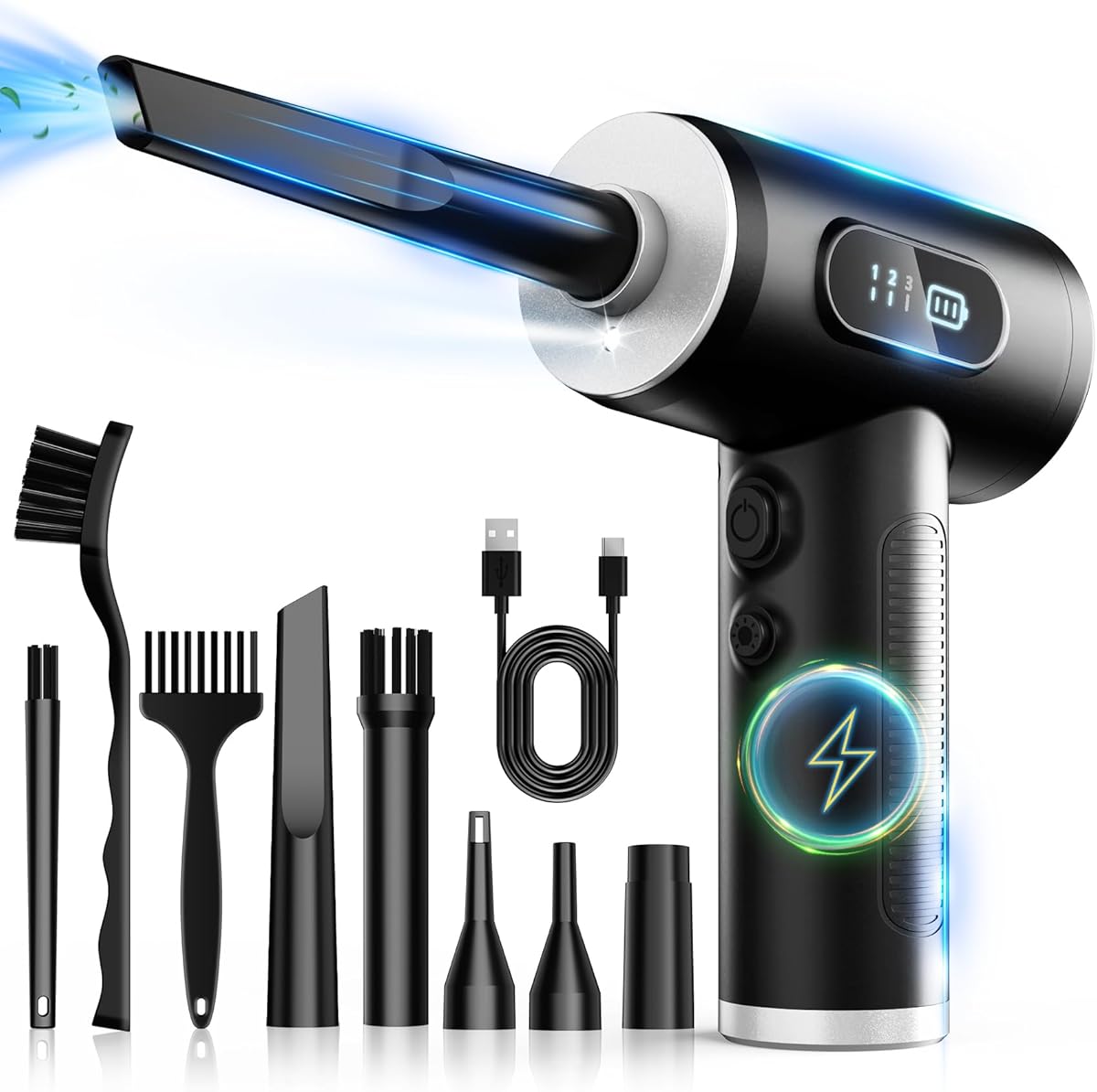
FRESMOL Compressed Air Duster
4.4Editor score
100,000 RPM motor performance
Three adjustable airflow levels
Five nozzles and three brushes
LED display and work light
Cordless rechargeable design
Compare 10 air compressors for electronics cleaning, including airflow, nozzles, runtime, and controls, to find the right cordless duster for your devices.
Air compressors for electronics cleaning are compact, cordless blowers designed to dislodge dust from keyboards, computer cases, fans, ports, vents, cameras, and other delicate equipment. A useful model should combine controllable airflow, focused attachments, safe operation, and enough runtime for regular maintenance without the residue or freezing effects associated with some aerosol cleaners.
This guide compares ten electric air dusters based on motor speed, airflow, speed controls, nozzle selection, lighting, battery charging, runtime, portability, and practical electronics-cleaning features. It covers options for desktop PCs, laptops, gaming consoles, keyboards, camera equipment, home electronics, vehicles, and broader household maintenance, with the emphasis remaining on useful versatility rather than disposable air cans.
Each pick identifies the product's strongest contribution, such as balanced everyday performance, useful displays, generous accessory sets, or swappable batteries. Ratings and technical specifications reflect the supplied product information, while availability, promotions, and prices can change, so readers should confirm current details and accessory inclusions before making a final purchase.
4.4Editor score

4.6Editor score

4.5Editor score
The table below compares the ten electric air dusters by their headline motor output, control options, included cleaning accessories, and practical portability features. Specifications reflect the supplied product descriptions, and lower speed settings remain important when balancing deep debris removal with careful cleaning around sensitive electronics.


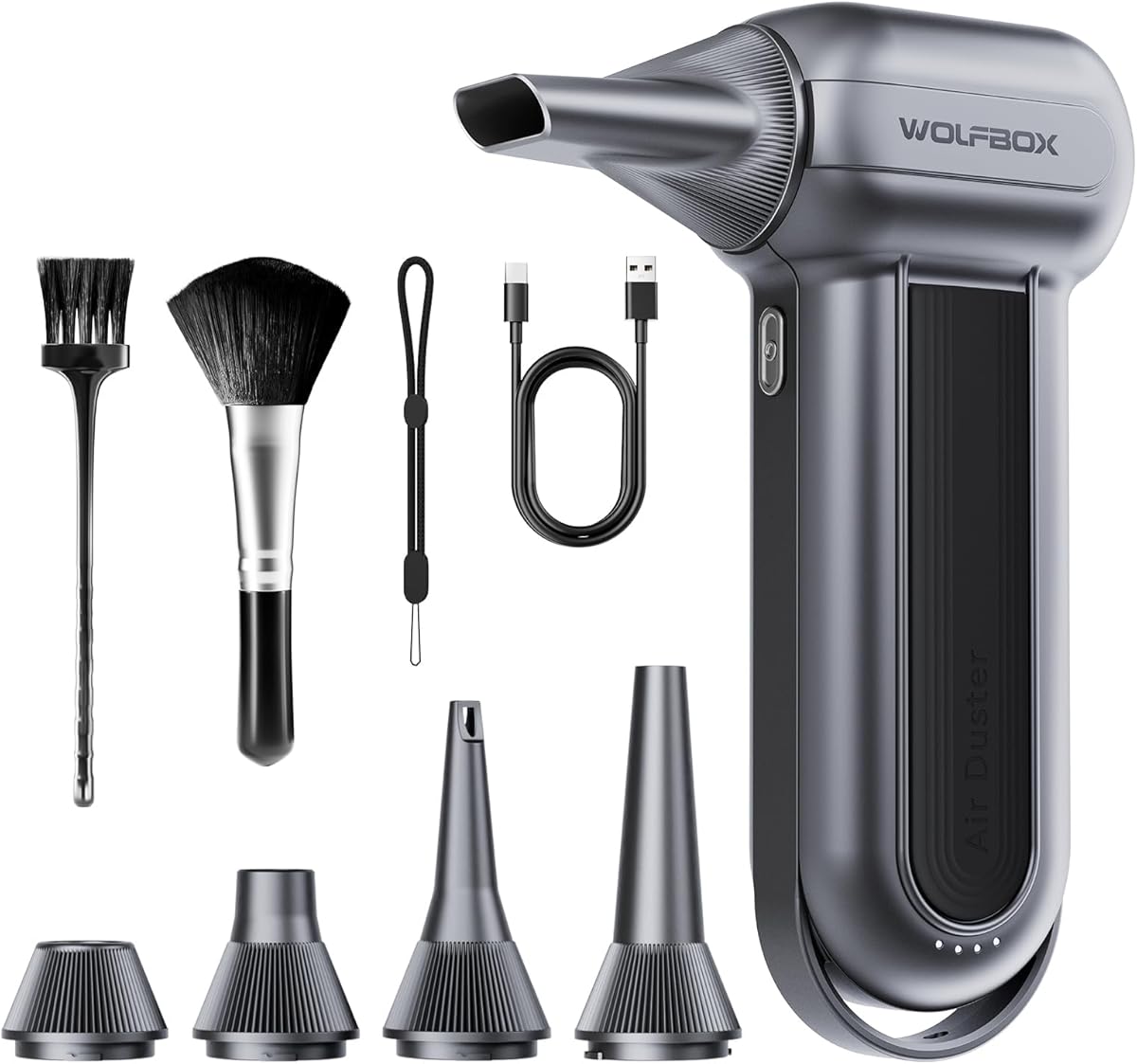
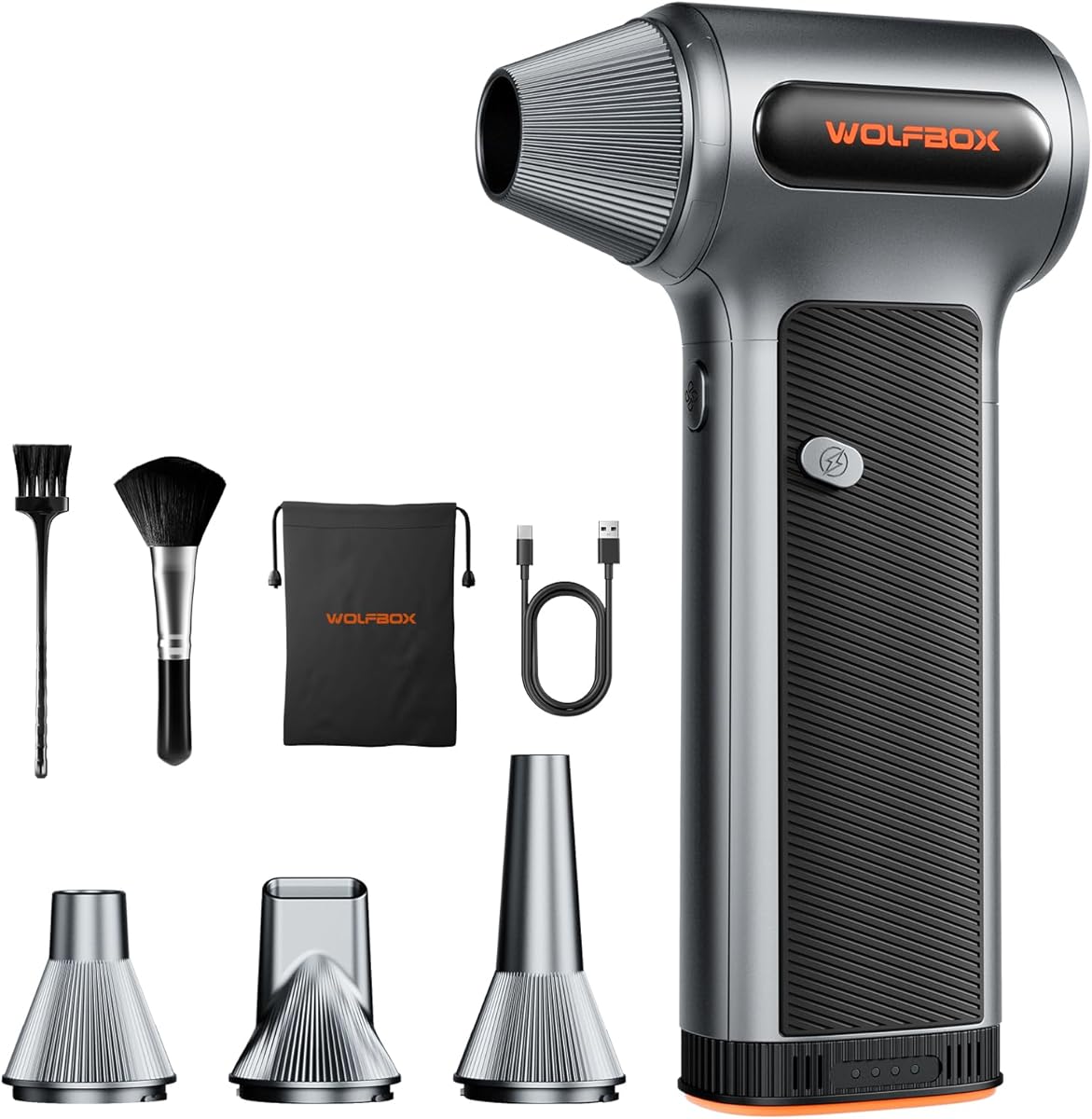

The WOLFBOX MegaFlow 50 is a well-balanced electric air duster for people who want serious electronics-cleaning capability without carrying a bulky device. Its stated brushless motor reaches up to 110,000 RPM, while three speed settings let the user move between delicate keyboard cleaning and more forceful removal of dust packed into computer cases. The 4.6 rating reflects a broadly favorable user reception, and the product's feature set supports regular use around PCs, laptops, keyboards, game consoles, cameras, and other compact electronics.
We may earn a commission when you buy through this link, at no additional cost to you.
The three gears are one of the model's most useful details. The lowest setting is appropriate for loose dust around sensitive surfaces, the middle setting handles routine maintenance, and the highest gear is intended for stubborn debris in vents, fans, and narrow computer cases. Four included nozzles make it possible to direct airflow at different surfaces rather than relying on one broad stream. A stated runtime of up to 240 minutes on the lowest gear is particularly useful for extended cleaning sessions, while the included lanyard and compact 0.45-pound weight make the duster easy to hold and store.
The main trade-offs are minor but worth noting. There is no screen showing the selected speed or remaining battery, so users must estimate both from the controls and surrounding indications. The accessory set focuses on nozzles rather than brushes, which may leave some users wanting a separate tool for loosening dust from keycaps or lifting debris without moving it farther into the equipment. The product description also recommends fully charging the battery before use, a sensible step for maximizing the advertised runtime.
Overall, the MegaFlow 50 is the most balanced recommendation in this guide. It offers enough power for difficult debris, enough runtime for comprehensive maintenance, and enough control for more delicate tasks. It is a particularly strong fit for desktop owners, keyboard enthusiasts, and travelers who want a lightweight cordless tool without giving up meaningful accessories. For most buyers, this is the first model worth comparing.
The three-speed arrangement gives users a practical way to match airflow to the surface. Low speed is better for loose dust around screens, ports, and exposed components, while higher gears are more effective when clearing packed fan housings and case vents.
A claimed 240 minutes of use on the lowest setting supports comprehensive cleaning without frequent charging. The small body, low weight, and included lanyard also make the MegaFlow 50 convenient for a maintenance kit at home, in an office, or on the move.
We may earn a commission when you buy through this link, at no additional cost to you.
The FRESMOL Compressed Air Duster combines a 100,000 RPM motor with an unusually useful collection of accessories, making it a strong value-oriented choice for electronics cleaning. Its three speed levels cover gentle dusting, keyboard maintenance, and more stubborn debris in PC fans or car vents. The 4.4 rating indicates solid user satisfaction, while the smart LED display and included LED work light add practical information and visibility at a relatively accessible position in the market.
We may earn a commission when you buy through this link, at no additional cost to you.
Accessory selection is a major strength. Five nozzles can direct the air into ports, keyboard gaps, vents, and other narrow spaces, while three brushes help users work dust from textured surfaces and delicate equipment. The display indicates the current speed mode and battery level, reducing the uncertainty associated with cordless tools that provide no status indication. The built-in light is also helpful inside dark computer towers, behind keyboards, and around camera equipment where a narrow stream of air is easier to see and control.
The clearest limitation is that the supplied product information does not state a maximum runtime, so buyers cannot compare battery endurance as precisely as they can with models that publish a figure. Its 100,000 RPM headline output is also below the 260,000 and 280,000 RPM figures advertised by a few competitors. Nevertheless, raw motor speed alone does not determine cleaning usefulness, and the inclusion of three brushes makes this model more versatile for delicate work.
The FRESMOL is a compelling pick for first-time rechargeable duster buyers, students, and anyone who wants useful attachments without moving to a premium model. It is especially attractive for laptop, keyboard, camera, and PC cleaning. Choose it when display visibility, brushes, and focused airflow matter more than having the highest published RPM number.
The built-in LED light helps reveal dust in dark PC bays, between keyboard keys, and inside narrow equipment cavities. Paired with the display, it improves both visibility and control during detailed cleaning tasks.
Five nozzles and three brushes cover a broad mix of electronics maintenance jobs. The brushes can assist with surface dust, while differently shaped nozzles suit ports, vents, and tight gaps that need concentrated airflow.
We may earn a commission when you buy through this link, at no additional cost to you.
The MiaEpic Z3 stands out as the premium feature pick in this roundup, led by a stated 280,000 RPM brushless motor and four operating modes. It is designed for demanding cleaning of PC components, premium electronics, keyboards, and consoles, but it can also serve as a car duster, mini fan, and inflation tool. Its 4.5 rating reflects a favorable reception, and the combination of a display, LED light, and high motor output gives it a feature-rich profile.
We may earn a commission when you buy through this link, at no additional cost to you.
Four speed settings offer more granular control than the three-gear designs common among competitors. Users can begin with lower airflow around delicate equipment and increase output for dust lodged in radiator fans, tower cases, or vehicle vents. The LCD continuously shows battery status and speed level, helping prevent an interruption mid-task. A bright LED illuminates concealed areas, and the four precision nozzles and two cleaning brushes allow the same tool to address both broad surfaces and narrow electronic openings.
The 90–150-minute stated runtime varies with usage, so maximum output and maximum operating time should not be expected to occur simultaneously. That is normal for high-output cordless blowers, and lower modes remain appropriate for routine work. The product also serves as a multifunctional tool, but users seeking a specialized device solely for delicate laboratory or industrial electronics should still verify that any airflow setting is appropriate for the specific equipment and materials involved.
The Z3 is best suited to enthusiasts who maintain demanding computers, high-end peripherals, cameras, and other equipment, or to users who value a clear display and extensive controls. It is a persuasive premium recommendation because its extra performance and status features are relevant to cleaning, not merely decorative. For routine keyboard care, it may offer more than necessary, but for serious electronics maintenance it delivers a convincing feature set.
The advertised 280,000 RPM motor output gives the Z3 ample power for dust embedded in computer cases, fan assemblies, and other less accessible areas. The multiple speed levels help temper that power when precision matters more than maximum displacement.
Real-time battery and speed information reduces guesswork during longer cleaning sessions. It also makes it easier to select an appropriate mode for each task instead of repeatedly cycling through controls without knowing the current setting.
We may earn a commission when you buy through this link, at no additional cost to you.
This 130,000 RPM electric air duster is built for users who want a comprehensive accessory kit alongside serious motor performance. Its 4.6 rating places it among the strongest-reviewed products here, while four speed settings and a long-press storm mode offer flexible control. The supplied information describes airflow of 52 m/s, a Type-C charging cycle of about 2.5 hours, and a battery intended to deliver up to 120 minutes on the first gear.
We may earn a commission when you buy through this link, at no additional cost to you.
The accessory package is the model's defining feature. Six nozzles and ten detail brushes cover cleaning jobs ranging from keyboard switches and computer vents to car interiors, sensitive electronics, household dust, and outdoor inflation. A storage bag helps keep the larger assortment organized and portable. The 0.62-pound body remains light despite the extensive kit, and the included lanyard makes the tool straightforward to hold during overhead or one-handed work.
A 120-minute runtime on the lowest setting is less generous than the 240-minute figure claimed by the WOLFBOX MegaFlow 50 and JVSCAM X3, although published endurance varies with motor load and usage patterns. Users wanting a simple, compact kit with many brush options may find the assortment excessive. Conversely, professionals cleaning varied equipment are likely to appreciate having a suitable brush or nozzle close at hand rather than improvising with unrelated household tools.
This is a strong recommendation for experienced computer builders, camera users, and maintenance-minded households that clean many types of equipment. Its four modes, strong output, and 16-piece accessory assortment provide flexibility beyond a basic electronics blower. It is not the obvious choice for someone wanting the smallest possible tool, but for a versatile all-purpose kit, it is hard to overlook.
Six nozzles and ten brushes create a highly adaptable cleaning system. Users can move from concentrated airflow in a tight port to gentle brush work around keycaps, camera equipment, and delicate household surfaces.
The upgraded protection system is described as guarding against overcharging and overheating. Four operating levels provide a gentler starting point for delicate work and a storm mode for stubborn buildup.
We may earn a commission when you buy through this link, at no additional cost to you.
The WOLFBOX MF60 focuses on an effective combination of measurable speed levels, useful attachments, and long battery life. Its brushless motor reaches 110,000 RPM in the third gear, with intermediate settings of 60,000 and 25,000 RPM. The 4.5 rating indicates positive user reception, and the three clearly differentiated speeds make this a practical option for both routine electronic housekeeping and more intensive PC or keyboard maintenance.
We may earn a commission when you buy through this link, at no additional cost to you.
The claimed runtime of up to 240 minutes on Gear 1 is one of the most useful specifications in the guide. It suggests the MF60 can handle a large house, office, or collection of peripherals between charges. Its 0.5-pound weight and compact form make it suitable for camera backpacks, toolboxes, and glove boxes, while the long nozzle is well suited to keyboard gaps, case vents, and car vents.
Unlike several premium competitors, the MF60 does not include an LED screen or work light. That omission may matter in dark computer cases, behind desks, and inside camera bags where visibility is limited. The accessory set includes five nozzles, including a long nozzle, flat nozzle, round general-purpose nozzle, and an inflation attachment, but it does not emphasize brushes. Users who regularly need to loosen stubborn surface debris may want to add a separate soft brush.
The MF60 is a good fit for maintenance users who value uninterrupted cordless operation and clear speed control more than illuminated displays. It is especially suitable for photographers, gamers, and computer owners with several devices to maintain. Its combination of strong output, long runtime, and compact size makes it one of the more practical mid-range choices in this roundup.
The 25,000, 60,000, and 110,000 RPM settings provide a useful range from gentle dusting to forceful debris removal. That makes it easier to match the tool to sensitive keyboards or stubborn fan housings without relying on a vague single output figure.
The 240-minute low-speed runtime allows time for cleaning numerous devices in one session. A full charge in approximately 3.5 hours makes the duster practical for regular scheduled maintenance rather than occasional emergency use.
We may earn a commission when you buy through this link, at no additional cost to you.
The VASSON 260000RPM Compressed Air Duster offers high motor output in a cordless format intended for electronics, vehicles, household upkeep, and outdoor utility. It has three adjustable speeds, five nozzles, a brush, and a storage bag, while the product information also describes use for inflating air mattresses, assisting campfires, and cooling. Its 4.3 rating is the lowest of the ten products, but the feature set remains notably broad.
We may earn a commission when you buy through this link, at no additional cost to you.
The most important electronics-related strength is the combination of a high stated speed and focused accessories. The long and shaped nozzles should help users direct airflow into keyboard crevices, PC interiors, and vehicle vents, while the brush provides another way to handle surface dust. A 150-minute runtime on the lowest setting gives the user a reasonable window for routine cleaning, and the stated three-hour Type-C recharge is convenient for many locations.
Several operating cautions deserve attention. The description states that the charger is not included, recommends a 5V/2A charger, says the product is not waterproof, and explicitly instructs users not to operate it while charging. The handle includes overheat protection and is specified for temperatures from -10°C to +45°C. A long-press power control helps reduce accidental activation, but these details mean the duster should be treated as an indoor and fair-weather electronics tool rather than a waterproof field device.
VASSON appeals to buyers who want more than a PC accessory. The same tool can handle car interiors, sofas, window tracks, pet fur, and lightweight inflation tasks, which broadens its value for households and campers. Electronics-focused users should still verify the included accessories and charging requirements. It is a versatile and powerful selection, though the lower rating and stricter handling guidance make it less of an effortless all-purpose recommendation than the most polished alternatives.
The nozzle and brush combination extends beyond computer cases into car vents, window channels, furniture, and pet areas. This makes the duster more useful for households that want one powered blower for several maintenance categories.
The overheat-protected handle and deliberate power control are useful, but the instructions to avoid charging-time operation and use a compatible 5V/2A charger deserve attention. It is not waterproof and should be kept away from unsuitable weather and combustible materials.
We may earn a commission when you buy through this link, at no additional cost to you.
This Electric Blower for PC, PS5, Car, and Keyboard Cleaning is a practical choice for gamers who want a cordless tool that can reach console vents, PC fans, keyboards, and car interiors. Its 110,000 RPM motor output and three-speed design provide enough variation for routine dust removal, while the 4.4 rating reflects generally positive feedback. The product also includes five nozzles, four brushes, and an LED light, giving it more cleaning flexibility than a basic blower.
We may earn a commission when you buy through this link, at no additional cost to you.
The accessory set is particularly useful for a mixed gaming setup. Different nozzle sizes can address keyboard gaps, console ports, radiator spaces, and vehicle vents, while the brushes are better suited to visible surface dust and delicate components. The integrated LED is valuable inside a dark entertainment cabinet or behind a desktop tower, where users otherwise have to stop cleaning to find a flashlight. Type-C charging also means the duster can fit into a broader collection of modern cables.
The description promises a long-lasting rechargeable battery but does not provide a precise runtime figure, making endurance harder to compare with products that publish clear low-speed estimates. There is also no display for reading the speed or battery state. As a result, users may need to establish charging and performance habits themselves, especially if they plan to rely on the highest setting for long stretches.
This is a good fit for console owners, PC gamers, and anyone maintaining a compact entertainment area with several device types. It is less compelling for professionals who require a documented endurance figure or battery status, but the broad accessory set, illumination, and three-speed cordless design make it a strong generalist for gaming electronics.
Consoles, desktop PCs, and mechanical keyboards collect dust in different shapes and locations. Multiple nozzle sizes let the user switch from a concentrated stream in ports and vents to broader airflow over larger internal surfaces.
The built-in LED is especially helpful behind a console stand or inside a computer case. It lets the user see dust and the nozzle's position while working in enclosed entertainment furniture or under a desk.
We may earn a commission when you buy through this link, at no additional cost to you.
The WOLFBOX MF100 delivers a higher-output alternative within the brand's electric duster range. Its brushless motor reaches 150,000 RPM and is stated to produce up to 45 m/s of airflow, while three speed settings provide task-specific control. The 4.5 rating suggests a well-regarded product, and its 0.66-pound body, five nozzles, and two brushes suit electronics cleaning, camera work, car care, household maintenance, and outdoor tasks.
We may earn a commission when you buy through this link, at no additional cost to you.
Five nozzles and two brushes provide a versatile foundation for detailed work. The attachments can help users move dust from keyboards, PCs, vents, camera equipment, and other narrow spaces, while the 45 m/s wind speed offers meaningful force for compact debris. A 2.5-hour full charge is efficient, and the product description states that the MF100 can be reused more than 500 times, supporting its role as a recurring maintenance tool.
The stated runtime of up to 100 minutes on the first gear is the main comparison point. It is shorter than the 240-minute claims of the MegaFlow 50, MF60, and JVSCAM X3, so heavy users may prefer a swappable-battery or longer-runtime design. The absence of a display also means the user cannot immediately verify the selected speed or remaining charge. Those drawbacks matter less for occasional maintenance and more for daily professional cleaning.
The MF100 is recommended for users who want more power than the typical 110,000 RPM compact duster without moving to the highest-output models. It works particularly well for cleaning dense computer cases, camera gear, and vehicle interiors where compact debris needs to move quickly. Its combination of speed, accessories, fast charging, and portability makes it a well-rounded option with a clear identity.
The 150,000 RPM motor and stated 45 m/s wind speed target debris that benefits from forceful, directed airflow. This is helpful in fan housings, radiator areas, keyboards, and car vents where a gentler stream may simply push dust deeper.
The reusable battery approach and stated capability for more than 500 uses make the MF100 suitable as a permanent maintenance tool. Fast Type-C charging and a compact body support convenient access rather than storage in a rarely used drawer.
We may earn a commission when you buy through this link, at no additional cost to you.
The WOLFBOX MF200 distinguishes itself with a removable 22.2Wh battery system, allowing a charged pack to be exchanged for continued cleaning without waiting for the tool to recharge. It produces a stated jet airflow of up to 87.5 m/s, uses three precision speed settings, and comes with four nozzles and two brushes. Its 4.5 rating and broad application list position it as a high-output maintenance tool for serious electronics work.
We may earn a commission when you buy through this link, at no additional cost to you.
The swappable battery is the model's defining advantage. The tool or battery can be charged independently with Type-C, with a full charge stated at 2.5 hours, and each pack can deliver up to 100 minutes on the lowest setting. For builders, repair technicians, gamers, or anyone cleaning multiple computers, this can be more valuable than a marginally faster model with a fixed battery. A storage pouch keeps the nozzles, brushes, and equipment organized.
Backup batteries are not included, so buyers who want uninterrupted operation should consider the total package needed. The 0.85-pound body is still manageable but heavier than several compact alternatives. It is also important to follow the stated safety guidance and keep the equipment away from liquefied petroleum gas, solvents, paint thinners, and other flammable materials.
The MF200 is best for users who clean electronics intensively and value uptime over the smallest possible footprint. Its application range includes gaming PCs, keyboards, laptops, home electronics, remote-controlled vehicles, 3D printers, and cameras, giving it broad relevance. The 24-month warranty further supports confidence, and for continuous cleaning the removable battery design gives this model a distinct advantage.
The removable battery system separates tool downtime from charging downtime. Users can replace a depleted pack with a charged one, making long cleaning sessions more continuous and predictable.
Four nozzles and two brushes address PC internals, keyboards, laptops, camera equipment, 3D printers, and model vehicles. The supplied storage pouch makes it easier to maintain a complete and portable cleaning setup.
We may earn a commission when you buy through this link, at no additional cost to you.
The JVSCAM X3 is a compact high-output duster that combines 130,000 RPM motor performance with one of the longest stated low-speed runtimes in the guide. It produces a claimed 180G of blowing force and includes three speed settings, four differently sized nozzles, and a Type-C charging cable. Its 4.4 rating indicates a solid balance of features, while the 0.45-pound body is particularly easy to carry.
We may earn a commission when you buy through this link, at no additional cost to you.
The stated 240 minutes on the first gear makes the X3 appealing for anyone cleaning many devices or performing regular maintenance without wanting to charge frequently. Its small dimensions of 5.1 by 3.3 by 1.4 inches make storage in a toolbox, tote bag, or pocket straightforward. Four size-matched nozzles help users select the appropriate airflow for keyboards, air-conditioning vents, car seats, and other electronics.
The product lacks a built-in light, display, and included brushes, which limits its advantage in dark spaces or when surface dust needs to be lifted gently before blowing. The instructions recommend a 5V/2A power adapter, caution against overcharging, and advise keeping the tool away from heat and flammable materials. The dry, reusable airflow is another practical advantage because it avoids the liquid and ice formation sometimes associated with aerosol compressed-air products.
The X3 is a strong recommendation for travel, fieldwork, and frequent electronics maintenance where compact size and battery endurance matter. It can also handle household surfaces, vehicle areas, inflation tasks, and cooling use. It may be less appealing to buyers who prioritize work lights and brushes, but its combination of force, three speeds, and long runtime makes it a highly portable maintenance tool with broad appeal.
At 0.45 pounds and with compact stated dimensions, the X3 is easy to carry between a desk, a vehicle, and a client location. It can remain part of an active maintenance kit rather than becoming a bulky tool stored away.
The 240-minute first-gear runtime supports extended cleaning of numerous devices. Users can reserve the higher settings for embedded debris and use the low setting for routine maintenance, extending practical flexibility.
We may earn a commission when you buy through this link, at no additional cost to you.
Choosing an electronics air compressor involves balancing airflow, control, accessories, battery endurance, portability, and safe operation. The most important criteria depend on whether you clean keyboards occasionally or maintain several computers and sensitive devices regularly.
Prioritize focused airflow and multiple settings for delicate electronics.
Choose several speed levels and understand how each mode is activated.
Match the attachment set to your devices, with at least one narrow and one brush option.
Compare low-speed runtime, recharge time, battery interchangeability, and charger inclusion.
Add a work light for dark enclosures and a display if battery visibility matters.
Favor a lightweight body, secure grip, and storage solution that fits your routine.
Disconnect devices, secure loose parts, and follow charging and heat precautions.
Match the tool's secondary functions to how broadly you plan to use it.
Start by switching off and unplugging the device being cleaned whenever possible. Remove nearby loose objects, and where practical, hold down moving components such as computer fans or power buttons so the airflow does not make them spin. Select the lowest speed, attach the narrowest suitable nozzle, and hold the duster several inches away from sensitive surfaces. Work methodically from open areas toward vents and from lighter dust to denser debris rather than blasting the entire interior at maximum output from the beginning.
For keyboards, point the nozzle along the gaps between keys and move across the board section by section. For PC cases, use a broad nozzle on panels and a narrow nozzle around fans, heatsinks, and drive bays, taking care not to force air into a spinning fan. Cameras and other sensitive equipment benefit from the lowest setting, short bursts, and physical support for any movable exterior parts. A brush can lift dust before the air removes it, while a light helps confirm that the targeted area is actually clear.
After use, let the duster cool if it has run at high power, wipe the exterior with a dry cloth, and store it with attachments secured. Charge according to the manual, use the specified adapter when one is required, and do not operate the tool while charging. Inspect nozzles for dust buildup, keep vents clear, and keep the device away from heat and flammable chemicals. For a swappable-battery model, store packs in a safe, dry location and follow the battery-care instructions provided by the manufacturer.
An electric air duster is often more convenient for routine maintenance because it is reusable, cordless, and does not create the liquid residue or freezing issues sometimes associated with aerosol cans. It also offers multiple speed settings, useful for balancing powerful case cleaning with careful work around delicate parts. Traditional compressed air can still provide strong airflow for some jobs, but an electric model is usually easier to use consistently and without repeated purchases.
Yes, but disconnecting the power supply is safer and generally preferable whenever possible. If a component can move, such as a case fan, hold it steady so the airflow does not spin the bearings. Begin on a low speed and work from open areas toward enclosed vents, keeping fans, optical components, microphones, speakers, and other sensitive parts away from a concentrated high-speed stream.
Start with the lowest or second-lowest setting for routine keyboard dust, then increase the airflow only when debris will not move. Hold the nozzle along the key gaps rather than pointing straight into the switch openings, and keep the tool moving to avoid pushing loose dust farther across the board. Mechanical keyboards with loose keycaps may be easier to clean after removing the caps according to their manufacturer's instructions.
When used thoughtfully, they are designed for electronics maintenance, but excessive airflow can still move or damage loose parts. High settings may spin cooling fans, force debris deeper into a case, or affect sensitive optical and mechanical components. Use low settings near delicate hardware, support movable parts, and avoid directing sustained maximum airflow at precision equipment.
A dusty desktop, gaming PC, or console often benefits from a routine check every few months, with cleaning more often in dusty, smoky, or pet-heavy environments. Laptops and compact systems may need closer attention because their restricted cooling paths can collect debris quickly. Inspect fans and vents, and clean when airflow restrictions or visible buildup appear rather than following a fixed schedule regardless of the device's environment.
No. Maximum RPM indicates the motor's potential speed, but airflow concentration, stability, attachments, and speed control also affect cleaning quality. A model with lower maximum output and several gentle settings may be safer around sensitive equipment than a model whose only useful airflow is extremely strong. Match the highest practical output to the task and use lower gears for ports, exposed components, and delicate peripherals.
Yes, and most of the products listed are designed for both electronics and vehicle cleaning. Use lower airflow and a brush around screens, gauges, camera lenses, and delicate cabin surfaces, then move to stronger settings for vents and dashboard gaps. Keep the tool away from moisture, do not use it during rain, and ensure any debris removed from a vehicle is not blown back toward the duster's intake.
Check the stated runtime on the lowest setting, full recharge time, charging connector, and whether the charger is included. Models with removable batteries offer the most convenient continuous operation, while fixed-battery designs are usually simpler and lighter. Some products specify a particular adapter output, and operating the tool while charging can be prohibited, so read the included instructions before first use.
The WOLFBOX MegaFlow 50 is the strongest all-around choice because it combines 110,000 RPM output, three speed levels, four nozzles, long low-speed runtime, and a very portable body. The FRESMOL Compressed Air Duster stands out as the best budget-oriented option with a battery display, work light, and generous nozzle-and-brush set, while the MiaEpic Z3 takes the premium position with 280,000 RPM claimed output, four gears, an LCD, and a bright LED.
Prioritize the features that match your actual routine. Frequent multi-device maintenance makes runtime, charging convenience, and swappable batteries especially important. Cleaning dark computer cases favors built-in lighting, while delicate work calls for multiple low-speed settings and useful brushes. Nozzle reach matters for deep vents, and a lightweight body is valuable if the duster will live in a backpack, toolbox, or mobile repair kit.
Finally, confirm current specifications, included accessories, compatibility requirements, and the latest price before ordering. Ratings and product configurations can evolve, promotions change frequently, and manufacturer descriptions may emphasize maximum performance differently. Comparing the current listing against the practical needs of your keyboards, computers, consoles, cameras, and other equipment is the most reliable way to select a suitable air compressor for electronics cleaning.