
Jemluse Wireless CarPlay Adapter
4.3Editor score
Multi-user seamless connection
Aluminum alloy construction
Fast automatic phone connection
Carplay Adapters for Older Cars compared for compatibility, wireless stability, supported phones, controls, setup ease, and everyday usability.
Older vehicles do not always have the latest infotainment equipment, but a compatible Carplay adapter can add convenient navigation, messaging, music, calls, and voice assistance without replacing the original dashboard system. The important distinction is that most adapters in this category do not create Carplay from nothing; they convert a compatible factory-wired system into a wireless one.
We compared ten Carplay adapters for older cars using the information supplied by each manufacturer or seller. The evaluation considers wired-system compatibility, iPhone and Android support, connection methods, automatic reconnection, control integration, physical design, thermal provisions, and the clarity of each product's stated requirements.
Each review explains who the adapter suits, what it does well, and where its compatibility conditions may matter. The leading choices include a feature-rich iPhone adapter, a flexible two-in-one option for mixed phone ecosystems, and a compact model suited to straightforward wired Carplay installations. Product availability and pricing can change.
4.3Editor score

4.4Editor score

4.2Editor score
The comparison covers each adapter's platform support, required vehicle equipment, connection features, and physical design, making it easier to identify a model that matches an older car's factory-wired infotainment system.
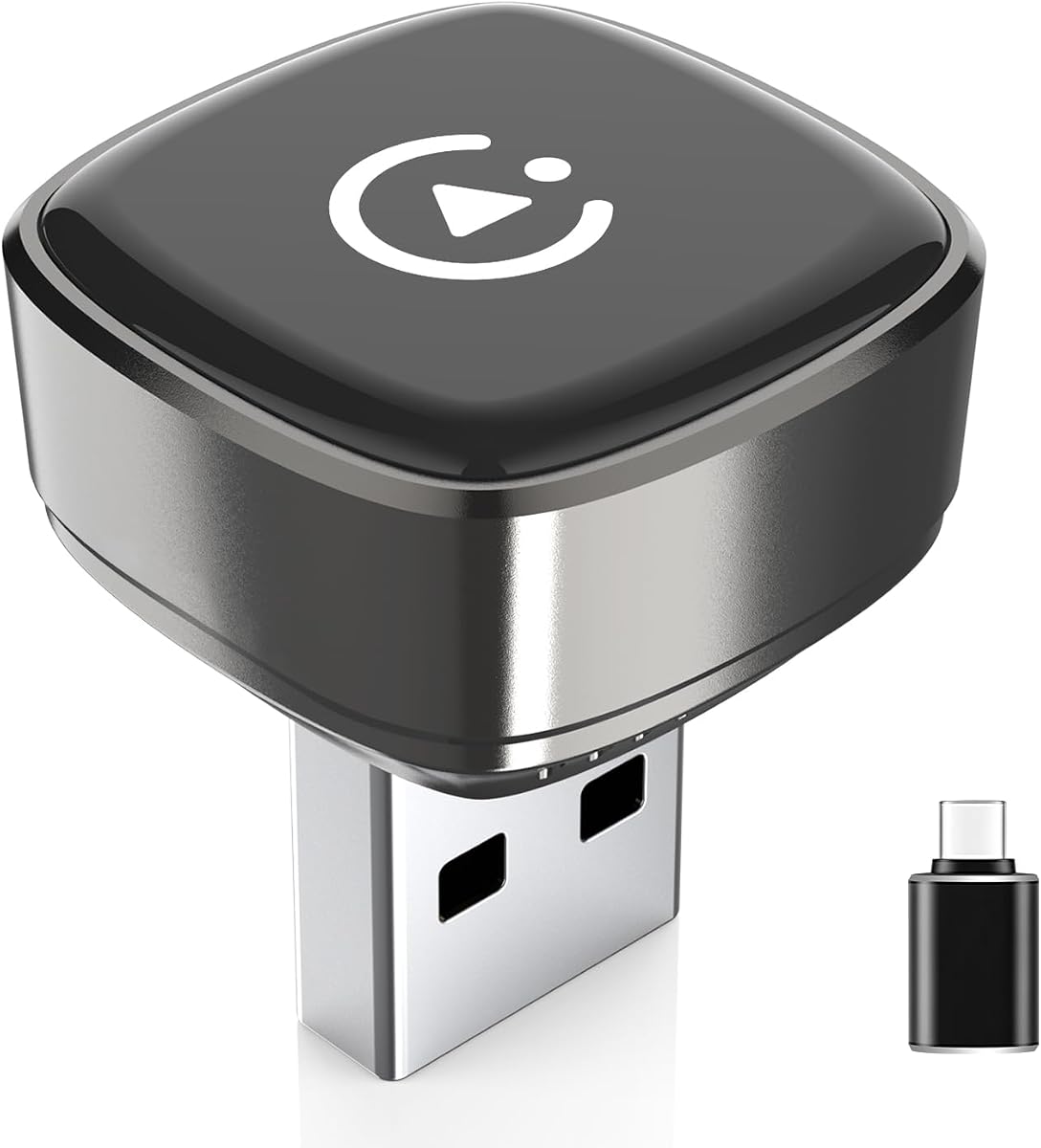

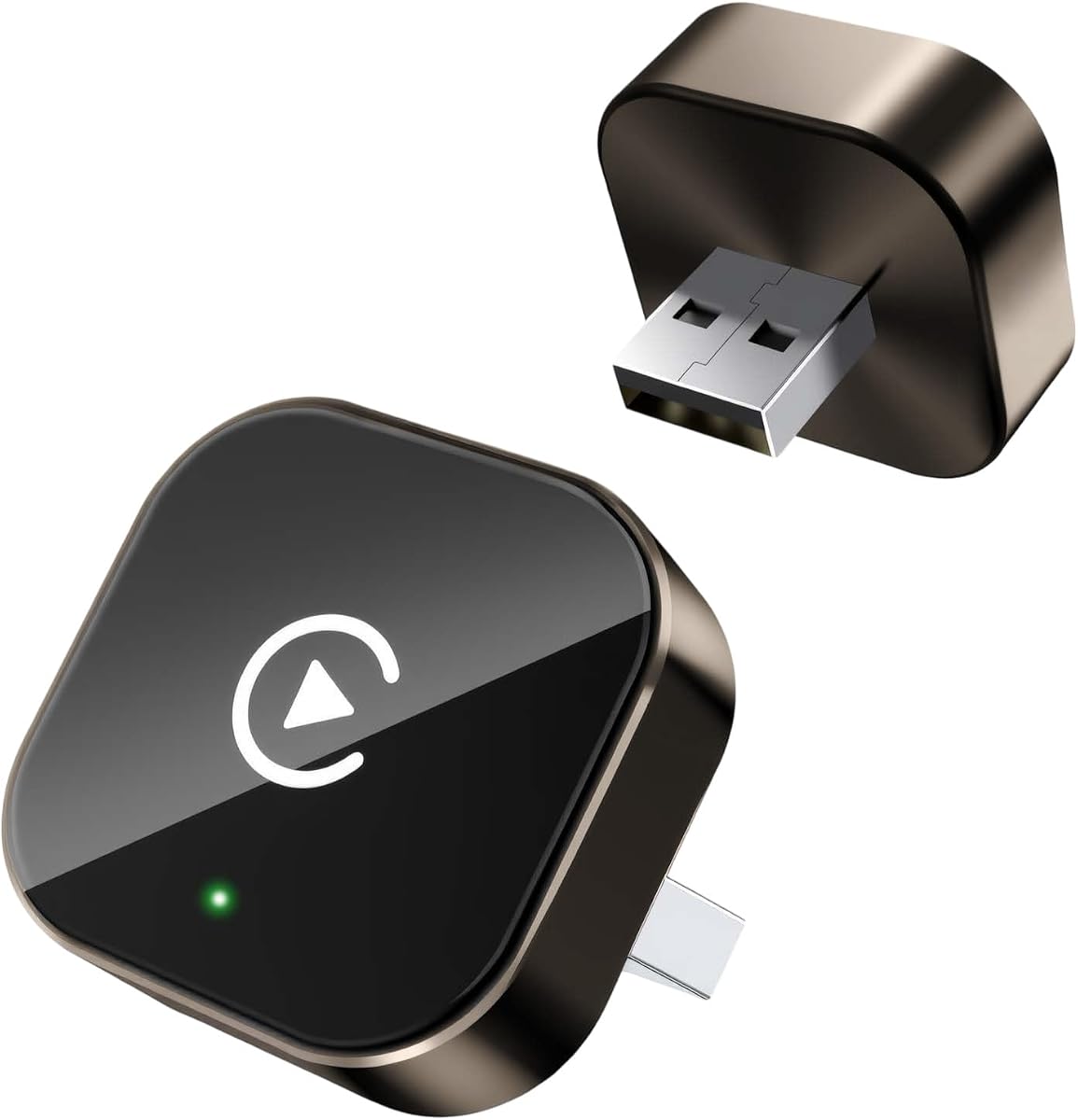


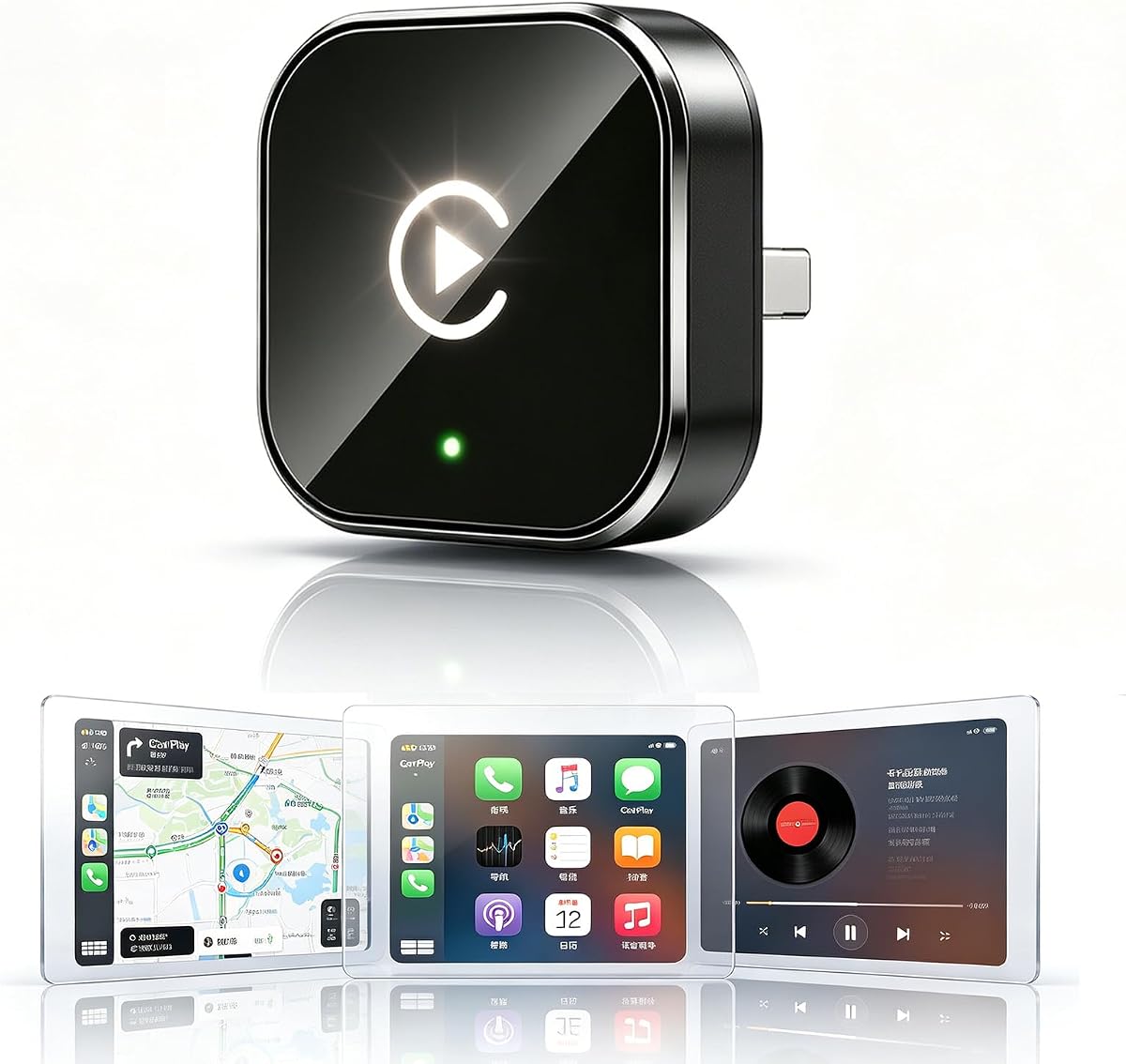


The Jemluse Wireless CarPlay Adapter combines a 4.3 rating with an unusually broad set of stated features for drivers who want to modernize a compatible older dashboard without replacing it. It converts factory wired Apple CarPlay into a wireless system and is positioned for iPhones running iOS 10 or later, with USB-C support called out in the listing.
We may earn a commission when you buy through this link, at no additional cost to you.
Its standout qualities are the claimed 5.8GHz Wi-Fi, Bluetooth 5.3, and eight-core processing, which the product description associates with responsive navigation, media, messaging, and calls. The adapter also emphasizes multi-user seamless connection, automatic operation after installation, and compatibility with original vehicle controls. A metal aluminum alloy housing is presented as a more durable and better-cooling alternative to typical plastic receivers.
There are important limitations. The description explicitly limits use to factory-wired Apple CarPlay systems, so it will not help owners of vehicles without CarPlay or those relying on aftermarket Android Auto. The multi-user claim should also be understood within the product's broader description rather than as evidence that several phones can stream content simultaneously. None of the supplied information confirms independent laboratory testing.
This is a strong choice for an older iPhone-equipped car with working wired CarPlay, particularly for drivers who value automatic reconnection, a discreet metal adapter, and a broad set of navigation, communication, and entertainment functions. Verify the vehicle's wired CarPlay support and port arrangement before ordering, and confirm the current phone and iOS requirements with the seller.
The adapter is designed to connect quickly after the initial setup, reducing the need to handle a cable every time the car starts. That convenience is especially valuable in an older vehicle whose storage areas and dashboard connections may be awkward.
The aluminum alloy enclosure is intended to improve heat dissipation and resist wear. Its compact form also avoids the need for a prominent dashboard mount, helping preserve the older cabin's original appearance.
We may earn a commission when you buy through this link, at no additional cost to you.
The Mini Wireless CarPlay Adapter is a compact option for turning a factory-wired CarPlay system into a wireless connection. It carries a 4.2 rating and focuses on a simple proposition: plug the adapter into the vehicle, pair an iPhone through Bluetooth, and let the adapter reconnect automatically on later trips.
We may earn a commission when you buy through this link, at no additional cost to you.
The product is listed as suitable for more than 800 vehicles, although the actual requirement is factory-wired CarPlay rather than a particular model year alone. It supports iOS 10 and later and common functions such as navigation, music, calls, messages, and Siri. Its small housing can be hidden or mounted out of sight, which suits drivers who want a cleaner cabin without adding a large display or visible cable.
Compatibility exclusions are the main trade-off. The description specifically says the adapter is not compatible with BMW or modified cars, and it can connect with only one phone at a time. That single-phone limitation is reasonable for a typical household but could inconvenience users who alternate devices or share a vehicle.
Buyers seeking a restrained, uncomplicated upgrade for an older wired-CarPlay vehicle will find this adapter easy to understand. Check that the car has original wired CarPlay, confirm it is not a BMW or a modified system, and keep Bluetooth and Wi-Fi active during use. It is a sensible pick when basic wireless convenience matters more than Android compatibility.
The small enclosure can be concealed or fitted where it will not distract from the original dashboard. This makes the adapter especially attractive for older cars whose cabins predate current integrated displays and streamlined storage.
After the first Bluetooth pairing, the adapter is designed to restore the connection whenever the car starts. The process reduces routine friction without requiring a separate app.
We may earn a commission when you buy through this link, at no additional cost to you.
This Wireless CarPlay Adapter for iPhone Latest Upgrade is a 4.4-rated option aimed at owners of 2016-and-newer vehicles that retain factory wired CarPlay. It combines 2.4GHz and 5.8GHz dual-band Wi-Fi with Bluetooth 5.4 and a multicore chipset, creating a technically strong foundation for wireless navigation, music, and calls.
We may earn a commission when you buy through this link, at no additional cost to you.
The description gives particular attention to preserving the original sound quality and factory controls, including the steering wheel, knobs, and touchscreen. Once paired, the receiver is designed to reconnect within seconds, while an included USB-C dongle broadens its usefulness with different phone connections. The product also supports navigation, digital media, and CarPlay apps for eligible iPhone 6-and-newer devices running iOS 10 or later.
Its main constraint is the same one shared by most quality-focused adapters in this category: the car must already have factory CarPlay. The broad 2016-plus wording should not be interpreted as support for every vehicle from those years, since the decisive factor is wired CarPlay rather than age alone. Android phones and vehicles without the required factory system are outside the stated scope.
This is an excellent choice for an iPhone owner whose older car has working wired CarPlay and who values stability, fast reconnection, and continued use of physical dashboard controls. Its combination of strong wireless specifications, a practical included dongle, and support for firmware updates makes it a well-rounded recommendation for daily navigation and media.
Using both 2.4GHz and 5.8GHz bands is intended to improve connection consistency and reduce interruptions. The product claims near-zero latency and stable GPS, music, and calling performance.
Preserving steering-wheel, knob, and touchscreen operation is a major advantage in an older vehicle. Drivers can gain wireless convenience without losing familiar physical controls.
We may earn a commission when you buy through this link, at no additional cost to you.
The Teeran 2-in-1 Wireless CarPlay and Android Auto Adapter is built for households that do not all use the same phone platform. Its 4.1 rating reflects a product that prioritizes broad ecosystem support, allowing an eligible iPhone or Android phone to connect to a factory-wired vehicle system without changing the dashboard hardware.
We may earn a commission when you buy through this link, at no additional cost to you.
The listing states compatibility with more than 1,000 vehicle models: over 800 for wired CarPlay and more than 500 for wired Android Auto. It supports iPhone 6 or later and Android 11 or above, uses 2.4GHz and 5GHz dual-band chips, and reconnects in under three seconds after initial pairing. Factory steering-wheel buttons, rotary knobs, touchscreens, maps, music, and voice-assistant functions are intended to continue working.
The coin-sized design and included USB-A and USB-C extension cables are useful in older cars, where ports may be recessed, angled, or awkwardly positioned. Heat-dissipation vents, protection against overheating, short circuits, and voltage surges, plus vibration testing, make the physical design sound practical for daily use. However, these are manufacturer claims rather than details from an independent review.
This adapter is a practical choice for families alternating between iPhone and Android devices or for owners who may switch platforms later. It cannot add either ecosystem to a vehicle that never supported the corresponding wired function, so the original dashboard system must be checked before purchase. It is particularly compelling when included extension cables solve an awkward installation.
The two-in-one design is useful in shared vehicles where iPhone and Android users need equal access. It avoids requiring separate adapters for each platform while retaining the appropriate factory interface.
Older vehicles often have USB ports in inconvenient locations. The included USB-A and USB-C extension cables provide more placement flexibility and help the compact adapter sit securely.
We may earn a commission when you buy through this link, at no additional cost to you.
The 2026 Wireless CarPlay Adapter for iPhone and Android Device is a compact wired-to-wireless conversion option with a 3.8 rating. Although its title mentions iPhone and Android devices, the supplied feature details specifically describe conversion of factory-wired Apple CarPlay and operation with eligible iPhones running iOS 10 or later.
We may earn a commission when you buy through this link, at no additional cost to you.
Its main strengths are uncomplicated installation and a restrained physical design. A three-step process covers plugging the adapter into the vehicle, pairing by Bluetooth, and entering CarPlay. Once configured, automatic reconnection should restore the link after startup. The metal casing and acrylic surface are intended to resist scratches and maintain signal stability over rough roads.
The lower rating compared with the rest of this list suggests buyers may want to pay close attention to warranty terms, recent customer feedback, and exact vehicle compatibility. The stated 98-percent coverage is not a substitute for checking the specific car. The product also appears less flexible because it is centered on wired Apple CarPlay rather than supporting both wired CarPlay and wired Android Auto.
It remains a practical choice for an iPhone user who wants a small adapter in a compatible older car and values simple setup. Buyers should confirm that the vehicle's wired CarPlay functions correctly, that the USB port can accommodate the adapter, and that the phone meets the stated iOS requirement. Those checks should precede an order.
The small body and understated finish are intended to blend into an older cabin. This preserves the original dashboard without introducing a large, conspicuous accessory.
After the initial Bluetooth pairing, the adapter is designed to reconnect as the car starts. That shortens the daily sequence and limits cable-related distraction.
We may earn a commission when you buy through this link, at no additional cost to you.
The 2-in-1 Wireless CarPlay Android Auto Adapter earns the highest customer rating in this group at 4.7. It is designed to transform a compatible factory-wired CarPlay or Android Auto installation into a wireless system, combining quick setup with support for both iPhone and Android phones.
We may earn a commission when you buy through this link, at no additional cost to you.
The adapter is stated to reconnect in five to ten seconds after the engine starts and to deliver near-zero-latency navigation, music, calls, Siri, and selected chat applications. Factory steering-wheel controls and built-in vehicle settings remain available. Its thumb-sized metal shell includes rear ventilation holes, a deliberate thermal-management feature for long or hot journeys.
Compatibility is broad but not universal. The description claims support for 98 percent of factory-wired CarPlay and Android Auto vehicles while specifically excluding BMW and Tesla. It supports iOS 8 and later as well as Android 10 and later, although each phone must still be capable of running its relevant vehicle-integration software. A one-year replacement warranty is included.
This is the leading pick for drivers who want broad platform support, a high customer rating, and a well-considered physical design. It suits older vehicles that already have the correct wired system, especially where a thumb-sized unit and ventilated casing are valuable. Before buying, confirm the vehicle is eligible, is not a BMW or Tesla, and has a usable USB or USB-C connection.
Supporting CarPlay and Android Auto in one enclosure gives households more flexibility than an iPhone-only model. The adapter can serve different drivers without maintaining separate hardware.
Rear ventilation openings and a metal casing are intended to dissipate heat effectively. The compact profile also reduces the chance that a driver will catch the adapter with a knee or foot.
We may earn a commission when you buy through this link, at no additional cost to you.
The 2026 Upgraded Wireless CarPlay Adapter is a 4.2-rated product focused on converting factory-wired CarPlay into a wireless experience. Its setup is refreshingly direct: plug the adapter into the vehicle's USB port, pair the phone through Bluetooth, and allow the CarPlay interface to load.
We may earn a commission when you buy through this link, at no additional cost to you.
Automatic reconnection is a central feature, intended to restore the phone connection whenever the car starts. The construction combines a metal casing with an acrylic surface for scratch resistance and a tight fit for signal stability. The product also lists FCC certification and promises free lifetime firmware updates intended to improve connection speed and address software bugs.
The title refers to iPhone and Android devices, but the supplied compatibility details primarily explain iPhone 6-or-newer hardware running iOS 10 or later and factory-wired Apple CarPlay vehicles. The more specific feature notes do not clearly establish the same Android Auto coverage offered by products explicitly designed as two-in-one units. Buyers relying on Android should seek written confirmation before purchase.
It is a good fit for an iPhone owner seeking a compact, modern adapter with a straightforward setup and long-term software updates. The physical design should integrate neatly with an older dashboard, while automatic reconnection saves time. The decisive first step remains verifying that the vehicle has original wired CarPlay and that its port can accept the adapter.
Free lifetime firmware updates can help maintain performance as phone systems evolve. This is a useful long-term feature for an adapter intended to sit permanently in the vehicle.
The tight enclosure is intended to remain stable on uneven roads while blending into the console area. Its scratch-resistant surface suits an older interior that will be used every day.
We may earn a commission when you buy through this link, at no additional cost to you.
The Wireless CarPlay Adapter for iPhone and Android Phones is a flexible option for eligible older vehicles that already offer factory-wired CarPlay or Android Auto. It has a 4.2 rating and supports iOS 10+, Android 11+, and more than 800 vehicle models according to the supplied listing.
We may earn a commission when you buy through this link, at no additional cost to you.
Its upgraded smart chip and processor are intended to create quick, steady links with few disconnections and minimal lag. The adapter also preserves the vehicle's original functions while supporting navigation, audio, Siri, calls, messages, and compatible apps. Automatic pairing at vehicle startup removes the need to repeat the installation process for each driver.
The product is FCC certified and offers free lifelong firmware upgrades for connection speed and software corrections. Its description also claims output that matches the native car audio system's sound. Those claims should be evaluated in context: the adapter can facilitate the vehicle system, but final audio quality also depends on the original speakers, head unit, and selected app.
This model is worth considering for households using both iPhone and Android or for a buyer who wants one compact adapter with a broad vehicle claim. The wording still requires original factory-wired compatibility, so it will not upgrade an infotainment system that never supported CarPlay or Android Auto. Confirm port type, phone software, and vehicle support before ordering.
The two-platform design is helpful when a vehicle is shared by people using different phones. Each eligible driver can pair during the initial setup and benefit from automatic startup reconnection.
The upgraded chipset is designed to reduce lag and disconnections while preserving familiar vehicle audio output. Navigation prompts and media playback remain central to the wireless experience.
We may earn a commission when you buy through this link, at no additional cost to you.
The Ultra Mini Wireless CarPlay Adapter combines a 4.5 rating with a particularly small design and fast connection claims. It is intended for cars with working wired Apple CarPlay and iPhones running iOS 10 or later, making it a clean wireless option for an older iPhone-centered vehicle.
We may earn a commission when you buy through this link, at no additional cost to you.
The adapter uses 5.8GHz Wi-Fi, Bluetooth 5.3, and an A7S chip. Its listing claims an initial connection in five to ten seconds and automatic reconnection in roughly three seconds. It also describes more than 700 hours of vibration testing intended to protect the connection from cable bending, adapter movement, and bumpy roads. The included USB-A and USB-C adapter makes the unit more adaptable to different in-car ports.
Physical stability is a notable strength because a loose adapter can interrupt charging or data. The listing also indicates that the touchscreen, physical controls, Siri, navigation, music, and calls continue to function. As with the other products, these are stated specifications and seller claims rather than a record of independent testing in the supplied information.
This is a particularly strong pick for drivers seeking a small adapter, rapid reconnection, and broad iPhone support. Its 4.5 rating places it near the front of the list, while the dual-port accessory makes installation in an older car more manageable. The vehicle must already have factory wired CarPlay, and buyers should avoid assuming that model year alone establishes compatibility.
The short claimed setup and restart times improve convenience in daily use. Once paired, the adapter is intended to become effectively invisible during ordinary trips.
Extensive stated vibration testing addresses a common weakness of small plug-in accessories. A secure fit helps maintain data and power connections over rough roads.
We may earn a commission when you buy through this link, at no additional cost to you.
The 2026 Upgraded 2-in-1 Wireless CarPlay Adapter is a 4.3-rated option built around Bluetooth 5.3 and an eight-core processor. It converts eligible factory-wired vehicle systems and supports common functions such as navigation, music, Siri, calls, and radio, with an included USB-C adapter for different port arrangements.
We may earn a commission when you buy through this link, at no additional cost to you.
Its specifications include a claimed 40-percent data-transfer improvement, which is intended to support smooth map guidance, media, and messaging. The product uses ABS and PC materials, lists a storage range of minus 30 to 80 degrees Celsius, and describes operating testing from minus 20 to 70 degrees Celsius. The first connection can take around 20 to 30 seconds while the phone displays a CarPlay confirmation prompt.
The product data contains a significant inconsistency: the title and some descriptions suggest two-in-one support, while the final bullet says the model is not currently compatible with Android car audio systems and Android phones. It also lists exclusions for BMW, Tesla, the 2016 Buick LaCrosse, the 2019 Honda CR-V, the 2019 Acura RDX, and the 2018 Mitsubishi Outlander. Those points should be clarified before purchase.
Despite that ambiguity, the hardware specification is appealing for a compatible iPhone installation. It is best suited to owners who have verified their exact vehicle and do not need Android Auto. The explicit exclusion list is unusually detailed, making careful model-year and brand verification essential rather than optional.
The processor and Bluetooth version form the core of the claimed performance improvement. Together they are intended to speed data transfer and reduce the chance of frequent disconnects.
The adapter's conflicting Android language and extensive model exclusions make a written compatibility confirmation especially valuable. This is especially important for older cars near the boundary of the listed model years.
We may earn a commission when you buy through this link, at no additional cost to you.
Compatibility should come first because these adapters primarily add wireless convenience to an existing factory-wired system. After confirming that foundation, compare phone support, reconnection, control integration, physical design, and the clarity of the manufacturer's support policy.
Almost every product in this guide requires the vehicle to have original factory-wired Apple CarPlay or factory-wired Android Auto. That is different from saying the adapter works with any older car. Check the vehicle's year, make, model, trim, and infotainment system, and look for the original CarPlay or Android Auto projection menu. A USB port alone is not enough, because the adapter communicates with the car's infotainment system rather than merely charging a phone.
Buy only when the existing system works reliably and can be used with a cable. Retrofitting an adapter to a car that never supported the ecosystem may require display, software, or hardware changes that fall outside this guide. Exact compatibility should be confirmed with the seller or manufacturer before purchase.
iPhone owners should check the minimum iOS version, iPhone generation, and whether the product supports only Apple CarPlay or both CarPlay and Android Auto. Android users need an adapter that explicitly states Android Auto support, a compatible Android version, and any requirements for Google services. Some product titles mention both iPhone and Android while the detailed compatibility notes emphasize only one platform, so read the fine print carefully.
Also consider phone changes over time. A two-in-one adapter can be a safer long-term purchase for a household with mixed devices, while an iPhone-only unit may offer the most clearly defined feature set for a single-platform user.
Automatic reconnection is one of the main reasons to add a wireless adapter. After the first pairing, the unit should reconnect when the vehicle starts without requiring repeated taps. Products describe different timing, ranging from a few seconds to around 20 or 30 seconds for an initial pairing prompt, so the distinction between initial setup and later starts matters.
For frequent drivers, reliable auto-reconnection is more useful than a short advertised connection time. Reviews and support policies can also reveal whether users experience consistent startup behavior in their particular vehicle.
A good adapter should maintain access to the touchscreen, steering-wheel buttons, rotary knobs, voice commands, and original vehicle settings. This is particularly important in older cars where replacing the entire head unit could be difficult and expensive. Several products explicitly claim compatibility with factory controls, but that claim should be checked against the vehicle model and the functions actually used.
Some apps have separate requirements even when the broader CarPlay interface works. Confirm that navigation, messaging, calling, and the intended audio service are supported by the adapter, the phone, and the car's existing system.
Dual-band Wi-Fi, a recent Bluetooth version, and a capable processor can contribute to a steadier connection. However, the most important stability factors also sit outside the adapter: the phone's wireless conditions, the vehicle's port, nearby wireless devices, and compatible firmware. A well-specified unit should make efficient use of available bands and include automatic reconnection, but it cannot guarantee a perfect signal in every environment.
Look for descriptions that address media stuttering, dropped calls, and reconnection rather than relying only on a broad latency claim. Also ensure Bluetooth and Wi-Fi are enabled on the phone and that competing connections are disconnected when the product instructions require it.
A small adapter is easier to conceal and less likely to be kicked, but it should still fit securely and avoid blocking a port needed for charging or storage. Metal housings, ventilation holes, and stated temperature ranges are useful indicators that a manufacturer has considered heat in a confined vehicle environment. They do not guarantee performance at every ambient temperature, but they provide a useful comparison point.
Think about the port's angle and depth as well as the adapter's dimensions. Some older vehicles use recessed or angled connections, making included USB-A or USB-C extension hardware valuable. Avoid exposed placements that create a snag or visual clutter.
Firmware support matters because phone operating systems, vehicle systems, and app requirements can evolve. Products advertising free lifetime updates may remain useful longer, while others provide a defined warranty or fixed support window. A one-year replacement warranty is stated for one two-in-one option, while another offers 18 months of product protection and updates through 2026.
Check whether the seller provides local support, how to obtain replacement units, and whether updates are automatic. These details can influence the value of an adapter more than small differences in advertised connection speed, especially for an older vehicle expected to remain in service for years.
Claims such as support for 98 percent of factory systems or more than 800 vehicles are broad marketing shorthand, not guarantees for a particular model. A percentage cannot account for trims, regional systems, software versions, connectors, or vehicles that were modified after manufacture. These claims are most useful as a sign that the product targets a large installation base, not as a substitute for exact verification.
Use the claim as the starting point for research. Confirm the specific year, brand, model, and trim with the seller, and ask for written confirmation before buying if an exclusion or borderline model year applies.
Begin by confirming that the car already supports factory-wired CarPlay or Android Auto and that the original wired connection works. With the vehicle parked, plug the adapter into the compatible USB or USB-C port using any supplied extension cable. Position it securely so it does not protrude dangerously, interfere with a storage lid, or place strain on the connector.
On the phone, enable Bluetooth and Wi-Fi as required by the adapter's instructions. Open the phone's Bluetooth list, select the adapter's displayed name, and accept the relevant CarPlay or Android Auto prompt. Some products require about 20 to 30 seconds for the first authorization, while others are described as pairing more quickly. Wait until the vehicle display shows the proper interface before attempting to open an app.
For daily use, leave the adapter plugged in, start the car, and allow the automatic reconnection process to complete. Keep the phone nearby but not buried in an inaccessible location, and follow the product's guidance about disconnecting other active wireless devices. Periodically inspect the fit and connector for looseness, clean the adapter with a dry soft cloth, and update its firmware when instructed by the seller.
No. The adapters in this guide primarily convert a vehicle's existing factory-wired CarPlay or Android Auto system into a wireless one. A car without the original wired feature will not normally become compatible simply by inserting an adapter. Check the vehicle's year, make, model, trim, and infotainment capabilities before buying.
It depends on the aftermarket unit. Some aftermarket stereos support wired CarPlay or Android Auto and may work with a compatible adapter, while others do not offer the required data connection or interface. The products generally state that original factory-wired systems are required, so obtain confirmation for the exact radio model before ordering.
The featured products are generally designed around plug-in installation and Bluetooth pairing rather than a separate app. The basic sequence is to connect the adapter, pair it with the phone, and approve the CarPlay or Android Auto prompt. Always follow the instructions supplied with the specific product because firmware versions can alter the sequence.
The adapter does not improve the factory navigation interface or add navigation to a vehicle that lacks it. It can provide access to compatible phone navigation apps through an existing wired CarPlay or Android Auto system. The exact apps available depend on the vehicle, adapter, phone, and current software requirements.
Several products advertise two-in-one support, but their detailed compatibility notes vary. Some clearly support both factory-wired systems, while others mention Android only in the title or even list Android phones among exclusions. Treat the detailed requirements as authoritative and obtain written confirmation if Android use is essential.
A failed reconnection can result from Bluetooth or Wi-Fi being disabled, another device holding the connection, an outdated phone operating system, or an improperly seated adapter. Restart the vehicle, confirm the phone's wireless settings, disconnect competing devices, and reseat the adapter. If the problem continues, contact the seller for troubleshooting or replacement.
Metal housings can improve heat dissipation and are often more durable than basic plastic receivers, but material alone does not determine compatibility or connection quality. The car's existing system, phone software, port fit, wireless environment, and adapter firmware all influence the final experience. A compact, secure metal design is nevertheless a useful upgrade for daily use.
Start with the vehicle's exact year, make, model, and trim, then verify that the original infotainment system supports wired CarPlay or wired Android Auto. Next, check the required phone version, connector type, Bluetooth and Wi-Fi needs, and any listed exclusions. When a model is near a cutoff or has been modified, ask the seller for written compatibility confirmation before purchasing.
The best overall choice is the Wireless CarPlay Adapter for iPhone Latest Upgrade because it combines a strong 4.4 rating, dual-band wireless hardware, automatic reconnection, and support for original vehicle controls. The Jemluse model stands out for its multi-user emphasis, aluminum construction, and feature-rich iPhone experience, while the Mini Wireless CarPlay Adapter provides a compact and approachable wired conversion.
When choosing for an older vehicle, prioritize the existing factory-wired system above every advertised feature. Confirm the precise vehicle, phone platform, operating-system version, connector, and exclusion list. If a household uses both iPhone and Android, a clearly documented two-in-one model such as the 2-in-1 Wireless CarPlay Android Auto Adapter or Teeran adapter may offer greater long-term flexibility.
Finally, check current product availability, seller information, recent customer feedback, warranty terms, and pricing before ordering. Compatibility claims and advertised performance can change with firmware and vehicle configurations, so the most current listing and a direct confirmation from the seller should guide the final decision.

