
Plextor PX-891SAF 24X
4.5Editor score
Extensive media specification database
Stable recording control
Specialty archival media support
24x DVD recording
Our SATA DVD Burner guide compares 10 internal and external models for speed, disc formats, compatibility, installation, and reliability today.
A SATA DVD burner adds practical disc-reading and disc-writing capability to a desktop, workstation, server, or duplicator setup. The right model should fit your chassis, support the formats you use, connect to the correct interface, and deliver dependable writes without unnecessary installation complications.
We compared the ten products in this guide across drive type, DVD and CD format support, maximum writing speeds, operating-system compatibility, installation requirements, noise-related features, archival capabilities, and included accessories. The list includes seven internal SATA models and three external alternatives for users whose computers lack an optical-drive bay.
Each numbered review explains the strongest reasons to consider that model while also identifying limitations that may affect a particular build. The Lite-On and Plextor units lead the internal options, while the ASUS and Dell products show how portability or a shorter chassis design can change the buying decision. Prices and availability change over time.
4.5Editor score

4.5Editor score

4.2Editor score
The comparison below places all ten drives side by side, focusing on connection type, format support, headline speed, installation style, and distinguishing features such as archival media support, noise control, or compact construction.
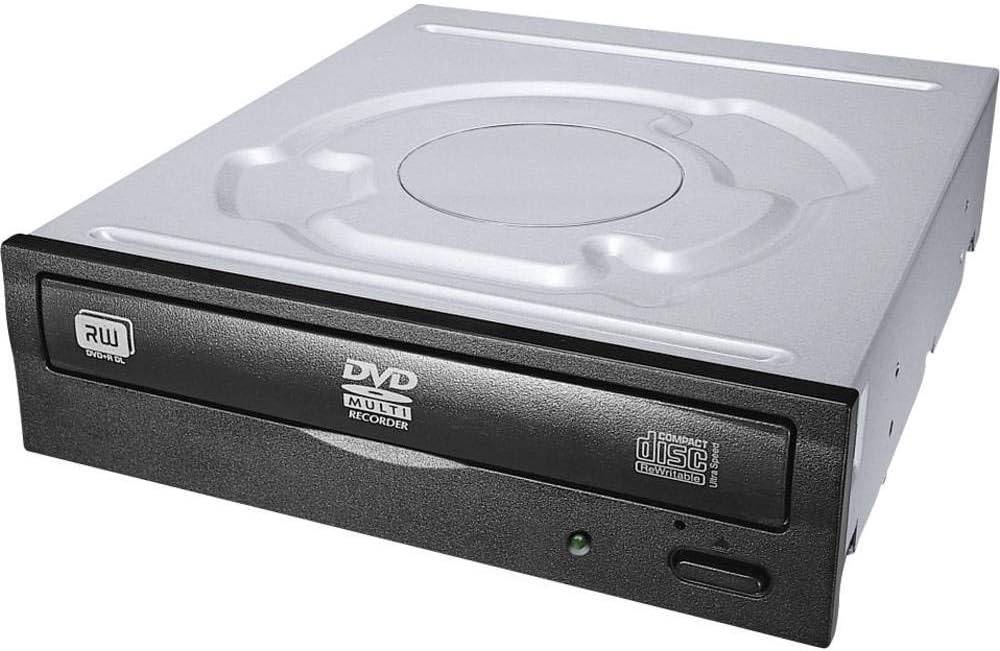


The Lite-On 24x Dual-Layer SATA DVD±RW combines broad disc compatibility with the accessories and operating-system flexibility needed in a modern internal optical-drive build. Its 4.5 rating reflects a strong overall balance, and the drive stands out for supporting DVD-R, DVD-RW, dual-layer DVDs, CD-R, and CD-RW rather than limiting itself to basic DVD-R functionality.
We may earn a commission when you buy through this link, at no additional cost to you.
Its internal SATA connection makes it a natural fit for desktop computers, servers, workstations, and duplicator systems that have a standard 5.25-inch optical-drive bay. The claimed 24x DVD writing speed is useful for copying larger disc images, creating installation media, and handling routine backups, while dual-layer support expands the available media capacity for suitable files.
The supplied kit includes a SATA data cable and mounting screws, reducing the need to source basic installation parts separately. The drive is described as compatible with Windows, Linux, and other SATA-supported systems without special drivers, making it easier to deploy in mixed-environment shops, offices, and service benches. Its dimensions are approximately 5.75 by 1.63 by 6.69 inches.
The trade-offs are those associated with any conventional internal optical drive: it requires a free bay, SATA data and power connections, and some care when routing cables behind the drive. Users with ultraportable laptops should instead look at an external model. For a conventional desktop, server, workstation, or duplicator that needs reliable internal DVD and CD writing, this Lite-On is the strongest all-around recommendation.
Supporting DVD-R, DVD-RW, dual-layer DVDs, CD-R, and CD-RW makes this drive useful for mixed media workflows. It can handle common installation-disc formats as well as rewritable media without requiring several separate optical devices.
The included SATA cable and mounting screws cover the essential physical installation needs. Its standard desktop design is especially appropriate for computers, workstations, servers, and duplicators that already have a dedicated optical-drive bay.
We may earn a commission when you buy through this link, at no additional cost to you.
The Lite-On IHAS124-14 is a straightforward internal SATA DVD rewriter built around the familiar Lite-On optical-drive platform. Its 4.5 rating provides a favorable signal, while the 24x DVD writing specification positions it for normal disc-copying, software distribution, archival, and system-installation tasks.
We may earn a commission when you buy through this link, at no additional cost to you.
The model designation and title identify it as a SATA internal DVD and CD rewriter rather than a read-only drive. That distinction matters to anyone who needs to create physical copies of data, prepare bootable media, or work with rewritable discs rather than simply reading existing media.
One limitation of the supplied listing is that it provides less detail about accessory inclusion, operating-system support, and media-specific behavior than the first Lite-On option. Its package dimensions are listed as 26.0 centimeters high, 6.5 centimeters long, and 16.7 centimeters wide, but those figures describe the package rather than a full installation specification.
Buyers comparing this unit should confirm case-bay clearance, SATA power availability, and the exact media workflow they need. It remains a compelling option for a standard desktop build that wants a recognizable Lite-On 24x rewriter, particularly when straightforward DVD and CD writing is the main objective.
Lite-On is an established optical-drive manufacturer, and the IHAS124-14 gives builders a recognizable model for conventional internal SATA installations. It is best suited to systems with a standard optical bay and a straightforward desktop role.
The DVD+/-RW designation indicates a drive intended for both newly written and rewritable media. That makes it more versatile than a DVD-ROM-only unit for users who maintain reusable discs or prepare media repeatedly.
We may earn a commission when you buy through this link, at no additional cost to you.
The Plextor PX-891SAF is the most specialized choice in this roundup, combining 24x DVD recording with extensive media-recognition and recording-control features. Its 4.5 rating indicates strong user reception, while the title identifies a SATA dual-layer burner intended for serious disc-production and archival workflows.
We may earn a commission when you buy through this link, at no additional cost to you.
Unlike general-purpose drives that primarily advertise headline speed, the PX-891SAF includes an extensive database of media specifications. Stable recording control uses those details to communicate appropriate settings to supported media, while secure media speed stability helps prevent the duplication speed from exceeding the encoded maximum rate.
The drive supports DVD-R, DVD+R, DVD-RW, DVD+R, CD-R, and CD-RW. Its archival capability also extends to specialty archival media, including M-Disc, making it attractive for users who want to create long-lived records of photographs, documents, video, or critical project files.
The product is offered as a bulk unit, so buyers should not assume it includes the same collection of installation accessories as retail-packed competitors. It still requires a conventional internal bay and SATA power. Even so, for media-heavy duplication, archival work, or users who value more deliberate media handling over the simplest possible installation, the Plextor is the premium pick.
The drive's database of media specifications allows it to communicate relevant details with supported media. This focus makes the model especially relevant to duplication tasks where write quality and predictable behavior are more important than basic disc reading.
Compatibility with specialty archival media, including M-Disc, broadens the PX-891SAF's role beyond routine DVD production. Users should still confirm their intended media and archival software before committing to a larger purchasing program.
We may earn a commission when you buy through this link, at no additional cost to you.
The OSGEAR 24x SATA is a value-oriented internal burner that covers the basics expected from a desktop optical drive: DVD and CD reading, DVD and CD writing, tray loading, and a SATA connection. Its 4.2 rating is lower than the leaders but still reflects a generally positive reception for a straightforward internal drive.
We may earn a commission when you buy through this link, at no additional cost to you.
The listed read performance reaches 24x for DVDs and 56x for CDs, which can make it useful for installing software, accessing disc-based media, and creating copies. Its reader-and-writer configuration eliminates the need to move between a separate DVD-ROM and DVD writer when both functions are required.
Compatibility is a clear strength in the supplied information, covering Windows XP, 7, 8, 10, and 11. SATA provides a familiar connection to desktop motherboards, and the internal tray design keeps the unit inside the case rather than occupying desk space with an external enclosure.
The main drawback is that the product information emphasizes Windows compatibility rather than providing an equally explicit list for Linux and macOS. It also requires a free internal bay and standard SATA power. For Windows desktop owners seeking a simple built-in burner at a budget-conscious level, this is a practical choice.
Combining DVD and CD reading with writing makes the OSGEAR a general-purpose optical device. It can serve as an installation-media source, a disc-copying tool, and a player for legacy physical media.
Support extending back to Windows XP is useful when maintaining older office machines or systems that have accumulated legacy software. It also provides an option for current Windows 10 and 11 desktop builds.
We may earn a commission when you buy through this link, at no additional cost to you.
The GODBPNYMU 24X Internal is a feature-rich standard SATA burner aimed at everyday data archiving, installation-disc creation, and legacy media playback. Its specification includes 24x DVD burning, 52x CD-R and CD-RW writing, dual-layer disc support, and an 8.5GB maximum capacity for compatible dual-layer DVDs.
We may earn a commission when you buy through this link, at no additional cost to you.
The installation package includes a SATA data cable and four mounting screws, while the drive is described as requiring no driver installation. It is listed as compatible with Windows 7, 8, 10, 11, and XP, as well as macOS and Linux, giving it unusually broad platform coverage for a general-purpose optical drive.
Noise-reduction measures are built into the internal design, which can be valuable during high-speed burns or late-night playback. The drive supports CD, DVD, and VCD use, covering music discs, home-video media, software installers, and backups. It does not support Blu-ray discs.
Its 3.4 rating is the weakest confirmed customer rating among the reviewed products with numeric scores, so buyers should not base the decision on specifications alone. The non-hot-swappable warning is also important: power off the computer and unplug it before connecting or disconnecting cables. For a desktop needing broad formats and straightforward installation, the feature set is convincing, but the rating warrants attention.
Windows, macOS, Linux, and several older Windows versions are included in the stated compatibility list. The drive is also designed for reading and writing common CD and DVD formats, making it a flexible option for mixed-purpose personal computers.
Internal noise-reduction control is intended to reduce sound during reading, writing, and playback. That focus is especially helpful in a shared office or home workspace where repeated disc burning might otherwise be disruptive.
We may earn a commission when you buy through this link, at no additional cost to you.
The generic Internal 5.25 SATA DVD/CD Burner combines the functions most desktop users need in a single internal optical drive. It reaches a maximum 24x DVD burning speed, supports 52x CD burning, and handles dual-layer DVDs with a listed maximum capacity of 8.5GB per disc.
We may earn a commission when you buy through this link, at no additional cost to you.
Its compatibility list includes Windows 7, 8, 10, 11, and XP, along with macOS and Linux. The drive is advertised as plug-and-play, with automatic system recognition and no need to install drivers. That makes setup straightforward for a fresh desktop build or an upgrade to an older system that lacks optical-drive capability.
Unlike many minimally documented internal burners, this listing describes a relatively complete package. It includes one SATA cable, four mounting screws, a screwdriver, and four disc storage sleeves. Noise reduction during reading and writing is another useful feature for offices, study areas, and quiet home environments.
The 4.0 rating is moderate rather than exceptional, and buyers may prefer a more established brand for specialized archival or high-volume duplication work. The lack of Blu-ray support also prevents it from serving users who want a modern all-in-one disc solution. Even so, it is a well-equipped general-purpose choice for a PC tower that needs CD and DVD writing.
SATA cabling, screws, a screwdriver, and disc sleeves provide the basic items needed for installation and organization. This level of inclusion can be especially helpful for first-time builders adding an optical drive to a desktop.
The combination of fast DVD burning, 52x CD writing, dual-layer support, and broad operating-system compatibility covers data archiving, installation media, music, and home video. It covers common legacy-disc needs without trying to become a Blu-ray writer.
We may earn a commission when you buy through this link, at no additional cost to you.
The Internal DVD Drive Burner is a technically focused SATA option whose strongest differentiator is its native SATA 3.0 interface. The listing claims bandwidth of up to 6Gb/s, stable disc reading and writing, and automatic speed adjustment designed to reduce vibration and maintain quiet operation.
We may earn a commission when you buy through this link, at no additional cost to you.
Format support includes DVD±R, DVD±RW, DVD±R dual-layer media, CD-R, and CD-RW. These are the common formats needed for data backups, media archiving, and operating-system installation. The drive is also listed as compatible with Windows 10 and 11, Linux, and legacy Windows operating systems.
One important limitation is that the supplied information does not provide a customer rating or exact maximum DVD and CD writing speeds. Buyers should therefore treat the interface and format claims as the basis for comparison rather than assuming performance equivalent to a clearly labeled 24x or 52x drive.
The standard desktop optical-drive size suits a conventional PC tower with an available 5.25-inch bay. For builders who prioritize a current SATA connection, wide format support, and quieter operation, this model is worth considering. Those wanting stronger brand recognition, documented write speeds, or a large body of customer feedback should consider one of the more clearly specified alternatives.
A native SATA 3.0 interface and claimed bandwidth of up to 6Gb/s give the drive a modern internal connection. Actual optical-media throughput remains dependent on media type and writing speed, but the interface avoids dependence on an older external bridge.
Vibration damping and automatic speed adjustment are intended to minimize movement and noise. These features can make the drive more suitable to a shared workspace where repeated disc access occurs.
We may earn a commission when you buy through this link, at no additional cost to you.
The ASUS DRW-08D6MT stands apart from the 24x models through its more compact construction and archival media support. It writes DVD media at up to 8x and CD media at 24x while supporting DVD-R, DVD+R, DVD-RW, DVD+R, CD-R, and CD-RW.
We may earn a commission when you buy through this link, at no additional cost to you.
Its body is 30 millimeters shorter than a standard 5.25-inch writer. That shorter design can improve airflow and make installation easier in tightly arranged computer cases, particularly compact desktops and older chassis where a full-length optical drive may sit close to other components.
M-Disc technology provides a notable reason to consider this ASUS beyond ordinary disc writing. Instead of relying on an organic dye recording layer, supported M-Disc media use a resistant stone-based recording surface intended for long-term data protection. E-Green technology also automatically moves the unused drive into sleep mode to reduce power consumption.
The trade-off is writing speed. At 8x for DVDs, this model is slower than the 24x alternatives when creating large disc images or producing many copies. Its 3.9 rating is also modest. Users who value a compact ASUS design, archival support, and lower idle power use will find those features more compelling than maximum throughput.
A body 30 millimeters shorter than a standard writer can improve case compatibility and airflow. It is a practical choice for compact desktops and older systems where internal clearance matters.
M-Disc support favors long-term preservation, while E-Green sleep behavior reduces energy use when the drive is idle. Together they make the ASUS attractive for archival workstations and regularly used home computers.
We may earn a commission when you buy through this link, at no additional cost to you.
The ASUS ZenDrive V1M is the leading portable option for users who want to create and read discs without installing an internal optical drive. It uses a USB-C connection and includes a built-in storage design for its 24-centimeter connecting cable, reducing the chance of leaving the cable behind.
We may earn a commission when you buy through this link, at no additional cost to you.
Its compatibility with Windows 11 and macOS makes it useful across both traditional desktop systems and modern laptops that lack optical-drive bays. The included drag-and-burn interface is described as creating a disc in three intuitive steps, although that particular feature is listed as Windows-only.
M-Disc support extends the drive's relevance to long-term storage. Rather than limiting it to temporary software distribution or media transfer, it can create archival discs using the specialized resistant recording layer. The product also carries a one-year warranty, providing some manufacturer support around a portable peripheral.
This is not a SATA DVD burner in the strict internal sense, so buyers focused on a fixed desktop installation should look at the internal models. However, it solves the same core problem—burning DVDs and CDs—for a laptop or compact computer. For portability, tidy cable management, and archival support, the ZenDrive V1M is the most distinctive choice.
The 24-centimeter cable fits inside the drive body, helping users keep the unit self-contained. It is a small design detail that matters when moving between a home computer, office, or client workstation.
USB-C connectivity and cross-platform support make disc creation practical for modern laptops. M-Disc support adds a preservation-oriented use case for important photographs, videos, and documents.
We may earn a commission when you buy through this link, at no additional cost to you.
The Dell USB2 DVD±RW is a capable external optical drive for notebooks and desktop systems that need broad legacy-disc support. Its 4.5 rating makes it one of the better-rated products in the roundup, and the title indicates support for DVD±RW, dual-layer DVD, and DVD-RAM media.
We may earn a commission when you buy through this link, at no additional cost to you.
CD performance is listed at 24x for writing, rewriting, and reading. That makes the drive suitable for creating music CDs, copying conventional data discs, and handling legacy optical media. Its external enclosure and tray-loading format are less integrated than an internal installation but easier to move between systems.
The central compromise is the USB 2.0 connection. It remains broadly compatible with computers that lack newer ports, but it is an older interface and should not be mistaken for a high-bandwidth modern interface. The listed data also focuses more on CD speeds and media support than on a maximum DVD writing rate.
Dell buyers may find this model most useful when DVD-RAM compatibility, external placement, or support for an older computer's available ports matters more than portability or cable management. It is also a solid alternative for anyone unwilling to open a desktop case simply to add disc-writing capability.
DVD-RAM and dual-layer DVD support distinguish this drive from more basic external writers. It can therefore serve users who work with older rewritable formats or need broader media compatibility.
The black tray-loading enclosure connects over USB and can be used with notebooks or desktops. It avoids internal-case installation, though it requires more desk space than a built-in drive.
We may earn a commission when you buy through this link, at no additional cost to you.
The most useful SATA DVD burner is the one that matches your computer's physical layout, operating system, media library, and expected workload. Use the following factors to narrow the field before comparing writing speeds, accessories, and archival features.
Most full-size desktop cases include a dedicated 5.25-inch optical-drive bay, making an internal SATA model the simplest choice. The drive then uses the motherboard's SATA data connection and a SATA power lead from the power supply. An external unit is more appropriate for notebooks, compact systems, or cases without a usable bay, although it requires a compatible USB port and adds desk space.
A useful writer should handle the formats found in your existing disc library. DVD-R and DVD+R are common write-once formats, while DVD-RW and DVD+R are rewritable. CD-R and CD-RW remain relevant for audio and legacy software, and dual-layer DVD support is useful for larger-capacity media. Some products also support DVD-RAM or archival M-Disc media, which matters for specialized workflows.
Advertised speeds describe maximum media-dependent rates rather than guaranteed transfer speeds for every file or disc. A 24x DVD writer can complete large disc images more quickly than an 8x model, while 52x CD writers suit bulk music or software-disc tasks. For occasional use, speed may matter less than compatibility, reliability, and physical fit.
Modern optical drives are commonly recognized directly by current Windows, macOS, and Linux systems, but compatibility should still be checked for older or specialized machines. Some listings explicitly mention legacy Windows versions. Burning software is separate from drive detection, so users creating bootable media should also confirm that their preferred authoring utility supports the drive and target disc format.
A conventional 5.25-inch drive needs adequate space in front of the case, plus room for the SATA cable and power connector behind it. The ASUS DRW-08D6MT uses a body 30 millimeters shorter than a standard writer, which can help in cramped cases. Before buying, measure the bay and compare the listed drive dimensions rather than assuming every internal model will fit.
Optical drives can produce noticeable noise while seeking, reading, or burning at high speed. Several models in this guide use noise reduction, vibration damping, or automatic speed adjustment to moderate movement and sound. These attributes are especially valuable in offices, libraries, recording spaces, and homes where the computer remains in the room during disc work.
Routine disc copying does not necessarily require specialized media-control features, but archival and repeated duplication tasks can. The Plextor PX-891SAF includes a media-specification database, stable recording control, and support for specialty archival media. The ASUS ZenDrive V1M and DRW-08D6MT also support M-Disc. Confirm media availability, write strategy, and archival software before designing a preservation workflow around any drive.
A SATA data cable and mounting screws are the most useful additions, but not every product includes them. The OSGEAR, GODBPNYMU, and generic 24x models include cables and screws, while the latter also provides a screwdriver and disc sleeves. The Plextor is sold in bulk packaging, so buyers should confirm what accessories accompany it and budget for any missing essentials.
Install an internal SATA burner with the computer powered off and disconnected from the power source. Mount the drive in the optical bay, connect a SATA data cable to the motherboard or SATA controller, and connect the appropriate SATA power lead from the power supply. Route cables so they do not obstruct fans or the drive tray, then secure the screws before attempting to power on the system.
For an external drive, connect the appropriate data cable to the computer and wait for the operating system to recognize the new hardware. Use reliable burning software to select the source files, choose the disc type, name the disc if desired, and begin the write process. Avoid leaving the tray open during operation, and do not force a disc that resists loading or ejecting.
Handle recordable media by the edges, store finished discs in protective sleeves or cases, and keep the drive free from dust. Run a read test after important burns when your workflow permits, and use quality media from a reputable source. For archival discs, follow the media maker's recommended writing speed and storage conditions, and verify the saved data periodically.
No. An external USB DVD writer can provide the same core reading and burning functions without occupying an internal bay. Check the external drive's connector and the USB port available on your computer, especially if you need USB-C. The ASUS ZenDrive V1M is designed around USB-C and includes cable storage for portable use.
Most models in this guide are DVD/CD rewriters and can write CD-R, CD-RW, and common DVD formats. However, not every drive supports every specialty format, so confirm the listing for DVD-R, DVD+R, DVD-RW, DVD+R, dual-layer media, DVD-RAM, or M-Disc as needed.
A 24x model generally finishes DVD burning tasks faster, which is useful for large images and repeated duplication. An 8x model may still provide adequate capacity for occasional use and can have a shorter physical design. Actual results vary by disc type, file size, media quality, and whether the computer remains busy during the burn.
Most current operating systems recognize standard SATA DVD writers automatically. Several products in this guide are specifically described as requiring no driver installation. Older Windows versions may have different support levels, so verify compatibility before installing the drive in a legacy system.
The drive hardware can write installation media, but the computer also needs compatible disc-authoring software and the correct operating-system image. Create the disc with software that supports the selected DVD format and verify the finished media before installation. A drive's stated operating-system compatibility does not by itself guarantee that every burning application will work.
Dual-layer support means the drive can write compatible DVD media with data stored on two layers. M-Disc support refers to a different archival media type that uses a resistant recording surface intended for long-term preservation. The Plextor PX-891SAF and the two ASUS models support specialty archival media, but each still requires compatible blank discs.
It can be worthwhile because seeking, spinning, and high-speed writing may be audible in a quiet room. Models with vibration damping, automatic speed adjustment, or internal noise reduction include the Internal SATA Rewriter and the generic 24x unit. The ASUS DRW-08D6MT also fits more easily into compact cases, which can simplify a small workstation build.
Yes, an external DVD burner is the practical solution. It requires a compatible USB connection, enough power for the drive, and suitable disc-authoring software. The USB 2.0 Dell model offers broad legacy media support, while the USB-C ASUS ZenDrive V1M is better aligned with modern ultraportable computers.
The Lite-On 24x Dual-Layer model is the strongest all-around internal choice because it combines 24x DVD writing, dual-layer support, broad disc formats, a 4.5 rating, and an installation kit. The Plextor PX-891SAF is the premium choice for media-aware recording and specialty archival work, while the OSGEAR 24x SATA drive offers a balanced and budget-conscious internal option.
Prioritize the factors that directly affect your setup: confirm that the drive physically fits, check every required DVD and CD format, and make sure the operating system is supported. Choose 24x when throughput matters, a compact body for constrained cases, archival media support for preservation, or an external connection when an internal bay is unavailable.
Before finalizing, compare the current listing details, included accessories, warranty information, and availability for the exact model you want. Prices and seller conditions can change, and the same drive may be offered through different sellers with different bundles. Checking those details at the time of purchase helps prevent surprises after delivery.