
GMKtec M8 Ryzen 5 PRO 6650H
Ryzen 5 PRO 6650H processor
16GB fast LPDDR5 memory
Dedicated Oculink expansion
Discover the best Mini PC with Oculink 2 options, comparing AMD and Intel performance, memory, storage, networking, displays, and expansion capabilities.
A Mini PC with Oculink 2 is a compact computer designed to communicate with compatible external graphics hardware through a dedicated high-bandwidth PCIe connection. The best models combine useful processing power, flexible storage, capable networking, and enough display connectivity for work, gaming, or specialized workloads.
This guide compares ten Oculink 2 mini PCs based on processor performance, integrated graphics, memory, storage capacity, network features, cooling, display support, and expansion options. It covers models built around AMD Ryzen 7, Ryzen AI Max+, and Intel Core Ultra 5 processors, with both soldered and replaceable memory options.
Each review identifies the standout capabilities and practical limitations of its model, from compact Ryzen 5 systems to high-end AI workstations. The top picks represent the strongest balance of performance, price, and specialized features, but current prices and availability can change, so readers should verify the latest listing before purchasing.

4.5Editor score
4.1Editor score
The comparison below places each mini PC's processor, memory, storage, and core expansion features side by side, making it easier to identify the model suited to a particular workstation, gaming, or network-focused setup.


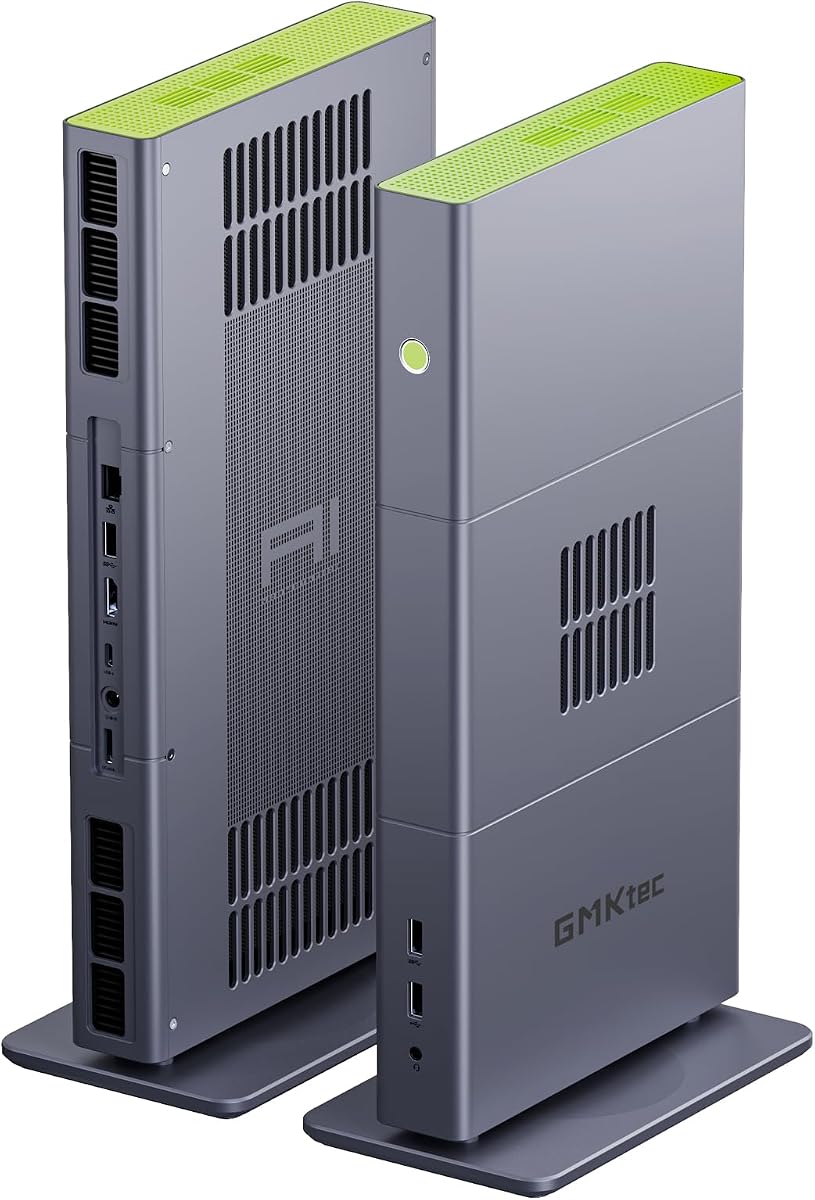
The GMKtec M8 Ryzen 5 PRO 6650H is a compact, well-equipped mini PC that brings an unusual combination of features to a value-focused configuration. It has no published rating in the supplied listing, but its six-core, 12-thread Ryzen 5 PRO processor, Radeon 660M graphics, fast LPDDR5 memory, and dedicated Oculink 2 interface make it a compelling all-around platform.
We may earn a commission when you buy through this link, at no additional cost to you.
Its most useful traits extend beyond the processor. The system includes 16GB of 6400MT/s LPDDR5 memory, a 512GB NVMe SSD, two 2.5GbE Ethernet ports, WiFi 6E, full-featured USB4, and support for up to three displays. The Oculink port provides a direct PCIe route for a compatible external GPU, while dual cooling fans and three power modes offer control over thermals, noise, and energy use.
There are important limitations to consider. The 16GB of LPDDR5 memory is soldered, so it cannot be expanded in the way a system with replaceable SO-DIMMs can be. The included 512GB SSD may also prove modest for large game libraries or active video projects, although the listed dual M.2 2280 arrangement offers room for storage expansion. The Ryzen 5 PRO 6650H is also no longer among the newest processors, though it remains capable for productivity and mainstream use.
This M8 is best for buyers who want a capable Oculink 2 mini PC without moving to a high-end Ryzen AI or Ryzen 7 configuration. It works especially well as a compact office computer, a network appliance using both Ethernet ports, a media and development system, or the core of an external-GPU gaming setup. For those priorities, it offers one of the strongest feature-to-cost balances in this roundup.
The dedicated Oculink interface gives the M8 a direct path for compatible PCIe expansion, including external graphics enclosures. Because it does not depend on a USB4 controller, it can provide a more suitable route for bandwidth-intensive add-on hardware, provided the enclosure and adapter are fully compatible.
Two 2.5GbE ports make this system unusually adaptable for network tasks. It can be used for a NAS connection, separate wired networks, link aggregation, soft routing, or another role supported by the available software, while HDMI, DisplayPort, and USB4 video outputs support a productive three-screen arrangement.
We may earn a commission when you buy through this link, at no additional cost to you.
This M8 configuration offers the same core platform as the first-ranked listing but presents it as a straightforward desktop alternative. It combines an AMD Ryzen 5 PRO 6650H processor with Radeon 660M integrated graphics, 16GB of LPDDR5-6400 memory, and a 512GB NVMe drive. The supplied listing does not include a customer rating, so its value should be judged primarily from the specifications and expansion potential.
We may earn a commission when you buy through this link, at no additional cost to you.
For general office work, research, communication, and light creative tasks, the six-core processor and Radeon 660M provide a capable baseline. The graphics are also strong enough for mainstream games at modest settings and smooth high-resolution media playback. Oculink adds a clear route to a desktop-class external GPU, while USB4 handles data transfer, charging, and display output when an eGPU is not connected.
Storage and memory are the main constraints. The 512GB starting capacity is fine for an operating system, applications, and active files, but larger collections may require another drive. Dual M.2 2280 positions are listed for expansion, with total capacity of up to 8TB. The soldered 16GB memory cannot be replaced, which is worth considering for heavy editing, large project files, or memory-intensive development.
The listing is most appropriate for a buyer seeking a compact, quiet, and expandable everyday computer. It can serve as a home-office machine, a light gaming system, a three-monitor productivity hub, or a base for a later external-GPU upgrade. Buyers should compare the final listing against the 1TB M8 and the higher-tier K16 when storage or processor headroom is a priority.
The M8's three BIOS power modes cover different priorities: a 28W Quiet mode, a 35W Balance mode, and a 40W Performance mode. This makes it possible to tune the balance between processing activity, power consumption, and acoustics according to the task.
Oculink handles compatible high-bandwidth PCIe accessories, while USB4 adds a broader everyday connection option. The result is a compact system that can begin as a general-purpose mini PC and later become the central computer in an external-GPU or multi-display workstation.
We may earn a commission when you buy through this link, at no additional cost to you.
The GMKtec K16 Ryzen 7 7735HS is a higher-performance mini PC for buyers who want more CPU headroom and memory than the M8 provides. Its 4.4 rating reflects a generally favorable customer response, while the eight-core, 16-thread processor and Radeon 680M graphics make it well suited to multitasking, programming, content creation, and mainstream gaming.
We may earn a commission when you buy through this link, at no additional cost to you.
The 32GB of 6400MT/s LPDDR5 is a major advantage over 16GB configurations. It provides more room for running many applications, editing projects, browsing numerous tabs, and using virtualized or development environments. A 512GB NVMe SSD is included, and the listing describes dual M.2 2280 expansion positions capable of reaching 16TB total storage. Oculink, USB4, dual 2.5GbE Ethernet, and WiFi 6E make the platform particularly well connected.
The trade-offs are modest but real. LPDDR5 memory is soldered to the board, so the 32GB allocation represents the final upgradeable memory capacity. The 512GB drive may need supplementation sooner than the 1TB alternatives in the roundup. Some listing text also refers to M8-style performance modes and cooling, so buyers should verify the exact BIOS settings and included accessories on the final product page.
This K16 is a strong choice for a compact productivity machine, a development desktop, a high-refresh integrated-gaming setup, or the heart of an external-GPU workstation. It makes the most sense when 32GB of memory, an eight-core processor, and multiple wired network connections outweigh the benefits of a larger starting SSD.
The Ryzen 7 7735HS has eight cores and 16 threads with boost speeds up to 4.75GHz. That extra parallelism is valuable for compiling software, editing media, keeping many applications open, and handling routine background tasks without making the six-core M8 feel constrained.
A full-metal case, dual 2.5GbE ports, and dual-fan cooling give the K16 a more workstation-oriented feature set. The Ethernet ports can be assigned to separate networks or used for file-transfer and small-server workflows, depending on the operating system and supporting software.
We may earn a commission when you buy through this link, at no additional cost to you.
The 1TB M8 Ryzen 5 PRO 6650H stands out from the other M8 listings by doubling the base storage to 1TB. No customer rating is provided in the supplied information, but the underlying platform is well equipped for productivity, media work, light gaming, and compact external-GPU expansion.
We may earn a commission when you buy through this link, at no additional cost to you.
The six-core Ryzen 5 PRO processor boosts to 4.5GHz and works with Radeon 660M graphics, giving it enough capability for office applications, high-resolution playback, mainstream games, and lighter video editing. Its 16GB LPDDR5-6400 memory is fast, and the 1TB NVMe SSD offers much more immediate room for applications, media libraries, and active projects than a 512GB configuration.
The essential limitation is that the 16GB memory is soldered. It cannot be replaced with larger modules, so heavy multitasking, professional media workloads, and virtual machines may eventually encounter memory constraints. Dual M.2 2280 storage positions are listed, so the drive can still be expanded to a combined 8TB. Oculink is not hot-swappable in the broader platform design, making careful shutdown important when changing external devices.
This is the M8 to choose when storage matters more than maximum CPU core count. It suits a family media server, a developer who keeps large repositories, a creator retaining project files, or an office user who wants fast local storage without immediately adding another drive. It remains one of the most approachable Oculink 2 systems for general use.
A 1TB NVMe drive reduces the need for an immediate secondary drive or network-storage dependency. The extra capacity is especially useful for locally stored media, application libraries, project files, virtual-machine images, and frequent downloads.
The Oculink port allows the system to gain compatible dedicated graphics through an external enclosure. That turns the M8 into a useful base for a gaming or rendering setup while preserving the small footprint of the base computer.
We may earn a commission when you buy through this link, at no additional cost to you.
The GMKtec K15 Core Ultra 5 125U brings Intel's Meteor Lake platform, replaceable DDR5 memory, and a broad selection of display and network connections. The supplied listing has no customer rating, but its 32GB dual-SO-DIMM configuration and three M.2 storage positions give it unusually clear upgrade potential for a compact Oculink system.
We may earn a commission when you buy through this link, at no additional cost to you.
The Core Ultra 5 125U provides 12 cores and 14 threads according to the product data, with boost capability up to 4.3GHz. Its efficient 15-watt design targets office work, development, media processing, and light creative applications. Oculink operates at PCIe x4 speeds, while USB4 and USB Type-C provide additional data, charging, and video functions. The K15 can drive up to four high-resolution displays.
The main compromise is memory speed. Its 4800MT/s DDR5 is less quick on paper than the 6400MT/s LPDDR5 found in several AMD-based competitors, although replaceable SO-DIMMs can be upgraded. Buyers should verify the exact supported memory configuration and maximum capacity directly with the manufacturer. The 512GB SSD is also modest for large creative libraries, although three M.2 2280 positions support up to 8TB per drive.
The K15 is a compelling choice for an Intel-centered office, development, or light gaming setup that may grow over time. It is particularly attractive when the ability to replace memory is important. For buyers seeking maximum gaming performance from integrated graphics, the Radeon systems in this guide may offer a more specialized proposition, while the Core Ultra platform remains well suited to efficient general computing.
Unlike soldered LPDDR5 alternatives, this K15 uses two 16GB DDR5 SO-DIMMs. Buyers can potentially increase memory or replace modules, while three M.2 2280 positions create one of the strongest storage-expansion arrangements among the compact models reviewed.
HDMI 2.1, DisplayPort 1.4, and Type-C display connections allow a substantial multi-monitor workspace. The listed 8K@60Hz HDMI capability is particularly useful for high-resolution dashboards, timelines, and productivity applications when the selected displays and cables support it.
We may earn a commission when you buy through this link, at no additional cost to you.
The 1TB GMKtec K15 Core Ultra 5 125U combines a 4.2 rating with a 1TB SSD and Intel AI Boost NPU. It is the more storage-oriented version of this K15 family and is aimed at users who want an efficient Intel platform for work, development, content processing, and emerging on-device AI applications.
We may earn a commission when you buy through this link, at no additional cost to you.
The Core Ultra 5 125U has 12 cores and 16 threads according to the listing, including six performance cores, eight efficiency cores, and two low-power cores. Its Intel AI Boost NPU provides up to 13 TOPS of INT8 performance, while Intel Arc 140T graphics include eight Xe cores and support for Quick Sync, AV1 encoding, and decoding. The system includes 32GB of DDR5-4800, a 1TB PCIe 4.0 SSD, and three M.2 expansion positions.
As with the 512GB K15, the replaceable memory is a major strength, although 4800MT/s is slower than the LPDDR5-6400 configurations offered by AMD competitors. AI workloads need compatible software, and the NPU's headline TOPS figure does not mean every application will use it. Integrated gaming performance also remains below what an external GPU can provide, making Oculink important for more demanding graphics work.
This K15 is a good fit for an AI-assisted development workstation, a compact editing system, a multi-display office, or a lightweight home server. It balances storage, memory flexibility, networking, and specialized silicon better than many general-purpose competitors. Buyers who prioritize gaming should compare its integrated graphics with the Radeon 680M and 8060S systems.
The 13-TOPS NPU adds hardware acceleration for supported local AI tasks without relying exclusively on the CPU or integrated GPU. Its value is greatest in software environments that explicitly support Intel AI Boost, such as compatible development and inference tools.
Intel Arc 140T graphics support AV1 encoding and decoding alongside Quick Sync Video, useful for media-heavy workflows. Four-display output expands the K15 into a compact control station, editing desk, or monitoring setup when software and peripherals are compatible.
We may earn a commission when you buy through this link, at no additional cost to you.
The AOOSTAR MACO Ryzen 7 6850H is the most balanced standalone design in this roundup, earning a 4.5 rating and earning the Editor's Choice designation. It combines eight CPU cores, Radeon 680M graphics, fast soldered memory, three M.2 slots, extensive display support, and a full complement of modern connectivity in a compact metal chassis.
We may earn a commission when you buy through this link, at no additional cost to you.
The Ryzen 7 6850H has eight cores and 16 threads with boost speeds up to 4.7GHz. Its 24GB of 6400MHz LPDDR5 supports demanding multitasking, while the 1TB PCIe 4.0 SSD and three M.2 2280 positions provide exceptional internal storage flexibility. Oculink operates independently of the M.2 slots, allowing a compatible external GPU to be connected without sacrificing internal storage expansion.
Display and peripheral connectivity are particularly strong. The system supports four 4K@120Hz displays through DisplayPort, HDMI 2.1, and two USB4 connections. It also includes dual 2.5GbE Ethernet, WiFi 6, Bluetooth 5.2, and a one-touch fingerprint reader with Windows Hello support. The principal limitations are soldered memory and the need to power down before changing an Oculink device because hot-swapping is unsupported.
The MACO suits experienced builders who want storage flexibility, a discrete external GPU, and several high-refresh displays without assembling a large tower. It also works well as a compact development or media system, though the Radeon 680M remains an integrated solution. For a balanced all-around system with unusually broad expansion, it is the strongest recommendation in this guide.
Three PCIe 4.0 M.2 2280 positions allow high-speed storage expansion up to the listed 24TB aggregate capacity. RAID 0, 1, and 5 configurations are also described, giving buyers useful options for performance, redundancy, or a combination of working and backup volumes.
The combination of DisplayPort, HDMI 2.1, and two USB4 outputs supports a wide four-screen arrangement. This is valuable for high-refresh gaming, financial dashboards, editing timelines, and dense virtual desktops, provided the outputs, displays, adapters, and application workloads are compatible.
We may earn a commission when you buy through this link, at no additional cost to you.
The GMKtec X3 Ryzen AI Max+ 395 is the premium, specialized entry in this guide. Its 4.1 rating accompanies a specification set aimed at local AI, large unified-memory workloads, advanced content creation, and compact workstation use, with 128GB of LPDDR5X and Radeon 8060S-class integrated graphics.
We may earn a commission when you buy through this link, at no additional cost to you.
The Ryzen AI Max+ 395 processor has 16 Zen 5 cores, 32 threads, boost capability up to 5.1GHz, and an integrated AI engine capable of up to 126 TOPS. Its Radeon 8060S integrated GPU uses 40 RDNA 3.5 compute units and can access the full unified memory pool. The supplied data says it is positioned between laptop RTX 4060 and 4070-class performance, making it unusually strong for a mini PC without a discrete GPU.
The 2TB PCIe 4.0 SSD provides substantial immediate storage, while Oculink PCIe 4.0 x4 adds a route to desktop-class external graphics for gaming, rendering, AI acceleration, or video production. The 128GB LPDDR5X is soldered, however, and its effective workload performance is constrained by what the unified memory architecture can deliver in a given application. It is a specialized machine rather than a sensible purchase for basic office tasks.
This X3 is intended for AI developers, researchers, advanced creators, and users of large language models who need considerable memory without a full-size workstation. It can also serve as a compact system where integrated graphics performance is unusually important. Buyers should assess software support and memory behavior carefully, but for genuinely demanding local-AI and graphics workloads, it is the most capable option reviewed.
The 128GB memory pool can be shared between the CPU and integrated GPU, a major advantage for large AI models and graphics workloads that exceed ordinary dedicated-VRAM limits. The listing specifically identifies support for large language-model use, including a 70B-class Q8 configuration.
Oculink PCIe 4.0 x4 allows compatible high-end graphics hardware to be added when integrated performance is insufficient. The mini PC therefore offers a path from a compact AI system to a more conventional external-GPU workstation without abandoning the small base unit.
We may earn a commission when you buy through this link, at no additional cost to you.
The 16GB GMKtec K15 Core Ultra 5 125U is a more affordable entry into the K15 platform, offering the same distinctive Core Ultra processor and Oculink expansion in a lower starting configuration. The supplied listing has no rating, but it presents a useful combination of replaceable memory, a dedicated AI NPU, and extensive storage expansion.
We may earn a commission when you buy through this link, at no additional cost to you.
Its processor includes 12 cores and 16 threads with up to 4.3GHz boost, while the Intel AI Boost NPU provides 13 TOPS of INT8 acceleration. Integrated Intel Arc 140T graphics support modern APIs, variable-rate shading, ray tracing, AV1, and Quick Sync. The system has 16GB of dual-channel DDR5-4800, a 512GB SSD, and three PCIe 4.0 M.2 positions with a listed total capacity of up to 24TB.
The principal compromise is the lower 16GB starting memory. It should be fine for office work, communication, browsing, and many development tasks, but heavy editing or numerous memory-intensive applications would benefit from larger modules. The product information also includes unusually precise claims about bandwidth and latency, so buyers should compare actual application results and compatible accessory specifications rather than relying on headline figures alone.
This K15 is best for a buyer who wants Intel's efficient Core Ultra platform, local AI hardware, flexible storage, and a compact external-GPU path without beginning with 32GB of memory. Because the DIMMs are replaceable, the system can be expanded if needed. It is a sensible lower-capacity alternative within the K15 family.
The 13-TOPS NPU is useful for supported inference, analytics, and development workflows. It provides a separate hardware path for AI tasks while the Oculink interface remains available for a compatible external GPU in demanding graphics scenarios.
Replaceable DDR5 memory and three M.2 slots create a more adaptable foundation than a soldered-memory system. Buyers can add capacity for larger projects, more virtual machines, or a substantial local media library as requirements develop.
We may earn a commission when you buy through this link, at no additional cost to you.
The GMKtec K16 Ryzen 7 7735HS 1TB configuration has the highest published rating in this roundup at 4.6. It pairs an eight-core Ryzen 7 processor and Radeon 680M graphics with 32GB of fast LPDDR5, a 1TB SSD, Oculink expansion, dual 2.5GbE networking, and a clearly documented set of performance modes.
We may earn a commission when you buy through this link, at no additional cost to you.
Its Ryzen 7 7735HS has eight cores, 16 threads, a 3.2GHz base clock, and boost speeds up to 4.75GHz. The Radeon 680M provides 12 graphics cores operating up to 2,200MHz, suitable for productivity, media playback, content creation, and mainstream gaming. The included 1TB PCIe SSD offers more immediate storage than the 512GB K16, while the listed storage architecture supports expansion to 16TB across two M.2 2280 positions.
The main limitation is soldered memory. Although 32GB is ample for many workloads, it cannot be replaced later. The Oculink port is also not hot-swappable, so the system must be powered off before connecting or removing a compatible expansion device. Integrated Radeon graphics will not satisfy demanding modern games, but Oculink makes it possible to move to a much more capable external GPU.
This K16 is a strong all-rounder for productivity, programming, creative work, video calls, and lighter gaming. Its 1TB capacity, dual Ethernet ports, compact dimensions, three display outputs, and clearly specified power profiles make it particularly practical. It is the stronger K16 choice for buyers who value immediate storage over the lower cost of the 512GB model.
Silent 35W, Balanced 45W, and Performance 50W modes let users choose between efficiency and sustained performance. The dual-copper-pipe, dual-fan cooling system is designed to maintain manageable thermals as the power limit changes.
The CNC-finished metal body measures 4.21 by 4.37 by 2.48 inches and weighs about 1.23 pounds. That makes the K16 easy to deploy on a desk, shelf, counter, or temporary workstation without giving up full-featured networking and expansion.
We may earn a commission when you buy through this link, at no additional cost to you.
The right Oculink 2 mini PC depends on how the system will be used, which eGPU or PCIe device may be connected, and whether future memory, storage, display, and networking upgrades matter more than the lowest purchase cost.
Start by considering both CPU capability and graphics performance rather than treating them as separate questions. The Ryzen 7 7735HS and Ryzen 7 6850H offer eight cores and 16 threads, while the Ryzen 5 PRO 6650H provides six cores and 12 threads. The Core Ultra 5 125U emphasizes efficient mixed-core processing and AI acceleration, while the Ryzen AI Max+ 395 serves as the specialized high-end option with 16 cores, 32 threads, and a powerful integrated Radeon GPU.
Choose based on sustained workload. Mainstream office use, browsing, and video calls do not demand the highest core count, while compilation, rendering, heavy multitasking, and local AI benefit from more cores, larger memory pools, and faster specialized hardware. Integrated graphics can handle general productivity and many lighter games, but demanding 3D workloads still warrant an external GPU.
Prioritize processor performance that matches your workload, not simply the highest model number.
Oculink 2 is a high-bandwidth PCIe interface, but the mini PC alone does not provide desktop graphics. You also need a compatible enclosure, adapter cable, power supply, and graphics card. Protocol versions, physical connectors, keying, power delivery, and the enclosure's supported slot width must all match for the intended setup.
Oculink bandwidth is generally well suited to external GPUs, but performance still depends on the enclosure, bandwidth allocation, cooling, power limits, and application. Some mini PCs share PCIe lanes with storage or other devices, while dedicated implementations are more independent. Check the exact model documentation and avoid assuming every Oculink-equipped computer has identical expansion behavior.
Verify the enclosure, adapter, power, and device before buying.
Memory capacity can determine how many applications, browser tabs, project files, and virtual machines a system can handle comfortably. Most buyers should treat 16GB as a basic configuration, 24GB as a useful middle ground, and 32GB or more as preferable for heavy multitasking, professional media work, software development, and local AI. The Ryzen AI Max+ 395 system's 128GB unified pool occupies a category of its own.
Capacity is only part of the decision. LPDDR5 and LPDDR5X are soldered, so the included amount is normally final, while the K15 models use replaceable DDR5 SO-DIMMs. Faster LPDDR5-6400 can benefit some workloads, but compatibility, real application performance, and the availability of larger memory modules matter more than a headline speed.
Choose soldered memory for a compact final design, or DIMMs for flexibility.
A 512GB SSD is enough for an operating system and core applications, while 1TB is more comfortable for media, games, creative files, and virtualized environments. The 2TB X3 is aimed at users with substantial local libraries. Consider not only the included capacity but also the number and generation of M.2 slots, since this determines how easily the system can grow.
The AOOSTAR MACO and K15 models stand out with three M.2 2280 positions. The M8 and K16 systems use dual-slot arrangements. PCIe 4.0 drives provide strong transfer performance, while RAID support can add redundancy or configuration flexibility where the operating system and motherboard support it. Always confirm the exact slot and protocol specifications for the selected listing.
Count slots and usable capacity before choosing a storage configuration.
Display support can make a small computer much more practical for work. Most of the AMD models support three displays, while the K15 and MACO models support four, using combinations of HDMI, DisplayPort, and USB4 video output. Maximum resolution and refresh rate depend on the individual output, monitor, adapter, and operating-system configuration.
USB4 adds useful flexibility for high-speed storage, docks, charging, and external displays. A full-featured port that supports DisplayPort, power delivery, and data transfer is more valuable than a basic USB-C connector. Buyers should also count the required data ports for keyboards, storage, peripherals, and external networking devices.
Match output count, resolution, refresh rate, and USB support to your screens.
Dual 2.5GbE Ethernet is a meaningful advantage in a compact computer because it provides more than one wired connection. The ports can be used for separate network segments, a NAS, file transfers, a router or firewall project, link aggregation, or a small server role, depending on software and network hardware. These applications require suitable switches, cables, storage, and configuration.
Wireless standards range from WiFi 6 to WiFi 6E and WiFi 7, with Bluetooth 5.2 or 5.4. Faster wireless specifications can help with compatible local transfers, but actual performance depends on the router, radio environment, client module, and other traffic. For stable large-file movement, wired Ethernet remains a strong option.
Count Ethernet ports and wireless generations before setting up a network appliance.
Compact systems concentrate heat, so cooling design and power limits are important for sustained performance. Dual- or triple-fan arrangements, larger vents, heat pipes, and 360-degree airflow can maintain higher processor clocks under load. Performance modes help users tune this balance, while quiet modes are valuable in a living room, office, or recording environment.
The listed power limits range from 28W to 50W for the M8 and K16 families, while the MACO offers three BIOS profiles up to 70W. Higher limits may improve sustained performance but can also increase heat, fan noise, and energy use. Check what accessories and cooling solutions an external-GPU setup requires, because enclosure heat can add further demands.
Choose a thermal profile that fits your noise tolerance and available space.
A mini PC's dimensions determine where it can be deployed. The K16 is documented at 4.21 by 4.37 by 2.48 inches and about 1.23 pounds, while other models emphasize compact metal construction and a full-metal chassis. Build quality can affect longevity and mounting options, although the supplied information does not provide standardized measurements for every system.
Physical security and access control are also relevant for office and shared installations. The MACO includes a fingerprint reader with Windows Hello support, and the K16 has a rear security-lock slot. A VESA mount, Kensington slot, or other deployment feature may be useful for fixed installations. Confirm these details against the specific listing and intended environment.
Check dimensions, mounting, security, and material for your deployment.
Begin with the supplied power adapter and connect only the displays and peripherals required for your setup. Install the operating system, apply current security and firmware updates, and confirm that the intended USB4, Ethernet, and display connections are recognized. If you plan to use an external GPU, install the operating system and required software before attaching the enclosure, then follow the enclosure manufacturer's startup procedure.
Power down the mini PC completely before connecting or removing an Oculink device. Oculink is not hot-swappable on these systems, and attempting to change hardware while operating could cause instability or damage. Use compatible enclosures and adapters, provide adequate power for the installed card, and keep both the mini PC and graphics enclosure in a well-ventilated position so the combined thermal load does not create bottlenecks.
For routine care, keep vents unobstructed and use the available BIOS power modes to manage heat and noise. Update the system, GPU software, network drivers, and BIOS when appropriate, and periodically verify storage health and available capacity. When cleaning, switch the system off and use dry, compressed air or a soft brush rather than allowing liquid to enter the chassis or ports.
Oculink 2 provides a high-bandwidth PCIe connection for compatible expansion hardware, most commonly an external graphics card. It can also suit other supported PCIe devices, depending on the enclosure and adapter arrangement. The mini PC still requires compatible external hardware, and Oculink is generally not hot-swappable, so the system should be powered off before changing devices.
Oculink and USB4 are designed around different controllers and bandwidth characteristics. Oculink generally offers a more direct PCIe path, which can make it preferable for compatible external GPUs and bandwidth-intensive devices. Real results depend on the enclosure, allocation, power delivery, cooling, graphics card, and application, so neither interface guarantees identical performance in every setup.
Yes. Every mini PC in this guide includes integrated graphics capable of everyday output and many lighter tasks. Oculink remains available for later expansion, allowing the same base system to serve as an office or development computer before adding compatible dedicated graphics.
16GB is sufficient for common office work, browsing, video calls, and moderate application use. It can feel limiting with intensive editing, many browser tabs, virtual machines, large development projects, or local AI models. The M8, 1TB K16, and 16GB K15 use soldered or less-flexible memory configurations, while the K15's replaceable DDR5 modules offer a clearer upgrade path.
No. Display support varies among the M8, K15, K16, MACO, and X3, with some supporting three displays and others four. Output resolution and refresh rate can also differ by port. Check the exact HDMI, DisplayPort, USB4, and Oculink specifications for the chosen model, as well as the requirements of the intended monitor or expansion accessory.
Not necessarily. Dual 2.5GbE provides excellent wired connectivity for network services, large transfers, and segmented networks. WiFi 6E or WiFi 7 adds placement flexibility and can be convenient for peripherals, but actual speed depends on the router and environment. Some network-focused users will benefit more from the two wired ports than from a faster wireless generation.
It can provide a substantial graphics upgrade when the mini PC, enclosure, adapter, power supply, and GPU are fully compatible. The result can handle games far beyond the integrated graphics' capabilities, though performance still depends on the external enclosure and bandwidth. Oculink is particularly attractive for this use because it provides a direct PCIe-oriented connection.
A 512GB SSD suits a focused system with cloud storage or additional drives, while 1TB is more practical for games, media, and active project files. The 2TB premium configuration offers the most immediate room. Expansion slots matter because a larger drive may be added later, but the system's memory and overall performance should also match the expected workload.
The GMKtec M8 Ryzen 5 PRO 6650H is the best budget-oriented all-rounder, combining a useful six-core platform, Radeon 660M graphics, 16GB of fast memory, dual 2.5GbE networking, and Oculink expansion. The AOOSTAR MACO Ryzen 7 6850H is the Editor's Choice for buyers who prioritize a balanced design, three M.2 slots, four high-resolution displays, and extensive connectivity.
For specialized needs, the GMKtec X3 Ryzen AI Max+ 395 is the clear premium choice because 128GB of unified memory, the Radeon 8060S-class graphics, substantial AI hardware, and 2TB of storage target demanding local-AI and professional workloads. Most buyers should otherwise prioritize processor fit, replaceable memory when needed, sufficient storage, compatible expansion hardware, and the display and network layout they will actually use.
Prices and availability change over time, so check the current listing, final memory and storage configuration, included power adapter, and enclosure compatibility before purchasing. The most capable specification does not automatically produce the best value; the best Mini PC with Oculink 2 is the one that matches your workload, peripherals, and expansion plans.