
Western Digital WD Black
4.4Editor score
2TB performance capacity
Desktop gaming orientation
64MB optimized cache
Five-year limited warranty
A 7200 Rpm HDD hard drive combines a fast spindle speed with the familiar reliability and expansive capacities of magnetic storage. These 3.5-inch SATA drives are especially useful for game libraries, media collections, creative projects, local backups, and desktop systems where responsive file access matters more than the compact size or low power use of a solid-state drive.
The ten products in this guide were compared using their stated capacity, form factor, interface, cache size, spindle speed, warranty coverage, and intended workload. The list covers mainstream desktop drives, performance models, datacenter-oriented storage, and renewed enterprise equipment, allowing buyers to compare useful differences rather than treating every 7200 RPM drive as interchangeable.
Each review explains who benefits most from the particular model, including its strongest technical feature and the compromises buyers should consider. Ratings reflect the supplied customer feedback, while specifications and features come from the listed product information. Availability and pricing can change, so confirm the current listing and system requirements before purchasing.
4.4Editor score

4.7Editor score

4.4Editor score
As an Amazon Associate we earn from qualifying purchases.
This side-by-side comparison highlights each drive's capacity, physical format, cache configuration, and intended use, making it easier to identify the right 7200 RPM hard drive for a desktop, workstation, server, or backup system.

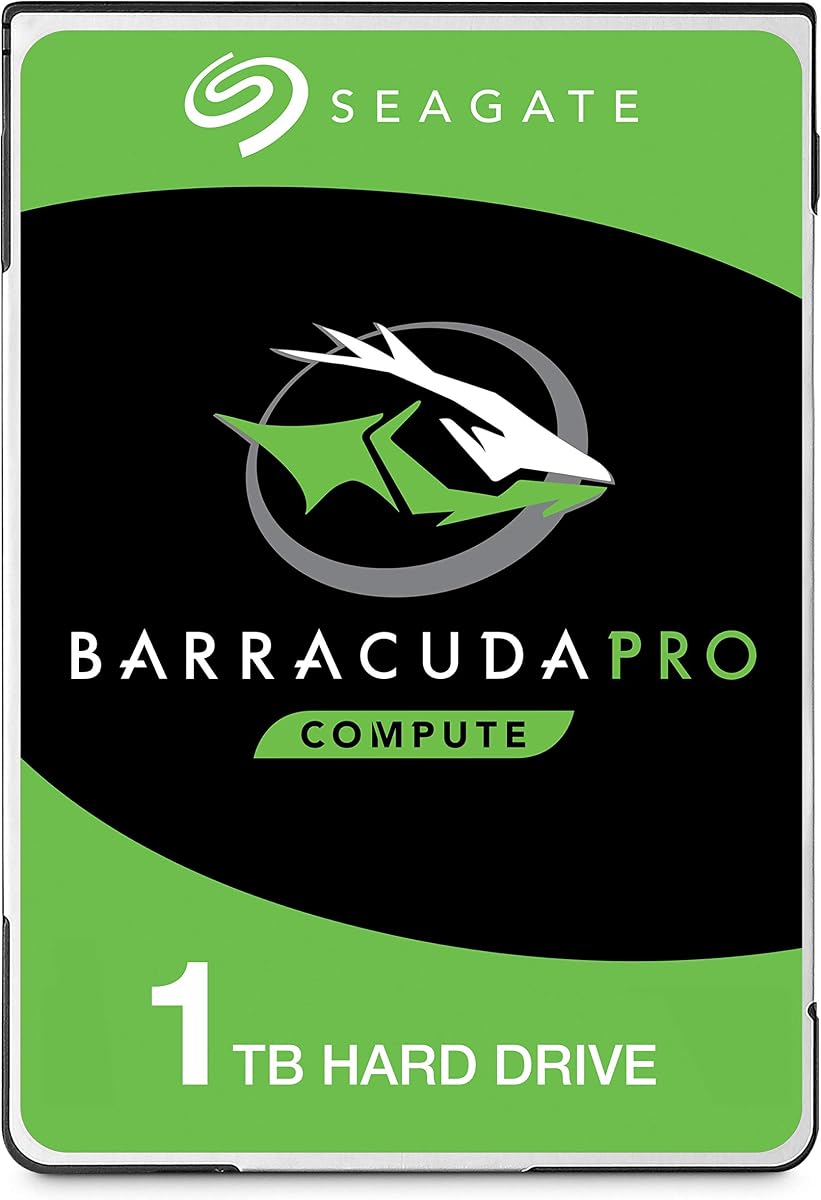


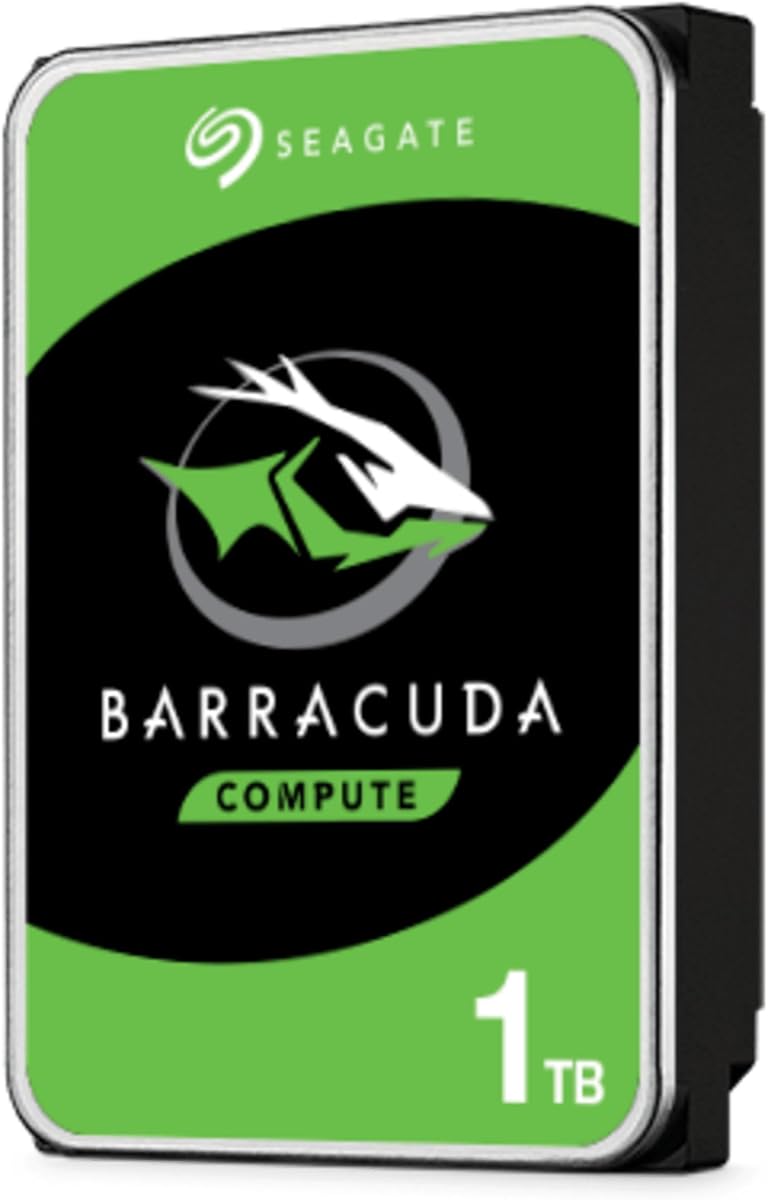
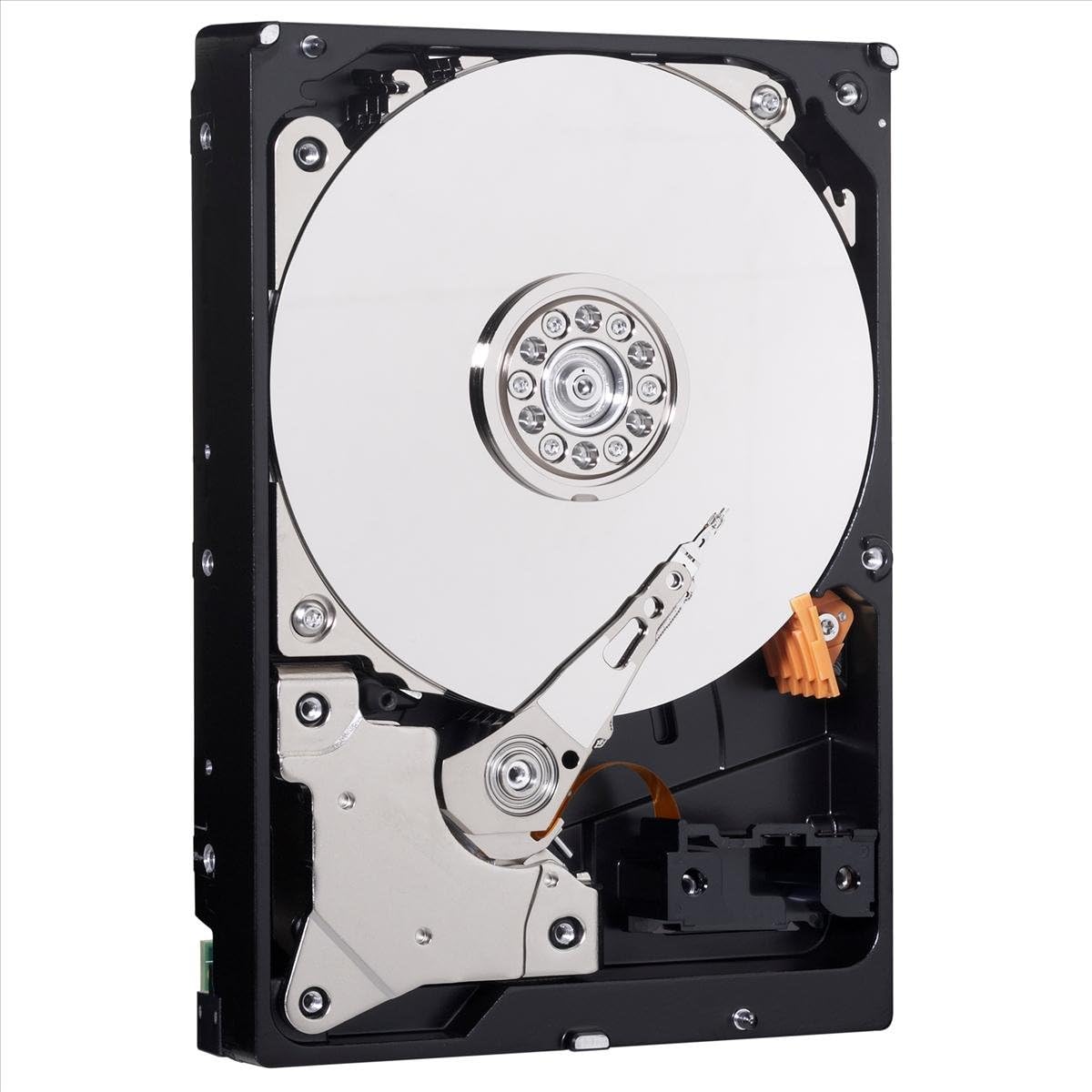

The Seagate Bare Drives BarraCuda 1TB is a conventional 3.5-inch desktop hard drive built around a 7200 RPM spindle, SATA 6 Gb/s connectivity, and 64MB of cache. Its supplied customer rating is 4.6 out of 5. It occupies an appealing middle ground for buyers who want more storage than a small secondary drive but do not need a large enterprise model for ordinary desktop use.
We may earn a commission when you buy through this link, at no additional cost to you.
The drive is presented as suitable for music, video, photo editing, PC gaming, and other common PC applications. A 7200 RPM platform is particularly useful when the system contains numerous smaller files that benefit from quick head movement and rotational latency. The 64MB cache also provides a buffer for bursty reads and writes, although it does not make the hard drive equivalent to an SSD for random access.
Its main limitation is the amount of space available from a 1TB rating. Modern games, high-resolution media, and working project files can consume that capacity quickly, so buyers should consider how much room they actually need before settling on this model. The listed product information does not emphasize newer workload features beyond the general BarraCuda platform, so it is best positioned as a flexible mainstream choice rather than a specialized backup or server drive.
This is a sensible recommendation for a desktop builder, student, gamer, or home office that needs dependable mass storage and a strong rating. It may also work as a secondary drive for media and less frequently accessed files while a solid-state drive handles the operating system and active applications. Choose it when its 1TB capacity, desktop form factor, and 7200 RPM performance align with your needs.
Rather than focusing on one narrow application, the BarraCuda is described as a general SATA solution for gaming, media, and creative tasks. That flexibility makes it easier to use across a changing collection of desktop files.
The 7200 RPM spindle can improve sequential transfers and small-file responsiveness compared with slower mechanical models. An SSD remains preferable for operating-system boot and highly random application access.
We may earn a commission when you buy through this link, at no additional cost to you.
The Seagate BarraCuda Pro 1TB stands apart because it combines a 2.5-inch form factor with a 7200 RPM spindle. It also provides 128MB of cache, SATA 6 Gb/s connectivity, and a supplied rating of 4.6. These characteristics make it a distinctive option for compatible laptops and compact desktop builds that can benefit from faster mechanical storage.
We may earn a commission when you buy through this link, at no additional cost to you.
The listed description emphasizes PC gaming and the editing of music, video, and photographs. Its larger cache is especially attractive for bursty workloads, although cache alone cannot overcome the inherent latency of rotating media. Compared with the 3.5-inch drives in this guide, it saves physical space and may suit users who cannot accommodate a full-size desktop bay or who need a higher-speed portable-oriented SATA drive.
The trade-offs are capacity and compatibility. One terabyte is less generous than several larger alternatives, and a 2.5-inch SATA installation requires a suitable bay, connector, and power arrangement. The product title mentions laptops as a target, but buyers should still verify the exact dimensions, mounting system, and interface supported by their particular notebook. It should not be assumed to fit every laptop bay.
This drive is best for a builder who specifically wants 7200 RPM performance in a 2.5-inch enclosure, along with a larger cache and strong warranty coverage. It is less appropriate for users seeking maximum capacity in a desktop tower or for systems that can benefit more from a full-size 3.5-inch drive.
The defining attraction is the unusual combination of a 2.5-inch chassis and 7200 RPM mechanics. It offers a compact alternative for compatible systems that would otherwise need to use a slower mobile hard drive.
With 128MB of cache, the model has a larger stated buffer than most 3.5-inch entries here. Its five-year limited warranty and Rescue Data Recovery Services also add support beyond the basic drive.
We may earn a commission when you buy through this link, at no additional cost to you.
The Western Digital 2TB WD Black Performance HDD is a 3.5-inch SATA drive intended for desktop gaming, system builders, and creative professionals. It operates at 7200 RPM, includes 64MB of cache, and has a supplied rating of 4.4. The model designation WD2003FZEX identifies a performance-oriented option rather than a basic archival drive.
We may earn a commission when you buy through this link, at no additional cost to you.
Western Digital's StableTrac and Dynamic Cache Technology are highlighted as mechanisms for reliability and performance. StableTrac focuses on consistent behavior, while the caching technology is intended to optimize data handling. Together with the five-year limited warranty, these features make the WD Black appealing for builders who view the drive as a long-term desktop component and want storage designed around demanding PC use.
Its 2TB capacity is more practical than the smaller drives in this list for game libraries and media archives, though it still requires active storage management in a modern collection. The stated 64MB cache is not as generous as the 256MB configuration of the 2TB BarraCuda included later in this guide. Buyers should therefore focus on the WD Black's performance positioning, warranty, and workload support rather than treating cache size as the only measure of responsiveness.
The WD Black is a strong choice for a gaming desktop, workstation-style creative system, or enthusiast build where mechanical storage must handle a substantial file collection. It is a less natural match for a compact laptop or a buyer who wants the largest capacity possible. For a premium desktop-oriented option with a long warranty and established performance features, it earns a place near the top of this guide.
The stated audience of gamers, system builders, and creative professionals makes the WD Black relevant to systems with sustained file traffic. A 7200 RPM platform and optimized cache target responsiveness in this environment.
StableTrac is designed to support consistent operation, while Dynamic Cache Technology optimizes performance. The five-year limited warranty makes this a sensible option for users who value longer manufacturer support.
We may earn a commission when you buy through this link, at no additional cost to you.
The Seagate 2TB HDD model ST2000DM001 is listed with a 7.2K RPM spindle speed, a 3.5-inch form factor, and a SATA 6 Gb/s interface. Its supplied customer rating of 4.9 is the highest among the ten products. That makes it an immediately attractive choice for desktop users seeking the specified 7200-class speed and a two-terabyte capacity.
We may earn a commission when you buy through this link, at no additional cost to you.
The product information is concise, naming Seagate as the manufacturer and identifying both the ST2000DM001 model and Dell part number NYR3N. These identifiers are useful when replacing a compatible drive or matching an existing system configuration. Its 2TB capacity gives it more room for games, videos, project archives, and backups than the 500GB and 1TB options in this roundup.
The main limitation is the lack of detail in the supplied listing. Cache size, workload classification, and detailed warranty terms are not included in the product data, so this guide cannot responsibly claim benefits that are not stated. The 4.9 rating is also customer feedback rather than a laboratory result. Buyers should still verify the drive's dimensions, connector requirements, warranty information, and compatibility with their system.
This model is recommended for a desktop user who prioritizes the combination of high customer feedback, 2TB capacity, and a 7.2K RPM platform. It is particularly appealing when exact model or Dell part-number matching matters. Confirm current manufacturer documentation and system support before purchase, especially if the drive will serve as a system disk or belong to a managed workstation.
The 7.2K RPM designation matches the target class in this guide, while the 2TB capacity offers a balanced amount of room for a growing desktop library. It is a straightforward option for users who want more capacity than a 1TB drive.
Both ST2000DM001 and NYR3N are stated identifiers. Checking them against the desired system or replacement drive can reduce the chance of choosing an incompatible model.
We may earn a commission when you buy through this link, at no additional cost to you.
The WD SE 2TB is explicitly positioned as a datacenter hard disk drive rather than a conventional desktop model. It provides a 7200 RPM spindle, SATA 6 Gb/s interface, 64MB cache, and a 3.5-inch format. The supplied rating is 4.4, and its core appeal is the combination of capacity, workload testing, vibration tolerance, and long warranty coverage.
We may earn a commission when you buy through this link, at no additional cost to you.
StableTrac and RAFF are highlighted as technologies that enhance vibration tolerance, an important consideration in racks and other multi-drive environments. Western Digital also states that all drives undergo functional testing and additional testing under actual workloads in server and storage systems. Rotary Acceleration Feed Forward technology is specifically associated with improved performance in high-vibration environments.
This server orientation means some benefits will not matter to a single-drive home desktop. Buyers may also need to purchase separate mounting hardware, cables, or manuals because the package includes only the hard drive. Noise behavior, acoustic expectations, and the drive's suitability for a particular workstation should therefore be considered. The product data describes a powerful datacenter option, but it does not indicate that every desktop use case requires these capabilities.
Choose the WD SE for a storage server, backup appliance, or multi-drive system where vibration resistance and tested operation are priorities. Its two-terabyte capacity is listed as sufficient for substantial collections of photos, MP3 files, and HD video. For simpler desktop needs, a mainstream BarraCuda or WD Black may be easier to justify and install.
StableTrac, RAFF, and Rotary Acceleration Feed Forward all focus on dependable behavior in vibration-heavy settings. These traits matter most in server racks and multi-bay storage systems.
The stated testing history and five-year limited warranty strengthen the model's appeal for professional storage. Its 2TB capacity is also described in terms of large media collections and extended HD video storage.
We may earn a commission when you buy through this link, at no additional cost to you.
The Seagate Barracuda XT 2TB is a 3.5-inch bare drive with a 7200 RPM performance platform, 64MB cache, and SATA 6 Gb/s interface. Its supplied customer rating is 4.4. The product information specifically links high spindle speed with high capacity and desktop performance, while also describing the cache as a way to optimize burst performance and reduce data throughput bottlenecks.
We may earn a commission when you buy through this link, at no additional cost to you.
At two terabytes, the drive provides useful room for space-hungry games and movies, the applications highlighted in its description. SATA 6 Gb/s support allows it to work with newer controllers while remaining backward compatible. Certified frustration-free packaging is convenient for buyers who want a straightforward installation experience and may prefer the drive without a traditional retail box.
This is an older-generation desktop platform, and the SATA 6 Gb/s label describes the maximum interface rate rather than a guarantee of real-world transfer speed that large in every scenario. Mechanical access latency also remains higher than that of an SSD. As a result, it makes more sense as a high-capacity game or media drive than as the only drive responsible for operating-system and application performance.
The Barracuda XT is best for a desktop builder who wants substantial capacity, a fast 7200 RPM spindle, and a conventional bare 3.5-inch drive. It may be especially attractive where backward-compatible SATA support and frustration-free packaging are priorities. Modern builders should weigh it against newer BarraCuda models, especially if cache size and support terms are important.
The two-terabyte capacity gives the drive room for large game installations and movies. That makes it a practical secondary or bulk-storage option in a desktop with an SSD for active applications.
The 64MB cache is intended to smooth burst transfers, while the SATA 6 Gb/s interface supports contemporary desktop controllers with backward compatibility. Neither feature changes the fundamental nature of mechanical storage.
We may earn a commission when you buy through this link, at no additional cost to you.
The Seagate BarraCuda 1TB with model ST1000DM010 is a mainstream 3.5-inch desktop hard drive rated at 7200 RPM with 64MB of cache and a SATA 6 Gb/s interface. It carries a 4.6 customer rating. Its broad PC orientation makes it a familiar option for adding storage to a desktop used for music, video, photographs, or games.
We may earn a commission when you buy through this link, at no additional cost to you.
The supplied description emphasizes a mix of storage, computation, and desktop reliability, with support framed around two decades of internal hard-drive innovation. It can serve as an additional data drive, a repository for completed creative work, or a place to keep a game library away from the drive used for the operating system. Its 7200 RPM speed is meaningful when many files are stored across the platter.
The obvious limitation is capacity. One terabyte can be useful, but modern installations and high-resolution media may fill it more quickly than buyers expect. The 64MB cache is adequate for the platform but modest compared with the 128MB and 256MB configurations elsewhere in this guide. The included two-year limited warranty is also shorter than the five-year coverage stated for several other models.
This drive is recommended when a user wants a simple 3.5-inch secondary drive without paying for specialized server features or the largest available capacity. It is best suited to desktops with room for a full-size bay and users who already have fast solid-state storage for the operating system. Its strong rating and straightforward specification make it a dependable general-purpose choice.
Music, video, photographs, and games are all explicit use cases in the product information. This broad compatibility makes the drive useful as general-purpose bulk storage in a desktop system.
The standard 3.5-inch format, SATA interface, and 7200 RPM spindle align with common desktop configurations. The model number provides a clear identifier when checking compatibility.
We may earn a commission when you buy through this link, at no additional cost to you.
The WD Blue 500GB desktop hard drive is the smallest-capacity option in this guide. It uses a 3.5-inch form factor, 7200 RPM spindle speed, SATA 6 Gb/s interface, and 16MB cache. Its supplied rating is 4.4. For a secondary drive holding documents, archived media, or a modest collection of files, these basic specifications can be sufficient.
We may earn a commission when you buy through this link, at no additional cost to you.
IntelliSeek is described as calculating optimum seek speeds to reduce power consumption, noise, and vibration. Data LifeGuard uses algorithms to monitor the drive and help maintain its health, while NoTouch Ramp Load Technology positions the recording head away from the disk surface when appropriate. These features show that the drive is not simply a basic storage container, even though its capacity and cache are modest.
Its strongest limitation is the 500GB rating. That amount is easy to exhaust with a modern operating system, current games, or high-resolution media, and it is far smaller than the 2TB and 6TB alternatives here. The 16MB cache also offers less buffering than most models on the list. As a result, the WD Blue is most convincing as an inexpensive, compact addition to an existing system rather than a long-term all-purpose archive.
Buy the WD Blue if you need a straightforward 7200 RPM SATA drive for light storage duties and want the useful drive-management features of the WD Blue platform. Confirm that the system has a free 3.5-inch bay and remember that the package includes only the drive. Users expecting a large game library or extensive media collection should save room for a higher-capacity model.
IntelliSeek adjusts seek behavior to support lower power use, reduced noise, and less vibration. These characteristics can be helpful in a home or office desktop where moderate drive noise would be distracting.
Data LifeGuard monitors the drive continuously, while NoTouch Ramp Load helps protect the recording heads by parking them away from the disk surface. These are useful platform features for a secondary desktop drive.
We may earn a commission when you buy through this link, at no additional cost to you.
The Seagate BarraCuda 2TB, offered under model identifiers ST2000DM008 and ST2000DMZ08, is a 3.5-inch SATA drive built around 7200 RPM performance and 256MB of cache. It has a supplied customer rating of 4.7. Across the ten models, it combines one of the largest stated capacities with the biggest cache, making it the most balanced general-purpose recommendation.
We may earn a commission when you buy through this link, at no additional cost to you.
The stated applications include gaming, music, video, and photo editing. Two terabytes gives a useful library of space, while the 256MB cache is designed to handle bursts of data efficiently. The supplied information also highlights free Seagate DiscWizard software for migrating and cloning data from an older drive. That utility can make migration more approachable, although users should back up important information before changing storage systems.
As a mechanical drive, it still has slower random access and greater physical latency than an SSD. The large cache does not transform it into an equivalent boot drive for modern applications. It also requires standard SATA power and data connections plus a proper 3.5-inch mounting position. Buyers should plan a sensible storage strategy, using solid-state storage for the system and applications when immediate responsiveness is important.
This is the strongest all-around choice for a gaming desktop, family PC, media workstation, or general creative machine that needs substantial hard-drive capacity. It is particularly compelling when comparing the listed specification sheets, where 2TB, 7200 RPM, 256MB cache, and a 4.7 rating form a persuasive package. Choose it over smaller alternatives when storage volume matters and over specialized models when broad desktop versatility is the priority.
The 256MB cache is the largest stated cache among these picks. It can smooth short bursts of reads and writes, particularly in file collections that benefit from buffering, though sustained tasks still depend on the mechanical platform.
Seagate DiscWizard is identified as a free tool for migrating and cloning data from an older drive. It can reduce setup complexity when adding this model to an existing desktop, but a separate backup remains essential.
We may earn a commission when you buy through this link, at no additional cost to you.
The Seagate Enterprise Capacity 6TB ST6000NM0024 is the highest-capacity drive in this guide. It is a renewed 3.5-inch hard drive with 7200 RPM spindle speed, 512e formatting, SATA 6 Gb/s connectivity, and 128MB of cache. The supplied rating is 4.2, lower than most models here, which is important context for a renewed enterprise product.
We may earn a commission when you buy through this link, at no additional cost to you.
Its stated performance figures include a 4.16-millisecond average latency and a sustained transfer rate of 216MB per second. Reliability specifications include a 1.4-million-hour MTBF figure and a 0.63% annual failure rate rating for continuous operation. PowerChoice technology, hot-plug support, and multisegmented cache are also listed, giving it capabilities aimed at demanding storage environments.
The listing identifies RAID storage, centralized surveillance, backup, and restore as appropriate applications. Six terabytes can consolidate large archives or support surveillance retention, and enterprise features are valuable in a multi-bay system. However, this is a renewed drive, so buyers should pay close attention to the seller's condition description, return terms, and warranty. The stated two-year warranty is shorter than the five-year coverage offered by several new models in the guide.
The ST6000NM0024 is best for a knowledgeable buyer who values capacity and enterprise-oriented features, especially in RAID, surveillance, or backup configurations that support the required interfaces. It is less suitable for someone seeking a quiet new desktop drive with maximum warranty coverage and the highest supplied customer rating. Confirm hot-swap support, 512e compatibility, and system expectations before installing it.
At 6TB, the model offers substantially more room than the desktop-oriented choices. It is well matched to bulk archives, surveillance retention, and backup destinations where capacity matters more than compactness.
Hot-plug support, PowerChoice, multisegmented cache, and stated 24×7 reliability metrics target server and storage-system use. Confirm that the enclosure, controller, and operating system support all required features.
We may earn a commission when you buy through this link, at no additional cost to you.
Choosing a 7200 RPM hard drive requires balancing physical format, usable capacity, cache size, workload support, warranty, and system compatibility. The most important principle is to match the drive to the role it will perform rather than assuming a higher spindle speed is the only meaningful performance factor.
Most drives in this guide use the 3.5-inch desktop format, which provides a practical balance of capacity, airflow space, and widespread compatibility. They normally require a suitable desktop or server bay and standard SATA data and power connections. The Seagate BarraCuda Pro 1TB is the notable 2.5-inch alternative, offering a more compact format and 7200 RPM spindle speed for compatible laptops or compact desktops. A smaller enclosure does not automatically mean lower capacity, but physical fit, mounting hardware, connector availability, and thermal conditions must all be confirmed.
Capacity determines how many games, photos, videos, archives, backups, and projects can remain stored without constant cleanup. The 500GB WD Blue is useful for light secondary storage, while the 1TB BarraCuda models offer a more comfortable general-purpose allowance. The 2TB drives represent a stronger middle ground for active libraries, and the 6TB Enterprise Capacity model is intended for bulk archives, surveillance, RAID, or backup. Mechanical hard drives should not be filled completely; leaving some free space can help the operating system and applications manage available storage efficiently.
A 7200 RPM spindle moves the platter faster than slower mechanical hard drives, helping reduce rotational delay and improving sequential transfer and small-file responsiveness. The benefit is most noticeable when a system must search across a large collection of files. It does not remove mechanical seek time, and it does not equal the random-access performance of a solid-state drive. For a responsive modern desktop, the most effective arrangement is often a solid-state drive for the operating system and active software, paired with a 7200 RPM hard drive for games, media, and archives.
Cache acts as a temporary buffer between the drive and the rest of the system. The products here range from 16MB to 256MB, with the 2TB BarraCuda offering the largest stated buffer and the WD Blue the smallest. A larger cache can help with bursty workloads and repeated recently accessed data, but it cannot transform a hard drive into an SSD. Cache should be considered alongside spindle speed, firmware, workload design, interface behavior, and the nature of the files. Sustained large transfers will eventually be governed by the mechanical platform rather than the buffer alone.
The list spans general-purpose desktop drives, a gaming-oriented performance model, a datacenter model, and a renewed enterprise drive. WD Black highlights StableTrac and Dynamic Cache Technology for desktop performance and reliability. WD SE adds RAFF and vibration-oriented technologies suited to server and multi-drive environments. The renewed Seagate Enterprise Capacity model provides hot-plug support, continuous-operation reliability figures, and enterprise features. General-purpose BarraCuda drives remain versatile for mixed content. Choosing a specialized drive makes sense when the operating environment and workload justify its features rather than simply because the label sounds more advanced.
Warranty length ranges from two years on some products to five years on the WD Black, WD SE, and BarraCuda Pro listings. A longer warranty can provide useful reassurance, but buyers should read the official terms because coverage, return procedures, and regional requirements can differ. The WD Blue and WD SE packages are explicitly stated to contain the drive only, with no screws, cables, or manuals. The renewed enterprise drive also warrants closer attention to seller condition and return terms. A drive's warranty begins with the original purchase context, which matters particularly for used or renewed equipment.
All ten products use a SATA 6 Gb/s interface, but interface labeling alone does not prove full speed in every application. The 6TB Seagate model also uses 512e advanced formatting, which should be checked against the target operating system, RAID controller, and any legacy software that may require sector emulation. For older desktop hardware, verify that it can boot from a SATA drive and that its controller supports the drive's capacity and format. The Seagate ST2000DM001 also lists a Dell part number, which may be useful for a matching replacement but should not be interpreted as universal compatibility.
Faster-spindle and enterprise-oriented mechanical drives may produce more acoustic output and heat than quieter mainstream alternatives, although the supplied information does not provide comparable noise measurements. In a compact case, allow adequate airflow around the drive and secure it using the proper mounting hardware. Enterprise and server models are built with sustained workloads in mind, while desktop models may be quieter and more appropriate for a home office. Consider how often the drive will spin, how much data will be written, and whether the system supports automatic sleep or planned drive shutdown to reduce unnecessary wear.
Before installation, back up important information, confirm that the drive is compatible with the system's bay and SATA connectors, and consult the computer or drive manual for mounting instructions. Shut down the system and disconnect its power before opening the case. Secure the hard drive with the appropriate screws or tool-less rails, connect both SATA data and SATA power cables, and avoid leaving a loose cable attached to an unused drive. Check that the enclosure has sufficient clearance and airflow, then follow the manufacturer's instructions for initial formatting and drive recognition.
Use the operating system's normal disk-management tools to initialize, format, and assign a drive letter. Create a backup plan that protects important data on more than one location or medium. For a migration from an existing drive, Seagate DiscWizard is specifically referenced for the 2TB BarraCuda listing and can assist with cloning or moving data, but successful completion and verification should precede erasing or repurposing the original drive. Maintain separate, current backups rather than assuming a successful clone guarantees every application and permission setting is ready.
Maintain the drive by keeping the operating system and device drivers current, monitoring for unusual noise, errors, or sudden disconnections, and leaving modest free space available. Do not move or shock a running drive, and do not use it as the sole copy of irreplaceable data. Schedule smart monitoring and backups appropriate to the importance of the stored files. For server, RAID, and surveillance applications, follow the controller and operating system's guidance for hot-plug behavior, supported filesystems, and approved replacement procedures.
No. A solid-state drive generally provides much faster random access, shorter startup times, and greater responsiveness for operating systems and applications. A 7200 RPM hard drive can offer strong sequential and burst-oriented file transfer performance, making it useful for large game libraries, media, and archives when combined with an SSD for active software.
No, because physical size and connector requirements vary. Most entries in this guide are 3.5-inch desktop or server drives, while the Seagate BarraCuda Pro 1TB uses a 2.5-inch format. A notebook must support the drive's size, SATA interface, power requirements, and mounting arrangement, and it must also have sufficient thermal and power capacity.
No, although more cache can help during short bursts of data movement. Sustained transfers, seek latency, firmware behavior, and workload fit also influence performance. The 256MB cache in the 2TB BarraCuda is notable, but it does not eliminate mechanical latency or make the drive equivalent to an SSD.
Choose 2TB for a general-purpose desktop with games, media, and active project files. A 6TB model makes more sense for bulk archives, surveillance, RAID, or backup destinations where large capacity is the priority. Consider the lower rating of the renewed 6TB listing and whether the system supports its 512e format and enterprise-oriented features.
These figures describe the drive's temporary on-board memory buffer. It can help absorb short bursts and retain frequently accessed data, but it is not equivalent to computer memory and does not make the disk nonvolatile. A large cache is one useful specification among several, not a guarantee of faster performance in every task.
They can function in compatible systems, but they may provide less benefit outside demanding workloads. Features such as hot-plug support, RAID orientation, vibration management, and continuous-operation ratings are most valuable in servers and storage arrays. A home desktop may be better served by a simpler BarraCuda, WD Black, or WD Blue model, subject to noise and system-compatibility preferences.
Not necessarily. The Seagate Enterprise Capacity 6TB listing is marked renewed and states a two-year warranty, whereas several other models list five-year coverage. Buyers should review the exact warranty provider, coverage terms, return policy, and the seller's description of the drive's condition before purchasing.
Avoid filling the drive completely, especially if it will hold the operating system or actively used applications. Keeping some headroom supports temporary file creation and general system housekeeping. The ideal amount varies with the drive's role, but users should monitor capacity regularly and move inactive data to another drive or backup as the collection grows.
The Seagate BarraCuda 2TB is the strongest overall recommendation because it combines a spacious 2TB rating, 7200 RPM performance, a generous 256MB cache, a solid 4.7 customer rating, and broad desktop applicability. The Western Digital WD Black is the premium desktop alternative for gamers and creators who value its performance positioning and five-year warranty, while the WD Blue 500GB serves as the budget-oriented secondary-drive option.
Prioritize the workload before the label. A general desktop user may be best served by a BarraCuda, a performance buyer may prefer WD Black, and a server or surveillance installation may need the WD SE or Enterprise Capacity features. Capacity should reflect current data and expected growth, while physical format, interface, 512e support, mounting hardware, warranty, and backup strategy must all be verified before installation.
Availability and pricing can change over time, so check the current listing and all technical details before purchasing. Most importantly, treat any single hard drive as storage rather than an irreplaceable backup. Maintain current backups, allow proper ventilation, monitor drive health, and use fast solid-state storage for the operating system when immediate responsiveness is most important.