
Logitech Lift
4.4Editor score
Snug vertical thumb rest
57-degree vertical shape
Whisper-quiet clicks
This guide compares the best mouse with thumb rest options for gaming, productivity, travel, and ergonomic support across design, connectivity, and features.
A mouse with thumb rest can make long work or gaming sessions feel more controlled by giving the thumb a stable landing area instead of forcing it to grip the mouse body. The right model can also improve posture, reduce finger fatigue, and provide more precise handling, although the most useful choice depends on grip style, hand size, and surface.
We compared ten mice using their published specifications and product details, focusing on the presence of a thumb rest, ergonomic shape, button layout, tracking or scroll options, connectivity, power source, and intended use. The list covers conventional wireless and wired models, vertical designs, and trackballs for people who prefer cursor control without moving their whole hand.
Each review explains where a product stands out, where compromises may appear, and which kind of user is most likely to appreciate it. Ratings and specifications can change over time, and product listings, software support, compatibility details, and promotional terms may also vary, so readers should confirm current information before purchasing.
4.4Editor score

4.6Editor score
4.5Editor score
The comparison below highlights the major differences among all ten models, including thumb support, form factor, connectivity, power, and user focus. It helps distinguish full-size ergonomic mice from compact travel options and traditional gaming shapes from trackball designs.




The Razer Basilisk V3 is a full-size wired ergonomic gaming mouse built around a pronounced thumb rest and an unusually deep control set. Its 4.6 rating reflects its strong sensor performance, flexible button assignment, and polished gaming-focused features. It is best suited to desktop players who want stable palm support, abundant commands, and quick movement rather than a compact wireless design.
We may earn a commission when you buy through this link, at no additional cost to you.
Its most important advantage is the combination of ergonomic shape and gaming hardware. The body supports the hand while placing eleven programmable buttons within easy reach, including options for macros, push-to-talk, pings, and secondary actions. The 26,000 DPI optical sensor, Gen 2 optical switches, and free-spinning or tactile HyperScroll wheel give the mouse considerable flexibility across games and everyday navigation.
The trade-offs are practical rather than fundamental. Because it is wired, it cannot offer the uncluttered desk associated with a wireless mouse or the convenience of switching among several computers. Its full-size body may also feel unnecessarily large for people with small hands or those who prefer fingertip control. RGB lighting and gaming software add visual and functional complexity that casual office users may not need.
Even with those limitations, the Basilisk V3 is the strongest all-around choice in this group for a user whose definition of a mouse with thumb rest includes customization and high-speed gaming. It provides a clear thumb ledge, abundant controls, accurate tracking, and a wheel that handles both long documents and rapid in-game navigation. Buy it if your desk is dedicated to PC gaming and you want a wired command center.
The raised left-side support gives the thumb a stable place to rest without preventing it from reaching the navigation buttons. That balance matters during long sessions because it can reduce the need to grip the mouse tightly while still allowing quick access to commands.
Eleven programmable buttons make the Basilisk V3 useful for more than standard gaming. Razer Synapse support allows users to assign macros and secondary functions, while Chroma lighting can synchronize the mouse with compatible games and software.
We may earn a commission when you buy through this link, at no additional cost to you.
The Razer Basilisk V3 X translates the recognizable Basilisk ergonomic shape into a wireless gaming mouse. It carries a 4.4 rating and offers a supportive thumb area, flexible controls, and two wireless connectivity options. The result is especially appealing for gamers who want the freedom of wireless without giving up a deep grip or programmable secondary actions.
We may earn a commission when you buy through this link, at no additional cost to you.
Razer HyperSpeed provides a low-latency connection for gaming, while Bluetooth supports broader everyday use and longer battery intervals. Multi-device support allows the mouse to move among several computers, and the listed battery duration reaches up to 285 hours on HyperSpeed and 535 hours on Bluetooth. An 18,000 DPI sensor, mechanical Gen 2 switches, and Chroma RGB round out the gaming-oriented feature set.
Compared with the wired Basilisk V3, this model uses a slightly lower maximum sensor specification and offers nine customizable controls rather than eleven. Wireless operation introduces charging management, although the strong battery figures reduce that concern for many routines. The large shape, gaming branding, and RGB lighting may feel excessive in a strict professional environment.
This is a strong recommendation for a multi-device gamer who values the Basilisk shape and wants wireless freedom. It works particularly well for users who alternate between gaming and ordinary computer tasks but do not need every feature of the top wired model. Choose it when cable-free gaming and multi-device switching are the priorities.
The Basilisk V3 X retains a deep, supportive profile instead of flattening into a typical travel mouse. That makes it more suitable for extended sessions and for players who move their palm across the mouse rather than using only fingertip control.
HyperSpeed wireless offers the responsiveness expected in games, while Bluetooth adds a practical option for everyday productivity. Multi-device support means the mouse can serve a desktop, laptop, or other compatible system without maintaining separate peripherals.
We may earn a commission when you buy through this link, at no additional cost to you.
The Logitech Lift is the clearest vertical-design option in this roundup, with a 4.4 rating and a shape intended to promote a more natural forearm posture. Its snug thumb rest and 57-degree orientation distinguish it from conventional mice. It is particularly well matched to small and medium right hands that spend long periods navigating documents, spreadsheets, or design applications.
We may earn a commission when you buy through this link, at no additional cost to you.
The vertically raised body is the central feature. Rather than holding the forearm in the flatter posture associated with many traditional mice, Lift encourages a more upright hand position. A softly textured surface improves grip, the primary buttons click quietly, and the SmartWheel transitions between smooth and more precise scrolling according to the task.
Its fit is not universal. The model is explicitly designed for right-handed users and is best suited to small or medium hands; larger users may find the compact vertical shape restrictive. It also requires an adjustment period compared with a standard horizontal mouse. The stated battery life of up to two years is based on typical use and may vary with activity levels.
Logitech Lift is the premium ergonomic choice for people who specifically want a thumb rest and improved wrist alignment rather than gaming-oriented customization. It suits people dealing with desk fatigue who want a quieter and more vertically oriented workflow. It is less appropriate for fast competitive gaming, left-handed use, or users who want a large horizontal grip.
The 57-degree body is designed to keep the forearm in a more natural position, reducing the outward bend associated with a flat mouse. This makes Lift a practical choice for users who value a comfortable desk setup as much as precise pointing.
The snug thumb area gives the hand a defined place to settle rather than leaving the thumb to hold the side of the mouse. Combined with the textured grip, this can make long productivity sessions feel more controlled and less strenuous.
We may earn a commission when you buy through this link, at no additional cost to you.
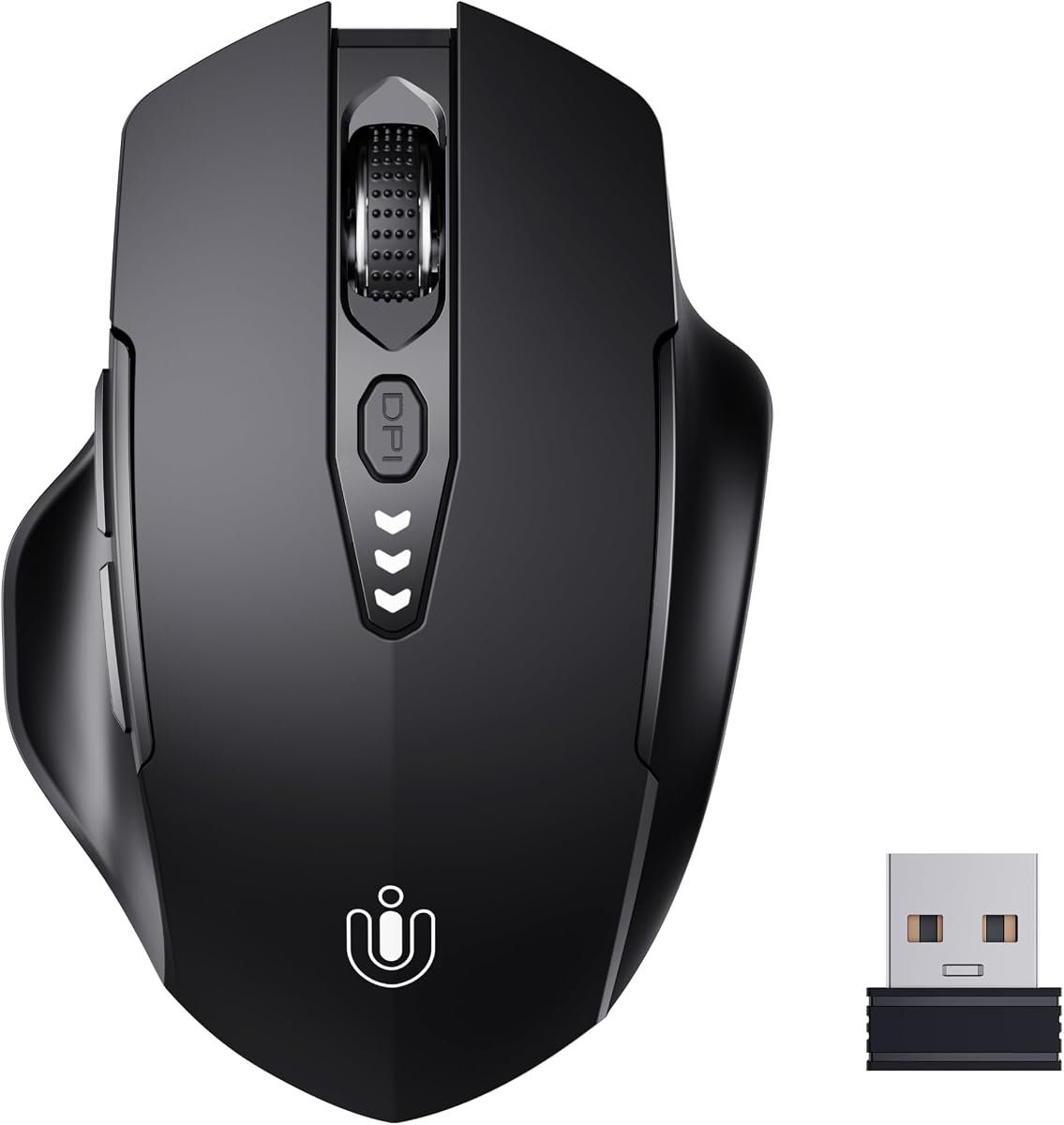
The Uineer Wireless Mouse offers a straightforward ergonomic shape, rechargeable 2.4GHz connectivity, and a useful battery display. Its 4.5 rating makes it an appealing budget-oriented recommendation for users who want a supportive mouse without the complexity of gaming software or extensive productivity controls.
We may earn a commission when you buy through this link, at no additional cost to you.
Its four DPI levels cover 800, 1200, 1600, and 2400, allowing users to move between document navigation and more precise pointer work. The mouse works through a supplied USB receiver without requiring driver installation, while the visual battery indicator makes it easier to know when the rechargeable battery needs attention. Compatibility extends across Windows, Mac, and Linux.
The product is relatively basic compared with the other choices. It does not advertise Bluetooth, multi-device pairing, silent switches, a specialized scroll wheel, or extensive programmable buttons. Its ergonomics are described as fitting the shape of the hand, but the supplied information does not identify an especially pronounced thumb ledge, so buyers seeking a sculpted, full-size ergonomic cradle should look more closely.
This is a practical pick for a home office, student setup, or first wireless mouse. It combines a rechargeable design with adjustable sensitivity and straightforward compatibility at a low complexity level. It makes the most sense for users who prioritize ease of use, a visible power level, and compact everyday features over extensive customization.
The rechargeable battery removes the routine of replacing disposable cells, while the built-in display gives users a quick visual indication of remaining power. This is especially convenient when the mouse is used for travel or across several devices during a workday.
Four DPI choices provide more flexibility than a fixed-sensitivity mouse without introducing an elaborate control panel. The lower settings suit general office work, while the higher levels can help with detailed movement and larger displays.
We may earn a commission when you buy through this link, at no additional cost to you.
The Philips SPK7858B is built as a productivity mouse with an anti-slip thumb rest, a contoured right-handed shell, and features aimed at spreadsheet-heavy work. Its 4.3 rating reflects a broad function set, including silent clicks, a thumb-side horizontal wheel, three-device support, five DPI levels, and rechargeable power.
We may earn a commission when you buy through this link, at no additional cost to you.
The dual scroll-wheel arrangement is particularly useful for wide spreadsheets and documents. A tactile main wheel handles conventional vertical scrolling, while the thumb-side horizontal wheel moves through columns. Forward, backward, and middle-click buttons can also be assigned through Philips software, making the mouse easier to adapt to analytical workflows and repeated actions.
Connectivity is a major strength. The included receiver supports both USB-A and USB-C, while Bluetooth can be used with compatible devices such as an iPad, Windows PC, or Mac. The mouse can switch among three devices. A 500mAh battery, automatic sleep, and a short emergency top-up further improve its suitability for mobile work.
Its feature-heavy approach may not suit everyone. The design is specifically right-handed, and people who only need basic navigation may find the additional controls unnecessary. The most compelling buyers are spreadsheet users, analysts, designers, and multitaskers who value a dedicated thumb area and productivity shortcuts.
The thumb-side horizontal wheel is the defining productivity feature. It allows users to move across spreadsheet columns without repeatedly shifting the pointer, while the main wheel remains available for familiar vertical navigation.
Bluetooth and the dual USB-A/C receiver make the mouse adaptable to different working environments. Switching among up to three devices is useful for people who move between a desktop setup, laptop, and tablet throughout the day.
We may earn a commission when you buy through this link, at no additional cost to you.
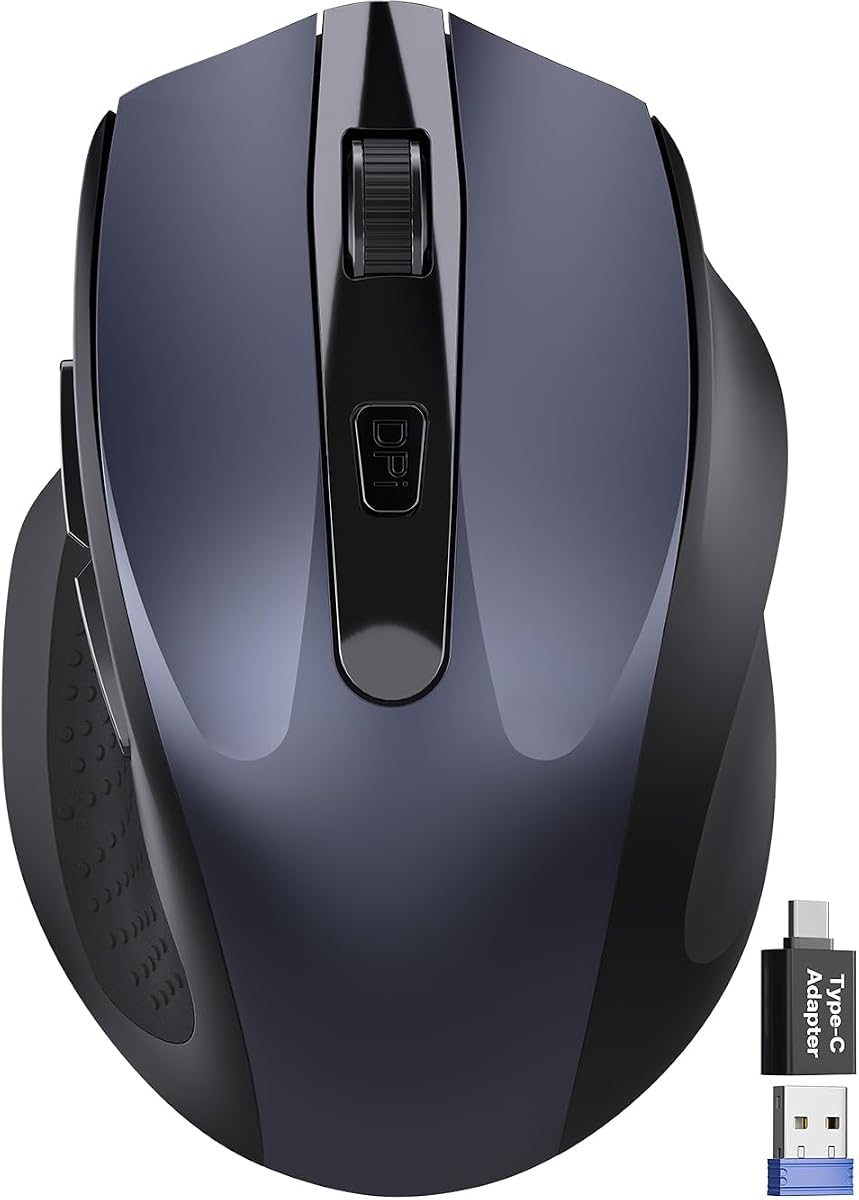
The Wireless Mouse for Laptop is designed for small and medium right hands who want more ergonomic support than an ultra-thin travel mouse can provide. With a 4.4 rating, it combines an asymmetrical palm-supporting shape, a built-in thumb rest, quiet clicks, and a notably small footprint for office and travel use.
We may earn a commission when you buy through this link, at no additional cost to you.
Its dimensions of 4.09 by 2.68 by 1.49 inches make it easy to pack, yet the palm support and thumb landing area create a more substantial feel than many miniature wireless mice. Three DPI levels cover 800, 1200, and 1600, and forward and back buttons help users move through documents. The click mechanism is advertised as reducing noise by up to 90 percent.
The mouse supports a wide collection of operating systems through its 2.4GHz connection and included USB-A and USB-C adapter. It works with Windows, Mac, Linux, Chrome OS, Android, and compatible iOS devices. Automatic sleep helps manage power, but the stated battery life of up to 18 months requires one AA battery that is not included.
This is a strong travel pick for anyone who dislikes the lack of support on ultra-compact peripherals. It may not satisfy users who want high-speed sensor settings or extensive customization, but it offers a rare balance of portability, quiet operation, and a genuine thumb rest. It is best suited to everyday productivity, commuting, and shared workspaces.
The asymmetrical shape gives the hand a natural resting area while remaining small enough for a laptop bag. A built-in thumb rest reduces the need to hold the mouse tightly, which can be helpful during longer mobile work sessions.
Reduced click noise makes the mouse practical in libraries, shared offices, and late-night settings. Users still receive conventional feedback from the buttons while reducing distraction for nearby people.
We may earn a commission when you buy through this link, at no additional cost to you.
The TECKNET Wireless Trackball is a compelling alternative for people who want the ergonomic benefit of a supported hand without repeatedly moving their arm. Its 4.5 rating accompanies a 16-degree vertical orientation, a thumb-operated ball, three-device connectivity, and a rechargeable battery designed for a full day of use after a short charge.
We may earn a commission when you buy through this link, at no additional cost to you.
The trackball mechanism is the key distinction from conventional mice. Cursor movement comes from rotating the ball with the thumb, leaving the hand supported on the body. This can be useful on crowded desks, in confined workspaces, or for anyone who prefers not to slide a device across the desk. Five sensitivity levels provide adjustments for different workflows.
The stated 16-degree angle is intended to promote forearm posture and reduce muscle strain, while the large body is sized for medium to large hands. TECKNET recommends allowing one to two weeks to become familiar with trackball movement. That adjustment period is important, and users who expect conventional mouse behavior may need to work through it.
Connectivity includes two Bluetooth channels and a 2.4GHz connection, allowing the mouse to pair with up to three devices. The 500mAh rechargeable battery and 15-minute quick charge are convenient for travel. Choose this model for a spacious setup or users specifically seeking reduced arm movement, not for those wanting an instantly familiar gaming shape.
Rotating the thumb-operated ball moves the pointer while the palm remains supported. This can reduce repeated arm motion and makes the mouse practical on desks with little usable surface area.
The rechargeable 500mAh battery can supply a full day after approximately 15 minutes of charging. That makes the mouse easier to use across offices, hotel rooms, and other locations where regular charging access may be limited.
We may earn a commission when you buy through this link, at no additional cost to you.
The Microsoft Ergonomic Mouse takes a deliberately simple approach to comfort. With a 4.5 rating, a dedicated thumb rest, a comfortable body, and two programmable buttons, it offers the central ergonomic benefits sought in this category without requiring wireless pairing, rechargeable batteries, or complex configuration.
We may earn a commission when you buy through this link, at no additional cost to you.
Its wired USB connection provides reliable input across PC, laptop, and desktop use. The precise tracking sensor is designed to work on a variety of desk surfaces, while the optimized scroll wheel provides controlled movement through web pages and documents. Two programmable buttons can be assigned to common actions, adding useful shortcuts without turning the mouse into a gaming controller.
The obvious limitation is the absence of more extensive features. There are only two programmable buttons, no stated multi-device connectivity, and no mention of silent switches, high-level DPI adjustment, RGB lighting, or horizontal scrolling. The wired cable can also conflict with the clean appearance of an uncluttered wireless desk.
This mouse is a sensible recommendation for buyers who value dependable basic operation and a visible thumb support area over extensive specifications. It fits general office work, study, and home computing, especially where USB connectivity is preferred. It is less appealing for users who need horizontal scrolling, multi-device switching, or highly personalized controls.
A wired USB connection avoids battery concerns and wireless pairing issues. For a fixed desk, the mouse can be ready for use with minimal setup while preserving a responsive connection.
The built-in thumb rest supports the hand rather than requiring a constant pinch grip. Its lightweight construction and ergonomic shape make it straightforward to use for standard computing tasks throughout the day.
We may earn a commission when you buy through this link, at no additional cost to you.
The Lenovo Yoga Pro combines a full-sized ergonomic shell, a defined thumb-rest area, programmable controls, and wireless convenience. Its 4.4 rating makes it a balanced option for right-handed users who want more features than a basic office mouse but less of a specialized gaming focus than the Razer models.
We may earn a commission when you buy through this link, at no additional cost to you.
The symmetrical right-handed shape is paired with soft material on the sides for grip and balance. Silent left and right buttons make it suitable for shared environments, while the configurable two-way metal scroll wheel can handle both vertical and horizontal movement. Side and top buttons add shortcuts, and on-the-fly DPI switching offers three immediate levels, with software adjustment up to 4000 DPI.
The blue optical sensor supports tracking on almost any surface, which is useful when the user moves between a desk, table, or other workspace. Dual-device Bluetooth 5.1 pairing and a quick-switch button allow the mouse to move between systems. The rechargeable battery can last two to three months under typical conditions and reaches a full charge in less than two hours.
The main limitation is handedness, since the design is explicitly shaped for right-hand use. It also does not provide the extra horizontal control near the thumb that dedicated productivity mice often offer. Nevertheless, it is an attractive general-purpose recommendation for Lenovo users, mobile professionals, and anyone seeking a comfortable, customizable mouse with a generous thumb rest.
The full-sized body and soft side materials create a stable, comfortable grip without reaching the extreme scale of many gaming mice. Its thumb-rest placement is balanced for everyday work as well as general creative tasks.
The two-way metal wheel can move in both directions, and configurable side buttons expand its usefulness. Three DPI stages can be selected on the fly, while software provides further control up to a 4000 DPI maximum.
We may earn a commission when you buy through this link, at no additional cost to you.
The Logitech ERGO M575S is a wireless trackball that combines an ergonomic shape, thumb-operated cursor control, and broad device compatibility. Its 4.6 rating makes it one of the strongest options for anyone seeking a mouse with thumb support that can operate in a small workspace without repeatedly moving a device across the desk.
We may earn a commission when you buy through this link, at no additional cost to you.
The defining feature is the trackball, which allows the pointer to move without moving the entire hand. Users can work on almost any surface, making the mouse useful where mousepad space is limited or where a laptop is the primary computer. The ergonomic shape supports the hand and is designed to realign the forearm into a better posture throughout the day.
Three customizable buttons support shortcuts and Smart Actions, while the included AA battery supports the stated long battery life. Connectivity options include Bluetooth and the supplied Logi Bolt USB receiver. The plastic parts are made with certified post-consumer recycled material. While the design suits most hand sizes, trackball movement can require initial practice.
This is an excellent choice for desk-space-conscious users, accessibility-minded buyers, and anyone who prefers support over repeated reaching. It is less suitable for users who want fast lateral sweeps in competitive games or a long list of programmable buttons. Even so, its combination of rating, compact operation, and ergonomic positioning makes it a strong final recommendation.
Because the pointer is controlled by the trackball rather than the movement of the entire mouse, the device occupies less working area. It is well suited to compact offices, shared desks, and travel setups.
The sculpted body supports the hand and is intended to encourage better forearm positioning. While the learning curve can take a few sessions, the result is a setup that requires less repeated arm movement.
We may earn a commission when you buy through this link, at no additional cost to you.
A useful purchase depends on more than the presence of a thumb rest. The best model for your desk should match your hand size, grip style, posture goals, device setup, and tolerance for cables, software, and a learning curve.
A thumb rest can range from a subtle ledge to a deep, sculpted support area. A deeper rest is likely to suit a palm or relaxed grip because it gives the thumb a stable place to settle, while a modest support may feel less intrusive to someone using a fingertip grip. Vertical and trackball designs can also change how the thumb interacts with the body, so the shape should be considered as part of the whole mouse rather than an isolated feature.
The correct dimensions matter as much as the advertised ergonomic design. Some models are explicitly made for small and medium hands, while others are sized for medium to large hands. Full-size gaming mice provide room for the palm but can feel excessive during travel, and compact models are easier to carry but may offer less support. Vertical mice are also usually narrower and require users to adapt their wrist angle.
Wired mice offer immediate USB connectivity and avoid charging or pairing interruptions. Wireless models provide a cleaner desk and often support Bluetooth or multiple devices, but they introduce battery management and possible receiver requirements. Gaming-focused wireless options prioritize low-latency transmission, while productivity models may value multi-device switching and broad operating-system support more than competitive response.
A mouse with thumb rest should still point accurately. High maximum DPI settings can benefit gaming and large displays, while adjustable levels allow users to switch between detailed work and ordinary navigation. Trackball sensitivity is also important because its movement feels different from a conventional optical sensor. Consider the supported range, whether settings can be changed on the fly, and whether the mouse is intended for gaming, office work, or creative applications.
The number of side buttons ranges from a simple navigation pair to extensive programmable gaming controls. More buttons can improve productivity or game commands, but they can also require more software configuration and increase accidental presses. A thumb-side horizontal wheel is valuable for spreadsheets and wide documents, while a smooth free-spinning wheel is useful for long feeds and vertical scrolling in games.
Rechargeable mice reduce ongoing battery replacement, while models that use standard cells can be convenient when a replacement is already available. Compare the stated battery duration with the mode of use because wireless and Bluetooth operation can consume different amounts of power. Rapid charging and short emergency top-ups are useful for travel, while automatic sleep helps preserve power in a frequently packed bag.
A conventional mouse requires the hand and device to move across the surface. A trackball keeps the device in place and uses a rotating ball, often controlled by the thumb, which reduces arm movement and works on nearly any surface. Trackballs can save desk space, but new users may need time to learn the different movement pattern. Their suitability therefore depends on whether reduced motion and support outweigh the adjustment period.
Noise-reduced clicks can make a mouse more appropriate for offices, libraries, and shared homes. Software adds value when it enables useful customization, but it can also create setup requirements or platform limitations. Check the listed operating systems, connection methods, included receiver types, and whether essential functions work without additional software. Silent buttons, broad platform support, and a durable build can matter more than lighting or premium branding.
Begin by choosing a surface that is clean, stable, and appropriate for the mouse design. Conventional optical mice perform best on a mousepad or smooth desk, while trackballs can operate on nearly any surface. Position the mouse close enough that your elbow remains relaxed, keep your wrist neutral, and allow the thumb to rest naturally on its support area rather than pressing forcefully against the edge.
Set the DPI, primary buttons, scroll direction, and any programmable commands before beginning a long work session. For a vertical mouse, allow time to relearn horizontal movement. For a trackball, begin with slower tasks and gradually increase sensitivity or precision. If the mouse supports multiple devices, verify each pairing and use the switching control before relying on it during a meeting or presentation.
Clean the body and contacts with a soft, dry cloth, and avoid pulling on the cable or receiver. For a rechargeable model, follow the supplied charging guidance and use the intended cable when available. Keep sensor openings free of dust, remove debris from the scroll wheel, and check wireless receivers for loose debris. A mouse that moves unevenly, registers unwanted clicks, or charges inconsistently should be inspected or serviced before continued use.
They can be, because a thumb rest gives the hand a stable support point and may reduce the need to grip the mouse tightly. The overall benefit depends on shape, hand size, desk setup, and technique. A poorly fitted model can still cause strain, so users should compare dimensions and grip styles rather than assuming every ergonomic mouse will feel comfortable.
Yes, particularly full-size ergonomic gaming models that combine a thumb ledge with a precise sensor, programmable buttons, and a fast scroll wheel. A thumb rest alone does not guarantee good gaming performance. Button placement, sensor quality, switch response, grip, and connection latency should also match the type of games and the player’s preferred grip.
A vertical mouse may be helpful if you want to reduce the outward bend of your forearm while using a conventional mouse and pointer. It changes the angle of the hand, so it usually requires an adjustment period and may be less suitable for gaming. Users with smaller hands should pay particular attention to the stated fit.
A trackball can provide excellent hand support while reducing the amount of arm movement needed to move the pointer. It also saves desk space and works on many surfaces. The tradeoff is a different control method that may require practice, and the specific thumb support differs between trackball and conventional designs.
Start with your hand size and grip style, then review the manufacturer’s fit guidance. A palm grip generally benefits from a deeper, fuller body, while a fingertip grip may prefer a smaller or more sculpted mouse. Vertical models are often made for smaller hands, and trackballs vary considerably, so checking stated dimensions is more useful than relying on the word ergonomic alone.
Basic pointing, clicking, scrolling, and sensitivity selection may work without software on some models. Other products depend on software for button assignments, macros, lighting, Smart Actions, or advanced DPI settings. Check whether the functions you care about are available directly on the mouse and whether the supporting software is compatible with your operating system.
That depends on the model. Products with Bluetooth multi-device pairing or multiple wireless identifiers can switch among several computers, while a single-receiver mouse generally connects to one system at a time. Before purchasing, verify the number of supported devices, the switching method, and whether every target computer supports the required connection type.
Disconnect or power down the mouse, then wipe its body with a soft dry cloth and remove visible debris from around the scroll wheel and buttons. Avoid pushing moisture into sensor openings or charging contacts. Do not use harsh chemicals unless the manufacturer specifically approves them, and handle a rechargeable mouse with the supplied cable when charging.
The Razer Basilisk V3 stands out as the most complete choice for gaming, combining a substantial thumb rest, eleven programmable buttons, precise tracking, and a versatile wheel. The Logitech Lift offers a more upright and ergonomic approach for small and medium right hands, while the Uineer Wireless Mouse provides a straightforward and economical route to a rechargeable everyday model.
The right priority depends on the work. Gamers should examine sensor speed, button placement, and connection latency. Office users may favor quiet clicks, multi-device support, or horizontal scrolling. People with limited desk space should consider trackballs, and anyone working for long periods should compare hand size, vertical angle, and thumb support before assuming a shape will be comfortable.
Finally, verify the current product listing, compatibility details, included accessories, software requirements, and warranty information before purchasing. Ratings and specifications can change, and the availability of different color or configuration options may also vary. Confirming those details helps ensure that the chosen mouse with thumb rest fits the intended device, grip, and daily routine.
