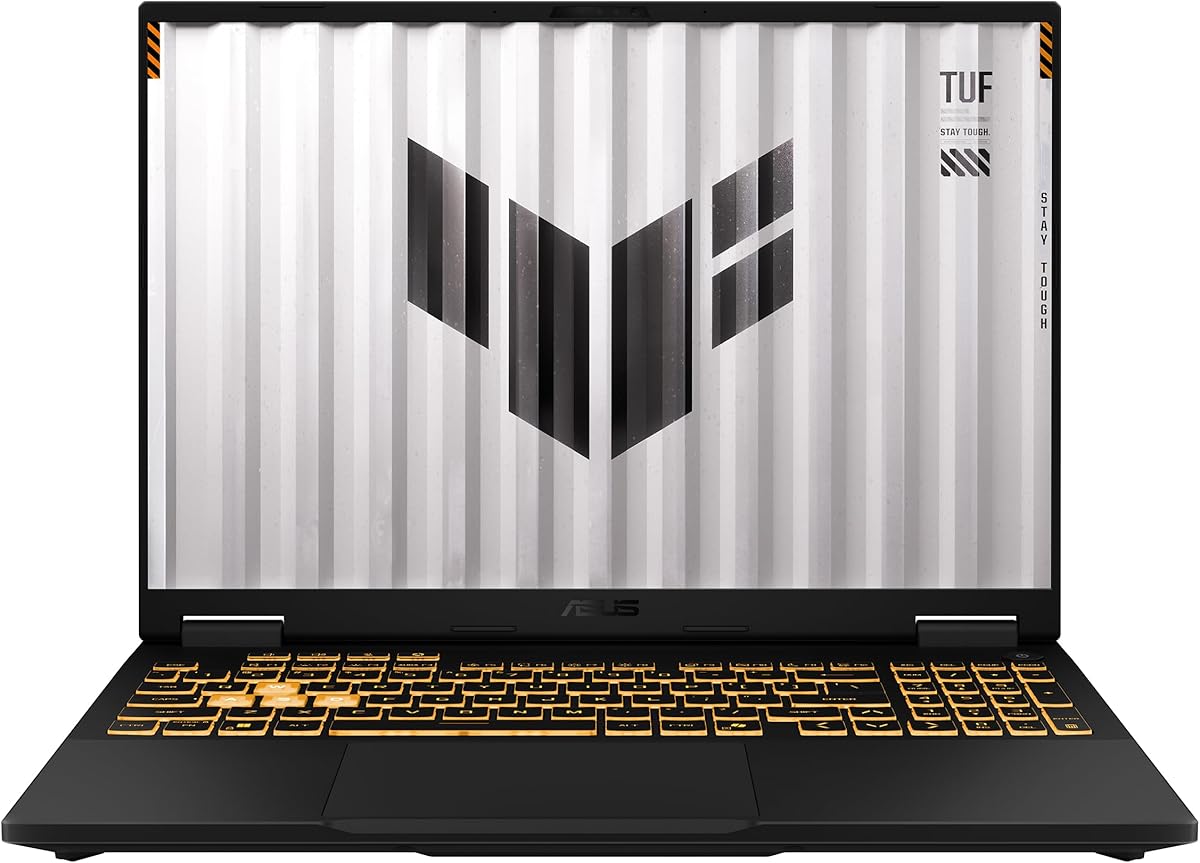
ASUS TUF Gaming F16
4.5Editor score
165Hz FHD+ display
115W maximum GPU power
Military-grade tested chassis
A laptop with RTX 5050 graphics is an appealing middle ground for gamers, streamers, and creators who want modern NVIDIA features without stepping into a high-end flagship configuration. These systems combine a dedicated GeForce RTX 5050 Laptop GPU with capable processors, high-refresh displays, and enough memory for demanding applications, while remaining more versatile than a basic gaming machine.
The ten models in this guide were compared using the specifications and feature information supplied for each product. We examined processor choice, display resolution and refresh rate, memory, storage, cooling, connectivity, portability, gaming-oriented features, and the capabilities associated with NVIDIA Blackwell and DLSS 4.
Each review identifies the strongest reason to consider a particular model and the compromises worth considering. The list includes conventional gaming laptops, a slim gaming notebook, and an OLED creator-oriented alternative, showing how the RTX 5050 can serve different priorities. Product availability and pricing can change, so verify the current listing before buying.
4.5Editor score

4.6Editor score

4.0Editor score
As an Amazon Associate we earn from qualifying purchases.
The comparison below highlights the major hardware and usability differences among all ten RTX 5050 laptops, from screen quality and processor tier to memory, storage, cooling, and portability.


The Acer Nitro V 16 stands out as the most complete conventional gaming laptop in this roundup, earning a 4.6 rating from the supplied product data. Its Core 7 240H processor, GeForce RTX 5050 Laptop GPU, 16GB of DDR5 memory, and 1TB PCIe Gen 4 SSD form a balanced configuration for modern games, streaming, content creation, and heavy multitasking.
We may earn a commission when you buy through this link, at no additional cost to you.
The 16-inch WUXGA display operates at 180Hz and adds a 16:10 aspect ratio, 3ms overdrive response, and 300-nit brightness. That combination makes it well suited to fast competitive games as well as a larger workspace for editing. Its DLSS 4 support, including Multi Frame Generation and enhanced ray reconstruction and super resolution, adds useful ways to balance frame rate, latency, and visual quality.
Cooling is a major strength. The dual-fan design uses four intake and four exhaust positions, while NitroSense provides performance monitoring and fan controls. Two DDR5 slots allow expansion to a maximum of 32GB, and the generous selection of USB, Thunderbolt 4, HDMI 2.1, Ethernet, audio, and card-reader connections reduces the need for adapters.
This is the strongest all-around recommendation for someone who wants a fast screen, modern graphics, expandable memory, and serious gaming features in one machine. Its listed dimensions and 5.29-pound weight make it less convenient for frequent travel than smaller alternatives, but for a desktop-first gaming setup, the balance is excellent.
The 180Hz panel, rapid overdrive response, and 16:10 proportions create a useful combination for both competitive action and everyday productivity. Its higher WUXGA resolution also provides more desktop space than a conventional Full HD gaming display.
A four-intake, four-exhaust cooling architecture is especially reassuring for sustained gaming. Thunderbolt 4, HDMI 2.1, multiple USB ports, Ethernet, and a microSD reader make the notebook easier to use as a flexible workstation.
We may earn a commission when you buy through this link, at no additional cost to you.
The ASUS TUF Gaming F16 combines a 4.5 rating with the strongest stated GPU power limit in the group: 115W maximum total graphics power. Its Core i5-13450HX and GeForce RTX 5050 combination targets players who want a conventional 16-inch gaming laptop without moving to a much more expensive GPU tier.
We may earn a commission when you buy through this link, at no additional cost to you.
The FHD+ screen uses a 16:10 aspect ratio, 165Hz refresh rate, and 100% sRGB color coverage. Adaptive-Sync is included to reduce visual tearing and stuttering. Although the resolution is not as fine as the 2.8K OLED option in this guide, it offers a useful balance for high-refresh gaming while preserving a productive 16:10 workspace.
The primary limitation is storage. A 512GB PCIe Gen 4 SSD should handle a respectable game library, but owners of large collections may quickly want more capacity. The included 16GB of DDR5 is also less generous than it might be in competing configurations, making it wise to confirm memory configuration and upgrade options before purchase.
ASUS TUF's second-generation Arc Flow fans, full-width heatsink, and full-width vent support the stated goal of efficient, relatively quiet cooling. MIL-STD-810H testing adds confidence in durability. This laptop is best for gamers who value sustained graphics power, a fast color-accurate display, and a durable chassis at a practical tier.
The 115W maximum TGP gives the RTX 5050 a generous power envelope for its class. In long sessions, that can be more meaningful than a thin chassis with a narrowly constrained GPU configuration.
The 165Hz FHD+ panel and 100% sRGB coverage suit both fast games and media use. Its 16:10 format also provides a more expansive desktop than a standard 16:9 screen without the bulk of a higher-resolution display.
We may earn a commission when you buy through this link, at no additional cost to you.
The Lenovo IdeaPad Pro 5 is the roundup's most creator-focused RTX 5050 laptop. Its 4.0 rating reflects a capable overall package built around a 16-inch 2880 x 1800 OLED display, Ryzen AI 7 350 processor, 16GB of memory, and 1TB of storage.
We may earn a commission when you buy through this link, at no additional cost to you.
The OLED panel offers a 120Hz refresh rate and variable refresh support, making it appropriate for creative work, video consumption, and general gaming. Its higher resolution is particularly valuable for photo review, design, video editing, and multitasking. The RTX 5050 supports graphics-intensive applications, while integrated graphics can handle lighter everyday workloads.
This is not a conventional high-refresh gaming notebook, so buyers whose priority is competitive esports may prefer a 165Hz or 180Hz IPS option. The supplied information also does not list a dedicated numeric keypad or detailed memory-slot configuration, so those details deserve confirmation. Even so, the IdeaPad Pro 5's display quality and professional feature set remain compelling.
The laptop includes USB4 with DisplayPort and power delivery, HDMI 2.1, two USB-A ports, an SD card reader, and an audio jack. A privacy-shutter webcam, Windows Hello, TPM 2.0, Microsoft Pluton, and MIL-STD-810H testing make it attractive to professionals. It is the top recommendation for creators who value an exceptional OLED panel and flexible connectivity.
The 2880 x 1800 OLED display gives creative applications considerably more usable detail than a Full HD panel. Its 16:10 format and 120Hz refresh also preserve comfortable space for timelines, artwork, documents, and media.
USB4, HDMI 2.1, an SD reader, and multiple USB connections support a productive desk setup. Privacy and security features such as a webcam shutter, Windows Hello, TPM 2.0, and Pluton make the system easier to recommend to professionals.
We may earn a commission when you buy through this link, at no additional cost to you.
The Alienware 16 Aurora is a large-screen gaming laptop with a 4.1 rating, a Core 7 240H processor, and GeForce RTX 5050 Laptop graphics. Its defining feature is the 16-inch WQXGA panel, which offers a higher resolution than the Full HD and FHD+ displays used by many competing models.
We may earn a commission when you buy through this link, at no additional cost to you.
A 120Hz refresh rate helps keep motion fluid, while 300-nit brightness is suitable for controlled indoor settings. Blackwell-based RTX 5050 graphics bring AI capabilities into the platform. The combination is well suited to modern games, streaming, and creative applications that can benefit from a dedicated GPU.
Alienware's Cryo-Chamber cooling structure focuses airflow around key components without requiring a rear thermal shelf. This is intended to preserve performance while retaining a streamlined exterior. The supplied listing does not specify exact memory capacity, storage size, or ports, so buyers should confirm those details before comparing it directly with more fully specified alternatives.
Dell Services adds one year of onsite service for eligible hardware issues that cannot be resolved remotely. That support is a meaningful advantage for buyers who want help without repeatedly shipping a large notebook. The Aurora is best for someone who prioritizes a large, detailed screen and recognizable gaming design over having the very fastest refresh rate.
The WQXGA panel gives games and desktop applications more detail than a standard Full HD screen. At 120Hz, it remains responsive without requiring the extreme refresh rates found on the fastest Nitro and ROG configurations.
The Cryo-Chamber structure directs airflow toward the components that require it. Its streamlined approach may appeal to buyers who want a capable cooling system without the visual bulk of a large rear exhaust assembly.
We may earn a commission when you buy through this link, at no additional cost to you.
The 15.6-inch Acer Nitro V offers a 4.3 rating and a 165Hz Full HD IPS display. It carries the same RTX 5050 Laptop GPU with 8GB of dedicated GDDR7 VRAM found elsewhere in the guide, paired here with the Core i5-13420H and 16GB of DDR4 memory.
We may earn a commission when you buy through this link, at no additional cost to you.
The processor can reach 4.6GHz and has eight cores and 12 threads, giving it useful multitasking capacity. A 512GB PCIe Gen 4 SSD supports fast loading, though it may prove limiting for owners of large game libraries. The inclusion of 8GB of dedicated graphics memory is an important advantage over systems relying solely on shared memory.
Its principal attraction is the balance between screen size and performance. A 15.6-inch Full HD panel may be easier to fit in a smaller bag and generally places less demand on the GPU than a higher-resolution display. The 165Hz rate still supports smooth competitive play, while USB-C DisplayPort, Thunderbolt 4, and charging add practical connectivity.
This Nitro configuration is best for gamers who want dedicated GDDR7 graphics, a high-refresh display, and a familiar gaming design without moving to a 16-inch notebook. The 512GB drive is the clearest constraint, so buyers with extensive libraries should budget for additional storage or confirm whether an empty drive bay is available.
The 15.6-inch Full HD format can be easier to manage than a 16-inch model while still offering a 165Hz refresh rate. It also reduces the graphics workload compared with higher-resolution alternatives.
The RTX 5050's dedicated 8GB of GDDR7 VRAM provides a more predictable graphics memory pool than shared system memory. That is especially useful for modern games, texture-heavy scenes, and GPU-accelerated creative applications.
We may earn a commission when you buy through this link, at no additional cost to you.
The ASUS ROG Strix G16 is a performance-focused RTX 5050 laptop whose supplied data does not include an aggregate customer rating. Its Core i5-14450HX processor, 16GB of DDR5-5600 memory, 512GB PCIe Gen 4 SSD, and 16-inch FHD+ 165Hz display form a strong gaming specification.
We may earn a commission when you buy through this link, at no additional cost to you.
The 3ms response figure and Dolby Vision HDR support make the display appealing for fast-paced games and vivid entertainment. An AGLR film is designed to reduce glare while improving contrast, and wide viewing angles are useful when the laptop is used in a shared workspace. DLSS 4 and Max-Q technologies are specifically highlighted for the RTX 5050 configuration.
ROG's cooling system combines an end-to-end vapor chamber, three fans, and Conductonaut extreme liquid metal on the chipset. Tool-free access is a particularly useful feature for owners who want to upgrade RAM, storage, or fans. The MUX switch and Advanced Optimus can route frames directly to the discrete GPU or switch between the integrated and discrete processors for better efficiency.
The 512GB SSD is modest for a gaming notebook, and potential buyers should confirm which components are user-upgradeable in the exact configuration. Even with those caveats, the G16 offers an unusually rich feature set. It is a strong choice for enthusiasts who value connectivity, cooling, display response, and easy internal customization.
The 165Hz refresh rate and 3ms response target quick motion, while the anti-glare film can make long sessions more comfortable. Dolby Vision HDR adds a stronger visual foundation for both games and streaming content.
Tool-free access makes it more convenient to reach supported memory, storage, and cooling components. A dedicated MUX switch can favor gaming performance, while Advanced Optimus handles transitions between integrated and discrete graphics.
We may earn a commission when you buy through this link, at no additional cost to you.
The MSI Cyborg A15 AI is a portable RTX 5050 laptop with a 3.9 rating. Its defining advantages are a weight of approximately 4.3 pounds, a 15.6-inch form factor, and a 1TB SSD, making it easy to consider as a portable gaming system rather than a permanently desk-bound notebook.
We may earn a commission when you buy through this link, at no additional cost to you.
The Ryzen 7 260 processor is intended to handle schoolwork, multitasking, content creation, and gaming. The 15.6-inch Full HD display has a 144Hz refresh rate, a reasonable balance for fast action without adding the demands of a high-resolution panel. DLSS and other AI-powered NVIDIA features can improve supported game performance and efficiency.
The translucent backlit keyboard gives the Cyborg a distinctive appearance and improves key visibility in low-light conditions. However, buyers focused on competitive gaming may prefer the 165Hz or 180Hz panels offered by several other models in this guide. The 4.3-pound weight also does not eliminate the usual bulk associated with discrete gaming graphics.
The Cyborg A15 AI is a sensible recommendation for students and professionals who need one machine for coursework, creative tasks, travel, and gaming. It offers more storage than most rivals and remains easier to carry than many 16-inch gaming laptops. For competitive players, the screen refresh rate is the main reason to consider a faster alternative.
At roughly 4.3 pounds, the Cyborg is among the lighter systems listed. The 15.6-inch screen preserves a familiar gaming size while keeping the overall package more practical for classes, offices, and short trips.
Translucent keycaps give the notebook a recognizable appearance, while backlighting helps during low-light gaming. The 1TB SSD also provides more room for games and creative files than the smaller storage configurations in the group.
We may earn a commission when you buy through this link, at no additional cost to you.
The Lenovo LOQ carries a 4.4 rating and combines a Core i7-13650HX processor with GeForce RTX 5050 graphics, 16GB of memory, and 1TB of storage. It is a straightforward gaming laptop with an emphasis on performance, practical cooling, and ease of daily use.
We may earn a commission when you buy through this link, at no additional cost to you.
Its 15.6-inch Full HD IPS display runs at 144Hz and supports NVIDIA G-Sync to reduce tearing, stuttering, and perceived input lag. While 144Hz is below the 165Hz and 180Hz rates of several rivals, it remains smooth for most modern games and avoids the extra GPU demand associated with higher-resolution screens.
Lenovo's Hyperchamber Cooling uses turbo fans and copper heat pipes, while AI Engine+ is described as automatically tuning the CPU, GPU, and system for smoother performance. The keyboard has a full layout, white backlighting, and soft-landing switches. An aerospace-grade build and durable aluminum cover add everyday resilience.
Rapid Charge Pro is advertised to reach 70% in under 30 minutes, making the LOQ a convenient choice for users who split time between work, school, and gaming. This is an excellent general-purpose RTX 5050 recommendation, though buyers who compete in fast-paced games may prioritize a higher-refresh display over the LOQ's more conventional configuration.
G-Sync support helps the display synchronize its refresh behavior with compatible frame rates. Combined with a 144Hz panel, it provides a more controlled presentation for fast-moving games and competitive shooters.
The Core i7 processor, 1TB SSD, and AI Engine+ make the LOQ useful beyond gaming sessions. Rapid charging and a full-size backlit keyboard add convenience for workdays, classes, and travel.
We may earn a commission when you buy through this link, at no additional cost to you.
The GIGABYTE Gaming A16 has a 3.8 rating but offers a distinctive combination of a 16-inch gaming notebook and a relatively slim 19.45mm chassis. Its Core i7-13620H processor, GeForce RTX 5050 Laptop GPU, and support for DLSS 4, NVIDIA Studio, and Max-Q make it relevant to both gamers and creators.
We may earn a commission when you buy through this link, at no additional cost to you.
A major design benefit is the 180-degree hinge, which allows the display to lay flat for different usage arrangements. The 16-inch format offers more room than the 15.6-inch alternatives without taking on the footprint of some larger gaming systems. The supplied information does not provide the screen resolution, refresh rate, brightness, memory, or storage capacity.
Those omissions make direct comparison difficult. The Core i7 processor is a useful tier for multitasking, streaming, recording, and gaming, while NVIDIA's AI features can improve supported game frame rates and assist creative workflows. The 3.8 rating is the lowest among the rated products, so prospective buyers should treat it as a signal to examine recent customer feedback carefully.
GIGABYTE's GiMATE interface is presented as an intelligent way to interact with the laptop and customize its behavior. The A16 is most attractive to buyers who prioritize a thin chassis, flexible hinge, and capable processor over gaming-specific details such as a very high refresh rate. Confirming the exact display and memory specifications is essential before purchase.
The 19.45mm chassis is relatively slim for a gaming laptop with discrete RTX 5050 graphics. That makes the A16 useful for users who want gaming hardware without the deepest profile in the category.
The 180-degree hinge supports multiple viewing positions and collaborative layouts. GiMATE is designed to make system interaction and performance management more intuitive, although the supplied details do not describe every available function.
We may earn a commission when you buy through this link, at no additional cost to you.
The MSI Katana has a 3.9 rating and a balanced 15.6-inch gaming-laptop specification. It combines the Core i7-14650HX processor, GeForce RTX 5050 with 8GB GDDR7, 16GB of DDR5 memory, and a 512GB SSD, covering the core requirements for modern gaming and multitasking.
We may earn a commission when you buy through this link, at no additional cost to you.
Its Full HD thin-bezel IPS display has a 144Hz refresh rate, offering smooth motion without the power requirements of a 4K panel. The 75Wh lithium-polymer battery is one of the more substantial capacities listed, and Wi-Fi 6E provides a modern wireless standard. Bluetooth 5.3 remains usable, though newer laptops may offer a later version.
The main weakness is storage. A 512GB SSD can fill quickly with a large modern game collection, high-resolution video, and other applications. The supplied information does not identify RAM slots, maximum memory, or an additional storage bay, so buyers should verify whether the memory is soldered and whether storage can be expanded.
The Katana is a good fit for someone who wants a familiar gaming design, a capable processor, and sufficient battery capacity for a mixed workday. It trails the fastest gaming laptops in refresh rate and storage, but it can serve as a versatile main computer. It is particularly compelling when portability and everyday utility matter nearly as much as gaming performance.
The Core i7-14650HX brings substantial CPU capability for games, streaming, and demanding office or creative applications. Pairing it with 16GB of DDR5 creates a solid foundation for multitasking.
The 75Wh battery provides a useful capacity for a gaming laptop, although actual runtime depends on workload and power settings. Wi-Fi 6E and Bluetooth 5.3 cover the core needs of a modern connected workspace.
We may earn a commission when you buy through this link, at no additional cost to you.
Choosing among RTX 5050 laptops involves balancing graphics capability with display quality, processor performance, memory, storage, cooling, and portability. The most important factors depend on whether the machine will primarily handle games, creative work, or a mixture of both.
Choose resolution for detail and refresh rate for responsiveness, but consider their combined GPU cost. A high-refresh Full HD panel may provide a better gaming experience than a higher-resolution screen with a slower refresh rate if the graphics card is the limiting factor.
For a high-refresh gaming laptop, favor a current higher-tier processor and adequate cooling. For a general-purpose machine, a Core i5 or Ryzen 7 may offer a better balance, provided the GPU and display match your priorities.
Prioritize dedicated graphics memory and the manufacturer's stated power configuration. Confirm the exact GPU power and cooling system because RTX 5050 laptops can differ meaningfully in thickness, noise, and sustained performance.
Check slot count, supported capacity, and whether memory is soldered before buying. If longevity matters, favor a model with clearly documented expansion options rather than assuming every 16GB laptop can be upgraded.
Choose 1TB when the laptop will serve as a main game or creative library. A 512GB model can still work well with careful file management, but expansion support is worth confirming before purchase.
Look for a robust cooling design, especially if the laptop will operate on a desk or run demanding games for long periods. If silence matters more than peak performance, consider a thinner model and adjust its performance mode thoughtfully.
For a mobile companion, favor a lighter chassis, efficient processor behavior, and comfortable display size. For a stationary gaming system, a larger screen and stronger cooling may be more valuable than minimum weight.
For content creation, prioritize color quality, resolution, storage, memory, and port selection before considering purely gaming-oriented lighting. For everyday productivity, a good keyboard, webcam, security features, and wireless standards can be equally important.
Start by configuring Windows updates, GPU drivers, and the manufacturer's performance utility, then choose a suitable operating mode. For routine work, balanced or quiet modes can reduce heat and fan noise. When gaming, select the laptop's performance or gaming profile and use the supplied software to confirm refresh rate, display mode, and GPU status. If the machine has a MUX switch, Advanced Optimus, or a similar feature, understand when it routes power to the discrete GPU.
Keep the intake and exhaust vents clear, use a hard surface, and avoid placing bedding or loose material against the underside. Let the notebook cool after demanding games before closing it in a tight bag. For storage, maintain free space on the SSD, install updates promptly, and use the system's backup tools to preserve important creative files and game saves. The tool-free access on supported ROG models and documented memory slots on the Acer Nitro V 16 make responsible upgrades more convenient.
For display care, use a clean microfiber cloth and avoid applying harsh cleaners directly to the screen. Clean keyboard and exhaust areas with power disconnected, and avoid spilling liquids over the RGB lighting, keyboard, or ports. If performance declines, check for blocked vents, background applications, storage pressure, and driver updates before changing settings. A consistent power plan, reasonable room temperature, and regular maintenance can help the laptop maintain stable frame rates and extend the life of its components.
The RTX 5050 Laptop GPU is designed for modern 1080p and 1440p gaming, particularly when paired with a suitable processor and a high-refresh display. Its dedicated 8GB of GDDR7 in the configurations that specify it is useful for current games and GPU-accelerated applications. Actual performance varies with game settings, GPU power, cooling, and the rest of the system.
Higher refresh rates generally make motion and aiming feel smoother, which is valuable in competitive games. The Acer Nitro V 16 leads this list at 180Hz, while the ROG Strix G16 and TUF Gaming F16 offer 165Hz. A 144Hz Full HD display remains a practical choice for general gaming and may place less demand on the GPU, especially when paired with a 15.6-inch screen.
An OLED screen can provide excellent contrast, vivid color, and high resolution, but it is not automatically better for competitive gaming. The Lenovo IdeaPad Pro 5's 2880 x 1800 OLED at 120Hz is especially compelling for creative work and media consumption. Fast competitive gamers may prefer a lower-resolution 165Hz or 180Hz IPS panel because of its faster motion characteristics.
Sixteen gigabytes of RAM and a 1TB SSD are comfortable targets for gaming and productivity, while 512GB can work for a smaller game library. RAM needs vary by game and multitasking habits, and storage requirements change rapidly with large updates. Confirm upgrade options before choosing a model with only 512GB or an unclear memory configuration.
Yes, an RTX 5050 can accelerate compatible graphics, rendering, and video workflows, although performance depends on the processor, memory, storage, cooling, and software. The IdeaPad Pro 5 is especially attractive for creators because of its high-resolution OLED display and broad connectivity. Dedicated VRAM also provides a useful advantage over systems relying entirely on shared graphics memory.
A higher permitted GPU power can support stronger clock speeds and better sustained performance, particularly during long gaming sessions. The ASUS TUF Gaming F16 states a 115W maximum TGP, making its power specification especially notable. Actual results also depend on cooling and the laptop's power limits, so wattage should be considered alongside the overall design.
Sixteen gigabytes is generally adequate for gaming, streaming software, a browser, and common productivity applications. Creators running large timelines, many browser tabs, or demanding 3D software may benefit from 32GB, and the Acer Nitro V 16 explicitly supports up to 32GB. Upgradability varies, so it should be verified for the exact model.
Start with the display, processor, dedicated graphics memory, cooling, and upgrade options rather than focusing on one specification. Consider whether the laptop will stay on a desk or travel frequently, and whether gaming or creative work is the primary goal. Also check the current listing, warranty terms, included accessories, and recent customer feedback because configurations and availability can change.
The Acer Nitro V 16 is the strongest all-around choice because it combines the fastest 180Hz display, a Core 7 processor, expandable DDR5 memory, a 1TB SSD, detailed cooling, and extensive connectivity. The ASUS TUF Gaming F16 is the value-focused gaming pick, particularly for buyers who value a 115W GPU power limit, 165Hz display, and durable construction. The Lenovo IdeaPad Pro 5 takes the premium creator position with its 2.8K OLED screen and professional connectivity.
Your priority should determine the rest of the field. The ASUS ROG Strix G16 and Alienware 16 Aurora suit buyers who want larger screens and richer gaming or support features. The Acer Nitro V 15.6 and MSI Cyborg A15 AI are more compact options, while the Lenovo LOQ and MSI Katana emphasize balanced everyday use. The GIGABYTE Gaming A16 stands out for its particularly slim chassis and flexible hinge.
Before making a final purchase, verify the exact configuration, display, memory, storage, connectivity, and warranty on the current product page. RTX 5050 laptops occupy a broad market, and the same GPU can behave very differently depending on its power limit, cooling, screen, and processor. Pricing and availability also change, so compare the complete system rather than choosing from the GPU label alone.