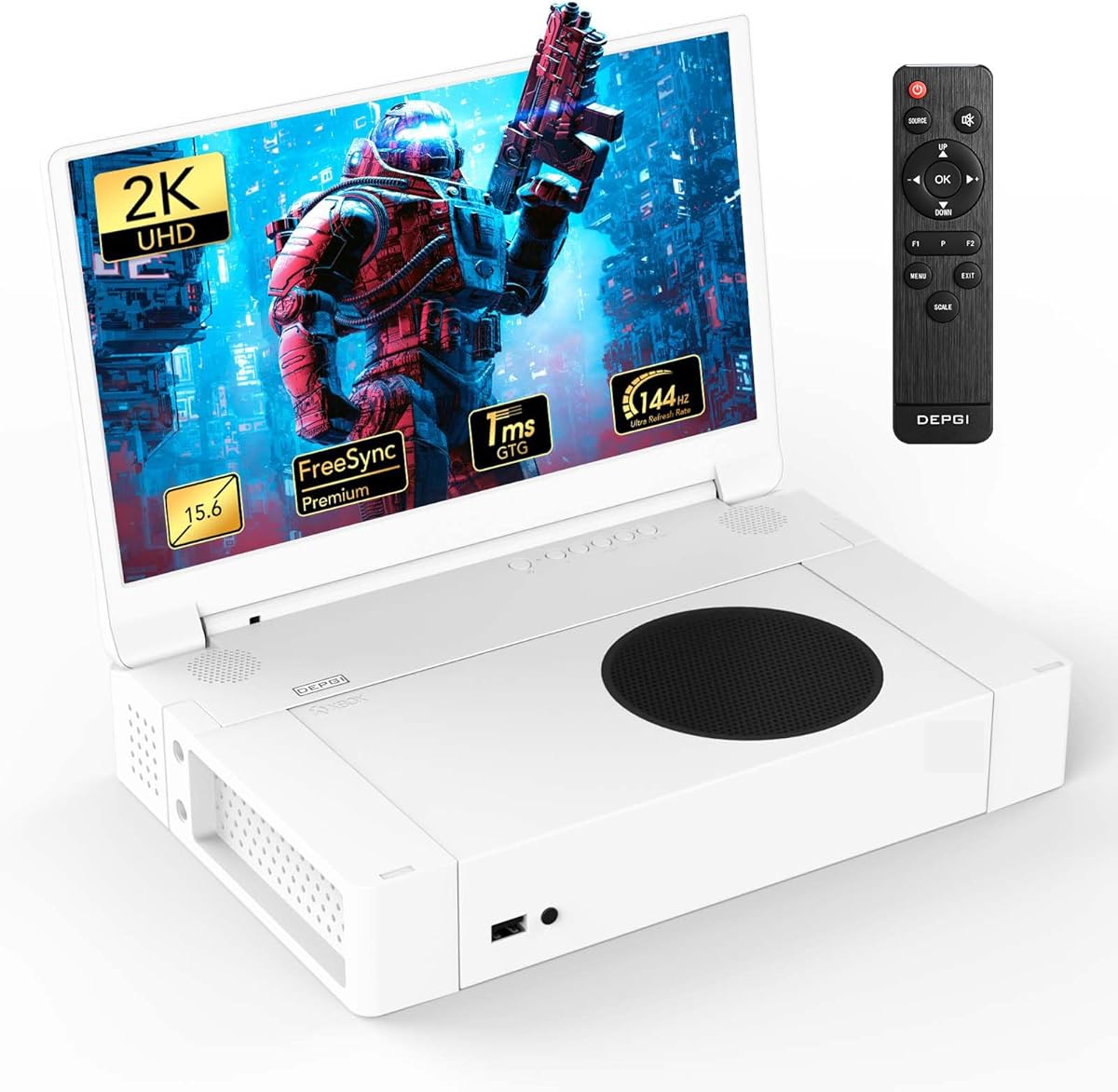
DEPGI 15.6-inch 144Hz QHD Monitor
4.2Editor score
15.6-inch 2K QHD IPS
Up to 144Hz refresh rate
Built-in dual stereo speakers
A portable monitor for Xbox Series X or Series S can turn the compact console into a more flexible entertainment setup, whether that means gaming away from a television, traveling with the console, or adding another screen. The right model balances image quality, useful ports, manageable size, low-weight construction, and features that work well with games.
This guide compares ten portable monitors using the specifications and feature details supplied for each product. It covers screens made specifically for Xbox Series S or Xbox Series X, along with portable displays that may require additional connection considerations. Resolution, refresh rate, HDR, FreeSync, speakers, controls, dimensions, and port selection are the main points of comparison.
The recommendations reveal different priorities: some monitors emphasize Xbox integration, others prioritize high-resolution imagery, and several focus on a balance of portability and everyday gaming features. Ratings and specifications can change as manufacturers revise products, and retail pricing also moves, so readers should verify current listing details before purchasing. The console is not included with any monitor listed here.
4.2Editor score

4.7Editor score

4.5Editor score
As an Amazon Associate we earn from qualifying purchases.
The comparison below places all ten displays side by side, highlighting their screen sizes, resolutions, refresh rates, gaming features, and connection approaches for Xbox Series X and Series S use.

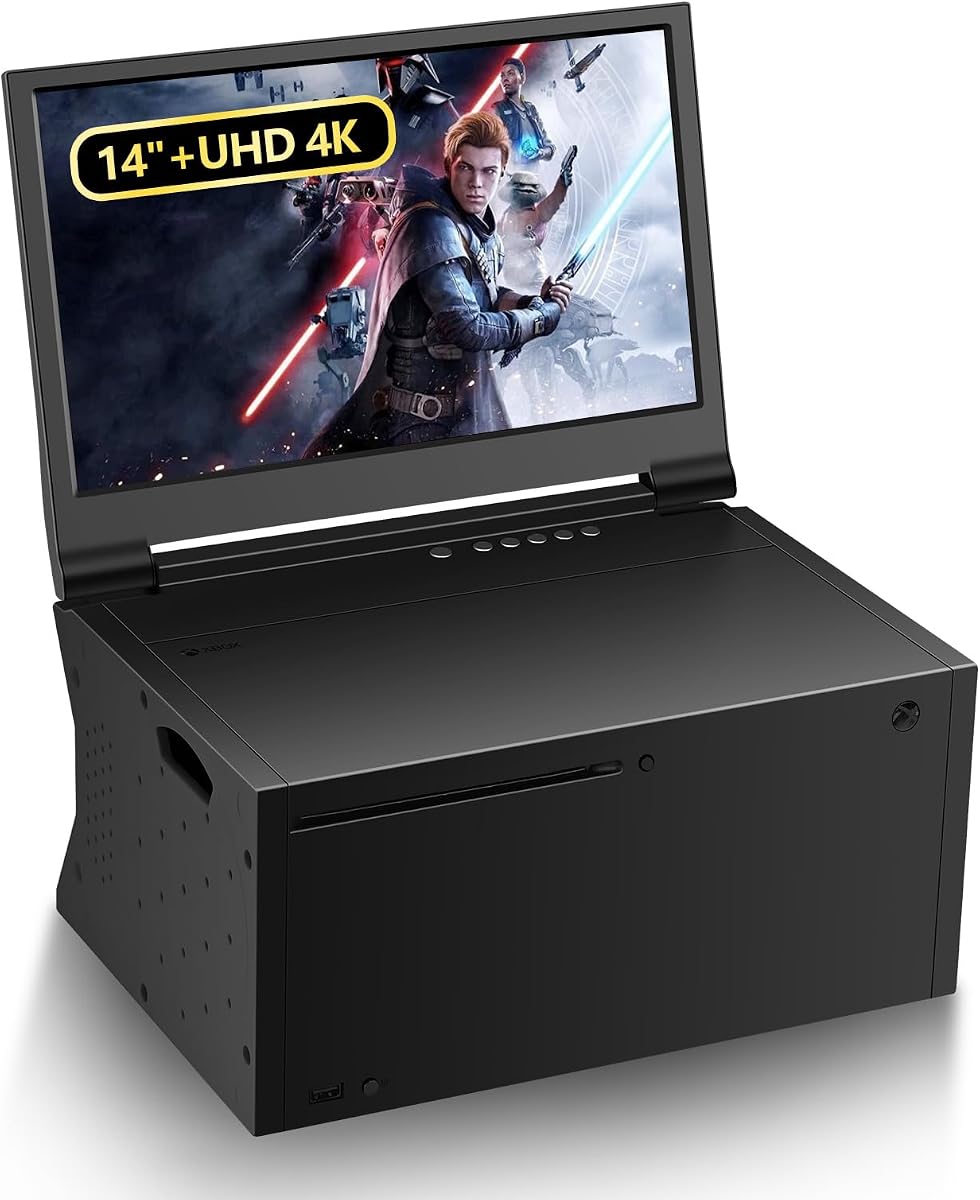


The G-STORY 15.6-inch Portable Monitor for Xbox Series S combines a large portable format with native 4K resolution, making it the strongest all-around choice in this guide. Its supplied rating of 4.7 is the highest among the ten products considered, and its feature set directly addresses the needs of console gamers who want a dedicated screen away from a television.
We may earn a commission when you buy through this link, at no additional cost to you.
The 3840 by 2160 IPS panel is designed to deliver fine detail and greater image clarity than Full HD alternatives. Two HDMI ports make it easier to connect an Xbox Series S alongside a laptop, tablet, or Nintendo Switch, although the supplied details do not identify the maximum supported refresh rate for each port. FreeSync, HDR, and a dedicated game mode add gaming-focused functionality without requiring a large desktop display.
The principal trade-off is that native 4K on a portable panel does not automatically mean competitive high-refresh gaming. No specific refresh-rate figure is supplied, so buyers seeking a particular frame rate should confirm compatibility before ordering. The Xbox Series S itself is not included, and the monitor's stated integration is designed specifically with that console in mind.
This is the best recommendation for buyers who value image detail, a generous 15.6-inch canvas, and direct Series S positioning more than maximum refresh rate. It is also a strong travel companion for anyone who wants the console and display to move together.
The 3840 by 2160 native resolution gives games, menus, and on-screen text more working detail than a 1920 by 1080 screen. That makes this display appealing for console users who use their portable setup for more than fast competitive play.
Two HDMI ports allow the monitor to serve more than one source, such as a console and a laptop. This is a practical feature for a shared travel kit or a gaming station where multiple devices are part of the setup.
We may earn a commission when you buy through this link, at no additional cost to you.
The G-STORY 14-inch 1080P Portable Gaming Monitor for Xbox Series S is a straightforward value-oriented option with a native 1920 by 1080 IPS display. Its supplied rating of 4.0 is the lowest in the group, but the product's core features are well aligned with players seeking a compact, console-specific portable display.
We may earn a commission when you buy through this link, at no additional cost to you.
Two HDMI inputs offer more source flexibility than a single-port portable screen, while FreeSync and HDR target smoother presentation and improved picture quality. A game mode is also included, giving users a dedicated option for console gaming. The 14-inch size sits between smaller travel models and the larger 15.6-inch alternatives, making it relevant to anyone balancing screen area with pack space.
This monitor does not offer 4K resolution, so it will not provide the same degree of fine detail as the first-ranked G-STORY model. The supplied data also does not state a refresh rate, which makes that specification worth checking before purchase. As with the other Xbox-oriented G-STORY displays, the console is not included.
Choose this model if a 14-inch Full HD screen, direct Series S positioning, and two HDMI connections meet your needs better than higher resolution. It is a sensible entry point for console players building a portable gaming arrangement without prioritizing a large refresh-rate specification.
At 14 inches, the display offers a larger viewing area than many compact travel panels without reaching the footprint of a 15.6-inch model. That middle ground can be useful for console sessions in hotel rooms, at a friend's home, or around a desk.
FreeSync, HDR, and the included game mode give the display a clear gaming orientation. The dual-HDMI arrangement also allows the screen to remain connected to more than one entertainment source.
We may earn a commission when you buy through this link, at no additional cost to you.
This G-STORY portable monitor is explicitly designed for the Xbox Series X and combines a 14-inch IPS panel with native 4K resolution. Its supplied rating of 4.2 reflects a competitive feature package, especially for buyers who want detailed console output in a screen smaller than the top G-STORY recommendation.
We may earn a commission when you buy through this link, at no additional cost to you.
The clearest technical advantage is the documented HDMI performance. HDMI port 2 supports 4K at 60Hz, while port 1 supports 4K at 30Hz and can reach 120Hz when resolution drops to 1080p. That gives users a useful choice between high-resolution presentation and faster refresh, although the competing modes appear to be assigned to separate ports.
FreeSync and HDR add further gaming appeal, and the second HDMI connection leaves room for a second source. The 14-inch footprint may be easier to pack than the 15.6-inch alternatives. On the other hand, the console is not included, and the need to switch resolution when targeting the higher refresh rate adds complexity.
This monitor is best for Series X owners who prioritize 4K clarity and want flexibility between 4K and high-refresh Full HD output. Buyers should plan which HDMI port they will use for the console and confirm their preferred game mode before setting up the display.
The monitor supports 4K at 60Hz through one HDMI port and can offer up to 120Hz at 1080p through the other. This creates a meaningful choice between presentation detail and motion smoothness, depending on the game and connection used.
The supplied listing positions the monitor as integrated with Xbox Series X for easier portability. It is intended for console users who expect to carry their gaming display and console as part of the same travel arrangement.
We may earn a commission when you buy through this link, at no additional cost to you.
The G-STORY 12.5-inch 1080P Portable Gaming Monitor is the most compact Xbox Series S-focused model in this guide. Its 1920 by 1080 native resolution, dual HDMI ports, and 4.3 supplied rating make it a practical option for travelers who value a small gaming screen more than maximum detail or screen size.
We may earn a commission when you buy through this link, at no additional cost to you.
Its most distinctive feature is the USB-to-DC IN cable-free attachment solution, which can let the monitor operate without external power under specified conditions. To do that, the listing says brightness must be kept below 30 percent and speaker volume below 50 percent, with some flexibility to raise brightness as volume is reduced. Users should understand those conditions before treating it as a completely independent display.
FreeSync and HDR support add gaming-oriented features, and the two HDMI ports permit a second source to remain connected. The trade-off is the relatively small 12.5-inch screen and Full HD resolution. It may feel less immersive than a 15.6-inch display during extended sessions, particularly when playing at a comfortable viewing distance.
This is a good pick for a travel-oriented Series S setup where minimizing bulk is the priority. It suits users who can control brightness and volume and who prefer a smaller screen over the greater immersion offered by larger alternatives.
A 12.5-inch panel takes up less room than a 14-inch or 15.6-inch display. That smaller footprint can be valuable in carry-on luggage, gaming rooms with limited table space, or anywhere a conventional television is impractical.
The USB-to-DC attachment approach can reduce the need for external power in compatible setups. The stated brightness and volume limits are important, so this feature is best considered an energy-saving option rather than an unrestricted replacement for a mains connection.
We may earn a commission when you buy through this link, at no additional cost to you.
The DEPGI 15.6-inch Portable Gaming Monitor is the feature-rich premium option in this list. It combines a 2K QHD IPS screen, up to a 144Hz refresh rate, HDR, AMD FreeSync, built-in speakers, and multiple output ports. Its supplied rating of 4.2 makes it a credible choice for gamers who want a more specialized portable display.
We may earn a commission when you buy through this link, at no additional cost to you.
A 144Hz refresh rate is the standout specification for fast-moving games, while the OD function and FreeSync support focus on smooth motion and reduced visual inconsistencies. The 300cd/m² brightness provides a bright panel suited to the listing's indoor and outdoor travel positioning. Two HDMI ports, two 3.5mm headphone jacks, and 3W dual stereo speakers create a more complete entertainment arrangement.
Intuitive buttons or the included remote control can be used to operate the display, and FTG, FPS, and RTS game modes offer different scene adjustments. The trade-offs are its 2.86-pound weight and 15.6-inch size, which are less travel-friendly than smaller alternatives. The Xbox Series S is not included.
Choose this DEPGI for motion-focused gaming, console sessions where sound matters, and setups that benefit from flexible audio-device connections. It is the most performance-oriented premium pick here, while remaining more specialized than a conventional laptop-focused portable display.
The 144Hz refresh rate gives the display a clear advantage for games where rapid motion and visual continuity are important. FreeSync and the OD function complement that emphasis by targeting smoother, more stable imagery.
The dual stereo speakers add basic sound without requiring a separate portable speaker, while two headphone jacks make it easier for multiple listeners to use their own audio. On-screen buttons and a remote provide alternative control methods.
We may earn a commission when you buy through this link, at no additional cost to you.
The DEPGI 14-inch Portable Gaming Monitor offers a balanced combination of portability and console-oriented features. It has a 4.4 supplied rating, a Full HD IPS panel, HDR10, AMD FreeSync, built-in speakers, and a compact 2.64-pound design. Those qualities make it a versatile option for travel, shared spaces, and everyday console play.
We may earn a commission when you buy through this link, at no additional cost to you.
The 300cd/m² screen is designed to present vivid and clear visuals, while a 60Hz refresh rate provides a straightforward baseline for console games. FTG, FPS, and RTS modes let users adjust scene contrast for different genres. The included remote and intuitive buttons make adjustments straightforward, and the 3.0W dual stereo speakers provide a convenient way to add sound.
Two HDMI ports and two headphone jacks expand compatibility with Xbox Series S, Switch, PS5, PCs, and laptops. The disadvantages are a 60Hz refresh rate and Full HD resolution, both of which trail the higher-end DEPGI model. At 12.67 by 8.77 by 3.11 inches, it is portable but still substantial enough to require a suitable case.
This monitor is best for users who want more than a bare display and value speakers, remote control, and broad device compatibility. It is particularly suitable for long trips where one screen must handle console gaming, media, and occasional laptop use.
Integrated speakers reduce the number of accessories required for a portable gaming setup. The remote, adjustable game modes, and dual input selection further support use in locations where quick setup and simple control are important.
The two HDMI connections and two headphone outputs make the display useful beyond one console. It can accept devices including a Switch, PS5, PC, or laptop while leaving room for private audio connections.
We may earn a commission when you buy through this link, at no additional cost to you.
The G-STORY 12.5-inch 4K Portable Gaming Monitor combines a compact footprint with a high native resolution. Rated at 4.2, it is an unusual middle ground: smaller than most gaming-focused portable screens but capable of displaying a 3840 by 2160 image. It is specifically designed for the Xbox Series S, with the console excluded from the package.
We may earn a commission when you buy through this link, at no additional cost to you.
FreeSync and HDR are included to help address tearing, stuttering, and picture quality, while a game mode provides a gaming-oriented display setting. Two HDMI ports allow the screen to be shared with a second source such as a laptop, tablet, or Nintendo Switch. This makes the display useful as more than a dedicated console accessory.
The central trade-off is screen size. Packing 4K into 12.5 inches provides fine resolution, but the physical canvas remains smaller than the 14-inch and 15.6-inch alternatives. The supplied information also does not state a maximum refresh rate, so buyers who care about high-frame-rate output should verify that detail.
Choose this model if compact dimensions matter more than a large viewing area but 4K detail remains a priority. It is particularly attractive for Series S owners who want a dedicated portable display that can also accept another entertainment source.
The 4K panel provides a detailed canvas within a 12.5-inch housing. It is well suited to quick console sessions and travel, where every fraction of pack space can matter.
The two HDMI inputs let the console and another device remain connected at the same time. That flexibility suits mixed entertainment setups and reduces cable swapping.
We may earn a commission when you buy through this link, at no additional cost to you.
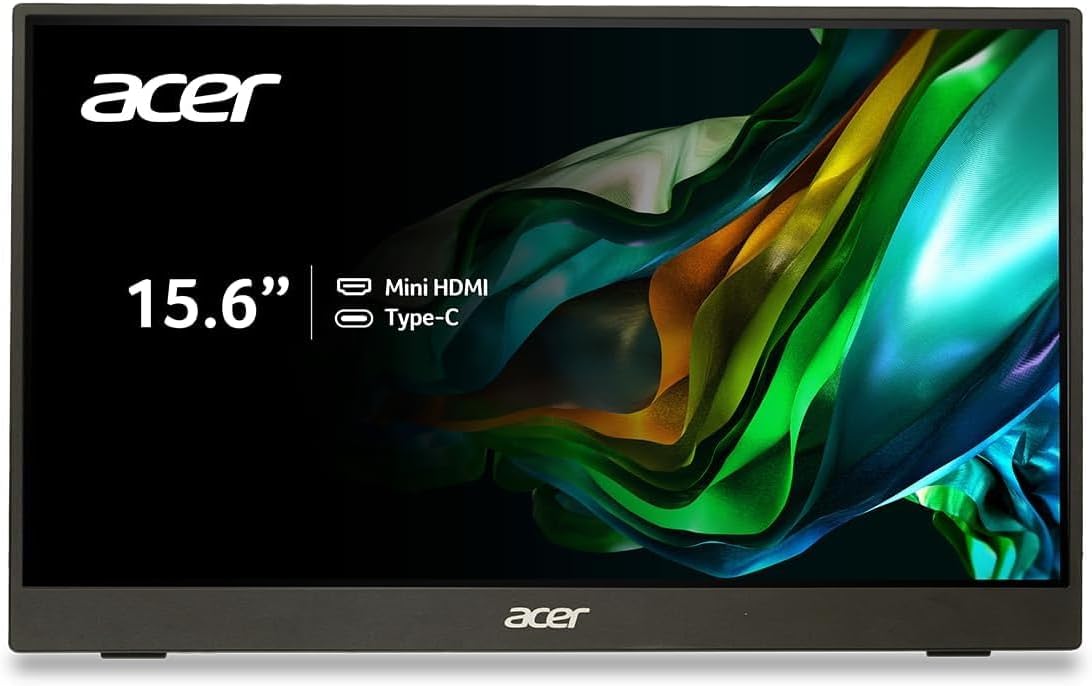
The Acer Nitro PG161Q P delivers the highest stated refresh rate in the guide and combines it with a thin, light 15.6-inch design. Its supplied rating of 4.5 is also among the strongest. Although its USB-C and Mini HDMI arrangement is centered on portable computing rather than a dedicated Xbox integration, it can suit console buyers who already have the appropriate connection solution.
We may earn a commission when you buy through this link, at no additional cost to you.
A 165Hz refresh rate, 6ms G-to-G response time, and AMD FreeSync make the display attractive for fast games. The Full HD IPS panel offers 1920 by 1080 resolution, 250 nits of brightness, and 16:9 visuals. It weighs 2.73 pounds and is only 0.42 inches thick, making it straightforward to place in a laptop bag or travel case.
The important caveat is connectivity. The supplied specification lists two USB-C ports with data, power, and DisplayPort over USB-C, plus two Mini HDMI ports, rather than a full-size HDMI connection. Xbox Series X and Series S use a different HDMI connection approach, so buyers should confirm the required adapter and ensure the monitor accepts the console's video signal and intended refresh mode.
This is a compelling budget recommendation for buyers who prioritize refresh rate, a thin frame, and single-cable laptop use. It is best suited to technically confident users who have checked Xbox compatibility rather than buyers wanting a monitor explicitly engineered for console travel.
At 2.73 pounds and 0.42 inches thick, the PG161Q P is designed to move easily between workspaces. Its 15.6-inch display still provides a generous gaming area without taking on the bulk of a traditional monitor.
The 165Hz rate, 6ms G-to-G response time, and AMD FreeSync support form the display's main gaming strengths. These specifications are particularly relevant to games with quick camera movement and rapidly changing on-screen action.
We may earn a commission when you buy through this link, at no additional cost to you.
The ASUS ZenScreen MB16AHV is primarily a productivity-oriented portable monitor, but its slim 15.6-inch Full HD IPS display can complement an Xbox Series X or Series S setup where display quality and portability matter. It carries a 4.4 supplied rating and is built around a 10mm profile, 0.9-kilogram weight, and integrated fold-out stand.
We may earn a commission when you buy through this link, at no additional cost to you.
The anti-glare display is designed to reduce distracting reflections, while eye-care features include flicker-free operation and low blue light technology. USB-C with 15W power delivery can carry video and power through one cable. The included DisplayWidget software can automatically rotate the image between portrait and landscape, offering a convenient way to read long documents or use the screen vertically.
Unlike the Xbox-specific monitors, the ZenScreen does not list an Xbox refresh rate or clearly describe console compatibility, and its supplied specifications do not emphasize FreeSync or high-refresh gaming. It is therefore better suited to mixed productivity and gaming use than to competitive console play. A suitable connection arrangement for the Xbox should be confirmed before buying.
Choose the MB16AHV for a refined, highly portable display that can serve as both a productivity companion and an occasional console screen. Its anti-glare panel, slender construction, stand, and warranty make it a strong all-purpose travel display.
The 10mm thickness, 0.9-kilogram weight, and fold-out kickstand make the ZenScreen easy to deploy in a hotel, café, or shared office. Its auto-rotation support adds flexibility when the display is used vertically.
The anti-glare surface helps control reflections, while flicker-free and low blue light technologies support comfortable viewing during extended sessions. These qualities are especially valuable for work and travel use.
We may earn a commission when you buy through this link, at no additional cost to you.
The Acer PM161Q Bbmiuux is a straightforward 15.6-inch portable display for meetings, classrooms, travel, and console use. Its 4.3 supplied rating, Full HD IPS panel, AMD FreeSync support, and ultra-slim design make it a solid general-purpose option when simplicity matters more than gaming-specific extras.
We may earn a commission when you buy through this link, at no additional cost to you.
The 1920 by 1080 resolution provides familiar 16:9 Full HD output, while a 60Hz refresh rate and 4ms G-to-G response time establish a modest gaming baseline. VESA mounting compliance adds setup flexibility, and the stated tilt range of 45 to 60 degrees helps users position the panel. Its portable design suits environments where a fixed desktop display is unavailable.
The supplied information does not identify high-refresh gaming modes, built-in speakers, or a specific Xbox connection method. Those omissions make it more of a general-purpose second screen than a dedicated console monitor. Buyers should also verify the included or required cables and adapters for their specific Xbox Series X or Series S setup.
Choose this monitor as a budget-conscious, portable display for a mixed device kit. It is appropriate for console players who want a clear Full HD screen and simple operation, provided the expected refresh rate and connection method meet their needs.
The 1920 by 1080 IPS panel provides a familiar widescreen format that works well for console menus, games, documents, and presentations. The 60Hz rate prioritizes straightforward operation over high-refresh gaming.
The 45 to 60 degree tilt range and VESA mounting compliance offer several ways to position the screen. That flexibility is useful for desks, shared rooms, and travel arrangements where space and viewing angle vary.
We may earn a commission when you buy through this link, at no additional cost to you.
Choosing a portable gaming monitor for Xbox Series X or Series S involves balancing the console's output, screen size, resolution, refresh rate, portability, power needs, and connection method. The right choice depends heavily on whether the priority is sharp menus, fast motion, compact travel, or a screen that can also work with other devices.
In short, prioritize a monitor with a clearly documented, straightforward Xbox connection and confirm the highest supported resolution and refresh rate for that port.
Choose 4K for maximum detail, QHD for a stronger balance of clarity and motion features, and Full HD for a more straightforward and compact setup.
Prioritize a high refresh rate for competitive play, but verify the associated resolution and port. Do not rely on a headline rate without checking the complete mode support.
Choose 15.6 inches for maximum immersion, 14 inches for a middle ground, and 12.5 inches when minimizing packed size is the leading priority.
Compare weight and thickness as well as screen size. A smaller display may still require space for its stand, cables, and power supply.
If you need extended battery-based use, verify both the input and power draw. Standalone operation is convenient, but it often requires reduced brightness or volume.
Look for FreeSync, HDR, suitable game presets, and straightforward controls. The best feature set is one you can actually adjust without interrupting play.
Prioritize built-in audio for travel, but keep headphone connections in mind for private listening. Multiple inputs make the screen more useful beyond a single console.
Begin by confirming that the monitor's supported input and mode match the Xbox console. For models with two HDMI ports, decide which source will use each port and check whether the desired resolution and refresh rate are available. Install the monitor on a stable surface, connect the appropriate cable, select the matching source, and use the monitor controls or remote to choose the appropriate game preset, brightness, and audio output.
When traveling, pack the display in a padded sleeve or fitted case and avoid placing pressure against the panel. Keep the screen away from moisture, direct heat, and prolonged direct sunlight. Clean the surface with a soft microfiber cloth and avoid abrasive or alcohol-based cleaners unless the manufacturer specifically permits them. Do not leave the console or display in a closed hot vehicle, where temperatures can rise quickly.
For extended sessions, take regular viewing breaks and adjust brightness to a comfortable level rather than keeping it at maximum unnecessarily. If using a battery-based arrangement that limits brightness or volume, lower the game or system volume before increasing the display brightness. Finally, check the monitor's settings after each new connection, particularly when moving between a 4K mode and a higher-refresh Full HD mode.
A portable monitor can be an excellent companion for an Xbox Series X or Series S, especially when a television is unavailable. The best results depend on connection support, supported resolution, refresh rate, and the size of the screen. Xbox-specific models are generally easier to assess, while general-purpose portable monitors may require an appropriate adapter or a separate connection cable.
No portable monitor is included with the console. Every Xbox-oriented product in this guide explicitly notes that the Xbox Series S or Xbox Series X is not included. A monitor, the console, and any required cables or adapters are separate purchases that must be considered when building the setup.
A 4K portable monitor offers high native detail, which is useful for console menus, text, and visually rich games. The trade-off is that high refresh modes may require a lower resolution, as shown by the G-STORY Series X model's 120Hz option at 1080p. Consider whether your priorities lean more toward detailed presentation or fast motion before choosing.
A higher refresh rate can make fast-moving games appear smoother, but the supported mode matters as much as the number. The DEPGI 15.6-inch monitor lists up to 144Hz with a QHD IPS panel, while the Acer Nitro PG161Q P lists up to 165Hz at Full HD. Also verify that the monitor accepts the console's video signal through its available ports and adapters.
Some do, but not all. The DEPGI 15.6-inch and 14-inch models include dual stereo speakers, and the Acer Nitro PG161Q P includes two one-watt speakers. Several G-STORY models focus on display and connection features without listing speaker specifications. If sound quality matters, verify both the built-in audio and the availability of headphone outputs.
A 15.6-inch model offers the largest viewing area, while 14-inch and 12.5-inch models are easier to pack. The best choice depends on the viewing distance and how often the display will be transported. Frequent travelers may accept a smaller screen for a lighter kit, while users playing farther from the display may prefer the larger 15.6-inch format.
Yes, when the monitor has at least two compatible video inputs. Multiple G-STORY and DEPGI models include two HDMI ports, while the Acer Nitro and ASUS ZenScreen emphasize USB-C and Mini HDMI. The exact setup depends on the console's cable, the monitor's input format, and whether an adapter is included or must be purchased separately.
It depends on the model and the intended use. The G-STORY 12.5-inch 1080P model lists a cable-free attachment solution that can operate without external power under specified brightness and volume limits. Other models may use USB-C power delivery or require a power accessory. Check the supplied instructions and your expected gaming duration before traveling.
The G-STORY 15.6-inch 4K model is the strongest overall pick because it combines the highest supplied rating, a large portable screen, native 4K detail, and two HDMI connections. The DEPGI 15.6-inch 144Hz QHD monitor stands out for motion-focused features, built-in sound, and extensive control options, while the Acer Nitro PG161Q P delivers a high refresh rate in a particularly thin and light design.
Your priority should determine the rest of the shortlist. Choose a console-specific G-STORY model for straightforward Series S or Series X positioning, a DEPGI model for speakers, remote control, and richer entertainment features, or a slim Acer or ASUS display for a mixed productivity-and-gaming kit. Always confirm the connection method, supported mode, and included accessories before purchasing, because portability alone does not guarantee plug-and-play console use.
Retail availability and pricing can change, and product specifications may also vary by listing or revision. Check the current product page, connection details, console compatibility, warranty terms, and included cables at the time of purchase. That final review ensures the portable monitor fits both the Xbox version you own and the way you plan to use it.