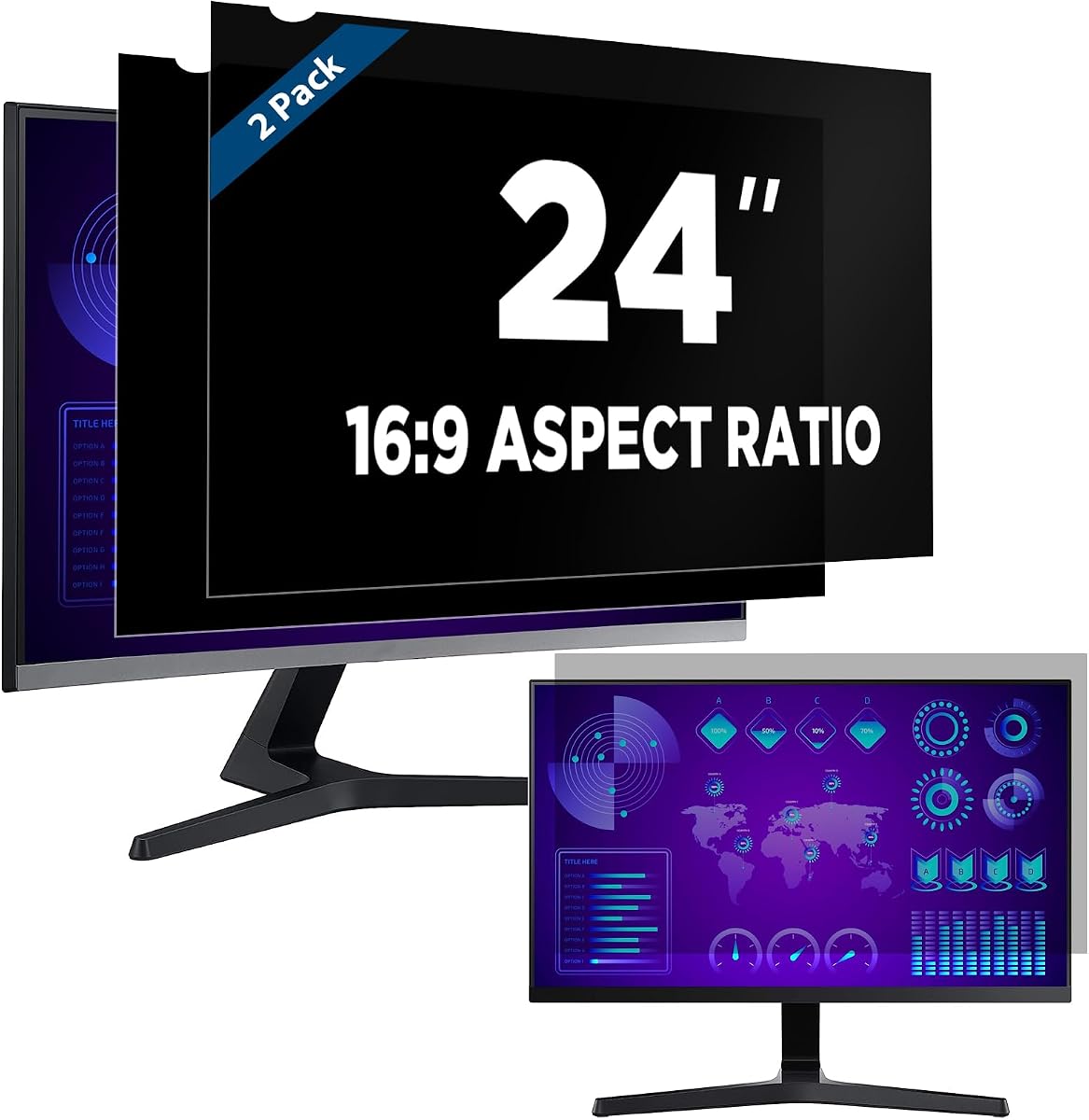
Magicmoon 24 Inch Privacy Screen
4.1Editor score
Two filters per package
Adhesive or slide-tab mounting
Thirty-to-sixty-degree privacy
Thirty-percent blue-light filtering
Discover the best monitor privacy screen options, comparing fit, privacy angles, installation methods, eye protection, clarity, and included accessories for
A monitor privacy screen is a thin optical filter that limits sideways viewing while retaining a clear image for the person seated directly in front of the display. The right filter can help protect confidential information in offices, classrooms, clinics, shared workspaces, and homes, while also reducing glare and potentially filtering blue and ultraviolet light.
This guide compares ten monitor privacy screens across the factors that matter most: visible-area dimensions, aspect ratio, viewing-angle protection, surface finish, installation style, optical claims, durability, and included accessories. Most selections are 24-inch or 27-inch widescreen filters, while one is designed for a 22-inch 16:10 display, making it important to match the filter to the visible screen area.
Each review explains where the product is strongest, where its design creates trade-offs, and which users may benefit most. Rankings reflect the supplied product information and customer ratings rather than hands-on testing, and product details can change over time. Prices and availability also fluctuate, so readers should confirm fit and compare current retailer listings before purchasing.
4.1Editor score

4.6Editor score

4.2Editor score
The table below places all ten filters on a consistent buying checklist, emphasizing screen size, physical dimensions, privacy technology, installation, and optical or protective features.


The Peslv 24-inch filter is a feature-rich choice for users who want more than basic side-view protection. It carries a 4.2 customer rating and includes two 24-inch 16:9 filters. Its specified visible-area dimensions are 532 by 299 millimeters, making accurate measurement essential before ordering. The product is aimed at offices, schools, healthcare settings, legal work, banking, and other environments where visual confidentiality matters.
We may earn a commission when you buy through this link, at no additional cost to you.
The strongest element is the combination of installation flexibility and optical features. Clear double-sided adhesive strips and slide mount tabs allow the filter to be fixed directly to the display or attached to a raised bezel. The two-sided design allows the matte surface to face outward for anti-glare performance or the glossy surface to face outward for a stronger privacy effect. The listing also states that the matte side maintains a 30-degree privacy angle, while the glossy side offers a narrower 26-degree angle.
Peslv additionally specifies 92% blue-light reduction, 98% ultraviolet filtering, and a reinforced protective layer intended to resist scratches. These are meaningful benefits for people who spend long periods in front of a monitor, although the optical filtering can affect perceived brightness. The filter also may not provide the same clarity to every viewer if monitor brightness is too low in a brightly lit room. Exact fit, surface orientation, and screen brightness should therefore be considered together.
This is a strong recommendation for a 24-inch 16:9 user who values a complete package, reversible finishes, and two supported mounting methods. It is less suitable for someone with a full-screen monitor that does not accept the included attachment method, or for a display whose visible area differs from 532 by 299 millimeters. Measure first, then choose the matte or glossy orientation to suit the workspace.
The adhesive strips suit a more permanent installation, while the slide tabs let users remove and replace the filter on monitors with raised bezels. This flexibility makes the package useful for offices that alternate between focused work and shared-screen situations.
The matte side is intended to reduce glare in bright spaces, whereas the glossy side emphasizes privacy. Rotating the filter can therefore address different workplace conditions without replacing the entire product.
We may earn a commission when you buy through this link, at no additional cost to you.
The Mamol 24-inch filter combines a 4.2 rating with a broad set of protective and practical features. It includes two filters sized for a 20.9 by 11.8-inch, 16:9 display area, corresponding to 532 by 299 millimeters. The product is designed for common brands including HP, Samsung, Dell, Lenovo, Acer, Asus, LG, and ViewSonic, although buyers should still verify their own visible screen dimensions.
We may earn a commission when you buy through this link, at no additional cost to you.
Mamol describes its microlouver technology as blocking side visibility at around 30 degrees and producing a complete blackout near 60 degrees. It also claims 99.9% ultraviolet filtration, 98% blue-light suppression, and an AR high-definition light-transmission layer. A washable, reusable surface is intended to resist scratches and fingerprints, while the reversible glossy and matte sides let users prioritize either clarity and privacy or reduced glare.
The trade-off is that side blackout and optical filtering can make the display look darker than usual. A user working in a bright office may need to raise monitor brightness, and the included installation approach must match the monitor. Adhesive strips can secure the filter to the screen, while slide tabs are restricted to displays with a raised bezel. A washable film also requires careful handling and a clean surface.
Mamol is a balanced recommendation for 24-inch 16:9 users who want two filters, a pronounced privacy gradient, and a washable surface. It is particularly useful for travelers, open-office workers, and anyone alternating between matte and glossy sides. Buyers should confirm the visible dimensions and plan for possible brightness adjustments before installation.
The stated 30-degree privacy range and near-60-degree blackout create a useful distinction between readable front views and strongly obscured side views. This makes the filter relevant where casual side glances are a concern.
The anti-reflective, blue-light, and ultraviolet claims support a more comfortable viewing proposition, while the reinforced washable surface helps preserve usability. Actual brightness and color perception can vary by display.
We may earn a commission when you buy through this link, at no additional cost to you.
The Magicmoon 24-inch filter is a straightforward option for buyers who want a two-pack without an extensive list of specialized claims. It has a 4.1 rating and is intended for diagonally measured 24-inch widescreen monitors with a 16:9 aspect ratio. The listed filter dimensions are 20 15/16 by 11 13/16 inches, or 531 by 298 millimeters, so diagonal size alone should not determine the choice.
We may earn a commission when you buy through this link, at no additional cost to you.
Its main privacy mechanism is straightforward: the screen remains visible from the front but darkens from angles of approximately 30 to 60 degrees. The listing suggests adjusting monitor brightness to alter the privacy level, which provides a simple way to respond to changing ambient light. Clear adhesive strips offer direct attachment, while slide mount tabs support removable use on monitors with raised bezels.
The optical feature set is less extensive than that of some competing filters. Magicmoon states that the filter blocks 30% of blue light in the 380 to 495 nanometer range, but it does not describe the same ultraviolet, scratch-resistance, washability, or dual-surface system advertised by several other selections. As a result, its appeal comes from simplicity, pair packaging, and flexible mounting rather than an extensive protective specification.
This filter is a sensible recommendation for a 24-inch 16:9 user working in an open office who wants direct-angle privacy and two installation choices. It may be less attractive to buyers who prioritize blue-light reduction, glare control, surface versatility, or long-term reusability. Confirm the visible dimensions and bezel style before ordering.
Using the monitor's brightness control as the main privacy adjustment gives users a simple response to changing surroundings. The trade-off is that reducing brightness can make prolonged viewing less comfortable.
Direct adhesive strips are useful for a fixed setup, while slide tabs make repeated removal easier where the monitor has a raised frame. The available method should be selected before installation.
We may earn a commission when you buy through this link, at no additional cost to you.
The Zspeed hanging filter stands out with a 4.6 rating, the highest listed among these ten products, and an installation design that differs from conventional adhesive films. It is a two-pack of removable 24-inch 16:9 privacy screens measuring 547 by 320 millimeters. Rather than requiring an exact edge-to-edge adhesive match, it uses slightly larger dimensions intended to cover a broader range of 24-inch monitors.
We may earn a commission when you buy through this link, at no additional cost to you.
Its micro-louver technology limits the viewing angle to approximately plus or minus 30 degrees, allowing a clear front view while reducing side visibility. The hanging construction is easy to install and remove without leaving residue or damaging the monitor. It is also described as washable, reusable, and made from stiffer material intended to resist bending and deformation, which is useful for professional workspaces and repeated handling.
The product also states that it blocks up to 96% of harmful blue light and 99% of ultraviolet radiation. These optical claims may make it appealing for extended office sessions, although every monitor responds differently to filtered light. The principal trade-off is dimensional coverage: a broader fit may leave a visible border or overhang beyond some displays. The design also adds a physical hanging layer that exact-fit adhesive filters do not have.
Zspeed is the strongest recommendation for buyers who struggle to find an exact adhesive-fit 24-inch filter or who need to remove the screen frequently. It is also well suited to offices, clinics, banks, and shared environments where reusability and broad compatibility matter. Measure the visible area and bezel first, and consider whether the hanging profile suits the monitor's shape.
The deliberately broader dimensions reduce dependence on one brand's exact visible-area measurement. That flexibility is helpful across mixed monitor fleets, although a slight overhang may remain on some displays.
The hanging design allows users to take the filter off when privacy is unnecessary, which is convenient for shared desks, presentations, and maintenance. It avoids the permanent commitment of fully adhered films.
We may earn a commission when you buy through this link, at no additional cost to you.
The Protescreen 24-inch filter is a 4.4-rated option focused on strong side-angle privacy and straightforward installation. It is intended for 16:9 monitors whose visible area measures 20 15/16 by 11 13/16 inches, or 532 by 299 millimeters. The instructions explicitly warn against choosing solely by diagonal size and allow a small measurement tolerance when excluding the frame.
We may earn a commission when you buy through this link, at no additional cost to you.
According to the product information, the filter darkens when viewed from the left or right between approximately 30 and 180 degrees, while remaining clear directly in front. The user can alter the privacy effect through monitor brightness. Its reversible design adds another layer of choice: the matte side reduces glare, whereas the glossy side is described as offering stronger privacy. This makes the filter adaptable to bright rooms, evening work, and changing user preferences.
Two mounting choices are offered. Clear double-sided adhesive strips secure the filter to the screen, while slide tabs allow removal and replacement on a monitor with a raised bezel. The product is particularly effective for left-and-right side privacy, but it does not block visibility directly behind the user. That limitation is inherent in a standard side-view filter and matters in environments where someone stands or walks behind the workstation.
This is a practical recommendation for a 24-inch 16:9 user who prioritizes reversible surfaces and broad side protection. It is less appropriate for buyers seeking a two-pack, a hanging construction, or protection against viewing from directly behind. Measure carefully, select the appropriate mounting method, and keep the display bright enough for comfortable use.
The specified 30-to-180-degree side range makes this suitable for preventing casual glances by coworkers seated to the left or right. It does not address rear-facing observers, so physical placement still matters.
The matte surface favors low-glare working conditions, while the glossy surface emphasizes privacy. This reversible arrangement is useful when the same screen moves between daytime and darker settings.
We may earn a commission when you buy through this link, at no additional cost to you.
The Protescreen 27-inch selection is a two-pack built for users with a 27-inch 16:9 widescreen monitor. Its 4.0 rating is the lowest in this group, but the product offers a substantial combination of privacy, optical filtering, and installation options. The stated visible-area dimensions are 23 9/16 by 13 1/4 inches, or 598 by 337 millimeters, and the filters are modeled to fit common monitor brands.
We may earn a commission when you buy through this link, at no additional cost to you.
Its micro-louver technology limits viewing to approximately plus or minus 28 degrees, producing a dark appearance when someone looks from the side. The reversible surfaces let the matte side focus on anti-glare performance and the glossy side on stronger privacy. Peslv-style optical claims are also listed here, including 92% blue-light reduction, 98% ultraviolet filtering, and blocking of 95% of reflected light.
The package contains two filters, adhesive strips, slide tabs, cleaning alcohol, and cleaning cloths. Adhesive installation suits 16:9 27-inch displays, while the removable slide-tab system works with a raised frame. A reinforced layer is intended to protect against dust and scratches. As with other light-filtering products, a darker or less vivid appearance is possible, and high ambient lighting may require the display's brightness to be increased.
This is a good option for a 27-inch user who wants a pair of filters and a broad accessory bundle. Its narrow 28-degree privacy range is appealing for sensitive work, although the customer rating is less favorable than those of several alternatives. Check the exact dimensions, confirm bezel compatibility for removable mounting, and decide whether the matte or glossy finish best matches the room.
A 28-degree viewing range limits the area from which a person can see the display. This tighter boundary is useful for handling records, financial information, or other material that should not be casually visible.
Two filters, mounting strips, slide tabs, cleaning alcohol, and cloths provide the essentials for more than one display or for a replacement in a second workspace. The included materials simplify initial setup.
We may earn a commission when you buy through this link, at no additional cost to you.
The ZOEGAA 27-inch two-pack has a 4.1 rating and emphasizes the relationship between micro-louver precision, surface finish, and clear front-view visibility. It is designed for a 27-inch 16:9 display measuring 23.53 by 13.24 inches, or 597.7 by 336.2 millimeters. As with the other filters, the product information advises measuring the visible screen area rather than relying only on the diagonal.
We may earn a commission when you buy through this link, at no additional cost to you.
ZOEGAA states that its engineering team collected suggestions from more than 5,000 computer users and made 35,462 anti-peep angle corrections. The result is described as hiding views beyond plus or minus 30 degrees, with people to the left and right seeing a black screen. An AR high-definition light-transmitting layer is intended to maintain clarity, while a reversible glossy and matte design lets buyers emphasize either privacy or glare resistance.
Two installation methods are described. An insert type is removable, while mounting adhesive provides a more permanent attachment. The glossy surface is positioned for stronger anti-peeping performance, and the matte surface is better suited to strong light. The product is also described as anti-scratch, anti-fingerprint, washable, and able to regain a new appearance after cleaning. Users must still consider the optical effect of the filter, which can make a screen look dimmer from some angles.
ZOEGAA is a fitting recommendation for 27-inch users who want a two-pack, a refined privacy boundary, and the ability to change finishes. It is especially relevant to brightly lit workspaces where anti-glare performance matters. The principal caution is the need to verify the precise visible dimensions and select the correct installation method before applying the filter.
The stated correction count indicates a sustained effort to refine the anti-peep angle. The practical result users should expect is a strong side view obstruction beyond the specified range, not total invisibility from every direction.
The AR layer is intended to limit the clarity penalty associated with a privacy filter. Reversible surfaces then let the user favor reduced glare or stronger privacy according to the immediate environment.
We may earn a commission when you buy through this link, at no additional cost to you.
The Peslv 27-inch filter is the feature-forward 27-inch option in this guide, combining two screens, reversible surfaces, and multiple installation methods. It carries a 4.2 rating and is specified at 598 by 337 millimeters for a 27-inch 16:9 display. The product is designed for a wide range of monitor brands, but the visible-area measurement remains the deciding compatibility factor.
We may earn a commission when you buy through this link, at no additional cost to you.
Its micro-blind optical technology is described as shielding views beyond plus or minus 30 degrees. The double-sided construction adds meaningful adaptability: the matte side offers anti-glare performance while maintaining a 30-degree privacy angle, whereas the glossy side emphasizes privacy with a 26-degree angle. That narrower range may be preferable for confidential documents, while the matte orientation may be better in a brightly lit open office.
Peslv also states that the optical materials reduce 92% of blue light and 98% of ultraviolet light. A high-transparency reinforced layer is intended to preserve image quality and resist scratches. Clear adhesive strips and slide mount tabs support different monitor styles, and the package includes two filters, cleaning kits, and a large microfiber cloth. The company also states that attachment parts can be replaced during the supported lifetime period.
This is the premium recommendation among the 27-inch selections for buyers who want comprehensive optical claims, a reversible surface, and two mounting paths. It is less suitable if you require a hanging-style broad fit, a single-filter package, or strong protection from someone standing directly behind the display. Confirm 598 by 337 millimeters and choose the finish according to glare and privacy priorities.
The matte and glossy faces offer meaningfully different viewing experiences rather than merely different looks. This allows a 27-inch user to balance clarity and glare control against a tighter anti-peep boundary.
Blue-light, ultraviolet, and scratch-protection features broaden the purpose of the filter. They may improve everyday comfort and surface care, although they do not replace monitor settings, breaks, or professional eye advice.
We may earn a commission when you buy through this link, at no additional cost to you.
This 22-inch filter is the list's dedicated 16:10 option, offering a useful alternative for users whose displays do not use the more common 16:9 format. It has a 4.4 rating and includes two filters. Rather than giving a precise visible-area measurement, the product information asks buyers to verify the display area before ordering, so measurement is especially important.
We may earn a commission when you buy through this link, at no additional cost to you.
Advanced micro-louver technology limits side viewing and keeps content most visible to a user positioned directly in front. The filter also includes blue-light filtering intended to improve viewing comfort during extended work, study, or entertainment. Its dual-sided design provides a matte option for glare reduction and a glossy option for a sharper appearance and enhanced privacy, giving users control based on their environment.
Durability is another strength. The surface is described as resistant to scratches, fingerprints, and daily wear. Installation uses accessories described as supporting quick, secure, bubble-resistant adhesion. This is likely the simplest arrangement for a user who wants a fixed installation, but the lack of a listed removable slide-tab option means the filter is less convenient for screens that need frequent uncovering.
This is a strong recommendation for a 22-inch 16:10 user who cannot use one of the 24-inch or 27-inch filters and values blue-light filtering alongside side privacy. It is less suitable for users who need exact dimensions in the listing, broad 16:9 compatibility, or a choice between adhesive and removable mounting. Confirm the monitor's visible width and height before ordering.
The uncommon aspect ratio distinguishes this filter from the widescreen 16:9 alternatives. It can fill a gap for users with older office monitors or compact displays that are often overlooked by filter manufacturers.
Blue-light filtering is combined with scratch and fingerprint resistance, making the product relevant to long workdays. The adhesive approach is designed to install without bubbles when the surface is prepared correctly.
We may earn a commission when you buy through this link, at no additional cost to you.
The removable 24-inch filter is a practical option for professional and shared workspaces, with a 4.4 customer rating and a two-filter package. It is made for a 24-inch 16:9 monitor with a visible area of 20.93 by 11.77 inches and is listed as compatible with major brands including Dell, HP, Lenovo, ASUS, Acer, LG, and Samsung.
We may earn a commission when you buy through this link, at no additional cost to you.
Its core function is conventional micro-blend-style side privacy: the viewing angle is limited to approximately 30 degrees, the screen remains clear from the front, and side viewers see a more restricted image. The product is positioned for offices, financial institutions, healthcare facilities, and other settings where sensitive information may be displayed. The anti-glare positioning adds another practical benefit for users working under strong lighting.
Its most attractive feature is the removable installation system. The included accessories are intended to provide quick setup and clean removal without leaving residue or damaging the monitor surface. This is more convenient than a permanent adhesive film for shared desks, meetings, or users who only need privacy for certain tasks. The tradeoff is that the product information gives less detail about blue-light, ultraviolet, scratch, and surface-finish performance than several competing filters.
This filter is a good recommendation for a 24-inch 16:9 user who prioritizes side privacy, easy removal, and a two-pack over extensive optical specifications. It is less attractive if blue-light reduction or quantified ultraviolet filtering is a primary requirement. Measure the display area, confirm the included mounting method suits the monitor, and check the current product listing for the complete contents.
A removable filter can protect a display during sensitive tasks and then come off for collaboration or screen sharing. This flexibility makes it useful where the screen does not need constant concealment.
The defined side angle provides an easily understood level of protection. It is a practical balance for offices where coworkers pass nearby but full concealment from every direction is unnecessary.
We may earn a commission when you buy through this link, at no additional cost to you.
The best monitor privacy screen is the one that matches the visible display area, blocks the viewing directions that matter, and remains comfortable in the environment where it will be used.
Begin by measuring the width and height of the active display area, excluding the outer bezel. A monitor's advertised diagonal does not reveal the full panel shape, and 24-inch displays can use different 16:9 or 16:10 proportions. Compare the measurements with the filter dimensions rather than relying on brand or diagonal size alone. This is especially important for the 22-inch selection, which does not list exact dimensions.
Measure width and height, then compare both figures with the manufacturer's dimensions.
The aspect ratio describes the relationship between the screen's width and height. Most products in this guide are designed for 16:9 widescreen monitors, while the 22-inch option targets 16:10. A filter with the wrong ratio may cover the panel incompletely or extend beyond it, so ratio should be confirmed before the visible dimensions are evaluated.
Choose 16:9 for standard widescreen displays and 16:10 only when the monitor matches.
Privacy filters are generally strongest when viewed directly and become darker at increasing side angles. The listed products mention ranges from approximately 26 or 28 degrees for tighter setups to broader side protection. A narrow range can be useful for sensitive information, while a wider range may feel more practical in a collaborative office. None of the standard side filters should be treated as a shield against a viewer standing directly behind the user.
Choose a narrower angle for confidential work and a broader angle for routine office privacy.
Adhesive strips create a relatively permanent, edge-to-edge appearance and can work with many display shapes. Slide mount tabs are easier to remove but generally require a raised bezel. The Zspeed selection uses a hanging design intended to fit a broader range of 24-inch monitors. Choose the method based on how often the filter will move, the shape of the bezel, and whether a visible overhang is acceptable.
Use adhesive for a permanent fit, tabs for frequent removal, and hanging for broader coverage.
Many reversible filters offer a matte face and a glossy face. Matte surfaces are generally better for reducing reflections and glare in bright rooms, while glossy surfaces often provide a stronger privacy effect and a sharper-looking image. The difference matters most under overhead lighting, near windows, or in high-traffic offices. Consider the surface you will use most often rather than assuming one finish works in every environment.
Favor matte for bright offices and glossy for stronger side-view privacy.
Blue-light and ultraviolet filtering claims range across the selection, from 30% blue-light reduction to more than 90% in some products. Other filters add scratch resistance, anti-fingerprint treatment, washable surfaces, and anti-reflective layers. These features may improve comfort and longevity, but measured results can vary with brightness, ambient light, and the underlying monitor. Treat quantified claims as product specifications rather than guaranteed personal outcomes.
Prioritize the protections that match your needs, while expecting display-dependent results.
A useful package includes a filter, mounting hardware, and cleaning supplies. Two-pack options provide a spare or allow installation on multiple displays. Some listings include alcohol, microfiber cloths, adhesive strips, slide tabs, and replacement attachment parts. Compare the package contents because installation hardware can determine whether the filter is practical for your specific monitor.
Verify the filter quantity, mounting pieces, cleaning supplies, and replacement support.
Start with a clean, dry display. Measure the visible screen area, compare it with the filter specifications, and decide which mounting method is appropriate. Remove dust and fingerprints with a suitable microfiber cloth so that adhesive strips or tabs sit on a clean surface without introducing particles under the filter.
For adhesive mounting, follow the included instructions and work gradually from one edge toward the other to reduce trapped air. For tabs or a hanging design, attach the mounting pieces securely and then position the filter without pulling on a corner. Allow the screen to remain directly in front of you and adjust monitor brightness so that the front view is clear and comfortable.
Clean the filter according to its instructions, using a soft microfiber cloth and avoiding harsh chemicals or abrasive tools. Do not press hard against the optical surface or remove and reattach adhesive pieces unnecessarily. If visibility becomes cloudy or scratches appear, inspect the filter for damage and replace it when continued cleaning no longer restores a clear view.
Measure the visible width and height of the monitor's active screen, excluding the frame. Compare both measurements with the filter dimensions and confirm the aspect ratio. Do not rely on the advertised diagonal alone, because different 24-inch monitors can have different panel proportions and bezels.
It can, especially when viewed from an angle, because the filter's optical structure darkens side views. A direct view may also lose some brightness depending on the filter and ambient lighting. Raising the monitor brightness can help, but choose a comfortable level rather than making the screen so bright that it creates glare.
Most standard monitor filters in this guide are designed primarily for left-and-right side privacy. They generally do not block a person standing directly behind the user. For complete visual security, position the display away from exposed walkways, use a dedicated enclosed workspace, or consider a separate monitor hood.
Choose matte when glare and reflections are your main concerns, especially in a brightly lit office. Choose glossy when stronger side-view privacy is more important and the lighting is controlled. Reversible filters let you compare both surfaces and keep the better-performing orientation facing outward.
Removable installation is better for shared desks, presentations, and users who only need privacy occasionally. Adhesive installation usually produces a more integrated edge-to-edge appearance and can suit a fixed workstation. Slide tabs usually require a raised bezel, while the Zspeed option uses a separate hanging design.
Several products in this list state specific blue-light reduction levels, ranging from 30% to more than 90%. The exact result depends on the filter, screen brightness, display settings, and viewing environment. Blue-light filtering can support viewing comfort, but it should be considered alongside glare control, breaks, and suitable monitor placement.
Use the supplied or another soft microfiber cloth and follow the product's cleaning directions. A lightly dampened cloth may be appropriate for some filters, but harsh chemicals, abrasive pads, and excessive pressure should be avoided. Remove the filter only if the instructions permit it, and never pull it away while the adhesive is still attached.
Brand compatibility alone does not guarantee a fit. Even monitors with the same brand and diagonal size can have different visible widths, heights, and bezel designs. Measure the active screen area and confirm the aspect ratio before purchasing.
The Zspeed hanging 24-inch filter leads for broad 24-inch compatibility, removable installation, and the highest listed customer rating. Magicmoon offers a simpler two-filter alternative, while the Peslv 27-inch pair stands out for reversible surfaces and a comprehensive set of optical and mounting features. Each is most appropriate after the visible display area has been measured.
Prioritize the requirements that affect daily use: correct dimensions, an aspect ratio that matches, installation compatible with the bezel, and a privacy angle suited to the environment. Matte surfaces help with glare, glossy surfaces emphasize privacy, and blue-light, ultraviolet, scratch, and anti-fingerprint claims vary among the selections. A two-pack is convenient for multiple displays or replacements.
Finally, review the current retailer listing to confirm the dimensions, package contents, installation instructions, and availability. Ratings and product details can evolve, and market conditions can change over time. Compare the current listing with the priorities identified in this guide before making a final monitor privacy screen purchase.