
CORSAIR Vengeance 16GB SODIMM
4.8Editor score
Single 16GB SODIMM module
Up to 5600MHz data rate
Broad Intel AMD platform support
This DDR5 laptop RAM guide compares ten kits for capacity, speed, latency, compatibility, and everyday laptop performance.
DDR5 laptop RAM can give a compatible notebook more working memory, smoother multitasking, and better performance when applications compete for resources. Choosing well means matching capacity, speed, latency, rank, and voltage to the laptop while recognizing that advertised specifications do not guarantee identical results on every system.
The ten products in this guide were compared using the information supplied for each kit, including module configuration, memory speed, PC rating, timings, voltage, ECC status, form factor, processor-platform support, and manufacturer compatibility notes. The list covers matched dual-module kits, individual modules, and a smaller two-module option for shoppers with different upgrade plans.
Each review explains the strongest reasons to consider a particular product and any limitations visible in the supplied specifications. Ratings are reproduced where available, while unrated listings are identified accordingly. Product availability and prices change frequently, so shoppers should verify current listings and laptop compatibility before purchasing.
4.8Editor score

4.8Editor score

4.5Editor score
The table below compares all ten kits by capacity, module arrangement, rated speed, and latency-related specifications, providing a concise view of the options before the detailed reviews.




The Crucial CT2K16G56C46S5 combines 32GB of capacity with a 32GB kit of two matched 16GB DDR5 SODIMM modules. It carries a 4.8 rating in the supplied data, making it one of the strongest all-around entries here. Its flexible operating specification of 5600MHz, 5200MHz, or 4800MHz reflects the practical need for laptop memory to support different processor and platform generations.
We may earn a commission when you buy through this link, at no additional cost to you.
Capacity is the kit's defining strength. A 32GB configuration gives demanding users more room for large browser sessions, creative applications, virtual machines, development environments, and many applications open at once. Using two matched modules can also suit systems designed around dual-channel memory, although actual bandwidth still depends on the laptop's memory controller. Intel XMP 3.0 and AMD EXPO support broadens its appeal for compatible systems.
The module follows standard DDR5 laptop specifications: 262-pin SODIMM form factor, 1.1V operation, non-ECC organization, PC5-44800 speed, and a listed 1Rx8 configuration. Micron's memory expertise and the stated component- and module-level testing add confidence, but the supplied information does not confirm operation in every laptop. Compatibility remains a matter of checking the notebook's supported memory type, maximum capacity, and processor generation.
This is a particularly sensible choice for a compatible laptop that currently has only 8GB or 16GB and can accept two modules. It balances useful headroom with support for both Intel and AMD platforms. Buyers should confirm their laptop supports 32GB DDR5 SODIMMs and review Crucial's compatibility resources before installation, since no memory upgrade can overcome unsupported hardware or a limited number of slots.
The 32GB total is useful when multitasking reaches beyond basic office work. It gives the operating system and applications a larger memory pool, reducing the likelihood that data-heavy tasks will compete with a constrained working set. The two matched 16GB modules also provide a straightforward way to populate both memory slots on compatible laptops.
Support for listed Intel Core and AMD Ryzen 7000 platforms is a meaningful strength, while the 4800MHz, 5200MHz, and 5600MHz options improve the chance of finding a stable platform-appropriate rate. Buyers should still verify the exact laptop model, processor, and maximum supported memory before buying.
We may earn a commission when you buy through this link, at no additional cost to you.
The CORSAIR Vengeance CMSX16GX5M1A5600C48 provides 16GB in one DDR5 SODIMM module and has a 4.8 rating in the supplied information. It is a practical option for expanding a compatible laptop that has one populated slot and one empty slot, avoiding the need to replace an existing matched module immediately.
We may earn a commission when you buy through this link, at no additional cost to you.
Single-module memory is especially useful when the goal is a straightforward capacity increase rather than maximum dual-channel performance. A 16GB module can give a previously constrained notebook enough headroom for heavier multitasking, large document sets, and more browser tabs. It can also serve as a first step toward a larger matched configuration, subject to the laptop's supported module organization and capacity.
The listing states support for popular Intel and AMD gaming and performance laptops, small-form-factor PCs, and Intel NUC kits. It also identifies Intel XMP 3.0 support and states that Vengeance SODIMM can automatically use the maximum speed on compatible systems. As with every performance-memory listing, the manufacturer notes that maximum speed depends on the processor, motherboard, BIOS, and other system components.
This kit is best for a targeted 16GB upgrade in a laptop with one free slot. It offers a clean installation path and broad platform positioning, though users who need the highest sustained memory bandwidth may prefer a matched two-module kit. Verify physical support, maximum capacity, and processor compatibility before ordering.
Adding one 16GB module can make a previously undersupplied laptop more comfortable across multiple applications. It is an appealing route for owners who want more memory without replacing their current module, provided the available slot accepts a 16GB DDR5 SODIMM and the laptop supports the resulting total capacity.
The listed 5600MHz and XMP 3.0 capabilities are useful only when the processor and laptop support them. If the system operates the module at a lower JEDEC rate, the upgrade still provides its principal benefit—additional capacity—but may not deliver the advertised maximum data rate.
We may earn a commission when you buy through this link, at no additional cost to you.
The TEAMGROUP TED532G5600C46ADC-S01 pairs two 16GB modules for a total capacity of 32GB. Its supplied rating is 4.6, and its principal specifications include a 5600MHz data rate, PC5-44800 rating, CL46 latency, 1.1V operation, and standard non-ECC unbuffered SODIMM construction.
We may earn a commission when you buy through this link, at no additional cost to you.
The matched dual-module design makes this a straightforward full-capacity upgrade for compatible laptops with two available DDR5 slots. At 32GB, users can keep more applications and data active at once, which can make a noticeable difference in productivity-focused systems that previously had only 8GB or 16GB. The 1.1V working voltage aligns with the power-efficiency goal of the DDR5 generation.
TEAMGROUP highlights on-die ECC for greater system stability. It is important to distinguish this feature from conventional ECC memory: the supplied listing identifies the kit as non-ECC, while the DDR5 architecture includes on-die error correction capabilities. The product is therefore not the same as a workstation-oriented registered or ECC SODIMM solution.
This kit is attractive for users seeking a straightforward 32GB laptop upgrade without an explicitly listed overclocking profile. Its 5600MHz and CL46 specifications are strong enough for demanding general-purpose use, but the laptop's supported speed and memory configuration will determine actual performance. Confirm slot availability, maximum capacity, and processor support before installation.
Operating at 1.1V supports the lower-voltage efficiency goals associated with DDR5 laptop modules. This can be especially relevant in portable systems where processor, display, and memory all affect battery behavior, although total battery life depends on the entire configuration and workload.
The listed on-die ECC function adds internal error-correction support, but the kit remains non-ECC and unbuffered. Buyers whose notebook requires true server-style ECC memory should not treat this specification as a substitute for platform-specific ECC support.
We may earn a commission when you buy through this link, at no additional cost to you.
The GIGASTONE 32GB kit is a two-module DDR5 laptop memory set with a 4.7 rating in the supplied data. It combines 16GB modules with a 5600MHz rated speed, PC5-44800 designation, and a detailed CL46-46-46-90 timing profile. The full timing information is useful for buyers who want more than a basic capacity comparison.
We may earn a commission when you buy through this link, at no additional cost to you.
The kit targets DDR5 laptops, notebooks, and all-in-one computers with compatible 262-pin SODIMM slots. A matched 32GB set is an effective way to increase the memory available to demanding applications, improve multitasking headroom, and avoid the pressure associated with a small working capacity. The 1.1V operation follows the standard power and thermal characteristics of mainstream DDR5 laptop memory.
GIGASTONE specifically highlights the power management integrated circuit included with DDR5. This helps the memory manage power-related functions efficiently and reflects an important generational change from earlier laptop memory. The kit is listed as unbuffered and non-ECC, which makes it a conventional notebook upgrade rather than a specialized workstation module.
This product is well suited to a compatible notebook that supports 32GB DDR5 memory and can accommodate two 16GB modules. Its exact timing specification provides useful detail, but no XMP or EXPO profile is mentioned in the supplied listing. Check the laptop's memory support and leave installation to a comfortable level of technical confidence.
The CL46-46-46-90 sequence gives shoppers a more complete view of the memory's advertised timing behavior. It can help distinguish this kit from listings that provide only a speed figure, although actual application performance still depends on the laptop and platform.
The listed DDR5 power management integrated circuit supports more efficient control of the memory subsystem. That is valuable in a portable system, though buyers should not expect a specific battery-life improvement without knowing the notebook, workload, and other hardware.
We may earn a commission when you buy through this link, at no additional cost to you.
The G.SKILL F5-5600S4040A16GX2-RS is a 32GB matched kit composed of two 16GB DDR5 SO-DIMM modules. It has a supplied rating of 4.5 and stands out for its CL40-40-40-89 timing, which is tighter than the CL46 or CL48 specifications associated with several other products in this comparison.
We may earn a commission when you buy through this link, at no additional cost to you.
The kit supports up to 5600MT/s and includes both a JEDEC default profile and an Intel XMP 3.0 memory overclocking profile. The JEDEC profile allows compatible hardware to boot at its standard default speed, while the XMP profile can expose the higher rated performance when the laptop, processor, and BIOS support it. G.SKILL explicitly notes that maximum speed depends on system components.
A 32GB matched set is valuable for power users who need both capacity and a balanced multi-module configuration. The lower listed latency can be useful in latency-sensitive work, and the two matched modules avoid the risks associated with combining unrelated kits. G.SKILL strongly advises against mixing memory kits because incompatibilities can produce instability or system failure.
This is the premium-oriented choice in the list for buyers who value lower latency, matched construction, and profile flexibility. It is not automatically faster in every laptop: the processor and integrated memory controller may limit the available data rate. Consult G.SKILL's memory configurator or qualified-device list, verify the exact notebook, and upgrade with matched memory only.
The CL40 primary latency gives this kit a specification-led advantage over modules listed at CL46 or CL48. Whether that difference is visible depends on the platform and workload, but the tighter timing makes this a natural consideration for performance-oriented laptops with compatible memory controllers.
The JEDEC default profile provides a conservative route for normal startup and compatibility, while XMP 3.0 can enable the higher rated configuration on supported systems. A user with limited BIOS experience can leave the default profile enabled and still benefit from the kit's 32GB capacity.
We may earn a commission when you buy through this link, at no additional cost to you.
This CORSAIR Vengeance kit raises the single-module option in the ranking to a matched 32GB package, consisting of two 16GB DDR5 SODIMMs. Its supplied rating is 4.7, and it advertises up to 5600MHz operation, C48 timing, and XMP 3.0 compatibility for laptops and other compatible systems.
We may earn a commission when you buy through this link, at no additional cost to you.
The capacity is the main advantage for users who want to avoid the limitations of a small memory pool. Thirty-two gigabytes can support advanced multitasking, software development, high-resolution creative work, and data-heavy applications with fewer memory constraints. The matched two-module arrangement may also align well with a laptop designed to take advantage of dual-channel memory behavior.
CORSAIR describes compatibility with popular Intel and AMD gaming and performance laptops, small-form-factor PCs, and Intel NUC kits. Installation generally requires only a screwdriver for most laptops. The manufacturer also notes that the memory can automatically use its maximum speed on compatible systems, while separately warning that maximum performance depends on the motherboard, processor, and other system components.
This kit is a strong general-purpose option for a compatible notebook that needs a substantial capacity refresh. Its C48 timing is not the lowest in the list, so buyers seeking the tightest advertised latency may favor the G.SKILL alternative. For most general and performance-oriented users, however, the combination of capacity, XMP support, and broad platform positioning is compelling.
Two matched 16GB modules create a 32GB configuration suited to notebooks that regularly run several large applications. Users who maintain extensive project files, many browser tabs, or memory-intensive tools can benefit from the additional working space without changing the overall memory standard.
The stated focus on gaming and performance laptops reflects where this style of high-speed SODIMM is most relevant. Actual compatibility remains model-specific, and the system's supported speed may be lower than the module's rated maximum.
We may earn a commission when you buy through this link, at no additional cost to you.
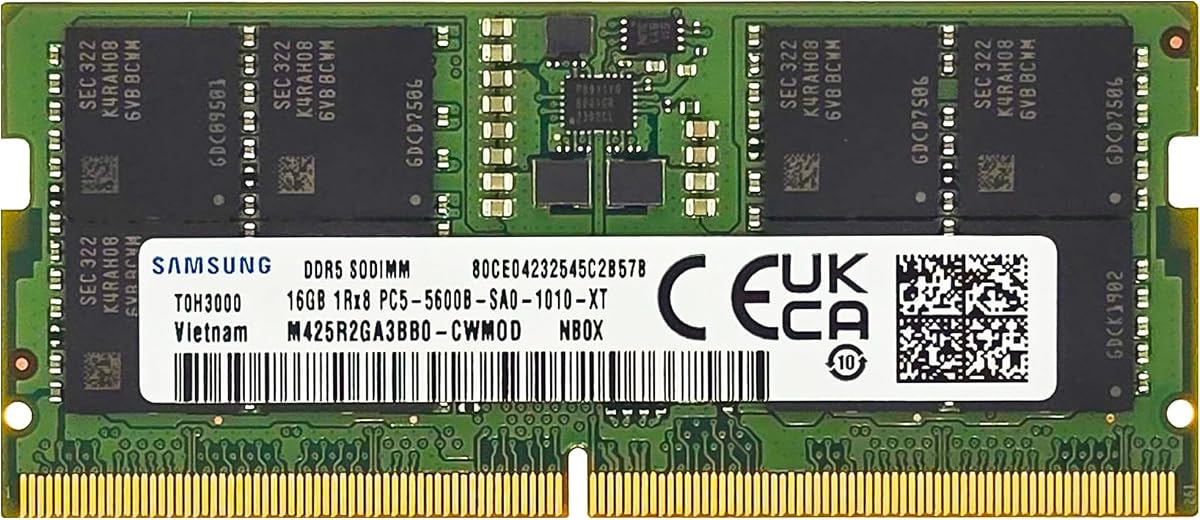
The Samsung M425R2GA3BB0-CWM is a single 16GB DDR5 SODIMM with a supplied rating of 4.5. It provides up to 5600MHz operation, a PC5-44800 designation, CL46 timing, 1.1V power, and a 1Rx8 single-rank organization. It is intended as an expansion option for selected laptops and notebooks.
We may earn a commission when you buy through this link, at no additional cost to you.
For a system with one occupied slot and one available slot, this module offers a direct way to increase memory without replacing the installed module. The additional 16GB can improve multitasking capacity and reduce pressure on storage when applications need more working memory than a smaller configuration can provide. It is a sensible option for productivity, study, and general multitasking.
Samsung's listing emphasizes JEDEC DDR5 standards and conventional non-ECC, unbuffered operation. The 262-pin SODIMM format is the correct physical standard for many modern notebooks, but users still need to confirm that their device supports 16GB DDR5 modules, the module's rank organization, and the intended total memory. The word 'select' in the compatibility statement is an important reminder that not every laptop qualifies.
Buyers who expect to add a second matching module later may find this configuration flexible, but they should not assume that a separately sourced module will create the same performance as a factory-matched kit. For immediate dual-channel performance, a matched set is generally the cleaner route. This single Samsung module is best for a targeted capacity expansion after checking the laptop's memory specification.
Adding a 16GB DDR5 SODIMM is a direct way to give a compatible notebook more working memory. This can help when applications become slow because the system is short on available RAM, although CPU and storage performance remain important parts of the overall experience.
The 1Rx8 label describes the module's rank and chip organization. It can be useful when comparing an upgrade to an existing module, but the laptop's supported configuration and memory controller ultimately determine whether the pairing works as intended.
We may earn a commission when you buy through this link, at no additional cost to you.
The Samsung 32GB option combines two 16GB DDR5 SODIMM modules for a total of 32GB. It operates at a listed 5600MHz and PC5-44800 with CL46 timing, 1.1V power, 1Rx8 single-rank organization, and standard non-ECC unbuffered construction. The supplied data does not include a customer rating for this listing.
We may earn a commission when you buy through this link, at no additional cost to you.
Its main appeal is the familiar benefits of a matched 32GB notebook upgrade. Users can run more applications concurrently, work with larger project sets, and experience fewer constraints from a small memory pool. Because the kit provides two modules, it may also suit notebooks designed for a two-channel memory configuration, subject to processor and platform support.
The listing references part number M425R2GA3BB0-CWM and notes that it may be substituted with M425R2GA3EB0-CWM or M425R2GA3PB0-CWM. Those related part numbers have the same stated performance characteristics, but a buyer should still confirm the exact configuration supported by the target laptop rather than assuming every 32GB DDR5 SODIMM is interchangeable.
This kit is worth considering for a compatible notebook needing maximum listed capacity among the conventional 5600MHz options. The missing rating means buyers cannot use the supplied customer feedback as a confidence signal, so hardware compatibility and the manufacturer's part information carry more weight. Confirm slot configuration, maximum capacity, and supported memory organization before ordering.
At 32GB, the kit gives supported applications considerably more room than a typical 8GB or 16GB notebook configuration. This is useful for advanced multitasking and can reduce memory-related stalls, although it cannot accelerate software that is limited by the processor or graphics system.
The listing's note about possible Samsung part-number substitutions is useful, but it does not remove the need for compatibility checks. Compare the voltage, speed, rank, pin count, and total capacity with the laptop's supported memory specification before installation.
We may earn a commission when you buy through this link, at no additional cost to you.
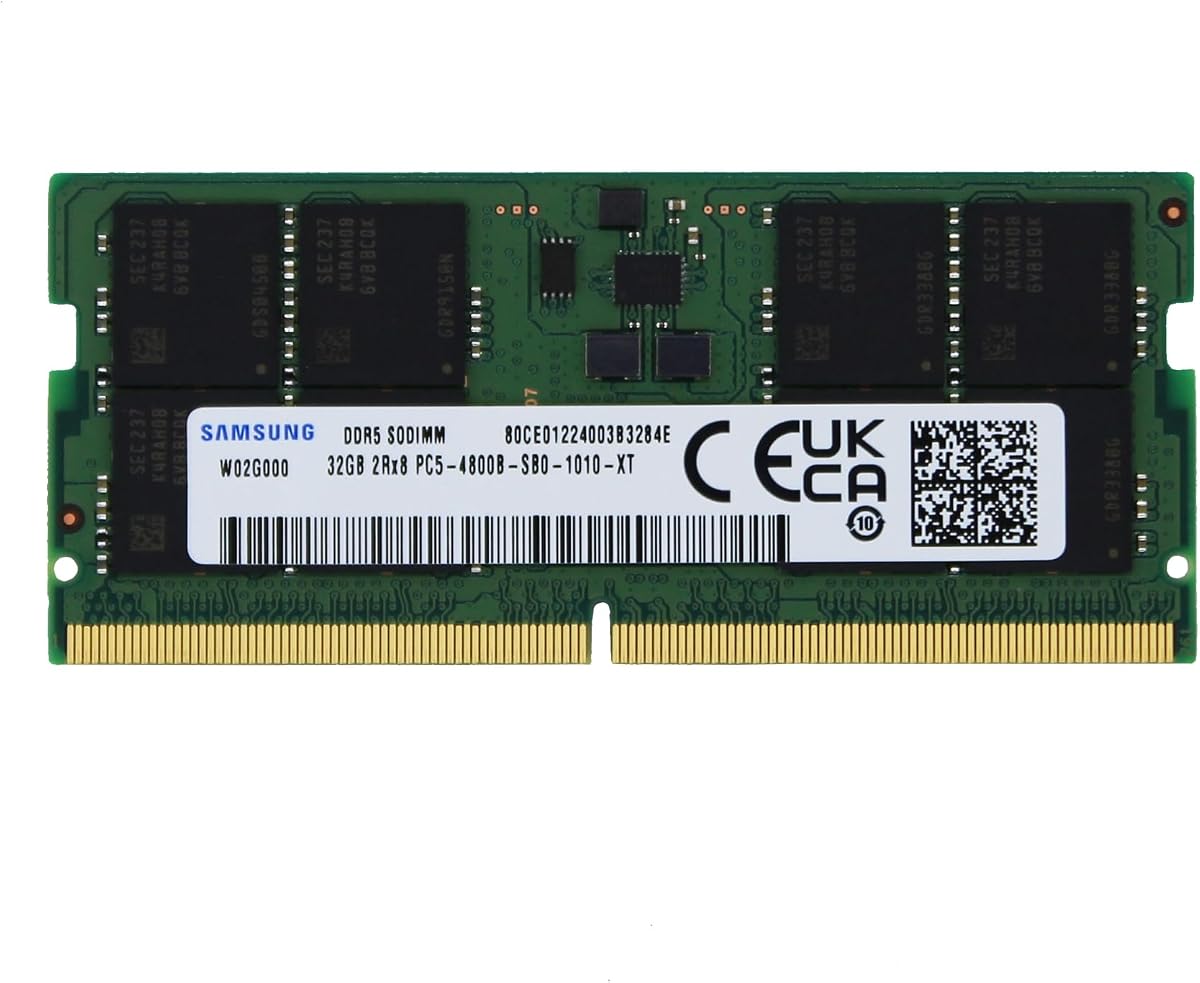
The Samsung M425R4GA3BB0-CQK is unusual in this list because it combines a full 32GB capacity in one SODIMM rather than using two 16GB modules. It has a supplied rating of 5.0 and is specified at 4800MHz, PC5-38400, CL40, 1.1V, and 2Rx8 dual-rank organization.
We may earn a commission when you buy through this link, at no additional cost to you.
A single 32GB module is attractive when slot availability is limited. Instead of filling two sockets, a compatible laptop can gain substantial capacity from one module, potentially leaving the other slot available for future expansion. The dual-rank design is a meaningful technical specification, although users should confirm that their notebook supports this particular 32GB module organization.
The lower 4800MHz speed makes this option potentially easier to accommodate on systems designed around the baseline JEDEC DDR5 laptop rate. Its CL40 timing is tighter than the CL46 timing used by several 5600MHz products, but speed and latency are separate considerations. Actual performance depends on the complete module, platform, and workload.
This is a compelling choice for a compatible notebook that can accept a 32GB dual-rank SODIMM and where one-slot expansion is a priority. It should not be selected solely because of its 5.0 rating without checking exact device support. The right comparison is not only 4800MHz versus 5600MHz, but also single-module flexibility versus matched dual-module bandwidth.
The single-module design can be the deciding feature in a notebook with only one accessible memory slot. It delivers the full stated capacity while preserving a second slot for a future upgrade, assuming the system supports the dual-rank organization and future module pairing.
The 4800MHz rate corresponds to a broadly used JEDEC generation, while the CL40 specification provides a tighter timing figure. A system that cannot run a 5600MHz module at its higher advertised rate may make this configuration a more practical match.
We may earn a commission when you buy through this link, at no additional cost to you.
The final option is a Samsung 16GB kit made from two matched 8GB DDR5 SODIMM modules. It supports speeds up to 5600MHz with a PC5-44800 designation, CL46 timing, 1.1V operation, and a 1Rx16 single-rank organization. The supplied product information does not include a customer rating.
We may earn a commission when you buy through this link, at no additional cost to you.
Unlike a single 16GB module, this package fills both memory slots with a matched pair. That can be advantageous in a laptop that benefits from dual-channel memory and where the goal is a straightforward replacement rather than an incremental single-slot upgrade. The combined 16GB capacity is more useful than an entry-level configuration while remaining below the 32GB offered by most kits in this comparison.
The listing identifies the product as genuine Samsung memory and notes that certain related part numbers or an equivalent Samsung part with identical specifications may be supplied. Its listed 1Rx16 configuration should be checked against the notebook's supported module design. The 262-pin physical format, non-ECC construction, and 1.1V operation are otherwise consistent with mainstream DDR5 laptop memory.
This kit is most appropriate for a compatible notebook with two slots that benefits from a matched pair and does not need more than 16GB of working memory. It may suit users who want to replace mismatched modules or populate an empty dual-slot laptop. Verify maximum capacity, module organization, and current memory support before making the upgrade.
Two matched 8GB modules can be a clean way to populate both available SODIMM slots. This avoids the uncertainty associated with mixing capacities and may provide better dual-channel behavior than a lone module, provided the laptop's memory controller supports the configuration.
The 16GB total makes this a practical middle option for general productivity and moderate multitasking. It is less compelling for heavy workloads than the 32GB alternatives, but it can deliver a useful upgrade over a very small factory configuration at a lower capacity tier.
We may earn a commission when you buy through this link, at no additional cost to you.
Choosing laptop memory is primarily a compatibility exercise. Capacity, module count, speed, latency, rank, voltage, and supported profiles all matter, and the best kit is one that the notebook is designed to operate reliably.
Laptop memory uses the SODIMM form factor, which differs physically and electrically from the DIMMs used in most desktop computers. A laptop must specifically support 262-pin DDR5 SODIMMs; an older DDR4 laptop may have similar-shaped slots but will not accept DDR5 modules. Check the manufacturer's service guide, hardware specifications, or a reliable device-memory lookup for the exact model. Also verify the maximum supported capacity and whether the machine accepts 16GB, 32GB, or larger modules. A module that fits physically can still exceed what the firmware or memory controller supports.
Capacity determines how much data the laptop can keep active without relying heavily on slower storage for virtual memory. A 16GB configuration is generally suitable for everyday productivity, education, and moderate application use. A 32GB kit is preferable for heavy browsing, creative software, virtualized environments, development tools, and large project files. The single 32GB Samsung module offers a different advantage: it can provide that capacity without occupying two slots. Match the choice to the number of accessible slots, the amount already installed, and the workload. More capacity helps only when the application genuinely benefits from additional working memory.
One module is convenient when a second slot needs to remain open or when the laptop has only one accessible slot. Two matched modules can be preferable because many laptop processors are designed to use dual-channel memory, which can increase memory bandwidth. The advantage is not universal, and a single module can still perform well in tasks that do not saturate memory bandwidth. A matched kit also reduces the chance of compatibility problems associated with mixing unrelated memory. If extending an existing system, compare the installed module's capacity, speed, rank, timings, and manufacturer before adding a second piece.
The advertised 5600MHz figure describes a maximum data rate, while PC5-44800 indicates the corresponding aggregate bandwidth class. A laptop may operate the memory at a lower speed if its processor, memory controller, BIOS, or platform generation does not support the higher rate. The 4800MHz PC5-38400 option represents a more conservative JEDEC-oriented rate, but it can still provide a substantial improvement over a laptop's original memory capacity. Look for the standard-speed behavior as well as any optional XMP or EXPO profile. The memory will normally begin at a conservative JEDEC setting when the laptop does not support an enthusiast profile.
CAS latency, commonly written as CL, describes a component of memory response time. Lower CL values are generally more responsive, but they should be interpreted alongside speed rather than in isolation. In this list, the G.SKILL kit's CL40 timing is tighter than the CL46 or CL48 figures associated with several alternatives, while the Samsung 4800MHz single module also lists CL40. Full timing strings provide more detail than CL alone. These figures can indicate an efficiently configured module, but real application results remain subject to the processor, platform, workload, and whether the faster profile is enabled.
Rank information such as 1Rx8, 1Rx16, or 2Rx8 describes how memory chips are organized within a module. These labels are particularly useful for a replacement purchase because an existing module with a different organization may not pair ideally. The single Samsung 32GB product uses a 2Rx8 dual-rank layout, while several smaller and 5600MHz options use 1Rx8 or 1Rx16. Laptops vary in what they support, so check the exact model rather than assuming every 16GB or 32GB DDR5 SODIMM is interchangeable. A matched set is usually the least complicated route.
All ten products use the standard 1.1V operating voltage associated with mainstream DDR5 laptop memory, so voltage is not a major differentiator in this comparison. DDR5 also incorporates a power management integrated circuit, which GIGASTONE explicitly highlights, to support efficient power control in portable systems. Memory efficiency can influence battery behavior, but the processor, display, cooling system, workload, and battery condition have a larger influence on total runtime. Do not choose one memory kit over another on battery-life promises alone unless the manufacturer provides a specific, supportable claim.
Intel XMP 3.0 is listed for the Crucial and CORSAIR products, while the G.SKILL kit includes both JEDEC and Intel XMP 3.0 profiles. These profiles can expose higher rated performance on supported systems, but they are not required for the memory to function. Enthusiast laptops with limited BIOS controls may not provide useful profile management, so the JEDEC behavior is the more relevant baseline. Manufacturer support and warranty policies are also worth considering. TEAMGROUP lists a lifetime warranty, while G.SKILL directs buyers to its warranty policy for full terms.
Before installation, shut down the laptop completely, disconnect its charger, and consult the manufacturer's service instructions. Confirm that the memory type, module capacity, rank organization, and total capacity are supported. Static electricity can damage sensitive components, so work on a non-carpeted surface, avoid touching the gold contacts, and use appropriate grounding precautions. The supplied CORSAIR listings note that a screwdriver is required for most laptops, although the exact process varies by model.
Remove the battery or follow the manufacturer's discharge guidance, open the access panel carefully, and release the existing SODIMM retention clips only as instructed. Insert each new module at the correct 30-degree angle and press it fully into the connector until the clips close. Do not force a module that does not seat properly. Once installed, reconnect the battery and power adapter as appropriate, boot the system, and confirm that the full installed capacity appears in the operating system or a reputable hardware-information utility.
Run the laptop first with its default memory settings to establish a stable baseline. If the model supports XMP 3.0 or AMD EXPO and the manufacturer permits manual profile changes, the higher rated performance can be enabled only after confirming the platform support. Test stability under normal workloads and watch for crashes, boot failures, application errors, or unusual behavior. If problems occur, return to the default profile, reseat the modules, and reconsider compatibility. Do not mix unrelated memory kits, and avoid repeated power cycling while troubleshooting a configuration that does not initialize.
No. DDR5 and DDR4 laptop modules are not electrically or physically interchangeable despite some superficial similarities. A DDR4 notebook requires a DDR4 SODIMM and a compatible memory controller, while a DDR5 module requires a DDR5-capable system. Check the exact laptop model and its supported memory generation before ordering.
For many users, yes. A 32GB configuration provides substantial room for large browser sessions, office applications, creative tools, development environments, and multiple virtual machines. The most suitable speed and module arrangement still depend on the laptop, but 32GB is considerably more flexible than 16GB. Specialized workloads with exceptionally large datasets may require additional capacity.
A single module offers convenience and can leave a slot open for later expansion. Two matched modules may take advantage of dual-channel memory behavior and provide a balanced configuration without mixing different kits. The better choice depends on slot availability, the laptop's memory architecture, current installed memory, and the user's upgrade plan.
No. The listed rate is a maximum, and the laptop's processor, memory controller, BIOS, and platform generation determine the actual operating rate. Some systems will use a lower JEDEC setting. The memory remains useful at that baseline rate, and XMP or EXPO can expose higher performance only when the complete system supports it.
Not necessarily. A compatible system should normally recognize standard JEDEC memory and use a conservative default configuration. Enthusiast profiles are optional ways to request the higher rated speed, and they require compatible hardware plus the ability to change relevant BIOS settings. Many thin laptops offer no profile controls, so default operation is often the realistic choice.
CL is a measure of memory latency. Within broadly comparable DDR5 laptop modules, a lower CL number generally indicates a tighter timing, though speed, platform behavior, and workload also affect performance. A CL40 module is not automatically faster in every application than a CL46 module, particularly if its rated speed is lower or the laptop cannot enable its full performance profile.
It is possible in some systems, but it is not always advisable. Different capacities, speeds, timings, and rank organizations can prevent the modules from operating together at their advertised ratings or can create instability. A matched kit is the safest option, particularly when dual-channel performance or maximum capacity is important.
Check the manufacturer's service manual or product specifications for the exact model, then confirm DDR5 support, maximum memory capacity, SODIMM slot count, and supported module organization. The memory configuration used by the processor matters too, because many laptop processors do not support four independent memory channels. If documentation is unclear, a specialist computer service can inspect the current configuration before an upgrade.
The Crucial 32GB kit is the strongest all-around option in this guide because it combines a generous matched capacity, a flexible 4800MHz-to-5600MHz specification, and support for both Intel XMP 3.0 and AMD EXPO. The CORSAIR Vengeance 16GB module stands out for simpler, targeted expansion, while the G.SKILL Ripjaws kit offers the tightest listed primary latency and a useful combination of JEDEC and XMP profiles.
Start with compatibility rather than speed. Confirm that the laptop accepts 262-pin DDR5 SODIMMs, determine how many modules can be installed, and verify the maximum total capacity. Next, choose between a single module for slot flexibility, a matched pair for potential dual-channel benefits, 16GB for moderate use, and 32GB for demanding multitasking. Only after those checks should speed, CL timing, and optional performance profiles determine the final choice.
Current product listings, ratings, availability, and prices can change, so verify the latest details and the exact laptop specification at the time of purchase. A memory upgrade can deliver a major improvement when a notebook is limited by insufficient working memory, but a compatible capacity increase is more valuable than a high headline speed that the computer cannot use.