
AceGamer Wireless Pocket Controller
4.1Editor score
Compact 4.7-inch gaming design
1000Hz polling rate
Turbo and six-axis gyro
Switch and PC mode switching
A Bluetooth controller for tablets can transform touch-based games by adding physical sticks, triggers, buttons, vibration, and motion control. The right model depends on tablet size, platform, game genre, grip preference, battery expectations, and whether you need a phone controller or a full-width tablet rig.
We compared all 10 featured controllers across supported devices, control technology, connectivity, battery information, portability, programmable features, and physical design. The list includes extendable mobile grips, compact gamepads, traditional-style controllers, and one large-tablet expansion system, allowing readers to compare options for different needs.
Each review explains the controller's strongest features, practical limitations, and ideal user profile based on the supplied product information. Ratings and product details can change over time, and current prices, availability, game compatibility, and firmware behavior should be confirmed on the listing before making a purchase.
4.1Editor score

4.7Editor score

5.0Editor score
As an Amazon Associate we earn from qualifying purchases.
The comparison below highlights each controller's form factor, control technology, key features, and intended device range so tablet gamers can quickly identify the option that matches their preferred games and setup.




The GameSir G8 Plus is a substantial mobile gaming controller designed to bridge phones, tablets, and Nintendo Switch play. Its 4.2 rating reflects a well-rounded feature set, particularly its Hall effect joysticks, Hall triggers, extendable construction, motion sensing, and vibration. It is a strong candidate for users who want a console-style grip rather than a small add-on.
We may earn a commission when you buy through this link, at no additional cost to you.
The extendable design is the controller's defining advantage. It can accommodate a range of phones and tablets while retaining console-sized sticks and buttons, which can improve comfort during long sessions. Magnetic components add customization potential, while the six-axis gyroscope offers an advantage in compatible motion-oriented games. The supplied information also identifies Bluetooth connectivity for mobile devices and a wired connection for PC.
Dual motors provide realistic vibration, while the 500mAh battery in each side balances power with the need to charge two separate sections. The lack of wireless PC support may matter for players who want one controller across a desktop and a tablet. Compatibility can also depend on whether a particular game recognizes standard controller input rather than touch controls.
This is an excellent choice for tablet gamers who value a substantial grip, analog precision, motion features, and adjustable hardware. It is less appropriate for travelers who need the smallest possible controller or anyone whose priority is a single wireless controller for both PC and mobile gaming. For most tablet gaming setups, however, it provides a compelling mix of reach, ergonomics, and control.
Full-size sticks, separate triggers, and an extendable frame create a more familiar console layout than touch input. That makes the GameSir G8 Plus especially appealing for action games, competitive shooters, and long sessions where finger movement and screen coverage can become tiring.
Hall effect sensing is used for both joysticks and triggers, while the six-axis gyroscope adds motion input where the game and platform support it. Dual motors then provide tactile feedback, making action and racing experiences more engaging.
We may earn a commission when you buy through this link, at no additional cost to you.
This extendable mobile gamepad is built for users who want broad device support and unusually deep customization in a tablet controller. It carries a 4.0 rating and combines a Hall effect joystick, linear trigger, turbo function, macro programming, rotating sticks, and support for many popular phones and tablets.
We may earn a commission when you buy through this link, at no additional cost to you.
The scalable frame supports most tablets up to 11 inches, including a wide range of iPad and Android models listed in the product information. The design excludes 12.9-inch iPad Pro and 13-inch iPad Air models, so measuring the device before buying is essential. On supported hardware, the wider grip can provide a steadier and more comfortable hold than a compact controller.
Programmable rear controls set it apart from many entry-level grips. The turbo button can be adjusted for one-click bursts, while macros allow repeated sequences to be configured. The Hall effect joystick and fluid linear trigger prioritize analog responsiveness, while 360-degree rotating sticks add another layer of adjustment for different control preferences.
The product supports iOS, Android, Windows, Switch, PlayStation, PC, and cloud-gaming environments according to the supplied information, with exceptions for Apple TV, iPod, Fire TV, and TV boxes. Buyers who value macros and device flexibility will find this especially useful, although those with larger tablets should choose a wider solution.
Adjustable turbo and rear-button macro programming are valuable for first-person shooters and other games where rapid repeated input is useful. Because the controls are programmable, players can tailor shortcuts and button sequences to their own habits rather than relying entirely on fixed defaults.
The key specification is its support for tablets up to 11 inches, not merely a general reference to iPads. Larger premium tablets fall outside the stated range, so measuring the device in landscape orientation helps prevent an incompatible purchase.
We may earn a commission when you buy through this link, at no additional cost to you.
The Wireless Pro-Style Gamepad is a conventional gamepad with unusually broad platform support and programmable controls. Its 4.0 rating is supported by features such as Bluetooth and USB connectivity, adjustable dual motion, turbo, macros, a six-axis sensor, vibration, and a 650mAh rechargeable battery.
We may earn a commission when you buy through this link, at no additional cost to you.
It is designed for Nintendo Switch, Windows PC, mobile devices, Mac, iPad, tablets, Apple Arcade MFi games, TV, Steam, and other compatible platforms. The supplied information specifically notes support for Black Myth: Wukong. The ability to connect by Bluetooth or USB offers flexibility, and a claimed battery life of up to 15 hours supports extended mobile sessions.
Customization is a major strength. Users can program loop operations lasting up to 30 seconds, exchange the functions of the left stick and directional pad, and swap the assignments of A and B or X and Y. These options suit players who move among games with different control conventions, although the manual and product page should be consulted for exact setup steps.
This gamepad is a strong match for tablet gamers who also use a Switch, PC, Mac, or phone and want one flexible controller. Its conventional shape also makes it approachable for anyone accustomed to console gamepads. Buyers should still confirm that every title they intend to play supports the relevant input method and connection mode.
Bluetooth and USB connectivity make this a practical shared controller for tablet, phone, computer, and Switch use. The platform list is broad, but individual games can impose their own input requirements, so checking title-specific compatibility remains important.
Programmable sequences, interchangeable left-stick and directional-pad functions, and adjustable turbo offer several ways to change the controller's behavior. The 30-second programming window is especially useful for repeatable in-game actions.
We may earn a commission when you buy through this link, at no additional cost to you.
The RGB Mobile Game Controller combines a 4.4 rating with a well-rounded feature set for Android, iPhone, iPad, Windows, Mac, and Switch use. Hall effect joysticks and triggers, RGB lighting, adjustable vibration, a six-axis gyro, and support for major cloud gaming services distinguish it from basic mobile grips.
We may earn a commission when you buy through this link, at no additional cost to you.
The controller's visual customization is straightforward. Pressing R3 and the button labeled O cycles through three RGB lighting options or turns the lights off. The dual motors provide strong, medium, or no vibration, allowing players to choose the level of feedback that suits a game or setting. A six-axis gyro adds motion control for compatible sports and action titles.
Its 600mAh rechargeable battery is listed as offering 15 to 18 hours of play and charging in two to three hours through USB-C. Compatibility includes iOS, Android, Windows, Switch, and Switch 2. Two limitations are explicitly noted for Switch 2: the controller does not support wake-up functionality or the C key.
This is an appealing option for players who want visual flair and adjustable tactile feedback without giving up modern hall effect controls. It also works with cloud services such as Xbox Game Pass, GeForce NOW, Amazon Luna, Google Stadia, and Apple Arcade. It is best for buyers who value feedback settings and lighting, while Switch 2 owners who require wake-up or C-key functions should look elsewhere.
The three-level vibration system lets users move between strong feedback, medium feedback, or no vibration. RGB lighting adds another layer of personalization, which is useful for players who like their gaming setup to look as individualized as it feels.
Support for major cloud gaming services expands the controller's value beyond installed mobile titles. Hall effect controls, motion sensing, and vibration also create a more tactile experience than touch input alone when the connected game supports standard controller controls.
We may earn a commission when you buy through this link, at no additional cost to you.
The AceGamer Aurora II is a full-size wireless gamepad aimed at players who move between PC, Android, Switch, iOS, and Steam Deck. Its 4.2 rating reflects a solid combination of hall effect sticks, programmable rear buttons, a 1000mAh battery, and both 2.4GHz and Bluetooth connectivity.
We may earn a commission when you buy through this link, at no additional cost to you.
The 2.4GHz receiver provides a plug-and-play option without additional drivers, while Bluetooth serves tablets and other compatible mobile devices. The upgraded receiver and encryption dongle are intended to create a more stable connection, and reduced hall stick drift is listed as an improvement. Rotary motors add the familiar vibration response expected from a traditional gamepad.
Two rear buttons can be programmed for trigger combinations or other shortcuts, with nearby switches providing access to their settings. This is useful for extra bindings without crowding the face. A 1000mAh battery provides extended play between charges, while automatic sleep after five minutes of inactivity can help conserve power when the controller is not being used.
The Aurora II is a good fit for a mixed-device household that wants a conventional controller for both a tablet and a computer. Xbox systems are explicitly unsupported, and the 2.4GHz pairing process requires holding the A and Home buttons in a specified order. Once configured, the controller should suit users who value stable wireless performance and rear controls.
The 2.4GHz dongle is suited to PCs and emphasizes a stable, interference-resistant connection, while Bluetooth handles compatible tablets and mobile systems. Having both options lets the same controller serve multiple device categories without changing its overall design.
The two programmable rear buttons provide room for secondary actions and trigger combinations. Switches for the back buttons make their settings easier to adjust, while hall effect sticks are intended to provide smooth and reliable directional input.
We may earn a commission when you buy through this link, at no additional cost to you.
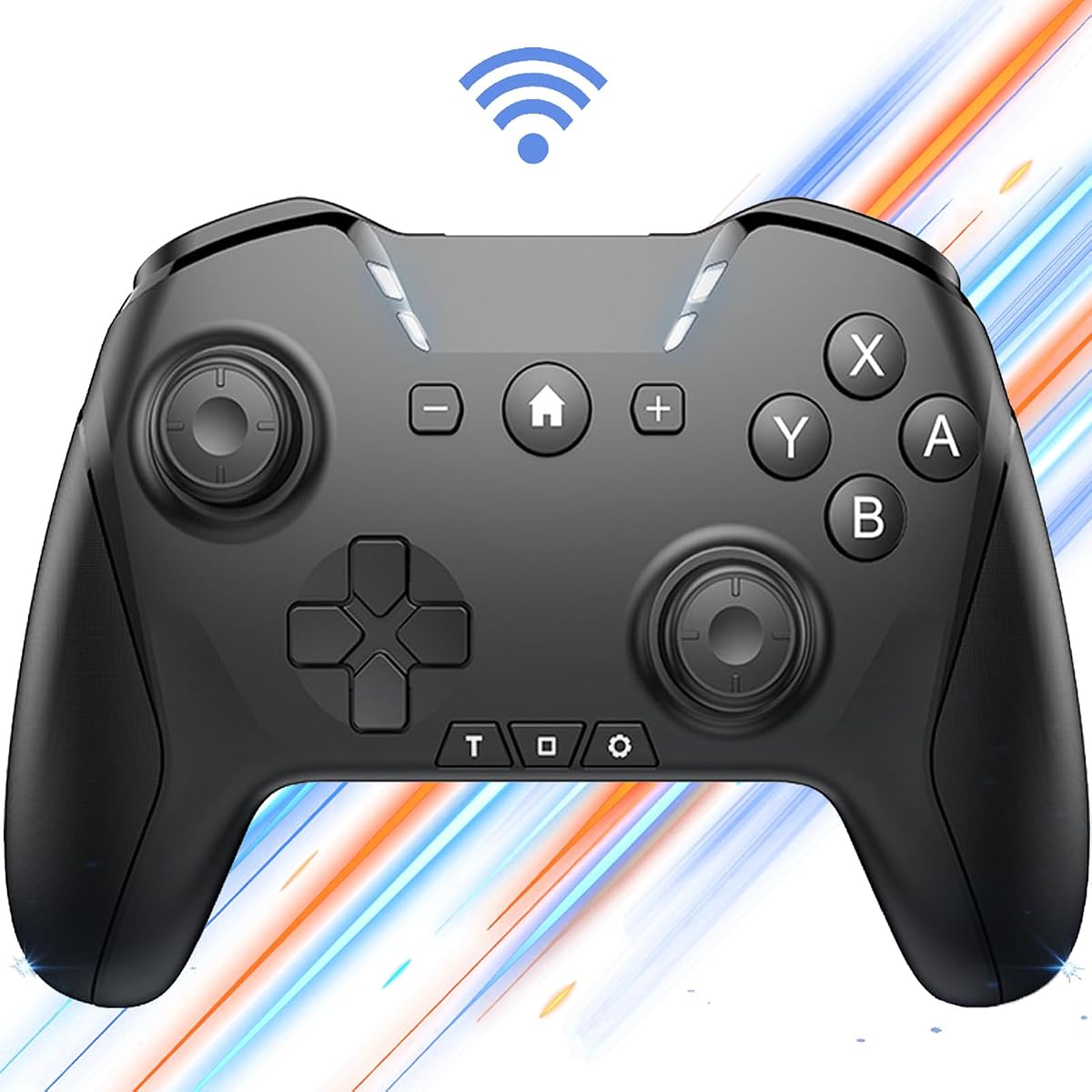
The AceGamer Pocket Controller is built for portability, measuring 4.7 by 2.6 by 1.2 inches and weighing 3.3 ounces. Its 4.1 rating is paired with a 1000Hz polling rate, lift-and-lock joysticks, six-axis gyro, dual-motor vibration, and broad compatibility covering Switch, PC, iOS, Android, Steam Deck, phones, and tablets.
We may earn a commission when you buy through this link, at no additional cost to you.
Its compact dimensions make it easy to slip into a pocket, which is valuable for commuting, travel, or gaming away from a desk. The lift-and-lock joystick design protects the sticks during transport while keeping them available when needed. Despite its small body, it includes triggers, optimized buttons, a directional pad, turbo, and a mode-switching function.
The controller can switch between X-Input for Windows and Nintendo Switch modes with one touch. Switch and Switch 2 wake-up support is included, and ABXY assignments can be exchanged between PC and Switch layouts. Turbo can be assigned to any button and adjusted among 5Hz, 12Hz, and 20Hz by moving the right stick while holding the Turbo key.
This is the top choice for buyers who prioritize a small Bluetooth controller for a tablet rather than a frame that holds the tablet itself. Its compact shape may be less suitable for large hands or long, comfort-focused sessions, but it offers an impressive feature set in a highly portable form.
The pocket-sized body still provides analog sticks, triggers, a directional pad, face buttons, turbo, vibration, and a six-axis gyro. That balance makes it more versatile than a minimalist travel gamepad for players who want access to familiar console controls.
One-touch switching between X-Input and Nintendo Switch modes reduces friction when the same tablet setup is used with different devices or emulators. Interchangeable ABXY layouts add another layer of platform-specific flexibility.
We may earn a commission when you buy through this link, at no additional cost to you.
The abxylute S8 is a portable controller designed for Switch 1 and 2, recent iPhone models, Android phones, and tablets up to 216 millimeters. Its 4.4 rating reflects a strong combination of hall effect joysticks and triggers, customizable rear buttons, an anti-slip grip, a screenshot button, and flexible mounting options.
We may earn a commission when you buy through this link, at no additional cost to you.
The controller can be clipped onto a compatible Switch or used wirelessly as a conventional gamepad. Its wider device support means it can serve both phone and tablet gaming, reducing the need to own separate controllers for handheld and mobile use. Hall effect sticks and triggers are intended to provide precise, durable input, while the extended handles and textured grips improve stability during longer sessions.
Customizable back buttons and key mapping offer more control than a standard mobile gamepad. The one-tap screenshot function is convenient for recording game moments. The abxy app is presented as a hub for cloud gaming, local games, emulators, and a curated game library, adding a software component to the hardware experience.
The S8 is best for users who move between Switch, phone, and tablet gaming and value physical controls across those platforms. Those who want a controller with no app-based functions may prefer a simpler traditional gamepad. In either case, checking the device's width against the 216-millimeter limit is essential.
Support for Switch 1 and 2, iPhones, Android phones, and tablets allows the S8 to replace several simpler controllers. The clamp design adds value for Switch use, while wireless operation preserves a conventional gamepad experience elsewhere.
Thicker handles, anti-slip texture, and an extended grip are intended to reduce fatigue and maintain a secure hold. Hall effect controls and customizable buttons support precise play, while the screenshot control keeps useful capture functions close at hand.
We may earn a commission when you buy through this link, at no additional cost to you.
This alternate abxylute S8 listing offers the same 4.4-rated core design for tablet, phone, and Switch gaming. Its defining features include Hall effect joysticks and triggers, customizable back buttons, key mapping, a one-tap screenshot button, and a foldable, travel-oriented form factor.
We may earn a commission when you buy through this link, at no additional cost to you.
The device support includes Switch 1 and 2, iPhone 15, 16, and 17, Android phones, and tablets up to 216 millimeters. Users can clamp the controller to a compatible Switch or use it wirelessly. The extended grip, thicker handles, and anti-slip surface are designed to improve control and comfort during longer gaming sessions.
The included abxy app serves as a central hub for cloud gaming, local games, emulators, and a curated library. It also provides a logical place to manage the controller's customization options. This creates a broader gaming ecosystem, though users who want a completely self-contained gamepad may find the software unnecessary.
This S8 option is worth considering alongside the other listing because the title and stated features are nearly identical. The deciding details may include the exact listing presentation, package contents, or current product variations, so buyers should compare the current pages carefully. As a general tablet controller, it remains a strong option for portable, multi-device gaming.
The dedicated abxy app is presented as the gateway to cloud games, local titles, emulators, and a curated library. This focus can appeal to players who want their controller to sit within a broader portable gaming ecosystem rather than function only as an input device.
The lightweight, foldable design is easier to carry than a full tablet rig. At the same time, hall effect sticks, analog triggers, customizable rear buttons, and a proper grip preserve the control features expected from a more substantial gamepad.
We may earn a commission when you buy through this link, at no additional cost to you.
The 8Bitdo SN30 Pro is a traditional-style wireless gamepad with a strong 4.7 rating, the highest among the conventional gamepads in this guide. It combines a retro-inspired design with hall effect joysticks, clickable sticks, vibration, motion controls, turbo, a rechargeable battery, and both Bluetooth and USB-C connectivity.
We may earn a commission when you buy through this link, at no additional cost to you.
The controller's retro appearance does not mean outdated features. Its 6-axis gyroscope provides motion control, and the dual micro-vibration motors deliver feedback according to the game scene. A dedicated directional pad, home button, and screenshot button support a console-like experience, while the hall effect sticks are intended to improve precision and longevity.
Compatibility is a major strength. The SN30 Pro supports Switch, Windows PC, Steam Deck, Android, and Raspberry Pi, and the supplied information also lists iPhone, iPad, macOS, and Apple TV as officially supported. Its 480mAh rechargeable battery provides up to 18 hours of play and requires one to two hours of charging, according to the product data.
The SN30 Pro is an excellent general-purpose choice for a tablet, particularly for players who appreciate retro design but want modern control hardware. It is portable at 144 by 63.5 by 32.5 millimeters, although it does not clamp onto or support a tablet. Those wanting a full console-style layout may also need to adjust to its smaller retro-inspired proportions.
The SN30 Pro combines a classic visual style with hall effect sticks and clickable analog controls. That makes it appealing to players who want nostalgic appearance without accepting clearly dated input hardware.
Support for Switch, PC, Steam Deck, Android, iPhone, iPad, macOS, Raspberry Pi, and Apple TV gives the controller broad utility. Firmware update support is also listed, which can help keep the product adaptable as software changes.
We may earn a commission when you buy through this link, at no additional cost to you.
The RRTRONICS G8 Plus V4 is a specialized tablet controller created for large devices. It has a 5.0 rating and supports tablets measuring 9.5 to 16.5 inches wide, covering models such as 13-inch and 11-inch iPad Pro, larger iPad Air versions, Galaxy Tab S10 Ultra, Surface Pro, Xiaomi Pad 7, and other compatible hardware.
We may earn a commission when you buy through this link, at no additional cost to you.
Unlike a standard mobile grip, the V4 expansion arms are already installed. The controller arrives ready to charge, pair, and use without tools or assembly. It includes a USB-C cable, three swappable thumbstick caps, a user manual, card, and sticker. The arms are 3D-printed and hand-finished in a dark gray matte finish in the seller's Florida workshop.
The control package includes Hall effect sticks and analog triggers, two back buttons, magnetic ABXY buttons and faceplate, and a six-axis gyroscope. Bluetooth supports iPhone, iPad, and Android, while wired USB-C is available for PC. The 1000mAh battery and broad device support make it particularly relevant to tablet owners who play console or PC games through remote-play or cloud-gaming applications.
This is the clearest premium choice for owners of large tablets who want a permanent, console-style controller rather than a small mobile grip. Its specialized dimensions rule out phones and devices under 9.5 inches, and buyers must measure width in landscape orientation rather than relying on diagonal screen size. For the intended hardware, however, the turnkey installation and generous control set are compelling.
The wide expansion system secures larger tablets without treating a 10-inch or 11-inch device as if it were a phone. The stated 9.5-to-16.5-inch width range is broad enough for several major tablet families, making the controller a practical shared accessory for compatible devices.
Hall effect sticks, analog triggers, magnetic face components, rear buttons, and a six-axis gyro create a high-end control set. Installing and testing the V4 kit in advance removes the assembly and modification work normally associated with specialist tablet controllers.
We may earn a commission when you buy through this link, at no additional cost to you.
The right tablet controller depends on device dimensions, operating system, game type, grip style, and desired features. These factors help narrow the field before comparing battery life, buttons, motion controls, and connectivity.
Start with the controller's stated device range, then measure the tablet in landscape orientation. Width matters more than the familiar screen-diagonal measurement because the controller must secure the device without blocking essential ports or controls. Some products support phones and tablets, while others accept only specific sizes.
Choose a grip rated for your exact tablet, and check exclusions carefully.
A controller can connect by Bluetooth and still fail to function in a particular game if the title does not recognize standard controller input. Review the supported operating systems, console modes, cloud services, and game-specific claims. Native iOS games may have stricter requirements than Android titles or console ports.
Confirm game support before buying, not just device support.
Traditional gamepads prioritize familiar buttons and a conventional layout, while extendable grips hold the device and provide a larger playing surface. Compact controllers are easier to carry but may be less comfortable for large hands. Very large tablet systems offer stability but require more space and cannot be used with phones.
Prioritize the form factor you will actually use most often.
Hall effect joysticks and triggers use magnetic sensing to register movement and pressure. Products in this guide describe these controls as offering improved precision, reliability, or reduced drift compared with conventional sensing. The technology can be particularly attractive to competitive players and anyone who values consistent analog input.
Hall effect sticks are a strong precision feature to prioritize.
Battery capacity alone does not reveal real runtime, so consider the stated playtime, recharge time, and whether the controller can operate while charging. The featured models list battery figures ranging from 480mAh to 1000mAh, with several claiming extended mobile play. Charging through USB-C is convenient and widely expected in a modern portable controller.
Compare runtime, recharge speed, and charging flexibility.
A six-axis gyroscope can add motion input in supported games, while dual motors provide vibration. These features are most useful in action, racing, and motion-oriented titles. They cannot add support to a game that lacks controller or motion compatibility, so the controller's platform support still matters.
Check feedback features against the games you play.
Rear buttons, key mapping, macros, and adjustable turbo can save time in competitive games or make one controller work better across different titles. Some systems provide these features physically, while others use a companion app. Advanced programming offers flexibility but may require more setup than a user wants.
Choose programmable controls if customization is a priority.
Bluetooth is the central requirement for most tablets, while USB and 2.4GHz connections can improve compatibility with PCs or provide a low-interference desktop option. Some products support both wireless modes. Consider whether you want one controller for mobile and desktop use or whether Bluetooth-only operation is sufficient.
Match connection methods to all intended devices.
Begin by fully charging the controller with the supplied or compatible USB-C cable, then power on the tablet and enable its Bluetooth settings. Put the controller into the appropriate pairing mode, which commonly involves holding the Home button for several seconds, and select the controller when it appears in the device list. Follow the product's manual if the required sequence differs.
After pairing, open the intended game and allow it to detect the controller. Some games require manual input settings, while others recognize a standard controller automatically. Test the sticks, triggers, buttons, vibration, and motion functions before a long session, and assign any rear buttons, macros, turbo settings, or button mappings that you intend to use.
To keep the controller in good condition, store it in a dry environment and avoid leaving it compressed under heavy objects. Clean the grips and buttons with a lightly damp cloth, not harsh chemicals, and keep charging ports free of debris. For portable controllers with locking sticks, engage the lock before traveling and release it before use.
No. A controller must connect to the tablet, and the game must recognize standard Bluetooth controller input. Some games provide full analog support, while others use only a subset of buttons. Controller-specific features such as motion, turbo, and rear buttons also depend on game and platform support.
Measure the tablet's width in landscape orientation and compare it with the controller's stated range. Do not rely only on the diagonal screen size. Pay particular attention to exclusions for larger iPad models, and verify that the grip's arms or clamp can accommodate the device without blocking ports or buttons.
A full-size gamepad usually offers a more familiar layout, better stick spacing, and more comfortable long-session handling. A phone-style grip holds the device more directly and may be better for touch-heavy or short mobile sessions. The best choice depends on grip preference, portability, and the games being played.
They can matter for players who want consistent analog input, particularly in competitive action games. Hall effect sensing is designed to improve precision and reduce problems associated with conventional stick drift. The benefit also depends on overall build quality, firmware, and how the individual game handles controller input.
That depends on the controller. The Wireless Pro-Style Gamepad is explicitly described as playable while charging, but the supplied information does not make that claim for every model. Check the instructions and listing for the specific product before relying on continuous wired play.
Bluetooth is the natural choice for a tablet because it connects directly without a receiver. A 2.4GHz option is useful for PCs and can offer a stable, low-interference connection through its included dongle. Controllers with both methods offer the most flexibility across mobile and desktop use.
Confirm that the tablet's Bluetooth is enabled, charge the controller, and make sure it is in the correct pairing mode. Move the device closer, disconnect other conflicting Bluetooth accessories, and restart Bluetooth on the tablet if necessary. The product's manual or support listing may provide device-specific pairing instructions.
They can be useful in shooters, action games, and emulators, but they are not equally useful across every title. Some games ignore macros or impose their own rules, and competitive games may restrict automated input. Players should use such features only where permitted by the game and platform.
The AceGamer Pocket Controller is the strongest value-oriented travel option, the 8Bitdo SN30 Pro delivers the strongest traditional gamepad experience, and the RRTRONICS G8 Plus V4 is the premium solution for large tablets. Other strong contenders include the GameSir G8 Plus for its extendable, console-like design and the RGB Mobile Game Controller for customizable feedback.
Before purchasing, verify the tablet's physical width, operating system, and the exact games you intend to play. Decide whether portability, a full-size grip, hall effect sticks, programmable buttons, motion sensing, vibration, or multi-device connectivity matters most. A feature-rich controller is only useful when the connected game and tablet support it.
Ratings, availability, accessories, firmware behavior, and prices can change, so review the current product listing before ordering. Comparing the final cost alongside fit, control layout, and supported features will lead to a more satisfying tablet gaming setup.