
RUIPRO 8K Detachable Full Fiber Optic Armored HDMI 2.1 Cable
4.4Editor score
Detachable armored connector ends
48Gbps bandwidth specification
Flexible in-wall cable routing
Our HDMI Fiber Optic Cables guide compares 10 long-distance options for 8K gaming, home theater, in-wall installs, and reliable AV setups.
HDMI fiber optic cables make long-distance audio and video connections practical by using optical fibers to carry high-bandwidth signals over slim, flexible runs. The best models support demanding 8K and high-refresh-rate applications while offering practical directional connections, durable construction, and broad device compatibility.
This guide compares 10 HDMI fiber optic cables based on their published bandwidth, supported resolutions, refresh rates, cable length, directional design, in-wall suitability, construction, and device compatibility. It covers gaming, home theater, conference, professional installation, and other long-run applications without implying that every cable works with every display.
Each review explains the strongest reasons to consider a particular cable, along with limitations involving length, directionality, in-wall rating, or display compatibility. The list shows how products differ at 50, 100, 150, and 33 feet, while current specifications and compatibility details should be reconfirmed before purchase.
4.4Editor score

4.7Editor score

4.5Editor score
The comparison below highlights the major differences among all 10 cables, including bandwidth, maximum advertised resolution, physical length, directional design, and installation suitability.




The Highwings Long 8K Fiber Optic HDMI Cable 50 FT is a strong all-around choice for buyers who want a long run with modern HDMI 2.1 features. Its 4.7 rating reflects generally favorable customer feedback, while the published specification supports 48Gbps bandwidth, 8K at 60Hz, 4K at 120Hz, VRR, and eARC.
We may earn a commission when you buy through this link, at no additional cost to you.
The cable is designed to avoid the electromagnetic interference associated with long copper runs, making it useful when a source and television or monitor are separated by a room, hallway, or dedicated media enclosure. Its directional source and display labels reduce setup ambiguity, provided the buyer checks them before routing the cable permanently.
Construction is another strength. The product description highlights an aluminum alloy shell, an anti-bending tail design, 24K gold-plated contacts, and military-grade tensile nylon. Those features do not guarantee immunity from damage, but they indicate attention to connector durability and repeated handling in a permanently installed system.
This is a strong recommendation for a 50-foot connection between a gaming console, PC, Blu-ray player, or media device and a television or projector. It is less suitable for a homeowner seeking a specific in-wall safety rating or a detachable installation system, but it offers the most balanced combination of length, HDMI 2.1 capability, and gaming features in the list.
Support for 8K at 60Hz, 4K at 120Hz, variable refresh rate, and a stated 48Gbps bandwidth makes this cable appropriate for current high-performance gaming ecosystems. The included eARC support can also help connect compatible television and audio equipment when the complete system supports that feature.
Fifty feet gives installers room to route behind furniture, along walls, or between rooms while retaining a relatively manageable cable length. The marked source and display ends must remain connected in the correct direction, so planning the route before installing connectors is essential.
We may earn a commission when you buy through this link, at no additional cost to you.
The Fiber Optic HDMI Cable 50ft combines a 50-foot run with an extensive list of modern HDMI features. Its 4.3 rating sits in the middle of this group, and the published support covers 48Gbps, 8K at 60Hz, 4K at 120Hz, 2K at 240Hz, Dynamic HDR, eARC, VRR, and several other HDMI 2.1 functions.
We may earn a commission when you buy through this link, at no additional cost to you.
Its long feature list is useful for buyers who want more than basic 4K delivery. Listed functions include HDCP 2.2 and 2.3, 3D, 32 audio channels, 4:4:4 RGB, ALLM, QFT, QMS, and DSC. Backward compatibility with earlier HDMI versions also allows the cable to serve a mixed collection of source devices and displays.
The main caution is explicit rather than hidden: the product information notes laboratory-tested compatibility issues with some LG OLED and LCD displays. That warning matters for anyone connecting the cable to an LG television and should be checked against the exact display model. As with other directional optical cables, the source and display ends must also be connected correctly.
This cable is a practical choice for gamers, home theater users, conference rooms, and commercial installations that need a broad HDMI feature set without an external power supply. It is less attractive for LG display owners unless compatibility is confirmed, but its two-year warranty and plug-and-play design provide added confidence for other setups.
The combination of high bandwidth, high refresh rates, HDR formats, gaming features, and audio return support gives this cable flexibility across entertainment and gaming setups. The listed DSC support is particularly relevant when modern high-resolution modes depend on compression.
The supplied product information explicitly warns that some LG OLED and LCD televisions may not work correctly. Buyers should verify their television model and intended signal format before committing to a permanent installation.
We may earn a commission when you buy through this link, at no additional cost to you.
The RUIPRO 8K Detachable Full Fiber Optic Armored HDMI 2.1 Cable is the most distinctive installation in the group. Its 4.4 rating, detachable ends, and armored stainless steel structure set it apart from conventional fixed-connector cables, particularly for projects routed through conduit or embedded in a wall.
We may earn a commission when you buy through this link, at no additional cost to you.
The published specification supports 48Gbps bandwidth, Dynamic HDR, eARC, uncompressed 8K at 60Hz, and 4K at 120Hz. Full optical fiber construction is intended to reduce electromagnetic interference, while the armored exterior is designed to resist bending, compression, and tensile stress during installation.
Detachable connectors are especially valuable when a cable is routed through a wall. If a connector is damaged during installation, the head can be replaced without discarding the entire cable run. The product information also presents this replaceable approach as a way to simplify future equipment upgrades, including possible HDMI 2.2 readiness.
This model is best for installers, integrators, and careful homeowners who value a repairable and protected route. Its 33-foot length is shorter than most alternatives, so it suits moderate distances rather than ambitious whole-building runs. For those who value serviceability and armored protection over maximum reach, it is the most premium-focused option here.
The connector system reduces the consequences of installation mistakes or connector damage because the damaged end can be replaced. It also makes a planned in-wall route more practical to service without disturbing the full cable.
The stainless steel armored structure is intended to preserve flexibility and resist compression, pulling, and tangling. Its thin, soft cable body is easier to thread through conduit than many conventional long HDMI cables.
We may earn a commission when you buy through this link, at no additional cost to you.
The Highwings 50 ft HDMI Cable 8K Long Fiber Optic offers an in-wall CL3-rated option at a practical 50-foot length. Its 4.5 rating and stated HDMI 2.1 capabilities make it a sensible selection for renovations, entertainment rooms, and installations where a slim permanent route is needed.
We may earn a commission when you buy through this link, at no additional cost to you.
The cable supports a stated 48Gbps bandwidth, 8K at 60Hz, 4K at 120Hz, VRR, and eARC. It is also listed as backward compatible with HDMI 2.0, 1.4, 1.2, and 1.1, which broadens its usefulness across source devices such as laptops, Blu-ray players, game consoles, projectors, televisions, monitors, and audio receivers.
Its fiber optic construction is advertised as thinner, lighter, and less susceptible to signal attenuation and interference than traditional copper-core alternatives. The CL3 rating is the key differentiator for permanent in-wall work, although local building requirements and installation methods should always be checked before routing a cable through construction materials.
This is an attractive choice for a buyer who wants in-wall suitability, 8K capability, and a 50-foot length without moving toward the longest or most specialized options in the list. The fixed directional connectors require careful planning, but the combination of slim construction, broad HDMI compatibility, and modern gaming features makes it a well-rounded recommendation.
A CL3 rating makes this cable more relevant to permanent construction than models without a stated in-wall rating. Its slim fiber optic body can also be easier to pull through conduit or wall cavities than a thick copper alternative.
The combination of 8K, 4K high refresh rate, VRR, and eARC support suits newer systems, while backward compatibility allows older source components to remain connected. This makes it useful for entertainment rooms that evolve over time.
We may earn a commission when you buy through this link, at no additional cost to you.
The Snowkids 8K HDMI Fiber Optic Cable Long 2.1 provides a 100-foot connection with a 4.6 rating and a broad set of advertised HDMI functions. It is aimed at buyers who need meaningful reach without moving to the 150-foot option later in the list.
We may earn a commission when you buy through this link, at no additional cost to you.
Its specifications list 48Gbps bandwidth, 8K at 60Hz, 4K at 120Hz, 2K, 1080p, 48-bit-per-pixel HDR, TrueHD 7.1, eARC, VRR, QFT, QMS, ALLM, and DSC. Compatibility is described across televisions, laptops, monitors, game consoles, projectors, entertainment systems, video conference systems, and Blu-ray players.
The construction uses 24K gold-plated contacts, military-grade tensile nylon, and an SR flexible-strength design advertised to withstand up to 25,000 bends. The product also states that laboratory performance tests were performed before delivery, adding a degree of manufacturing oversight, although those claims do not eliminate the need to confirm device compatibility.
This cable is a good fit for large rooms, older homes where a long route is unavoidable, and installations that need both gaming and home theater features. It is directional, so the SOURCE and DISPLAY ends must be planned correctly. Buyers should also verify environmental exposure and local in-wall rules despite the product's broad intended applications.
At 100 feet, the cable provides enough length for many layouts in which a standard HDMI cable cannot span the distance between equipment. Optical transmission is intended to preserve high bandwidth over that extended run.
VRR, ALLM, high refresh rates, HDR, and eARC cover many current gaming and viewing requirements. Backward compatibility with several earlier HDMI versions also helps buyers reuse existing source equipment.
We may earn a commission when you buy through this link, at no additional cost to you.
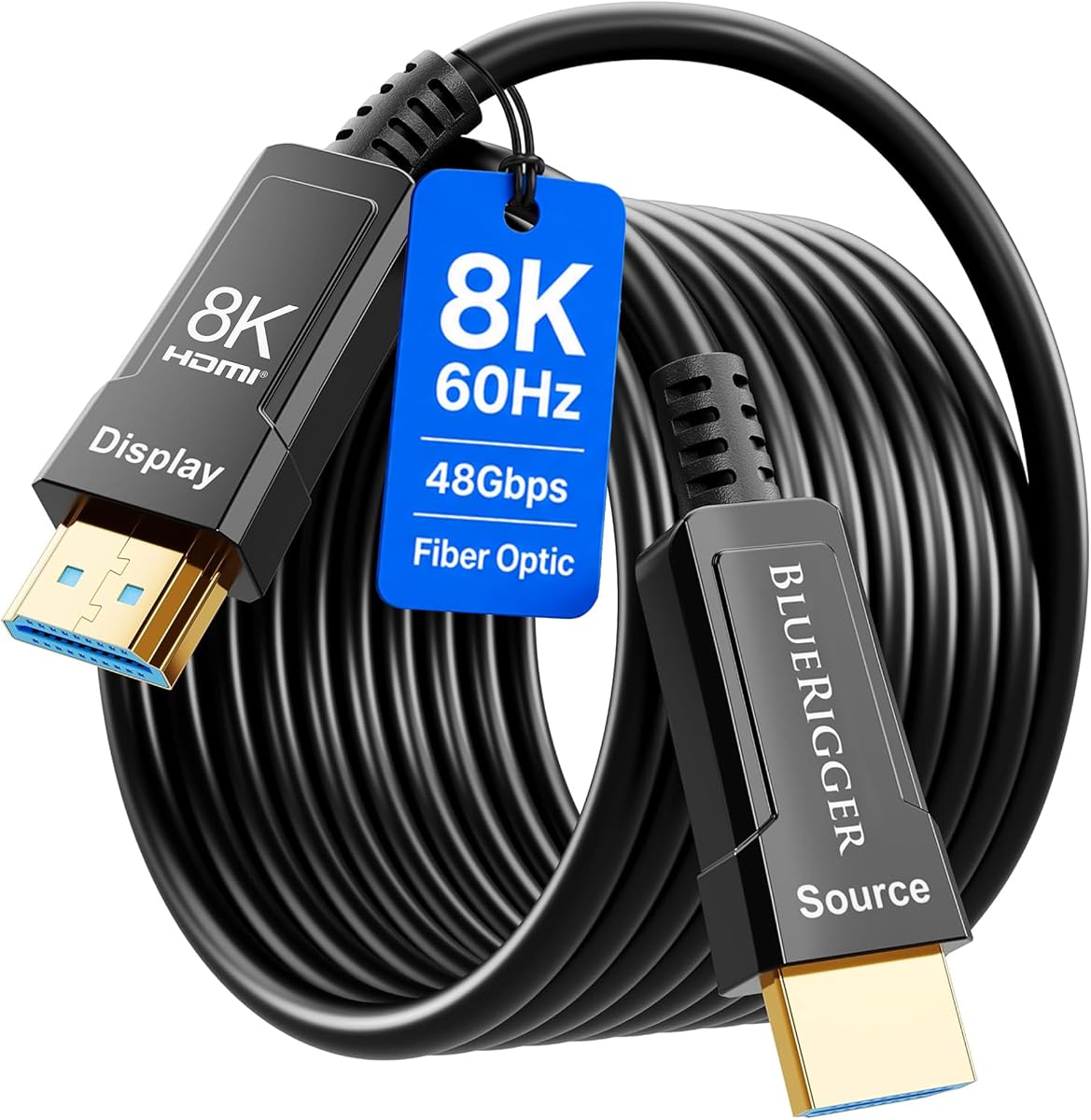
The BlueRigger 10K 8K Fiber Optic HDMI 2.1 Cable 50FT stands out with a 4.7 rating, in-wall CL3 rating, and a feature set aimed at gamers. It supports 48Gbps, 8K at 60Hz, 4K at 144Hz, Dynamic HDR10+, and 12-bit color processing.
We may earn a commission when you buy through this link, at no additional cost to you.
Its gaming-oriented functions include VRR, HDCP 2.3 and 2.2, QMS, QFT, and ALLM. Audio support includes DTS Master, DTS:X, Dolby Atmos, and Dolby Vision. The combination is useful for a modern living room where a television, console, sound system, and source device may be separated by a permanent cable route.
Construction details focus on real-world flexibility. The cable uses active optical cable technology, four optical fiber strands, 24K gold-plated connectors, and a durable zinc alloy shell. Its CL3-rated jacket makes it a more relevant candidate for in-wall installation than models with no stated rating.
The cable is a strong recommendation for gamers planning an in-wall or long permanent run, especially those who value the listed warranty and support. Its connectors remain directional and fixed, so installers should label both ends and confirm that the route avoids unnecessary sharp bends or pulling stress.
Support for 4K at 144Hz, VRR, QMS, QFT, and ALLM makes this a focused option for compatible consoles, PCs, and displays. Those features only become visible when every connected device also supports the selected mode.
The stated CL3 rating and slim optical construction make this a candidate for concealed residential runs. Local code, conduit requirements, and the installer’s preferred method should guide the final installation.
We may earn a commission when you buy through this link, at no additional cost to you.
The Cratree Long 8K Fiber Optic HDMI Cable 150FT is the longest option in this comparison, with a 4.7 rating and a particularly slim 4.06mm profile. Its length makes it relevant to large homes, commercial buildings, and installations where a source sits far from the display.
We may earn a commission when you buy through this link, at no additional cost to you.
Published features include 48Gbps total bandwidth, 8K at 60Hz, 4K at 120Hz, 3D, static HDR, dynamic HDR, VRR, QMS, multiple audio streams, 32 audio channels, automatic audio synchronization, eARC, and QFT. It is listed as backward compatible with HDMI 2.0, 1.4, 1.3, 1.2, and 1.1.
The cable uses a dedicated optical engine and a signal processing chipset for stable digital transmission. A multi-layer shielding design is intended to minimize signal degradation and interference, while 24K gold-plated contacts sit inside aluminum alloy shells for conductivity and mechanical support.
Cratree is best for buyers who genuinely need a 150-foot route and value a thin cable for installation. The lack of a stated in-wall rating means it should not be assumed suitable for concealed construction without checking local requirements. It is an excellent reach option, but more distance is only beneficial when the route and endpoint placement are well planned.
This length can bridge equipment located in a distant media cabinet, equipment room, or another part of a large building. It gives installers more routing freedom than conventional copper HDMI cables intended for shorter runs.
The stated 4.06mm diameter can help when the cable must pass behind large displays, through narrow conduit, or around sharp installation hardware. It should still be pulled carefully and protected from crushing and repeated bending.
We may earn a commission when you buy through this link, at no additional cost to you.
The 8K Fiber Optic HDMI Cable 50 ft offers a flexible and compact route for long-distance HDMI connections. Its 4.6 rating reflects generally positive feedback, and the listed specifications include 48Gbps bandwidth, 8K at 60Hz, 4K at 120Hz, HDR, VRR, ALLM, and eARC.
We may earn a commission when you buy through this link, at no additional cost to you.
A major practical benefit is the described thin, lightweight construction. The product information says the cable is approximately 50% thinner and lighter than copper alternatives and attributes 360-degree flexibility to its optical design. That can be valuable behind wall-mounted displays, inside furniture, or within crowded conduit systems.
Compatibility deserves attention. The supplied description warns that some LG OLED televisions, particularly with HDCP 2.2 or high-bandwidth signals such as 8K or 4K at 120Hz, may not work correctly. It also states that 60-foot and longer variants do not support ARC or eARC, although this particular 50-foot model is explicitly listed with eARC.
This is a strong recommendation for buyers seeking a manageable 50-foot cable that bends easily and supports modern gaming and theater features. It is less certain for certain LG display owners, so model-specific verification is wise. For everyone else, the combination of length, slimness, and broad device support makes it a versatile selection.
The thin, flexible construction is useful for routes behind televisions, around cabinetry, and through small openings. Installers should still avoid crushing the cable or creating tight bends that exceed the manufacturer’s handling guidance.
The product information identifies potential issues with some LG OLED televisions, especially for HDCP 2.2 and very high-bandwidth modes. Confirming compatibility before permanent installation can prevent avoidable troubleshooting.
We may earn a commission when you buy through this link, at no additional cost to you.
The Highwings 4K Fiber Optic HDMI Cable 100FT is a focused choice for buyers who need long reach but do not require the full 48Gbps feature set of the newer models. Its 4.7 rating is among the highest in the group, and the product is built around 4K at 60Hz and up to 18Gbps.
We may earn a commission when you buy through this link, at no additional cost to you.
The listed resolution is 3840 by 2160 at 60Hz, with support for audio, video, and photos transmitted at up to 18Gbps. The cable is also described as backward compatible with HDMI 1.4, 1.3, and 1.2, allowing it to work with a broad mix of existing televisions, players, consoles, and computers.
Its connector design uses gold-plated contacts and an SR joint construction intended to resist cracking. The product information states that the joints can withstand more than 15,000 bends in laboratory testing, while the easy-grip design is intended to simplify repeated connections.
This model is a sensible recommendation for a long 4K television, projector, monitor, or home theater route when newer 8K bandwidth is unnecessary. It is not the right choice for a buyer seeking 8K at 60Hz or 4K at 120Hz. Within its stated 4K category, however, it combines strong reach, solid construction, and a favorable rating.
At 18Gbps and 4K at 60Hz, this cable targets the large installed base of 4K source and display equipment. It can offer adequate performance without carrying the electronics and assumptions associated with a newer 8K cable.
The 98-foot length is helpful when the display and source are separated by a large room or an awkward wall route. Its backward compatibility makes it suitable for mixed legacy and modern HDMI equipment.
We may earn a commission when you buy through this link, at no additional cost to you.
The BENFEI 8K HDMI 2.1 Fiber Optic Cable 100 Feet combines a long installation-friendly length with high-refresh-rate specifications. It carries a 4.6 rating and advertises 48Gbps bandwidth, 8K at 60Hz, and 4K at 240Hz, making it one of the more ambitious technical specifications in the group.
We may earn a commission when you buy through this link, at no additional cost to you.
For gamers, the listed support includes VRR and eARC, while the product is positioned for PS5, Xbox Series X, and modern PC graphics cards. The description also mentions Dolby Atmos, DTS:X, Dynamic HDR, and HDCP 2.3. As with every cable, actual resolution and refresh rate depend on the source device, display, graphics settings, and selected mode.
The optical fiber and CL3-rated jacket are designed for long, permanent installations. The cable is described as thinner, lighter, and more durable than conventional copper, while the in-wall rating makes it a more relevant choice for renovations where a cable will be concealed.
BENFEI is a compelling candidate for a 100-foot route that needs high-refresh gaming capability and in-wall suitability. It is directional, so the Source connector must attach to the console or PC and the Display connector to the television or monitor. Confirm that the intended display supports the selected 4K refresh rate before relying on the headline specification.
The advertised 4K at 240Hz capability targets demanding PC gaming and future-oriented display setups. It should be viewed as a link specification rather than a guarantee, because source hardware, display support, and graphics configuration determine the result.
The marked Source and Display ends make the intended signal path clear. Labeling both ends during installation prevents the common mistake of reversing an optical cable and receiving no picture.
We may earn a commission when you buy through this link, at no additional cost to you.
The right HDMI fiber optic cable depends on distance, display capability, installation environment, audio features, and whether the cable must be directional. Compare the complete signal path and consult the manufacturer’s compatibility information before choosing a model.
Start by measuring the actual route from the source device to the display, including bends, wall channels, furniture clearance, and service loops. A 50-foot cable is often sufficient for a media console behind a television or equipment in an adjacent room, while 100 and 150-foot options address larger homes, commercial spaces, and installations with source equipment far from the display. Longer is not automatically better because routing becomes more difficult and active electronics still need dependable connections.
Match the cable to the highest resolution and refresh rate your source and display can actually use. Several options in this guide specify 48Gbps bandwidth for 8K at 60Hz and 4K at 120Hz, while the Highwings 4K model focuses on 18Gbps and 4K at 60Hz. Other advertised modes include 2K at 240Hz or 4K at 240Hz, but a cable cannot create capabilities that the connected television, monitor, console, or graphics card does not support.
Most optical HDMI cables in this category transmit in one direction. The SOURCE end connects to the device producing the image, while the DISPLAY end connects to the television, monitor, or projector. Unlike many copper HDMI cables, reversing these connectors may produce no picture. A clear installation plan should identify both endpoints before the cable is pulled through a wall or concealed behind furniture.
For concealed residential or commercial routes, look specifically for a stated in-wall rating such as CL3. The Highwings CL3 50 FT, BlueRigger 50FT, and BENFEI 100 Feet are among the products in this guide that carry that designation. A rating does not replace compliance with local building rules, and the installer should also consider conduit, connectors, supports, and protection from crushing or excessive pulling force.
Gamers should look for variable refresh rate, automatic low-latency mode, high bandwidth modes, and compatibility with the desired 4K refresh rate. The products here variously advertise VRR, ALLM, QFT, QMS, DSC, and 4K at 120Hz or higher. These features work as a complete chain: the console or graphics card must support them, the display must accept them, and the television or monitor must have the required firmware and input configuration.
eARC can simplify some television and soundbar or receiver arrangements by returning audio through the same cable. Support varies among the listed products, and one description specifically states that 60-foot and longer variants do not support ARC or eARC because of extended-distance signal limitations. Check the exact model and length, and confirm that the television, display, and audio device all support the intended return-channel function.
Long cables are most vulnerable at their connectors and bends. Look for reinforced shells, gold-plated contacts, flexible strain relief, and published bend specifications. The RUIPRO model goes further with detachable ends and a stainless steel armored structure, which can be particularly useful for in-wall routes because a damaged connector may be replaced without replacing the entire cable.
High bandwidth does not guarantee universal compatibility. Two products in this list warn about possible issues with some LG OLED or LCD displays, particularly when using HDCP 2.2 or very high-bandwidth formats. Review the exact television model, source device, resolution, refresh rate, HDR format, and audio-return requirements before making a permanent connection or beginning construction.
Identify the source and display ends before connecting anything. Plug the SOURCE connector into the gaming console, computer, Blu-ray player, media box, or other device that sends video, and connect the DISPLAY end to the television, projector, monitor, or receiver. Power on the display first, select the intended input, and then start the source device. If there is no picture, check the orientation before changing settings.
For a new installation, test the complete cable with the intended source and display before concealing it. Confirm the selected resolution, refresh rate, HDR mode, VRR behavior, and audio-return function, and review any compatibility notices for the exact display model. When routing the cable, pull it gently through conduit or wall cavities, secure it without creating tight bends, and avoid placing it beneath sharp hardware or under heavy furniture that could compress its optical or armored construction.
During routine use, handle the connector housings rather than tugging on the cable. Keep the ends free of dust and moisture, and avoid sharply folding the cable near either connector. If performance becomes unstable, test the connection again at both ends, power-cycle the source and display, and inspect the route for new pressure or strain. Do not attempt to repair the internal optical or electronic components; replacement or support should be handled through the seller or manufacturer.
Usually not. The models in this guide are unidirectional, so the SOURCE end must connect to the device sending the signal and the DISPLAY end must connect to the screen or receiver. Connecting them in reverse may produce no image. If a cable fails, verify the labels and orientation before troubleshooting display settings or source devices.
Choose the shortest length that comfortably covers the measured route, including bends and service loops. A 50-foot model is often useful for a media console or nearby room, while 100 and 150-foot options suit larger homes and commercial installations. Unnecessary extra length can make routing harder, but a tight run that stretches the cable is not recommended.
No. Most 48Gbps models in this guide advertise 8K at 60Hz, but the Highwings 4K 100FT is designed around 18Gbps and 4K at 60Hz. Even among 8K-capable cables, actual output depends on the source device, display, graphics settings, and selected resolution and refresh rate.
No. A cable intended for concealed routing should have a clearly stated in-wall rating, such as the CL3 rating listed for the Highwings 50 FT, BlueRigger 50FT, and BENFEI 100 Feet. Local building requirements, conduit rules, and installation practices should also be considered, and a rating should never be assumed without confirmation.
Only when the exact cable supports eARC and the full device chain is compatible. Some 50-foot options in this list advertise eARC, while one product notes that cables measuring 60 feet or longer may not support ARC or eARC. The television, soundbar, receiver, and any intervening device must also support the return function.
Optical cables carry signals in one direction, and the active electronics at each end are designed for a specific source-to-display path. Labels make the required orientation obvious during installation. They are especially valuable when the cable is routed through a wall, where reversing the ends after installation would be inconvenient.
The listed products are generally designed for HDMI source devices including PS4, PS5, Xbox models, laptops, PCs, Blu-ray players, streaming boxes, and projectors. Compatibility still depends on the exact ports and supported HDMI modes on both ends. Check the device manual and the cable’s connection guide before installing.
Yes, some listings in this guide warn about compatibility with certain LG OLED or LCD televisions, especially for HDCP 2.2 or very high-bandwidth modes. These notices are model-specific and do not apply automatically to every television. Confirm the exact display model and test the intended signal format before permanent installation.
The Highwings Long 8K Fiber Optic HDMI Cable 50 FT is the strongest overall choice because it combines 48Gbps bandwidth, 8K and high-refresh-rate support, gaming features, solid connector construction, and a practical 50-foot length. The RUIPRO Detachable 33FT is the premium option for protected and serviceable installations, while the Highwings CL3 50 FT is a well-rounded budget choice for in-wall projects.
The right alternative depends on the installation. Snowkids and BENFEI cover 100-foot needs, Cratree extends to 150 feet, BlueRigger emphasizes in-wall gaming, and the Highwings 4K 100FT is more appropriate when 4K at 60Hz is sufficient. Always prioritize the actual route, directional layout, in-wall requirements, endpoint capabilities, and model-specific compatibility notes.
Before buying, recheck the manufacturer or seller listing for the current specifications, supported display models, installation guidance, warranty terms, and compatibility details. Because technical information and product offerings can change, confirming the cable against the exact source, display, room layout, and planned installation is the smartest final step.

