
GIGABYTE B650 AORUS Elite AX
4.4Editor score
Ryzen 9000 series support
PCIe 5.0 NVMe support
WiFi 6E and 2.5GbE
Looking for the best Motherboard for Neural Network? Compare 10 expert picks for AI workloads, including socket, memory, storage, networking, PCIe, and
A motherboard for neural network computing must provide a stable foundation for demanding processors, high-capacity memory, fast storage, and powerful expansion options. The best platform balances those essentials with dependable power delivery, efficient cooling, and connectivity that can keep data moving between the CPU, GPU, network, and storage devices.
We compared the ten motherboards using their documented processor support, memory configurations, PCIe and M.2 capabilities, networking, power stages, cooling features, and DIY conveniences. The guide covers both AM5 and LGA1851 consumer platforms, an older AM4 option, and a professional Threadripper workstation board designed for unusually demanding AI configurations.
Each review identifies the feature that makes that board worth considering and also explains its limitations. Ratings and specifications reflect the supplied product information, while the featured positions reflect the overall balance of platform capability, expansion, connectivity, and practical utility. Prices and availability can change, so confirm current listings before buying.
4.4Editor score

4.4Editor score

3.6Editor score
The comparison below covers processor platforms, memory support, storage expansion, networking, and power delivery to show how each motherboard approaches neural network workloads. The list includes general-purpose gaming boards, creator-oriented models, and a Threadripper workstation platform.




The GIGABYTE B650 AORUS Elite AX is an appealing foundation for a neural network workstation because it combines a current AM5 platform with a restrained set of features that cover the essentials. It carries a 4.4 rating and supports Ryzen 9000, 8000, and 7000 series processors, giving builders several processor options without changing motherboards.
We may earn a commission when you buy through this link, at no additional cost to you.
Its documented power delivery is particularly important when the processor, GPU, high-speed NVMe drives, and memory operate together. Twin 14+2+1 phases with 70A power stages, an eight-layer two-ounce copper PCB, a six-millimeter heatpipe, and covered MOSFET heatsinks form a stronger foundation for sustained workloads than a basic entry-level board would offer.
Storage and networking are also well suited to AI development. The board includes PCIe 5.0 NVMe x4 M.2 support, WiFi 6E, 2.5GbE, and front and rear USB-C connectivity. The trade-off is that some newer competitors provide more M.2 positions, faster wireless networking, and more advanced creator or workstation features, so this is not the board for maximum internal storage density.
This motherboard is a strong recommendation for a value-conscious AM5 system that will primarily use one graphics accelerator and a small number of fast NVMe drives. It offers the most attractive balance in this list for builders who want modern processor support, robust power delivery, fast networking, and straightforward installation features without moving to a premium creator board.
The 14+2+1 phase design, 70A power stages, and eight-layer PCB provide a more convincing basis for sustained processor and accelerator operation than a minimalist board. The included VRM and M.2 thermal solutions also address the two areas most likely to require sustained attention during long training sessions.
Support for three Ryzen processor families and four DDR5 DIMM positions makes the board easier to reuse as requirements evolve. PCIe 5.0 NVMe, 2.5GbE, WiFi 6E, USB-C, Q-Flash, and EZ-Latch features add useful flexibility without turning the platform into a specialist workstation.
We may earn a commission when you buy through this link, at no additional cost to you.
The ASUS ROG Strix B550-F Gaming WiFi II is a practical choice for neural network builders who want a proven AM4 foundation without paying for the newest platform. Its 4.6 rating is the highest among the listed motherboards, and the board supports Ryzen 3000 and 5000 desktop processors along with supported 4000 and 5000 G-series desktop processors.
We may earn a commission when you buy through this link, at no additional cost to you.
The board provides dual M.2 storage, PCIe 4.0 readiness, USB 3.2 Gen 2 Type-C, WiFi 6E, Intel 2.5Gb Ethernet, HDMI 2.1, and DisplayPort 1.2. Its 12+2 teamed power stages, ProCool power connector, alloy chokes, and durable capacitors form a solid documented power foundation for a Ryzen-based training system.
The main limitation is generational. DDR4 memory and PCIe 4.0 expansion do not offer the headroom of the AM5, LGA1851, or Threadripper alternatives, and the board cannot take advantage of newer PCIe 5.0 devices. A second M.2 position would also be useful for systems that keep datasets, models, and scratch files on separate drives.
Choose this board when an existing AM4 processor or DDR4 memory inventory lowers the cost of assembling a capable AI workstation. It remains well connected and well featured for PCIe 4.0 hardware, but buyers starting from scratch should compare its platform longevity with the newer models included in this guide.
Its support for several Ryzen generations can reduce the cost of reusing compatible components. That makes it especially practical when the processor or memory is already owned, although new DDR5 and PCIe 5.0 platforms may provide a longer upgrade path.
WiFi 6E, Intel 2.5Gb Ethernet, USB-C, dual M.2 slots, BIOS Flashback, and integrated display outputs cover common development and setup needs. They make the board more versatile for remote experimentation, data transfer, and headless configuration.
We may earn a commission when you buy through this link, at no additional cost to you.
The ASUS TUF Gaming B850-PLUS WiFi offers a balanced AM5 platform for neural network development, combining support for Ryzen 9000, 8000, and 7000 series processors with a 4.4 rating. It is designed and marketed for advanced AI PC applications, while its practical connectivity and storage layout suit a serious desktop build.
We may earn a commission when you buy through this link, at no additional cost to you.
Its 14+2+1 power system uses 80A DrMOS stages, an eight-layer PCB, 8+8-pin ProCool connectors, alloy chokes, and durable capacitors. For data-heavy workflows, one PCIe 5.0 M.2 slot and two PCIe 4.0 M.2 slots provide a useful mix of speed and capacity, and all three positions have M.2 heatsinks.
The board includes WiFi 7, a PCIe 5.0 x16 slot, Realtek 2.5Gb Ethernet, rear USB 20Gbps Type-C, front USB 10Gbps Type-C, and Thunderbolt or USB4 header support. Its limitation is that Ethernet tops out at 2.5Gb, and there is only one listed PCIe 5.0 M.2 position, so buyers with several next-generation SSDs should look for more extensive Gen 5 storage support.
This is a strong recommendation for a single-accelerator AI workstation that needs current AM5 support, fast storage, modern wireless connectivity, and flexible front-panel USB. It is less suitable for data-center-style local storage or networks that require 10Gb Ethernet.
Three M.2 positions make it possible to separate the operating system, model files, and high-velocity dataset cache. A PCIe 5.0 slot supports the fastest listed device, while the other two PCIe 4.0 positions add capacity without requiring every drive to run at the newest interface generation.
The 80A DrMOS design and dual 8+8-pin CPU power connections support a robust processor configuration. Front and rear Type-C options, including USB 20Gbps at the rear and USB 10Gbps at the front, are useful for high-speed peripherals and streamlined workstation cases.
We may earn a commission when you buy through this link, at no additional cost to you.
The ASUS ProArt Z890-CREATOR WIFI is the most complete creator-oriented option in this guide and earns the Editor's Choice position for its unusually broad mix of AI-oriented controls, storage, networking, and high-speed interfaces. It has a 4.4 rating and supports Intel Core Ultra Series 2 9, 7, and 5 desktop processors on LGA1851.
We may earn a commission when you buy through this link, at no additional cost to you.
Five M.2 slots provide room for a substantial local storage hierarchy, with one PCIe 5.0 position and four PCIe 4.0 positions. Two PCIe 5.0 slots, dual Thunderbolt 5 ports, a Thunderbolt 4 port, WiFi 7, 10GbE, 2.5GbE, a USB 20Gbps front-panel header, and AI Overclocking, AI Cooling II, AI Networking II, AI Advisor, and NPU boost support create a strong platform for AI development and content creation.
The 16+2+1+2 teamed power stages, ProCool II connectors, alloy chokes, and durable capacitors provide a robust power foundation. The trade-off is platform specificity and feature cost: the board cannot accept AMD processors, and some of its creator utilities may be unnecessary for a compact, single-purpose inference machine.
It is best suited to a flexible workstation that will handle neural network development alongside data transfer, displays, external storage, and creation tools. The combination of five M.2 slots, high-speed USB, 10Gb networking, and extensive PCIe 5.0 support makes it especially appealing for creators who do not want to divide their system across several boards.
The five M.2 positions make this board particularly useful when large datasets, model checkpoints, and virtual environments need dedicated storage. One PCIe 5.0 M.2 slot serves as the highest-speed option, while four PCIe 4.0 slots offer room for additional capacity and workload separation.
Thunderbolt 5, Thunderbolt 4, dual 2.5Gb-class expansion, 10GbE, WiFi 7, and the ProArt Creator Hub create a versatile workstation platform. AI Overclocking, AI Cooling II, AI Networking II, AI Advisor, and NPU boost add board-level assistance for a system expected to support demanding applications.
We may earn a commission when you buy through this link, at no additional cost to you.
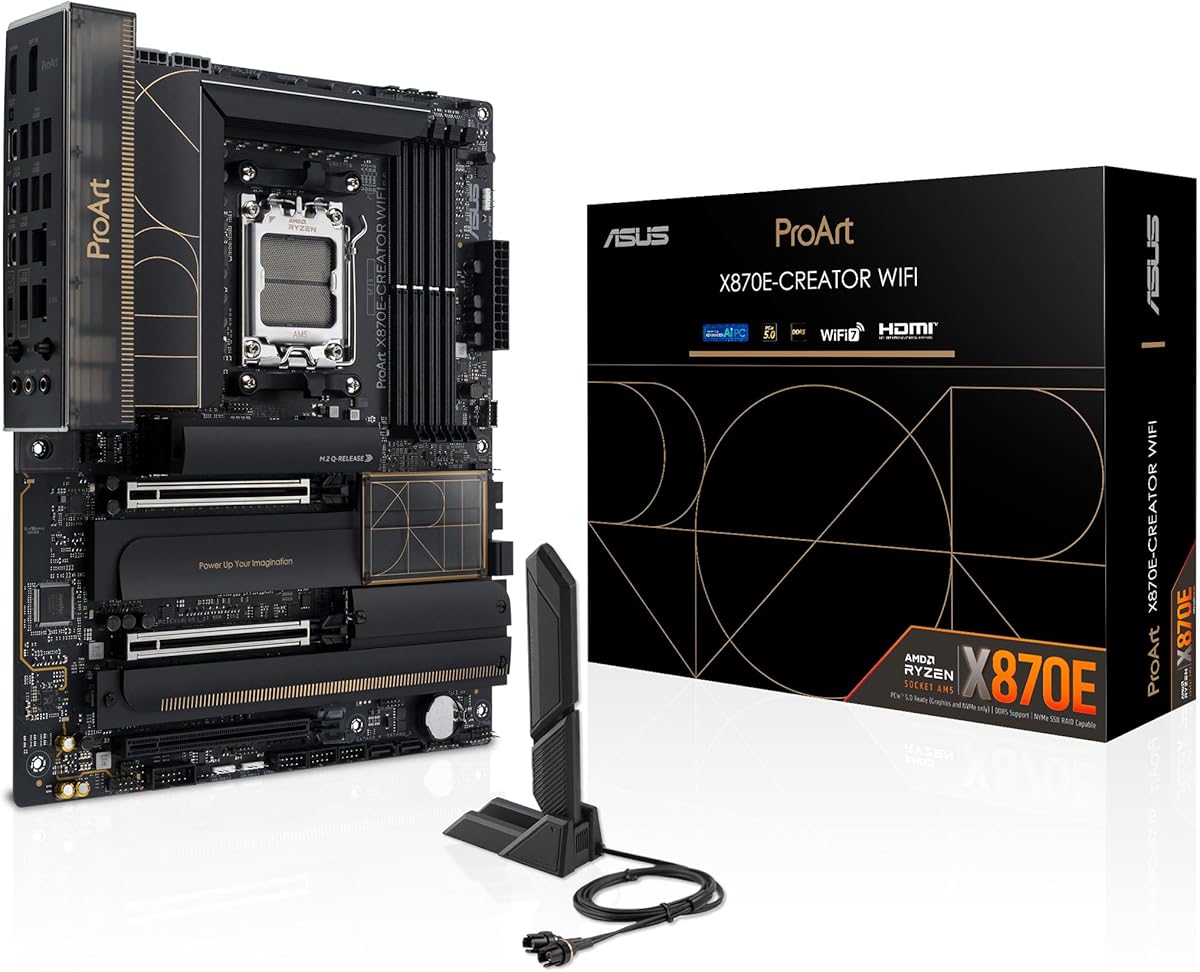
The ASUS ProArt X870E-CREATOR WiFi brings high-end AMD platform features to a motherboard aimed at advanced AI PCs and demanding creative systems. Its 4.3 rating is solid, and support for Ryzen 9000, 8000, and 7000 processors gives the AM5 socket a broad range of processor options.
We may earn a commission when you buy through this link, at no additional cost to you.
The board uses 16+2+2 teamed power stages, ProCool II power connectors, alloy chokes, and durable capacitors. A PCIe 5.0 x16 slot has full support for next-generation GPUs, while two PCIe 5.0 and two PCIe 4.0 M.2 slots allow a balanced storage configuration. Networking includes WiFi 7, 10GbE, and 2.5GbE.
Dual USB4 ports and a front USB 20Gbps connector with 30W Power Delivery and Quick Charge 4+ support a range of high-speed external devices. AI Overclocking, AI Cooling, AI Networking II, Dynamic OC Switcher, and Core Flex provide board-specific management tools, but they also make the interface more involved than a simpler gaming model.
Choose this board when you want the newest AM5 ecosystem, a high-end graphics slot, four internal storage positions, and 10Gb networking in a creator-style design. It is less compelling for lean inference systems that need only one modern GPU, because the cost and feature set exceed what those simpler configurations require.
The X870E platform, 16+2+2 power design, PCIe 5.0 graphics support, and DDR5 memory position the board for a modern high-performance build. Compatibility with three Ryzen generations also gives users room to choose among processor options as their requirements evolve.
Dual USB4, 10GbE, 2.5GbE, and WiFi 7 improve the movement of data between storage, displays, and networked services. The front USB 20Gbps header includes documented charging support, making the board suitable for compact creator and development workstations.
We may earn a commission when you buy through this link, at no additional cost to you.
The ASUS TUF Gaming X870-PLUS WiFi is a versatile AM5 option that combines four M.2 storage positions with current high-speed connectivity. It carries a 4.5 rating and supports Ryzen 9000, 8000, and 7000 series desktop processors, making it a flexible choice for a neural network workstation.
We may earn a commission when you buy through this link, at no additional cost to you.
Its 16+2+1 power design uses 80A SPS power stages, an eight-layer PCB, ProCool connectors, alloy chokes, and durable capacitors. Four M.2 slots give a system more internal storage than many competitors, while PCIe 5.0 readiness, USB4 at 40Gbps, rear USB 20Gbps Type-C, WiFi 7, and Realtek 2.5Gb Ethernet cover contemporary data-transfer needs.
The board also includes AI Overclocking, AI Cooling II, and AEMP, alongside Dynamic OC Switcher, Core Flex, and PBO Enhancement. The main limitation is that 2.5Gb Ethernet is the highest listed wired network speed, which may not be enough for a local server environment that consistently exchanges very large files between machines.
This motherboard is a strong fit for a creator or developer who needs four internal NVMe drives but does not need 10Gb Ethernet. Its combination of storage count, high-power stages, USB4, and intelligent control features makes it a practical high-end AM5 option for local model development and multimodal workloads.
Four M.2 positions allow storage to be organized by workload instead of being crowded onto a single drive. This can separate operating systems, datasets, checkpoints, and temporary working files, reducing the need for external media during extended projects.
AI Overclocking, AI Cooling II, and AEMP can help configure and monitor the platform. Dynamic OC Switcher, Core Flex, and PBO Enhancement provide additional performance controls, while the TUF platform remains more approachable than a specialized overclocking motherboard.
We may earn a commission when you buy through this link, at no additional cost to you.
The MSI MAG X870E Gaming MAX WiFi is a performance-focused AM5 platform with useful high-speed networking and storage. It has a 4.0 rating and supports Ryzen 9000, 8000, and 7000 processors, as well as a PCIe 5.0 x16 graphics slot for modern accelerator hardware.
We may earn a commission when you buy through this link, at no additional cost to you.
Its three M.2 connectors include one PCIe Gen 5 x4 position rated at 128Gbps and two PCIe Gen 4 x4 positions rated at 64Gbps, all protected by EZ M.2 Shield Frozr II. Four DDR5 DIMM slots support memory overclocking speeds listed up to 8200+ MT/s in a 1DPC, 1R configuration.
Networking is a major strength: the board includes WiFi 7, Bluetooth 5.4, and 5Gbps LAN, along with a rear USB4 Type-C port supporting 40Gbps and display output. Frozr Guard cooling includes 7W/mK MOSFET thermal pads, choke thermal pads, an extended heatsink, a chipset heatsink, and a combined pump and system fan header.
The limitations are the 4.0 rating and three M.2 positions, which is fewer than several competing boards. Nevertheless, it is a compelling option for an AM5 machine that prioritizes fast networking, a Gen 5 accelerator path, and high-speed memory over maximum internal drive count.
The 5Gbps Ethernet connection is faster than the 2.5Gb options common on many competitors, making it useful when moving large model files or dataset shards across a local network. WiFi 7 and USB4 add further flexibility for wireless and external-device workflows.
Frozr Guard covers the chipset, M.2 drives, and VRM area with extensive heatsinks and thermal pads. The four DDR5 slots and listed memory overclocking support provide room for high-bandwidth configurations when paired with suitable modules.
We may earn a commission when you buy through this link, at no additional cost to you.
The ASUS B650E MAX Gaming WiFi W combines an AM5 platform with a white PCB for builders who want their neural network workstation to match a coordinated case and cooling theme. It has a 4.4 rating and supports Ryzen 9000, 8000, and 7000 desktop processors.
We may earn a commission when you buy through this link, at no additional cost to you.
The board includes a PCIe 5.0 x16 slot, a PCIe 5.0 M.2 slot, three M.2 positions in total, WiFi 6E, Realtek 2.5Gb Ethernet, rear USB 10Gbps Type-A and Type-C ports, and front USB 5Gbps Type-C support. DisplayPort and HDMI outputs make it suitable for a local workstation display as well.
Its 8+2+1 phase power design, six-layer PCB, alloy chokes, durable capacitors, VRM and M.2 heatsinks, PCH heatsink, hybrid fan headers, and Fan Xpert 2+ cover the core platform requirements. The trade-off is that its documented power design is less elaborate than the 14+2+1, 16+2+1, or 16+2+2 configurations offered by several alternatives.
This motherboard is a good match for a visually coordinated AM5 AI workstation that uses one modern GPU and up to three NVMe drives. It offers straightforward setup through a pre-mounted I/O shield, BIOS FlashBack, Q-Antenna, and Q-LED Core, while its three addressable RGB Gen 2 headers and Aura Sync support accommodate customization.
The white PCB and Aura Sync support make the board particularly suitable for builds with visible components and coordinated lighting. Three addressable RGB Gen 2 headers offer more than a single lighting connection, giving case and cooling components several ways to coordinate.
A PCIe 5.0 x16 slot and dedicated PCIe 5.0 M.2 position support current high-speed hardware. WiFi 6E, 2.5Gb Ethernet, front and rear Type-C, and integrated display outputs cover the connectivity needs of a focused development system.
We may earn a commission when you buy through this link, at no additional cost to you.
The MSI PRO B850-V EVO WiFi is a current AM5 option that mixes a straightforward workstation layout with high-speed networking. Its 4.3 rating and support for Ryzen 9000, 8000, and 7000 processors make it a relevant platform for neural network development without requiring the X870E or X870 chipset tier.
We may earn a commission when you buy through this link, at no additional cost to you.
The board has four DDR5 slots, one PCIe 5.0 x16 slot with Steel Armor, and three M.2 connectors. The first is PCIe Gen 5 x4 at 128Gbps, the second is PCIe Gen 4 x4 at 64Gbps, and the third is PCIe Gen 4 x2 at 32Gbps. This provides useful storage flexibility, although the final drive position has fewer lanes than the other two.
Its 12 Duet Rail Power System, 7W/mK MOSFET thermal pads, extra choke thermal pads, extended heatsink, chipset heatsink, and EZ M.2 Shield Frozr II form the documented thermal and power foundation. WiFi 7, Bluetooth 5.4, 5Gbps LAN, rear USB 10Gbps Type-C, and 7.1 HD Audio round out the connectivity.
Choose this motherboard for an AM5 system that values 5Gb Ethernet, WiFi 7, and a current Gen 5 storage path while keeping the chipset tier below X870. It is less suitable when the workload requires several x4 Gen 4 drives or more than three internal storage positions.
The 5Gbps LAN connection offers a meaningful step above 2.5Gb Ethernet for local model and dataset movement. WiFi 7 and Bluetooth 5.4 provide flexible wireless connectivity for development environments where a wired connection is not always available.
One Gen 5 x4 drive provides the highest listed bandwidth, while one Gen 4 x4 drive can handle substantial secondary storage. The Gen 4 x2 position is useful for lower-bandwidth data, caches, or utility drives, provided the builder accounts for its reduced lane count.
We may earn a commission when you buy through this link, at no additional cost to you.
The ASUS Pro WS TRX50-SAGE WIFI CEB is the specialist choice for neural network systems built around a professional Threadripper platform. It has a 3.6 rating, the lowest in this guide, but its documented capabilities are aimed at a different scale of computing than the nine consumer-oriented alternatives.
We may earn a commission when you buy through this link, at no additional cost to you.
The sTR5 socket supports up to 96-core Ryzen Threadripper PRO 7000 WX-series and Ryzen Threadripper 7000 series processors. The board can use up to 1TB of ECC R-DIMM DDR5 memory in a one-DIMM-per-channel configuration, giving neural network workloads far more memory capacity than conventional desktop boards.
Its 36 power stages, two 8-pin CPU power connectors, extensive VRM cooling, chipset and M.2 heatsinks, and M.2 thermal pads support the high core counts associated with Threadripper. Three PCIe 5.0 x16 slots, multi-GPU support, three M.2 slots, SlimSAS NVMe support, WiFi 7, 10GbE, 2.5GbE, and front and rear USB 20Gbps Type-C create a broad expansion foundation.
Server-grade IPMI support through compatible ASUS expansion cards and ASUS Control Center Express adds remote monitoring and management. It is best for organizations running large models, parallel inference, or compute-intensive training on multiple accelerators; the higher rating of many consumer boards is less relevant than memory capacity, core support, and management when those are the priorities.
Support for up to 96-core processors and as much as 1TB of ECC R-DIMM DDR5 creates a platform suited to large datasets and memory-intensive neural network experimentation. ECC capability also distinguishes this professional board from the standard desktop memory platforms elsewhere in the guide.
Three PCIe 5.0 x16 slots and multi-GPU support provide room for a more complex accelerator topology. IPMI compatibility and ASUS Control Center Express extend the board beyond a typical desktop by enabling remote monitoring and management when supported expansion hardware and software are deployed.
We may earn a commission when you buy through this link, at no additional cost to you.
The right motherboard for neural network computing depends less on gaming aesthetics and more on processor capacity, memory density, expansion slots, storage throughput, networking, power delivery, and cooling. Start with the accelerator and software ecosystem you intend to use, then build the platform around those requirements.
Begin with the CPU family, memory generation, and graphics or accelerator you plan to use. The boards here span AM5, AM4, LGA1851, and Threadripper sTR5, and they are not interchangeable. A PCIe 5.0 x16 slot can provide a modern upgrade path, but the final system also needs a supported processor, appropriate power connections, enough board space, and a chassis that accommodates the accelerator.
Choose the socket that matches your existing components and software requirements, then verify physical fit and supported power delivery. A workstation-class Threadripper board is a different proposition from a mainstream AM5 board, not merely a faster version of the same product.
Memory needs depend on the model, dataset size, batch size, and whether inference or training dominates. Consumer boards here provide four DDR5 or DDR4 DIMM positions, while the Threadripper platform supports ECC R-DIMM memory up to a listed 1TB. The MSI models also list memory overclocking speeds up to 8200+ MT/s in specified configurations, though capacity and speed must be balanced against the CPU and workload.
Prioritize usable capacity and compatible memory type for large models, or bandwidth for data-intensive operations. Do not assume four DIMMs automatically deliver maximum memory speed; the board's supported configurations matter, and ECC support may be essential for unattended or professional systems.
The primary accelerator slot is only one part of expansion. Consider the number of full-length physical slots, spacing, lane sharing, and whether additional devices are needed for capture cards, storage controllers, or a second accelerator. The Threadripper board provides three PCIe 5.0 x16 slots, while most consumer boards emphasize one primary graphics or accelerator slot.
For multi-accelerator systems, physical clearance and board topology can matter more than headline slot count. Confirm case dimensions, cooling clearance, power requirements, and lane compatibility before combining multiple high-power devices.
Model checkpoints, raw data, temporary tensors, and the operating system can consume storage quickly, so M.2 count and lane configuration deserve attention. The ProArt Z890-CREATOR WIFI offers five M.2 positions, the Pro WS TRX50-SAGE provides three M.2 slots plus SlimSAS NVMe support, and several other boards offer four. A PCIe 5.0 x4 position provides the highest listed throughput among these options, while x2 positions are better treated as secondary or utility storage.
Match drive capacity and interface generation to the actual workflow. For large local datasets, consider how many drives the board supports, whether they have heatsinks, and whether the chassis has additional cooling for sustained drive workloads.
Fast local networking can shorten the time needed to move datasets, checkpoints, and model outputs between computers. The guide includes 2.5GbE, 5GbE, and 10GbE options, plus WiFi 6E or WiFi 7. The MSI models and two ProArt creator boards provide the higher listed wired network speeds, while WiFi 7 appears on several current platforms.
Choose wired networking for sustained large transfers and WiFi for flexibility. Confirm that the router, switch, storage, and other endpoints also support the selected speed, since the motherboard alone cannot remove network bottlenecks.
Long neural network training sessions place sustained loads on the CPU, accelerator, memory, and storage. Documented power stages, reinforced processor power connections, layered PCBs, VRM heatsinks, M.2 thermal protection, and chipset cooling all contribute to platform stability and sustained performance.
Compare the number and current rating of power stages rather than treating the phase count as a complete performance score. Ensure the selected power supply meets the processor and accelerator requirements, and plan case airflow around the motherboard's documented cooling features.
External connectivity can be central to an AI development workflow. Thunderbolt 5 and USB4 can support high-bandwidth docks and external devices, while USB 20Gbps and 10Gbps Type-C ports improve transfer speed. The ProArt Z890-CREATOR includes dual Thunderbolt 5 and Thunderbolt 4 ports, while the X870-PLUS and X870E-CREATOR include USB4.
List the peripherals you actually use before choosing. A clean workstation may need only USB-C, Ethernet, and a few standard ports, while a creator or data-transfer system may justify Thunderbolt, USB4, and front-panel 20Gbps connectivity.
A home lab may benefit more from simplicity, while a shared or remote system may require monitoring and remote control. ASUS boards in this list provide AI-assisted overclocking, cooling, networking, and advisor tools, while the Threadripper model supports IPMI expansion for server-grade remote management. Features such as BIOS Flashback, Q-Latch, M.2 Q-Slide, and pre-mounted I/O shields can also simplify maintenance.
Match management depth to the environment. More advanced tools are useful in a shared lab but can add complexity in a single-user desktop. Also consider platform longevity, because memory and expansion standards can constrain future upgrades even when the processor socket remains supported.
Install the processor, memory, M.2 drives, and accelerator according to the motherboard manual, paying particular attention to CPU power connections, slot spacing, and M.2 heatsinks. Confirm that every power lead is fully seated, use the specified CPU socket, and avoid forcing a connector or heatsink. Update the BIOS before configuring the final memory and accelerator arrangement when practical.
Configure the operating system, accelerator driver, and machine-learning framework only after the hardware is recognized. Use the board's monitoring and fan-control software to review temperatures, fan curves, power behavior, and network status. Keep the BIOS, chipset drivers, and GPU software current, and test one storage device, one network transfer, and one representative compute workload before moving critical data onto the system.
For sustained training runs, maintain airflow around the VRM, chipset, expansion slots, and M.2 drives. Monitor storage activity and system temperatures, keep the chassis filters and heatsinks clean, and do not change voltages or power limits without understanding the system's cooling and power delivery. If the machine will operate unattended, use protected power, reliable networking, and appropriate remote management for the platform.
Not always. A well-equipped AM5 or LGA1851 board can support a capable single-accelerator machine, especially when the workload fits the available memory and storage. A Threadripper workstation platform becomes more compelling when the system needs a high-core-count processor, very large ECC memory capacity, multiple accelerators, or remote IPMI management.
It can be sufficient for a single workstation whose datasets and checkpoints are stored locally. It becomes less attractive when models must move repeatedly between computers or large datasets arrive from a network. The 5GbE and 10GbE options in this guide provide more headroom, provided the rest of the network supports those speeds.
The answer depends on dataset size, checkpoint frequency, and whether you value separation from the operating system. One fast drive may handle a focused project, while three to five slots allow operating systems, datasets, checkpoints, and temporary files to be organized independently. Lane width also matters because an x2 M.2 slot provides less bandwidth than an x4 position.
No. A PCIe 5.0 slot can support compatible high-speed accelerators, but the complete platform also needs processor support, adequate power delivery, sufficient memory, cooling, storage, networking, and appropriate drivers. AI readiness is a broad description rather than a guarantee of a particular training or inference performance level.
DDR4 can make sense when reusing an AM4 system, while DDR5 is the direction used by the current AM5 and LGA1851 boards in the guide. ECC R-DIMM belongs to the Threadripper workstation platform and supports much greater memory capacity with error correction. Match the memory type to the motherboard and consider the workload before choosing capacity or speed.
WiFi 7 improves wireless flexibility and can be useful for configuration, monitoring, and moderate data movement. For sustained transfers of large datasets or model files, wired Ethernet remains the more predictable choice. The ideal system can use WiFi for convenience while reserving 2.5GbE, 5GbE, or 10GbE for bulk traffic.
Physical presence alone does not guarantee that two accelerators will work together. The motherboard must have the required physical slots, compatible lane configuration, adequate spacing and power, and appropriate software support. The ASUS Pro WS TRX50-SAGE WIFI CEB explicitly lists three PCIe 5.0 x16 slots and multi-GPU support, making it the clearest specialist option for this consideration.
Verify the processor socket, memory generation and maximum capacity, accelerator slot and physical clearance, M.2 count and lane width, networking speed, storage support, BIOS behavior, and the board's power and cooling provisions. Also check current case clearance and operating-system support. Product listings and prices can change, so confirm the final configuration directly before ordering.
The GIGABYTE B650 AORUS Elite AX stands out as the balanced budget-oriented AM5 choice, combining Ryzen 9000 support, a robust documented power design, PCIe 5.0 storage, and fast networking. The ASUS ProArt Z890-CREATOR WIFI is the most versatile overall pick for creators, with five M.2 slots, Thunderbolt 5, 10GbE, and extensive AI-oriented controls. For the largest professional builds, the ASUS Pro WS TRX50-SAGE WIFI CEB provides Threadripper PRO support, massive ECC memory capacity, multiple PCIe 5.0 x16 slots, and IPMI management.
Prioritize the component that can bottleneck your actual workflow. Match the processor and memory to the model, confirm physical and electrical accelerator support, choose M.2 positions according to dataset volume, and use high-speed Ethernet when large files move between systems. A simpler mainstream board can be entirely adequate for focused training or inference, while the Threadripper platform becomes compelling when capacity, core count, and manageability dominate the requirement.
Before ordering, verify the current product listing, CPU support, memory configuration, physical dimensions, and accessory requirements. Ratings can change over time, and prices and availability fluctuate, so the live listing should be the final source for configuration details. Whatever platform you choose, pair it with a suitable power supply, cooling, storage, and network that match the intended neural network workload.