
Thermalright TL-C14C-S X3
4.7Editor score
Three-pack configuration
75.8 CFM airflow
Up to 1500 RPM
Explore the best ARGB 140mm fans for gaming PCs, comparing airflow, static pressure, noise, PWM control, lighting, and radiator compatibility.
ARGB 140mm fans combine generous airflow, flexible mounting options, and customizable lighting in a format that suits modern gaming PCs. A strong choice should move air through case openings or radiators, respond smoothly to PWM control, and integrate cleanly with the 5V 3-pin lighting header found on most modern motherboards.
This guide compares ten ARGB 140mm fan options using the specifications and feature details supplied for each product. The list covers budget three-packs, premium high-speed models, reverse-airflow designs, daisy-chain systems, and fans intended for both case ventilation and liquid-cooling radiators.
Each review explains the standout features, practical compromises, and ideal installation for every model. The recommendations reflect the available product information rather than personal testing, while ratings provide another visible measure of buyer feedback. Prices and promotions can change, so compare current listings before purchasing.
4.7Editor score
4.9Editor score

4.6Editor score
The comparison below highlights the key differences among ten ARGB 140mm fans, including their pack sizes, maximum speeds, airflow figures, static pressure, and intended cooling roles.
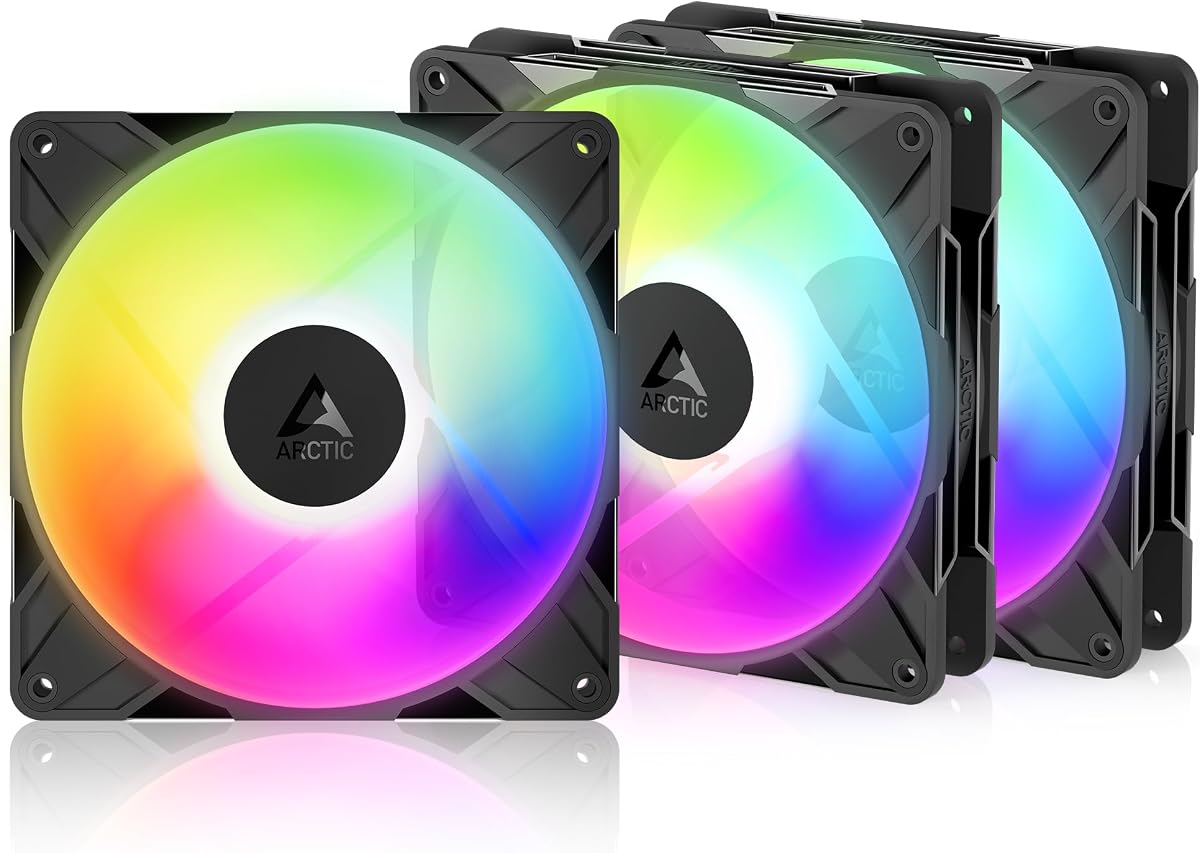



The Thermalright TL-C14C-S X3 ranks first because it delivers a balanced set of features in a convenient three-pack. Its 4.7 rating is supported by a design aimed at everyday cooling, quiet operation, and coordinated lighting. The fans operate at up to 1500 RPM and deliver a stated 75.8 CFM of airflow, making them suitable for common case positions and radiator mounting.
We may earn a commission when you buy through this link, at no additional cost to you.
PWM control allows the motherboard to adjust fan speed according to the cooling demand, while the 5V 3-pin ARGB connection supports 17 lighting modes and synchronization through compatible motherboard software. The included S-FDB bearing, PBT and PC blade materials, 55-centimeter cables, and four-corner silicone feet all support dependable, low-vibration operation.
The main limitation is that its 1.93 mm-H2O static-pressure figure is lower than that of several higher-ranked performance models. It may therefore be less effective against dense radiator fins or restrictive mesh than a fan specifically engineered for high resistance. Its maximum speed of 1500 RPM is also more restrained than the 1700-, 2650-, and 3000-RPM options in this list.
This is an especially attractive choice for builders who want a coordinated set of three rather than buying individual fans. It works well for ordinary gaming cases, air-cooled CPU installations, and moderately restrictive radiators when adequate airflow is needed without an aggressive maximum-speed profile. For most users seeking a balanced budget upgrade, it is the most versatile recommendation in the guide.
The three-pack gives buyers enough hardware to populate multiple intake and exhaust positions while maintaining a consistent visual design. It also simplifies the decision of whether several individual fans will share the same dimensions, lighting, and PWM behavior.
With both case and radiator use identified in the specifications, this set can fill front intake, rear exhaust, or radiator positions. The broad range of 75.8 CFM airflow makes it a practical general-purpose option for common PC layouts.
We may earn a commission when you buy through this link, at no additional cost to you.
The CORSAIR RS140 ARGB stands out for its strong stated airflow and high static pressure. It has a 4.6 rating and comes as a black dual pack built for builders who want a refined installation with fewer cable-management compromises. The 95.5 CFM airflow and 1700 RPM maximum speed exceed the Thermalright set's figures.
We may earn a commission when you buy through this link, at no additional cost to you.
Its most valuable feature for radiator and dense-filter installations is the 3.46 mm-H2O static-pressure rating. CORSAIR AirGuide anti-vortex vanes direct air toward hot components, while the streamlined connection system lets multiple fans use a single 4-pin PWM connector and one +5V ARGB connector. Eight LEDs per fan provide lighting that can be customized through a compatible motherboard.
There are only two fans in the pack, so buyers who need three or four positions must purchase another compatible set or plan around a smaller initial installation. The lighting system also depends on a compatible ARGB controller rather than offering a separate proprietary ecosystem. Despite those considerations, the cooling specification is among the strongest in the group.
The RS140 is a good match for a premium radiator setup, a high-airflow showcase case, or a builder who values neat wiring. It is less economical for filling a complete case by itself, but its combination of airflow, pressure, speed control, and directional vanes makes it the most compelling premium-oriented option here.
The 3.46 mm-H2O static-pressure specification indicates that the RS140 can push air through more restrictive cooling hardware. AirGuide vanes also help maintain a directed stream when the fan is mounted to a radiator or heatsink.
Daisy-chaining reduces the number of PWM and lighting connections reaching the motherboard. This is particularly useful in cases where space behind the motherboard tray is limited and a tidy build is a priority.
We may earn a commission when you buy through this link, at no additional cost to you.
This three-pack version of the ARCTIC P14 Pro Reverse A-RGB combines a high 2650 RPM ceiling with a distinctive reverse-airflow design. Its 4.6 rating and broad operating range make it suitable for builders who want more performance control than a conventional 1400-to-1800-RPM case fan provides.
We may earn a commission when you buy through this link, at no additional cost to you.
The special blade orientation draws air from the rear and is intended for glass-fronted cases where the visible side of a standard intake fan would interrupt the appearance. Four-pin PWM control offers progressive adjustment, including a complete stop below 5% PWM. The supplied Y-cable splitter helps connect the three-fan group, while the hydrodynamic bearing supports smooth operation.
Reverse airflow requires more thought than ordinary case placement. A reverse fan that appears attractive at the front should still be oriented to move air in the intended direction, and a radiator position may demand the opposite visual orientation from a standard model. The product information also does not provide a numerical CFM or static-pressure rating for this exact listing.
The result is a flexible package for experienced builders who want three matching premium-style fans and broad speed control. It is particularly compelling for visual cases and installations where the full-stop capability is useful during idle periods. Buyers who prioritize simple drop-in orientation should compare it carefully with conventional airflow models.
The reversed blade design is intended for visually prominent positions. It can preserve a clean view through a glass front while still moving air through the enclosure, provided each fan is mounted with airflow direction in mind.
The ability to reach 0 RPM below a 5% PWM signal creates a practical silence mode during idle periods. Once the curve rises, the same four-pin control provides a broad 400-to-2650-RPM operating range.
We may earn a commission when you buy through this link, at no additional cost to you.
The Thermaltake CT140 EX ARGB prioritizes installation convenience and synchronized lighting. The three-fan pack carries a 4.6 rating, while MagForce 2.0 magnetic connections allow multiple fans to be linked with one cable. This design is particularly appealing to builders who want a coordinated set without handling several separate daisy-chain leads.
We may earn a commission when you buy through this link, at no additional cost to you.
Each fan has nine individually addressable LEDs controlled through 5V motherboard synchronization. The listing refers to support for 16.8 million colors, allowing the fans to join a wider lighting effect created by compatible software. An optimized hydraulic bearing and an anti-vibration mounting system are included to support smooth, quieter operation.
The product information does not state a maximum rotational speed, airflow rate, or static-pressure figure, so direct performance comparison is difficult. It is clear that the CT140 EX is intended for both case and radiator use, but buyers who need a specific pressure rating for a dense radiator should verify the relevant manufacturer specification before finalizing a purchase.
This set is best for builders who prioritize simple magnetic wiring, synchronized appearance, and a ready-made three-fan package. It is especially useful in themed systems where visual consistency matters. The decision comes down to whether streamlined setup outweighs your need for published airflow and speed figures.
MagForce 2.0 connections make each additional fan easier to link to the group. This reduces connection clutter and is particularly convenient during initial setup or when a case has restricted cable-routing space.
Nine addressable LEDs per fan and 5V motherboard sync allow the CT140 EX set to participate in broader lighting scenes. Compatible synchronization software gives builders more control than a fixed-color fan would offer.
We may earn a commission when you buy through this link, at no additional cost to you.
The AsiaHorse Amici offers one of the most detailed specification sets in this roundup, including airflow, static pressure, sound range, dimensions, electrical details, and connector types. It has a 4.5 rating and combines a 140mm format with an infinity-mirror lighting design intended to become a visual focus inside a case.
We may earn a commission when you buy through this link, at no additional cost to you.
Cooling performance is listed at 89.77 CFM and 3.24 mm-H2O at 1800 plus or minus 10% RPM. The PWM range is given as 800 to 1800 RPM, while the title also refers to speeds up to 2000 RPM, creating a minor inconsistency worth considering. Its oil-filled hydraulic bearing, rubber pads, and precision balancing are intended to reduce vibration and mechanical noise.
The ARGB system supports 16.8 million colors and synchronization with Asus Aura Sync, Gigabyte RGB Fusion, and MSI Mystic Light Sync. It uses 24 LED beads and an infinity-mirror effect. A wired daisy-chain arrangement is supported, although the product guidance recommends no more than three fans per chain; it is not a modular wireless system.
The Amici is a compelling choice for a colorful single-fan or small multi-fan installation where the infinity mirror is a central feature. Its published airflow and pressure are strong on paper, though the maximum-speed discrepancy and chain-length recommendation should be checked against the manufacturer's current documentation. For buyers who value both specification detail and visual customization, it remains a versatile option.
The mirrored face treatment and 24 LED beads create a layered lighting effect intended to be visible through a tempered-glass side panel. Compatibility with three major motherboard lighting ecosystems also makes the fan easier to coordinate with other illuminated components.
A stated 89.77 CFM airflow and 3.24 mm-H2O static pressure place the Amici among the more performance-oriented figures in the guide. Those specifications make it a reasonable candidate for radiator use, subject to confirming the exact configuration and the listed RPM range.
We may earn a commission when you buy through this link, at no additional cost to you.
The Cooler Master MasterFan MF140 Halo combines a refined dual-ring appearance with broad compatibility. Its 4.8 rating is the second-highest among the listed products, and the fan includes 24 individually controlled ARGB 3-pin LEDs, an ARGB header extender, and support for popular motherboard lighting ecosystems.
We may earn a commission when you buy through this link, at no additional cost to you.
A hybrid static-pressure blade design is intended to handle CPU liquid radiators, low-noise ventilation, and mesh chassis openings. PWM control covers a 650-to-1500 RPM range, giving the system useful lower-end control for quieter operation. Noise-reduction technology and sound-absorbing materials are included to limit unwanted sound.
The MF140 Halo is supplied as a single fan rather than a multipack, which may require additional purchases to fill several positions. The available information does not include a numerical CFM airflow or mm-H2O static-pressure figure, limiting precise comparison with models such as the CORSAIR RS140 or AsiaHorse Amici.
This model is well suited to buyers who want a distinctive but understated dual-ring design, especially in a system with a tempered-glass panel. Its wider lighting compatibility and header extender also make it practical for builders working around a limited number of motherboard ARGB connectors. It is a strong choice for individual accent positions and moderate cooling demands.
Twenty-four independently controlled LEDs produce a more detailed effect than a basic single-ring or edge-lit fan. The separate lighting pattern can create a balanced appearance from multiple viewing angles inside a glass-sided chassis.
The 650 RPM lower end gives compatible fan-control software room to reduce speed during light workloads. The upper limit of 1500 RPM preserves additional airflow when the system needs more cooling.
We may earn a commission when you buy through this link, at no additional cost to you.
The ARCTIC P14 Pro A-RGB is built around a broad control range, with a maximum speed of 3000 RPM—the highest figure in this roundup. Its 4.6 rating and 4-pin PWM connection make it appealing to builders who want substantial headroom for radiators, restrictive filters, and demanding components.
We may earn a commission when you buy through this link, at no additional cost to you.
The fan can stop completely when the PWM signal falls below 5%, creating an effective idle or silence mode. Its redesigned rotor blades aim to balance performance and low noise, especially at lower speeds, while automatic balancing and precision manufacturing are used to reduce vibration. A self-lubricating fluid dynamic bearing supports smooth, durable operation.
Although the product is described as high static pressure, the supplied information does not provide a numerical mm-H2O rating. It also does not list a CFM airflow figure, so buyers cannot directly compare the headline performance against the CORSAIR or AsiaHorse specifications. The 3000-RPM ceiling indicates strong potential, but it also makes thoughtful fan curves important for acoustic comfort.
The P14 Pro A-RGB is a strong candidate for a high-performance build with a 360mm or 280mm radiator, or for any installation where maximum airflow control matters more than a minimalist multipack. It is less suitable for buyers who require published flow and pressure numbers. Even so, its full-stop behavior, wide range, and redesigned blades make it one of the most capable choices in the guide.
The range from zero to 3000 RPM provides finer control than conventional fans with a narrower upper limit. It allows a fan curve to balance quiet idle operation with substantial airflow when processor or system temperatures rise.
The high-static-pressure description and maximum-speed emphasis make this model relevant to dense radiators, narrow perforated panels, and mesh intake filters. Those applications reward the fan's ability to maintain movement through resistance.
We may earn a commission when you buy through this link, at no additional cost to you.
This TL-C14C-S X3 listing is another three-fan version of Thermalright's well-regarded 140mm ARGB design. It carries a 4.6 rating and emphasizes a combination of 75.8 CFM airflow, a 1500 RPM maximum, and noise no higher than 26.4 dBA according to the supplied information.
We may earn a commission when you buy through this link, at no additional cost to you.
The seven-blade design incorporates soft silicone feet at all four corners to reduce vibration. A 4-pin PWM cable allows motherboard-controlled speed adjustment, while the 5V 3-pin ARGB interface provides synchronized lighting. The PBT and PC construction, 55-centimeter cable, and 1.93 mm-H2O static-pressure rating define the fan's basic capability.
Its specification closely overlaps the first-ranked three-pack, so buyers should compare the current listings carefully to understand any differences in included parts, regional packaging, or seller support. Neither listing presents the high maximum speeds of the ARCTIC models, and both are less pressure-focused than the CORSAIR RS140.
The set is a solid choice for a standard gaming case that needs several quiet, matching ARGB fans. It can serve front intake, rear exhaust, and CPU cooler positions, making it a flexible basic upgrade. Its straightforward feature set and three-pack format offer more convenience than buying unrelated individual fans.
The stated noise ceiling of 26.4 dBA makes the model suitable for builders who want recognizable cooling performance without an aggressive noise target. A controlled fan curve can reduce speed further whenever additional airflow is unnecessary.
Silicone feet at each corner help limit the transfer of vibration into a case or radiator frame. This is a useful design detail for installations where fan movement and mounting resonance could otherwise become noticeable.
We may earn a commission when you buy through this link, at no additional cost to you.
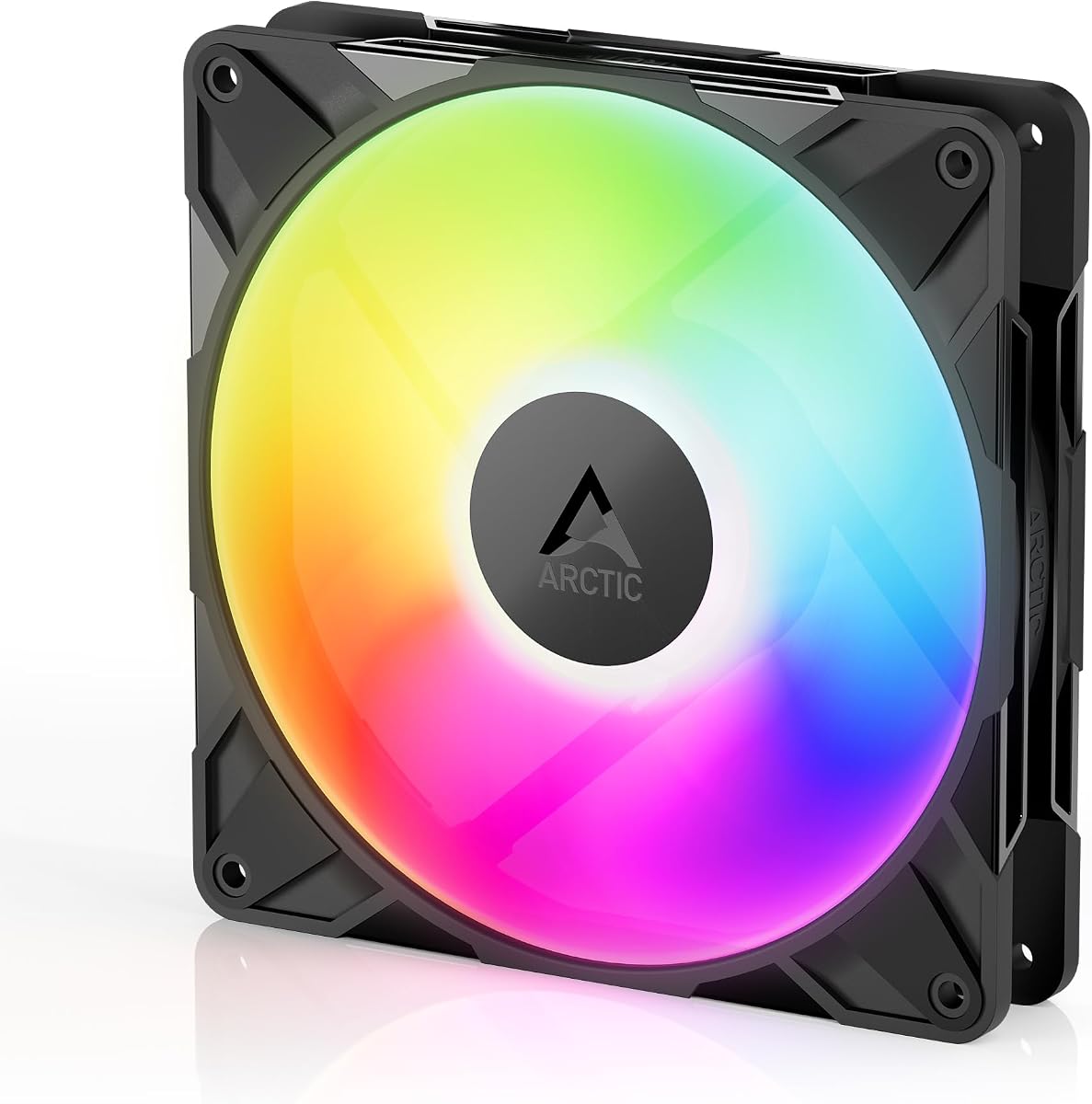
The single-fan ARCTIC P14 Pro Reverse A-RGB has the highest rating in the selection at 4.9. It combines a 2650 RPM maximum with a reverse-airflow design, making it both a performance option and a visually distinctive choice for glass-fronted or glass-sided cases.
We may earn a commission when you buy through this link, at no additional cost to you.
The four-pin PWM connection supports progressive speed adjustment and a complete stop below 5%. High static pressure is a stated design priority, particularly for radiators, perforated panels, and mesh structures. The self-lubricating fluid dynamic bearing, minimal internal gaps, automatic balancing, and high-precision manufacturing are all intended to improve smooth running and reduce vibration.
As a single-fan package, it does not offer the immediate coverage of the three-fan alternatives. Reverse orientation also requires deliberate planning, since the appearance and intended direction of airflow must be reconciled. The absence of a stated CFM or mm-H2O figure limits exact numerical comparison, even though the other performance details are clear.
This is an excellent choice for a single prominent case position, a showcase build, or a radiator setup where a particular fan needs to deliver substantial controlled performance. Buyers needing a coordinated group can choose the three-pack version. As a standalone premium-style option, this listing combines the guide's strongest rating with a distinctive reverse design.
Reverse airflow is intended for builds where the visible face of a conventional fan would be less attractive. Keeping the cleaner side toward the viewing panel can improve visual coherence without abandoning active cooling.
The fan can reach a complete stop at low PWM demand while retaining a 2650 RPM ceiling when full performance is required. This makes it adaptable to both quiet desktop use and demanding cooling situations.
We may earn a commission when you buy through this link, at no additional cost to you.
The single Thermalright TL-C14C-S is a direct way to add one 140mm ARGB fan to an existing build. It carries a 4.7 rating and combines a 1500 RPM ceiling, four-pin PWM control, an S-FDB bearing, and a 5V 3-pin ARGB lighting interface.
We may earn a commission when you buy through this link, at no additional cost to you.
Its high-brightness atomized ARGB blade is designed to reflect light more softly across the fan face. Up to 17 lighting modes are available, with color management and synchronization handled through a compatible motherboard port. A seven-blade layout, silicone feet at the four corners, and PWM control support a balance of airflow and low noise.
Unlike several multipack listings in the guide, this version includes only one fan. The supplied description also does not provide the 75.8 CFM airflow and 26.4 dBA figures found in the associated three-fan listings, so those values should not be assumed without checking the product packaging or manufacturer's full specification. The general use case remains case ventilation, CPU coolers, and radiators.
The TL-C14C-S is well suited to replacing a single failed fan or adding one illuminated position without buying a larger set. It is straightforward, compatible with standard motherboard controls, and flexible enough for multiple common cooling locations. For a complete case refresh, the three-fan version may offer better convenience.
Seventeen ARGB modes provide more visual variety than a single-color alternative. Motherboard synchronization lets the fan join a broader system effect when the board and its software support standard 5V 3-pin ARGB.
Purchasing one fan makes sense when replacing a failed unit or filling a single open position. It avoids buying additional hardware that may not be needed and keeps the installation focused on the location that will benefit most.
We may earn a commission when you buy through this link, at no additional cost to you.
Choosing an ARGB 140mm fan involves balancing airflow, static pressure, noise, lighting, wiring, and case compatibility. The most useful purchase aligns the fan's pressure capability with its mounting position and gives the system enough control to keep temperatures and sound levels in balance.
Airflow describes how much air a fan moves through relatively open space, while static pressure indicates how effectively it can push through resistance. Case intake and exhaust positions usually favor airflow, whereas radiators, dense filters, and narrow perforated panels reward higher static pressure. Comparing both figures is more informative than focusing on maximum RPM alone, particularly because different manufacturers may use different test methods.
A four-pin PWM connection provides a controllable range rather than forcing the fan to run continuously at one speed. The models here span from 650 RPM on the Cooler Master to 3000 RPM on the ARCTIC P14 Pro A-RGB, while several ARCTIC versions can stop completely below 5% PWM. A broad range makes it easier to create a quiet idle curve and reserve high speed for heavy workloads.
Radiator fans must move air through tightly spaced fins, tubes, or a dense heat exchanger. Fans such as the CORSAIR RS140 and AsiaHorse Amici publish static-pressure figures that directly address this use, while the ARCTIC P14 Pro family is also described for high-resistance applications. Measure the radiator thickness and check the case or cooler manufacturer for required clearance before selecting a 140mm model.
Fan noise depends on speed, blade design, motor quality, bearing construction, mounting vibration, and the surrounding system. The Thermalright TL-C14C-S lists a maximum of 26.4 dBA, while the AsiaHorse Amici gives a 6-to-30 dBA range. Fluid dynamic and hydraulic bearings are designed for smooth operation, and silicone feet can reduce the transfer of vibration into the chassis.
Standard ARGB fans use a 5V 3-pin lighting connection, but software and header support can still vary by motherboard. The CORSAIR, Cooler Master, Thermaltake, AsiaHorse, and Thermalright options identify compatible lighting platforms or standard 5V synchronization. Confirm the motherboard header type and supported software before installation, and avoid connecting a 5V ARGB cable to a 12V RGB header.
Daisy-chaining lets several fans share a smaller number of PWM and lighting connections. CORSAIR uses streamlined connections, Thermaltake offers MagForce 2.0 magnetic linking, and AsiaHorse provides male and female connectors for a recommended chain of up to three fans. These systems can reduce clutter, though you should confirm connector orientation and whether the linked group uses a separate Y-cable.
Three-packs are convenient for completing an entire case, while dual packs and single fans suit targeted upgrades. The Thermalright X3, ARCTIC reverse three-pack, and Thermaltake CT140 EX include three fans, whereas the CORSAIR includes two and the remaining options include one. Before buying, count intake, exhaust, radiator, and CPU-cooler positions so the package quantity matches the intended layout.
Case airflow should generally enter through front or bottom intake positions and leave through rear or top exhaust positions, though the exact layout depends on the chassis. Reverse-airflow fans change how the visible face is presented, so check that the model can be mounted in the desired direction. Also confirm the 140-by-140-by-25-millimeter size fits the intended location.
Begin by planning the airflow path and checking every mounting position for clearance. A typical arrangement uses front or bottom fans as intake and rear or top fans as exhaust, while radiator fans must be oriented to move air through the radiator. Install the 140mm fans with their labels facing the intended visible side, especially when using a reverse-airflow model in a showcase chassis.
Connect each fan's four-pin PWM lead to a compatible 4-pin header or fan hub, then connect the 5V 3-pin ARGB cable to the correct addressable RGB header. If the motherboard has too few ports, use a powered ARGB hub or controller that supports the combined lighting current. Never connect a 5V ARGB plug to a 12V RGB header, and follow the manufacturer's recommended chain limits when using daisy-chain connectors.
After installation, enter the motherboard's hardware monitoring or fan-control software and create a gradual PWM curve rather than running every fan at maximum speed immediately. Listen for smooth acceleration, check that the lighting matches the rest of the system, and confirm that cables do not interfere with fans or other components. Keep the interior clean, tighten mounting screws evenly, and reconnect any loose power or lighting connector if vibration develops.
Not automatically. A 140mm fan can move a given volume of air at a lower speed because of its larger blade area, but the actual noise level depends on the model, motor, bearing, speed, and mounting vibration. A well-tuned 140mm fan at a moderate RPM may be quieter than a small fan running at high speed, while a 140mm fan at maximum RPM can still produce substantial sound.
Yes, provided the fan's thickness and dimensions match the radiator and mounting hardware. The 140-by-140-by-25-millimeter format is common, but some radiators use thicker 30-millimeter fans or require a different frame design. For radiator use, prioritize adequate static pressure and confirm that the case provides enough clearance for the complete radiator-and-fan assembly.
ARGB, or addressable RGB, allows individual LEDs to display different colors and effects. Standard RGB lighting generally treats the connected device as having one color or one synchronized effect. ARGB fans usually use a 5V 3-pin connector and are controlled through a compatible motherboard header, hub, controller, or lighting application.
No. A 5V 3-pin ARGB connector and a 12V 4-pin RGB connector are electrically and functionally different. Connecting them incorrectly can damage the header, controller, or fan. If the motherboard offers only a 12V RGB header, use a correctly designed ARGB-to-RGB adapter only if the manufacturer explicitly supports that arrangement.
No. A PWM curve allows the fans to run quietly when temperatures are low and increase speed when additional cooling is required. This can reduce noise, power use, and unnecessary wear. Very high speeds can still be useful during demanding workloads, but gradual control usually produces a better-balanced daily computing experience.
It depends on the motherboard and the fan connections. A powered PWM hub can provide enough fan power for several units, while a powered ARGB hub or controller can expand lighting connections and manage current. Daisy-chain systems reduce the number of physical leads, but builders should still confirm the supported chain length and total current before connecting many fans.
They can be, depending on the chassis and the fan's intended mounting orientation. Reverse-airflow models are designed to present a cleaner visible side in selected showcase positions while still moving air as required. Check the airflow arrow, radiator orientation, and case design so the reversed blades do not unintentionally pull air in the wrong direction.
Secure the fan with all mounting screws and use any supplied silicone or anti-vibration pads. Tighten fasteners evenly rather than forcing one corner into alignment, and avoid leaving the fan suspended by only one screw. If vibration remains, check that the frame is not touching a cable, radiator fin, or another case panel.
The Thermalright TL-C14C-S X3 is the leading budget pick because three coordinated fans, PWM control, ARGB lighting, and a quiet stated operating level cover the basics of a complete case upgrade. The ARCTIC P14 Pro Reverse A-RGB stands out for its 4.9 rating, 2650 RPM ceiling, full-stop control, and visually distinctive reverse design. For premium cooling, the CORSAIR RS140 ARGB combines the strongest stated airflow with substantial static pressure and tidy daisy-chain wiring.
Prioritize static pressure for radiators and restrictive filters, airflow for open case positions, and a broad PWM range whenever possible. Count the mounting locations before selecting a pack, verify the 5V 3-pin ARGB connection, and make sure the fan's physical thickness clears the surrounding components. Lighting compatibility and connection style matter too, but they should complement rather than override core cooling requirements.
Ratings, stock levels, bundle contents, and prices can change over time, and different listings of similar fan models may offer different quantities or regional details. Check the current product page, confirmed specifications, customer feedback, and the total cost of the complete installation before making a final purchase.