
Android 16 Tablet 10 Inch
4.2Editor score
20GB combined memory
128GB internal storage
Keyboard and mouse included
Widevine L1 certified
A tablet without Google Account can be useful for users who want more control over their data, an alternative to Google services, or simply a flexible Android device for reading, media, work, and communication. The most important factors include the operating system, app compatibility, storage, connectivity, display quality, battery life, and whether the tablet offers useful features without a mandatory Google sign-in.
This guide compares ten Android tablets using the supplied specifications and customer ratings. It covers compact and large-screen models, Wi-Fi-only and cellular devices, bundled accessories, Google Play compatibility, memory, expandable storage, cameras, batteries, and connectivity. The focus is on identifying the best fit for different needs rather than treating Google certification as a substitute for a convenient setup experience.
Each review explains what stands out, where practical compromises may arise, and which type of buyer the tablet suits best. Some models explicitly support Google Play and Google Mobile Services, which can provide more app choice but may involve signing into a Google Account for the full experience. Availability, software menus, accessory bundles, and prices can change, so verify the current listing before ordering.
4.2Editor score

4.5Editor score

4.3Editor score
As an Amazon Associate we earn from qualifying purchases.
The comparison below highlights the major differences among these Android tablets, including display size, memory, cellular support, battery capacity, and Google Play compatibility. Because “without Google Account” needs can vary, buyers should also check the seller’s setup instructions and current software policy before purchase.
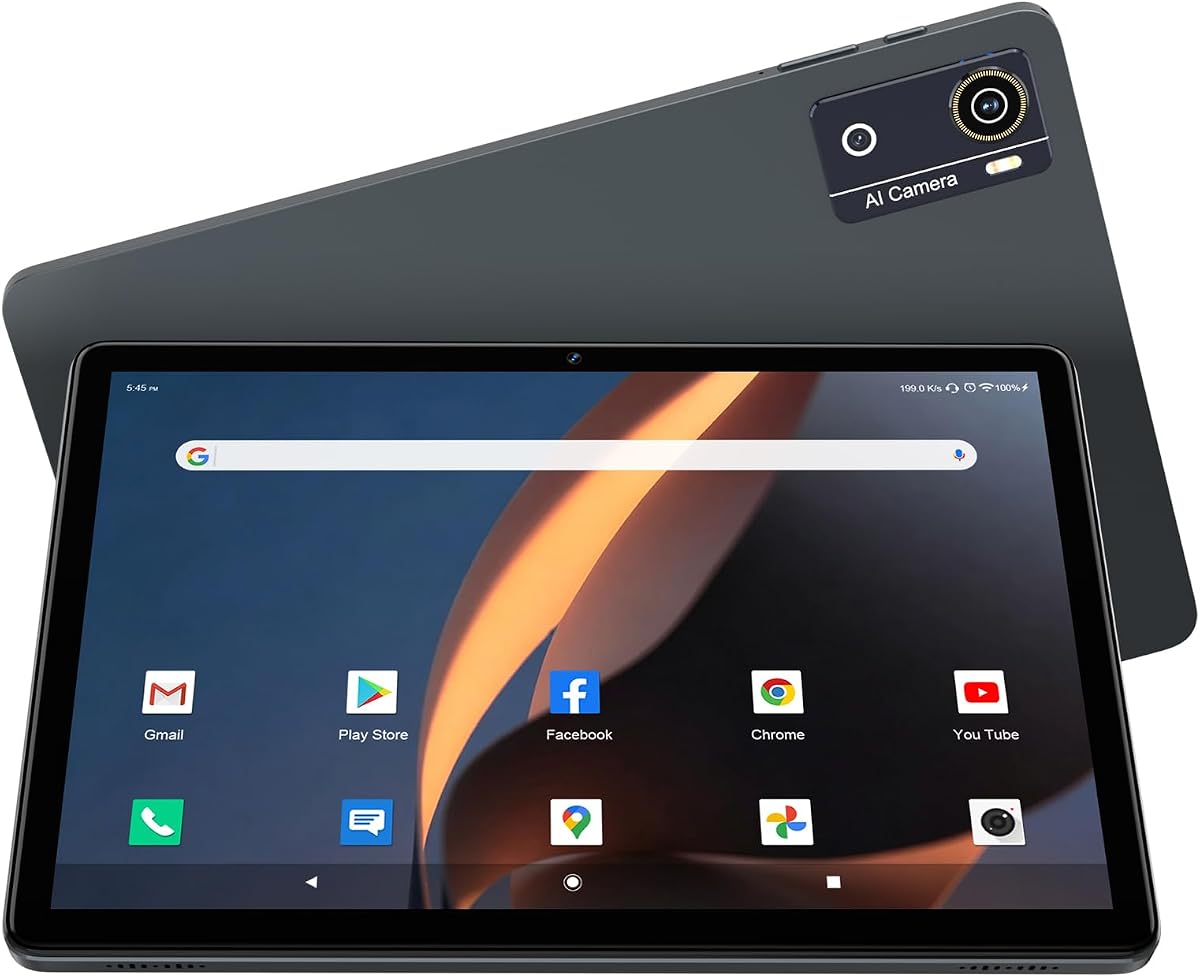


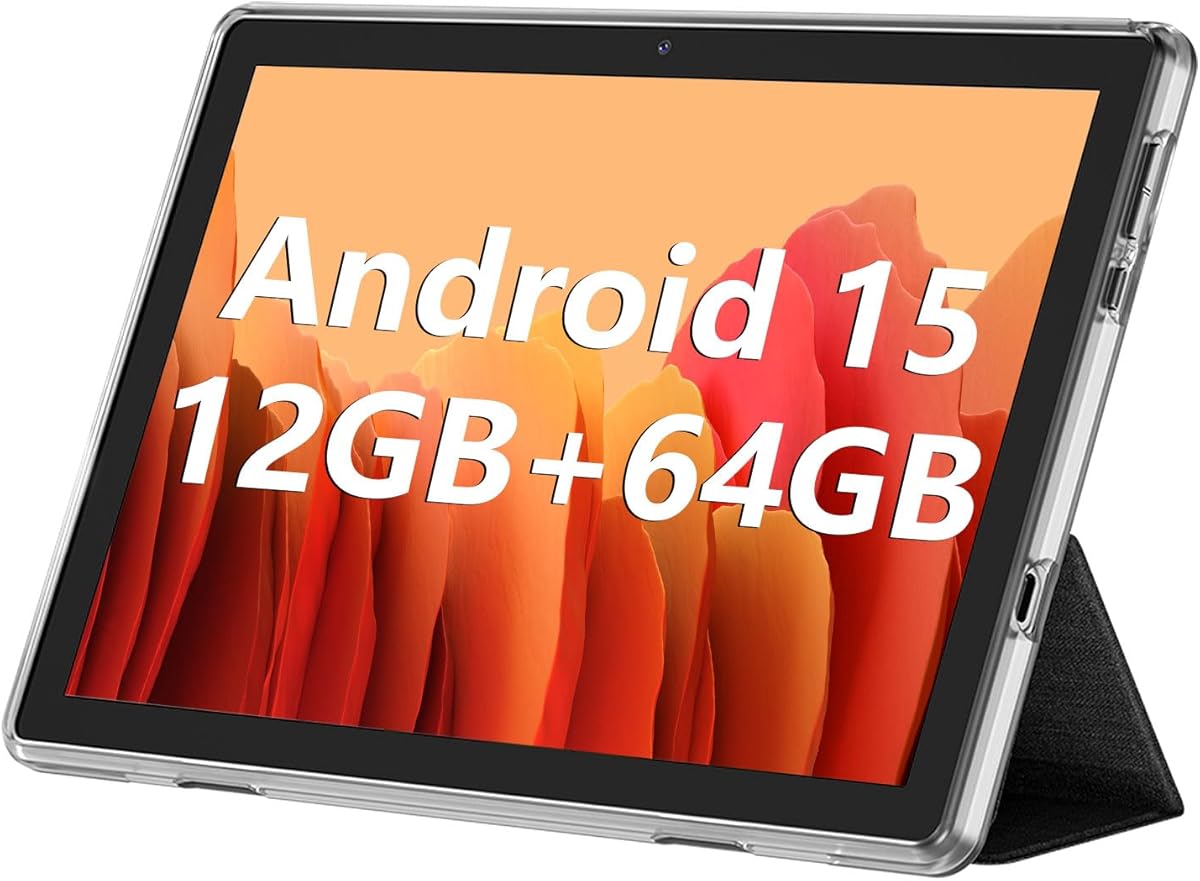
The 2026 Upgraded Android 16 Tablet is a balanced 10.1-inch model for buyers who want modern software, useful cameras, and enough memory for ordinary multitasking. Its supplied rating is 4.2, placing it among the stronger general-purpose options in this list without suggesting category-leading refinement. The combination of 12GB RAM, 64GB internal storage, an octa-core Helio G80 processor, and Android 16 makes it suitable for browsing, streaming, documents, reading, and light gaming.
We may earn a commission when you buy through this link, at no additional cost to you.
Storage flexibility is one of its main practical advantages. The tablet supports up to 1TB of expandable TF-card storage, although the card itself is not included. That makes it possible to keep larger video and music libraries outside internal storage. The 7000mAh battery is also among the larger capacities here, while USB-C charging, GPS, Bluetooth 5.0, and dual-band 5GHz Wi-Fi cover the main connectivity needs of a portable daily tablet.
Its screen is a 1280 by 800 IPS panel rather than a higher-resolution FHD display. For reading, web browsing, standard video, and routine productivity, that is a reasonable compromise, but buyers who regularly work with detailed documents may prefer a sharper panel. The product is also explicitly Google GMS certified and supports the Google Play Store. That broadens app choice, yet it does not necessarily guarantee that the current setup process can be completed without ever linking a Google Account.
This is a strong recommendation for anyone seeking a conventional Android tablet with generous memory, expandable storage, a capable 13MP rear camera, and an 8MP front camera for calls. It is especially sensible for students, travelers, and households wanting a second screen. Check the final setup prompts and the seller’s policy if avoiding Google Account linkage is a strict requirement.
The combination of 64GB internal storage and TF-card expansion gives buyers room to separate media from active files. Expandable storage is especially helpful for downloaded videos, larger music collections, and document archives, though buyers must purchase a compatible card separately.
Android 16, Gemini assistance, split-screen use, face unlock, wireless casting, and dual stereo speakers make the tablet versatile for normal household tasks. These features also explain why Google Account compatibility should be checked carefully if account-free operation is non-negotiable.
We may earn a commission when you buy through this link, at no additional cost to you.
This Android 16 10.1-inch tablet is a clean, uncomplicated option for students, adults, and families who want a conventional large-screen Android device. It carries a 4.1 rating and centers its appeal on 12GB RAM, 64GB storage, an octa-core processor, and a 7000mAh battery. The supplied description also highlights a multi-touch IPS display, dual-band 5GHz Wi-Fi, Bluetooth 5.0, and integrated GPS.
We may earn a commission when you buy through this link, at no additional cost to you.
Its processor is described as an eight-core configuration using Cortex-A75 and A55 cores. Combined with the stated memory, that should suit routine app switching, streaming, online classes, reading, and document work. The tablet supports up to 2TB through a TF card, giving it one of the broadest expansion limits in the group. A card is not listed as part of the package, so buyers should confirm compatibility before relying on external storage.
The tablet provides Google Play Store access and describes its interface as free from bloatware. That makes it approachable, but it also places Google integration at the center of the software experience. If the goal is to operate the device without a Google Account, buyers should confirm whether local functions, third-party app installation, and initial setup remain fully available under the exact firmware shipped with their unit.
It is best viewed as a flexible family tablet for media, browsing, education, and light work. The 10.1-inch size is easier to hold than a much larger slate, the battery is substantial, and the expandable storage provides useful headroom. Its lack of cellular service makes it less attractive for frequent travel, but that limitation is offset by its uncomplicated design and broad storage support.
The stated 12GB RAM gives the tablet room for several ordinary applications, including a browser, messaging, video, and productivity tools. Its eight-core processor further supports the goal of smooth switching without turning the device into a specialized workstation.
Supporting up to 2TB via TF expansion gives the device flexibility for downloaded media and offline files. The 64GB base storage is useful for active apps, while the card acts as additional capacity rather than a replacement for internal storage.
We may earn a commission when you buy through this link, at no additional cost to you.
The 2026 Android 15 Tablet differentiates itself with 18GB combined RAM, 128GB internal storage, and a 10.1-inch 1280 by 800 display. It has a 4.1 rating and is positioned as a versatile Android slate for reading, media, social applications, photography, and communication. The 6GB physical plus 12GB expandable memory configuration should provide ample headroom for ordinary multitasking, although the virtual portion should not be treated as equivalent to dedicated physical RAM.
We may earn a commission when you buy through this link, at no additional cost to you.
Storage is one of the strongest aspects. At 128GB, the tablet has substantially more internal room than many entry-level alternatives, reducing the need to move files immediately to an external card. The 6000mAh battery is advertised as supporting up to eight hours of uninterrupted video playback. Dual speakers, wireless casting, a 3.5mm headphone jack, dual-band Wi-Fi, Bluetooth 5.0, and GPS add a useful mix of entertainment and connectivity features.
The tablet also has GMS certification and a preinstalled Google Play Store, along with support for social and entertainment applications such as YouTube, Facebook, X, and TikTok. That makes it convenient for buyers who want broad app access, but users who want to avoid a Google Account should read the setup documentation carefully. The listing establishes Play compatibility, not a guarantee of completely account-free configuration.
This model suits students, casual creators, and anyone who values internal storage, memory, and a familiar set of ports. Its 5MP rear and 2MP front cameras are adequate for routine use but not especially strong for polished video calls. The older Android 15 platform is still capable for standard tasks, but software longevity may be less attractive than with the Android 16 models.
With 128GB internally and 18GB combined memory, the tablet is well equipped to retain apps, offline media, documents, and photos. This makes it more self-contained than models that rely heavily on expandable storage from the outset.
Dual stereo speakers, a 3.5mm headphone connection, and Widevine L1 support make it a practical entertainment tablet. These details are especially helpful for users who prefer wired headphones or want access to mainstream streaming applications.
We may earn a commission when you buy through this link, at no additional cost to you.
The Tablet 10 Inch Android 16 Tablet has a 4.4 rating, the highest customer rating among the ten products in this guide. Its standout specification is 32GB of combined RAM, split between 8GB physical memory and 24GB virtual memory, paired with 128GB internal storage. This configuration should support busy family use, school tasks, streaming, and multiple open applications.
We may earn a commission when you buy through this link, at no additional cost to you.
The 10.1-inch FHD IPS screen is another advantage over basic HD models. It is paired with an octa-core processor, 6000mAh battery, 5MP front camera, and 8MP rear camera. The included rotating EVA case serves two purposes: it provides protection and creates a 360-degree stand for viewing or typing. That makes the tablet particularly convenient for children, online learning, and shared household use.
Google Kids Space and Family Link controls are important for parents. Buyers can manage application access and screen time, while GPS, Bluetooth 5.0, wireless mirroring, and eye-protection mode round out the feature set. As with other GMS-equipped models, these parental tools may depend on a linked Google family account, so buyers seeking strictly account-free operation should investigate that limitation before purchase.
This is an appealing choice for families that want one sturdy tablet to serve several purposes. The case makes it easier to use on a desk, the memory figure is unusually high, and the FHD screen is well suited to lessons and media. The most important caveat is that 24GB of the advertised memory is virtual; actual multitasking performance still depends on the processor and software, and there is no cellular option.
Google Kids Space and Family Link integration provide tools for creating a more controlled environment for younger users. Screen-time management and app access can make shared tablets less stressful for parents.
The rotating EVA case adds protection while allowing the tablet to stand at multiple angles. That versatility suits video lessons, reading, typing, and hands-free video calls without requiring a separate stand.
We may earn a commission when you buy through this link, at no additional cost to you.
The Samsung Galaxy Tab A11 WiFi Model is the most compact and conventionally branded option in the roundup. Its 4.3 rating is strong, and the 8.7-inch form factor makes it easier to hold than the many 10.1-inch and 13.4-inch competitors. The 1340 by 800 TFT panel runs at 90Hz, offering smoother scrolling than standard 60Hz screens while retaining a suitably sharp resolution for reading and streaming.
We may earn a commission when you buy through this link, at no additional cost to you.
Hardware includes a MediaTek Helio G99 six-nanometer octa-core processor, 4GB RAM, and 64GB storage. A microSD slot supports expansion up to 2TB, and the tablet includes an 8MP autofocus rear camera, 5MP front camera, 5100mAh battery, 3.5mm headphone jack, GPS, and Bluetooth 5.3. It is Wi-Fi only, with no SIM slot, which keeps the design simple and potentially favorable for buyers who do not need cellular service.
There are two important international-version caveats. The listing states that the product has no warranty and that a charger is not included. It also explains that country selection may not be available during setup, that any country can be selected, and that the country can be updated after connecting to Wi-Fi. These details should be considered if the tablet will be purchased across borders or used for travel.
Samsung branding, an established hardware configuration, and the compact display make the Galaxy Tab A11 a good fit for readers, travelers, and users who want a smaller device. It is also a thoughtful option for anyone who prefers not to carry a full-sized entertainment tablet. Confirm accessory needs, regional support, and the exact no-Google setup path before ordering, especially if account-free use is essential.
The 8.7-inch display is easier to hold one-handed than a 10-inch or 13-inch tablet. That makes the Galaxy Tab A11 a practical choice for books, articles, web browsing, and travel where minimizing bulk matters.
The no-warranty status and missing charger are meaningful ownership details. Prospective buyers should check their local protection rights, obtain a suitable USB-C charger, and read the listed setup guidance before the device leaves the box.
We may earn a commission when you buy through this link, at no additional cost to you.
The TECLAST 13.4-inch Android Tablet earns the highest customer rating in the group at 4.5 and offers the most complete productivity-oriented bundle. Its 1920 by 1200 FHD display runs at 120Hz, creating a noticeably smooth surface for scrolling, reading, writing, and media. Low-blue-light technology and a factory-installed tempered-glass protector add value for extended sessions.
We may earn a commission when you buy through this link, at no additional cost to you.
The included Bluetooth keyboard, protective case, and stylus allow the tablet to shift between conventional tablet use and a laptop-like arrangement. Android 16, Gemini AI, split-screen operation, floating windows, and screen mirroring reinforce that productivity focus. The tablet is also GMS certified, supports Google Play, and includes Widevine L1 certification for mainstream streaming services.
Internally, the listed configuration combines 20GB of memory, split between 6GB physical and 14GB virtual, with 128GB of storage expandable by as much as 1TB. The T7280, also identified as T620, is an octa-core processor. A large 8000mAh battery, 4G LTE, dual-band Wi-Fi, Bluetooth 5.0, GPS, USB-C, and a 3.5mm headphone jack create a particularly flexible connectivity package.
The trade-off is size. A 13.4-inch tablet is less convenient to carry than the compact Galaxy Tab A11 or the smaller 10-inch models. It also does not explicitly say that a charger is included, so buyers should inspect the box contents. Even so, this is the most convincing all-round choice for someone who wants one device for work, school, communication, streaming, and travel, with LTE reducing dependence on Wi-Fi.
The 13.4-inch 120Hz FHD display is ideal for documents, browsing, media, and keyboard-based tasks. Widevine L1 certification and low-blue-light technology further strengthen its case as an entertainment and long-session device.
The bundled keyboard, stylus, and case make the tablet useful immediately as a portable workstation. Cellular 4G LTE adds another layer of independence when reliable Wi-Fi is unavailable.
We may earn a commission when you buy through this link, at no additional cost to you.
The Android 16 2-in-1 Tablet stands out for the number of features supplied in the box. It includes a Bluetooth keyboard, mouse, stylus, protective case, charger, and USB-C cable, allowing buyers to use it immediately in either tablet or laptop mode. Its 4.2 rating reflects a broadly capable configuration aimed at students, families, casual users, and buyers seeking a versatile Android device without adding each accessory separately.
We may earn a commission when you buy through this link, at no additional cost to you.
The 10.1-inch 1280 by 800 IPS touchscreen is adequate for browsing, notes, video, and normal productivity. Widevine L1 certification supports HD streaming on listed platforms such as Netflix, Prime Video, TikTok, Disney+, and YouTube. Android 16 runs on a 2.0GHz octa-core processor, while 20GB combined RAM and 128GB internal storage offer enough room for many everyday applications. The memory again consists of 4GB physical plus 16GB virtual capacity.
Connectivity includes 2.4GHz and 5GHz Wi-Fi 6, Bluetooth 5.0, and a 6000mAh battery. Storage can be expanded by as much as 2TB. The 2MP front and 8MP rear cameras cover basic photography and video calls, although image quality is not the priority in this product.
The GMS certification and Play Store access provide a wide application catalog, but account-free setup should not be inferred solely from that certification. Users who require complete Google independence should check the exact Android firmware and setup prompts. Even with that caveat, this is the most generous budget bundle in the roundup and a strong option for turning a basic tablet into a compact productivity system.
The keyboard, mouse, stylus, case, charger, and cable eliminate the need to source each item separately. That makes the package especially attractive for students, workers, and first-time tablet owners.
With 128GB internally, up to 2TB of expansion, and Widevine L1 certification, the tablet can serve as both a media device and a file-oriented productivity machine. A compatible memory card remains a separate purchase.
We may earn a commission when you buy through this link, at no additional cost to you.
The TECLAST T65 is a premium-style large-screen Android tablet with a 4.3 rating. Its 13.4-inch 1920 by 1200 IPS touchscreen uses narrow bezels and TDDI technology, while a 120Hz refresh rate makes scrolling and interface transitions smoother than on conventional 60Hz or 90Hz panels. A factory-installed tempered-glass protector provides a useful first layer of screen protection.
We may earn a commission when you buy through this link, at no additional cost to you.
The hardware specifications are particularly attractive for a device this size. The T65 has an octa-core processor with an A75 chip operating at 2.2GHz, 20GB combined RAM, and 128GB internal storage. It carries an 8000mAh battery and supports 4G LTE, dual-band Wi-Fi, OTG, and GPS. The listed body measures 8.5mm thick and weighs 720 grams, a relatively restrained profile for a 13.4-inch tablet.
Android 16 introduces configurable rights management, sidebar and floating-ball features, gesture controls, global dark mode, and parental controls. The interface is described in accessible terms for seniors, children, and beginners. A factory-installed screen protector, one-year manufacturer warranty, and 24/7 technical support add reassurance. Widevine L1 certification helps with mainstream streaming.
Unlike the other 13.4-inch TECLAST option, the T65 does not advertise a bundled keyboard. That could be an advantage for buyers who prefer a clean tablet or already own an accessory. Its premium case is strongest for streaming, reading, travel, and users who want cellular connectivity without carrying a laptop. Buyers seeking a full work bundle should examine the related keyboard-equipped model instead.
The combination of a high-resolution 120Hz IPS panel, narrow bezels, an 8.5mm profile, and a 720-gram weight makes the T65 more elegant than many large Android tablets. It is still a substantial device, but easier to carry than its screen size initially suggests.
An 8000mAh battery and 4G LTE make the T65 useful for commuting, field work, and travel. Dual-band Wi-Fi provides a good alternative indoors, while GPS supports location-oriented applications.
We may earn a commission when you buy through this link, at no additional cost to you.
The Topsand 10-inch Cellular Tablet is designed for people who need dependable mobile internet and navigation without relying exclusively on Wi-Fi. It carries a 4.0 rating and uses Android 15 with a Helio G80 octa-core processor, 12GB combined RAM, and 64GB internal storage. A TF-card slot supports up to 2TB, while a protective case is included.
We may earn a commission when you buy through this link, at no additional cost to you.
The built-in, unlocked 4G LTE modem distinguishes this model from most Wi-Fi-only tablets in the list. A SIM card is not included, so buyers need a compatible plan and card. For road trips, outdoor work, and locations with weak public networks, that cellular option can be more valuable than a larger internal storage allowance.
The 10.1-inch IPS display offers a 178-degree viewing angle, 16.7 million colors, and a 60Hz refresh rate. Dual stereo speakers, a 3.5mm headphone jack, an 8MP rear camera, and a 5MP front camera make it suitable for entertainment and calls. Multi-constellation GNSS support includes GPS, Galileo, GLONASS, and BeiDou, with A-GPS enhancement and compatibility with Google Maps and Waze.
Android Auto support, wireless screen mirroring, dual-band Wi-Fi, and Bluetooth 5.0 add further flexibility. Gemini is integrated with Google services, while the tablet is described as Google certified with an ad-free interface and Play Store compatibility. That Google orientation makes it less suitable for a buyer committed to avoiding Google Accounts, despite its useful local navigation features. For a traveler comfortable with Google software, it remains a capable choice.
The unlocked 4G LTE modem provides a dependable fallback in vehicles, outdoors, and remote locations. It expands the tablet beyond a home-and-office Wi-Fi device, although a SIM card and service plan are required.
Support for GPS, Galileo, GLONASS, BeiDou, and A-GPS is complemented by Google Maps, Waze, and Android Auto. The wide viewing angle also helps when the tablet is mounted for driving or used outdoors.
We may earn a commission when you buy through this link, at no additional cost to you.
The ECOPAD 10.1-inch Tablet is a straightforward Android 15 option for basic reading, video, communication, and light app use. It has a 3.8 rating, the lowest in this group, so buyers should not expect the same polish or processing headroom as the higher-rated models. Its quad-core processor is the principal reason to consider it primarily for lighter workloads.
We may earn a commission when you buy through this link, at no additional cost to you.
The device combines 12GB of expanded memory, consisting of 4GB physical and 8GB virtual, with 64GB of internal storage. Up to 1TB can be added through a microSD card sold separately. Its 1280 by 800 IPS touchscreen handles standard reading and media tasks, while a 6000mAh battery is advertised to deliver up to eight hours of uninterrupted video playback.
Connectivity includes dual-band 2.4GHz and 5GHz Wi-Fi, Bluetooth 5.0, and GMS certification. The front and rear cameras are listed at 2MP and 8MP respectively, which is sufficient for basic calls and snapshots. A one-year warranty and promised support provide some reassurance, although the lower rating suggests that overall experience may not match the more heavily equipped alternatives.
This is a reasonable last-place recommendation only in the sense that it comes last in this particular ranking, not that it lacks utility. It works best for basic home use, reading, simple communication, and media, especially for buyers who want a lower-cost route to a large Android screen. It is less attractive for demanding games, heavy multitasking, or professional work. Check the setup flow carefully if avoiding Google Account linkage is mandatory.
The IPS screen, 6000mAh battery, and expandable storage cover the fundamental needs of a family or secondary tablet. These fundamentals make the ECOPAD useful for reading, video, and light browsing when a higher-performance device is unnecessary.
The quad-core processor and low customer rating are the main trade-offs. Heavy games, numerous background applications, and demanding productivity tasks are better served by one of the octa-core models with stronger displays and larger accessory bundles.
We may earn a commission when you buy through this link, at no additional cost to you.
Choosing a tablet that works without a Google Account involves more than checking whether the operating system is Android. Buyers should verify the setup process, understand which services are optional, and balance app access, connectivity, display quality, memory, and battery life against their actual routines.
Prioritize devices with clearly described alternative setup methods and local functionality. Do not assume that a Gemini feature, Google Play installation, or Family Link tool can be used without the associated account. The safest approach is to verify the seller’s exact workflow.
Choose a smaller model for mobility and a larger one for sustained work. A 10-inch screen is often the most balanced middle ground for mixed household use.
Prioritize FHD when working with text or media. For smooth scrolling and a more polished feel, favor a stated 90Hz or 120Hz panel.
Treat combined RAM as a broad indicator rather than a direct performance score. Favor enough physical memory for your apps and use expandable storage for media and archived files.
Buy cellular capability for frequent travel or fieldwork. Otherwise, a dependable dual-band Wi-Fi connection is usually sufficient and simpler to manage.
Larger batteries help with travel and long work sessions, but verify that a suitable charger is included. USB-C and a familiar wall adapter may be worth purchasing separately if the bundle is incomplete.
A useful accessory bundle can be more valuable than a small specification increase. Check included accessories, streaming certification, and parental-control requirements before ordering.
Start by reading the quick-start guide and deciding whether the device will be used with or without a Google Account. If account-free operation is important, complete the initial setup without adding an unnecessary account and test the features you need, including the Play Store, local file manager, web browser, Bluetooth, and location services. Avoid signing in merely because a setup screen encourages it unless the associated services are required. If a later prompt is unavoidable, reset the device and follow the seller’s alternative instructions rather than assuming every Android tablet supports an identical workflow.
Once configured, update the operating system and essential apps through the available channels, install a screen lock, and review permissions for the camera, microphone, location, and nearby devices. Use Wi-Fi or cellular data carefully, especially when downloading large videos, and keep a backup routine for documents and photographs. For a TF or microSD card, format it within the tablet’s storage settings, use a high-quality card, and safely eject it before removal. Bluetooth keyboards and mice should be paired in a stable position, while styluses and chargers should be stored separately from tablets to prevent damage.
To maintain the device, clean the screen with a soft, lint-free cloth and avoid abrasive cleaners or excessive moisture. Protect the display with the included or compatible protector and use a case for transport. Do not leave the tablet in direct heat, a cold car, or near a swollen or damaged battery, and use only suitable USB-C power sources. Update the system regularly, review installed applications, and remove anything no longer needed. A one-year warranty is listed for several products, but warranty terms can vary by seller and model, so retain the receipt and packaging.
The supplied specifications establish that most models run Android and support GMS, the Google Play Store, Gemini, or Google services. They do not explicitly guarantee that every model can complete its initial setup without a Google Account. Buyers should check the current setup instructions for the exact tablet and region. Android features such as local media playback, offline files, and third-party applications may remain usable, but actual behavior depends on the firmware and prompts.
GMS certification indicates compatibility with Google Mobile Services and the broader Google application ecosystem. Account-free operation is a separate question concerning what the operating system permits before an account is linked. A GMS-certified tablet can offer excellent app choice while still requiring an account for some setup or downloading steps. Verify both issues independently rather than treating certification as proof of either requirement.
The TECLAST 13.4-inch Android Tablet with Keyboard is the most complete productivity package because it combines a large 120Hz FHD display with a bundled keyboard, case, stylus, 20GB combined memory, 128GB storage, and 4G LTE. The T65 provides a more premium display and portable design but does not list a keyboard. For users who only need occasional typing, a 10-inch 2-in-1 model may be sufficient.
The 8.7-inch Samsung Galaxy Tab A11 is the smallest and lightest-feeling option in the guide, and its Wi-Fi-only design avoids the need for a SIM card. The international-version caveats, lack of included charger, and absence of warranty should be considered before purchase. Travelers needing cellular data can instead choose the Topsand, which includes an unlocked 4G modem but requires a separate SIM.
It can, but the two serve different purposes. Internal storage holds active applications, system files, and frequently used media, while a TF or microSD card is better for downloaded films, music, and archived documents. Most of these tablets include 64GB or 128GB internally. The stated expansion limits range from 1TB to 2TB, and compatible cards are generally sold separately.
The refresh rate mainly affects visual smoothness, not the processor’s underlying computing speed. A 120Hz screen generally makes scrolling, animation, and touch interactions feel more fluid than a 60Hz panel. Performance also depends on the processor, physical memory, software, and thermal behavior. Many buyers are satisfied by 60Hz for reading and standard media, while writers and frequent scrollers may appreciate 90Hz or 120Hz.
A cellular model is advantageous for commuters, field workers, and travelers who regularly need internet outside Wi-Fi coverage. It adds a SIM requirement, possible service costs, and usually a higher specification tier. A Wi-Fi-only tablet is simpler and generally sufficient for a stationary home or office. Whichever route you choose, verify carrier compatibility, SIM requirements, and GPS behavior when the tablet is used for navigation.
Virtual memory can improve perceived multitasking by using storage as an extension of RAM, but it is slower and should not be treated as identical to physical memory. When comparing these tablets, look for the stated physical allocation within the combined figure. The 32GB model has 8GB physical memory, the 20GB models have 4GB or 6GB, and the 12GB and 18GB configurations similarly separate their base and expanded portions.
The TECLAST 13.4-inch Android Tablet with Keyboard stands out as the strongest all-round recommendation because it combines a smooth 120Hz FHD display, a generous accessory bundle, 4G LTE, and an 8000mAh battery. The budget 2-in-1 model offers an impressive keyboard, mouse, stylus, storage, and streaming feature set, while the T65 delivers a refined large-screen experience with cellular connectivity and strong portability for its size.
The most important selection principle is to separate Google compatibility from account-free setup. If you need an alternative setup workflow, confirm it with the seller and current firmware before purchase. Then prioritize the features tied to your daily use: a compact screen for reading and travel, 4G LTE for mobile work, substantial physical memory for multitasking, or a keyboard bundle for productive typing. Storage expansion and Widevine L1 support can add long-term flexibility.
Ratings, package contents, regional availability, and pricing can change over time, so review the current Amazon listing before ordering. Check what arrives in the box, confirm charger and memory-card requirements, and make sure the chosen tablet’s software behavior aligns with your expectations. With those checks in place, the right model can deliver a useful Android experience whether you prioritize low overhead, portability, entertainment, or productivity.