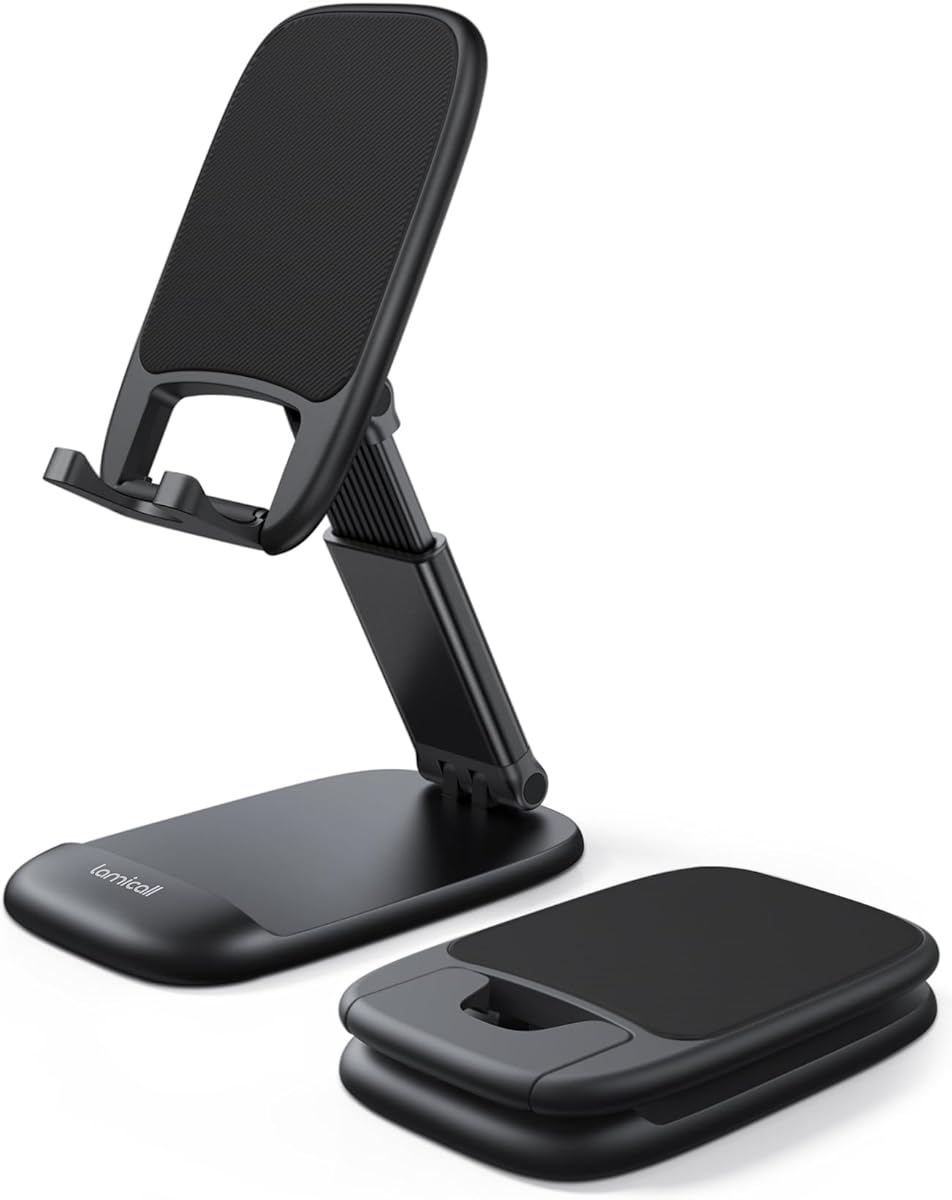
Lamicall Cell Phone Stand for Desk
4.8Editor score
Height and angle adjustable
Folds for easy portability
Weighted metal base
Supports thick cases
An iPhone stand can make FaceTime calls more comfortable by keeping the screen at a useful viewing height and freeing your hands for work, cooking, studying, or relaxation. The best models combine stable support, smooth angle adjustment, case-friendly grips, and a shape suited to your space.
This guide compares ten stands across desk height, rotation, tilt, portability, charging access, device compatibility, and base stability. It covers compact aluminum models, telescoping tripods, magnetic holders, and adjustable stands designed for video calls, recording, streaming, and everyday phone use.
Each recommendation reflects the supplied product specifications, compatibility information, and customer rating. The three featured picks illustrate the strongest options for budget-conscious buyers, everyday users, and magnetic workflows, while current prices and availability can change at any time.
4.8Editor score

4.6Editor score
4.6Editor score
As an Amazon Associate we earn from qualifying purchases.
The comparison below highlights the most important differences among all ten picks, including support height, adjustment style, portability, charging access, and magnetic compatibility, so you can identify the stand that best matches your FaceTime routine.


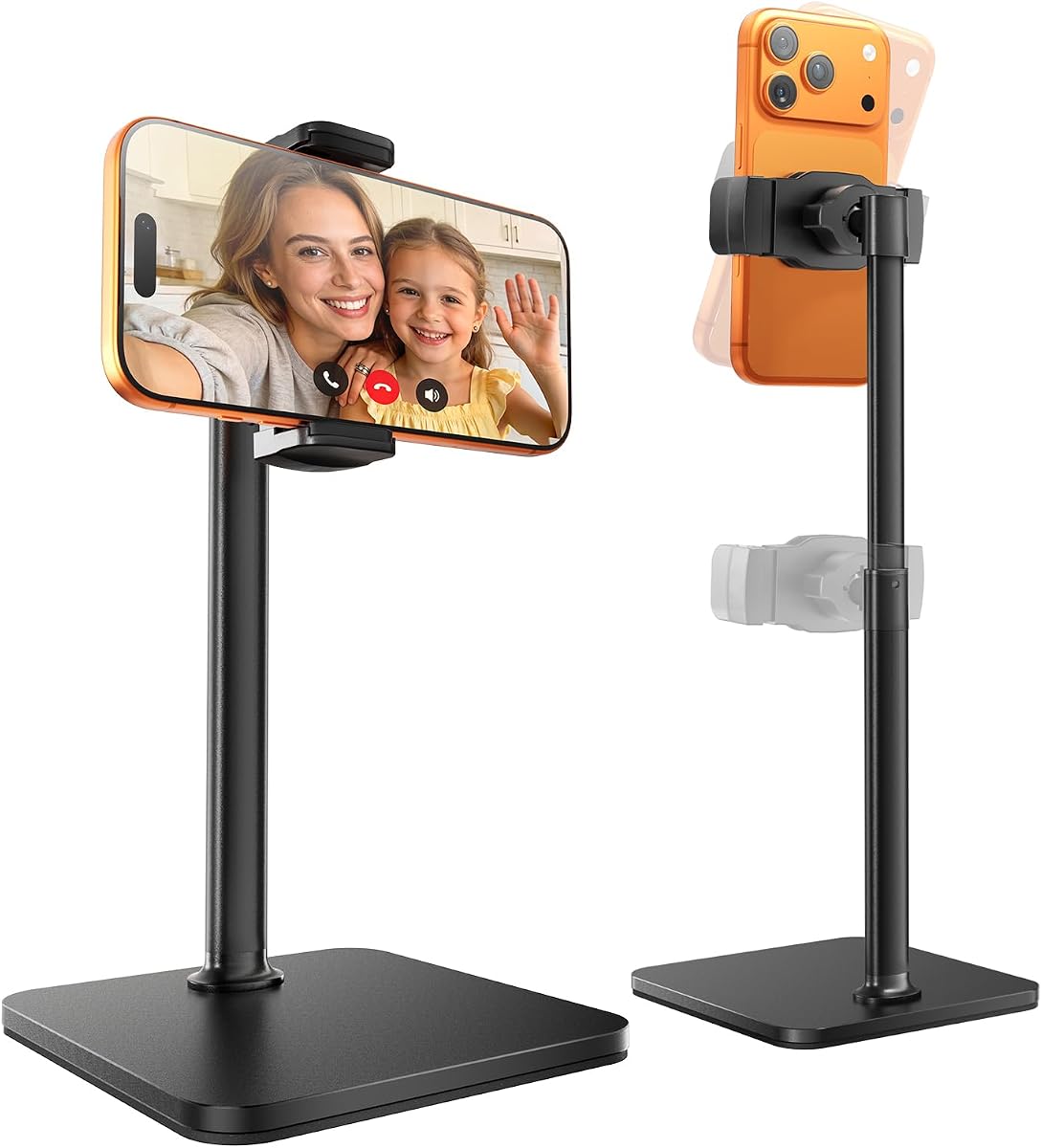

The COOPER ChatStand is a well-rounded desktop stand for FaceTime, with a customer rating of 4.6. Its defining feature is the telescoping height adjustment from 9 to 13 inches, allowing the phone to sit closer to eye level while you work, cook, study, or participate in a call. The stand is positioned as a practical middle ground between compact desk models and full-height tripods.
We may earn a commission when you buy through this link, at no additional cost to you.
Stability is particularly important for video calling because a shifting phone can change the framing or interrupt a call. This model uses a weighted metal base, nonslip padding, and extra-wide holders to resist tipping, sliding, or dropping the device. The wide grip is also more accommodating for users who leave a protective case on their iPhone, while the telescoping structure makes it easy to raise the screen when needed.
Its broad use case is another advantage. The product information specifically identifies FaceTime, Zoom, Facebook calls, TikTok, YouTube recording, family calls, office conferences, content creation, and hands-free cooking as suitable applications. That versatility makes it useful beyond a fixed home-office position. The trade-offs are its larger desk footprint and the fact that it is less convenient to carry than the folding stands later in this guide.
Choose the ChatStand if you want one dependable stand that can handle calls and recording without frequent repositioning. It is especially suitable for people who spend substantial time on video calls, want a more upright viewing position, or need the phone to remain clearly framed while their hands remain busy. For most buyers seeking a balanced desktop option, it is the strongest overall recommendation.
The nine-to-13-inch adjustment makes it easier to align the phone with your gaze instead of looking down at a low device. That can improve comfort during long conversations and reduce the need to hold the phone at an awkward angle.
A weighted metal base and nonslip padding give the stand a steadier foundation than lightweight plastic models. The broad holder further reduces the chance that a case-covered phone will slip during a meeting.
We may earn a commission when you buy through this link, at no additional cost to you.
The Lamicall Cell Phone Stand for Desk combines a 4.8 rating with a design that is easy to recommend to budget-conscious shoppers. It supports phones and tablets from 4 to 8 inches, tilts vertically, and extends up to 3.2 inches. Those features give it enough adjustment for a comfortable FaceTime angle without requiring the larger footprint of a tall desktop tripod.
We may earn a commission when you buy through this link, at no additional cost to you.
One of its most useful qualities is portability. The bi-folding construction collapses to a pocket-sized form that can move between a home office, travel bag, or shared workspace. It is therefore a sensible choice for people who alternate between desk calls, online classes, live streaming, and travel rather than keeping one stand permanently in place.
The support surfaces include enlarged, thickened silicone mats on the backrest, hooks, and base feet. These additions help resist sliding and scratching, while the listed compatibility extends to cases up to 0.71 inches thick. A weighted metal base and telescopic rod add stability, addressing one of the most common weaknesses of inexpensive folding phone stands.
The limitation is its relatively modest height increase. Although it can reduce the frequency of looking down, it may not reach true eye level on a large desk. Its lack of magnetic attachment also makes it less convenient for MagSafe-oriented users. Even so, the 4.8 rating, foldable design, and broad compatibility make it the best budget option for everyday FaceTime.
The folding structure is valuable when your workspace changes. You can pack the stand flat, unfold it at a café or office, and fold it away after the call rather than dedicating permanent space to it.
Thickened silicone contact points protect the device from scratches and reduce sliding. The weighted base and metal rod provide a more grounded setup than many similarly compact stands.
We may earn a commission when you buy through this link, at no additional cost to you.
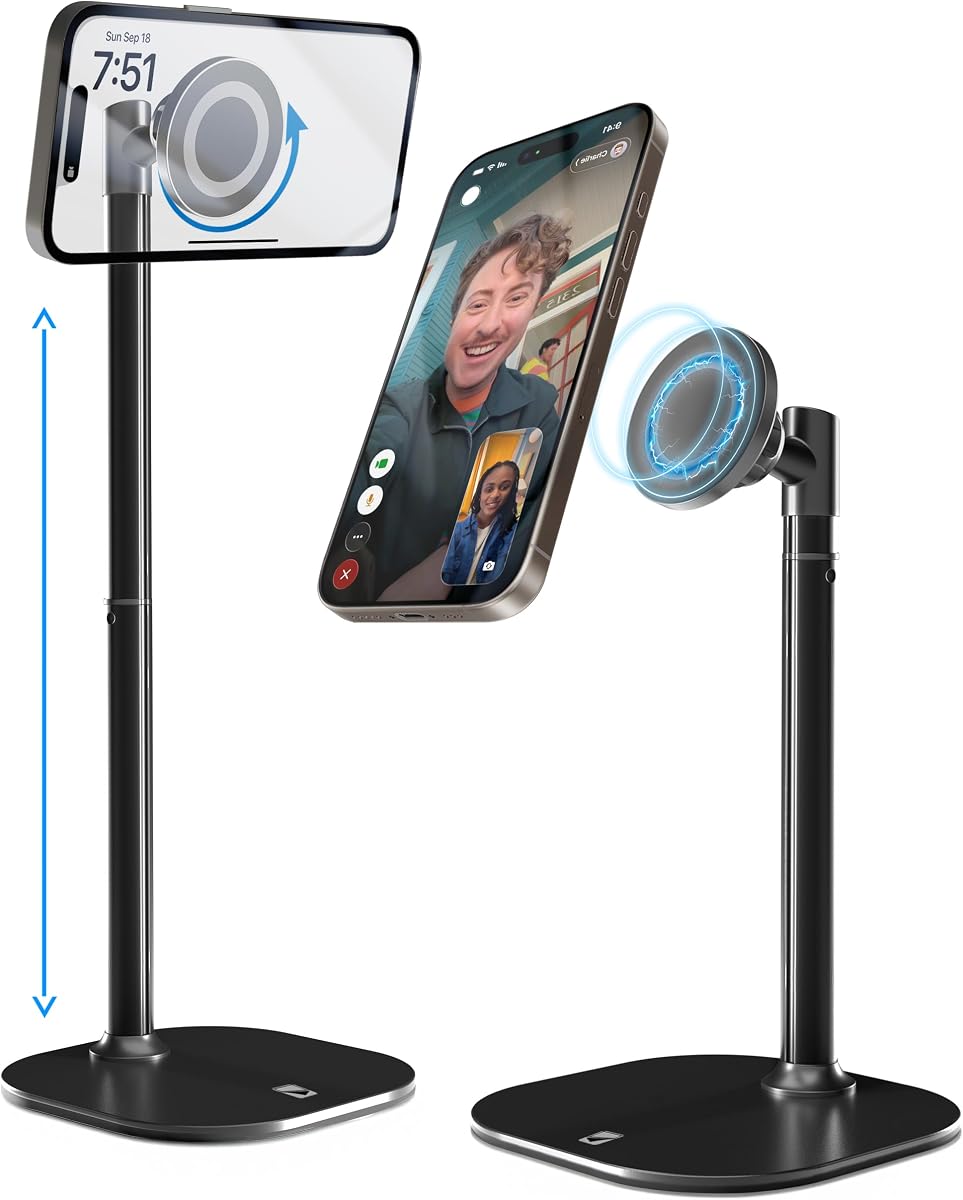
The COOPER MagStand Magnetic Phone Stand is the premium pick in this roundup, earning a 4.6 rating and offering the most specialized magnetic design. It is intended for compatible iPhones, including the listed iPhone 17 series, earlier supported models, and MagSafe cases. The magnetic format allows the phone to attach directly, making positioning for FaceTime unusually quick.
We may earn a commission when you buy through this link, at no additional cost to you.
Adjustment is one of its strongest features. The stand extends from 9 to 13 inches, rotates through 360 degrees, and tilts up to 55 degrees. Together, those movements make it easy to switch between portrait and landscape views, raise the phone for a group call, or point the camera toward a recipe while continuing to use the screen as a reference.
The wide weighted metal-alloy base is paired with EVA padding to reduce tipping and protect the desk. The magnetic connection is described as strong enough to remain attached even when the stand is shaken. This combination of magnetic convenience and a substantial foundation is particularly useful for people who reposition their phone often and want to move it without repeatedly opening a traditional cradle.
The key trade-off is compatibility. The magnetic feature depends on a supported magnetic phone or magnetic case, so it is not the most flexible choice for every user. Nevertheless, for a compatible iPhone, this is one of the most refined desktop stands here and a strong pick for FaceTime, filming, online learning, and kitchen use.
A compatible iPhone can be placed against the magnetic holder without carefully fitting it into a narrow ledge. That makes it convenient to start a call, move the phone between positions, or switch between viewing angles.
The combination of height, rotation, and tilt allows the same stand to serve as a face-level FaceTime support or an angled content-creation tool. It is especially useful for creators recording tutorials, recipes, demonstrations, and live sessions.
We may earn a commission when you buy through this link, at no additional cost to you.
The DIMONCOAT Phone Stand for Desk is built around extensive adjustment, earning a 4.4 rating. Its height extends from 8.66 to 14.96 inches, while the joint supports a 180-degree flip and 360-degree rotation. For FaceTime users, that range makes it possible to move the phone from a low browsing position to a much higher, more natural call position.
We may earn a commission when you buy through this link, at no additional cost to you.
The weighted metal base and matching thickened EVA mat improve stability and help protect the desktop from scratches. An upgraded silicone clip is designed to reduce the chance of a phone falling and accommodates cases up to 0.75 inches thick. This is a practical approach for people who routinely use a protective case and would remove it for no reason.
The stand also supports a wide selection of devices from 4 to 7 inches, including the listed iPhone and Galaxy models. Its flexible joint allows the screen to face the user for calls, reading, and studying, or turn toward work such as livestreaming. The supplied information also mentions a two-year quality promise, adding reassurance for buyers concerned about frequent movement at the joints.
Its larger construction and more complex adjustment system require more desk attention than a simple aluminum cradle. Its 4.4 rating is also lower than the leaders, although that does not negate the useful height range. Choose it when adjustability is your top priority and you want to move between FaceTime, viewing, reading, and live camera positions.
The 180-degree flip and 360-degree rotation give the phone more freedom than stands with a single hinge. You can orient the display toward yourself or rotate the device toward another task without replacing the entire stand.
Although the stand reaches nearly 15 inches, the weighted base and EVA mat are intended to keep it grounded. A nonslip mat beneath the base also helps protect the desktop from scratches.
We may earn a commission when you buy through this link, at no additional cost to you.
The OCYCLONE Phone Stand for Desk has a 4.6 rating and focuses on adaptable positioning plus portability. Four adjustable points let users select low, medium, or high angles for typing, FaceTime, live streaming, watching, and reading. Because the adjustments are distributed across the structure, the stand can resemble different configurations rather than offering one fixed posture.
We may earn a commission when you buy through this link, at no additional cost to you.
Its reinforced construction is paired with nonslip pads on the base and supporting surfaces. Those pads are intended to keep the device steady and protect it from scratches. The stand also supports an unusually broad stated size range of 4 to 13 inches, covering phones with cases as well as larger devices that may be useful for viewing.
A major practical advantage is the reserved charging-port space. The phone can remain on the stand while connected to a cable, making this model appropriate for long meetings, study sessions, recipe viewing, or entertainment. That feature is especially valuable if a FaceTime call runs while the phone needs to maintain its charge.
The trade-off is that it folds down for a pocket, backpack, or laptop bag, making it the most travel-oriented model in the guide. Its flexible multi-point structure may not feel as rigid as a solid aluminum desktop cradle, and larger devices require more care. For users who value adaptability, charging access, and easy packing, it is a compelling FaceTime stand.
Four adjustment points allow the phone to be raised, lowered, tilted, or repositioned for different activities. You can use a lower angle for reading and a higher position when joining a call.
The folding design reduces the space required in a bag and avoids the need to carry a separate desktop tripod. It is a practical option for commuters and hybrid workers who use FaceTime from different locations.
We may earn a commission when you buy through this link, at no additional cost to you.
The LISEN Cell Phone Stand is a compact option for FaceTime users who want an eye-level-style desktop setup without a tall tripod. It has a 4.5 rating and reaches 9 inches overall, with an adjustable height of 7.1 to 8.5 inches. The viewing angle adjusts from 5 to 85 degrees, giving the screen enough movement for calls, reading, and recipe viewing.
We may earn a commission when you buy through this link, at no additional cost to you.
Its charging hole and cable-management design help keep the desk orderly. Rather than leaving the cable stretched awkwardly from the wall to the phone, the cutout gives the connection a cleaner route. The stand is also fully covered with nonskid silicone at the contact points, helping protect the device from scratches and sliding.
The product information describes the stand as useful beside a monitor and specifically mentions FaceTime, Zoom, and video content. The height is relatively limited, however, so it may work best on a lower desk, kitchen counter, or nightstand rather than beside a tall monitor. It is also not as travel-friendly as models designed to fold into a pocket.
One additional consideration is that the product includes a screw and hexagon screwdriver for assembly. The simple design is still useful, but the requirement to tighten the screw makes it less convenient for users who want a completely ready-to-use desktop accessory. Overall, it is a neat, compact choice for shorter calls and organized workspaces.
The charging opening gives the cable a direct path through the stand. This reduces visual clutter and can keep the phone comfortably displayed during a long FaceTime session.
The compact nine-inch form is easier to position on a modest desk or counter. Its broad angle adjustment allows the screen to move from a flatter reading view to a more upright call position.
We may earn a commission when you buy through this link, at no additional cost to you.
The OMOTON C2 stands out with a 4.8 rating, solid aluminum construction, and a clean charging cutout. Its joint permits 270 degrees of rotation, making it easy to orient the phone for FaceTime, videos, or games. Although it does not telescope vertically, the tilting range gives the screen enough freedom to approach a comfortable viewing angle.
We may earn a commission when you buy through this link, at no additional cost to you.
Durability is a major strength. The body uses three-millimeter aluminum and has a relatively broad four-by-three-by-four-point-four-inch shape intended to provide stability. The extended hook supports phones with heavy cases, and the charging opening means the case does not need to be removed merely to connect a cable. That combination is especially practical for people who carry their iPhone in a rugged protective shell.
Larger silicone pads help prevent both scratches and slipping. They also soften the contact between the phone and the metal body. The product information highlights its refined edges and CNC-style finish, giving the stand an appearance that can sit comfortably alongside a professional desktop setup.
Because it has a fixed height and no magnetic connection, it is less flexible than several adjustable or telescoping alternatives. Its main appeal is durable construction, smooth angle movement, case compatibility, and a simple aluminum design that should remain on the desk rather than travel with you. It is an excellent choice for buyers who value a solid, familiar desktop cradle.
The thicker aluminum construction provides a substantial feel and helps the stand resist the flex associated with lightweight plastic. It is well suited to a fixed office or home desk.
The long hook accommodates heavy protective cases, while the charging cutout keeps the cable accessible. Both details are useful for people who keep their iPhone protected at all times.
We may earn a commission when you buy through this link, at no additional cost to you.
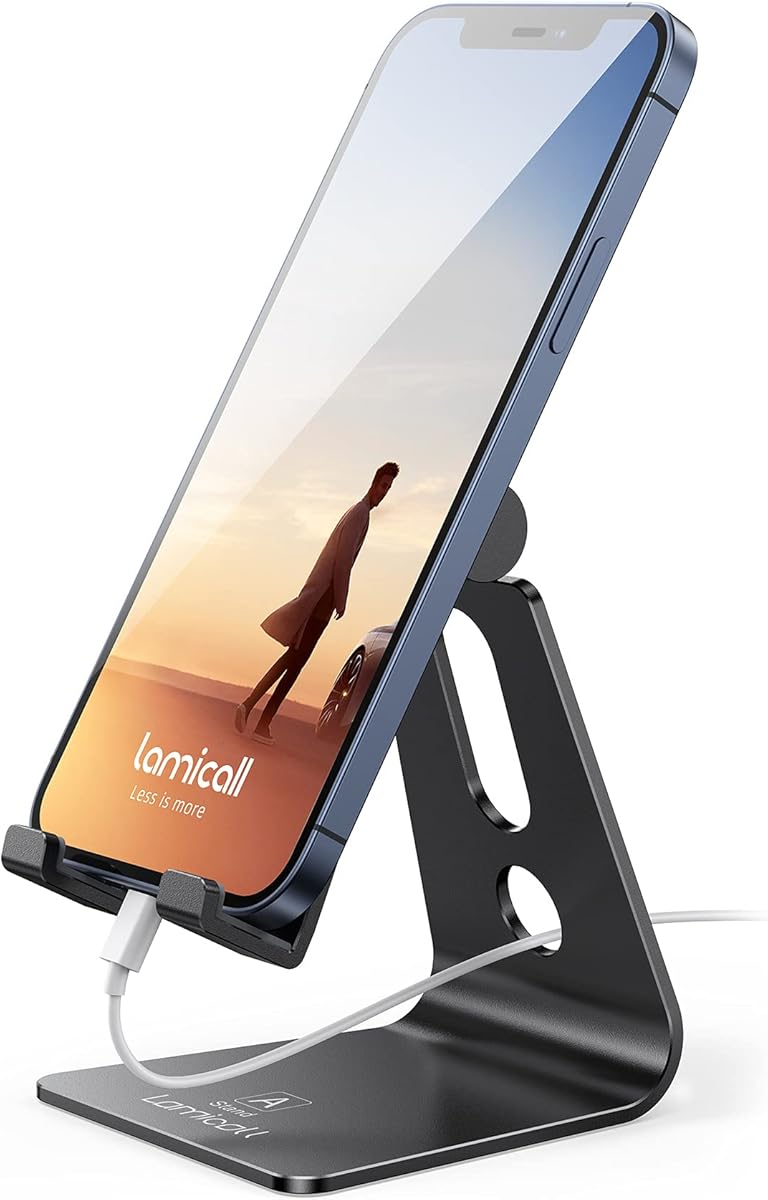
The Lamicall Aluminum Cell Phone Stand has a 4.7 rating and delivers a polished combination of appearance, stability, and broad compatibility. Its aluminum alloy body, smooth edges, and metallic finish are designed to look at home on an executive desk, home office, or kitchen counter rather than resemble a temporary work accessory.
We may earn a commission when you buy through this link, at no additional cost to you.
The stand supports devices from 4 to 8 inches, including the extensive iPhone and Galaxy models listed in the product information. It is described as suitable for calls, movies, recipes, and FaceTime. A low center of gravity helps keep the phone steady, while rubber cushions reduce the chance of scratching or sliding.
There is an important compatibility detail: the hook is 14 millimeters wide, so the device or case should not exceed that thickness. The product information also recommends landscape orientation for a phone larger than six inches. These points matter because the finest viewing angle is less useful if the phone is not securely supported.
This model does not telescope and lacks the magnetic simplicity of the MagStand. However, its elegant construction and stable low-profile design give it a distinctive place in the roundup. It is a strong choice for a permanent desk display, especially if visual presentation and case-aware protection are priorities.
The metallic finish and smoothly shaped edges give the stand a permanent accessory appearance. It is well suited to a visible work area where presentation matters as much as function.
The low-gravity design helps the phone remain secure without requiring a large tripod base. Rubber cushions protect both the device and the contact surfaces during extended use.
We may earn a commission when you buy through this link, at no additional cost to you.
The tounee Phone Stand for Desk has a 4.5 rating and is designed for people who use their iPhone for both communication and content. Its height extends from 8 to 11 inches, and the holder tilts up to 50 degrees. That range supports FaceTime, tutorials, live selling, unboxing, makeup demonstrations, cooking, and product reviews.
We may earn a commission when you buy through this link, at no additional cost to you.
A reinforced weighted base and nonslip silicone pads are intended to prevent the phone from shaking while the user types, gestures, scrolls, or handles objects in front of the camera. This focus on stability makes it more than a basic phone cradle. The minimalist black finish and compact footprint also help it fit naturally into a professional creator setup.
The open-grip design accommodates regular cases without requiring their removal. According to the stated limits, the total device width should be no more than 9.5 centimeters and thickness no more than 1.5 centimeters. Those specifications should be checked against a bulky case before purchase, especially for users who regularly switch between several accessories.
Its maximum height is lower than the DIMONCOAT and COOPER telescoping models, and it lacks magnetic attachment and extensive horizontal rotation. It is nevertheless a versatile option for users who want one stand for FaceTime and recording. The combined adjustment and weighted foundation make it particularly appealing to sellers, educators, and home creators.
The height and tilt controls allow the same support to move from a FaceTime camera position to an overhead or angled recording setup. It reduces the need for separate desktop and filming accessories.
The weighted base is reinforced to resist movement when the user types or gestures. Nonslip pads add another layer of resistance between the stand and the work surface.
We may earn a commission when you buy through this link, at no additional cost to you.
The CreaDream Aluminum Cell Phone Stand earns a 4.7 rating and offers broad compatibility in a straightforward aluminum format. It supports 4-to-8-inch smartphones and e-readers, including the extensive range of listed iPhone, Galaxy, LG, iPad mini, Samsung tablet, Google Nexus, and Kindle devices. That makes it useful for households or workspaces with more than one type of mobile device.
We may earn a commission when you buy through this link, at no additional cost to you.
The stand adjusts through 270 degrees, allowing the phone to move from a low reading position to an upright viewing angle. Its widened hook is intended to fit devices in protective cases better than some basic stands. The aluminum body provides a sturdy frame, while rubber pads on the supporting surfaces and feet protect against scratches and slipping.
It is explicitly suited to FaceTime and YouTube while charging, making it a practical fixed-position support for a desk, kitchen, dining table, or nightstand. However, the product information does not identify a dedicated charging cutout. A cable may therefore need more careful routing than it would with the OMOTON C2 or LISEN.
There is also no telescoping height adjustment, so its usefulness depends more heavily on desk height and placement than it does with a tall tripod. Even so, the 4.7 rating, broad compatibility, adjustable angle, and protective details make it a well-rounded option for a shared or multi-device workspace.
The broad supported size range extends beyond recent iPhones to older models, Android devices, tablets, and e-readers. That versatility is useful in shared spaces or for anyone who does not use only one device.
Rubber pads and feet help keep the phone from sliding and reduce scratching. The sturdy aluminum body supports the device without the flex associated with very lightweight stands.
We may earn a commission when you buy through this link, at no additional cost to you.
The right FaceTime stand depends on where you take calls, how long you talk, whether you use a protective case, and whether you also record or stream. Consider height, viewing angle, stability, portability, and charging access together rather than focusing on a single specification.
A stand is most comfortable when the front camera is close to eye level. Low holders can encourage repeated downward glances, which may become tiring during extended calls. Telescoping models that reach roughly 10 to 13 inches offer more flexibility, especially on a tall desk, while compact aluminum cradles work well when paired with a monitor or placed on a lower surface.
Choose a model with enough height to improve your viewing posture. Pay attention to the maximum height rather than only the collapsed size, and consider whether the stand will sit beside a monitor, on a kitchen counter, or on a nightstand.
FaceTime framing changes when the phone is too low, tilted upward, or pointed away from you. A tilt mechanism helps with desk-height variation, while 360-degree rotation or a 270-degree joint allows the phone to move between portrait and landscape positions. These controls are also valuable for reading, recipes, gaming, and recording.
Look for enough movement to reach your preferred call angle without forcing the phone into an unnatural position. Extensive rotation is particularly useful for people who alternate between FaceTime and video creation.
A stable base is essential because a moving phone can disrupt your framing or interrupt a call. Weighted metal bases, broad footprints, reinforced frames, and nonslip pads are useful features. Compact plastic folding stands are more portable, but they may feel less secure during long calls or when the user gestures frequently.
Prioritize a model that resists tipping and sliding, especially if you will type, cook, or handle objects during a call. A nonslip base also protects the desktop from scratches.
A holder that fits a bare phone but not your everyday case can be frustrating. Compare the stated case-thickness limit, hook width, and supported device dimensions. Magnetic stands require a compatible iPhone or MagSafe case, while open-grip models may accept a broader range of regular cases but still have width and thickness limits.
Measure the width and thickness of your device with its normal case attached. Also check whether larger phones are best used in landscape orientation, as recommended by some aluminum stand manufacturers.
A foldable stand is valuable if you work from different rooms, travel frequently, or want to use FaceTime away from a dedicated office. Bi-folding aluminum models can become pocket-sized, while fully foldable frames are easy to place in a backpack or laptop bag. Taller tripods generally offer better positioning but occupy more storage.
Balance portability against height. If calls always happen at one desk, a heavier fixed stand may be preferable. If location changes frequently, a compact folding design is likely more valuable.
MagSafe-compatible stands allow a supported iPhone or magnetic case to attach quickly without fitting the device into a narrow ledge. This makes repositioning easy and supports rapid transitions between a call, landscape viewing, and recording angles. The magnetic holder must also provide enough structural support to prevent the phone from falling.
Choose a magnetic model if you already use MagSafe accessories or expect to add them later. If your device lacks magnetic support and you do not want to use a magnetic case, a conventional cradle offers broader compatibility.
Long FaceTime sessions can consume battery, particularly with the screen continuously active. A built-in charging cutout or reserved port space allows the phone to remain connected while displayed. OMOTON and LISEN explicitly include charging openings, while OCYCLONE reserves space for a charging connection.
Check whether the opening suits the connector and cable direction used in your workspace. Clear cable routing also reduces desk clutter and prevents a cable from pulling the phone out of the holder.
A versatile stand can reduce clutter by supporting FaceTime, online classes, recipes, video viewing, live streaming, and recording. Taller and more highly adjustable models are often better for creators, while compact aluminum stands can provide a polished permanent display. Kitchen users should prioritize easy cleaning, stability, and a view of recipes.
Choose the simplest stand that covers your regular activities. Additional movement is useful only if you will actually use it, and a dedicated stand can still be preferable when your FaceTime needs are narrow.
Begin by placing the stand on a flat, dry surface and unfolding or extending it fully before inserting the phone. Adjust the height so the camera sits near eye level, then tilt the screen toward you without forcing your neck into an awkward position. For landscape calls, rotate the phone while checking that the holder remains centered and the case is not pressed against the hinge.
Connect a charging cable through a dedicated opening or reserved space when the stand provides one. Route the cable so that it does not pull against the phone, and avoid sharply bending it behind the base. Open FaceTime, select the appropriate camera orientation, and make small framing adjustments before beginning the call. For cooking or hands-free work, test the setup before starting so the phone remains within reach.
Clean the contact surfaces with a soft, lightly damp cloth and dry them completely. Do not use harsh chemicals, and avoid pushing grit or food particles into the hinge or magnetic attachment. Retighten or realign a loose adjustment only after fully collapsing or supporting the stand. Periodically inspect silicone pads, base feet, joints, and case grips for wear.
The ideal height places the phone camera close to your eye level. A stand that extends roughly 9 to 13 inches works for many desks, although monitor height and your own seated position matter more than a universal number. Test the setup before a long call and adjust it while keeping your neck relaxed.
A magnetic stand is convenient if your iPhone or case supports MagSafe-style attachment. It allows quick placement and easy repositioning while you are on a call. If you use a nonmagnetic phone or case, choose a conventional stand with a secure ledge and an appropriate case-thickness allowance.
Yes, provided the stand has sufficient charging access or a reserved cable space. The OMOTON C2 and LISEN have explicit charging openings, while the OCYCLONE leaves room for a connection. Route the cable carefully so it does not tug on the phone or interfere with the viewing angle.
It depends on the model. Several stands list case-thickness limits, including 0.71 inches for the Lamicall folding stand, 0.75 inches for the DIMONCOAT, and 1.5 centimeters for the tounee. Measure the case width and thickness, then compare those dimensions with the stand's stated limits before purchasing.
They are often heavier and feel more rigid, which can improve resistance to flex and tipping. The OMOTON C2 and Lamicall aluminum models use thicker metal construction, while folding plastic or mixed-material stands prioritize portability. The best choice depends on whether you value a fixed desktop presence or easy travel.
The OCYCLONE is designed for frequent travel because it folds into a slim form and offers four adjustment points. The bi-folding Lamicall stand is also pocket-sized when closed. Both are useful for hybrid workers, although taller telescoping models generally provide a wider range of viewing heights.
Position the phone so that overhead lights do not reflect directly into the camera, and adjust the tilt rather than looking down at the screen. A stable stand makes it easier to keep the angle consistent. Avoid placing the phone directly in front of a bright window when a more evenly lit location is available.
A weighted base is helpful when the phone is mounted high, the stand is lightly constructed, or you may gesture while talking. It reduces movement that can change framing. A compact aluminum cradle can still be stable for ordinary calls if its base is placed on a level surface and the device is properly supported.
The COOPER ChatStand is the best overall choice because it combines useful face-level height, a weighted base, wide case support, and versatility across calls and recording. The Lamicall folding stand is the best budget pick for its strong 4.8 rating and exceptional portability, while the COOPER MagStand is the premium option for compatible magnetic phones.
Prioritize camera height, stable support, and the angle range that matches your workspace. Portable users should favor a folding model, heavy-case owners should check thickness limits, and MagSafe users can enjoy faster placement with a magnetic stand. Compact aluminum designs remain ideal for fixed desks where appearance and cable access are important.
Before buying, confirm the stand fits your iPhone and normal case, compare its maximum height with your desk setup, and test the intended camera angle. Prices and availability can change, so check current product listings and recent customer feedback before making a final purchase.