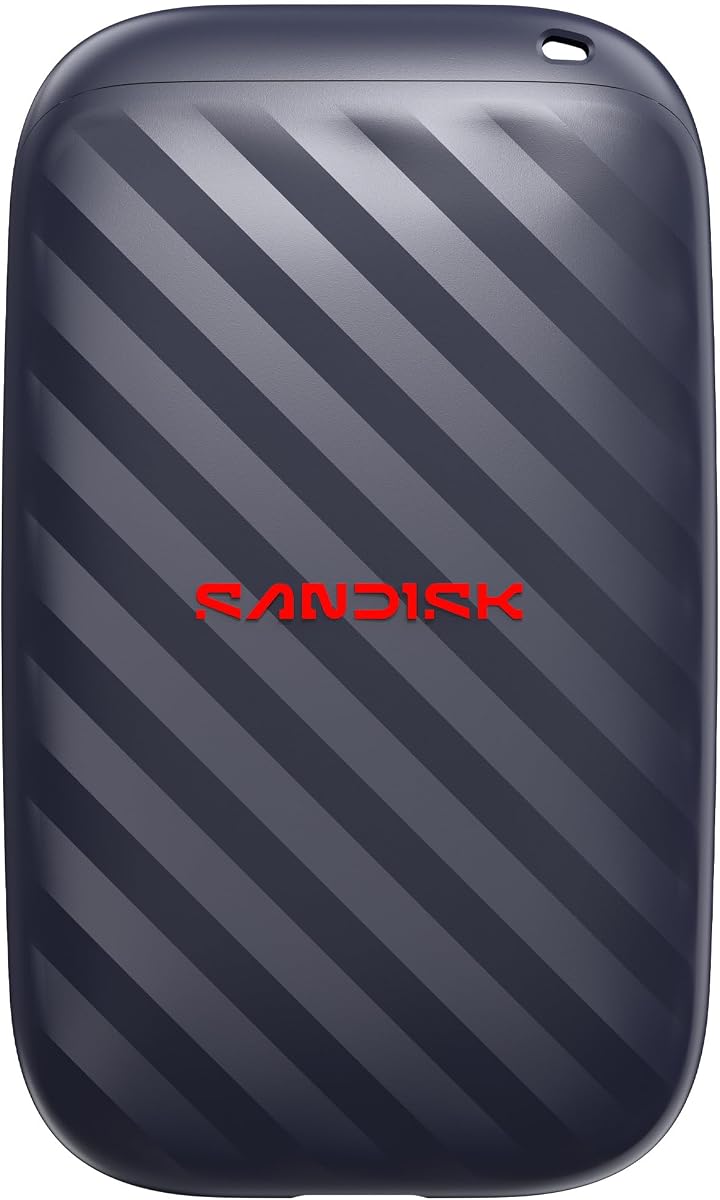
Sandisk 1TB Portable Drive
4.5Editor score
Up to 600MB/s read speeds
Up to two-meter drop protection
Compact USB-C-ready enclosure
Discover the best portable hard drives for storing photos, with 10 expert picks compared for capacity, speed, portability, compatibility, and backup features
Portable hard drives give photographers a practical way to keep high-resolution images, RAW files, videos, and project folders organized away from a computer. The right drive balances usable capacity, transfer speed, physical portability, compatibility, and protection against accidental loss while remaining simple to operate.
The products in this guide were compared using the information supplied by each manufacturer or retailer, focusing on storage capacity, interface, stated read or transfer speeds, dimensions-related portability, supported devices, included software, encryption, backup functions, and warranty details. The list covers conventional hard drives, a phone-focused drive, and a portable solid-state drive.
Each review identifies the most useful feature for photo storage and explains the trade-offs. The top picks favor a balanced everyday drive, a fast compact option, and a capacity-focused budget choice, while later entries address specialized needs such as phone backups, larger libraries, added security, and SSD-level performance.
4.5Editor score

4.6Editor score

4.3Editor score
The comparison below places all ten drives side by side, making it easier to identify the right balance of capacity, transfer performance, portability, compatibility, and protection for a personal photo library.




The Seagate 2TB Portable Hard Drive is an uncomplicated choice for photographers who want meaningful storage capacity without moving up to a large desktop enclosure. Its 4.6 rating reflects a strong overall reception, while the 2TB capacity provides useful room for RAW photographs, edited exports, project files, and a selection of video. The USB 3.0 interface makes it appropriate for routine transfers between a laptop and an external backup location.
We may earn a commission when you buy through this link, at no additional cost to you.
The strongest selling point is how little setup the drive requires. It is designed for both Windows and Mac computers, is automatically recognized after connection, and supports a familiar drag-and-drop backup workflow. No installation is required for basic use, and an 18-inch USB 3.0 cable is included. Those details make it a practical choice for someone who wants to copy a card or editing folder to the drive without navigating a complicated utility.
There are limits to what the supplied specifications establish. The listing does not mention hardware encryption, a stated maximum transfer rate, or advanced recovery features beyond automatic recognition. The product is therefore best viewed as a straightforward, accessible backup drive rather than a specialized security appliance or ultra-fast working drive. Capacity can also appear different depending on how the operating system reports it, which is normal across storage devices.
This is our Editor's Choice because it balances several needs that matter to photo owners: enough room for a substantial library, broad computer compatibility, portable construction, and a straightforward connection process. It suits students, families, travel photographers, and everyday editors who need a dependable second copy. For users requiring phone-first backups, advanced encryption, or extreme transfer speed, one of the more specialized picks may be a closer fit.
A 2TB capacity gives photographers room to organize originals, exported images, contact sheets, and project folders without constantly moving files between devices. It is a versatile middle ground between compact drives and the largest portable hard drives in the guide.
Automatic recognition and drag-and-drop copying reduce the learning curve for new users. The included USB 3.0 cable also means a photographer can begin organizing a backup routine with the supplied equipment rather than searching for a compatible cable.
We may earn a commission when you buy through this link, at no additional cost to you.
The Sandisk 1TB Portable Drive is built for photographers who want fast transfers in a genuinely small package. Its 4.5 rating indicates positive user reception, and the advertised read speed of up to 600MB/s stands out among the portable hard drives in this roundup. That performance can reduce waiting when moving a substantial collection of high-resolution images from a computer to a backup drive.
We may earn a commission when you buy through this link, at no additional cost to you.
Portability is another major strength. The enclosure is described as pocket-sized, which makes it convenient to carry while traveling or working away from a studio. It also has no moving parts, a construction choice the manufacturer associates with improved durability, plus protection against drops of up to two meters. USB-C readiness allows the drive to fit into a contemporary mobile workflow and begin working without a separate setup process.
The main compromise is its 1TB capacity. While enough for selected shoots, recent image files, and an organized subset of a library, it may fill quickly when a photographer stores large RAW catalogs, high-resolution video, or several versions of every edit. The supplied details also do not mention password protection or hardware encryption. Those omissions matter most if the drive will regularly contain unreleased commercial work or sensitive client images.
Best Premium is appropriate here because speed, compactness, and rugged construction create a clear premium proposition beyond basic file storage. Choose this drive when quick backups, portability, and resistance to movement are priorities, but maintain another larger or redundant copy when the entire archive does not fit. It is especially suitable for a working photographer who regularly moves edited files and needs a fast secondary drive on location.
The stated read speed of up to 600MB/s is useful when moving many image files between a laptop and portable storage. It cannot accelerate every part of a backup workflow, but it can reduce the time spent transferring completed shoots.
A pocket-sized enclosure is easier to carry than a larger backup drive, while the lack of moving parts and stated drop protection add reassurance for travel use. It is still prudent to keep the drive in a padded case and maintain redundant copies.
We may earn a commission when you buy through this link, at no additional cost to you.
The Seagate 4TB Portable Hard Drive is aimed at photographers whose libraries have outgrown smaller one- and two-terabyte options. It retains the same approachable design as the 2TB model, including USB 3.0 connectivity, automatic recognition, and cross-platform use with Windows or Mac computers. Its 4.6 rating and generous capacity make it a natural option for maintaining a large local archive of images and video.
We may earn a commission when you buy through this link, at no additional cost to you.
For a photo editor, travel photographer, or content creator, four terabytes offers enough room to keep a working collection together while avoiding frequent archive rotations. The included 18-inch USB 3.0 cable supports simple connection to a laptop or desktop. The listing also mentions a one-year Rescue service, adding a recovery-related benefit that is not described for many simpler portable drives.
The supplied product information does not quote a maximum read or write speed, so it should not be assumed to match the 600MB/s figure listed for the Sandisk. Nor does it describe password protection or hardware encryption. If confidential images require stronger access controls, a drive with clearly stated security features may be preferable. The absence of a stated speed also means the drive is best evaluated primarily for capacity and ease of use.
This Seagate model is a strong fit for photographers who want one portable drive to hold an extensive archive rather than rotate among several smaller devices. Its 4TB capacity, plug-and-play operation, and Rescue service create a useful combination for long-term photo storage. The 2TB version remains more convenient for lighter travel kits, while this 4TB option makes more sense for studio archives, destination backups, and comprehensive personal libraries.
Four terabytes can hold a larger selection of originals, exports, short videos, and related project files than most compact drives. It reduces the need to delete older material simply to make room for a new shoot.
Windows and Mac support and automatic recognition make the drive convenient for photographers who switch between computer systems. Reformatting requirements can vary by workflow, so users should confirm formatting needs before organizing a shared library.
We may earn a commission when you buy through this link, at no additional cost to you.
The WD 2TB Elements Portable External Hard Drive combines a 4.7 rating, the highest listed rating in the guide, with a familiar 2TB capacity. It is positioned for consumers who need to store photos, videos, music, and documents in a small enclosure. The USB 3.2 Gen 1 interface, also identified as USB 3.0 compatibility, gives it a modern connection standard for routine photo transfers.
We may earn a commission when you buy through this link, at no additional cost to you.
Its main attraction is uncomplicated expandability. The drive is described as plug-and-play ready and is intended to work with both PC and Mac systems. A photographer can use it to hold a current season, client project, or completed trip without adopting a complicated storage application. The 2TB capacity is particularly useful for maintaining both camera originals and exported files, provided the library is periodically archived.
Compared with the Seagate options, the information for this model emphasizes portability and broad media storage rather than detailed setup steps or recovery service. It does not mention hardware encryption, password protection, or a maximum read speed. It may also expose more capacity in operating-system displays than users expect because storage manufacturers use decimal capacity calculations. Neither issue changes its suitability as a general-purpose library drive.
The WD Elements is a strong recommendation for someone who values a simple, recognizable, portable format without needing phone-specific hardware. It works well for organizing photos at home, expanding a laptop's limited storage, or keeping a selection of shoots with a client. Photographers seeking stronger security can look to the My Passport or Extreme SSD, while those prioritizing quick copying may favor the faster Sandisk portable drive.
The small, lightweight enclosure is practical for carrying between a home office and a trip. It offers enough room for photographs and documents without moving into the substantially bulkier category of desktop-class storage.
The stated use for photos, videos, music, and documents means the drive can serve as a general archive rather than a single-purpose media disk. Organizing folders by date or project will make the available space easier to manage.
We may earn a commission when you buy through this link, at no additional cost to you.
The 500 GB Portable External Hard Drive is a budget-oriented option for a photographer who needs somewhere to keep a manageable collection of images outside the computer. It has a 4.3 rating and a stated weight of just 0.35 pounds, making the drive attractive for a small travel kit or a simple secondary copy. The included USB cable and quick start guide support immediate setup.
We may earn a commission when you buy through this link, at no additional cost to you.
The drive uses USB 3.0 and is listed with theoretical read speeds up to 110MB/s to 133MB/s and write speeds up to 103MB/s. Those are useful for moving ordinary batches of photos, although they are substantially below the 600MB/s read figure stated for the Sandisk portable drive. Windows users can plug the drive in without installing software, while Mac users are instructed to format it as ExFat first.
Compatibility extends beyond computers to Windows, Linux, Mac, PS4, Xbox One, and Xbox 360. The gaming information is less relevant to photography, but it shows that the drive can support several types of devices. Current-generation PS5 and Xbox Series X|S games cannot be run directly from it, according to the product details, so the drive should be treated as an archive or media device for those newer consoles.
This is the Best Budget pick because it covers the essentials: a portable enclosure, USB 3.0 transfer, simple operation, and broad compatibility. Its 500GB capacity will fill quickly with modern RAW files, so it is best suited to recent shoots, a curated selection of favorites, or a rotating backup. Users should format it appropriately, monitor free space, and preserve at least one additional copy of irreplaceable photographs.
The listed weight of 0.35 pounds keeps the drive convenient to carry. Photographers can use it to bring a current shoot home, although a padded case is still advisable because the specification does not promise formal drop resistance.
A nominal 500GB drive is commonly displayed as roughly 465GB in systems that use binary calculations. Reviewing actual free space before copying a large shoot helps prevent an inconvenient mid-transfer shortage.
We may earn a commission when you buy through this link, at no additional cost to you.
The Seagate 1TB Portable Hard Drive offers a compact middle ground for storing a recent photo collection alongside other media. It has a 4.6 rating, supports USB 3.0, and is listed for personal use with Windows and Mac computers as well as PlayStation and Xbox systems. Automatic recognition and an included 18-inch USB 3.0 cable make it straightforward to add to an existing setup.
We may earn a commission when you buy through this link, at no additional cost to you.
One terabyte is enough for a focused archive of photographs, exports, and documents, especially for a photographer who transfers completed projects rather than preserving an entire multi-year archive. The drive's broader console support may be useful for separating media from limited internal game storage, although the supplied data does not state the level of support for every console model.
Mac compatibility comes with a qualification: reformatting may be required. That is an important consideration for photographers who regularly move between macOS and Windows, because formatting changes how the drive is organized. The product details do not state a maximum read speed or hardware encryption, so the primary value lies in portability, familiar operation, and the included one-year Rescue service.
The 1TB Seagate is most useful for users who need a reasonably compact drive but do not require multi-terabyte capacity. It can handle a recent client archive, a travel collection, or a working folder of edited images. Those building a long-term library should consider the 2TB, 4TB, 5TB, or 6TB options in this guide, while quick-transfer priorities may point toward the Sandisk portable drive.
The capacity is large enough for many recent shoots and edited exports while remaining easier to carry and organize than the larger portable hard drives. It works well as a rotating working archive.
Because reformatting may be required for Mac use, photographers should decide how the drive will be shared before building folders or naming conventions. Reformatting can erase the existing file structure, so it should be done intentionally.
We may earn a commission when you buy through this link, at no additional cost to you.
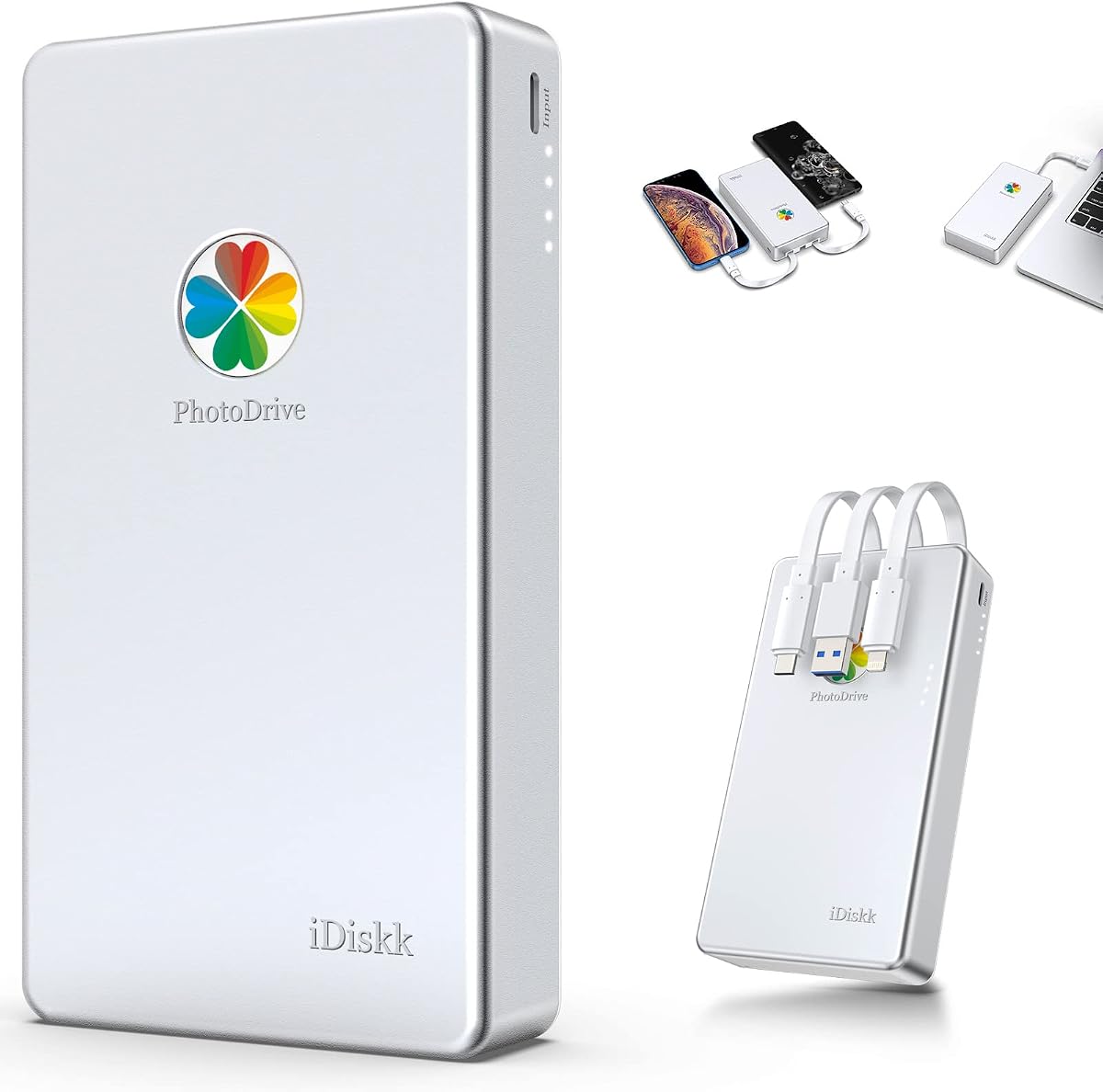
The iDiskk 2TB MFi Certified External Hard Drive is the guide's most phone-focused option. It is designed to move photos, videos, and files among iPhone, iPad, Android, Mac, and PC systems, which makes it appealing to mobile-first photographers who want to clear space on a camera roll without relying on cloud storage. Its 4.2 rating reflects a lower overall score than the leading general-purpose drives, but its specialized feature set is distinct.
We may earn a commission when you buy through this link, at no additional cost to you.
The standout functionality is one-tap backup. Once the drive is connected, the app can automatically back up photos or videos and save only newly added files on future backups, reducing duplicate storage. An in-app camera can capture media directly to the drive. The built-in 5000mAh battery also means the device is designed for more independent use than a basic cable-powered external hard drive.
Data security is another important feature. Users can enable password protection for all data or selected files, and encrypted files are described as invisible on a computer without the proper access. The MFi-certified connector supports a wide range of Apple devices, including current and older listed iPhone and iPad models. The product requires iOS 12.1 or later, and the iPhone workflow involves downloading the iDiskk Player app first.
This drive makes the most sense for photographers who regularly shoot or manage images on a phone, travel without dependable internet access, or want direct local backups outside the camera workflow. It is less straightforward for users who only need a simple computer drive, and the app dependency adds a step. Buyers should also consider the built-in battery carefully: it expands mobile flexibility but introduces another component that requires charging and care.
The one-tap backup function can copy phone albums to the drive and limit later backups to newly added content. That makes routine library maintenance faster without repeatedly moving files that are already stored.
Password protection can apply to all or part of the stored data. This is valuable for personal images and professional material that should not be immediately visible to anyone who accesses the drive.
We may earn a commission when you buy through this link, at no additional cost to you.
The WD 6TB Elements Portable External Hard Drive is the maximum-capacity choice in the guide. It carries a 4.7 rating and is described as the world's first 6TB 2.5-inch portable hard drive. For a photographer with years of RAW files, high-resolution exports, video, and multiple client archives, that amount of space can consolidate a collection that otherwise requires several smaller drives.
We may earn a commission when you buy through this link, at no additional cost to you.
Despite its high capacity, it remains a portable 2.5-inch format rather than a stationary desktop enclosure. USB 3.2 Gen 1, also described as USB 3.0 compatibility, provides a modern interface, while plug-and-play expandability keeps the connection process straightforward. The drive is intended for Windows and Mac systems and can hold photos, videos, music, documents, and other files.
Capacity is the defining benefit, but it can also make organization more important. A six-terabyte drive may contain tens of thousands of images, so a consistent folder system and a regular review of available space are advisable. The supplied listing does not mention hardware encryption, password protection, a maximum read rate, or a recovery service. Users who need stronger security should look to the WD My Passport or another option with clearly listed protection features.
The WD 6TB Elements is a compelling choice for photographers who want maximum local storage in a portable package. It can serve as a central image archive, a travel drive for extensive footage, or a secondary library when a laptop cannot provide enough room. It is less necessary for someone with a modest catalog, but for large libraries it reduces device count and the inconvenience of constantly rotating multiple disks.
Six terabytes gives professional photographers, hobbyists, and families room to preserve many years of images without filling the drive immediately. It is especially useful for RAW files, time-lapse footage, and uncompressed exports.
The 2.5-inch enclosure keeps the unit in the portable hard drive category, although a larger-capacity disk may weigh more than the smaller options. A padded case remains sensible during transport.
We may earn a commission when you buy through this link, at no additional cost to you.
The WD 5TB My Passport is designed for photographers who want large capacity and stronger protection for an important image archive. Its 5TB capacity is enough for extensive RAW libraries, video, and client work, while password protection and hardware encryption help keep the contents private. The product listing also mentions included device-management software with defense against ransomware.
We may earn a commission when you buy through this link, at no additional cost to you.
That security focus distinguishes it from the Elements and Seagate portable models in this roundup. A photographer handling unreleased commercial images can reduce the risk of casual access, and ransomware-defense features add another layer when following a managed backup process. The drive also supports USB 3.1 and USB 3.0-compatible connections, making it suitable for common modern computer setups.
The slim, durable design is intended to help important files travel with their owner. A three-year limited warranty provides more specified coverage than the one-year Rescue service listed for the Seagate models. However, the product information does not quote a maximum transfer speed, so it is difficult to compare its copy performance directly with the Sandisk portable drive or Extreme portable SSD.
This is a strong recommendation for a photographer who wants a single drive to hold a large archive and wants meaningful access controls. It may be less appealing to someone who values an entirely software-free workflow or prioritizes maximum transfer speed. Before relying on the protection features, install and configure the included management software correctly, store important passwords safely, and maintain a second copy of irreplaceable images.
Password protection and hardware encryption make the drive more appropriate for confidential commercial work. These features are most useful when the drive changes hands or travels with its owner.
The included device-management software and ransomware defense can support a more deliberate backup process. Security software is most effective when configured and used consistently rather than left at default settings.
We may earn a commission when you buy through this link, at no additional cost to you.
The Sandisk 1TB Extreme Portable SSD is the performance-focused choice for photographers who transfer and edit files constantly. It has a 4.6 rating and advertises transfer speeds of up to 2000MB/s, far above the stated figures of the conventional hard drives in this guide. The manufacturer also says it can move 1,000 high-resolution photos in under 60 seconds under specified conditions.
We may earn a commission when you buy through this link, at no additional cost to you.
Because an SSD has no moving mechanical components, it is suited to mobile and active work. The Extreme carries an IP65 rating for resistance against spills and dust, along with up to three meters of drop protection. Its pocket-sized body is easy to carry, and the stated resistance specifications offer reassurance for use in a field bag, studio, or edit location.
Security is another advantage. The drive uses 256-bit AES encryption with password protection, making it a strong option for sensitive images. It is also well suited to AI content, high-resolution clips, and photo edits because the high transfer rate can reduce waiting between a computer and external storage. Actual results will depend on the source device, cable, file sizes, host controller, and workflow.
The main limitation is one terabyte of capacity. A photographer working with large video or extensive RAW libraries may need more room, and the Extreme SSD is positioned as a premium device rather than a low-cost bulk archive. It is best for a fast working set, a recent shoot, or an encrypted portable drive. Long-term, high-capacity archiving may be better served by the 4TB, 5TB, or 6TB conventional hard drives.
The stated transfer speed of up to 2000MB/s can make a major difference when moving large batches of high-resolution images or edited media. The benefit is clearest when the computer and connection can support the advertised performance.
An IP65 rating, drop protection, and a pocket-sized enclosure make the Extreme easier to carry between work locations. A protective case can still prevent scratches and accidental loss.
We may earn a commission when you buy through this link, at no additional cost to you.
Choosing a portable photo drive involves balancing how much data you need to carry with transfer speed, device compatibility, durability, security, and the effort required to maintain a dependable backup. The most useful drive is the one that fits your specific workflow rather than simply offering the largest nominal capacity.
Capacity should reflect both the size of your current library and the rate at which you create new files. A 500GB drive is useful for recent shoots or smaller collections, while 1TB and 2TB models suit active working libraries. The 4TB, 5TB, and 6TB options make more sense for extensive RAW archives, video, and multiple client projects. Because operating systems report storage using a different calculation, the usable space shown after formatting will be lower than the advertised decimal capacity.
Transfer speed affects how quickly a completed shoot can be copied, edited, or moved to another location. The Sandisk 1TB Portable Drive lists read speeds up to 600MB/s, while the 500GB drive lists read speeds up to 110MB/s to 133MB/s and write speeds up to 103MB/s. The Sandisk Extreme SSD claims transfer speeds up to 2000MB/s. Real results depend on the source device, cable, file sizes, file system, and host system, so advertised maximums should be treated as an upper limit rather than a guaranteed result.
A portable drive should be easy to carry without becoming the most cumbersome item in a camera bag. The 500GB model lists a weight of 0.35 pounds, while the Sandisk portable drive and WD 6TB Elements are described as pocket-sized or 2.5-inch formats. Capacity can influence weight even when the dimensions remain compact. Consider a padded case, cable management, and a clear label for the drive rather than treating a bare enclosure as impactproof.
Compatibility determines whether the drive can move seamlessly among your computer, phone, tablet, and console. Most options in this guide support Windows and Mac, while the iDiskk is designed around phone and tablet backups and includes an MFi-certified connector. Some drives may require reformatting for Mac use, and the 500GB model specifically instructs Mac users to select ExFat. Check the file system, connector type, and any app requirements before building a library.
Portable drives travel, so construction details matter. The Sandisk 1TB Portable Drive has no moving parts and up to two-meter drop protection. The Sandisk Extreme SSD adds an IP65 rating and up to three-meter drop protection. The WD My Passport emphasizes a slim, durable design, while the Elements models focus on compactness. These ratings are useful distinctions, but they do not eliminate the need for safe transport, careful handling, and a second copy of important data.
Security is especially important for unreleased client work, family photographs, or sensitive personal media. The WD My Passport includes password protection and hardware encryption, while the Sandisk Extreme SSD uses 256-bit AES encryption. The iDiskk offers password-based protection for all or selected data. For drives without listed security features, operating-system encryption can add protection, although setup and key management require care. Never store the only copy of a file on a drive whose password is the only way to access it.
A drive can provide storage for a backup without automatically creating a complete backup strategy. The Seagate 4TB and 1TB models mention a one-year Rescue service, and the WD My Passport includes device-management software with ransomware defense. Automatic recognition and drag-and-drop workflows make manual backups straightforward. Decide whether you need only an archive target or a system that automatically protects new files, and verify what the included software actually does before relying on it.
Warranty length can be one of the simplest ways to compare the supplied options. The WD My Passport lists a three-year limited warranty, while the relevant Seagate models mention a one-year Rescue service, and the 500GB portable drive includes a one-year after-sales warranty. Warranty terms do not replace a sound backup plan, but they provide useful context for a device intended to remain in service across multiple years.
Begin by deciding how the drive will be used and how it will be formatted. Connect it to the primary computer, check the available capacity, and format it with a file system appropriate for the devices involved. ExFat is a common choice for cross-platform use because it supports large files and works with many Windows and Mac systems. The iDiskk includes a Mac Mode workflow, while its iPhone use requires the iDiskk Player app. Create a clear top-level folder structure before transferring a large library.
For a reliable photo backup, copy rather than move when the original is still needed. After a shoot, verify that the expected folder and file count arrived on the drive before deleting anything from the card, laptop, or desktop. You can compare file totals, browse a sample of images, and use checksum verification when your workflow supports it. Keep at least two copies in separate locations, and do not treat a single external drive as the only home for irreplaceable images.
Care for the drive by ejecting it through the computer before disconnecting it, avoiding moisture, impact, and extreme heat, and using a padded case while traveling. A battery-powered phone-focused drive should be charged according to its instructions, and encryption software should be updated and configured before important backups begin. Periodically check the drive for errors, confirm that important folders remain readable, and replace it promptly if a device reports repeated failures or unusual behavior.
It can be enough for a focused collection, recent shoots, or a moderate number of edited exports. Modern RAW files, high-resolution JPEGs, and video can consume that space quickly, so photographers with larger libraries should consider 2TB or more. A practical approach is to use 1TB for a working set and keep an older archive on a higher-capacity drive.
A conventional hard drive is generally a practical choice for high-capacity archiving because it offers more space for a given device size. A portable SSD is better when fast transfers, compactness, impact resistance, or hardware encryption are the priorities. Many photographers use both, keeping a large HDD for archives and a smaller SSD for active work.
Yes, when the drive is formatted with a compatible file system such as ExFat. Some drives may require reformatting before use with macOS, and reformatting can erase the existing organization. The iDiskk also includes a documented Mac Mode, while other products may provide their own setup instructions in the included guide.
It depends on the resolution, format, and quantity of your originals. A professional shooting thousands of RAW images, high-resolution video, and multiple project versions may quickly fill smaller drives. A 6TB model offers fewer drive changes, but it should still be part of a redundant backup system rather than the only place the files exist.
They can be because they contain no moving parts and often provide faster transfers, stronger impact specifications, and hardware encryption. A portable hard drive remains useful for larger archives and may be more economical per terabyte. Whichever type is chosen, a padded case and redundant backup remain essential during travel.
The iDiskk 2TB is designed for this purpose and uses a compatible connector, an app-based workflow, and one-tap album backup. The iDiskk Player app must be downloaded on an iPhone, and the listed compatibility requirement is iOS 12.1 or later. Users should confirm the manual's device-link steps and verify new backups before removing images from the phone.
Storage alone does not guarantee protection. The WD My Passport includes device-management software described as having ransomware defense, but it must be configured correctly, and no storage device replaces sound backup practices. Keep disconnected or offline copies of irreplaceable files, use encryption where appropriate, and never reconnect a drive that reports suspicious behavior without first addressing the issue.
Connect it to a trusted computer, review the reported capacity, open several folders, and confirm that the expected image count is present. Periodically run the drive's available error-checking or management tool and test that a small sample can be copied back to another location. Any repeated disconnect, error, unusual noise, or failure to mount should prompt an immediate backup of important files elsewhere.
The Seagate 2TB Portable Hard Drive is the most balanced overall recommendation because it combines useful capacity, cross-platform support, automatic recognition, and a simple drag-and-drop workflow. The Sandisk 1TB Portable Drive stands out for faster stated reads and a highly portable, no-moving-parts design, while the 500GB external hard drive offers an accessible starting point for smaller or rotating collections.
Specific needs should guide the final choice. Use the Seagate 4TB, WD 6TB Elements, or WD 5TB My Passport for extensive archives, and favor the iDiskk when direct phone and tablet backups are central to the workflow. The WD My Passport or Sandisk Extreme Portable SSD offers clearer security features, while the Extreme SSD is the strongest choice when speed matters more than maximum capacity. Whichever drive is selected, maintain more than one copy of irreplaceable images.
Before purchasing, verify the current listing, stated capacity, connector, software requirements, warranty, and device compatibility. Product details and availability can change, so confirm that the current version still provides the features on which your workflow depends. A good portable drive should make backups easier, not create a false sense that one stored copy is sufficient.