
Seagate 2TB Game Drive
4.5Editor score
Two-terabyte game library
Xbox-certified compatibility
Illuminated game-center design
External SSD Xbox Series X S options compared for capacity, speed, compatibility, design, durability, and everyday gaming convenience.
External SSD Xbox Series X S storage can expand a console library, reduce the need to delete favorites, and provide a convenient home for transferable games. However, not every drive behaves like a native game-drive solution, making compatibility, interface speed, capacity, and supported functions essential considerations.
This guide compares ten external SSDs and game drives selected for the Xbox Series X and Series S. We examined official Xbox integration, direct game play, transferable-game support, USB specifications, capacity, portability, durability, design, and the practical distinctions between dedicated gaming products and general-purpose portable SSDs.
Each review shows where a product stands out, where limitations matter, and which type of player it is best equipped to serve. Rankings reflect the supplied ratings and stated specifications, while current prices can change independently of product quality and should be checked before purchasing.
4.5Editor score

5.0Editor score

4.8Editor score
The comparison below highlights the key differences among official expansion cards, certified game drives, and portable SSDs, including their capacities, connection standards, supported Xbox functions, portability, and standout physical features.


The Sandisk 1TB Optimus GX C50 Storage Expansion Card for Xbox earns the Editor's Choice position because it combines official Xbox Series X|S integration with the kind of internal-style access expected from a purpose-built expansion card. Its 5.0 rating also makes it the highest-rated option in this guide, while the stated support for direct game play and Quick Resume gives it a clear advantage over conventional external drives.
We may earn a commission when you buy through this link, at no additional cost to you.
Its most important feature is seamless integration. The card is officially licensed for Xbox Series X and Series S consoles, allowing compatible games to run directly from it rather than being treated simply as a file repository. Low-latency NVMe performance is designed to align with Xbox Velocity Architecture, while Quick Resume support lets players move between suspended games without losing progress or repeatedly waiting for a title to reload.
The main limitation is obvious but not especially troublesome for the right buyer. This is not a general-purpose SSD that can move casually between a console, laptop, camera, and phone; it is an Xbox expansion card, and its listed 1TB capacity is less than some alternatives. Those constraints are acceptable when the objective is a tidy, integrated way to enlarge an Xbox library without relying on removable storage in a rear USB port.
It is best suited to Series X|S owners who regularly install large games, want direct access to titles stored on the card, and value native console behavior. For that audience, it offers the most convincing balance of official licensing, performance positioning, convenience, and gaming-focused features among the products reviewed.
Because games can run directly from the card, it feels less like an attached peripheral and more like an extension of the console's own storage. That distinction is especially useful for players who want convenient access to multiple installed titles.
Quick Resume support reduces friction when moving among several suspended games. Players can return to their current sessions more quickly and keep the console library organized without constantly exchanging storage.
We may earn a commission when you buy through this link, at no additional cost to you.
The Seagate 2TB Game Drive for Xbox | USB 3.0 (STKX2000400) is the Best Budget pick for players who want substantial storage without paying for a console-specific expansion card. It provides room for a large game collection, carries a 4.5 rating, and is designed to fit neatly into the visual language of an Xbox setup.
We may earn a commission when you buy through this link, at no additional cost to you.
Its 2TB capacity is the central strength. Owners can move games between internal console storage and the external drive, creating a practical game vault and reducing the need to remove and reinstall titles. Xbox certification broadens its appeal because it is compatible with Xbox Series X, Xbox Series S, and every generation of Xbox One, making it easier to carry one library between compatible systems.
The important limitation is that games cannot be played directly from this drive. Its USB 3.0 interface is suitable for transfer and storage duties, but it does not provide the instant game execution associated with native expansion cards or modern high-speed portable SSDs. The product also features a built-in LED bar, which gives it an attractive gaming-center appearance without changing its transfer-only function.
This is a sensible choice for budget-conscious players who mainly want to archive, move, and organize compatible games. The included three-year Rescue Data Recovery Services add extra peace of mind, while the one-year limited warranty provides standard coverage. It is less appropriate for someone expecting games to launch directly from the external device.
Two terabytes gives a collection more breathing room than most one-terabyte choices. It is particularly useful for owners of several large modern titles who want to keep them installed and move them between internal and external storage.
The restrained enclosure and illuminated green light bar complement an Xbox setup. The drive is made to remain visible on an entertainment center rather than disappear into a drawer, without looking out of place beside the console.
We may earn a commission when you buy through this link, at no additional cost to you.
The WD_Black 1TB C50 Storage Expansion Card is the Best Premium pick, combining an official Xbox license, NVMe performance, and a 4.8 rating. It is designed to look and operate like a natural extension of an Xbox Series X or Series S rather than a standard USB accessory attached to the console.
We may earn a commission when you buy through this link, at no additional cost to you.
Official licensing is a meaningful benefit because it indicates that the card has been designed around Xbox storage standards. The stated use of Xbox Velocity Architecture allows games to benefit from faster access and reduced waiting, while the NVMe core supports quick response when moving through a large installed library. Plug-and-play operation also removes much of the setup complexity associated with some external storage devices.
Quick Resume integration is another standout feature. The card allows players to move among several suspended games while retaining progress, which makes a larger library more practical rather than simply more crowded. Its limitation is that one terabyte may be modest for a collection of very large games, and the expansion-card format is purpose-built for Series X|S consoles rather than portable use.
This card suits players who want an integrated Xbox solution and are willing to prioritize native behavior over cross-device flexibility. It may be the most refined choice in the guide for a Series X|S owner seeking official integration, strong performance positioning, and convenient switching between active games.
Licensing indicates that the card was developed with Xbox's standards in mind. That gives buyers confidence that installation, game access, and console features are intended to work together cohesively.
The NVMe core and stated Xbox Velocity Architecture optimization focus on the experience that matters: reducing waits when launching or accessing installed games from the expanded library.
We may earn a commission when you buy through this link, at no additional cost to you.
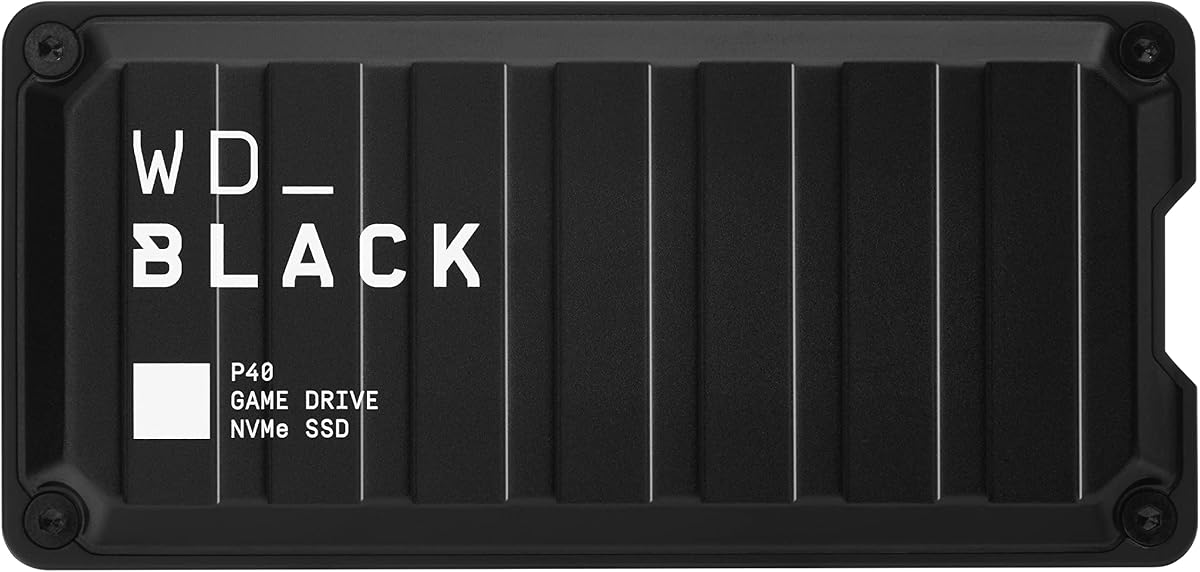
The Western Digital 1TB P40 Game Drive SSD combines strong transfer performance, cross-platform compatibility, and customizable RGB lighting. Its 4.6 rating reflects a well-rounded external drive that appeals to console players who also want to use the same storage with a PC, Mac, or PlayStation.
We may earn a commission when you buy through this link, at no additional cost to you.
The headline interface is USB 3.2 Gen2x2, with a stated read speed of up to 2,000MB/s. That makes it well suited to transferring large game files and other demanding data between compatible devices. The same interface, software, and gaming focus help explain its appeal beyond the Xbox, particularly for owners of multiple modern systems.
Its Xbox compatibility has an important qualification. The product supports Xbox Series X|S for playing and storing Xbox One games and archiving Xbox Series X|S games, rather than presenting itself as a native expansion card. The RGB lighting can be customized through the WD_BLACK Dashboard for Windows, which is visually appealing but excludes Mac users from that particular control.
Choose the P40 when you value one high-speed drive for several devices and like a gaming-centered aesthetic. It is a good portable generalist, but buyers who require direct launch of Xbox Series games should look to an official C50-style expansion card instead.
Cross-platform support makes the P40 useful beyond the console. It can serve as a portable game and file drive across Xbox, PlayStation, PC, and Mac setups, subject to each platform's game-handling rules.
Up to 2,000MB/s read speed supports rapid transfers, while adjustable RGB lighting adds a personal touch to an entertainment center. The visual controls are most accessible from Windows.
We may earn a commission when you buy through this link, at no additional cost to you.
The Lexar ES3 1TB Portable SSD Silver is defined by portability, broad compatibility, and a refined physical design. At 42 grams and 10.5 millimeters thick, it is easy to carry between consoles, laptops, cameras, phones, and other compatible devices, making it useful for more than game storage.
We may earn a commission when you buy through this link, at no additional cost to you.
Its USB 3.2 Gen 2 interface supports up to 1,050MB/s reads and 1,000MB/s writes. Those are solid portable-transfer figures, although they do not reach the 2,000MB/s class offered by USB 3.2 Gen2x2 drives. A Type-C cable is included for straightforward plug-and-play use, and Lexar DataShield software adds 256-bit AES file encryption.
The stated compatibility list includes Xbox X|S, PS4, PS5, Android devices, laptops, cameras, and the iPhone 17 series. Compatibility with newer phone models does not extend to iPhone 14 or older versions, and this silver version does not offer Magsafe. More importantly, it is a general portable SSD rather than an officially licensed Xbox expansion product.
The ES3 is an attractive choice for people who want a small, stylish drive for transferable files and supported game storage. It is less suitable for buyers who expect native Xbox expansion behavior or the fastest possible transfer rates, but its portability and encryption support broaden its everyday value.
The drive weighs only 42 grams and measures 10.5 millimeters thick. That compact footprint makes it easy to keep in a bag, pocket, camera kit, or travel case without adding meaningful bulk.
DataShield encryption and broad device support make the ES3 valuable for creative work, file transfers, backups, and mobile storage. Its broader utility helps offset the lack of native Xbox expansion.
We may earn a commission when you buy through this link, at no additional cost to you.
The Lexar 1TB SL500 External SSD delivers one of the stronger portable specifications in this guide, with up to 2,000MB/s reads and 1,800MB/s writes over USB 3.2 Gen2x2. Its 4.4 rating reflects a capable drive that suits gamers and creative users who want a slim format without giving up high transfer performance.
We may earn a commission when you buy through this link, at no additional cost to you.
The interface can substantially reduce time spent moving large files when the host device also supports USB 3.2 Gen2x2. Compatibility includes Xbox X|S, PS4, PS5, compatible iPhone 15 and 16 series, laptops, cameras, and other mobile devices. It can also support direct Apple Pro Res recording up to 4K at 60FPS with specified iPhone Pro models.
Thermals receive specific attention through Lexar's Unique Thermal Control Design. Sustained performance can decline when a drive becomes hot, so this feature helps maintain consistency during demanding transfers. The slim, durable metal enclosure is designed to remain portable, though actual transfer speed can be lower on hosts that lack the required interface.
The SL500 is a strong portable generalist for owners who move games, footage, and working files between devices. Xbox users should understand that it is not an official native expansion card. It is best for compatible transferable game storage and fast general file handling rather than direct launch of every Xbox Series title.
The headline transfer rates depend on compatible hardware. Using the drive with a system that supports only an older USB standard will produce lower results, so interface matching is essential.
The metal housing keeps the drive compact, while the thermal design addresses heat during demanding activity. Together, they target a portable drive that can handle more than occasional document transfers.
We may earn a commission when you buy through this link, at no additional cost to you.
The Samsung T7 Portable SSD 1TB Titan Gray combines a strong 4.7 rating with a durable aluminum design and speeds up to 1,050MB/s. Although it is not marketed as an official Xbox expansion card, it is a capable portable drive for supported game storage and a much broader collection of creative and everyday tasks.
We may earn a commission when you buy through this link, at no additional cost to you.
Samsung's T7 combines PCIe NVMe technology with a USB 3.2 Gen 2 interface. It can also record ultra-high-resolution 4K video at 60fps directly from compatible cameras and mobile devices, including supported iPhone 15 Pro models. This makes it a more versatile tool than a console-only game drive.
Durability is another advantage. The solid aluminum unibody construction provides shock resistance and fall protection up to six feet, which is reassuring for a device likely to travel between a console, desktop, and camera kit. Samsung also states that its firmware and components are produced in-house, including DRAM and NAND.
The T7 is best for buyers who want a dependable portable SSD with strong general-purpose performance rather than native Xbox functionality. It can support compatible Xbox storage workflows, but it cannot replace an official expansion card for directly running games. Its one-terabyte capacity is still useful for a portable subset of a larger collection.
The aluminum unibody and stated six-foot fall protection suit frequent travel. The drive is built for a mixture of console storage, backups, creative files, and high-resolution recording.
Direct 4K recording and broad device support make the T7 relevant to photographers and video creators. That versatility strengthens its value even when the Xbox is only one part of a larger storage setup.
We may earn a commission when you buy through this link, at no additional cost to you.
The Western Digital 4TB P50 Game Drive SSD is the clear high-capacity option in this guide. With four terabytes and a 4.7 rating, it targets players who want to preserve an extensive game library on one portable external SSD rather than repeatedly reorganizing smaller drives.
We may earn a commission when you buy through this link, at no additional cost to you.
Stated read speeds reach 2,000MB/s over a SuperSpeed USB 20Gb/s interface, which can make large transfers efficient when connected to a suitable host. The drive is purpose-built around gaming, with a portable, shock-resistant enclosure and a design aimed at reducing loading delays and improving access to an extensive collection.
Capacity is both its defining advantage and a practical consideration. Four terabytes can hold many current and older games, but the larger drive is naturally less convenient to carry than a one-terabyte model. The included 18-inch USB Type-A to Micro-B cable supports SuperSpeed up to 5Gbps, so a buyer may need a different cable to exploit the drive's full 20Gb/s interface on compatible systems.
The P50 is a good match for a dedicated gaming-library drive, especially for owners of numerous large games. Its 4.7 rating and high stated speed support that positioning. It is less appropriate for light users or anyone who prioritizes the smallest possible pocketable form factor.
Four terabytes reduces the pressure to delete completed games or move them between drives constantly. It is well suited to large installations, cataloged backlogs, and players who maintain multiple Xbox generations of titles.
The included cable's 5Gbps maximum does not match the drive's full 20Gb/s interface. For maximum transfer performance, a compatible host and appropriate cable may be necessary.
We may earn a commission when you buy through this link, at no additional cost to you.
The Crucial X10 Pro 1TB Portable SSD has the highest stated read speed in the guide at up to 2,100MB/s, along with a 2,000MB/s write rate. Its 4.0 rating is the lowest among these ten products, but the specification sheet shows a durable drive aimed at professionals, content creators, and users who need flexible cross-platform storage.
We may earn a commission when you buy through this link, at no additional cost to you.
Physical protection is a major strength. The drive carries an IP55 rating for water and dust resistance, is drop resistant up to seven and a half feet, and includes a lanyard loop for easier handling in the field. An activity light provides a quick status indication, while password protection adds useful security for sensitive files.
Compatibility includes Windows, Mac, iPad Pro, Chromebooks, Android, Linux, PS4, PS5, and Xbox connections using USB-C and USB-A. The included software bundle adds three months of Mylio Photos plus and Acronis True Image when the drive is purchased and registered, making it more useful for creative backups than a basic console accessory.
The X10 Pro is best for users who need one durable, fast drive for Xbox-compatible storage, professional files, and portable backups. It is not a native Xbox expansion card, and its lower listed rating suggests it may not offer the same polished console-specific experience as the leading C50 options. Its strongest appeal lies in speed, resilience, and broad utility.
IP55 protection, a two-meter drop rating, and a lanyard loop make the drive more practical for filming locations and busy work environments. Its construction is intended to tolerate the realities of portable use.
High transfer speeds suit large creative files, while broad platform support lets the same drive move between Xbox, desktop, mobile, and Linux workflows. Native Xbox expansion remains outside its stated design.
We may earn a commission when you buy through this link, at no additional cost to you.
The Lexar 2TB ES3 External SSD offers a balanced combination of capacity, portability, and everyday transfer speed. Its 4.5 rating, 2TB storage space, and up to 1,050MB/s reads make it a practical option for users who want more room than a one-terabyte portable SSD without moving to a larger gaming-focused model.
We may earn a commission when you buy through this link, at no additional cost to you.
A 2-in-1 USB-C and USB-A cable supports a range of devices, while the USB-C interface helps simplify connections to compatible modern hardware. The drive is advertised as up to 9.5 times faster than a hard disk drive, a useful comparison for file-heavy users, and its stated read and write speeds reach 1,050MB/s and 1,000MB/s respectively.
Thermal management is handled through double-layer graphite sheets that conduct heat away from the internal storage. The enclosure is also drop resistant up to two meters, adding durability for travel and everyday handling. As with the ES3's other listed product details, this model does not provide Magsafe and should not be treated as a native Xbox expansion card.
This ES3 version makes sense for Xbox owners who want a compact two-terabyte drive for supported transferable games, alongside backups and media. It is especially attractive when a buyer values capacity and heat management more than the highest interface speed or official console-card integration.
Two terabytes provides a more comfortable game and file backlog than the one-terabyte options, while remaining in a portable external SSD format. It suits users who want a balance of storage and convenience.
The graphite-sheet system is designed to dissipate heat during fast activity. Managing temperature helps the drive maintain performance during repeated large-file transfers rather than relying on speed alone.
We may earn a commission when you buy through this link, at no additional cost to you.
The right external storage choice depends on whether you prioritize direct game access, large capacity, portability, cross-device use, or simply affordable game organization. Reviewing these factors before buying helps prevent an expensive compatibility surprise later.
An officially licensed expansion card is the most integrated option for an Xbox Series X or Series S. The Sandisk Optimus GX C50 and WD_BLACK C50 are designed to support direct game access, Quick Resume, and the console's storage architecture. This approach feels more like additional console storage than a conventional peripheral, which is valuable when direct launching of installed games is a priority.
Choose a native expansion card when seamless integration and direct play matter most. Check the console model, supported game types, and capacity before purchasing.
Not every external SSD can run Xbox Series games directly. Some products act as a vault where compatible games are moved for storage and later transferred back to internal console storage. The Seagate Game Drive explicitly states that games cannot be played directly from it, while several general-purpose portable SSDs also have platform-specific game limitations. A high headline transfer speed does not automatically make a drive a direct-play device.
If direct game access is essential, select an expansion card. If you mainly need a place to store and move games, a portable SSD or certified game drive may be sufficient.
Modern games can consume a large amount of console storage, so capacity should be chosen around the size and number of games you want to keep installed. One terabyte is a practical minimum for a modest portable selection, two terabytes offers more breathing room, and four terabytes is aimed at extensive libraries. Capacity also affects the physical size, weight, and general portability of a drive.
Estimate how many games you want to keep available, then leave additional room for future releases. Choose greater capacity for a stationary game vault and prioritize compactness for frequent travel.
The interface determines how quickly a portable SSD can move data to and from a compatible host. USB 3.2 Gen 2 products in this guide reach up to 1,050MB/s reads, while Gen2x2 models such as the Lexar SL500 and WD_BLACK P40 reach up to 2,000MB/s. The Crucial X10 Pro advertises up to 2,100MB/s reads. Actual results depend on the host, cable, usage, and drive capacity.
Match the interface to your computer or console setup and verify cable requirements. Faster specifications are valuable for large transfers but do not change whether a drive supports direct Xbox game execution.
A drive that travels between locations has different requirements from one that remains beside the console. The Lexar ES3 1TB weighs 42 grams and is 10.5 millimeters thick, making it particularly compact. Other choices emphasize durability, including IP55 resistance, two-meter drop ratings, or six-foot fall protection. A clean enclosure and coordinated lighting can also help a drive fit naturally into an entertainment center.
Frequent travelers should prioritize small size, low weight, and shock resistance. A stationary drive can prioritize capacity, cooling, lighting, and a larger physical footprint.
Portable SSDs are exposed to impacts that desktop storage never encounters. Samsung cites shock resistance and fall protection up to six feet for the T7, the Crucial X10 Pro is rated for drops up to seven and a half feet and carries IP55 protection, and both Lexar ES3 listings state two-meter drop resistance. These claims provide useful context, although a protective case and careful handling remain sensible.
For frequent travel or field work, look for documented impact and environmental ratings. Do not assume every shock-resistant enclosure is fully waterproof or dustproof.
General-purpose SSDs can be valuable for more than console storage. The WD_BLACK P40 supports Xbox, PlayStation, PC, and Mac, while the Samsung T7 and Lexar products extend into cameras, mobile devices, and creative workflows. Compatibility does not mean every game function is identical on each platform, so software restrictions and archive rules still apply. A native Xbox card is more specialized and less portable between device categories.
Choose a multi-platform SSD if you share files across consoles, computers, phones, and cameras. Choose an expansion card when the Xbox is the only intended system.
Game storage may share a drive with backups, personal files, and creative work. The Lexar ES3 includes DataShield 256-bit AES encryption software, while the Crucial X10 Pro includes SSD password protection. The Seagate Game Drive includes three years of Rescue Data Recovery Services and a one-year limited warranty. These features should be considered alongside capacity and speed when the drive will hold more than game files.
Use encryption for sensitive data and look for included recovery or warranty support. A gaming drive's design should not be confused with a full backup solution.
Begin by confirming that the drive supports your exact console and the games you want to manage. Native expansion cards belong in the console's dedicated expansion slot, while portable SSDs connect through a compatible USB port. Follow the console's storage prompts to format or recognize the device, and install any required Lexar encryption or protection software before storing important files.
For portable drives, use the cable recommended for the target device and a port capable of the drive's advertised interface. To optimize transfer speed, connect the drive directly rather than through an unpowered hub, avoid interrupting a transfer, and allow enough free space for temporary operations. When moving games, follow the console's transfer or archive process instead of manually relocating folders.
Protect the drive by keeping its connector clean, avoiding sudden removal while files are active, and giving it a stable place to rest. Use the enclosure, pouch, or lanyard suited to your travel pattern, and do not expose a product beyond its documented water, dust, or impact limits. Periodically check available space and back up irreplaceable files to another device.
Yes, but only with products and games that explicitly support direct play. The Sandisk Optimus GX C50 and WD_BLACK C50 are designed as official Xbox expansion cards and can run games directly from the card. Standard external SSDs and transfer-oriented game drives may require supported games to be moved to internal storage before they can be played.
Not always. Transfer speed can be high while the Xbox remains limited by its own interface, game requirements, and storage architecture. Native expansion cards offer a more direct path because they are designed around Xbox Velocity Architecture, while portable SSD speed mainly affects how quickly files can be moved. Always check whether a product supports the exact feature you need.
One terabyte is suitable for a limited portable selection, while two terabytes provides more room for a substantial collection. Four terabytes is better for extensive libraries or owners who want to minimize deletion and archiving. The best size depends on the number and size of your games, whether you also store other files, and how often the drive needs to travel.
Official expansion cards are usually better for direct game access, Quick Resume, and a console-integrated experience. Portable SSDs are better for portability, cross-device file storage, faster general transfers, and creative work. The right choice depends on whether native gaming convenience or broader flexibility matters more to you.
Many general-purpose SSDs support both consoles and PCs, but formatting and game rules can limit interchange. Xbox storage may be prepared in a console-specific format, while a PC may require a different file system. Expansion cards are primarily designed for their specified console. Check the manufacturer's formatting guidance before switching a drive between systems.
No. The stated figure is a maximum read-speed condition and may vary by host device, usage pattern, capacity, and other factors. Xbox loading performance also depends on the drive's platform support, the game's requirements, and the console's internal storage. A faster portable SSD is most useful when moving large files or accessing compatible transferable games.
An SSD generally offers much faster transfer performance because it has no moving parts, while a hard drive may be slower and more susceptible to impact during travel. The choice also depends on capacity, cost, and whether you need direct play. For a console, compatibility and supported functions should take priority over raw speed alone.
Use the console's built-in storage management interface and follow its prompts to transfer supported games. Do not manually move game folders from the console's internal storage, as that can break permissions, updates, or save associations. After moving a game, verify that it appears correctly and can be launched from the intended storage location.
The Sandisk Optimus GX C50 is the strongest all-around choice for direct access, official integration, and Quick Resume, while the WD_BLACK C50 is a close alternative with polished native expansion features. The Seagate 2TB Game Drive stands out as the practical budget option for players who want room to organize and transfer games rather than run them directly.
Prioritize the function you actually need before comparing interface speeds. Choose a C50-style expansion card for native Xbox behavior, a larger portable SSD for capacity and cross-device use, or a certified game drive for affordable transfer storage. Portability, cooling, durability, encryption, and included cable details can then narrow the field further.
Before buying, confirm the console compatibility, supported game functions, capacity, and required connection standard. Current prices can change and may shift the value of one product relative to another, so checking the latest listing and warranty information is an essential final step.