
RK ROYAL KLUDGE R87 Pro
4.6Editor score
88-key compact TKL layout
Programmable CNC metal knob
Hot-swappable mechanical switches
Tkl Keyboard guide comparing ten top models for gaming and typing, covering layout, connectivity, switches, sound, build quality, and features for every budget.
A Tkl keyboard offers the space-conscious benefits of a full-size board without the dedicated number pad, making it a popular choice for gaming, productivity, and compact desks. The best model depends on whether you prioritize responsive gaming controls, quiet operation, wireless freedom, tactile feedback, or a highly customizable typing experience.
We compared all ten keyboards by examining their stated layouts, switch technologies, connection options, lighting, programmability, structural design, and desktop-friendly dimensions. The list covers membrane, mechanical, Hall-effect, and optical models from established gaming brands as well as compact custom-keyboard options.
Each recommendation reflects the supplied specifications and customer ratings, with particular attention to the trade-offs between price, portability, sound, and functionality. Product availability and prices can change, so check the latest listing details before making a final purchasing decision.
4.6Editor score

4.7Editor score

4.7Editor score
This side-by-side comparison highlights the principal differences among ten Tkl keyboards, including their layouts, switch behavior, connection methods, customization options, lighting, and structural design.
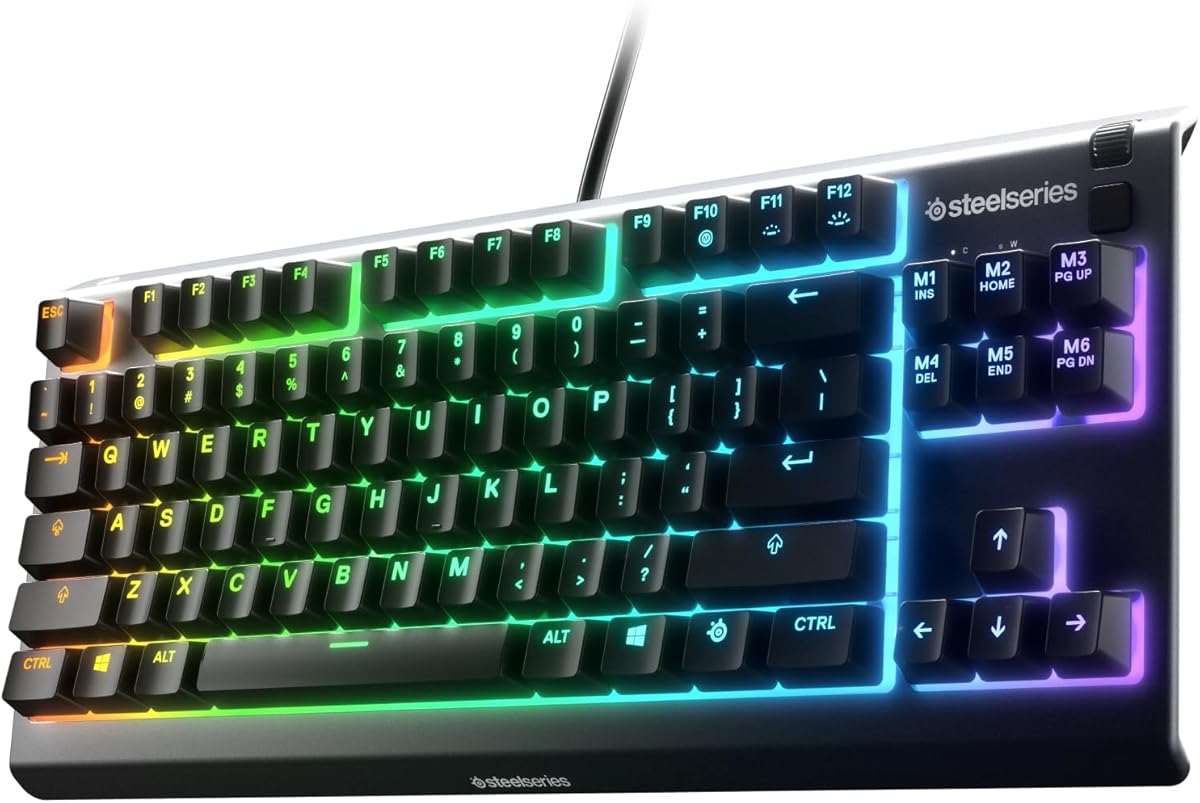




The SteelSeries Apex 3 TKL RGB Gaming Keyboard – Black is a conventional wired gaming board that combines a compact tenkeyless format with a 4.5 customer rating. Its defining attraction is the combination of near-silent gaming switches, anti-ghosting support, and an IP32 water-and-dust-resistant design, making it practical for both competitive sessions and ordinary home use.
We may earn a commission when you buy through this link, at no additional cost to you.
The board is explicitly positioned as a popular form factor among professionals because it leaves more room for mouse movement without removing the arrow keys. PrismSync RGB lighting provides numerous colors and reactive effects, while a clickable volume roller and dedicated media keys make playback and volume adjustments convenient. Compatibility extends across Windows, Mac OS X, Xbox Series S, Xbox Series X, PS4, and PS5.
The main limitation is its wired design. Travelers and users who alternate between desktop and laptop workstations may prefer a wireless alternative, while custom-switch enthusiasts may want visible hot-swap sockets. It also appears less specialized than magnetic or optical gaming models, meaning advanced trigger controls are not part of the stated feature set.
This is a sensible recommendation for a gamer who wants a familiar TKL shape, understated operational noise, useful media controls, and dependable multi-platform support. Choose it over flashier premium models if you value straightforward operation and a balanced feature set rather than adjustable actuation or extensive programmability.
Removing the number pad creates additional desk space without sacrificing the directional keys needed for common game commands. That makes the layout particularly effective in fast-paced competitive games where a larger mouse area can reduce awkward forearm repositioning.
Low-friction gaming switches are designed for near-silent use and a rated lifespan of more than 20 million keypresses. The clickable roller and media keys keep frequently used controls separate from the main typing area.
We may earn a commission when you buy through this link, at no additional cost to you.
The RK ROYAL KLUDGE R87 Pro Wired Mechanical Keyboard TKL with Knob, QMK/VIA is built for buyers who want to modify a mechanical keyboard rather than accept a fixed configuration. Its 4.6 rating, 88-key 75% TKL design, hot-swappable sockets, and support for QMK/VIA make it a strong enthusiast-focused recommendation.
We may earn a commission when you buy through this link, at no additional cost to you.
Its CNC metal knob can be programmed for functions beyond volume and mute, while the hot-swap base accepts both 3-pin and 5-pin switches without soldering. More than 15 RGB effects, brightness and speed controls, and a five-layer gasket structure add visual customization and acoustic refinement. Essential keys remain available despite the compact 75% footprint.
Its wired design is the most obvious limitation for people seeking a portable wireless board. QMK/VIA configuration also appeals to users who understand keyboard firmware, so buyers interested only in plug-and-play gaming may find that they do not need all of the board's depth.
Choose the R87 Pro if hot-swapping, firmware-based remapping, and a tactile sense of mechanical customization are central to your setup. It is especially attractive for typists and keyboard hobbyists who want a compact TKL with a distinctive physical knob.
The metal knob can control volume, handle mute and unmute, or be assigned another function. That gives the board a useful control beyond the ordinary key set and makes quick adjustments possible without opening a software window.
Supporting 3-pin and 5-pin switches gives users an easy way to alter sound and feel. The hot-swap system lowers the barrier for first-time customizers, although selecting compatible switches and handling the board carefully remain important.
We may earn a commission when you buy through this link, at no additional cost to you.
The Kisnt KN85 is a compact 85-key wireless mechanical keyboard offering Bluetooth, 2.4GHz, and USB-C connectivity. It carries a 4.6 rating and targets users who want to move between devices, reclaim desk space, and personalize a mechanical keyboard without paying for a full-size board.
We may earn a commission when you buy through this link, at no additional cost to you.
The keyboard measures 13.68 by 5.51 by 1.77 inches while retaining F1–F12, arrow keys, and shortcuts. Its 4000mAh rechargeable battery supports stable wireless use, and the stated connection latencies are 2ms over USB, 5ms over 2.4GHz, and 11ms over Bluetooth. PBT keycaps, a gasket mount, and pre-lubed 45–50gf linear switches form a package designed for a smooth, cushioned sound.
Programmable RGB and key remapping are available through a Windows-only KN85 driver in wired or 2.4GHz mode. The manufacturer also notes that sound and feel vary according to the case cavity and plate layout. Bluetooth pairing requires a compatible operating system, and animated lighting consumes more battery than static effects.
The KN85 is best for a small desk, laptop-centered workspace, or user who regularly switches among computers, tablets, and phones. Choose it when portability, a modest footprint, and a soft mechanical sound matter more than a full numpad or a dedicated media dial.
USB-C offers the lowest stated latency, 2.4GHz provides a dedicated wireless link, and Bluetooth can serve three remembered channels. This flexibility suits users who move between a desktop computer and portable devices.
Gasket construction helps reduce harsh vibration and hollow echo, while the included linear switches start at a light 45–50gf actuation force. Hot-swap sockets let users replace 3-pin or 5-pin switches without soldering.
We may earn a commission when you buy through this link, at no additional cost to you.
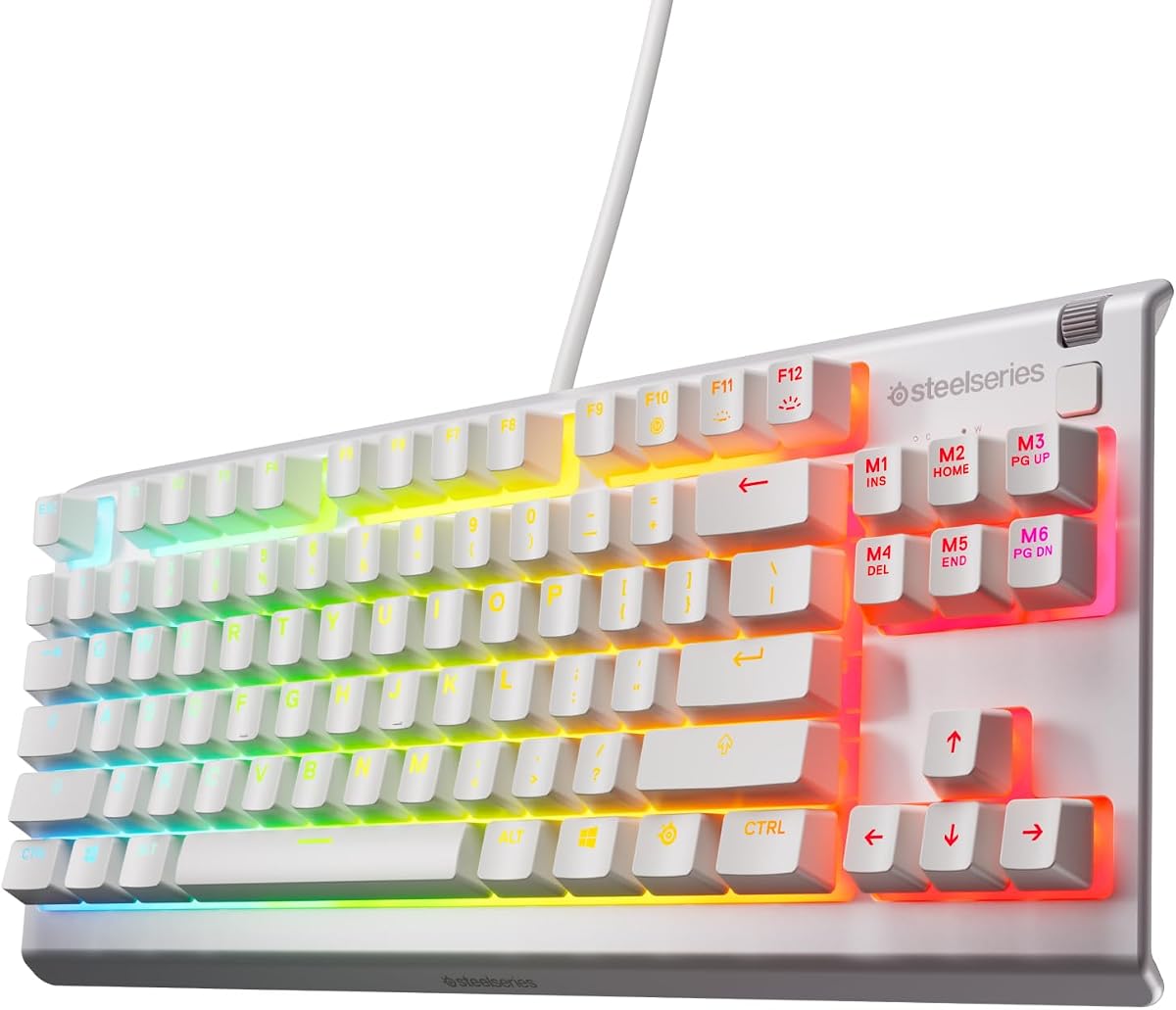
The SteelSeries Apex 3 TKL Gaming Keyboard – White is a straightforward tenkeyless gaming option with a 4.5 rating. It focuses on the essentials: a compact esports-style layout, anti-ghosting keys, durable construction, and eight-zone RGB illumination without drawing attention to specialized trigger features.
We may earn a commission when you buy through this link, at no additional cost to you.
Its compact form factor maximizes available space for the mouse, which can make a gaming setup feel less constrained. Nearly silent low-friction switches are rated for 20 million keypresses, and reactive RGB effects add visual customization. The board is also described as water and dust resistant, offering useful protection for a frequently used desktop peripheral.
The supplied specifications are more limited than those of the premium SteelSeries model, and no wireless connection is stated. It also does not highlight hot-swappable switches, onboard configuration, or analog controls, so buyers seeking extensive customization may need to look elsewhere.
This model makes sense for a gamer who wants a recognizable compact layout, subdued operating noise, and dependable lighting at a straightforward configuration. It is particularly suitable when the keyboard must survive a busy shared environment but does not need to be the central programmable control center of the setup.
The TKL design removes the number pad while preserving a conventional gaming structure. Water and dust resistance helps protect against the ordinary spills and debris that accumulate around a heavily used keyboard.
Eight-zone illumination provides coordinated color schemes and reactive effects. The approach is less granular than a full per-key RGB system, but it can create an attractive gaming setup with less complexity.
We may earn a commission when you buy through this link, at no additional cost to you.
The AULA F87 Pro is the most well-rounded recommendation in this guide, combining a 4.7 rating with extensive connectivity and customization. Its 87-key 75% TKL format saves space while retaining arrow keys, and its support for Bluetooth, 2.4GHz, and USB wired modes accommodates everything from a desktop PC to a tablet, phone, or console.
We may earn a commission when you buy through this link, at no additional cost to you.
The keyboard can connect to up to five devices, and the rechargeable 4000mAh battery supports extended use. Hot-swap sockets accept 3-pin or 5-pin switches, while pre-lubed stabilizers and LEOBOG space gold switches are included. A five-layer filling structure, an extended silicone pad, and PCB single-key slotting are designed to improve stability, resilience, and sound consistency.
RGB customization includes 16.8 million colors, 16 preset effects, and ten music-rhythm effects available through the driver. Keys and combinations can be assigned custom macros, N-key rollover supports rapid input, and a Windows lock helps prevent accidental interruptions during games. Side-printed double-injection PBT keycaps add a distinctive appearance and are designed to resist sweat and fading.
The F87 Pro is a strong all-rounder for someone who wants wireless flexibility, mechanical customization, gaming features, and a compact footprint in one package. It may be more feature-rich than a simple office user needs, but the customizability and device support make it particularly appealing to gamers and hybrid workers.
The ability to pair with up to five devices is a major advantage over single-computer boards. Shortcut keys and a side button simplify switching, while the 4000mAh battery provides a practical foundation for wireless operation.
Hot-swap sockets make it possible to replace 3-pin and 5-pin switches without soldering. The five-layer internal construction and pre-lubed stabilizers help produce a smoother, more controlled typing experience.
The driver can remap individual keys and combinations, while the Win-key lock reduces accidental activation during competitive play. Multiple lighting modes make the keyboard useful for both productivity sessions and gaming.
We may earn a commission when you buy through this link, at no additional cost to you.
The SteelSeries Apex Pro TKL Gen 3 Gaming Keyboard – Black is the premium specialist in this roundup. It pairs a 4.7 rating with Hall-effect magnetic switches, 40 levels of adjustable actuation, Rapid Trigger, Rapid Tap, and Protection Mode, targeting competitive players who want granular control over movement and repeated inputs.
We may earn a commission when you buy through this link, at no additional cost to you.
OmniPoint 3 switches offer an adjustment range from 0.1mm to 4.0mm and a stated 45g bottom-out force. Rapid Trigger resets as soon as a key is released, while Rapid Tap prioritizes the latest input for movement changes. Protection Mode is intended to prevent accidental presses on neighboring keys, a useful feature in fast competitive environments.
The OLED smart display places settings directly on the keyboard, and onboard storage keeps configurations available without repeatedly opening a menu. QuickSet auto-presets can activate relevant configurations when a game loads. These capabilities create a more specialized experience than standard mechanical or membrane TKL models.
This is the recommendation for a serious gamer who values trigger behavior and speed more than a lower purchase cost. It is less necessary for general office typing, and its advanced functions require intentional configuration to get the full benefit.
The 0.1mm to 4.0mm actuation range lets users determine how early a key registers. That level of adjustment is especially relevant for games in which movement, strafing, and rapid ability inputs demand precise timing.
Rapid Trigger, Rapid Tap, and Protection Mode target distinct input problems. Together, they aim to make repeated actions cleaner, directional changes faster, and accidental nearby presses less disruptive.
The OLED display and onboard configuration storage let players check or change settings without leaving the game interface. QuickSet presets add another route to game-specific setup.
We may earn a commission when you buy through this link, at no additional cost to you.
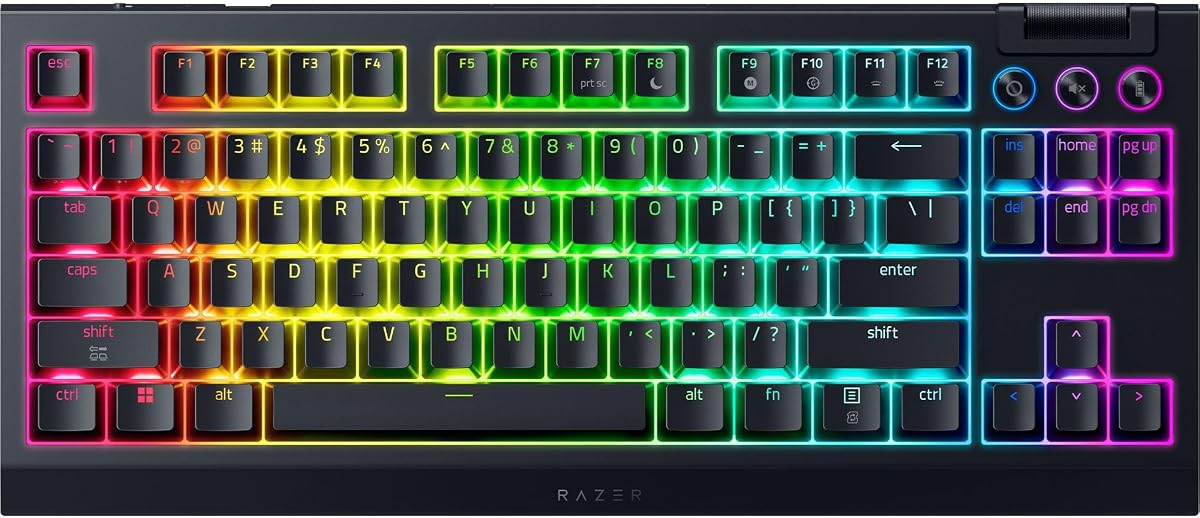
The Razer Ornata V3 TKL Gaming Keyboard, Low-Profile Keys, Black is built around a slimmer physical profile and a 4.6 rating. Its mecha-membrane switches aim to combine familiar conventional feedback with mechanical-like precision, offering an alternative for users who find full-height boards tiring.
We may earn a commission when you buy through this link, at no additional cost to you.
Slimmer keycaps and shorter switches are intended to support more natural hand positioning. UV-coated keycaps improve resistance to legend wear, and a magnetic soft-touch wrist rest attaches to the keyboard for added support. Dedicated backlit media keys can be configured for playback, brightness, and volume functions.
The lighting system provides 16.8 million colors and dynamic effects across supported Razer Chroma-integrated games. Snap Tap is available through Razer Synapse 4 and prioritizes the latest input between assigned keys, but it is off by default. The board does not offer the adjustable analog actuation range of premium magnetic or optical models.
Choose the Ornata V3 if low-profile ergonomics and a familiar key feel are your priorities. It is also appealing for hybrid users who want gaming-oriented software, lighting, and wrist support without committing to a full-height mechanical design.
Shorter switches and slimmer keycaps reduce wrist extension compared with many traditional mechanical boards. The included magnetic wrist rest adds another layer of support during extended sessions.
The mecha-membrane design targets the crispness associated with mechanical typing while retaining conventional keyboard familiarity. Configurable media keys, Chroma lighting, and optional Snap Tap extend its appeal to gamers.
We may earn a commission when you buy through this link, at no additional cost to you.
The Razer BlackWidow V4 TKL Wireless Gaming Keyboard, Orange Switches combines wireless operation, conventional mechanical construction, and user-replaceable switches. Its 4.1 rating is the lowest in this group, but the stated battery endurance, multi-device support, and hot-swap design provide reasons to consider it.
We may earn a commission when you buy through this link, at no additional cost to you.
The keyboard supports 2.4GHz HyperSpeed wireless, Bluetooth across three devices, and wired use. A compatible Razer mouse can share the same 2.4GHz dongle, reducing the number of occupied receiver ports. Socketed PCB positions accept both 3-pin and 5-pin switches, allowing the included orange switches to be changed without soldering.
A top-mounted stainless-steel plate, tape-enhanced PCB, lubricated stabilizers, and two layers of sound-dampening foam are intended to produce a clean typing experience. The multi-function roller and three dedicated buttons for audio, media, and battery settings can be remapped. Razer Chroma RGB supports more than 16.8 million colors and dynamic effects.
This board is best for a wireless setup that needs long battery intervals, broad device switching, and custom mechanical switches. Its lower rating warrants checking recent customer feedback, particularly regarding reliability and real-world battery behavior, before finalizing the purchase.
The stated battery life reaches up to 980 hours, depending on use and mode. That makes the keyboard practical for a setup where the mouse and keyboard share a receiver while multiple Bluetooth devices remain readily available.
Hot-swap sockets let users replace the preloaded orange switches with compatible 3-pin or 5-pin alternatives. The plate, PCB, stabilizers, and damping layers are designed to balance rigidity with a cleaner sound.
We may earn a commission when you buy through this link, at no additional cost to you.
The Logitech G515 Lightspeed TKL Wireless Gaming Keyboard (Tactile) – Black is a slim gaming mechanical board with a 4.5 rating. It combines LIGHTSPEED wireless, Bluetooth, and wired connectivity with low-profile tactile switches, making it suitable for users who want modern styling and clear feedback.
We may earn a commission when you buy through this link, at no additional cost to you.
Factory-lubed GL Brown tactile switches are designed for smooth movement, fast actuation, and a discernible bump that helps confirm key registration. The low-profile body supports a compact, uncluttered desk, while double-shot PBT keycaps resist oil and wear. The board offers up to 36 hours of continuous wireless battery life, though actual duration varies with use.
Logitech's KEYCONTROL software can assign up to 15 functions to each key, creating a broad customization layer for both games and productivity. LIGHTSYNC RGB provides approximately 16.8 million colors and synchronization with other compatible Logitech G devices. Three hotkeys provide direct access to LIGHTSPEED, Bluetooth, and Game Mode.
The G515 is a balanced choice for a gamer who values tactile feedback, a slim frame, and a mature customization ecosystem. Consider alternatives with longer battery life if the keyboard will spend extended periods away from a cable, or a magnetic model if adjustable trigger behavior is central to your game.
The brown mechanical switches offer a noticeable bump without the sharper acoustic character often associated with clicky switches. Factory lubrication supports smoother movement across the compact keybed.
LIGHTSPEED, Bluetooth, and wired modes support different priorities, from low-latency gaming to device switching. A 1ms report rate is stated for LIGHTSPEED, and a compatible wireless mouse can be paired through a 2:1 arrangement.
KEYCONTROL supports extensive key assignments, while LIGHTSYNC lighting can follow themes or compatible Logitech G equipment. This makes the board useful as more than a dedicated gaming peripheral.
We may earn a commission when you buy through this link, at no additional cost to you.
The Razer Huntsman V3 Pro TKL Esports Gaming Keyboard, Black is an advanced esports-oriented TKL with a 4.3 rating. Its defining features are second-generation analog optical switches, Rapid Trigger, adjustable actuation, Snap Tap, and onboard controls designed to improve precision in competitive first-person shooters.
We may earn a commission when you buy through this link, at no additional cost to you.
The optical switch system provides a 0.1–4.0mm adjustable actuation range and a stated lifespan of 100 million keystrokes. Rapid Trigger resets keys at the slightest lift, while Snap Tap prioritizes the latest of two selected inputs for faster directional changes. A firmware update is required for the current Snap Tap behavior described in the product information.
An onboard LED array helps guide precise adjustments to actuation height and Rapid Trigger sensitivity, and settings can be stored directly on the keyboard. A digital dial handles volume and analog switch settings, while three additional buttons support media control and custom macros. Textured doubleshot PBT keycaps and a magnetic firm leatherette wrist rest reinforce its competitive positioning.
The Huntsman V3 Pro is best for an enthusiast who wants detailed movement control and accepts a more involved setup process. For general productivity or casual gaming, one of the simpler mechanical models may deliver a more streamlined experience.
Rapid Trigger and Snap Tap address the timing demands of repeated movement inputs. The wide actuation adjustment range allows each key to be tuned independently rather than relying on a single universal trigger point.
The LED array provides visual guidance while settings are changed, and onboard storage preserves configurations without returning to software. The digital dial offers an efficient way to adjust relevant analog and volume settings.
Textured doubleshot PBT keycaps are intended to withstand intensive use. The attached magnetic wrist rest offers firm support, while the analog optical switches are rated for a long service life.
We may earn a commission when you buy through this link, at no additional cost to you.
A Tkl keyboard should match your desk, games, and preferred typing feel. The most important distinctions are layout size, switch technology, connection method, sound, programmability, and whether you need advanced trigger controls.
A TKL board removes the number pad to create more desk space while normally retaining the function row, navigation area, and arrow keys. Models in this guide range from the Kisnt KN85's 85-key arrangement to the RK R87 Pro's 88 keys and the AULA F87 Pro's 87-key format. Some technically use 75% terminology because they compress the function-row spacing, but their everyday advantage is the same: less horizontal footprint and greater mouse freedom. If you enter numbers constantly, check that arrow keys and any essential navigation controls remain easy to identify.
Membrane and mecha-membrane boards can provide familiar feel with a lower-profile design. Mechanical switches offer more distinct customization, while Hall-effect magnetic switches allow actuation to be adjusted. Analog optical switches also support variable actuation and are aimed at competitive input timing. Linear switches generally feel smooth, tactile switches provide a noticeable bump, and clicky switches add audible feedback. Consider whether you type more than you game and whether a quiet room matters before choosing among these characteristics.
Wired keyboards provide a consistent connection and eliminate battery management, making them straightforward for fixed desks. Wireless models offer portability and cleaner cable management, but their actual experience depends on the receiver, Bluetooth implementation, latency, and battery life. The AULA F87 Pro supports three modes and up to five devices, the G515 combines LIGHTSPEED, Bluetooth, and wired operation, and the BlackWidow V4 TKL supports 2.4GHz plus three Bluetooth devices. Compare stated latency and charging behavior with the way you actually work.
Standard anti-ghosting helps register simultaneous inputs, while N-key rollover provides broader multi-key support. Advanced boards add Rapid Trigger, Rapid Tap, Protection Mode, or adjustable actuation that can influence movement in competitive games. These features are most relevant in fast first-person shooters, where earlier or more repeatable inputs can matter. They also require setup and may not improve the experience in slower strategy, simulation, or productivity software.
The sound of a keyboard comes from the switches, keycaps, plate, PCB, stabilizers, case, and internal damping. A gasket or multi-layer filling structure can reduce vibration and hollow resonance, as described for the RK R87 Pro, AULA F87 Pro, and Kisnt KN85. Low-profile switches tend to reduce travel and overall noise, while linear switches usually produce less high-frequency clicking than clicky designs. Read the structure details, but remember that personal preference and the rest of the desk setup affect perceived sound.
Programmable keys, onboard profiles, and firmware support determine how easily a keyboard can adapt to different games or applications. The AULA F87 Pro supports custom macros, the G515 permits up to 15 functions per key, and the R87 Pro supports QMK and VIA. The SteelSeries Apex Pro TKL Gen 3 and Razer Huntsman V3 Pro provide onboard ways to manage settings. Check operating-system requirements carefully: the KN85's driver is listed as Windows-only, while Bluetooth connectivity on many boards has its own platform limitations.
A keyboard used daily should withstand repeated presses, cable movement, spills, dust, and cleaning. The SteelSeries Apex 3 models include IP32 water-and-dust resistance, while several mechanical options use PBT keycaps, metal plates, or layered internal structures. A magnetic wrist rest can improve comfort, although it occupies a little more desk space. Look for removable or replaceable components only when they matter to you; otherwise, prioritize a layout and feel that suit the way you work.
Published battery figures usually represent an ideal or specific test condition, and wireless use, lighting, sleep settings, and connection type all influence the result. The BlackWidow V4 TKL advertises up to 980 hours, while the G515 lists up to 36 hours of continuous play. Static lighting is generally more economical than animated effects, and the KN85 includes a reminder about this distinction. Treat maximum figures as reference points, then evaluate the keyboard's charging process and the device switching you need.
Begin by placing the keyboard on a stable, clean surface with enough room for the arrow keys, mouse, and any detachable wrist rest. For a wireless model, fully charge the keyboard before the first use and install the appropriate companion software. Update firmware and select the correct connection mode before configuring lighting, macros, actuation settings, or game profiles.
Adjust the keyboard angle, wrist position, and key feel before committing to a long session. Users of low-profile or magnetic boards may need more travel to trigger a key, while tactile switches may require a firmer press. In software, test actuation changes gradually, save separate profiles for gaming and typing, and avoid making several major adjustments at once so you can identify which setting affects your preference.
For care, disconnect the cable or power the keyboard off before cleaning. Use a soft, dry microfiber cloth for the case and keycaps, and a gentle brush or clean air between keys. Avoid liquid cleaners, food, and forceful compressed air around hot-swappable sockets. Remove and charge the battery according to the manufacturer's instructions for wireless models, and clean the keyboard before any switch or keycap changes.
A TKL keyboard is designed to remove the number pad while keeping a conventional function row, while a 75% keyboard is generally more compact and may compress or eliminate some navigation or function-row spacing. The terms overlap in the market, so compare actual dimensions and key layouts rather than relying only on the label. Every model in this guide omits the number pad for additional desk space.
A TKL keyboard is well suited to gaming because it creates more mouse space than a full-size board. Standard anti-ghosting or N-key rollover handles many simultaneous inputs, while premium models add adjustable actuation, Rapid Trigger, or Snap Tap. Competitive players should consider those advanced controls, while casual gamers can focus on response, lighting, comfort, and layout.
Hot-swappable boards are useful when you want to experiment with switch types without soldering or replacing the entire keyboard. They allow sound and feel adjustments with compatible 3-pin or 5-pin switches. You still need compatible switches and basic care during installation, and a non-hot-swap board may be simpler if you already know which switch you prefer.
Linear switches move smoothly from press to activation without a distinct bump, which many typists and gamers find quiet and easy to use during rapid input. Tactile switches include a noticeable resistance bump that confirms the key has registered. Choice ultimately depends on personal preference, the rest of your keyboard structure, and the amount of noise acceptable in your environment.
Most do, because arrow keys are considered essential for navigation, productivity, and many games. The models in this guide retain arrow keys, although their position and surrounding key spacing can differ. Check the product images and key list if you rely on a particular key combination or frequently use the Insert, Home, and navigation cluster.
A wireless TKL can provide a cleaner desk and convenient device switching, while modern wireless products may offer low-latency gaming modes. The best choice depends on the stated latency, receiver stability, battery behavior, and how often you move between computers. A wired board removes charging concerns and may feel simpler for a permanently installed gaming setup.
Yes, and most of the models in this guide are designed for both roles. Programmable keys, onboard profiles, adjustable lighting, and dedicated media controls help you switch between work and play. For a mixed setup, prioritize comfortable switch feel, clear key legends, a useful arrow cluster, and software that works with your operating system.
Confirm that the game and operating system you use support the keyboard's configuration software and required firmware. Also check actuation settings, whether Rapid Trigger or Snap Tap is enabled by default, and whether the included wrist rest and controls suit your desk. These boards offer more control than standard models, but the additional settings only help if you can configure them comfortably.
The AULA F87 Pro is the strongest all-around choice because it combines tri-mode connectivity, hot-swappable switches, programmable controls, RGB lighting, and a compact 87-key layout. The RK ROYAL KLUDGE R87 Pro is a compelling value-oriented custom option, while the SteelSeries Apex Pro TKL Gen 3 stands out for premium Hall-effect controls, Rapid Trigger, and an onboard OLED display.
Your priorities should determine the right alternative. Choose the KN85 for compact wireless versatility, the BlackWidow V4 TKL for extensive stated battery life, the G515 for slim tactile keys, or the Huntsman V3 Pro for advanced optical actuation. Simpler gaming users may prefer the SteelSeries Apex 3 models, while the Ornata V3 offers a lower-profile and less specialized experience.
Before ordering, verify the current product details, compatibility, dimensions, and available customization features. Prices and promotions can change, so compare the latest listing with the needs identified in this guide rather than buying solely on a temporary deal or headline feature.
