
Redragon BM4195
3.9Editor score
AI voice typing and translation
Three wireless connection modes
Type-C rechargeable 500mAh battery
Explore the best AI smart wireless mouse options, comparing voice typing, translation, connectivity, battery life, ergonomics, and meeting features for work
An AI smart wireless mouse combines familiar pointer controls with voice dictation, translation, transcription, writing assistance, and other intelligent tools. The best model depends on whether your priority is fast everyday productivity, multilingual communication, meeting capture, portability, or a polished presentation workflow.
We compared the ten featured mice across AI functions, supported languages, connection modes, battery specifications, DPI controls, comfort features, operating-system compatibility, and setup requirements. The list includes conventional wireless models, voice-typing devices, and a detachable presentation mouse designed to serve several roles.
Each review identifies the strongest reasons to consider a particular model and the compromises worth understanding before buying. Ratings and product details reflect the supplied information, while availability and prices can change, so readers should confirm the current listing and its compatibility before purchasing.
3.9Editor score

4.5Editor score

5.0Editor score
The comparison below highlights the practical differences among all ten models, including their core AI tools, connection methods, power systems, portability, and target working environments.




The Redragon BM4195 combines a conventional optical mouse with AI voice typing, translation, and programmable controls. It carries a 3.9 rating and stands out as a budget-oriented way to add intelligent input to an office setup. Its three-mode wireless system lets one mouse move among a desktop, tablet, and another Bluetooth-enabled device.
We may earn a commission when you buy through this link, at no additional cost to you.
The AI layer is unusually capable for this class of product. Holding the scroll wheel for six seconds opens access to software, after which users can dictate text, issue commands, and assign different functions to keys. Five DPI levels, a 250Hz polling rate, and a 500mAh rechargeable battery round out a specification sheet that is practical for everyday productivity.
The central compromise is dependence on software. The AI functions can only be activated after downloading the required application, so the mouse does not offer an entirely plug-and-play intelligent experience. The supplied information also does not identify the operating systems supported by the BM4195, making compatibility confirmation especially important for buyers with mixed systems.
This is a sensible recommendation for budget-conscious users who want voice input, translation, and multi-device control in one peripheral. It is less suitable for someone who values immediate setup, a polished ecosystem, or extensive platform-specific information. Even with those caveats, it offers a broad and useful feature set for users ready to configure it properly.
The BM4195 can transcribe speech and perform operations through voice commands after its software is installed. Holding the scroll wheel for six seconds starts the setup route, while programmable keys make it possible to tailor the mouse to a personal workflow.
A 2.4GHz receiver and two Bluetooth channels allow quick switching among three devices. That flexibility is valuable for users who alternate between a work computer, a personal laptop, and a tablet without wanting to maintain separate pointing devices.
We may earn a commission when you buy through this link, at no additional cost to you.
The GAMINJA AI Voice Mouse is built for users who want a substantial AI toolkit rather than simple voice dictation. It supports transcription at up to 400 words per minute, translation across 200-plus languages, one-click summarization, and numerous writing, design, coding, and document tools. The supplied listing does not include a customer rating, so its feature breadth is the primary basis for evaluation.
We may earn a commission when you buy through this link, at no additional cost to you.
Its 2.4GHz receiver and two Bluetooth channels provide three connection modes, while a 500mAh rechargeable battery, two-hour charging claim, and LED power display help support daily work. The mouse also includes silent-click features, five DPI settings, and local offline AI processing intended to keep voice recordings, text files, and private work data off the cloud.
Setup adds a layer of responsibility. Users must install the GAMINJA application and follow a three-step process involving the receiver, a six-second scroll-wheel hold, and the app. Features such as highlighted-word translation, screenshot translation, and voice-assistant actions may also require particular settings, which means the advertised capabilities depend on correct configuration.
The mouse is best suited to multilingual students, writers, coders, office professionals, and international teams. It may appeal less to people who want a simple mouse with effortless setup. For anyone prepared to configure a flexible desktop productivity platform, however, it combines voice input, translation, and creative tools in a notably broad package.
Beyond transcription and translation, the software provides AI question-and-answer functions, presentation creation, article polishing, script and novel writing, code generation, form creation, and image text extraction. This makes the mouse a central interface for several kinds of office and creative work.
The product information specifically states that voice records, text files, and private work data can be processed locally without cloud storage. Buyers handling confidential material should still review the software permissions and current privacy behavior for their particular setup.
We may earn a commission when you buy through this link, at no additional cost to you.
The GAMINJA 600mAh AI Mouse offers one of the strongest combinations of customer rating, battery capacity, and intelligent features in this roundup. Its 4.1 rating reflects a generally positive reception, while its voice system supports transcription at up to 400 words per minute and translation across more than 200 languages.
We may earn a commission when you buy through this link, at no additional cost to you.
The mouse handles dictation, voice recording, translation, summarization, and a broad AI creation suite for tasks such as presentation generation, coding, writing, image analysis, and form creation. A 600mAh rechargeable battery, Type-C fast charging, five-minute automatic sleep, an LED power display, and three connection modes reinforce its productivity positioning.
Its strongest physical features include an ultra-thin ergonomic shape and clicks specified at 25dB or below. That makes it appropriate for offices, libraries, shared workspaces, and quiet study sessions. However, the software remains integral: users must install the GAMINJA app, activate pairing by holding the scroll wheel for six seconds, and configure some functions before use.
This is a strong all-around recommendation for Windows or macOS users who need voice input, translation, and creative assistance in a quiet form factor. It is less appropriate for buyers who want a zero-setup mouse or do not want an AI platform running alongside their computer. For the intended productivity audience, however, it balances capability and physical design well.
Clicks rated at no more than 25dB reduce distraction in shared offices and libraries. Combined with the ultra-thin body, this makes the mouse more suitable for prolonged, quiet work than many visually busy AI devices.
The companion interface provides access to Q&A, presentation creation, article writing, code generation, image analysis, and text extraction. This gives the mouse value beyond basic dictation, although users should expect a learning period while navigating the tools.
We may earn a commission when you buy through this link, at no additional cost to you.
The LTC OM021 is a straightforward wireless AI mouse focused on office comfort, voice productivity, and quiet operation. It has a 3.8 rating and supports voice typing at up to 300 words per minute, with translation available for more than 100 languages. Its 2.4GHz and Bluetooth connections make it suitable for both fixed workstations and mobile setups.
We may earn a commission when you buy through this link, at no additional cost to you.
A 500mAh rechargeable battery, Type-C charging, five-minute sleep mode, quiet clicks, and an ergonomic shape form a practical foundation for extended use. The software allows users to assign distinct functions to keys and select among five DPI levels, giving the device more control than a basic wireless mouse.
As with the Redragon BM4195, the OM021 reaches its software features by holding the scroll wheel for six seconds, which opens the download page. That extra setup may discourage users seeking immediate operation. The supplied information also presents fewer AI tools than the GAMINJA and MiMouse models, focusing instead on dictation, translation, and programmable controls.
The OM021 is a sensible option for office workers who want voice input, silent clicks, and multi-device flexibility without a large collection of specialist AI tools. It is best for users who value comfort and straightforward functions over an expansive software platform. Buyers wanting deeper writing, coding, or document-creation features should examine a more specialized alternative.
The lightweight ergonomic shape is intended to reduce strain during extended use. Quiet clicks make it practical in open workspaces, while the five-minute sleep function helps preserve battery life when the user steps away.
At up to 300 words per minute, the voice system targets common drafting and note-taking tasks. Translation for more than 100 languages adds value for international meetings and language learners without requiring a larger software roster.
We may earn a commission when you buy through this link, at no additional cost to you.
The Logitech Signature AI Edition M750 is the most conventional choice in the roundup, with a 4.5 rating and support for Logi Options+ on Windows and macOS. Rather than competing through a long list of voice and translation claims, it focuses on a polished wireless experience built around Logitech's receiver, Bluetooth Low Energy, and familiar configuration software.
We may earn a commission when you buy through this link, at no additional cost to you.
The included AA battery is advertised to deliver up to 24 months of use with the Logi Bolt receiver or up to 20 months over Bluetooth. A wireless range of 32.81 feet gives the mouse useful freedom from the desk, while Options+ support allows users to manage the device within a recognized software environment.
The main limitation is that the supplied specifications do not describe dedicated voice typing, real-time transcription, or translation functions. Buyers shopping specifically for an AI voice mouse may therefore need to verify the current software capabilities directly. The product also uses a replaceable AA battery rather than the rechargeable Type-C systems common among the more explicitly AI-focused alternatives.
It is the strongest recommendation for a buyer who wants a refined everyday wireless mouse, dependable cross-platform software, and long battery life while still considering the AI Edition. It also works well for travel and large desks. Voice-command enthusiasts should choose a dedicated transcription model instead.
Logi Options+ support on Windows and macOS makes configuration more familiar than many app-dependent AI mice. It is a practical advantage for users who already rely on Logitech peripherals or want one software suite for multiple compatible devices.
The advertised 32.81-foot range and long battery life reduce the need to stay close to the receiver. That makes the M750 appealing for presentations, large workspaces, and travel, even if its listed AI capabilities are less prominent than those of dedicated voice products.
We may earn a commission when you buy through this link, at no additional cost to you.
The Cheerdots2 AI Mouse is unlike most conventional wireless mice because its magnetic design converts it among six roles: air mouse, touchpad, presentation clicker, laser pointer, voice recorder, and AI assistant. It carries a 5.0 rating, making it the highest-rated product in the supplied data and a particularly compelling choice for presenters who regularly travel.
We may earn a commission when you buy through this link, at no additional cost to you.
AI transcription turns speech into meeting notes, while voice commands can trigger summaries and quick question-and-answer functions. Double-tapping the device starts and stops recording, with transcribed content saved to the computer. In presentation mode, users can control slides through side swipes and use a red laser, spotlight, or digital pointer to guide attention.
When attached to its base, the device operates as a full-size Bluetooth mouse with adjustable DPI. When detached, it becomes a presentation and note-taking device. The design is portable at 70 grams, includes a USB-C charging port, and is advertised to last up to 20 days, but this modular approach may not satisfy users who want one uncomplicated pointer.
The strongest buyers are consultants, teachers, lecturers, and business professionals who regularly present or record meetings. The magnetic transformation solves several accessory problems in one package. For conventional desk work, however, a standard ergonomic mouse may feel more natural, so buyers should consider how often they will actually use the detachable modes.
The detached touchpad lets presenters move the cursor away from the podium, while side swipes advance slides. A red laser, spotlight, and digital pointer add visual emphasis, helping presenters face the audience rather than remain fixed behind a computer.
A double-tap starts recording and another stops it. The resulting speech is transcribed, summarized through AI features, and saved to the computer, creating a more useful record than an unedited audio file alone.
We may earn a commission when you buy through this link, at no additional cost to you.
The GAMINJA RGB AI Mouse combines voice productivity with a visually distinctive illuminated design. It supports transcription at up to 400 words per minute and translation across more than 200 languages. The supplied data does not provide a customer rating, so the strongest case for this product rests on its broad function set and individual design rather than a demonstrated review score.
We may earn a commission when you buy through this link, at no additional cost to you.
Its AI tools include voice control, summarization, question-and-answer functions, presentation creation, writing, code generation, image analysis, and article polishing. A 500mAh rechargeable battery, two-hour full-charge claim, Type-C connection, LED power display, and advertised standby time of up to 600 hours support extended use.
The ultra-thin ergonomic body and clicks rated at 25dB or below make it suitable for quiet offices and libraries. Its dual-mode connection uses Bluetooth and a 2.4GHz USB receiver. As with the other GAMINJA models, the companion app is required, and some capabilities only become available after the correct pairing and settings process.
This mouse is a good fit for buyers who want an AI productivity platform with a more expressive appearance than a standard office device. It may be especially appealing to students, streamers, and creative users who appreciate RGB lighting. The absence of a published rating means buyers should examine current customer feedback and software compatibility for themselves.
RGB lighting gives the mouse a more personalized appearance than the understated devices in this category. The feature adds style without replacing the core voice, translation, and writing functions that make the product useful for productivity.
The 500mAh battery, Type-C charging, automatic sleep, and advertised 600-hour standby time support longer intervals between charges. Actual use will vary according to connection method, lighting, AI activity, and sleep settings.
We may earn a commission when you buy through this link, at no additional cost to you.
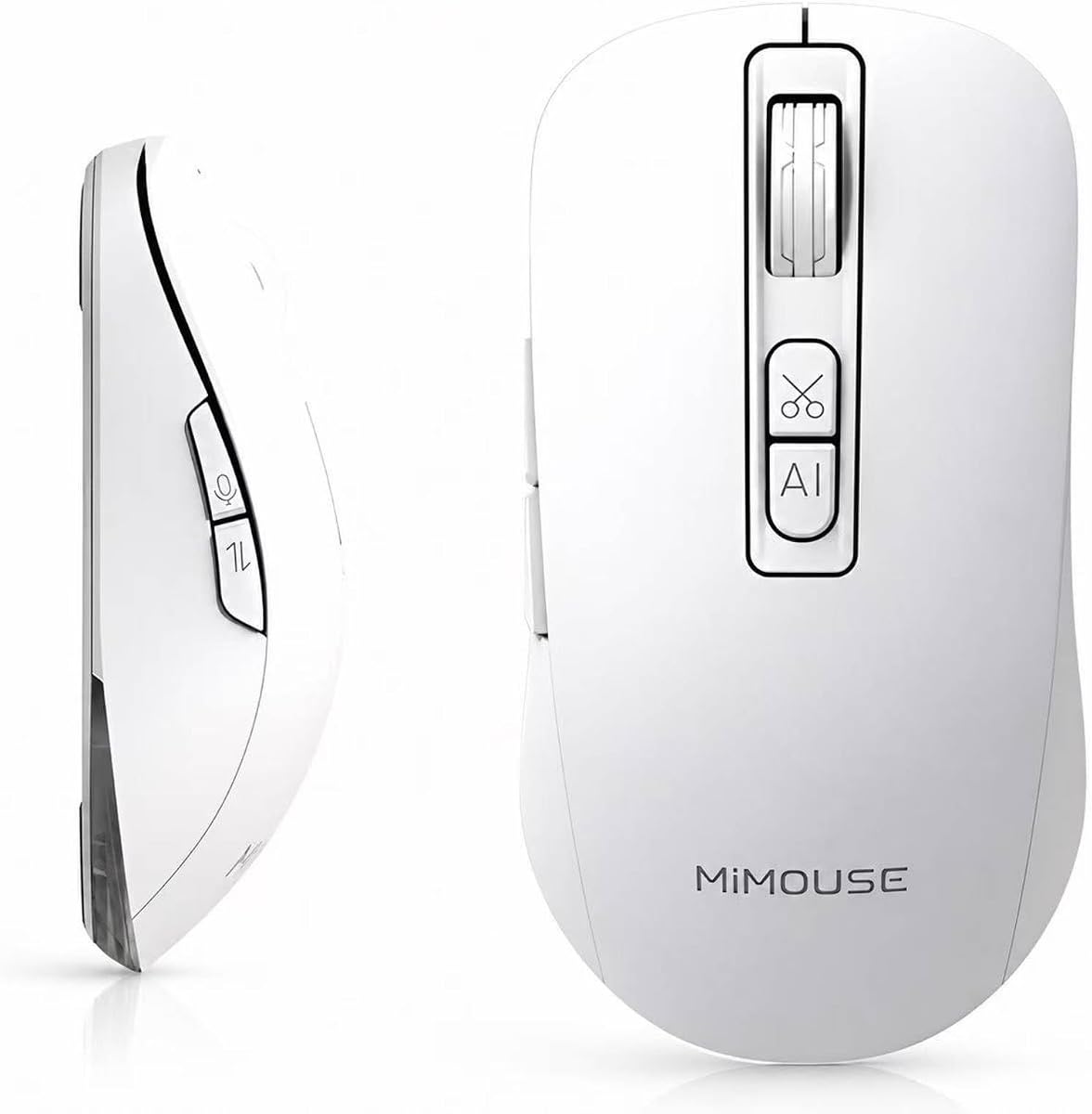
The MiMouse AI Wireless Mouse is built for users who want a central AI workspace rather than a single-purpose voice-control device. It offers transcription and summary tools for meetings and lectures, screenshot OCR, voice typing at 200 to 400 words per minute, and a unified M-AI platform that reportedly provides access to ChatGPT, Gemini, Claude, Grok, and DeepSeek.
We may earn a commission when you buy through this link, at no additional cost to you.
The platform extends beyond basic dictation into writing, reading, drawing, video, presentation creation, Word-to-PowerPoint workflows, contract drafting, and meeting summarization. That breadth makes the mouse interesting to freelancers, lawyers, educators, content creators, and other heavy-document users who want many AI capabilities accessible from one device.
Its physical specification is equally substantial. A 500mAh rechargeable battery is advertised for up to 30 days of use, four DPI levels cover 800 to 4000, and a 500Hz polling rate supports responsive movement. The 92-gram body supports 2.4GHz and dual Bluetooth connections to three devices, while local encryption and controlled cloud access address privacy needs.
This is the pick for a technically confident user who wants broad AI choice and document automation. The central platform may feel excessive for occasional dictation, and no customer rating is supplied. Users should also confirm how third-party model access, account requirements, and privacy controls operate before committing to a demanding workflow.
The M-AI interface reportedly brings several named AI systems into a unified platform. This can help users compare tools or select an appropriate model for drafting, analysis, presentation creation, and document workflows without moving between separate interfaces.
Screenshot OCR, contract drafting, PowerPoint creation, meeting summaries, and Word-to-PowerPoint functions give the mouse particular value for legal, academic, and professional users. These advanced features also make setup and operating knowledge more important than with a standard pointer.
We may earn a commission when you buy through this link, at no additional cost to you.
The Triple-Mode Voice AI Mouse emphasizes simple cross-device operation and real-time voice tools. It can generate presentations, write copy, answer questions, create AI art, transcribe speech, translate text, and summarize content by voice. The supplied listing does not include a customer rating, so the product is best evaluated against its connection design and stated compatibility.
We may earn a commission when you buy through this link, at no additional cost to you.
A one-button mode switch moves among 2.4GHz USB, BT1, and BT2, allowing up to three devices to be connected at once. It supports Windows 7, 8, 10, and 11 as well as macOS 10.15 and later, and is intended for computers, laptops, tablets, and iPads. This makes it a natural candidate for hybrid workers who regularly move between devices.
Five DPI levels range from 800 to 4000, providing broader sensitivity options than many of the dedicated AI models. The ergonomic shape and secure grip target long work sessions, while voice recording, translation, and summarization support lectures, research, and meetings. Detailed charging and battery specifications are not provided in the supplied information, so power management deserves confirmation.
The mouse is recommended for users who prioritize seamless device switching alongside practical voice tools. It lacks the extensive creative suite of the GAMINJA and MiMouse products, but its clearer focus may make it easier to use. Current customer feedback should be consulted because no rating is available in the data supplied for this guide.
The mode button provides a direct way to move among a USB receiver and two Bluetooth channels. For hybrid workers, this reduces friction when switching from a desktop to a laptop or tablet during the same day.
Voice-driven presentation generation, copywriting, question-and-answer prompts, transcription, and summarization cover several common knowledge-work tasks. The feature set feels more accessible than a large multi-model platform, while still moving beyond conventional clicking.
We may earn a commission when you buy through this link, at no additional cost to you.
The Smart Voice-to-Text Mouse takes a simple approach to the category: convert speech into text for emails, notes, reports, messages, and longer drafts. It also offers real-time voice and text translation across more than 200 languages, AI writing assistance, and text summarization. Its 1.0 rating is the lowest supplied score, so potential buyers should investigate current customer feedback carefully.
We may earn a commission when you buy through this link, at no additional cost to you.
The design is a rechargeable wireless mouse with silent clicks, making it suitable for meetings, shared offices, and study sessions. Voice input could be helpful for people who type slowly, experience repetitive strain, or want to capture ideas quickly. The summarization and writing tools also make it more versatile than a dedicated voice recorder.
The supplied information does not state connection methods, battery capacity, DPI settings, supported operating systems, or setup details. Those omissions make comparison with the more fully specified models difficult. A prospective buyer should verify basic essentials such as receiver support, Bluetooth behavior, charging, software permissions, and app compatibility.
Its straightforward concept may appeal to a buyer who primarily wants natural dictation, translation, and condensed summaries without a large specialist toolkit. However, the low rating and limited technical information make this the least confident recommendation in the roundup. It should be considered only after checking the current listing and user feedback.
Speaking instead of typing can shorten the path from an idea to a written draft. The device is positioned for emails, notes, reports, messages, and longer documents, making it relevant to users with substantial recurring writing workloads.
AI writing tools can organize rough ideas, while summaries can reduce lengthy material to a more manageable form. Translation for more than 200 languages adds a useful international dimension, although the limited technical disclosure warrants careful pre-purchase checking.
We may earn a commission when you buy through this link, at no additional cost to you.
The most useful AI mouse is not necessarily the one with the largest feature list. Start by deciding which voice, translation, meeting, and pointer functions you will actually use, then verify compatibility, setup requirements, connectivity, power, and comfort before making a choice.
Voice performance is the defining feature of most AI smart wireless mice, but the supplied specifications vary considerably. The GAMINJA and 600mAh GAMINJA models claim up to 400 words per minute and 98% accuracy, while the LTC OM021 lists up to 300 words per minute and 98% accuracy. The MiMouse model is described as operating from 200 to 400 words per minute with 98%-plus accuracy. These are manufacturer-provided figures, so environmental noise, pronunciation, microphone placement, language choice, and software setup may affect real results.
Choose based on your normal speaking speed and environment. Hold the mouse closer to your mouth in noisy rooms, as the relevant product information recommends. If you dictate short messages, the headline word count may matter less than reliable punctuation and correction behavior. For intensive note-taking, check whether the software supports immediate editing, summaries, and your preferred languages. Prioritize consistent everyday usefulness over a theoretical maximum.
Translation is valuable for international meetings, language study, cross-border collaboration, and reading foreign material. Language claims range from more than 100 languages in the LTC OM021 to 200-plus languages in the GAMINJA, MiMouse, and Smart Voice-to-Text products. Some models also mention screenshot translation and highlighted-word translation, although those functions may require particular settings and compatible software.
The number of supported languages alone does not guarantee equal quality in each one. Review the current product page or application to confirm the languages and translation modes relevant to your work. Consider whether you need real-time speech translation, text translation, image recognition, or all three. Users in multilingual teams may also need to know where recordings and translated content are processed, making privacy controls part of the purchasing decision.
A 2.4GHz receiver often provides a dependable direct connection, while Bluetooth offers a cleaner cable-free option and easier use with tablets or laptops. The Redragon, 600mAh GAMINJA, and Triple-Mode models support 2.4GHz plus two Bluetooth channels, allowing three devices to be connected and switched among. The RGB GAMINJA uses Bluetooth and 2.4GHz, while the LTC OM021 supports Bluetooth 5.0 and 2.4GHz. The Logitech M750 supports its Logi Bolt receiver and Bluetooth Low Energy.
Match the connection system to your devices instead of counting modes in isolation. Check operating-system support, whether a receiver is included, and whether switching occurs through a physical button. Frequent users of Windows and macOS systems should look for explicit cross-platform support. The Cheerdots2 takes a different approach by prioritizing Bluetooth and changing its role through a magnetic design.
Most explicitly AI-focused products depend on downloadable software. The Redragon BM4195 and LTC OM021 open a software page after the scroll wheel is held for six seconds. The GAMINJA models require the GAMINJA app, while the MiMouse centers its functions in the M-AI platform. This setup can unlock meaningful tools, but it also introduces installation, permissions, updates, and account considerations that a standard mouse does not have.
Check whether the application supports your operating system, whether advanced features work without a paid subscription, and what data the software requests. Local processing is highlighted in several GAMINJA listings, while MiMouse describes local encryption and controlled cloud access. These claims deserve direct review. If uninterrupted pointer operation is essential, keep a conventional mouse as a backup and complete setup before relying on the AI functions for critical work.
Power design ranges from a replaceable AA battery to rechargeable Type-C systems. The Logitech M750 is advertised to last up to 24 months with its Logi Bolt receiver or 20 months over Bluetooth. The Cheerdots2 lists up to 20 days, and the MiMouse lists up to 30 days. The 600mAh GAMINJA uses a 600mAh rechargeable battery, while several other models use 500mAh cells and Type-C charging.
Compare battery claims on the same basis, because standby time, active use, and charging time are different measures. The RGB GAMINJA advertises a 600-hour standby duration but warns against more than six hours of daily use in its supplied information. Consider how often you will use voice recording, RGB lighting, and wireless modes, since these can influence real battery behavior. Removable batteries are convenient for travel, while rechargeable models are tidier for a permanent desk.
A mouse with advanced features still needs to feel comfortable during long work sessions. The GAMINJA models emphasize an ultra-thin ergonomic shape, the LTC OM021 highlights reduced hand strain, and the MiMouse describes a curved, matte-coated body intended for smaller and larger hands. Silent clicks are specified for the 600mAh and RGB GAMINJA mice, with the former listing clicks at 25dB or below.
Consider hand size, grip preference, weight, and whether you will use the device away from a desk. The Cheerdots2 weighs 70 grams and detaches for presentations, while the MiMouse weighs 92 grams. Lightweight designs travel well but may provide less palm support. If possible, examine the shape, button placement, scroll-wheel feel, and surface texture before committing, particularly if you already have a hand strain or ergonomic concern.
Some models treat AI as a general writing and translation platform, while others specialize in capturing spoken information or controlling presentations. The Cheerdots2 records meetings, transcribes speech, produces summaries, and transforms into an air mouse, touchpad, clicker, and pointer. The GAMINJA products provide Q&A, presentations, code generation, article polishing, and image text extraction. MiMouse adds OCR, contract drafting, and Word-to-PowerPoint workflows.
Choose the model whose output matches a recurring task. Meeting-heavy professionals may prioritize reliable transcription and saved notes. Teachers may value lecture capture and translation. Presenters may prioritize slide controls and mobility. Writers and coders may prefer editing, summarization, and generation tools. Avoid paying for a large platform when your needs are narrow, and do not assume every advertised tool supports every language or operating system.
Begin with the companion software or configuration route indicated in the product listing. For models that require it, hold the scroll wheel for six seconds, download the designated application, and complete the setup process. Connect through the intended 2.4GHz receiver or Bluetooth channel, confirm that the mouse appears as a standard input device, and test ordinary pointing, scrolling, and clicking before enabling advanced commands.
Learn one voice workflow at a time. Hold the designated voice control while speaking in a natural pace, release it to complete the entry, and review the generated text for names, technical terminology, punctuation, and formatting errors. If using translation, identify the source and target languages before dictation. For meeting recording or transcription, obtain consent from participants, check local privacy requirements, and save important material in a secure location.
For care, keep the optical sensor free of dust and debris, and avoid operating the mouse on wet or visibly damaged surfaces. Charge rechargeable models with a compatible Type-C cable and do not leave a damaged cable connected. Clean the shell with a lightly damp soft cloth, avoid abrasive cleaners, and keep the charging port dry. Periodically review application permissions, connected devices, firmware or software updates, and stored recordings to maintain a secure and reliable setup.
No. They still function as conventional pointing devices, but selected models add a voice key that can turn speech into text, translate content, summarize material, or trigger application functions. A keyboard remains important for editing, keyboard shortcuts, complex commands, and correcting recognition mistakes. The best use is to combine voice input with normal keyboard control rather than removing the keyboard from the setup.
Their real-world accuracy can be affected by background conversation, keyboard noise, room acoustics, pronunciation, and microphone distance. Several products recommend holding the mouse closer to the mouth in noisy conditions. Users should test the microphone in their actual environment and remain prepared to correct names, jargon, punctuation, and unusual terms.
Compatibility varies by model. The GAMINJA options explicitly support Windows and macOS, the LTC OM021 names MacOS, and the MiMouse supports Windows 7 through 11 and macOS 10.15 or later. The Redragon BM4195 and Smart Voice-to-Text listing do not provide a complete operating-system list in the supplied information. Check both the product listing and AI application requirements before purchasing.
That depends on the product and its software configuration. Several GAMINJA models describe local offline processing without cloud storage, while MiMouse describes local encryption and user-controlled cloud access. Other models involve external AI services that may require an account or online connection. Review privacy terms, permission settings, and any local storage controls before recording sensitive conversations.
The Cheerdots2 is the most presentation-specific model in this roundup because its magnetic design becomes an air mouse, touchpad, clicker, laser pointer, and presentation controller. Other models can create presentations through voice commands, but they are primarily designed for desktop productivity. The right choice depends on whether you need physical presentation controls or AI-assisted content creation.
Basic pointing, clicking, scrolling, and connection functions should work independently, but the intelligent features generally depend on the relevant application. The Redragon, LTC OM021, GAMINJA, and MiMouse listings all point to a software-based setup or control interface. A buyer who values immediate out-of-box operation may prefer the Logitech M750, although its supplied specifications do not detail comparable voice features.
A 2.4GHz setup normally uses a small USB receiver for a direct wireless connection, while Bluetooth connects through the device's wireless radio. Bluetooth can be convenient for travel and tablets, whereas a receiver can offer a straightforward dedicated connection. Models that support both give users flexibility, and some can maintain multiple Bluetooth channels for rapid switching among devices.
Consider hand size, grip style, weight, button placement, surface texture, and whether you will use the mouse for long sessions. Silent or ultra-thin models may help in shared spaces, while a larger ergonomic design may provide more support. The GAMINJA, LTC OM021, and MiMouse options all describe ergonomic shapes, but their sizes and features differ, so hands-on comparison remains valuable.
The Redragon BM4195 is the most budget-conscious route into AI voice typing, translation, and three-device wireless control. The Logitech Signature AI Edition M750 is the polished everyday option, offering a 4.5 rating, Logi Options+ support, strong battery claims, and broad wireless range. The Cheerdots2 takes the premium position because its 5.0 rating and detachable six-in-one design extend far beyond standard desktop use.
Prioritize the capabilities you will use regularly rather than the longest advertised feature list. Frequent multilingual users should examine translation coverage, meeting professionals should assess transcription and saved-note tools, presenters should look at the Cheerdots2's modular controls, and conventional users may find the Logitech model more appropriate. Also verify software requirements, operating-system support, privacy behavior, and physical comfort before purchasing.
Ratings, availability, software features, and prices can change, so readers should check the current product listing and Amazon page at the time of purchase. That final check is especially important for AI mice because application updates, account requirements, and platform compatibility can materially affect the experience beyond the hardware specifications.