
Womier DK75
4.5Editor score
Triple-mode wireless connectivity
Fifteen dynamic RGB effects
PBT wear-resistant keycaps
Our Green Backlit Gaming Keyboard guide compares 10 green RGB keyboards for wireless control, hot-swapping, sound, macros, key layouts, and build quality.
A green backlit gaming keyboard combines a distinctive retro-inspired appearance with the illumination, responsiveness, and programmable controls modern players expect. The best examples balance useful gaming features with comfortable everyday typing, reliable connectivity, and an appealing green color treatment.
We compared ten green backlit gaming keyboards by examining their switch type, RGB lighting, wireless options, hot-swapping support, macro tools, layout, sound-control features, and multi-device functions. The list includes membrane and mechanical models, wired and wireless designs, and options ranging from compact 75% layouts to full-size boards.
Each pick highlights a different strength, from the value-focused Womier DK75 to customizable mechanical models from AULA, Womier, Redragon, and KiiBoom. Ratings and specifications reflect the supplied product information, while availability and prices can change, so shoppers should confirm current listing details before buying.
4.5Editor score

4.8Editor score

4.7Editor score
The table below compares the ten shortlisted keyboards across switch design, connectivity, programmability, and layout. It makes it easier to identify the right balance of gaming features, everyday utility, and visual customization.





The AULA F75 Green is a 75% wireless mechanical gaming keyboard with a 4.8 rating and a feature set that covers nearly every major customization preference. It combines tri-mode connectivity, hot-swappable sockets, 16.8 million RGB colors, a multifunction knob, full-key macro programming, and a gasket-mounted structure in a compact layout.
We may earn a commission when you buy through this link, at no additional cost to you.
Its pre-lubed LEOBOG Reaper switches and pre-lubed stabilizers are designed to provide a smooth, creamy mechanical feel. Five sound and shock-absorbing layers help reduce cavity noise, while the Cherry-profile double-shot PBT manga keycaps combine a distinctive appearance with durable, textured surfaces. Players can select from a broad RGB palette and build lighting profiles suited to different games or work sessions.
The F75 can connect through Bluetooth 5.0, 2.4GHz wireless, or a wired USB connection, with support for switching among as many as five devices. Its 4,000mAh rechargeable battery and automatic sleep after 60 seconds of inactivity help manage power consumption. The main limitation is that full-key macro configuration is supported only through the Windows driver in wired mode, so Mac users should verify which controls they need before purchasing.
This is the strongest all-around recommendation for a buyer who wants true mechanical switches, flexible wireless use, extensive RGB control, and a compact layout that retains dedicated arrow keys. It suits gamers who regularly customize controls, while remaining suitable for everyday typing, study, and general office work.
Full-key macro programming allows users to assign individual keys or combinations for games and work tasks. The rotary knob provides quick access to lighting controls, while 16.8 million RGB colors make it possible to create a more personal desk setup.
Supporting five connected devices is useful for users who move between a desktop, laptop, tablet, or other compatible equipment. Bluetooth, 2.4GHz, and wired modes provide flexible options for gaming and productivity.
We may earn a commission when you buy through this link, at no additional cost to you.
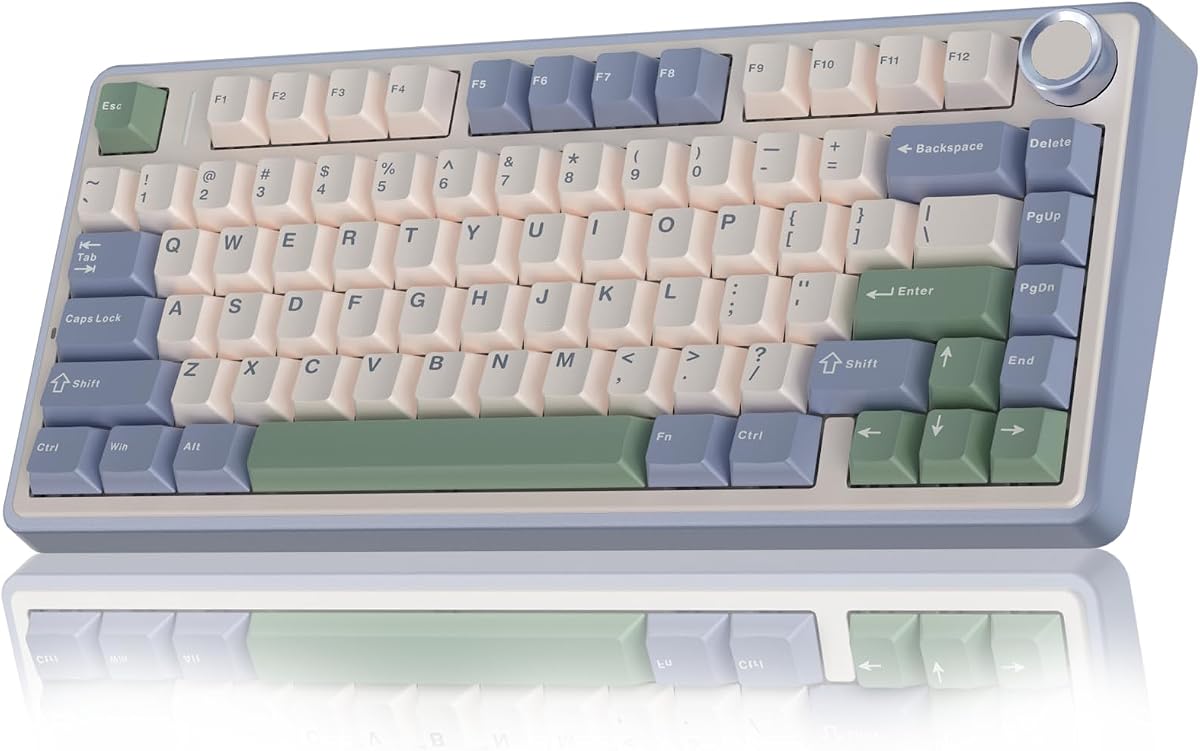
The Womier DK75 is a compact green wireless keyboard rated 4.5 that brings a creamy visual style, RGB illumination, and multi-device connectivity to an accessible category. Its 75% design saves desk space, while the supplied PBT keycaps and status display give it a more refined appearance than a basic membrane board.
We may earn a commission when you buy through this link, at no additional cost to you.
Fifteen dynamic lighting effects, seven colors, and adjustable brightness and speed can be managed directly through FN and key combinations without installing software. A rotary knob changes volume or lighting behavior, and the small screen displays battery and connection information. Bluetooth 5.0, 2.4GHz wireless, and wired USB operation allow the board to work across computers, tablets, and laptops.
The primary compromise is its use of silent membrane switches rather than mechanical ones. That makes it quieter and potentially more comfortable for shared rooms, libraries, and late-night use, but it does not provide the same customizable switch platform or tactile response of a hot-swappable mechanical model. There is also no listed full macro-programming feature for advanced gaming setups.
The DK75 is best for value-conscious buyers who prioritize green styling, wireless flexibility, quiet operation, and attractive lighting more than mechanical construction. It also works well as a general productivity keyboard because of its compact format, tactile membrane feel, and device-switching convenience.
The DK75 places its strongest convenience feature in the lighting controls. Users can move among 15 effects, seven colors, and several brightness and speed settings using simple key combinations, making the green board easier to personalize immediately.
Silent membrane switches make this a practical option for offices, libraries, or late-night gaming. The cushioned action prioritizes lower noise over the sharper customization offered by mechanical alternatives.
We may earn a commission when you buy through this link, at no additional cost to you.
The AULA Nova75 is a wireless green mechanical keyboard with a 4.7 rating and a premium mix of a TFT multimedia display, rotary knob, hot-swapping, and five-device connectivity. Its white and green PBT keycaps, 11-degree display, and customizable GIF screen create a particularly distinctive gaming setup.
We may earn a commission when you buy through this link, at no additional cost to you.
Bluetooth 5.0, 2.4GHz, and USB-C wired modes allow users to connect five devices and switch through hotkeys or side buttons. The screen can display custom GIFs, operating-system information, connection status, language, volume, brightness, speed, and RGB effects. A large 8,000mAh battery adds useful capacity for a wireless board intended for extended sessions.
Its gasket-mounted construction, pre-lubed linear switches, south-facing transparent light diffusers, and hot-swap PCB support create a more enthusiast-oriented mechanical platform. The listed software supports macros, shortcut assignments, and RGB customization, although custom screen images and date or time settings require a Windows computer and a USB connection. The included information also notes that the green version is identified on the back of the packaging.
Choose the Nova75 when the keyboard should function as the visual centerpiece of a gaming desk. It is particularly suitable for streamers, collectors, and enthusiasts who value an information-rich display and fine-grained personalization beyond ordinary RGB lighting.
The angled TFT screen turns an ordinary status area into a customizable dashboard. It can present GIF artwork along with connection, operating system, lighting, and volume information, adding functional context to the green theme.
Hot-swappable three-pin and five-pin sockets make it easier to change the feel and sound of the pre-lubed linear switches without soldering. The gasket structure and south-facing light diffusers support a polished, enthusiast-oriented build.
We may earn a commission when you buy through this link, at no additional cost to you.
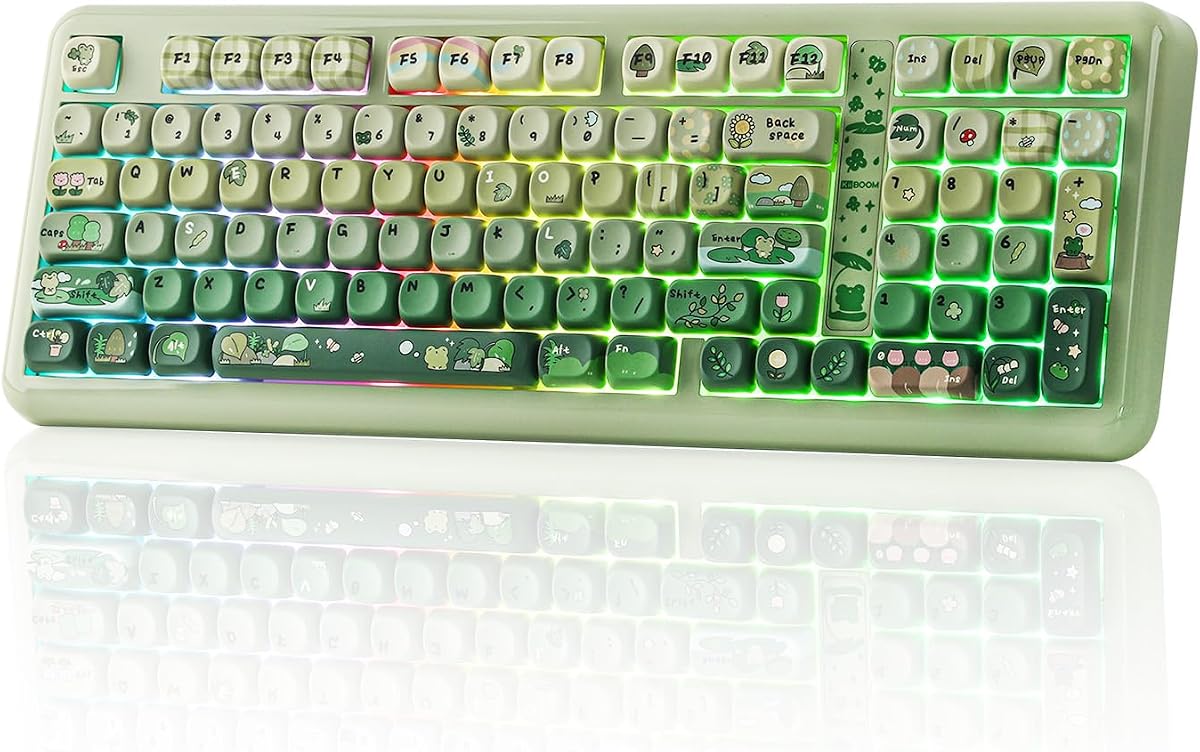
The AULA S99 is a wireless green keyboard built around a 96% layout that preserves an integrated numeric keypad while reducing overall bulk. Its 4.2 rating reflects a feature-rich membrane design aimed at gamers who also need number-entry convenience and extensive device compatibility.
We may earn a commission when you buy through this link, at no additional cost to you.
Bluetooth 5.0, 2.4GHz wireless, and USB-C wired operation make it adaptable across Windows, Mac, Android, and iOS systems. A dual-mode rotary knob adjusts volume, audio, and lighting, while three programmable M keys provide quick access to personalized commands. All keys support macro customization, which adds a meaningful gaming tool despite the membrane construction.
Its two-stage foldable stand allows users to select a more comfortable typing angle, and the familiar 96% arrangement includes a numeric keypad without extending to the far edge of a full-size board. The important limitation is that this is a membrane keyboard and cannot accept hot-swappable switches. Buyers who want to tune switch feel and sound will need a mechanical alternative.
The S99 makes the most sense for a mixed gaming-and-office setup where a number pad is essential. It is also a practical choice for users who switch frequently among Windows computers, Apple devices, and mobile hardware and want programmable controls without relying on a compact arrow-key layout.
The S99 separates itself from smaller gaming boards by retaining a full numeric keypad. This makes it easier to alternate between gameplay, spreadsheets, and general data entry without changing keyboards.
Three connection modes and broad platform support suit hybrid setups. The keyboard can move between gaming, office, and mobile use while preserving dedicated shortcut and macro controls.
We may earn a commission when you buy through this link, at no additional cost to you.
The Womier SK80 is a 75% mechanical keyboard with a 4.6 rating, a Frog Green appearance, and a color multimedia display that can show custom GIF images. Its 11-degree angled screen provides information about connection mode, operating system, lighting, volume, language, and other keyboard settings.
We may earn a commission when you buy through this link, at no additional cost to you.
The hot-swappable PCB accepts three-pin and five-pin switches, and the board comes with preinstalled full POM switches. A gasket-mounted structure is intended to improve stability and reduce typing noise, making it more suitable for streamers and content creators who want a visually expressive mechanical board without abandoning everyday usability.
Nineteen RGB lighting effects and nine colors can be adjusted for brightness and flow rate. The keyboard works with Windows and Mac, and its detachable Type-C connection makes setup straightforward. However, advanced customization through the driver, including macros, RGB options, and GIF display settings, is listed as Windows-only.
The SK80 is a strong fit for a user who values the informative screen and retro-green styling alongside a standard hot-swappable mechanical platform. It may be less attractive to Mac users who need driver-based customization, or to buyers seeking battery-powered multi-device switching.
The upper-right display combines decorative GIF support with practical readouts. Users can monitor operating mode, brightness, RGB settings, volume, and language without relying entirely on small indicator lights.
Full POM switches, hot-swappable sockets, and a gasket-mounted structure allow users to alter the keyboard's feel and acoustic profile. That flexibility benefits both gamers and everyday typists.
We may earn a commission when you buy through this link, at no additional cost to you.
The Keymatic Green is a wireless 98% gaming keyboard with a 4.4 rating that combines a full number pad, RGB illumination, a status screen, and a multifunction knob. It is designed for users who want the functional space of a traditional gaming keyboard in a more compact green design.
We may earn a commission when you buy through this link, at no additional cost to you.
Tri-mode connectivity includes wired, Bluetooth, and 2.4GHz wireless operation. The 19-key anti-ghosting system is intended to register multiple commands accurately, while dynamic RGB modes provide the requested green backlit appearance. A 4,000mAh battery and low-power design support extended use without requiring the board to remain connected.
The silver-paste membrane construction produces a responsive, quiet action described as having a mechanical feeling. Each key is rated for 10 million keystrokes, and an internal iron plate contributes to a stable feel. The trade-off is the absence of hot-swappable switches and a full mechanical platform, so users seeking deeper acoustic and tactile customization should choose one of the mechanical alternatives.
This keyboard is well suited to mixed gaming, spreadsheet, and general office use. It is particularly appealing for buyers who refuse to give up a number pad but still want wireless freedom, a rotary control, and attractive dynamic lighting.
The 98-key layout preserves a complete number pad while keeping the footprint smaller than a traditional 104-key board. That balance works well for desks where every centimeter matters.
Silver-paste membrane technology is designed to deliver low noise with tactile feedback. It is a practical alternative for offices, shared rooms, and late-night play where a louder mechanical board may be unwelcome.
We may earn a commission when you buy through this link, at no additional cost to you.
The KiiBoom Phantom98 Lite is a 97-key wireless mechanical gaming keyboard with a 4.8 rating and one of the strongest customization toolkits in this roundup. Its compact 96% format retains practical full-size functions, including a number pad, while offering tri-mode connectivity and an 8,000mAh rechargeable battery.
We may earn a commission when you buy through this link, at no additional cost to you.
The keyboard supports 2.4GHz, USB-C, and Bluetooth 5.0 connections and can toggle among five devices. South-facing RGB lighting offers 16.8 million colors, adjustable modes, and effects that can synchronize with music or games. Pre-lubed linear switches and hot-swappable sockets make it easier to adjust the feel of the board without soldering.
Its layered damping system includes latex sandwich foam, an IXPE switch pad, PET film, bottom foam, and bottom silicone. Together with the plate-mounted construction and pre-lubed stabilizers, these elements are intended to reduce ping and rattling while preserving a clean, creamy sound. VIA compatibility allows keys, macros, and lighting effects to be customized.
The Phantom98 Lite is the most compelling option for enthusiasts who want extensive programmability, five-device support, and a carefully damped mechanical design. Its 97-key layout makes it less space-efficient than the 75% alternatives, but it offers a stronger balance of everyday productivity and gaming features.
VIA support lets users remap keys, create macros, and adjust RGB effects in a familiar customization workflow. That makes the board useful for competitive games, programming shortcuts, and broader productivity tasks.
Multiple damping materials work with pre-lubed stabilizers and a plate-mounted structure to soften unwanted sound. The result is intended to deliver a refined acoustic profile without eliminating the character of a mechanical keyboard.
We may earn a commission when you buy through this link, at no additional cost to you.
The Owpkeenthy Matcha is a full-size 104-key wired mechanical gaming keyboard with a 4.5 rating. Its matcha-green keycaps, numeric keypad, red linear switches, and 18 RGB lighting modes deliver a familiar gaming formula with a restrained retro color palette.
We may earn a commission when you buy through this link, at no additional cost to you.
N-key rollover allows multiple keys to register simultaneously without conflicts, which is valuable during fast gameplay and also useful for typing, programming, and writing. The linear red switches offer a smooth action with minimal resistance and a slight sound, while XDA-profile keycaps create a uniform shape with a larger contact area for each finger.
This is a straightforward wired option rather than a wireless or multi-device keyboard. That eliminates battery management and connection switching, but it also means the board must remain tethered to a compatible computer. Its complete 104-key layout and number pad occupy more space than compact gaming models, yet they offer maximum familiar functionality.
The Matcha is best for a player with a large desk who values reliable rollover, a traditional full-size arrangement, and simple wired operation. It is also a natural choice for users who want a green mechanical keyboard for both intensive gaming and extended office work.
N-key rollover is valuable when several commands are pressed simultaneously. It reduces concerns about missed inputs and also supports efficient everyday typing and productivity workflows.
The 104-key arrangement includes a numeric keypad and familiar spacing. Adjustable kickstands provide an ergonomic tilt, while the uniform XDA profile offers a broad fingertip contact area.
We may earn a commission when you buy through this link, at no additional cost to you.
The AULA F75 Creamy Green is a white-and-green 75% wireless mechanical keyboard with a 4.6 rating. It uses pre-lubed LEOBOG Reaper switches, hot-swappable sockets, an 81-key layout, and a multifunction knob to provide a balanced mechanical option for gaming and office work.
We may earn a commission when you buy through this link, at no additional cost to you.
Bluetooth 5.0, 2.4GHz wireless, and USB wired modes allow switching among up to five devices. The board includes a 4,000mAh rechargeable battery, 16.8 million RGB colors, 16 lighting effects, and music-rhythm modes. Its knob can adjust lighting in gaming mode and media functions in office mode, providing useful context-sensitive control.
The internal construction includes an extended silicone pad, PCB single-key slotting, and five filling layers designed to improve resilience, stability, and sound. N-key rollover and a Windows key lock are useful for competitive play. As with other driver-heavy mechanical keyboards, full macro assignment requires downloading the AULA software.
This version is a compelling choice for buyers who prefer a creamy white and green appearance rather than an entirely green set of keycaps. Its combination of hot-swapping, five-device support, layered sound control, and a multifunction knob makes it a strong alternative to the darker or more conventionally styled models.
The multifunction knob separates gaming and office behavior. It controls lighting in gaming mode and media functions in office mode, making it easy to change the keyboard's emphasis as the session changes.
Pre-lubed stabilizers, Reaper switches, a silicone pad, and five filling layers work together to reduce cavity noise. The construction also aims to create a softer, more elastic typing sensation.
We may earn a commission when you buy through this link, at no additional cost to you.
The Redragon K742 is a 98% wireless mechanical gaming keyboard with a 4.6 rating, a rotary multimedia knob, and broad programmability through QMK and VIA. It uses a gasket structure with five layers of sound-absorbing padding and pre-lubed RPC linear switches for a creamy acoustic profile.
We may earn a commission when you buy through this link, at no additional cost to you.
Bluetooth 5.0, 2.4GHz wireless, and USB-C wired operation support up to three devices, with dedicated shortcuts for Windows and macOS. The 98% layout saves desk space compared with a full-size keyboard while retaining a number pad. A built-in USB receiver collection design helps keep the wireless dongle with the keyboard.
Hot-swappable sockets accept three-pin and five-pin switches, and the package includes four spare switches plus a two-in-one keycap and switch puller. Two-stage adjustable feet, OEM-profile double-shot PBT keycaps, south-facing lighting, and N-key rollover round out the practical feature set. QMK and VIA allow remapping, macros, and layer customization, though users must contact the company for the JSON file.
The K742 is an excellent fit for users who want open programmability without giving up wireless controls. It is particularly attractive to gamers, programmers, and productivity users who understand the value of remapping a keyboard to suit a particular application.
QMK and VIA support expands customization beyond standard lighting changes. Users can remap keys, automate repetitive macros, and build layers for games or workflows.
Five layers of acoustic padding work with pre-lubed linear switches to soften the sound profile. Replaceable switches and included spare components make it easier to tune the keyboard over time.
We may earn a commission when you buy through this link, at no additional cost to you.
The best green backlit gaming keyboard depends on how you play, how much desk space you have, and whether wireless freedom or switch customization matters most. Use the following factors to narrow the field before comparing the final choices.
In short, mechanical is the better choice for switch enthusiasts, while membrane is the simpler option for quiet shared-space use.
Prioritize tri-mode operation and enough paired-device capacity for your actual setup rather than paying attention only to wireless capability in general.
Choose a model with simple onboard controls if you want instant adjustments, or a software-rich model if precise lighting profiles are central to your setup.
Pick 75% for focused gaming and space efficiency, 96% or 98% for a number-pad balance, and 104 keys for the most traditional layout.
Prioritize full-key macros and layer support for competitive gaming, but ensure the required driver and operating system match your computer.
Choose membrane keys for the quietest everyday operation and a damped mechanical model for a deeper, more customizable sound.
Prioritize long battery life for mobile use and choose a rich display only when its information and customization have practical value to you.
Favor a knob or screen only when its specific controls match your routine, and keep dedicated shortcut keys separate from the standard arrow cluster.
Begin by confirming the keyboard's supported operating systems and connection method. Charge a wireless model through its specified USB-C connection, install any required driver on the intended computer, and pair through Bluetooth or the 2.4GHz receiver as applicable. After connection, test the arrow keys, media controls, rotary knob, lighting modes, and any programmable shortcut keys before beginning a gaming session.
For the best lighting and control experience, adjust RGB brightness, effect speed, and color preferences before starting. Explore the available macro and remapping options only after confirming the basic layout. On driver-based models, create separate profiles for gaming and work when the software permits it, and remember that some advanced features require a wired connection and a Windows computer.
Keep the keyboard free of liquids and debris, and clean the keycaps and chassis with a soft, dry cloth. Avoid pulling hard on the rotary knob or display and do not remove hot-swappable switches while the keyboard is connected. When changing switches, confirm that they use three-pin or five-pin compatibility as applicable, and consult the product instructions if the board has a different procedure.
No. The green treatment defines the visual style, while features such as N-key rollover, macro programming, hot-swappable switches, and programmable RGB controls determine gaming utility. The strongest models combine the green appearance with responsive input options and useful everyday functions.
Mechanical models offer deeper customization, especially when they support hot-swappable three-pin or five-pin switches. Membrane models are generally quieter and feel more cushioned, making them practical for offices, libraries, and shared spaces. Your priority for switch feel, sound, and customization should determine the choice.
A 75% layout removes the number pad while retaining dedicated arrow keys. This creates more mouse and desk space without losing the directional controls commonly needed in games. It is especially attractive for competitive players who prefer a compact board.
Many models support Bluetooth, 2.4GHz wireless, and wired USB-C operation, but paired-device capacity varies. The KiiBoom Phantom98 Lite and both AULA F75 models support up to five devices, while the Redragon K742 supports up to three. Confirm the requirements of every computer or tablet you plan to use.
No. The AULA S99 supports full-key macro customization, and the AULA F75 models also provide macro programming through their drivers. Several membrane alternatives focus on gaming controls, lighting, and connectivity without the same advanced macro system. Check the listed features before buying.
A simple backlight stays within a limited color scheme, while RGB lighting can cycle through many colors and effects. In this roundup, models such as the AULA F75 support 16.8 million RGB colors, while the Womier DK75 provides 15 dynamic effects with seven colors. The preferred level of customization depends on how important animated lighting is to your setup.
Check whether the required driver supports your operating system and whether a wired connection is necessary. For example, the AULA F75's full macro function is listed for Windows in wired mode, and the Womier SK80's advanced customization is Windows-only. A keyboard may still work normally on Mac, but some customization options may remain unavailable.
Clean the keycaps gently with a soft, slightly damp cloth and avoid harsh chemicals or abrasive tools. PBT keycaps are listed as resistant to oil and wear on models such as the Womier DK75, but regular careful cleaning still helps preserve their texture and visual consistency.
The AULA F75 Green is the best overall option for its hot-swappable mechanical platform, five-device wireless support, extensive RGB controls, and full macro programming. The Womier DK75 stands out as the budget-friendly choice for quiet membrane typing, simple onboard lighting control, and compact wireless operation, while the AULA Nova75 offers the most premium presentation with its customizable TFT display and five-device connectivity.
Other buyers may find a better match in a different feature. The AULA S99 and Keymatic Green preserve number pads, the Owpkeenthy Matcha offers a traditional wired 104-key design, and the Redragon K742 emphasizes QMK and VIA programmability. The KiiBoom Phantom98 Lite and Womier SK80 target mechanical enthusiasts, while the white-and-green AULA F75 offers a distinct color treatment with a dedicated knob and sound-controlled construction.
Before ordering, confirm switch style, operating-system compatibility, required software, paired-device support, and the amount of desk space available. Product ratings, layouts, and features can change across revisions, and current prices fluctuate, so checking the latest listing and manufacturer instructions helps ensure that the keyboard still matches your priorities.