
DELTAHUB Carpio 2.0
4.1Editor score
Contoured right-handed ergonomic design
Low-friction hand gliding motion
Stable silicone contact pads
Support for extended computer use
Discover the 10 best mouse wrist rests for office, gaming, and travel, comparing support, materials, size, grip, surface, and everyday comfort.
A mouse wrist rest can make long computer sessions feel more comfortable by supporting the heel of your hand as you move between the keyboard and mouse. The right choice depends on cushioning, height, surface texture, stability, desk space, and whether you use a traditional mouse or a larger ergonomic model.
We compared ten mouse wrist rests using the supplied product information, focusing on support materials, dimensions, grip, special features, and intended uses. The list covers compact foam pads, full-size combinations, bean-bag cushions, gel pads, and a contoured design intended to glide with the hand.
Each pick reveals a different balance of benefits, from space-saving construction to broad multi-function support or specialized right-handed ergonomics. Product ratings and design details can change over time, and current prices vary, so check the latest listing information before making a final purchase.
4.1Editor score
4.6Editor score

4.2Editor score
The comparison below places all ten wrist rests side by side, showing the main differences in support style, size, base grip, and practical features. It is designed to make it easier to identify the option that best matches your mouse, workspace, and routine.




The BRILA Memory Foam Wrist Rest is a compact, dedicated support cushion with a 4.5 rating. Its defining features are a wrist-shaped groove, slow-rebound memory foam gel, massage holes, and a non-slip PU base. Together, these details make it a focused option for people who want direct palm support without taking up much desk space.
We may earn a commission when you buy through this link, at no additional cost to you.
The support surface is designed to fit the wrist and palm rather than presenting a completely flat platform. That contour can help distribute contact across the hand while the memory foam gradually conforms to the pressure pattern created by the mouse. The silicone-like Lycra cover adds a soft skin-friendly layer, while the rubbery underside is intended to remain stable during repeated reaching and repositioning.
There are some practical limitations. At 5.1 by 3.1 inches, it is a wrist cushion rather than an integrated mouse pad, so users who need a large tracking area will still need a separate mouse surface. Its 0.8-inch height may also feel less supportive with a tall ergonomic mouse, but it appears well suited to standard compact mice and users who prefer a moderate profile.
This is a compelling recommendation for office workers, students, and casual gamers who want a dedicated memory-foam cushion with a defined ergonomic contour. It is especially attractive when desk space is limited and the mouse area is already covered by a separate pad. The BRILA is a balanced, compact choice for everyday mouse support.
The wrist-shaped groove gives the mouse hand a defined landing area, while the slow-rebound foam adapts gradually rather than immediately losing its shape. This combination is useful for users who change grip or hand position throughout the day.
The non-skid PU base helps keep the compact cushion from sliding during quick movements. Its small footprint also leaves room for a separate mouse pad, making it adaptable to existing desk setups.
We may earn a commission when you buy through this link, at no additional cost to you.
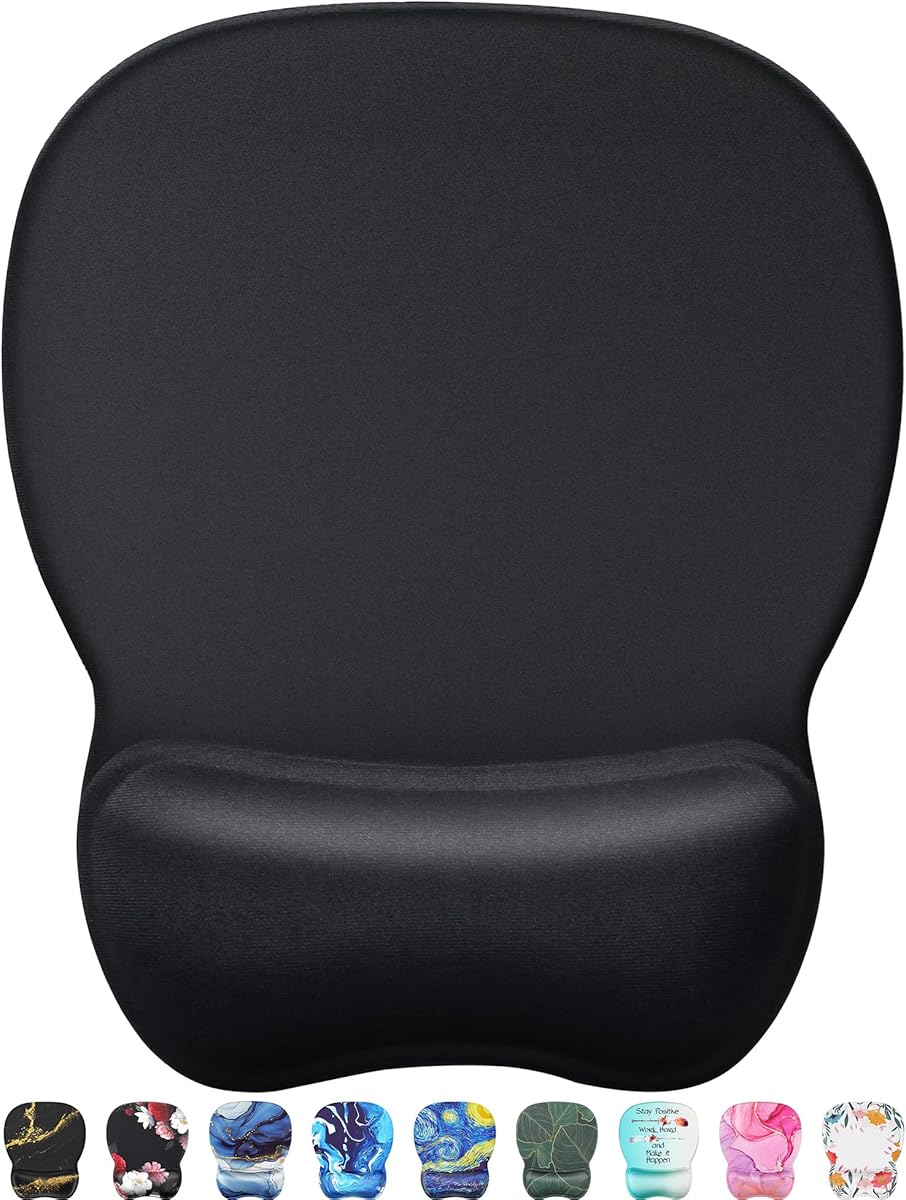
The MROCO Ergonomic Mouse Pad with Gel Wrist Rest combines a conventional mouse surface with a cushioned wrist area. Its 4.6 rating and balanced feature set make it one of the most versatile options in the group, especially for people who prefer replacing both their mouse pad and wrist cushion with a single accessory.
We may earn a commission when you buy through this link, at no additional cost to you.
The premium Lycra surface is described as smooth and finely textured, offering a consistent surface for wired, wireless, optical, and mechanical mice. Beneath that surface, the soft gel is intended to support the wrist while the non-skid PU base holds the entire pad firmly in place. Reinforced edges add practical protection against fraying and wear.
The main trade-off is footprint. Its 9.4 by 8.1-inch size gives ample room for mouse movement but occupies more space than a narrow wrist rest. It also combines two functions, so someone who already owns a good mouse pad may get less value from the tracking area than someone starting from scratch.
The MROCO is a strong overall recommendation for office work, study, and gaming because it combines a stable mouse surface with integrated gel support. It is particularly practical for users who want one accessory to handle both cursor movement and palm support without managing separate accessories.
Integrating the pad and support removes the need to align a separate cushion with a mouse mat. The result is a more consistent desktop setup and a straightforward way to keep the hand supported during movement.
The Lycra-covered surface balances softness with a fine texture. According to the product details, it works with common wired, wireless, optical, and mechanical mouse designs, making it a broadly practical choice.
We may earn a commission when you buy through this link, at no additional cost to you.
The GORILLA GRIP Memory Foam Wrist Rest is a two-piece system covering both keyboard and mouse positions. It carries a 4.4 rating and distinguishes itself with a nearly 1.2-inch-thick foam interior, a durable rubber base, and a water- and stain-resistant spandex top. The result is a comprehensive support setup rather than a single mouse cushion.
We may earn a commission when you buy through this link, at no additional cost to you.
Its three-layer construction places supportive memory foam between a durable rubber bottom and a soft spandex surface. The longer keyboard rest measures 17 by 3.5 inches, while the mouse rest measures 6 by 3.3 inches. This coordinated pairing is useful for users who divide their time between typing and mouse movement and want a consistent elevated position for both.
The elevated design is the primary trade-off. A thick cushion can feel substantial, but keyboard users who are sensitive to contact between the desk and their forearms may need time to adjust. The full-size keyboard rest also takes up horizontal space, making the set less convenient for very small desks or frequently changing workspaces.
The GORILLA GRIP is a strong pick for home-office workers and students who want coordinated support across their full typing and pointing area. It is less suited to travelers or minimalist desks, but for a stationary workstation, the combination of thick foam, grip, and cleanable fabric makes it particularly practical.
The matching keyboard and mouse rests create a consistent support system rather than solving only one side of the desk. The set is best for fixed workstations where both areas can be arranged together.
The water- and stain-resistant spandex layer is designed for routine maintenance. A damp cloth and air drying are the recommended cleaning method, helping preserve the surface without complicated care.
We may earn a commission when you buy through this link, at no additional cost to you.
The Large Bean Bag Wrist Rest uses adjustable ergo beads rather than a fixed foam core. It has a 4.6 rating and stands out for its large 6.1 by 4.3 by 1.57-inch shape, soft polar-fleece cover, and invisible zipper that allows the filling level to be changed.
We may earn a commission when you buy through this link, at no additional cost to you.
Adjustability is the central benefit. Users can modify the height to better match a particular mouse and hand, creating a more personalized landing surface than a rigid cushion. The soft, breathable fleece is designed for warmth and smooth skin contact, while the generous size offers support for the wrist, palm, elbow, forearm, or hand.
Bean-bag products can lose some shape as the filling settles, so periodic adjustment may be necessary. The substantial dimensions may also occupy more space than a narrow keyboard-style rest. Users seeking a thin, fixed-profile cushion may prefer a foam option, while those who like a soft and customizable surface may find this more satisfying.
This cushion is a versatile recommendation for office workers, writers, editors, designers, and students who use different parts of their arm throughout the day. It also works for PC and Mac setups and can stand alone or complement a separate mouse pad. Its adjustability and broad usability are the reasons it stands out.
The invisible zipper lets users add or remove beads until the support height suits their mouse and grip. This makes the cushion more adaptable than a standard fixed-foam wrist rest.
The bean bag can be placed beneath the wrist, palm, elbow, forearm, or hand. That flexibility makes it useful for varied tasks rather than a single point of contact.
We may earn a commission when you buy through this link, at no additional cost to you.
The HyperX Wrist Rest for Mouse combines cooling gel with memory foam in a dedicated mouse-side cushion. It has a 4.6 rating and is particularly suited to users who notice heat around the wrist during extended gaming, office work, or browsing. The product also emphasizes stability and durable stitching.
We may earn a commission when you buy through this link, at no additional cost to you.
The gel-infused foam provides a soft landing area with a cooling component intended to reduce the warm feeling that can develop during long sessions. A textured natural-rubber underside helps the rest remain in place, while anti-fray stitching supports longevity around the perimeter. The construction is focused specifically on mouse use rather than a full keyboard setup.
As with many cooling surfaces, the degree of cooling will depend on room temperature, duration of contact, and individual sensitivity. The gel may also feel firmer than a plush bean-bag cushion, and the mouse-only shape means keyboard users would need a separate product. Those limitations are reasonable for buyers primarily concerned with heat and mouse support.
The HyperX is a strong recommendation for gamers and intensive computer users who value a stable, purpose-built mouse rest. It combines cooling, foam cushioning, and grip without requiring a larger integrated pad. For users whose main concern is heat rather than maximum adjustability or wrist mobility, it offers a focused and polished solution.
Cooling gel is integrated into the memory foam rather than offered as a separate layer. This construction targets the heat users may feel around the wrist during extended mouse work.
The natural-rubber underside adds grip, while the anti-fray stitching protects a vulnerable seam area. These details help the cushion remain stable and wear well over repeated use.
We may earn a commission when you buy through this link, at no additional cost to you.
The Kensington ErgoSoft Wrist Rest is a low-profile option intended for standard mice. It carries a 4.6 rating and uses a curved, gel-cushioned design intended to promote proper alignment without creating a high block beneath the hand. Its simple dimensions are 2.9 by 0.7 by 6 inches.
We may earn a commission when you buy through this link, at no additional cost to you.
The product is described as ergonomist approved, with its shape, dimensions, and padding selected to support alignment. A premium exterior covers the gel cushioning, and a non-skid rubber base helps keep the rest from shifting during work or gaming. The narrow profile also preserves more open desk space than a broad bean bag or integrated mouse pad.
The most important compatibility note is height: the product is described as ideal for a mouse higher than one inch. Its narrow width may provide less palm or forearm coverage than larger cushions, and users who prefer a deeply plush or adjustable surface may need to look elsewhere.
The Kensington is a practical recommendation for traditional desk setups, particularly for people using a standard mouse and wanting subtle wrist support. It suits users who value a professional low-profile appearance, reliable grip, and a straightforward ergonomic shape more than elaborate features or large coverage.
The 0.7-inch height gives the hand a modest lift without creating the steep ramp associated with more bulky cushions. This makes it visually and physically unobtrusive on a work desk.
The curved form is intended for a standard mouse positioned higher than one inch. Users with low-profile or unusually tall mice should check compatibility before ordering.
We may earn a commission when you buy through this link, at no additional cost to you.
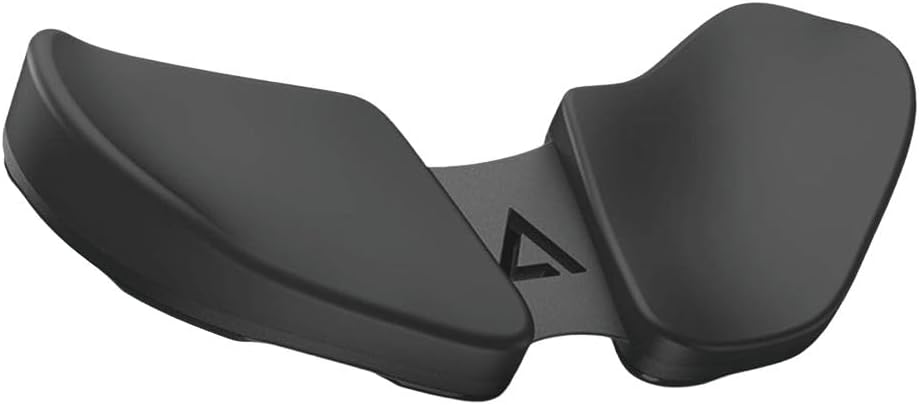
The DELTAHUB Carpio 2.0 is a contoured, right-handed wrist support designed to move with the hand. Its 4.1 rating is lower than those of several conventional gel and foam pads, but the product addresses a more specialized need: allowing the wrist to remain supported while the hand glides during mouse movement.
We may earn a commission when you buy through this link, at no additional cost to you.
Unlike a stationary cushion that the user returns to after reaching for the mouse, the Carpio 2.0 is intended to support the wrist throughout the movement sequence. PTFE feet enable smooth gliding, while silicone pads balance comfort and stability. Its contoured shape was developed with input from medical experts specializing in reconstructive surgery and is intended to reduce harmful wrist extension.
Handedness is the central limitation. This specific listing is for right-handed users, and the design may not accommodate a left-handed grip. The specialized shape also calls for a different interaction than a conventional pad: users must allow the support to move with the hand rather than treating it as a fixed landing platform.
The DELTAHUB is a premium recommendation for right-handed users who spend long periods navigating a desktop and want support that travels with the hand. It may be especially appealing to people who find ordinary wrist rests disruptive during rapid mouse movement. Users wanting a simple stationary cushion should look to the foam or gel alternatives in this guide.
The glide feet allow the support to travel across the desk with the hand. That design can reduce the need to lift and reposition a fixed cushion during repeated reaches.
The shape is intended to limit harmful wrist extension while distributing contact through silicone surfaces. It offers a more specialized approach than flat foam or gel supports.
We may earn a commission when you buy through this link, at no additional cost to you.
The MXCOIRTP Memory Foam Wrist Rest is a compact, budget-oriented cushion for mouse users. It has a 4.2 rating and provides the core functions expected from a basic ergonomic accessory: slow-rebound memory foam, a wrist-shaped design, a soft outer surface, and a non-slip base.
We may earn a commission when you buy through this link, at no additional cost to you.
The interior foam rebounds gradually and is described as resistant to deformation, while the breathable cover helps reduce the feeling of sweat and friction during extended contact. A rubber base adds weight and grip to limit sliding. The 5.5 by 3.15 by 0.9-inch size is particularly convenient for small desks, travel, coffee shops, and other changing work locations.
This is a standalone wrist rest rather than a full mouse pad, so it does not replace the need for a tracking surface. Its relatively moderate rating may also reflect a more basic overall feature set when compared with higher-rated products. Users seeking cooling, adjustability, or a large tracking area may need to spend more or look at a different format.
The MXCOIRTP is a worthwhile budget recommendation for students, travelers, and home users who want a dedicated cushion without paying for an integrated mouse pad. Its small size, stable base, and conventional memory-foam construction make it especially convenient for temporary or compact workspaces.
The 5.5 by 3.15-inch footprint supports the mouse-side hand without taking over a small desk. It can also be packed more easily for travel than a full-length keyboard rest.
A non-skid rubber base is intended to keep the pad stable, while the slow-rebound foam provides support that conforms gradually to the hand rather than feeling rigid.
We may earn a commission when you buy through this link, at no additional cost to you.
The JIKIOU Gliding Palm Rest is an unconventional mouse support with four small rolling wheels, soft gel, and a wave-shaped profile. It has a 3.9 rating, the lowest in this group, but its central idea is distinctive: the support is designed to move with the hand and reduce friction during cursor movement.
We may earn a commission when you buy through this link, at no additional cost to you.
The four wheels allow the palm rest to glide across the desk in response to wrist movement, while the gel is designed to mold around the wrist curve. A wave-shaped contour provides targeted support, and the leather surface is described as easy to wipe clean, resistant to sweat, and suitable for office, study, and gaming environments.
As the lowest-rated option here, it may demand more attention to fit and adjustment. Users who dislike mechanical movement or prefer a completely stationary pad may find the rolling concept distracting. The specialized design also requires the wrist to remain in contact with the rest for smooth movement rather than lifting it between actions.
The JIKIOU is worth considering for users who find fixed wrist cushions inconvenient during fast mouse work. Its wheel system, gel interior, and wave contour offer a more interactive form of support. Although its rating is lower than the other products, the design directly targets friction and hand movement in a way conventional pads do not.
The rolling mechanism is designed to let the palm rest travel with the wrist, reducing the need to reposition a stationary cushion. Users who move the mouse rapidly may appreciate this lower-friction approach.
The gel core and wave-shaped surface are intended to cradle the wrist rather than leave it on a flat plane. The wipe-clean leather-style covering adds a more finished appearance for a desk.
We may earn a commission when you buy through this link, at no additional cost to you.
The Compact Memory Foam Wrist Rest is a straightforward option with a 4.5 rating. Its stated dimensions are 5.5 by 3.1 by 1 inch, clearly positioning it as a mouse-side cushion rather than a full-length keyboard rest. The design relies on slow-rebound memory foam, a breathable fabric cover, and a non-slip PU base.
We may earn a commission when you buy through this link, at no additional cost to you.
The foam is designed to mold to the wrist and spread pressure evenly during clicking and scrolling. Its breathable cover is intended to reduce sweat and friction, while the low-profile edge should avoid digging into the forearm when the user types. The rubbery bottom helps keep the cushion in place during quick mouse movements.
The product does not offer a larger tracking surface, cooling gel, adjustable filling, or a gliding mechanism. Those omissions keep the design simple, but users seeking specialized features may find comparable alternatives more versatile. Its fixed height also means it cannot be tailored as precisely as the bean-bag option.
The Compact Memory Foam Wrist Rest is a good recommendation for people who want a simple cushion that pairs with an existing mouse pad. Its clearly stated size, grippy base, and soft foam make it easy to assess before ordering, particularly for small desks, travel setups, and straightforward home offices.
The product listing emphasizes its 5.5 by 3.1 by 1-inch size and distinguishes it from a keyboard-length model. Clear dimensions help buyers avoid choosing an accessory that is too large for their mouse area.
Slow-rebound memory foam conforms gradually and distributes pressure across the palm. The breathable cover and low edge are intended to keep long contact feeling comfortable and unobtrusive.
We may earn a commission when you buy through this link, at no additional cost to you.
The most useful wrist rest is not necessarily the thickest or softest. Your mouse shape, hand size, desk layout, and preferred movement style should guide the decision, while comfort features should be evaluated alongside stability and fit.
Stationary foam, gel, and bean-bag rests are designed for the palm to rest on while the mouse remains on a separate surface. These options are familiar, easy to position, and often work well with standard mice. Gliding designs take a different approach by moving across the desk with the hand, which may feel smoother for users who make large, frequent mouse movements. Consider whether you prefer a fixed landing point or support that travels with your palm.
Mouse height strongly affects how a wrist rest feels. A low-profile cushion works best with a conventional mouse, while a taller or more contoured support may be needed for a large ergonomic mouse. Kensington specifically describes its model as ideal for mice higher than one inch. Users should also consider the mouse footprint, because a narrow rest supports the heel of the hand while a broad platform can support more of the palm and forearm.
Memory foam offers slow, contouring support and is widely used in desk accessories. Gel feels more responsive and can be combined with memory foam for a firmer yet comfortable surface. Bean-bag cushions use loose beads and an adjustable fill, allowing height changes when mice or grips differ. The JIKIOU model uses a moldable gel core with a wave profile, while the BRILA combines memory foam gel with a contoured wrist groove.
Extended mouse sessions can leave the underside of the wrist feeling warm. Cooling gel, as found in the HyperX model, is intended to manage that heat, while breathable fabric can improve comfort in warmer environments. Other surfaces use Lycra, polar fleece, spandex, or leather-style material. The softest-looking cover is not automatically the best choice, because some users prefer a fine tracking texture while others favor a warm, plush contact.
A wrist rest that slides can undermine the benefit it is supposed to provide. Rubber, PU, and textured natural-rubber bases are used throughout the roundup to resist movement. Stability matters most for integrated mouse pads, where the mouse and support must remain aligned, and for gliding systems, where controlled movement is essential. A grippy base is also useful for users who make rapid movements or work in a shared space.
Compact mouse-only rests take up the least room, while integrated pads and keyboard-and-mouse sets require considerably more space. The MROCO measures 9.4 by 8.1 inches and provides a full tracking area, whereas the GORILLA GRIP set includes a 17-inch keyboard rest. The bean-bag cushion is broad but portable, and the smaller BRILA, MXCOIRTP, and compact memory-foam models suit tighter desks. Measure the available area before selecting a format.
Some wrist rests are only cushions and need to be paired with a separate mouse pad. Others integrate a tracking surface with the support area, reducing desk clutter and simplifying setup. A combined design is convenient for a new workspace, while a standalone cushion gives you more freedom to use the mouse surface you already prefer. Beaded and foam models can also be repositioned independently, which can be useful when switching between devices.
Ergonomic contours are not automatically symmetrical. The DELTAHUB Carpio 2.0 in this roundup is specifically designed for right-handed users, so left-handed buyers need a suitable alternative. Cleaning requirements also vary: several fabric-covered products can be wiped with a damp cloth, while the JIKIOU leather-style surface is designed for easy wiping. Confirm the stated care instructions and avoid immersing memory foam, gel, or bead-filled products unless the manufacturer specifically permits it.
Place the wrist rest in the natural resting area beside your keyboard, then position the mouse on the appropriate tracking surface. Rest the heel of your palm on the cushion rather than pressing your wrist directly into a raised edge. Keep the mouse close enough that your forearm does not have to reach sharply upward or sideways, and allow the hand to move naturally as you use it.
For fixed supports, move the mouse with your hand and return the palm to the cushioned area when you reach for the keyboard. A gliding model is designed to travel with the hand, so keep light contact with it and avoid lifting it during every mouse movement. If using a bean-bag cushion, check the height periodically and adjust the beads with the invisible zipper if the filling settles or the mouse height changes.
Clean fabric-covered products according to their specific instructions. The GORILLA GRIP model can be wiped with a damp cloth and left to air dry, and the JIKIOU surface is also described as easy to wipe clean. Avoid harsh chemicals, excessive water, and machine washing unless the listing states that a method is safe. Allow memory foam, gel, and beaded products to dry fully before use.
A wrist rest can be useful whenever you use a mouse for extended periods, but it is not essential for every short session. The most noticeable benefits often come during long workdays, study sessions, or gaming stretches. A rest is especially worth considering if the heel of your hand feels uncomfortable after reaching for the mouse repeatedly.
Memory foam tends to provide slower, contouring support that gradually adapts to the hand. Gel generally feels more responsive and may retain its shape differently over time. The best choice depends on your preference, the mouse height, and whether you prefer a soft, molded surface or a firmer cushion.
Most can, but height and shape compatibility matter. A low-profile cushion generally suits a standard mouse, while a large ergonomic mouse may require more elevation. Kensington describes its ErgoSoft model as ideal for mice higher than one inch, so checking dimensions before ordering can prevent an uncomfortable mismatch.
It depends on the product. The MROCO model includes a mouse tracking surface, so the mouse can operate directly on it. Foam-only cushions generally work best with a separate mouse pad because their textured or cushioned surface may not provide the consistent tracking response needed for precise cursor control.
A two-piece set can create a consistent support system across a stationary desk. The GORILLA GRIP set in this guide pairs a long keyboard rest with a smaller mouse rest. The tradeoff is desk space, so a combined set is more practical for home offices than highly compact or frequently mobile setups.
Clean it when you notice visible dirt, oil, or odor, and check periodically during frequent use. Follow the product-specific care instructions: several options can be wiped with a damp cloth and air dried. Do not saturate memory foam, gel, or bean-bag fillings unless the manufacturer explicitly states that water cleaning is safe.
They can provide a useful level of customization because the beads can move and redistribute as the mouse and hand settle into position. The filling may compact over time, so checking and adjusting the height periodically helps maintain consistent support and keeps the wrist from developing an unwanted downward angle.
A wrist rest may improve comfort and encourage a neutral hand position, but it should not be treated as a cure or substitute for medical advice. Persistent numbness, tingling, weakness, or pain deserves evaluation by a qualified healthcare professional, since the underlying cause may involve more than desk positioning.
The MROCO Gel Mouse Pad is the most versatile all-around choice because it combines a stable tracking area, smooth Lycra surface, and integrated gel support. The DELTAHUB Carpio 2.0 stands out for right-handed users who want a specialized support that glides with the hand, while the MXCOIRTP Memory Foam Wrist Rest delivers a focused, portable design at a budget-friendly level.
Your own setup should determine the final choice. Prioritize mouse height, base grip, and support style first, then consider cooling, adjustability, desk space, cleaning, and whether you need a separate keyboard rest. A fixed foam cushion is often simplest, an integrated pad reduces clutter, and a gliding design may be preferable for large, frequent mouse movements.
Ratings, designs, and availability can change, and current prices vary between sellers and over time. Review the latest product listing, compare the stated dimensions with your mouse and desk, and confirm the current offer before purchasing so the selected wrist rest fits your workflow and preferences.
